
By Kshetez Vinayak, founder of SupaSidebar. Last updated July 3, 2026.
{/* TL;DR */}
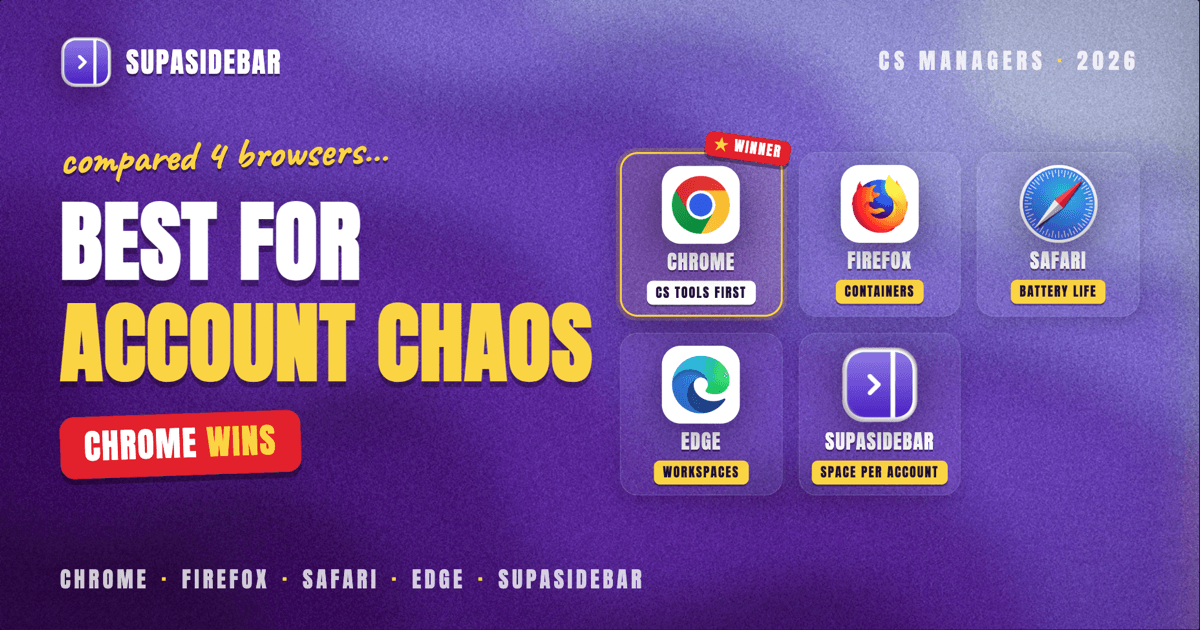
For most customer success managers on a Mac in 2026, Chrome is the best browser for the core of the job, because the CRM and customer success platforms a CSM lives in (Salesforce, HubSpot, Gainsight, ChurnZero, Totango, Vitally, Planhat) plus the product-usage dashboards are cloud apps tested against Chrome first, and its profile system gives each book of business or region a durable, self-contained login. Firefox is the better pick when a CSM logs into many customer environments or portals at once, because Multi-Account Containers isolate each account's session inside a single window. Safari is the choice for a CSM on back-to-back calls and dashboards all day, since it is the most battery-efficient option on Apple Silicon. Edge is the strongest fit inside Microsoft-managed orgs, with built-in vertical tabs and Workspaces. But the browser is rarely the real bottleneck. The harder problem is keeping each account's CRM record, health view, usage data, and QBR docs together and switchable without drowning in a wall of near-identical tabs, and that is a workspace problem no single browser solves. SupaSidebar is the macOS sidebar that fixes it across whichever browser a CSM runs.
Quick navigation:
- Comparing every Mac browser, not just the customer success angle? → Best Browser for Mac in 2026
- Looking for the full Mac app stack for customer success? → Best Mac Apps for Customer Success Managers in 2026 (coming soon)
- Logging into many customer accounts in one browser? → Use Multiple Google Accounts in One Browser on Mac
- Comparing how a sidebar fixes tab chaos across browsers? You are in the right place. Keep reading.
| Browser | Best for | CRM and CS-platform handling | Multi-account separation |
|---|---|---|---|
| Chrome | Browser-based CRM and CS platforms | Salesforce, HubSpot, Gainsight, and ChurnZero tested against Chrome first | Profiles, durable per-book login sets |
| Firefox | CSMs logging into many customer environments | Reader View for clean docs and runbooks, plus per-container isolation | Multi-Account Containers, per-tab isolation |
| Safari | Long days of calls and dashboards on battery | Deep macOS integration; low power draw for all-day account work | Profiles (2022+), one window per profile |
| Edge | Microsoft-managed customer success orgs | Same Chromium engine, native vertical tabs, project Workspaces | Edge for Business work/personal profiles |
| SupaSidebar (layer, not a browser) | Keeping every account's tools together across any browser | One Space per account or book segment, across all of the above | One Space per account, across every browser at once |
What customer success managers actually need from a browser on Mac
The best browser for customer success on Mac in 2026 is the one that handles three jobs at once: it runs the browser-based CRM, customer success platform, and product-analytics tools without permission or performance friction, it keeps each customer account or book segment separated so one account's dashboards and logins do not bleed into another's, and it holds a day's worth of health reviews, renewal prep, and QBR tabs without the CSM losing the account they are actually working. This post compares the major Mac browsers on exactly those three jobs. It does not rank the customer success platforms themselves (Gainsight, ChurnZero, Totango, and the rest run alongside whichever browser you pick), and it is Mac-specific.
A customer success manager's browser session looks nothing like a casual one. Preparing for one QBR can mean the account open in the CRM, the health score and playbook in the CS platform, the product-usage dashboard, a support-ticket history, the customer's shared QBR deck, and the renewal forecast, all at once. A CSM carrying thirty to eighty accounts multiplies that across the whole book. The browser has to hold it, keep each account separate, and not turn into fifty near-identical tabs by mid-afternoon.
Most of a CSM's workflow now lives in the browser. Salesforce and HubSpot are the CRM backbone almost every customer success platform integrates back into, so account ownership, renewal forecasts, and opportunity stages live there regardless of what tools CS layers on top (HubSpot, best CRM for customer success). Customer success platforms such as Gainsight, ChurnZero, Totango, Vitally, and Planhat are cloud apps that run in the browser with no installation, which makes the browser the actual customer success desk rather than a place you occasionally look things up (HubSpot, best CRM for customer success). When a CSM manages more than one region or has to sign into each customer's own environment, the standard setup is a dedicated browser profile per account, because it keeps each one's logins and portals strictly separated (Google Chrome Help, add and manage Chrome profiles). That makes browser choice a real decision, but it also exposes the limit: a browser can hold the tabs, it just was not built to keep several accounts' worth of them organized.
Chrome: CRM, CS platforms, and the cloud success stack
Chrome is the best default browser for a customer success manager because the tools that matter most run most reliably there. Browser-based CRMs and customer success platforms such as Salesforce, HubSpot, Gainsight, ChurnZero, and Totango are cloud apps that get the most testing against Chrome, so account timelines, health playbooks, bulk actions, and autosave behave, and the product-usage dashboards render the way they were built to (HubSpot, best CRM for customer success). For a CSM whose entire book and reference stack live in the browser, Chrome is the path of least resistance.
Chrome's Profiles also separate accounts cleanly: each profile carries its own cookies, logins, extensions, and bookmarks, so a profile per book of business or region becomes a durable, self-contained identity rather than an account you have to remember to switch (Google Chrome Help, add and manage Chrome profiles). A CSM running a single tenant rarely needs this, but one who signs into several customers' own instances, or splits a book across regions, gets clean separation of each one's logins and portals.
The catch is resource use. Chrome is known to eat RAM once a day fans out across a CRM, a CS platform, several usage dashboards, and a stack of QBR tabs, which matters on a laptop that is also running a video-call tool and a chat app through back-to-back customer calls. For a browser that runs the CRM and CS platforms without fuss, though, Chrome is the reliable default.
Best for:
CSMs who work in browser-based CRM and customer success platforms and want each book's login kept durable.
Firefox: many customer logins at once
Firefox is the best browser for a customer success manager who signs into many customer environments and needs their logins kept apart. Its standout feature is Multi-Account Containers, which sandbox cookies and logins per container, so one customer's logged-in portal, admin console, and connected tools stay walled off from another's inside a single window (Mozilla Support, Multi-Account Containers). Where Chrome Profiles want a separate window per account, Firefox Containers let a CSM run Customer A, Customer B, and an internal tenant as color-coded tabs side by side without logging anyone out.
Firefox also has a capable Reader View that clears a page down to text, which pairs well with customer success work where many tabs are onboarding guides, product docs, and internal runbooks rather than tools to operate. Between containers and Reader View, a CSM juggling several logins can keep each account's live workspace separate while still reading reference cleanly.
The cost is effort and, on Apple Silicon, efficiency. Firefox rewards configuration, so a CSM gets the most out of containers only by investing setup time, and its on-Mac battery life trails Safari during long call days. One more caveat: if a specific CS platform has quirks in a non-Chromium browser, a CSM should confirm the console fully supports Firefox before running a full day in it.
Best for:
CSMs who want each customer's portal and logins isolated inside one window.
Safari: the efficient, battery-friendly default
Safari is the best browser for a customer success manager who runs back-to-back calls and dashboards and wants the machine to stay cool and the battery to last through a full day. It is the most battery-efficient option on Apple Silicon and deeply integrated with macOS, which matters when a CRM, a CS platform, and a dozen usage-dashboard tabs sit open all day. For a CSM chained to video calls from a laptop, that efficiency is the difference between one charge lasting the day and hunting for an outlet by mid-afternoon.
Safari also runs Intelligent Tracking Prevention with no setup, which quietly limits the cross-site tracking a CSM picks up while opening customer sites, vendor pages, and shared links all day (Intego, most secure browser for Mac 2026). For work that ranges across a lot of unfamiliar customer-supplied sites, quiet default protection is a real convenience.
The honest limits are cloud-tool predictability and multi-account scale. Some CS platforms are tuned for Chromium first, so a CSM whose success platform misbehaves in Safari should keep a Chromium browser for that console and use Safari for reading and reference. Safari supports Profiles for splitting "Work" from "Personal," but it was not built to hold several distinct customer contexts at once, and that ceiling arrives fast for a CSM running a full book.
Best for:
CSMs who value battery, macOS integration, and a cool machine through long call days.
Edge: the managed browser for Microsoft-shop success teams
Edge is the best browser for a customer success manager inside a Microsoft-managed organization, where IT deploys and secures the browser centrally. Because Edge is built on Chromium, it runs the same CRM and CS-platform web apps and Chrome extensions a CSM already relies on, so nothing in the success stack breaks. On top of that, it has the strongest built-in tab management of any mainstream browser: native vertical tabs keep a wall of account and dashboard tabs readable down the side, and Workspaces save each book's set of tabs so they reopen together and stay separated from the next book's (Microsoft, Edge Workspaces).
Edge for Business adds separate work and personal profiles with automatic switching by site, which suits success teams whose whole toolchain sits inside a Microsoft tenant. For a CSM already signed into Microsoft 365, the work profile keeps the CRM, the internal wiki, and the account dashboards in one managed identity.
The trade-off is that Edge's advantages are strongest inside the Microsoft ecosystem. A success team not on Microsoft 365 gets Chromium compatibility and vertical tabs but less of the managed-identity payoff, and Workspaces organize tabs inside Edge only, not across the other browsers a CSM might still open.
Best for:
Success teams inside a Microsoft-managed environment who want a centrally secured, Chromium-compatible browser with built-in vertical tabs.
The real problem: one browser cannot hold every account
Here is the part the browser comparison misses. Pick the browser with the most reliable CS-platform support, the cleanest containers, and the best vertical tabs, and a customer success manager carrying a real book still ends up with fifty tabs, a separate health view and usage dashboard per account, and no fast way to jump from one account's tool set to another's. Profiles and containers help, but switching profiles means switching whole windows, and the bookmarks bar fills with QBR-deck folders nobody opens mid-call. The friction is not the browser, it is the lack of a workspace layer on top of it.
SupaSidebar is the macOS sidebar that solves this across any browser. It is a native Mac app, not a browser and not an extension, that adds a persistent sidebar beside whatever browser a CSM runs. The relevant feature for customer success is Spaces: one Space per key account or book segment, each holding that account's pinned CRM record and CS-platform health view, its saved usage dashboard, QBR deck, and onboarding docs, and the support history and renewal forecast that belong to it. Switching from one account to another becomes switching a Space, not hunting through a wall of near-identical tabs.
Because SupaSidebar's Live Tabs can show open tabs from supported browsers in one list, a CSM running Chrome for the CRM and Firefox containers for a customer's own portal login sees both in a single sidebar instead of alt-tabbing between windows. The Command Panel (⌘⌃K) then searches saved links, recent pages, and live tabs across every browser at once, so pulling up the right account's health dashboard is one keystroke rather than a memory test. SupaSidebar supports every major Mac browser, 32+ in total including Chrome, Firefox, Safari, Edge, Brave, Arc, and Vivaldi, so the CSM's browser choice and the organization layer stay independent.
A concrete setup for a CSM prepping two upcoming renewals might look like this:
| Space | What lives in it |
|---|---|
| Account: Northwind | the salesforce.com record for Northwind, its gainsight.com health view, the product-usage dashboard, the shared QBR deck, the support-ticket history, the renewal forecast |
| Account: Contoso | the Contoso hubspot.com record, its churnzero.com playbook, the usage dashboard, the onboarding plan, the escalation thread, its renewal date |
Switching from "Account: Northwind" to "Account: Contoso" swaps the whole set of tabs and pinned tools in one click, so the CSM lands back in the right account instead of rebuilding the reference session from memory. It organizes the work, not the customer success inside it: SupaSidebar is not a CS platform and does not score health, run playbooks, or forecast renewals, it groups the tabs and links around each account. It also saves nothing about the pages themselves, so it inherits whatever privacy and login posture the underlying browser provides.
As one r/macapps user described why it fits a multi-browser workflow, SupaSidebar "is built for exactly this use case: people who use multiple browsers and need a way to consolidate browser context without paying a constant productivity tax every time they switch" (amerpie, r/macapps). That per-context separation is the most-requested SupaSidebar workflow across its users.
Why SupaSidebar fits a customer success workflow
SupaSidebar is a macOS app that brings Arc's sidebar to every browser - one sidebar for tabs, bookmarks, files, and apps across 32+ browsers including Chrome, Firefox, Safari, Edge, Brave, Arc, Vivaldi, Dia, and Orion. For a customer success manager, that means the browser decision (Chrome for CRM and CS-platform reliability, Firefox containers for separated customer logins, Safari for battery, Edge for a managed Microsoft environment) and the organization decision (one Space per account or book segment) stop competing. Pick the browser that meets the CS-platform and dashboard needs, then let SupaSidebar keep each account's context together on top of it. It runs on macOS 14 and later, syncs across Macs through iCloud with no account required, and a free version is available to try the per-account Space workflow before committing.
The bottom line
For most customer success managers on a Mac in 2026, run Chrome as the daily browser when the core problem is browser-based CRM and CS platforms, because those tools are built and tested against Chrome first and its Profiles give each book a durable login. Choose Firefox when the work means signing into many customer environments at once, because Multi-Account Containers isolate each one's session inside a single window. Reach for Safari when long days of calls and dashboards on battery are the priority, and Edge when the team lives inside a Microsoft-managed environment that wants vertical tabs and per-project Workspaces. Whichever browser wins, the account-juggling problem remains, and that is the gap SupaSidebar closes: one Space per account or book segment across every browser at once. CSMs evaluating the full picture can start with Best Browser for Mac in 2026 for the general ranking, then Try SupaSidebar (free tier) to test the per-account workflow.
Written by Kshetez Vinayak, founder of SupaSidebar.
FAQ
What is the best browser for customer success managers on a Mac in 2026?
For most customer success managers, Chrome is the best browser because the CRM and customer success platforms they work in, such as Salesforce, HubSpot, Gainsight, ChurnZero, and Totango, plus the product-usage dashboards, are built and tested against Chrome first, and its Profiles give each book of business or region a durable, self-contained login. Firefox is the better pick when a CSM signs into many customer environments at once, because Multi-Account Containers isolate each one's session inside one window, and Safari suits CSMs running back-to-back calls on battery. The browser choice matters less than having a workspace layer that keeps each account's tabs separated, which SupaSidebar provides across any of them.
Which browser runs CRM and customer success platforms best on Mac?
Chrome is the safest choice for browser-based CRM and CS platforms such as Salesforce, HubSpot, Gainsight, ChurnZero, and Totango, because these cloud tools get the most testing against Chrome and its Chromium engine, so account timelines, health playbooks, bulk actions, and autosave behave predictably. Edge and Brave share the same Chromium engine and are usually close seconds, and Edge adds native vertical tabs and per-project Workspaces. Safari and Firefox can work for lighter flows, but a CSM on a full book should confirm a specific CS platform fully supports a non-Chromium browser before relying on it.
How do customer success managers manage multiple customer logins in one browser?
CSMs who sign into more than one customer environment usually give each account its own browser profile (Chrome Profiles) or container (Firefox Multi-Account Containers) so their portals, admin consoles, and connected tools do not collide. Profiles want a separate window per account, while Firefox Containers keep each account's logged-in tabs isolated inside one window. To keep each account's CRM record, health view, and usage dashboards grouped rather than just its login separated, a sidebar app like SupaSidebar assigns one Space per account or book segment across whichever browsers the CSM uses.
Do browser profiles fully separate my customer accounts?
Browser profiles and containers separate cookies, logins, and sessions, so one account's portal and CS-platform view stay unmixed from another's, but they share the machine's browser fingerprint and do not provide true account isolation. That is fine for keeping your own legitimate, separate customer accounts organized; it is not an anti-detection setup. If the goal is simply staying organized across accounts, a sidebar with one Space per account or book segment keeps each one's tabs and tools together on top of whatever profile or container you use.
Does SupaSidebar work with my CRM and browser?
SupaSidebar works alongside your CRM and any supported browser rather than inside it. It is a macOS sidebar app that supports 32+ Mac browsers, so it can pin each account's CRM record, CS-platform health view, and usage dashboard in its own Space, show live tabs from every browser in one list, and search across all of them with the Command Panel. It does not score customer health, run playbooks, or forecast renewals, and it saves nothing about the pages themselves, so it inherits your browser's privacy and login behavior.