
TL;DR:
There's no single "best browser for Mac" - it depends on whether you care more about battery life (Safari), extensions (Chrome), privacy (Brave or Firefox), or customization (Zen). The real move in 2026? Use more than one, and organize them with a sidebar tool like SupaSidebar so you get the best of each without the tab chaos.
What Is the Best Browser for Mac in 2026?
The best browser for Mac in 2026 depends on what you need most: Safari for battery life and Apple integration, Chrome for extensions and Google Workspace, Firefox for privacy and container tabs, Brave for built-in ad blocking, and Zen for workspaces and vertical tabs. For most people, using two or three browsers together gives better results than picking just one.
The Real Question Isn't "Which Browser?" - It's "Which Browsers?"
The best browser for Mac in 2026 is whichever one fits how you actually work - and for most people, that means more than one. Safari dominates battery life. Chrome has the extensions. Firefox respects your privacy without making you feel like you joined a cult. Brave blocks ads before you even think about them. Zen gives you the vertical tabs and workspaces that Arc promised before it went into maintenance mode.
I've been building SupaSidebar, a Mac sidebar app that works across all of these browsers, so I spend my days switching between Safari, Chrome, Firefox, Brave, and Zen. Not because I can't pick one - because each one is genuinely better at different things.
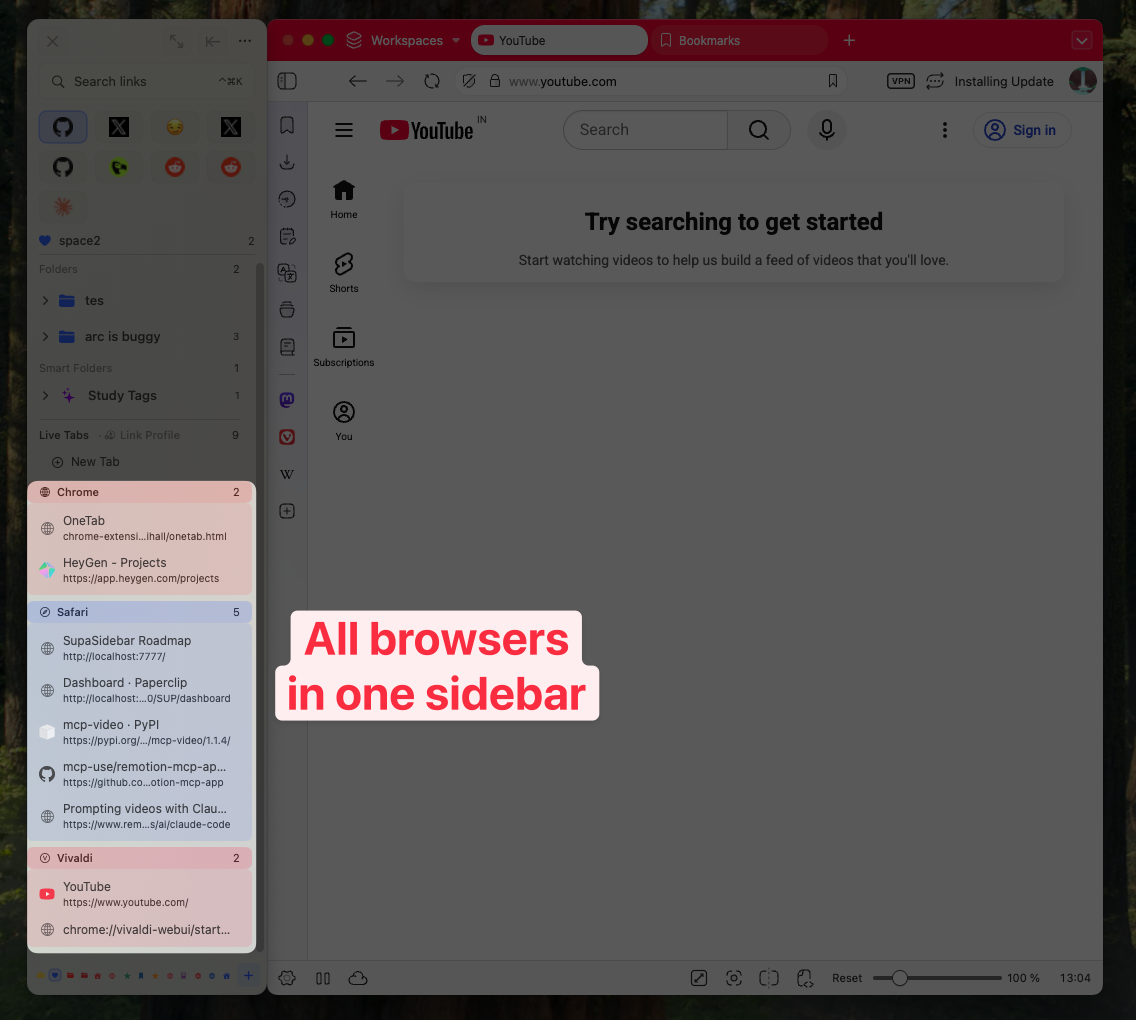
Here's an honest breakdown of each browser on macOS in 2026, including where each one falls short.
Safari: The One Your Mac Wants You to Use
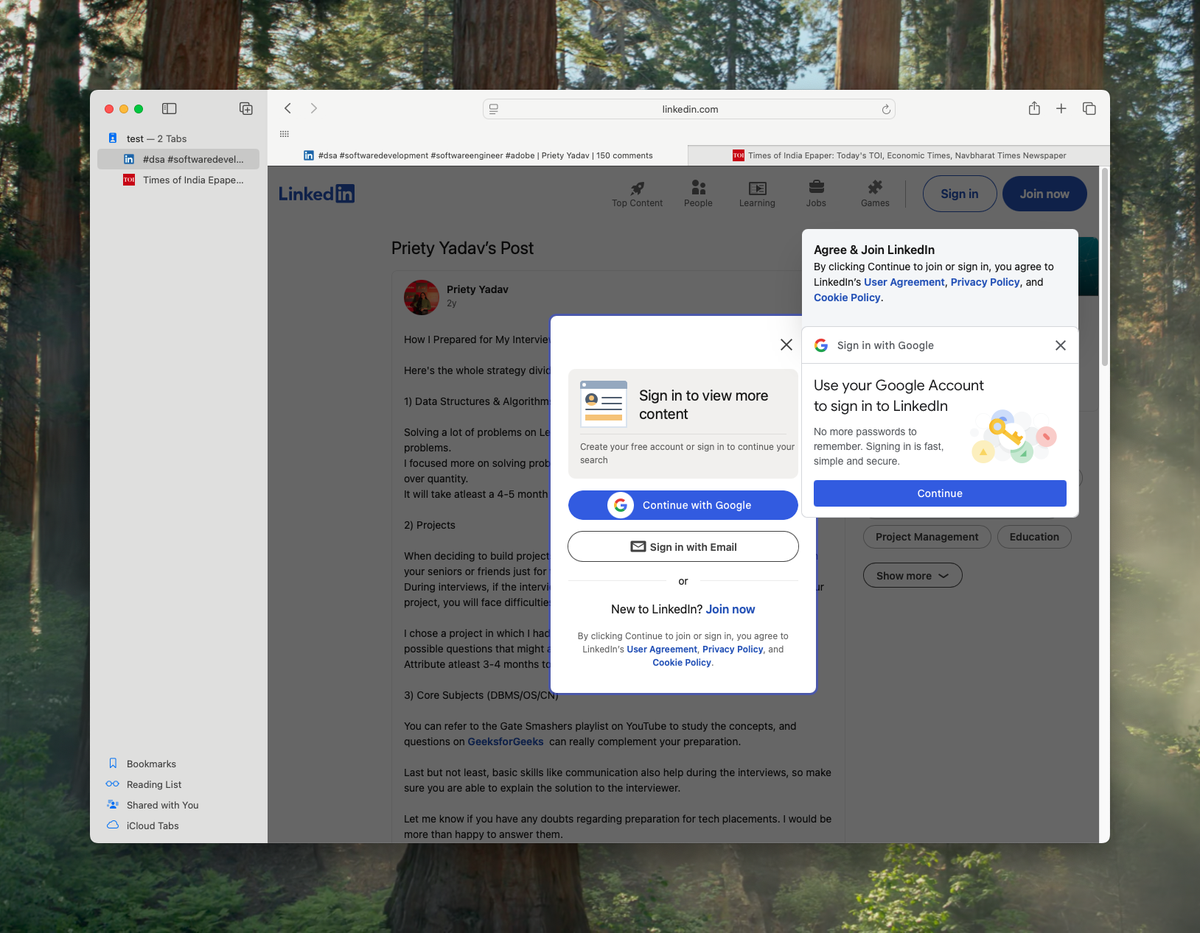
Safari is the default browser on every Mac, and Apple has spent years optimizing it to work better with macOS than anything else. If you only use Apple devices and don't need niche extensions, Safari is genuinely hard to beat.
What Safari does well:
Safari's energy efficiency is still the benchmark on Mac. In real-world usage, Safari consistently uses less RAM than Chrome - often half as much with the same number of tabs open. Apple's tight integration with macOS means Safari gets hardware acceleration features before anyone else, and Handoff lets you pick up a tab on your iPhone exactly where you left it on your Mac.
Safari's Intelligent Tracking Prevention blocks cross-site trackers by default, without needing a single extension installed. Passkeys work natively. iCloud Keychain syncs passwords across all your Apple devices automatically.
Where Safari falls short:
The extension library is still limited compared to Chrome and Firefox. Safari has around 3,000 extensions in the App Store - Chrome has over 180,000 in the Chrome Web Store. If you need a specific dev tool, research extension, or niche productivity add-on, there's a real chance it doesn't exist for Safari.
Web compatibility is occasionally an issue. Some web apps still render slightly differently in Safari due to WebKit's rendering engine differing from Chromium and Gecko. This matters if you work with complex web tools or do web development.
Safari also lacks vertical tabs, built-in sidebar tab management, and workspaces. You get Tab Groups, which are better than nothing, but they're hidden behind a dropdown rather than always visible.
Best for:
Mac-only users who value battery life and Apple ecosystem integration above all else.
Chrome: The Extension King That Eats Your RAM
Google Chrome still holds the largest browser market share worldwide, and for good reason - the Chrome Web Store is an entire ecosystem. Whatever workflow you have, there's probably a Chrome extension for it.
What Chrome does well:
Extensions. Over 180,000 of them. Password managers, developer tools, research assistants, AI sidebars, productivity add-ons - Chrome's extension ecosystem is unmatched. If you use Google Workspace (Docs, Sheets, Gmail), Chrome's integration is seamless in ways that other browsers can't fully replicate.
Chrome's V8 JavaScript engine is fast. Benchmarks from early 2026 still show Chrome leading or matching Safari on JavaScript-heavy workloads. Cross-platform sync through your Google account works across Windows, Mac, Android, and ChromeOS.
Chrome also got Tab Groups and a side panel in recent updates. The side panel lets you access bookmarks, reading list, and some extensions without leaving your current page.
Where Chrome falls short:
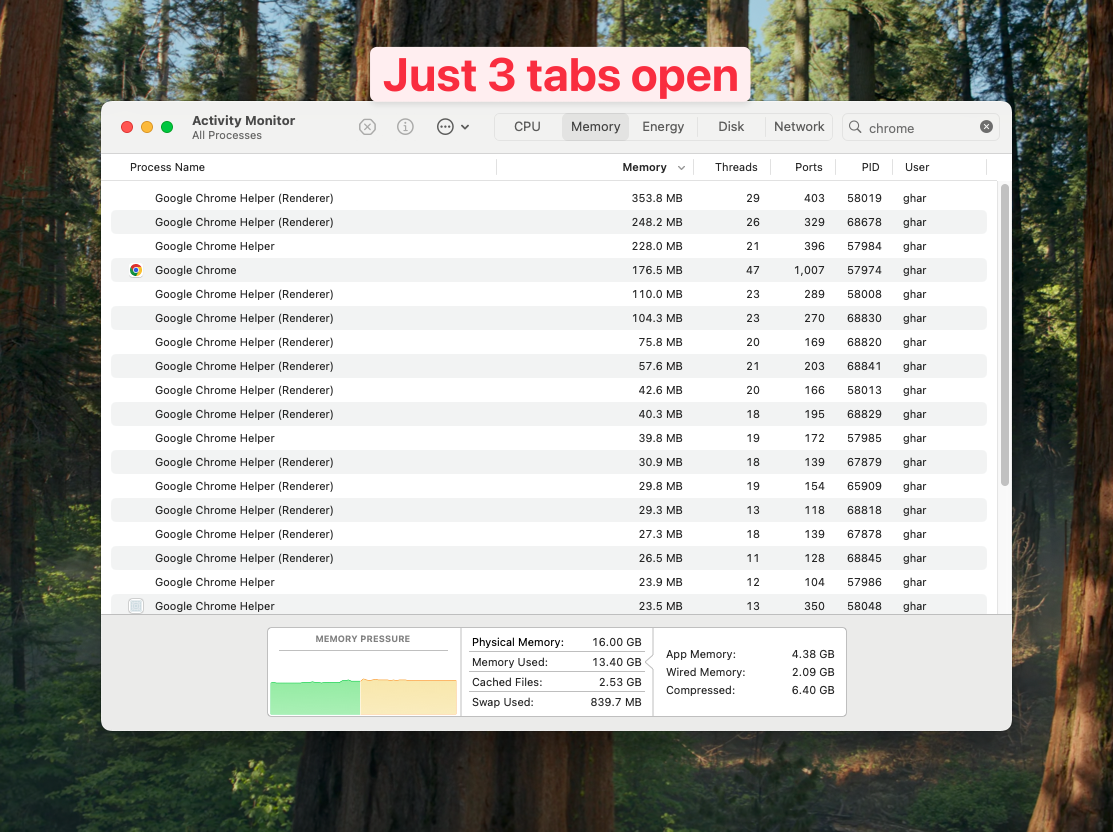
RAM. Chrome's multi-process architecture means each tab runs in its own process, which is great for stability (one crashed tab doesn't take down the browser) but terrible for memory usage. In tests with 10 tabs open, Chrome consistently uses over 3GB of RAM - roughly double what Safari uses for the same sites.
Battery life is worse than Safari on Mac laptops. Google has closed the gap significantly since the Chrome 100 era, but Safari still edges Chrome out in longer sessions. If you're working unplugged for a full day, you'll notice the difference.
Privacy is Chrome's weakest point. Google's business model is advertising, and Chrome's default settings reflect that. You can lock things down, but Safari, Firefox, and Brave all offer stronger privacy protections out of the box.
Best for:
Users who depend on specific Chrome extensions, live in Google Workspace, or need cross-platform sync across non-Apple devices.
Firefox: The Privacy Pick That's Actually Good Now
Firefox had a rough stretch. Market share dropped, performance lagged, and the narrative became "Firefox is for people who care about privacy but not speed." In 2026, that narrative is outdated. Firefox is genuinely fast, and it's the only major browser not built on Chromium or WebKit.
What Firefox does well:
Privacy without compromise. Firefox's Enhanced Tracking Protection blocks third-party cookies, fingerprinters, and cryptominers by default. Mozilla is a nonprofit - they don't have an ad business that conflicts with your privacy. Total Cookie Protection isolates cookies per-site, which is one of the strongest anti-tracking measures available.
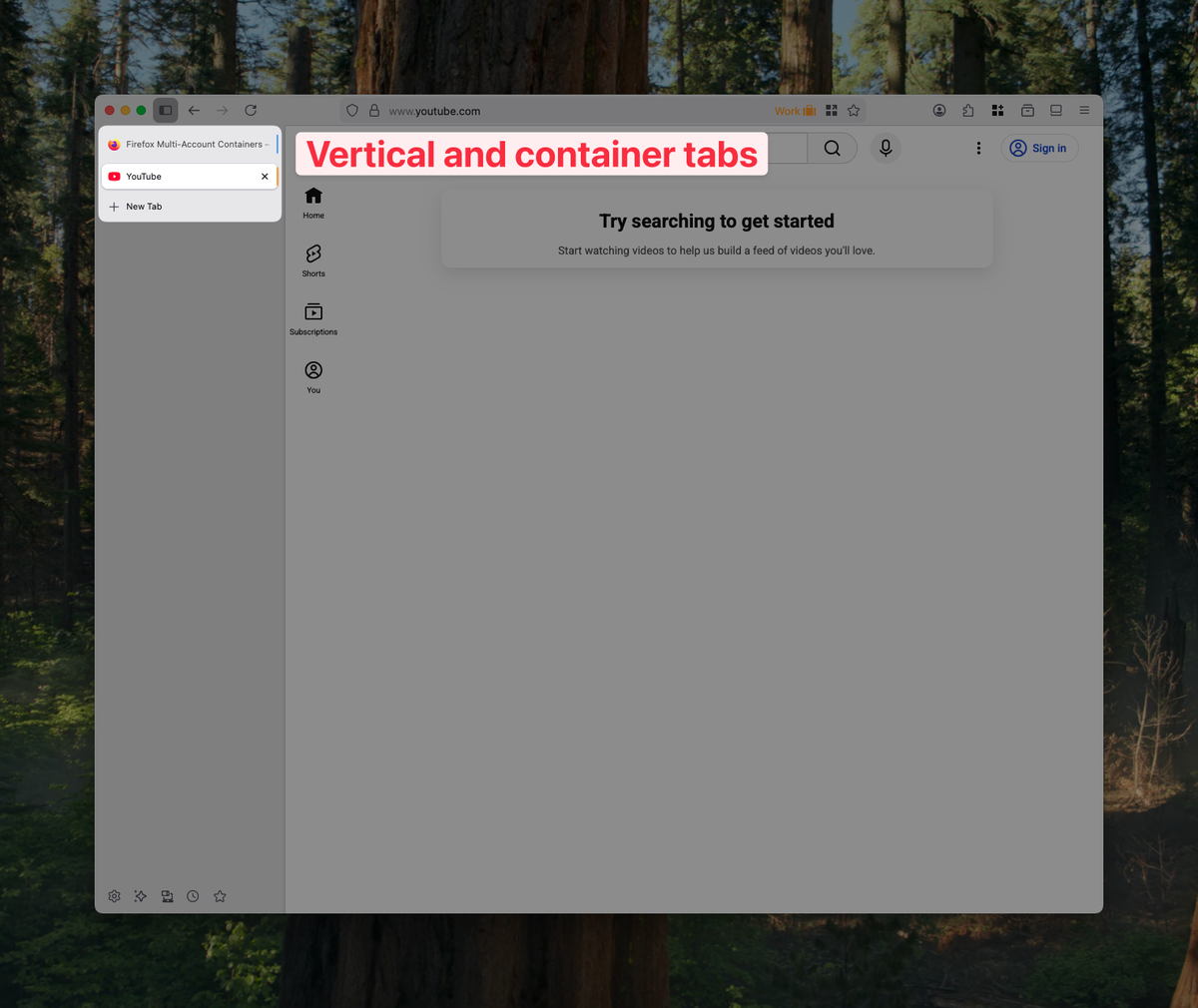
Firefox's container tabs let you run separate identities in the same browser window. You can have your work Gmail in one container and personal Gmail in another, with no cookie leakage between them. This is a killer feature for people who manage multiple accounts.
Native vertical tabs landed in Firefox in 2024, and they work well. No extension needed. Combine them with the built-in sidebar (bookmarks, history, synced tabs), and Firefox has arguably the best built-in tab management of any browser on this list.
Performance has improved substantially. The Gecko engine powers Firefox, and while it's not quite as fast as Chrome on JavaScript benchmarks, real-world browsing feels snappy. Page loads are fast. The browser doesn't hang.
Where Firefox falls short:
Extensions exist but the selection is smaller than Chrome. Most popular extensions have Firefox versions, but niche ones often don't. If you need a specific Chrome-only extension, Firefox isn't an option.
Some websites still optimize primarily for Chromium-based browsers. You'll occasionally hit a site that works perfectly in Chrome but has minor glitches in Firefox. It's rare, but it happens.
Firefox's mobile browser on iOS is limited by Apple's WebKit requirement (all iOS browsers must use WebKit under the hood), so the sync-across-devices story is weaker than Safari's or Chrome's if you're on iPhone.
Best for:
Privacy-focused users, multi-account managers, web developers who want to test on a non-Chromium engine, and anyone who values an open-source browser backed by a nonprofit.
Brave: The Ad Blocker That's Also a Browser
Brave is built on Chromium (same engine as Chrome) but strips out Google's tracking and adds aggressive ad blocking by default. Think of it as Chrome's extensions ecosystem minus Google's data collection, plus a built-in ad blocker that actually works.
What Brave does well:
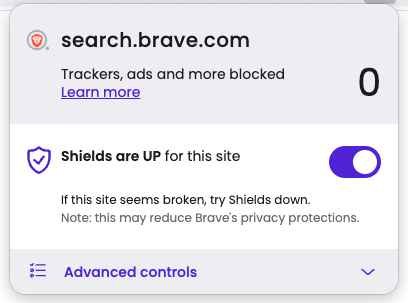
Ad blocking. Brave Shields blocks ads, trackers, and fingerprinting at the browser level - before the page even finishes loading. The result is noticeably faster page loads on ad-heavy sites. No extension needed, no configuration required. It just works from the first launch.
Because Brave is Chromium-based, almost all Chrome extensions work in Brave. You get the Chrome Web Store's full library without Chrome's privacy trade-offs. That's a compelling combination.
Brave's privacy goes beyond ad blocking. It includes built-in Tor browsing in private windows, HTTPS Everywhere, and fingerprint randomization. The Brave Search engine (separate product) offers a Google alternative that doesn't track your queries.
Where Brave falls short:
Brave Rewards - the cryptocurrency-based tipping system - is polarizing. Some users love the idea of getting paid (in BAT tokens) to view opt-in ads. Others find the crypto integration off-putting and worry it undermines the privacy message. You can ignore Brave Rewards entirely, but it's always there in the UI.
Being Chromium-based means Brave inherits some of Chrome's RAM usage patterns, though the ad blocking offsets this somewhat (fewer resources loaded per page). Battery life is comparable to Chrome - better than Chrome on ad-heavy sites, similar on others.
Brave's Mac-specific optimizations are minimal compared to Safari. It doesn't integrate with Handoff, doesn't use Apple's native password manager, and doesn't get the same hardware acceleration benefits.
Best for:
Users who want Chrome's extension ecosystem with built-in privacy protection, ad-free browsing without configuring anything, and faster page loads on ad-heavy sites.
Is Safari or Zen Browser Better for Mac?
Safari is better for battery life, stability, and Apple ecosystem integration. Zen is better for customization, workspaces, and vertical tabs. Safari is a mature, optimized browser with iCloud sync and Handoff. Zen is a Firefox-based beta browser that offers Arc-style organization features Safari lacks. If you value reliability, pick Safari. If you want more control over how your tabs are organized, try Zen.
Zen Browser: The Arc Successor Nobody Expected
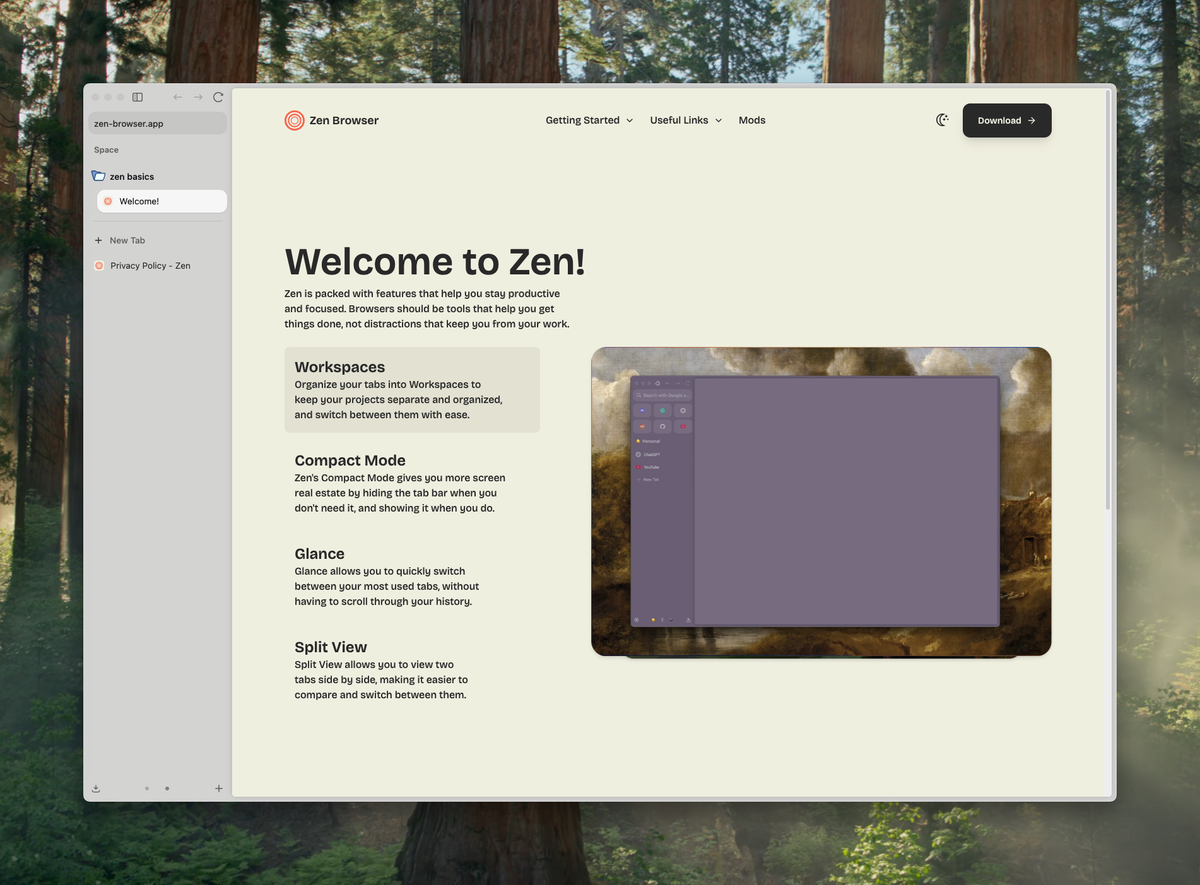
Zen Browser is the interesting wildcard in 2026. It's built on Firefox (Gecko engine), which means it's not yet another Chromium clone. Zen takes the workspace-and-vertical-tabs philosophy that Arc Browser popularized and builds it on top of Firefox's privacy-respecting foundation.
What Zen does well:
Workspaces. Zen lets you organize tabs into separate workspaces, similar to what Arc offered with Spaces. You can have a "Work" workspace, a "Personal" workspace, and a "Side Project" workspace, each with their own set of tabs. Switching between them is clean and fast.
Vertical tabs are the default in Zen, with a collapsible sidebar that gets out of your way when you don't need it. Split View lets you tile up to four tabs in a grid. Zen Glance lets you preview links without opening them in a new tab - a genuinely useful feature that most browsers lack.
Zen Mods offer deep UI customization through community-created themes. A February 2026 update added automatic folder population from GitHub issues, pull requests, and RSS feeds, plus window syncing across multiple Zen windows.
Because it's Firefox-based, you get Firefox's privacy protections and many of its extensions.
Where Zen falls short:
Zen is still in beta. It's more stable than you'd expect for a beta browser, but it's not at the polish level of Safari or Chrome. Expect occasional rough edges.
Performance lags behind Chromium-based browsers. Being Firefox-based, Zen benchmarks similarly to Firefox - fast enough for daily use, but measurably slower than Chrome or Brave on JavaScript-heavy sites.
The extension situation is Firefox's extension situation - most popular ones work, niche ones might not.
Zen's ecosystem is small. There's no Zen mobile browser, no cross-device sync beyond what Firefox Sync provides, and a much smaller community for troubleshooting compared to the established browsers.
Best for:
Former Arc Browser users looking for a similar experience, Firefox fans who want better built-in organization, and anyone who values workspaces and vertical tabs as first-class features. See our full Zen Browser review for a deeper look.
Which Mac Browser Has the Best Battery Life?
Safari has the best battery life of any Mac browser in 2026. It typically uses around 1.5 GB of RAM with 10 tabs open, roughly half of what Chrome uses. Firefox and Zen are in the middle, while Chrome and Edge drain battery fastest due to their Chromium multi-process architecture. If you work unplugged regularly, Safari is the clear winner.
The Comparison Nobody Asked For (But Everyone Needs)
| Feature | Safari | Chrome | Firefox | Brave | Zen | Edge |
|---|---|---|---|---|---|---|
| Engine | WebKit | Chromium/Blink | Gecko | Chromium/Blink | Gecko | Chromium/Blink |
| RAM Usage (10 tabs) | ~1.5 GB | ~3+ GB | ~2 GB | ~2.5 GB | ~2 GB | ~2.8 GB |
| Battery Life | Best | Below avg | Average | Average | Average | Below avg |
| Extension Count | ~3,000 | 180,000+ | ~35,000 | 180,000+ (Chrome store) | ~35,000 (Firefox add-ons) | 180,000+ (Chrome store + Edge store) |
| Built-in Ad Blocking | Limited (ITP) | No | Enhanced Tracking Protection | Full (Shields) | Enhanced Tracking Protection | No |
| Vertical Tabs | No | No (extension needed) | Yes (native) | No (extension needed) | Yes (default) | Yes (native) |
| Workspaces | Tab Groups | Tab Groups | Container Tabs | Tab Groups | Yes (native) | Tab Groups |
| Cross-Device Sync | iCloud (Apple only) | Google Account (all platforms) | Firefox Sync | Brave Sync | Firefox Sync | Microsoft Account (all platforms) |
| Privacy (default) | Strong | Weak | Strong | Strongest | Strong | Moderate |
| Price | Free (built-in) | Free | Free | Free | Free | Free |
A note on Edge:
Microsoft Edge is Chromium-based like Chrome and Brave, so it shares Chrome's extension library and performs similarly. Its standout feature on this list is native vertical tabs - something Safari and Chrome still lack. Edge syncs across Windows, Mac, Android, and iOS via Microsoft Account, making it a solid choice if you're in a mixed Apple/Windows environment.
The "Use Them All" Approach (What I Actually Do)
Here's the thing about the "best browser" question - it assumes you should pick one. But in 2026, there's no rule that says you have to.
I use Safari for anything involving Apple ecosystem stuff - email, calendar, casual browsing. The battery savings are real when I'm working from a coffee shop. I use Chrome when I need a specific extension or I'm deep in Google Docs with collaborators. I use Brave when I'm reading news sites and don't want to be carpet-bombed with ads. And I test in Firefox and Zen because I build a Mac app that supports all of them.
The problem with using multiple browsers is obvious: your tabs are scattered everywhere. You have 12 tabs in Safari, 8 in Chrome, and 5 in Brave, and you can't remember where you opened that article about Kubernetes.
That's exactly why I built SupaSidebar. It's a Mac sidebar app that gives you a persistent sidebar for managing tabs, bookmarks, and web apps across Safari, Chrome, Firefox, Brave, Zen, Arc, Edge, and 18+ other browsers - 25+ total. One sidebar, all your tabs. The sidebar shows Live Tabs from every running browser, so you can see and switch to any open tab regardless of which browser it's in.
As one user put it: "now I can use Claude sidebar in Chrome and essentially have 'Arc' as an Agentic Browser." The whole point is that you stop fighting over which browser is "best" and start using whichever browser is best for each task.
SupaSidebar supports Spaces (workspaces) for organizing your links by context - Work, Personal, Side Project - across all browsers. Free tier gives you 3 Spaces with all core features. Paid plans add unlimited Spaces - see pricing.
What About Arc Browser?
Arc Browser entered maintenance mode in late 2025 when The Browser Company shifted focus to Dia, their new AI-first browser. Arc still works, and some people still use it, but there are no new features coming.
If you're currently on Arc and looking for what's next, the answer depends on what you loved about Arc. If it was the vertical sidebar with organized tabs, look at Zen or Firefox. If it was Spaces and workspaces, Zen is the closest match. If it was the overall polish and integration, Safari + SupaSidebar gets you a similar workflow without betting on a browser that's no longer being developed.
SupaSidebar can import your Arc sidebar directly - export your StorableSidebar.json from Arc's settings, then drag it into SupaSidebar's import panel. Your pinned tabs, folders, and spaces come over.
My Honest Recommendation by Use Case
You're all-in on Apple devices:
Safari. Nothing else matches the battery life and ecosystem integration on Mac + iPhone + iPad. Add SupaSidebar if you want vertical sidebar organization that Safari doesn't have natively.
You need Chrome extensions for work:
Chrome, but consider Brave as a drop-in replacement - same extensions, better privacy, built-in ad blocking. Both work with SupaSidebar's Live Tabs.
Privacy matters most to you:
Firefox or Brave. Firefox if you want a non-Chromium option with container tabs. Brave if you want Chrome's extensions with privacy baked in.
You loved Arc and miss workspaces:
Zen Browser for the closest native experience. Or any browser + SupaSidebar for cross-browser workspaces that don't lock you into one browser.
You want the best of everything:
Use 2-3 browsers for different tasks, and use SupaSidebar (free tier available) to keep them all organized in one sidebar. That's the actual meta-answer.
Frequently Asked Questions
What is the fastest browser for Mac in 2026?
Safari and Chrome trade the top spot depending on the benchmark. Safari wins on energy efficiency and RAM usage - it typically uses around 1.5 GB with 10 tabs versus Chrome's 3+ GB. Chrome leads on JavaScript-heavy benchmarks thanks to its V8 engine. For everyday browsing, both feel fast. Brave performs similarly to Chrome since it uses the same Chromium engine.
Is Safari better than Chrome on Mac?
Safari is better for battery life and privacy; Chrome is better for extensions and cross-platform sync. Safari uses roughly half the RAM of Chrome, has better battery life on MacBook, and offers stronger default privacy through Intelligent Tracking Prevention. Chrome wins on extensions (180,000+ vs Safari's roughly 3,000), cross-platform sync (Chrome works on Windows and Android, Safari doesn't), and web compatibility. If you're Mac-only and don't need niche extensions, Safari is the better choice. If you live in Google Workspace or need specific Chrome extensions, Chrome is worth the RAM trade-off.
Is Zen Browser safe to use as a daily driver?
Zen Browser is still in beta as of early 2026, but it's surprisingly stable for daily use. It's built on Firefox's Gecko engine, which means it inherits Firefox's security patches and privacy protections. The main risks are occasional UI bugs and missing features rather than security concerns. If you're comfortable with Firefox, Zen is a reasonable daily driver. Back up your bookmarks regularly since beta software can have unexpected issues.
Can you use multiple browsers on Mac without losing track of tabs?
Yes. SupaSidebar is a Mac sidebar app that shows Live Tabs from 25+ browsers (Safari, Chrome, Firefox, Brave, Zen, Arc, Edge, Vivaldi, Dia, Comet, Orion, and more) in one persistent sidebar. You can see and switch to any open tab from any browser without remembering which browser it's in. It also supports Spaces for organizing bookmarks and links across browsers. The free tier includes 3 Spaces.
What happened to Arc Browser?
Arc Browser entered maintenance mode in late 2025 when The Browser Company pivoted to Dia, a new AI-first browser. Arc still works and receives security patches, but no new features are being developed. Many Arc users have migrated to Zen Browser (which offers similar workspaces and vertical tabs on Firefox's engine) or to combinations like Safari + SupaSidebar for cross-browser sidebar organization.