
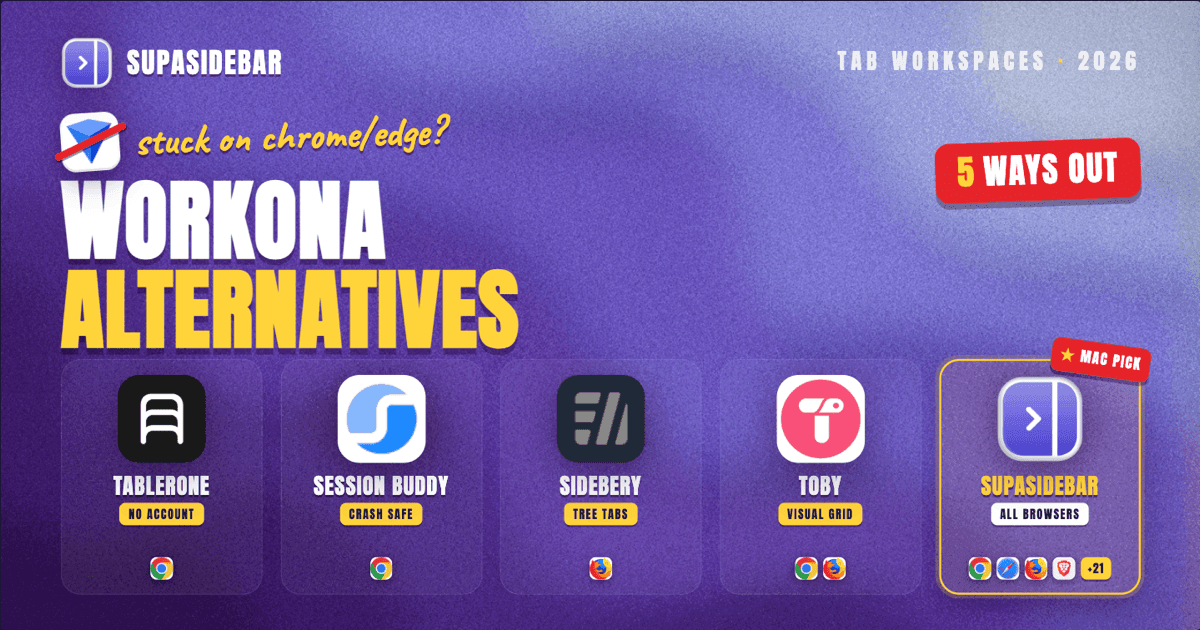
TL;DR:
Workona locks workspaces behind Chrome/Edge and a $8/month paywall - five alternatives (Tablerone, Session Buddy, Sidebery, Toby, SupaSidebar) offer workspace-style tab organization with better browser support, offline access, or lower cost, with SupaSidebar being the only option that manages workspaces across 25+ browsers simultaneously from a single app.
Looking for something specific?
- Want a dedicated browser workspace manager? → Browser workspace manager guide
- Organizing tabs by project? → Organize browser tabs by project on Mac
- Already here for a Workona alternative? → Keep reading.
Why Look for a Workona Alternative in 2026?
Workona built the template for browser workspaces - group tabs by project, switch contexts without losing anything, and keep research separate from communication. The concept works. The execution has limits.
Three pain points push users toward alternatives:
Browser lock-in.
Workona runs on Chrome and Edge only. Anyone using Safari, Firefox, Brave, or Zen has no option. Multi-browser workflows (personal Safari + work Chrome, for example) get zero support.
Pricing after the free tier.
The free plan caps workspaces at 5 (previously 10, reduced in late 2024). Pro costs $8/month ($96/year) for unlimited workspaces and integrations. For solo users who just want tab organization, that adds up fast.
Account dependency.
Workona requires a Google account sign-in to function. Tabs sync through their cloud, not locally. If the service goes down or changes terms, workspace data lives on someone else's server.
A Reddit user in r/productivity summarized the friction: extensions like Workona feel "team focused" and overly complex for personal use - "maybe i'm lazy for organizing" was the actual quote, pointing at how Workona's collaborative features add weight that solo users never asked for.
What Makes a Good Tab Workspace Manager?
Before comparing alternatives, here is what matters for workspace-style tab management:
Workspace isolation.
Each workspace should contain its own set of tabs that do not bleed into other contexts. Opening "Work" should not show "Side Project" tabs.
Persistence.
Tabs saved in a workspace should survive browser restarts, crashes, and OS updates without manual re-saving.
Speed of switching.
Context switching should take one click or one keyboard shortcut - not a multi-step process through a dashboard.
Browser compatibility.
The more browsers supported, the less likely a workflow breaks when switching tools or testing in different environments.
Data ownership.
Local-first storage means no account required, no cloud dependency, and no risk of losing workspaces if a service shuts down.
5 Workona Alternatives Compared
1. Tablerone - Best for Chrome Users Who Want No Account
Tablerone is a Chrome extension that combines session management with workspace-style organization. Tabs save into named sessions that function like lightweight workspaces.
What it does well:
- No account required - everything stores locally in the browser
- Tags and notes attach to saved sessions for context
- Screenshot previews show what each tab contained at save time
- One-click restore opens an entire session
- 4.7-star rating on the Chrome Web Store from 800+ reviews
Where it falls short:
- Chrome-only (no Firefox, Safari, or Brave support)
- Sessions are flat lists, not visually separated workspaces
- No keyboard shortcut for rapid workspace switching
- Export is manual (JSON) with no cross-device sync built in
Pricing:
Free with optional donation. No premium tier.
Best for:
Chrome-only users who want Workona's save-and-restore without the account requirement or monthly cost.
2. Session Buddy - Best for Crash Recovery and Tab Backups
Session Buddy is one of Chrome's longest-running tab managers (active since 2011, version 4.1.1 as of February 2026). The focus is session saving and crash recovery rather than workspace switching.
What it does well:
- Completely free, no premium tier, no account
- Automatic session backups protect against Chrome crashes
- Saves entire window states including tab order and groups
- Lightweight - minimal resource usage compared to workspace tools
- Export to JSON, HTML, or Markdown for archiving
Where it falls short:
- No workspace concept - sessions are saved snapshots, not switchable contexts
- Chrome-only
- No search across saved sessions
- Interface looks dated (functional but not designed for daily workspace switching)
- Cannot isolate tabs by project without manually creating separate windows
Pricing:
Free. Open-source development funded by donations.
Best for:
Users who need reliable crash recovery and session backups more than active workspace management. A complement to a workspace tool, not a replacement.
3. Sidebery - Best for Firefox Power Users
Sidebery is a Firefox extension that replaces the default tab bar with a vertical, tree-style sidebar. Panels function as workspaces - each panel holds its own set of tabs, completely isolated from other panels.
What it does well:
- True workspace isolation through panels (tabs in Panel A never appear in Panel B)
- Tree-style tab hierarchy shows parent-child relationships between tabs
- Entirely local - no account, no cloud, no sync dependency
- Free and open-source (actively maintained, v5.5.0 released February 2026)
- Highly customizable through CSS and configuration options
- Container tab integration for additional isolation
Where it falls short:
- Firefox-only (no Chrome, Safari, or Chromium browser support)
- Steep learning curve for initial setup and panel configuration
- No built-in sync across devices (must use Firefox Sync separately)
- Replaces the native tab bar entirely - no hybrid mode
Pricing:
Free. Open-source, community-funded.
Best for:
Firefox users who want deep workspace isolation with tree-style navigation and do not need cross-browser support.
4. Toby - Best for Visual Thinkers Who Organize by Collection
Toby replaces Chrome's new-tab page with a visual dashboard of tab collections. Each collection functions like a workspace displayed as a card grid.
What it does well:
- Visual new-tab dashboard makes collections immediately accessible
- Drag-and-drop organization feels natural for visual thinkers
- Team sharing (paid plan) for collaborative collections
- Tags and search across all saved tabs
- Chrome and Firefox support (limited - Firefox version trails Chrome)
Where it falls short:
- Account required since 2024 - previously worked without sign-in, now mandatory
- Free plan caps at 60 saved tabs (previously unlimited)
- Collections are not switchable workspaces - all display simultaneously on the new-tab page
- $4.50/month Pro or $8/month Team pricing for unlimited tabs
- No Safari, Brave, or Edge support
- Performance slows with large collections (200+ tabs reported sluggish)
Pricing:
Free (60 tab limit) / Pro $4.50/month / Team $8/month.
Best for:
Visual organizers on Chrome who think in spatial layouts rather than lists, and do not mind the account requirement.
5. SupaSidebar - Best for Cross-Browser Workspaces on Mac
SupaSidebar takes a different approach to the workspace problem. Instead of running inside one browser as an extension, it operates as a macOS menu-bar app with a floating sidebar that works across 25+ browsers simultaneously.
What it does well:
- Spaces function as workspaces - each Space holds its own bookmarks, and switching Spaces swaps the entire sidebar context
- Works with Chrome, Safari, Firefox, Brave, Edge, Arc, Vivaldi, and many more from one interface
- No account required - data syncs through iCloud, stored locally on-device
- Command Panel (keyboard shortcut) searches across all Spaces instantly
- Live Tabs view shows open tabs from every connected browser in one list
- Air Traffic Control rules auto-route links to the correct browser based on domain
Where it falls short:
- macOS only - no Windows or Linux version
- Not a browser extension (requires a separate app running)
- Free tier limited to 3 Spaces (Pro unlocks unlimited)
- Requires Accessibility permissions on macOS for browser integration
Pricing:
Free tier (3 Spaces) plus a paid Pro tier that unlocks unlimited Spaces.
Best for:
Mac users who work across multiple browsers daily and want one workspace layer that unifies tabs and bookmarks regardless of which browser they are in.
One user described the core value: "I've been wanting a way to manage my multiple browsers from a single source" - that multi-browser workspace unification is what separates SupaSidebar from single-browser extensions.
Feature Comparison Matrix
| Feature | Workona | Tablerone | Session Buddy | Sidebery | Toby | SupaSidebar |
|---|---|---|---|---|---|---|
| True workspace isolation | Yes | No (flat sessions) | No (snapshots) | Yes (panels) | No (collections) | Yes (Spaces) |
| Chrome support | Yes | Yes | Yes | No | Yes | Yes |
| Firefox support | No | No | No | Yes | Limited | Yes |
| Safari support | No | No | No | No | No | Yes |
| Cross-browser | Chrome/Edge only | Chrome only | Chrome only | Firefox only | Chrome/Firefox | 25+ browsers |
| Account required | Yes (Google) | No | No | No | Yes | No |
| Offline/local data | No (cloud-sync) | Yes | Yes | Yes | No | Yes (iCloud) |
| Keyboard shortcut switching | Yes | No | No | Yes | No | Yes |
| Free tier workspaces | 5 | Unlimited | N/A | Unlimited | 60 tabs | 3 Spaces |
| Paid pricing | $8/month | Free | Free | Free | $4.50/month | $19.99/year |
Which Alternative Fits Which Workflow?
Staying on Chrome, want free and simple:
Tablerone gives workspace-adjacent organization without any cost or account requirement.
Firefox power user who wants deep isolation:
Sidebery's panel system provides the closest equivalent to Workona's workspace model, with tree-style tabs as a bonus.
Need crash recovery more than workspaces:
Session Buddy handles automatic backups and session restoration - pair it with another tool for active workspace management.
Visual organizer, okay with an account:
Toby's card-grid dashboard works for people who think spatially, though the 60-tab free cap and account requirement are friction points.
Use multiple browsers on Mac:
SupaSidebar is the only option in this comparison that manages workspaces across browsers rather than within one. The annual pricing ($19.99/year) undercuts Workona's monthly rate while covering every browser on macOS.
FAQ
Is Workona shutting down in 2026?
No. Workona remains active and maintained as of June 2026. However, the free tier reduction (from 10 to 5 workspaces) and the $8/month Pro pricing have pushed users toward alternatives - not a shutdown, but a squeeze on free usage.
Can Workona work with Safari or Firefox?
No. Workona supports Chrome and Microsoft Edge only. The extension relies on Chrome's extension APIs and has no Safari or Firefox version. Users on those browsers need a different workspace solution entirely.
What is the cheapest Workona alternative with real workspaces?
Sidebery (Firefox) and Tablerone (Chrome) are both completely free with no workspace limits. For cross-browser workspace support, SupaSidebar is the only option here that spans every browser, with a free tier (3 Spaces) and a low-cost paid Pro tier that still comes in well under Workona's $8/month.
Do any Workona alternatives work across multiple browsers?
SupaSidebar is the only tool in this comparison that manages workspaces across multiple browsers simultaneously. It operates as a standalone macOS app rather than a browser extension, which is how it achieves browser-agnostic workspace management. Every other option listed here is locked to one or two browsers.
Is there a free Workona alternative with no account required?
Tablerone (Chrome), Session Buddy (Chrome), and Sidebery (Firefox) all work without any account or sign-in. They store data locally in the browser with no cloud dependency.