
By Kshetez Vinayak, founder of SupaSidebar. Last updated June 29, 2026.
Quick navigation (Mac Sidebar cluster):
- Want vertical tabs in Safari? → Safari Vertical Tabs
- Comparing every vertical tab option on Mac? → Vertical Tabs on Mac
- Chrome 146 shipped native vertical tabs - is that enough? → Chrome Vertical Tabs vs Arc Sidebar
- Looking for a tree-style tab layout in Chrome? → You're in the right place.
TL;DR
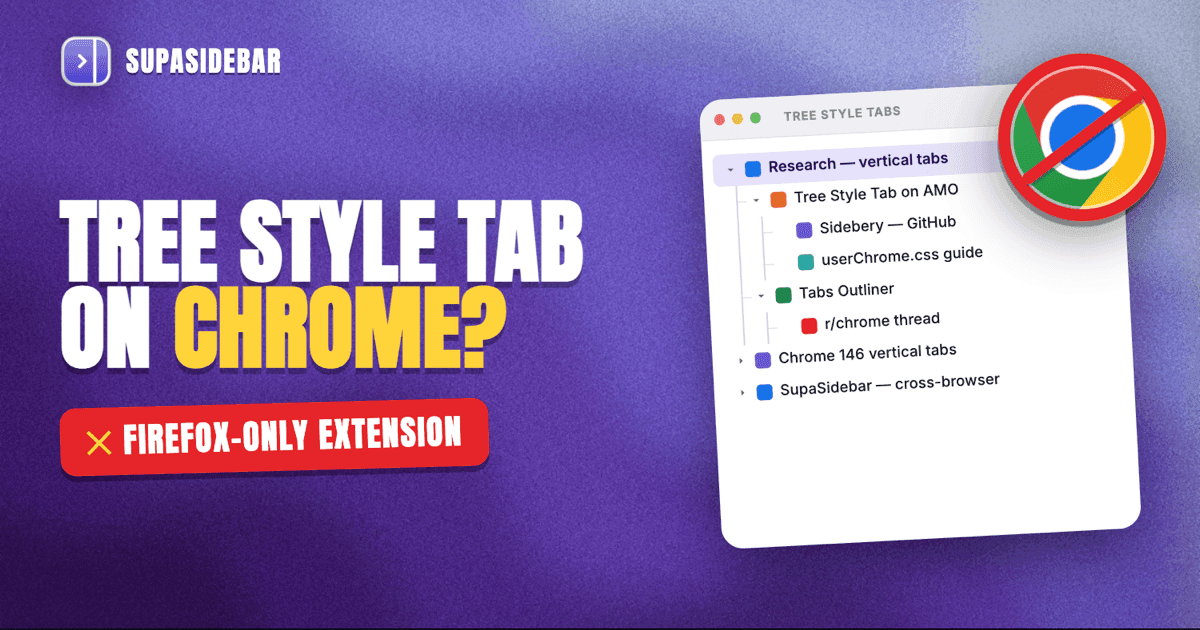
Tree Style Tab is a Firefox-only extension and has been since 2007. Chrome has no native tree-style tab feature in 2026, and no Chrome extension perfectly replicates the parent-child tree behavior Firefox users get. The closest matches are Tabs Outliner (the oldest tree-tab extension for Chrome, still maintained), Toby (visual board, not a tree), and Sidebery-style workflows that simply don't exist on Chrome's extension API. Chrome 146 added native vertical tabs in March 2026 (TechCrunch), but the panel is a flat list, not a tree. For Mac users who want a real tree-style sidebar that works across Chrome AND other browsers, a Mac sidebar app like SupaSidebar handles the layout outside the browser entirely.

Why Tree Style Tab Doesn't Exist on Chrome
Tree Style Tab is an extension by piroor that launched in 2007 for Firefox. Its key behavior: child tabs sit visually indented under the parent tab that opened them, so a research session looks like a folder tree instead of a horizontal strip. The extension is open source under MPL 2.0 and is still actively maintained.
It is Firefox-only because of how each browser's extension API exposes the tab bar.
Firefox's WebExtensions API includes a sidebar_action permission that lets an extension take over the browser's left or right panel. Tree Style Tab uses that panel as its main canvas, hides the native horizontal tab strip via a userChrome.css tweak, and renders a custom tree view. Sidebery (the other major Firefox tree-style extension) uses the same hook.
Chrome's extension API does not expose this. Chrome's Manifest V3 has no sidebar_action analog. The closest Chrome offers is the Side Panel API (introduced in Chrome 114, May 2023) which lets an extension render UI in a slide-out panel - but cannot replace or hide the native horizontal tab strip above the page content.
That structural difference is why every "tree style tab for Chrome" result eventually points the user to one of two things: an extension that approximates the tree in a side panel without hiding the horizontal strip, or a non-extension tool (Mac app, desktop window manager) that sits outside the browser. Chrome 146's native vertical tabs (shipped March 2026) finally gave Chrome a built-in vertical list, but it is flat - tab groups render as collapsible headers, not parent-child trees.
The Closest Chrome Extensions in 2026
What Chrome users actually mean by "Tree Style Tab for Chrome" varies. Some want strict parent-child indentation. Some want any vertical sidebar tab list. Some want a visual board. Below are the Chrome options grouped by what they actually deliver.
Tabs Outliner
A side-panel extension that shows open tabs in a hierarchical tree organized by window and parent. Tabs Outliner was one of the first attempts to bring TST-style organization to Chrome, and it is the closest current match for the indented parent-child layout TST users expect.
What it does: lists every window as a top-level node, every tab nested under its window, and lets the user drag tabs to reorder or nest them under other tabs. Closed tabs and closed windows persist in a "crashed sessions" tree, which gives it a session-restore role on top of the layout role.
What it does not do: it cannot hide Chrome's horizontal tab strip above the page content. The tree lives in a popup or side panel, but Chrome's top strip stays visible. The extension also writes its own internal "tree" representation rather than reflecting Chrome's session state perfectly, so heavy users sometimes see drift between what Chrome thinks is open and what Tabs Outliner shows.
It is the best like-for-like for the tree behavior. The horizontal strip staying visible is a structural Chrome limitation, not the extension's fault.
Toby
A visual tab organizer that uses Chrome's new tab page as a board of saved "collections" rather than rendering a sidebar tree. Toby is the most popular result for users searching "tree style tab Chrome alternative," but it is not a tree at all - it is a Pinterest-style board of saved tab groups.
What it does: replaces Chrome's new tab page with a board of named collections. Drag any open tab into a collection to save it. Collections sync across Chrome installs once signed in.
What it does not do: no indented parent-child hierarchy, no live sidebar of currently-open tabs, no automatic capture of tab-spawned-from-tab relationships. The board view is a save-and-close workflow, not a live tree.
For full-depth coverage of Toby alternatives specifically, see Toby Alternatives for Chrome. Toby ends up in tree-style searches because it ranks for the same broad "Chrome tab organizer" intent, not because it solves the same problem.
Workona
Workspace-first tab management. Each Workona "workspace" holds a set of tabs, and within a workspace tabs can be grouped, but the grouping is flat, not tree-recursive. Workona's primary value is the workspace concept (multi-project context switching), not tree layout.
It overlaps with the Arc Spaces concept more than with Tree Style Tab. Useful for users who want named project contexts; not the right answer for users who specifically want indented parent-child trees.
For workspace-focused alternatives, see Workona Alternatives.
Sidebery (the spillover answer)
Sidebery is the Firefox extension most often paired with Tree Style Tab in "best tree-style tabs" lists, often beating TST itself for users who want both tree layout and container-tab integration. Searches for "sidebery chrome" or "sidebery chrome alternative" exist because users want Sidebery's behavior on Chrome - and the honest answer is that Sidebery is Firefox-only by design. It uses the same sidebar_action API that Chrome does not expose.
Real Chrome users have asked this directly. One r/chrome user posted "Any good tree style tab for chrome? Sidebery is so perfect, while firefox is so laggy." That post captures the actual user problem: Firefox runs Sidebery well but feels heavy; Chrome feels lighter but has no Sidebery equivalent.
There is no Chrome Sidebery. The closest paths are the extensions above, or stepping outside the browser entirely.
Chrome's own native vertical tabs (Chrome 146+)
Chrome 146 stable shipped native vertical tabs in March 2026, with staged rollout to all users in April 2026 (MacRumors). Right-click any Chrome window and select Show Tabs Vertically, or visit chrome://flags/#vertical-tabs.
What this delivers: a left-side panel showing every tab vertically, with tab groups rendered as collapsible color-coded headers. The horizontal strip auto-hides.
What this does NOT deliver: a tree. Chrome's vertical tabs are a flat vertical list with one level of grouping (tab groups). There is no parent-child indentation, no nested folders, no automatic capture of "this tab was opened from that tab." For Chrome users who just wanted vertical layout, the native feature is enough. For users specifically looking for tree-style indentation, it is not the answer - it is the same flat strip rotated 90 degrees.
The full breakdown of what Chrome's vertical tabs do and do not replace is in Chrome Vertical Tabs vs Arc Sidebar.
Feature Matrix: Tree Style Tab Alternatives on Chrome
Naming what TST delivers in Firefox and what each Chrome option delivers against it:
| Feature | TST (Firefox) | Tabs Outliner | Toby | Workona | Chrome 146 vertical tabs | SupaSidebar (Mac app) |
|---|---|---|---|---|---|---|
| Parent-child tab indentation | Yes | Yes (in side panel) | No | No | No | No (flat list, folder hierarchy) |
| Hides native horizontal tab strip | Yes (with userChrome.css) | No | No | No | Yes | N/A (lives outside Chrome) |
| Live sidebar of currently-open tabs | Yes | Yes | No | Partial | Yes | Yes |
| Tab groups | Via tree levels | Via tree levels | Via collections | Via workspaces | Yes (flat collapsibles) | Via folders |
| Persistent across browser restart | Yes | Yes | Yes | Yes | Tab groups can be saved | Yes (iCloud sync) |
| Closed-tab session recovery | Yes | Yes (built in) | Via collections | Yes | No | Limited (saved links) |
| Cross-browser (shows tabs from other browsers) | No | No | No | No | No | Yes (32+ browsers) |
| Cost | Free, open source | Free | Free + Pro | Free + Pro | Free | Free tier, paid for unlimited Spaces |
| Platform | Firefox only | Chrome only | Chrome + browsers | Chrome + browsers | Chrome 145+ | macOS 14+ (any browser) |
Tabs Outliner is the closest like-for-like on Chrome. Chrome 146's native vertical tabs win on the "hide the horizontal strip" check that no extension can pass. Nothing in the Chrome-only column delivers a real tree layout WITH a hidden horizontal strip - those two requirements together are Firefox-exclusive in 2026.
How to Set Up the Closest Tree Behavior on Chrome
Three working paths in 2026, ordered by how close they get to TST.
Path 1: Install Tabs Outliner
The most direct answer for users who want a tree layout inside Chrome:
- Open the Chrome Web Store search and find Tabs Outliner.
- Click Add to Chrome.
- Pin the extension icon to the toolbar.
- Click the icon. The tree opens in a separate window or pinned panel.
- Drag any tab in the tree to a different parent to reorganize.
Limit: Chrome's top horizontal tab strip stays visible. The tree is additive, not a replacement.
Path 2: Enable Chrome 146 native vertical tabs
The only way to actually hide Chrome's horizontal strip on Chrome itself:
- Update Chrome to version 145 or later (146 is the first stable release with vertical tabs).
- Right-click any Chrome window and select Show Tabs Vertically.
- Or visit chrome://flags/#vertical-tabs, enable, and restart.
- Or open Settings, Appearance, Tab strip position, set to vertical.
Limit: flat list, no tree. Tab groups are the closest grouping primitive Chrome offers.
Path 3: Move the sidebar outside Chrome
For users who actually want a sidebar that works with Chrome AND keeps working when switching to Safari or Firefox, the layout has to live outside the browser. A Mac sidebar app sits on the left or right of the screen, persists across browser switches, and reads tab state from each browser via AppleScript.
SupaSidebar is built for this. It supports Chrome, Safari, Firefox, Arc, Brave, Edge, Vivaldi, Helium, Dia, and 32+ browsers in total. The sidebar shows Live Tabs from all running browsers in one list, organized by folders that users define. It is not a strict parent-child tree the way TST is - it uses user-defined folders rather than automatic opened-from-tab inheritance - but the visual outcome is the same: a vertical, indentable, persistent panel of tabs that does not depend on Chrome's extension API.
The setup:
- Download SupaSidebar from supasidebar.com/download. It is a native Mac app (macOS 14+).
- Open Preferences and grant Automation permission for each browser to enable.
- Choose Live Tabs as the third sidebar section to see all open tabs across browsers in real time.
- Drag tabs into folders to create the visual hierarchy.
It does not hide Chrome's horizontal strip - that lives inside Chrome and only Chrome can change it. The sidebar app's value is the cross-browser layer above the strip, not a replacement for it. Users who want both can run Chrome 146's vertical tabs inside Chrome AND a sidebar app for the cross-browser view.

What Tree Style Tab Power Users Specifically Lose on Chrome
Five behaviors that TST users on Firefox rely on, and the closest Chrome state for each:
- Automatic parent-child inheritance. When a TST user opens a link from Tab A, the new tab nests under Tab A in the tree. Tabs Outliner replicates this; Chrome 146 vertical tabs do not (the new tab appends to the end of the flat list).
- Drag-to-reparent. Drag a tab onto another tab in TST and it becomes a child. Tabs Outliner supports this in its tree pane. Chrome native vertical tabs allow drag-reorder but not drag-into-parent.
- Collapse a subtree. Click a parent to collapse all its children. Tabs Outliner supports per-node collapse. Chrome native vertical tabs collapse only tab groups (one level), not arbitrary subtrees.
- Tree-aware session restore. TST and Tabs Outliner both restore the tree structure after a crash. Chrome restores tabs but loses any tree relationships.
- Container-tab integration. TST plus Firefox Containers gives per-tree-branch identity isolation (Work containers in one branch, Personal in another). Chrome has profiles but they are window-scoped, not tab-scoped or branch-scoped.
The first four can be approximated by Tabs Outliner. The fifth has no Chrome answer - Chrome's identity isolation is profile-level, not tab-level, by design.
Conclusion: Picking what to use
Tabs Outliner is the closest Chrome extension to Tree Style Tab in 2026. Chrome 146's native vertical tabs are the only built-in way to hide Chrome's horizontal strip, but they are a flat list, not a tree. No Chrome option delivers both tree indentation AND a hidden top strip - that combination is Firefox-only.
Single-browser Chrome users who want the indented tree layout: install Tabs Outliner and accept the visible top strip. Single-browser Chrome users who only wanted vertical layout: enable Chrome 146's native vertical tabs and skip extensions entirely. Cross-browser Mac users (Chrome plus Safari, Firefox, Arc, or any combination): a Mac sidebar app moves the layout outside Chrome so it persists across browser switches, with folder organization instead of strict parent-child trees. Power users who specifically want Sidebery's depth (container-aware trees, deep customization): switch to Firefox - this is the one workflow where Chrome cannot match Firefox in 2026.
Try SupaSidebar (free tier) if a cross-browser Mac sidebar fits the workflow. For Chrome-only tree behavior, install Tabs Outliner from the Chrome Web Store.
Why we recommend SupaSidebar
SupaSidebar is a macOS app that brings Arc's sidebar to every browser - one sidebar for tabs, bookmarks, files, and apps across 32+ browsers including Safari, Chrome, Firefox, Arc, Vivaldi, Brave, Helium, and Dia. It does not replicate Tree Style Tab's automatic parent-child inheritance - it uses user-defined folders instead - but it solves the bigger gap TST users hit when they need a sidebar across more than one browser. A Chrome-only extension cannot show Safari tabs. SupaSidebar shows tabs from every running browser in one panel, with iCloud sync across Macs.
Frequently Asked Questions
Is there a Tree Style Tab for Chrome?
No native equivalent. Tree Style Tab is a Firefox extension that depends on the sidebar_action API, which Chrome's Manifest V3 does not expose. The closest Chrome extension is Tabs Outliner, which shows a hierarchical tree in a side panel but cannot hide Chrome's native horizontal tab strip. Chrome 146 added native vertical tabs in March 2026, but they are a flat list, not a tree.
What is the best tree style tab alternative for Chrome in 2026?
Tabs Outliner is the closest like-for-like for the indented parent-child layout. It is a free Chrome extension that has been maintained since the early Tree Style Tab era. For users who only need a vertical sidebar without strict tree indentation, Chrome 146's built-in vertical tabs is the simplest option. For cross-browser Mac users, a Mac sidebar app like SupaSidebar moves the layout outside the browser entirely.
Why is Sidebery not available on Chrome?
Sidebery uses Firefox's sidebar_action extension API to replace the entire side panel of the browser with a custom view, then hides Firefox's native horizontal tab strip via userChrome.css. Chrome's extension API has no equivalent permission. Chrome's Side Panel API (introduced in Chrome 114) is a slide-out panel for extensions but cannot replace or hide the native tab strip. This is a Chromium architecture decision, not an oversight.
Can I get Tree Style Tab in Chrome on Mac?
The Mac platform does not change Chrome's extension API. The same constraints apply - no extension can fully replace Chrome's tab strip with a tree on macOS. The Mac-specific advantage is that macOS apps can sit outside the browser entirely, which is how Mac sidebar apps like SupaSidebar provide a sidebar layout that works with Chrome (and every other browser on the Mac) without depending on Chrome's extension API at all.
Does Chrome 146 vertical tabs work like Tree Style Tab?
No. Chrome 146's vertical tabs are a flat vertical list with tab groups rendered as collapsible color-coded headers. There is no parent-child indentation, no automatic capture of "this tab was opened from that tab," and no nested folders. It is the same horizontal tab strip rotated 90 degrees with collapsible group headers added. For tree layout, Tabs Outliner or a non-extension tool is required.
Is Tabs Outliner still maintained in 2026?
Yes. Tabs Outliner remains in the Chrome Web Store and continues to receive updates. It is the longest-standing Chrome answer to the tree-style tab request and predates Chrome's own tab groups feature.
How do I hide Chrome's tab strip on Mac?
The only built-in way to hide Chrome's horizontal tab strip is to enable native vertical tabs in Chrome 146 or later: right-click any window and select Show Tabs Vertically, or visit chrome://flags/#vertical-tabs and enable the flag. No extension can hide the strip - the extension API does not expose that level of UI control. Users who want the strip gone AND a tree layout cannot get both from Chrome alone in 2026.
Can SupaSidebar work alongside Chrome 146 vertical tabs?
Yes. SupaSidebar reads Chrome tabs via AppleScript regardless of whether Chrome's vertical tabs panel is enabled. Some users run both: Chrome 146 native vertical tabs inside Chrome for the in-browser layout, and SupaSidebar as a separate sidebar app for tabs from all other browsers. The two address different layers - Chrome's vertical tabs reorganize Chrome's own strip; the Mac sidebar app shows tabs from every running browser in one persistent panel.
By Kshetez Vinayak, founder of SupaSidebar. Last updated June 29, 2026.