
By Kshetez Vinayak, founder of SupaSidebar. Last updated June 27, 2026.
TL;DR:
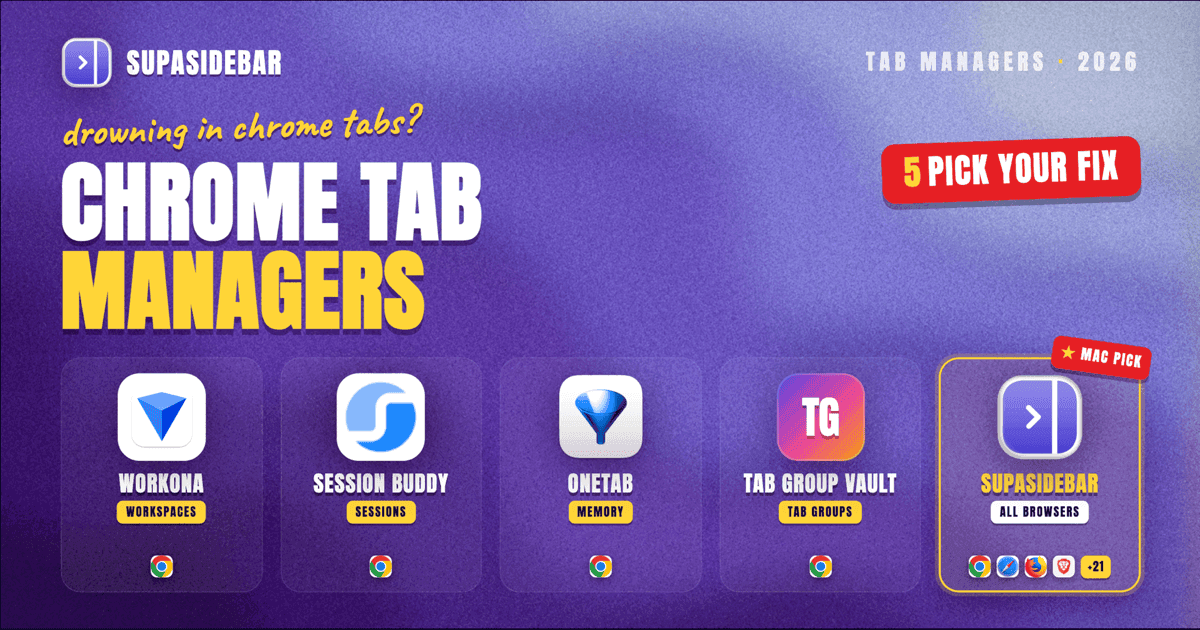
The best Chrome tab manager extension depends on whether you need workspace organization (Workona), session saving (Session Buddy), memory recovery (OneTab), or tab group preservation (Tab Group Vault). For users juggling tabs across Chrome AND other browsers simultaneously, SupaSidebar manages tabs from 32+ browsers in one sidebar without any Chrome extension. Full comparison table and use-case framework below.
Looking for something specific?
- Need to save your tabs before closing them? → How to save tabs in Chrome
- Want the full extension roundup? → Best tab saver extensions 2026
- Here for the best Chrome tab manager? → Keep reading.
Best Chrome Tab Manager Extensions in 2026
A Chrome tab manager extension solves a specific problem: once you pass 15-20 open tabs, Chrome's horizontal tab strip becomes useless. Titles shrink to favicons, finding the right tab takes longer than reopening the page, and RAM usage climbs past 4-8 GB.
The Chrome Web Store has dozens of tab managers, but they solve different problems. Some save sessions for later. Others organize active tabs into workspaces. A few just collapse everything into a list to free memory. Picking the wrong category wastes time.
This comparison covers 7 tab manager extensions available in 2026, organized by what problem each one actually solves, with a feature matrix, pricing breakdown, and a decision framework at the end.
The 7 Extensions Compared
1. Tab Manager Plus
Best for:
Visual tab overview and window management
Tab Manager Plus shows all open tabs across every Chrome window in a grid layout. Each tab appears as a thumbnail, and tabs can be dragged between windows, searched, and filtered. The visual approach works when the problem is "where did I put that tab?" rather than "I have too many tabs."
Key features:
- Thumbnail grid of all open tabs
- Search and filter across windows
- Drag tabs between windows
- Session save/restore
- Dark mode
Pricing:
Free (open source, MIT license)
Limitations:
No workspace concept - it shows everything at once, which becomes overwhelming past ~80 tabs. No tab group support. No cloud sync.
2. Workona
Best for:
Project-based workspace management
Workona turns Chrome into a workspace-first environment. Create named workspaces (Marketing, Development, Research), switch between them, and only the tabs for the active workspace are visible. The rest hibernate in the background.
Key features:
- Named workspaces with tab isolation
- Workspace switching (hides/shows tab sets)
- Documents and links stored alongside tabs
- Team sharing (Pro plan)
- Cloud sync across devices
Pricing:
Free (5 workspaces), Pro $6/mo billed yearly or $7/mo billed monthly (unlimited workspaces + team features)
Limitations:
Chrome-only - cannot manage tabs from Safari, Firefox, or other browsers. The workspace model requires discipline. Free plan caps at 5 workspaces, which fills up quickly for anyone managing more than 3 projects.
3. OneTab
Best for:
Instant memory recovery (one-click tab collapse)
OneTab does one thing: click the icon, and every open tab collapses into a single page of links. Chrome immediately recovers the RAM those tabs were using. Tabs can be restored individually or all at once.
Key features:
- One-click collapse all tabs to a link list
- Restore individual tabs or entire sessions
- Share tab lists as a webpage
- Export/import
Pricing:
Free
Limitations:
No organization beyond basic lists. No tab groups. No cloud sync. No automatic saving - if Chrome crashes before you click OneTab, the tabs are gone. No workspace concept. Works as an emergency button, not an organizational system.
4. Session Buddy
Best for:
Reliable session save and restore
Session Buddy saves snapshots of all open windows and tabs, then restores them exactly as they were. Automatic backups run on configurable intervals. The sessions are named, timestamped, and searchable.
Key features:
- Automatic session backups (interval configurable)
- Named session saves
- Restore full windows or individual tabs
- Session history with timestamps
- Import/export (JSON, Markdown, plain text)
Pricing:
Free (donation-supported)
Limitations:
Does not preserve Chrome tab groups - restored tabs come back ungrouped. Chrome-only. No workspace switching - Session Buddy saves and restores, but does not hide/show tab sets during active work. No cloud sync between devices.
5. Tab Group Vault
Best for:
Preserving Chrome tab groups specifically
Tab Group Vault is built for one gap the others miss: saving and restoring Chrome's native tab groups with their names and colors intact. Session Buddy and OneTab both lose group structure on restore. Tab Group Vault preserves it.
Key features:
- Save tab groups with names and colors
- Restore groups exactly as they were
- Schedule auto-saves
- Cross-device sync (via Chrome Sync)
Pricing:
One-time purchase (price varies, ~$3-5 on Chrome Web Store)
Limitations:
Only handles tab groups - not a general tab manager. No workspace switching, no thumbnail grid, no memory optimization. Useful only if Chrome tab groups are already part of the workflow.
6. Toby
Best for:
Visual bookmark-style tab collections
Toby replaces the new tab page with a Trello-like board of saved tab collections. Tabs are dragged into named columns. The approach is more bookmark-organizer than active tab manager - Toby is about curating links for later, not managing what is currently open.
Key features:
- Kanban-style new tab page
- Drag-and-drop tab saving
- Named collections
- Team sharing (Pro)
- Sync across Chrome instances
Pricing:
Free (basic), Pro $4.50/month (teams, unlimited collections)
Limitations:
Replaces the new tab page entirely, which conflicts with other new-tab extensions. More of a visual bookmarking tool than an active tab manager. Does not manage currently-open tabs in real time. Chrome-only.
7. Cluster - Window & Tab Manager
Best for:
Window-level organization with tab sorting
Cluster provides a popup window showing all tabs grouped by window, with options to sort, search, and move tabs between windows. It also offers window-level session saving. The approach bridges the gap between Tab Manager Plus (visual) and Session Buddy (sessions).
Key features:
- Popup tab overview grouped by window
- Tab sorting (by title, URL, domain)
- Window-level session save
- Tab suspension (freeze inactive tabs to save memory)
- Keyboard shortcuts for tab switching
Pricing:
Free
Limitations:
Less polished than dedicated tools in each category. Tab suspension is basic compared to dedicated suspenders like The Marvellous Suspender or Auto Tab Discard. No cloud sync.
Feature Comparison Table
| Extension | Type | Tab Groups | Cloud Sync | Workspaces | Memory Savings | Price |
|---|---|---|---|---|---|---|
| Tab Manager Plus | Visual overview | No | No | No | No | Free |
| Workona | Workspace manager | No | Yes | Yes (5 free) | Indirect | Free / from $6/mo |
| OneTab | Memory saver | No | No | No | Yes (immediate) | Free |
| Session Buddy | Session saver | No (loses groups) | No | No | No | Free |
| Tab Group Vault | Group preserver | Yes (core feature) | Yes | No | No | ~$3-5 one-time |
| Toby | Visual bookmarking | No | Yes | Collections | No | Free / $4.50/mo |
| Cluster | Hybrid | No | No | No | Yes (suspension) | Free |
Picking the Right Extension by Use Case
"Chrome crashes and I lose everything"
- Session Buddy. Its auto-backup means sessions survive crashes. OneTab requires manual action before a crash, which is too late.
"RAM is killing my MacBook"
- OneTab for the nuclear option (collapse all tabs). Cluster for gentler tab suspension that keeps tabs accessible.
"I need tab groups to survive restarts"
- Tab Group Vault. It is the only extension that preserves Chrome's native tab group structure (names, colors, membership) through save/restore cycles.
"I switch between projects constantly"
- Workona. The workspace model hides tabs from other projects so the tab bar stays clean. No other extension on this list does workspace isolation.
"I save interesting pages for later"
- Toby. The visual board approach works for curating links. Session Buddy is for restoring working sessions; Toby is for collecting references.
"I just need to find a specific tab"
- Tab Manager Plus. The thumbnail grid and search bar solve the "where did I put that?" problem without changing the workflow.
What None of These Solve: Cross-Browser Tabs
Every extension on this list is Chrome-only. They manage tabs inside Chrome and nowhere else.
The unaddressed problem: many Mac users run 2-3 browsers daily. Chrome for work (company SSO, Google Workspace), Safari for personal browsing (battery, Apple integration), Firefox for development (DevTools). Tabs scatter across all three. A Chrome tab manager sees only one third of the picture.
The Cross-Browser Approach
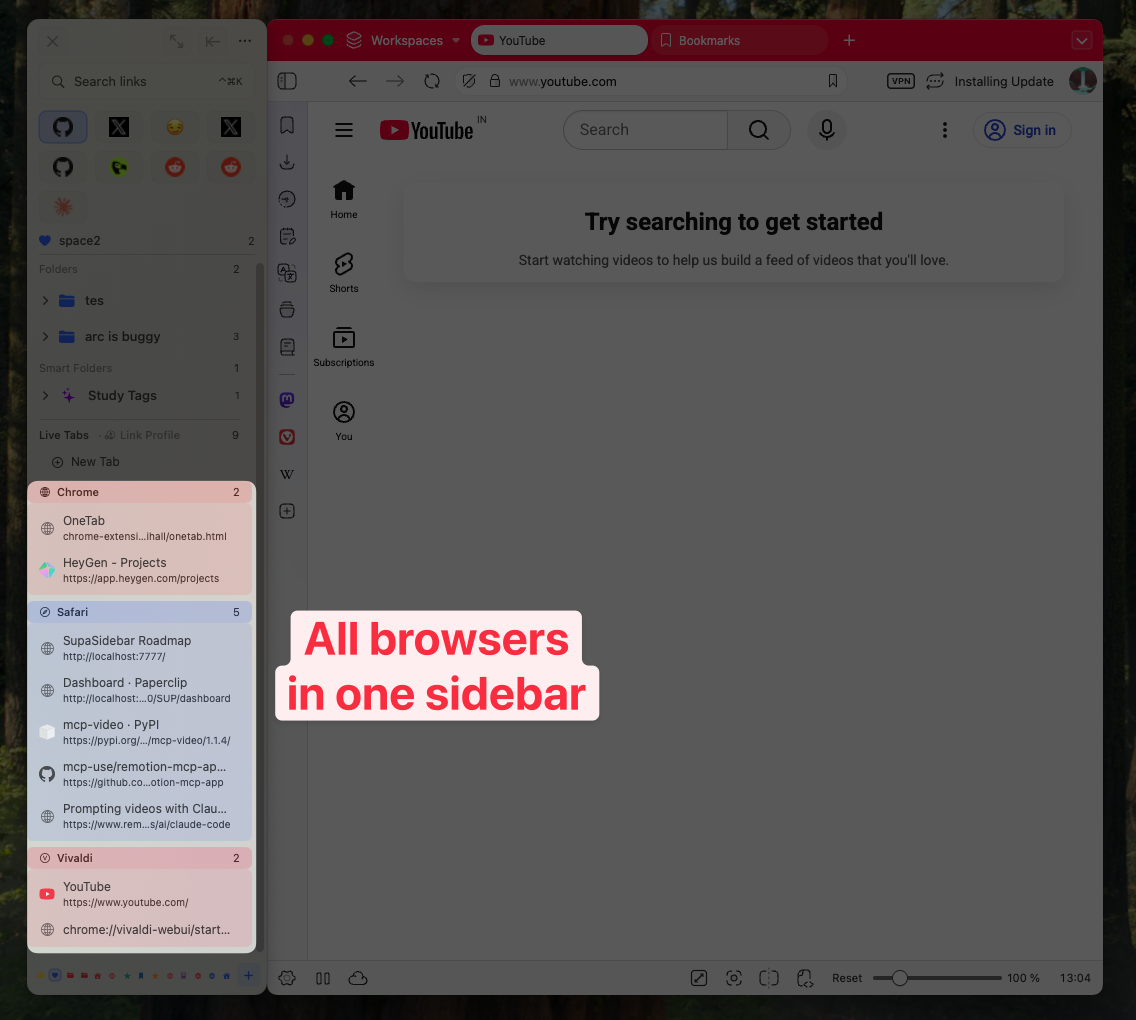
SupaSidebar is a macOS sidebar app that shows live tabs from Chrome, Safari, Firefox, Arc, Brave, Edge, Vivaldi, and every other browser on macOS in a single persistent sidebar. It is not a Chrome extension - it is a standalone Mac app that reads tabs from all running browsers via macOS automation APIs.
The tab management model is different from the extensions above:
- Live Tabs section shows every open tab across every browser, grouped by browser. Click any tab to activate it (brings that browser window forward and switches to the tab).
- Save All Browser Tabs (⌘⌃T) saves every open tab from the current browser into a folder - the equivalent of OneTab's collapse, but the tabs remain open.
- Spaces provide workspace isolation similar to Workona, but across all browsers simultaneously.
- Command Panel (⌘⌃K) fuzzy-searches across all saved items, recent pages, and live tabs from every browser.
- Air Traffic Control routes URLs to specific browsers automatically based on rules (e.g., figma.com always opens in Chrome, iCloud links always open in Safari).
Pricing:
Free tier (3 Spaces) with paid Pro. macOS only (requires macOS 14+).
Limitations:
Mac-only - no Windows or Linux version. Not a Chrome extension - requires installing a separate Mac app. Does not suspend tabs or recover RAM (it observes tabs, does not manage Chrome's memory). Does not preserve Chrome tab groups specifically (that is Tab Group Vault's niche).
Conclusion: Picking What to Use
For Chrome-only users who stay inside one browser all day, a Chrome extension is the right tool. Session Buddy (free, reliable session saves) handles most needs. Add Tab Group Vault if Chrome's native tab groups are part of the workflow. Workona ($6/mo billed yearly) is the right investment for users managing 5+ projects simultaneously who need workspace isolation.
For Mac users running 2-3 browsers, no Chrome extension solves the fragmentation problem. Tabs end up in separate piles, managed by separate tools. SupaSidebar unifies all of them in one sidebar without requiring a Chrome extension at all.
Single-tool users: Session Buddy + Tab Group Vault covers 90% of use cases for $0-5 total. Multi-browser users: SupaSidebar replaces the need for any Chrome tab extension by managing everything from outside the browser.
Try SupaSidebar (free tier) if cross-browser tab management fits the workflow. For Chrome-only deep-dives, see How to save all open tabs in Chrome.
Why SupaSidebar for Cross-Browser Tab Management
SupaSidebar is a macOS sidebar app that manages tabs, bookmarks, and saved links across 32+ browsers from a single persistent sidebar. Free tier includes 3 Spaces. The sidebar appears with ⌘⇧Space, searches across all browsers with ⌘⌃K, and saves any browser's tabs with ⌘⌃T. Unlike Chrome extensions, SupaSidebar works with Safari, Firefox, Arc, Brave, Edge, Vivaldi, Waterfox, Floorp, and every other Chromium or Gecko-based browser on macOS.
Frequently Asked Questions
What is the best free tab manager for Chrome?
Session Buddy is the most reliable free Chrome tab manager for saving and restoring sessions. OneTab is the best free option specifically for memory recovery (collapsing all tabs into a link list). Both are free with no usage limits. For visual tab overview, Tab Manager Plus is open-source and free.
Does Chrome have a built-in tab manager?
Chrome has basic built-in tab management: tab groups (color-coded grouping), tab search (Ctrl+Shift+A), and recently closed tabs (Ctrl+Shift+T to reopen). These cover simple cases but lack session saving, workspace isolation, cross-device tab sync, and the organizational depth that extensions provide.
Can Chrome extensions manage tabs from other browsers?
No. Chrome extensions only have access to Chrome's own tabs via the chrome.tabs API. They cannot see or manage tabs from Safari, Firefox, Edge, or any other browser. Managing tabs across multiple browsers requires either a standalone desktop app (like SupaSidebar on Mac) or manually switching between each browser's own tools.
Is Workona free?
Workona has a free plan limited to 5 workspaces. The Pro plan ($6/mo billed yearly, $7/mo billed monthly) removes the workspace limit and adds team collaboration features. For users managing 3 or fewer projects, the free plan works. Beyond that, the workspace cap becomes restrictive.
What happened to The Great Suspender?
The Great Suspender was removed from the Chrome Web Store in February 2021 after Google discovered it had been acquired by a new owner who injected malware that ran arbitrary remote code. Do not install it from any source. Safe alternatives for tab suspension include The Marvellous Suspender (the malware-free open-source fork) and Auto Tab Discard.
Do tab manager extensions slow down Chrome?
Most tab managers add minimal overhead (under 20 MB RAM for the extension process itself). OneTab and Session Buddy are particularly lightweight since they store data as simple lists. Workona's workspace switching can add brief load times when switching projects. The net effect is usually positive - a tab manager that helps close unnecessary tabs saves more memory than it consumes.
By Kshetez Vinayak, founder of SupaSidebar.