
By Kshetez Vinayak, founder of SupaSidebar. Last updated June 6, 2026.
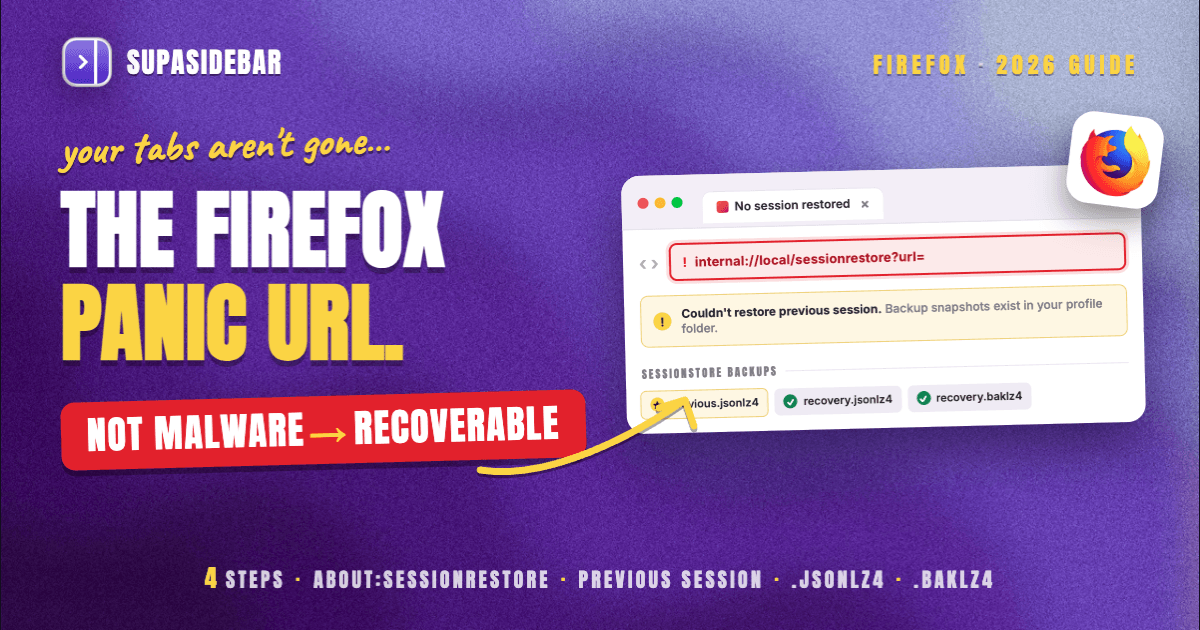
internal://local/sessionrestore?url= is the address fragment Firefox uses internally when it tries to rebuild a lost session, and seeing it pasted into a search bar almost always means Firefox failed to restore your previous tabs after a crash, forced quit, or update.
It is not a website and not malware. The fix is to recover the session from Firefox's own backup files before they get overwritten: restart Firefox once, try the Restore Previous Session option, and if that fails, manually recover from the sessionstore.jsonlz4 and recovery.jsonlz4 files in your profile folder. The single biggest mistake is to keep reopening Firefox, because each clean launch overwrites the backup that holds your tabs.
This is a panic-state problem, so the steps below are ordered by how likely they are to work with the least risk of making things worse. Do them in order and stop as soon as your tabs come back.
Quick navigation:
- Want every way to save Firefox tabs going forward? → How to Save Tabs in Firefox
- Recovering after a full browser crash, any browser? → Restore Tabs After a Browser Crash
- Stuck on this exact URL? → You're in the right place. Keep reading.
What the URL actually is
When Firefox closes unexpectedly, the next launch reads a saved snapshot of your open windows and tabs and tries to put them back. The sessionrestore machinery is the internal page that drives that process, and internal://local/sessionrestore?url= is a fragment of how Firefox references it under the hood. Most people never see this string. It surfaces when something interrupts the restore and a recovery prompt, an extension, or a copied error leaks the internal address into view, at which point users paste it into Google looking for help.
Two things are worth knowing immediately. First, this is a local Firefox address, not a public web page, so navigating to it directly will not load anything useful. Second, the user-facing equivalent you can actually open is about:sessionrestore, the real recovery page Firefox shows after a crash. According to Mozilla Support, Firefox keeps a record of your open tabs and windows specifically so it can offer to restore them, which is the system behind both addresses.
The four things to try, in order
1. Open about:sessionrestore directly
Type about:sessionrestore into the Firefox address bar and press Enter. If Firefox still has a recoverable session, this page lists the windows and tabs it can bring back and gives you a Restore button. This is the cleanest path because it uses Firefox's own recovery flow rather than touching files by hand.
2. Restart Firefox once and use Restore Previous Session
Fully quit Firefox (on a Mac, Cmd+Q, and confirm no Firefox process is still running), then reopen it once. Go to the application menu, then History, then Restore Previous Session. If the option is greyed out, Firefox may have already replaced the snapshot, which is why the next steps focus on the backup files. Do not keep relaunching: every clean start can overwrite the session you are trying to save.
3. Recover from sessionstore.jsonlz4 manually
Firefox stores session data inside your profile folder. Open about:support, find the Profile Folder row, and click Open Folder. Inside, look in the sessionstore-backups folder for files named previous.jsonlz4, recovery.jsonlz4, and recovery.baklz4. These are compressed snapshots of recent sessions. The safe approach: quit Firefox, copy previous.jsonlz4 somewhere safe as a backup, then rename it to sessionstore.jsonlz4 and place it in the profile root, and reopen Firefox. Mozilla documents these backup files in its session restore troubleshooting guide. Because the files are LZ4-compressed JSON, you cannot read them in a normal text editor; if you want to inspect them first, a tool like the open-source lz4json decoder can convert them to readable JSON.
4. Last resort: rotate recovery.baklz4
If recovery.jsonlz4 is missing or corrupt, the recovery.baklz4 backup is the next-newest snapshot. With Firefox closed, copy recovery.baklz4, rename the copy to recovery.jsonlz4, and start Firefox. This rotation trades the very latest state for a slightly older but intact session, which is usually a good deal when the alternative is losing everything.
How to stop seeing this URL again
Recovery is a fire drill. The better fix is to make a lost Firefox session a non-event. The table below compares the common ways to do that.
| Method | What it protects | Survives a crash | Survives reinstall | Cross-browser |
|---|---|---|---|---|
| Firefox "restore previous session" setting | Open tabs and windows | Sometimes | No | No |
| Firefox Sync | Open tabs (read-only mirror), bookmarks | Partially | Yes | No |
| Session manager extension | Saved named sessions | Yes | If exported | No |
| Pinning key tabs outside Firefox | Your important tabs | Yes | Yes | Yes |
Turn on automatic restore first: open Settings, go to the General panel, and under Startup enable Open previous windows and tabs. That alone makes the recovery page appear less often. For tabs you cannot afford to lose, a session manager extension that saves named, exportable sessions adds a manual safety net, covered in the tab session manager guide.
The deeper issue is that every one of these methods lives inside Firefox, so they share Firefox's failure modes. When the session file is the thing that broke, a backup stored next to it in the same profile is exposed to the same crash. This is where keeping your most important tabs outside the browser changes the math. SupaSidebar stores tabs and links in its own sidebar, separate from Firefox's sessionstore.jsonlz4, so the failure that produces internal://local/sessionrestore?url= does not touch them. Save a page with one shortcut, and it stays put whether Firefox crashes, updates, or gets reinstalled. For the full set of native Firefox options alongside this approach, see how to save tabs in Firefox.
Conclusion
internal://local/sessionrestore?url= is Firefox signalling a failed session restore, not an error you broke and not something to fear. The recovery order is fixed: try about:sessionrestore, then Restore Previous Session after one clean restart, then manual recovery from previous.jsonlz4, then rotate recovery.baklz4 as a last resort, and above all stop relaunching Firefox while you work, because each launch can overwrite the snapshot you need. Once your tabs are back, turn on automatic session restore so the recovery page stops appearing.
For occasional Firefox users, the built-in restore setting plus Firefox Sync covers most cases. For anyone whose work depends on a specific set of tabs surviving crashes and reinstalls, the durable answer is to keep those tabs outside the browser's own session file entirely, so a Firefox failure never takes them down with it. Try SupaSidebar (free tier) if you want that safety net across Firefox and any other browser you run.
Why SupaSidebar
SupaSidebar is a macOS app that brings Arc's sidebar to every browser, one sidebar for tabs, bookmarks, files, and apps across Safari, Chrome, Firefox, Arc, Zen, Vivaldi, Brave, Helium, and Dia (25+ browsers in total). Because it stores tabs in its own sidebar rather than inside Firefox's session files, the crash-and-restore cycle that produces internal://local/sessionrestore?url= cannot lose the tabs you saved there. It is a native Mac app, not a browser extension, and a free version is available.
FAQ
What does internal://local/sessionrestore?url= mean?
It is the internal address Firefox uses while trying to rebuild a session after a crash, forced quit, or update. Seeing it usually means the restore failed. It is a local Firefox address, not a website and not malware.
How do I open the Firefox session restore page?
Type about:sessionrestore into the address bar and press Enter. If a recoverable session exists, that page lists the windows and tabs and offers a Restore button.
Why is Firefox not restoring my previous session?
The most common cause is that Firefox already overwrote the saved snapshot by launching cleanly one or more times. Stop reopening Firefox and recover from the backup files in sessionstore-backups (previous.jsonlz4, recovery.jsonlz4, recovery.baklz4) instead.
Where are Firefox session files stored?
Open about:support, find the Profile Folder row, and click Open Folder. Session snapshots live in the profile root (sessionstore.jsonlz4) and in the sessionstore-backups subfolder. They are LZ4-compressed JSON, so a normal text editor cannot read them.
Can I read sessionstore.jsonlz4 to get my URLs back manually?
Yes, with a decoder. The files are LZ4-compressed JSON, so an open-source tool such as lz4json converts them to readable JSON where you can copy out the URLs. Make a copy before touching the originals.
How do I stop the session restore page from appearing every time?
In Settings, open the General panel and under Startup enable Open previous windows and tabs. This turns on automatic restore so Firefox stops prompting after normal restarts.
Will saving tabs outside Firefox protect them from this?
Yes. The internal://local/sessionrestore?url= failure comes from Firefox's own session files breaking. Tabs saved in a separate app like SupaSidebar are not stored in those files, so a Firefox crash or reinstall does not affect them.
Written by Kshetez Vinayak, founder of SupaSidebar.