
By Kshetez Vinayak, founder of SupaSidebar. Last updated June 27, 2026.
TL;DR:
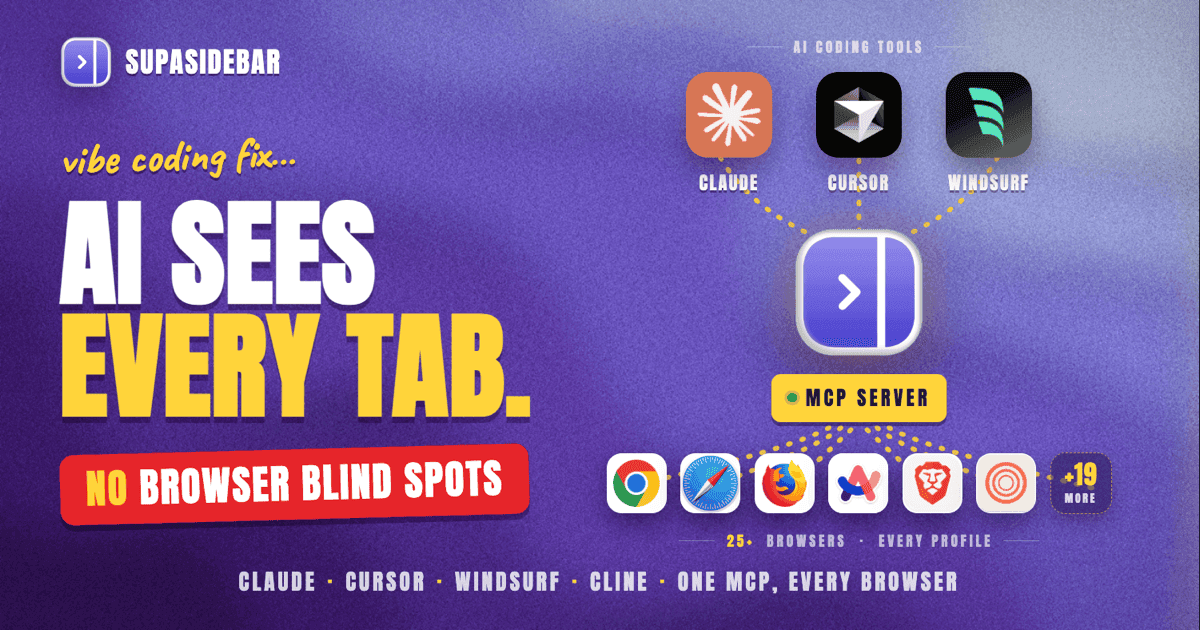
Vibe coding - describing what you want and letting AI write the code - breaks down when your AI assistant cannot see what is in your browser. SupaSidebar's MCP server connects Claude Desktop, Cursor, and other AI coding tools to your open tabs, saved research, and project workspaces across 32+ browsers. The result: your AI has the same browser context you do, and vibe coding sessions stop requiring constant copy-paste of URLs.
Looking for something specific?
- Setting up the connection step by step? → Why Claude can't see your browser tabs (the companion setup tutorial)
- Here for vibe coding with MCP? → Keep reading.
What Vibe Coding Actually Looks Like in Practice
Andrej Karpathy coined the term "vibe coding" in February 2025 to describe a development style where programmers describe what they want in natural language and let AI generate the code. By 2026, 92% of US developers use AI coding tools daily, and the approach has moved from weekend prototypes to production codebases.
The typical vibe coding session looks like this: open Claude Desktop or Cursor, describe the feature, iterate on the output, test it, refine. The AI reads your codebase, runs your terminal, writes files. The workflow is fast - until you need browser context.
That is where vibe coding hits a wall. Your AI cannot see:
- The API docs page you have open in Chrome
- The Stack Overflow answer you found 10 minutes ago in Safari
- The localhost:3000 page that is rendering incorrectly
- The GitHub issue with the exact error message
- The Figma design you are implementing from Firefox
Every time you need the AI to reference something in your browser, the workflow breaks. You switch to the browser, copy the URL, switch back to Claude, paste it, add context. Multiply that by dozens of times per coding session.
The Missing Piece: Browser Context for AI Tools
MCP (Model Context Protocol) is Anthropic's open standard for connecting AI assistants to external tools and data sources. Released in November 2024, MCP lets Claude Desktop, Cursor, Windsurf, and other compatible tools interact with external services through a standardized interface. As of early 2026, over 10,000 public MCP servers exist.
The protocol solves a fundamental problem: AI assistants are isolated from the tools developers actually use. An MCP server acts as a bridge - it exposes data and actions through a standard interface that any compatible AI tool can consume.
For browser context specifically, most existing MCP solutions are Chrome-only. The Chrome DevTools MCP server gives AI agents access to Chrome's debugging tools. Third-party packages like mcp-browser-tabs read Chrome tabs. Playwright MCP requires a dedicated browser instance.
None of them solve the multi-browser problem. A developer using Safari for personal browsing, Chrome for work, and Firefox for testing gets one-third visibility at best.
How SupaSidebar's MCP Server Works
SupaSidebar is a macOS sidebar app that tracks live browser tabs across every installed browser using macOS Accessibility APIs - not browser extensions, not DevTools protocols. The built-in MCP server exposes that cross-browser visibility to any MCP-compatible AI tool.
One connection. Every browser. Every profile. Here is what becomes available:
| Tool | What it does | Vibe coding use case |
|---|---|---|
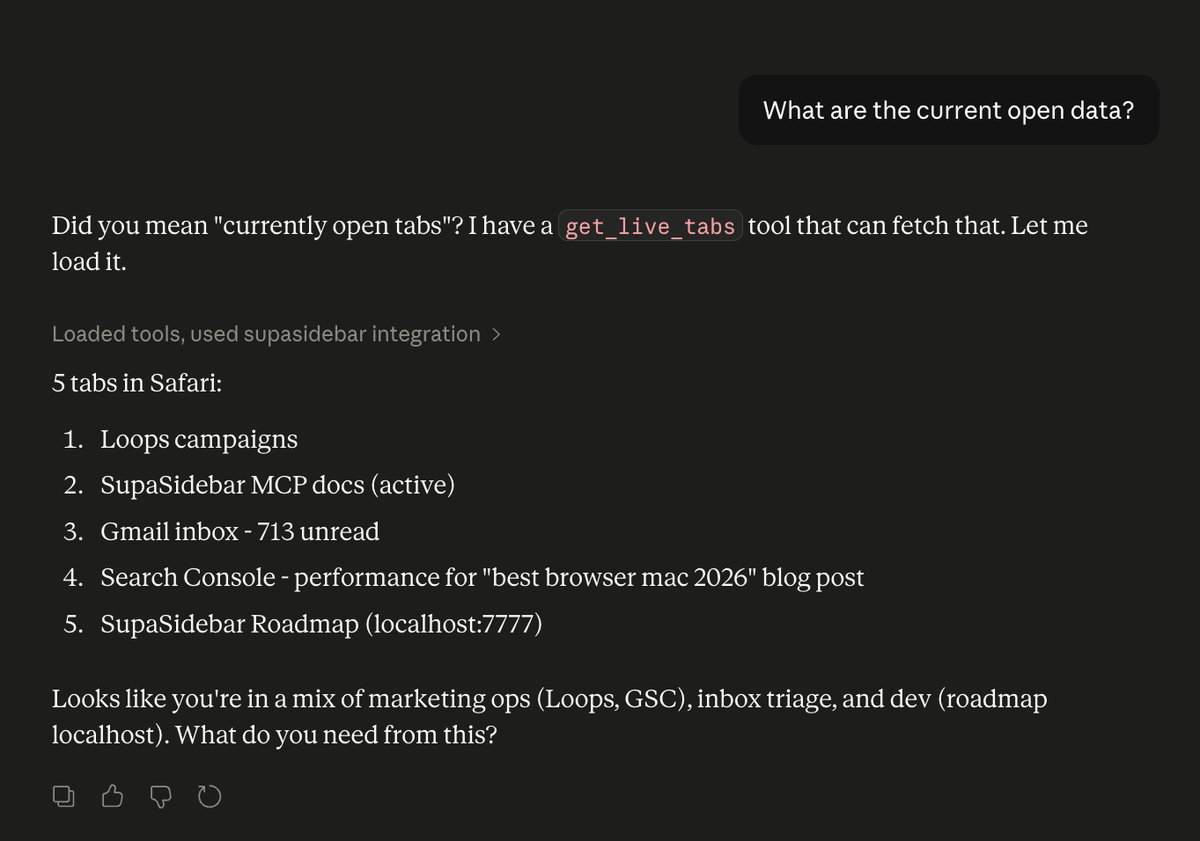
get_live_tabs | Returns every open tab across all browsers with title, URL, browser name, profile | "What docs am I reading right now?" |
search | Fuzzy search across saved links, recent pages, and live tabs | "Find that React hooks article from yesterday" |
list_recent | Recently opened links across all browsers | "What was that API endpoint page from this morning?" |
add_link / create_folder | Save links and organize into workspaces | "Save all my research tabs to a 'payment-integration' folder" |
add_atc_rule | Create URL routing rules | "Route localhost to Chrome, always" |
open_link | Open any URL in a specific browser | "Open the Next.js docs in my Chrome Work profile" |
list_spaces / list_links | Browse organized workspaces | "What links do I have saved in my API project space?" |
SupaSidebar reads tabs from 32+ browsers - Safari, Chrome, Firefox, Arc, Vivaldi, Brave, Helium, Dia, and more - including separate profiles within each browser. The MCP server works on both Free and Pro tiers.
Five Vibe Coding Workflows That Require Browser Context
These are not hypothetical. Each workflow represents a pattern where the AI needs to see or interact with browser state to continue the vibe coding session without manual intervention.
Workflow 1: Research-While-Coding
The scenario: building a payment integration. You have Stripe docs open in one tab, a competitor's implementation example in another, the Stripe dashboard in a third. The AI is writing the integration code.
Without browser context, the AI works from memory (often outdated) or asks you to paste documentation URLs one by one.
With SupaSidebar's MCP:
"Look at my open tabs - which ones are Stripe-related? Read the URL titles and use that context to implement the webhook handler."
The AI sees the specific documentation pages open, infers what part of the integration you are working on, and writes code aligned with the exact API version you are reading about. No pasting.
Workflow 2: Debug Across Browsers
The scenario: a CSS layout breaks in Safari but works in Chrome. Both browsers are open to the same localhost page.
Without browser context, you describe the problem verbally, screenshot the broken layout, paste the URL.
With SupaSidebar's MCP:
"Check my open tabs - I have localhost:3000/dashboard open in both Chrome and Safari. The layout breaks in Safari. Here is the component file. Fix the Safari-specific issue."
The AI confirms which browsers have the page open, knows the exact URL being tested, and can reference both the component code and the testing setup.
Workflow 3: Context Recovery After Interruption
The scenario: you were deep in a feature implementation, got pulled into a meeting, and now need to resume. You have 20+ tabs open across multiple browsers from the morning session.
Without browser context, you try to remember where you left off. Or you manually review each tab.
With SupaSidebar's MCP:
"What tabs do I have open? Based on those, what was I working on before the meeting?"
The AI reads all open tabs, identifies clusters of related pages (API docs, test files, related Stack Overflow answers), and reconstructs your working context in seconds.
Workflow 4: Save Research Sessions as Project Context
The scenario: you spent an hour researching authentication patterns. You have 12 tabs open with articles, docs, and examples you want to reference later when implementing.
Without browser context, you manually bookmark each tab, create a folder, name them.
With SupaSidebar's MCP:
"Save all my open tabs about authentication to a new folder called 'auth-research' in my Work space. Keep the original titles."
One sentence. Twelve bookmarks organized into a named project folder. Next week, when the implementation starts:
"What links do I have saved in my auth-research folder? Summarize the approaches covered."
The research persists across sessions without manual effort.
Workflow 5: URL Routing for Development
The scenario: every time you click a localhost link, it opens in Safari instead of Chrome where DevTools is already set up. Figma links open in the wrong browser profile.
Without SupaSidebar, you manually change default browsers or drag tabs between windows.
With SupaSidebar's MCP:
"Route all localhost URLs to Chrome. Route figma.com to my Safari Work profile. Route github.com to Chrome Work profile."
Three Air Traffic Control rules, created through conversation. The routing is permanent - every future link respects these rules automatically.
Why This Matters More in 2026 Than It Did a Year Ago
Three trends converge to make browser-aware AI coding tools essential:
MCP adoption is accelerating.
As of March 2026, MCP has become the standard interface for connecting AI tools to external services. Claude Desktop, Cursor, Windsurf, Cline, and others all support MCP natively. The protocol is no longer experimental - it is infrastructure.
Vibe coding moved from hobby to production.
With 41% of global code now AI-generated and 74% of developers reporting productivity gains, AI-assisted development is not optional. The question is no longer "should you use AI to code" but "how do you remove the friction from AI coding workflows."
Multi-browser development is the norm.
Cross-browser testing, separate work/personal profiles, specialized browsers for different tasks (Arc for research, Chrome for DevTools, Safari for battery life) - developers regularly operate across 2-4 browsers simultaneously. Tools that only see one browser see a fraction of the developer's actual context.
SupaSidebar's MCP server sits at the intersection of all three: a single MCP connection that exposes the full multi-browser environment to any AI coding tool.
How This Differs From Chrome DevTools MCP
Google's Chrome DevTools MCP server solves a different problem. It gives AI agents access to Chrome's debugging capabilities - inspecting DOM elements, monitoring network requests, reading console logs. It is a debugging tool for Chrome specifically.
SupaSidebar's MCP server solves the visibility problem across all browsers. The two are complementary, not competing:
| Capability | Chrome DevTools MCP | SupaSidebar MCP |
|---|---|---|
| See open tabs | Chrome only | 32+ browsers |
| Debug DOM/network | Yes (Chrome) | No |
| Save/organize links | No | Yes (folders, spaces) |
| Cross-browser tab visibility | No | Yes |
| URL routing rules | No | Yes (Air Traffic Control) |
| Works with Safari, Firefox, Arc | No | Yes |
| Search across browser history | No | Yes (recent + saved) |
For a complete vibe coding setup, running both makes sense: Chrome DevTools MCP for deep debugging, SupaSidebar MCP for broad browser context and organization.
Setting Up SupaSidebar MCP for Vibe Coding
Full setup instructions are in the companion tutorial. The short version:
- Install SupaSidebar (
brew install --cask supasidebaror download from supasidebar.com) - Enable Live Tabs in Preferences
- Enable the MCP Bridge in Preferences
- Add the MCP server to your AI tool's config
For Claude Desktop, add to claude_desktop_config.json:
{
  "mcpServers": {
    "supasidebar": {
      "command": "/Applications/SupaSidebar.app/Contents/MacOS/mcp-bridge"
    }
  }
}
The setup takes about 2 minutes. The MCP server works on Free tier - no Pro subscription required for full tool access.
Conclusion: Vibe Coding Without Browser Blind Spots
Vibe coding works best when the AI has the same context the developer has. In 2026, that context increasingly lives in the browser - documentation tabs, localhost pages, design files, project management tools, API dashboards. An AI that cannot see any of it operates with a fundamental handicap.
SupaSidebar's MCP server eliminates that handicap across every browser on macOS. One connection gives Claude Desktop, Cursor, or any MCP-compatible tool visibility into all open tabs, saved research, and organized workspaces - regardless of which browser holds them.
For single-browser developers (Chrome only): the Chrome DevTools MCP server may be sufficient for debugging context. For multi-browser developers - anyone running Safari alongside Chrome, testing in Firefox, or using specialized browsers like Arc or Zen - SupaSidebar provides the cross-browser layer that no single-browser tool can.
Why SupaSidebar for Vibe Coding Browser Context
SupaSidebar is a macOS app that brings Arc's sidebar to every browser - one sidebar for tabs, bookmarks, files, and apps across 32+ browsers including Safari, Chrome, Firefox, Arc, Vivaldi, Brave, Helium, and Dia. The built-in MCP server exposes all of that browser context to AI coding tools through a single, standardized connection. No browser extensions, no per-browser setup, no Chrome-only limitations.
FAQ
What is vibe coding?
Vibe coding is a development practice where programmers describe what they want in natural language and let AI generate the code. The term was coined by Andrej Karpathy in February 2025 and became Collins Dictionary's Word of the Year for 2025. As of 2026, 92% of US developers use AI coding tools daily.
What is MCP (Model Context Protocol)?
MCP is an open standard created by Anthropic for connecting AI assistants to external tools and data sources. It allows Claude Desktop, Cursor, Windsurf, and other AI tools to interact with services like SupaSidebar through a standardized interface. Over 10,000 public MCP servers exist as of March 2026.
Which AI coding tools work with SupaSidebar's MCP server?
Any tool that supports the MCP standard: Claude Desktop, Cursor, Windsurf, Cline, Claude Code, and others. The MCP server uses the standard protocol - if the tool supports MCP, it can connect to SupaSidebar.
Does SupaSidebar's MCP server work with browsers other than Chrome?
Yes. SupaSidebar reads tabs from 32+ browsers using macOS Accessibility APIs, not browser extensions. Safari, Chrome, Firefox, Edge, Arc, Brave, Vivaldi, Dia, Helium, and more - all visible through a single MCP connection. This is the primary advantage over Chrome-only MCP tools.
Is SupaSidebar's MCP server free?
The MCP server works on both Free and Pro tiers. Free tier gives full access to all MCP tools - get_live_tabs, search, add_link, create_folder, and everything else. No Pro subscription required for MCP functionality.
How is this different from the Chrome DevTools MCP server?
Chrome DevTools MCP provides debugging capabilities (DOM inspection, network monitoring, console access) for Chrome specifically. SupaSidebar MCP provides browser visibility and organization (open tabs, saved links, workspaces, URL routing) across all browsers. The two solve different problems and work well together.
Do I need to install a browser extension?
No. SupaSidebar uses macOS Accessibility APIs to read browser tabs at the OS level. No extensions to install, no per-browser configuration. Install SupaSidebar once and every browser is visible immediately.
Can Claude actually save my tabs and organize my bookmarks through MCP?
Yes. The MCP server exposes write actions: add_link saves individual URLs, create_folder creates organization structure, create_space creates new workspaces, and add_atc_rule creates URL routing rules. Claude can both read and write to your SupaSidebar workspace.
By Kshetez Vinayak, founder of SupaSidebar.