
By Kshetez Vinayak, founder of SupaSidebar. Last updated 2026-06-15.
TL;DR
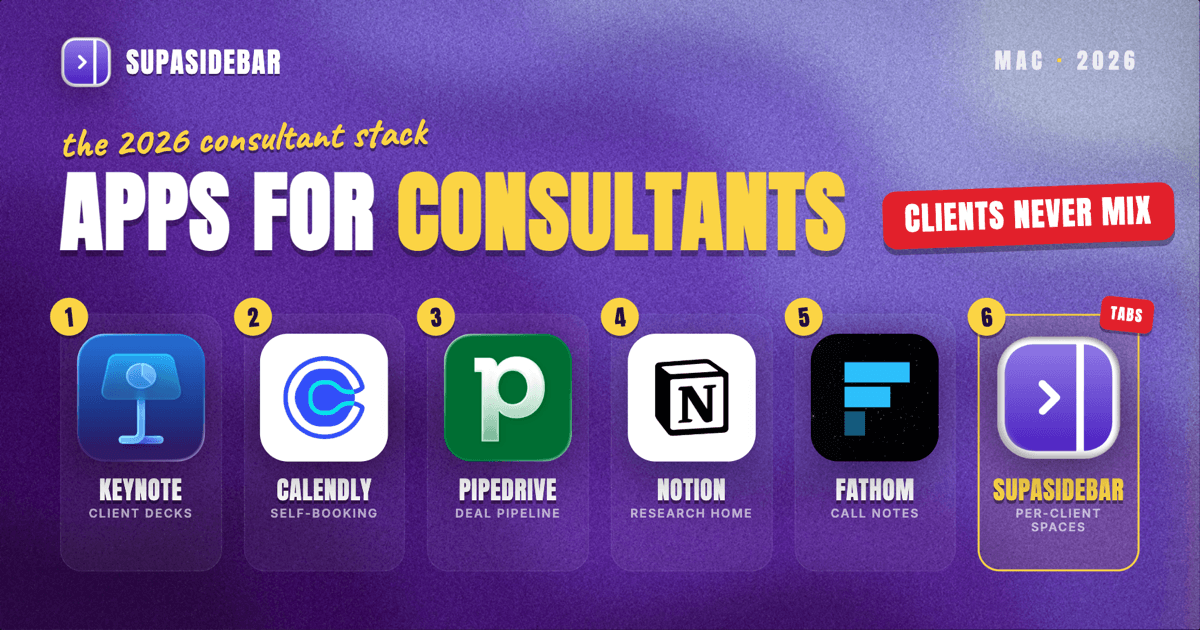
The best Mac apps for consultants in 2026 are an engagement-by-engagement stack, not one suite: Keynote or PowerPoint for decks, SupaSidebar for keeping each client's portals, research tabs, and deliverable links separated by Space across every browser, Calendly for client scheduling, a CRM-lite like Pipedrive or a Notion pipeline for the relationship side, Notion for research and deliverable docs, and Fathom for meeting notes and recaps. A consultant's real problem is not a missing tool, it is keeping three or four engagements from leaking into each other - the wrong slide in the wrong deck, last week's client portal still open during this week's call. Most of this stack starts free: Calendly's free plan covers one booking type, Notion's personal plan is free for solo work, and Fathom records and transcribes meetings free.
Quick navigation:
- Freelancing solo rather than consulting through a firm? → Best Mac Apps for Freelancers 2026 (coming soon)
- Working remotely between client sites? → Best Mac Apps for Remote Workers 2026
- Building a focused, distraction-free setup? → Mac Workspace Setup for Deep Work 2026
- Running multiple client engagements from a Mac? You are in the right place. Keep reading.
| App | Job in the stack | Pricing model | Best for |
|---|---|---|---|
| Keynote / PowerPoint | Client decks | Built-in free / Microsoft 365 | Native polish (Keynote) or client-template fidelity (PowerPoint) |
| SupaSidebar | Per-engagement workspace across browsers | Free version available | Running 2+ engagements across different browsers |
| Calendly | Client scheduling | Free (1 event type); Standard $10/seat/mo | Consultants who want clients to self-book |
| Pipedrive | CRM and pipeline | $14/user/mo Lite (no free tier) | Consultants with a real sales motion |
| Notion | Research, docs, light pipeline | Free personal plan | One searchable home per engagement |
| Fathom | Meeting notes and recaps | Free (5 AI summaries/mo); Premium ~$15-19/mo | Anyone who needs a searchable record of calls |
Why a consultant's app stack isn't a generic "best apps" list
A salaried analyst lives inside one company's tools and one set of logins. A consultant runs several client relationships in parallel, and each one arrives with its own portal, its own shared drive, its own slide template, and its own deadline. The apps that matter for a consultant are not the flashiest, they are the ones that stop those parallel engagements from colliding: pasting client A's numbers into client B's deck, opening last engagement's research while this engagement's call is starting, saving the deliverable to the wrong folder.
So this list is organized by the jobs a consultant actually does every week - present, schedule, track the relationship, capture research, take meeting notes, and keep it all separated. The tools are picked for independent or small-practice use, a sensible free-to-paid path, and Mac-native polish where it exists.
Client decks: Keynote for polish, PowerPoint for fidelity
For client decks on a Mac, use Keynote (free with macOS) when you want polish and deliver as PDF, and PowerPoint (via Microsoft 365) when the client edits in their own template. Decks are a consultant's primary deliverable, so the presentation tool earns its place by default. Keynote exports cleanly to PowerPoint and PDF, and its animation and layout polish is hard to beat for a one-person practice that wants client-ready slides without a subscription. The trade-off is collaboration: when a client works in Microsoft 365 and expects edits inside their own template, PowerPoint is the safer interchange format because round-tripping a Keynote file through .pptx can shift fonts and spacing.
The practical rule: draft in whatever is fastest, but deliver in the format the client edits in. A consultant who builds in Keynote and hands over a PDF avoids the formatting drift entirely; one who has to co-edit lives in PowerPoint.
Best for: consultants who want native Mac polish (Keynote) or guaranteed client-template fidelity (PowerPoint).
The problem no deck tool or CRM solves is browser sprawl across engagements. A consultant's browser is several engagements deep at once: client A's portal, shared drive, and reference docs in one pile of tabs; client B's analytics dashboards, brand assets, and a half-built proposal in another; the consultant's own scheduling, invoicing, and email scattered between them, some in Chrome where a client's SSO lives, some in Safari for personal browsing, some in a third browser used only for one client's tooling. Tab groups inside one browser do not fix this because the tabs span browsers, and bookmarks do not fix it because half the value is the live, open state of a working session that vanishes the moment the browser restarts.
Keeping each engagement's tabs separated across browsers
SupaSidebar is the cross-browser workspace layer for consultants: one Space per engagement that keeps each client's portal, research tabs, and deliverable links separated across every browser. It runs natively on macOS and adds one persistent sidebar across every major Mac browser - Safari, Chrome, Firefox, Edge, Arc, Brave, Vivaldi, Comet, Dia, and more (33 browsers counting channel variants). For a consultant the unit of organization is the engagement, and that maps directly to Spaces: one Space per client holding their portal, shared drive, research tabs, and deliverable links, separated from every other engagement and from personal browsing. Live Tabs shows the open tabs from every running browser in one list, so the Chrome work pile and the Safari personal pile stop being separate hunts. Command Panel (⌘⌃K) searches saved links and live tabs across all Spaces in one keystroke.
Two consultant-specific details earn the spot in this list. Air Traffic Control rules route links by URL pattern - a rule can send every link from a client's domain to the right browser profile automatically, so client A's portal never opens logged in as client B. And Save All Browser Tabs (⌘⌃T) captures an entire working session into a folder in one shortcut, which turns "those tabs from last week's client workshop" into a saved, reopenable set inside that engagement's Space.
A Reddit user described the underlying habit plainly: "I keep work and personal life completely separate using Spaces." For a consultant that separation runs one level deeper - not just work versus personal, but engagement versus engagement. For someone juggling three or four engagements at once, keeping them from colliding is the most differentiated win in the stack after the deck itself, which is why it ranks this high. A free version is available, and 3,000+ Mac users have tried SupaSidebar.
Best for: consultants running two or more engagements whose portals, dashboards, and tabs live across different browsers and keep bleeding into each other.
Letting clients book their own time
Calendly is the scheduling tool for consultants on a Mac: it hands the client a booking link tied to your real availability and removes the email back-and-forth. Consultants schedule across other people's calendars constantly - discovery calls, working sessions, stakeholder reviews - and that coordination is where the hours leak. The free plan covers one event type and one calendar connection, which is enough for a consultant offering a single "book a call" link, per Calendly's pricing. The Standard plan at $10/seat/month (annual) or $12 monthly adds multiple event types, so a consultant can separate a 30-minute intro from a 90-minute working session.
Apple Calendar still does the underlying work of holding every client's events in one view; Calendly sits on top as the public booking layer. A consultant with one offering can stay on the free tier indefinitely.
Best for: consultants who lose time to scheduling email threads and want clients to self-book.
Keeping leads and follow-ups from slipping
To track leads and follow-ups, use Pipedrive if you have a real sales motion, or a Notion database as a free pipeline if you are juggling a handful of engagements. Consulting is a pipeline business - leads, proposals, active engagements, and follow-ups that cannot fall through the cracks. A dedicated CRM like Pipedrive gives a visual deal pipeline, reminders, and email tracking; it has no free tier, and the Lite plan starts at $14/user/month, per Pipedrive's pricing. The lighter path is a Notion database used as a simple pipeline: one row per prospect or engagement, with stage, next action, and notes, which costs nothing on the free personal plan.
The line between them is volume. A consultant juggling a handful of active relationships gets everything they need from a Notion board. One running a steady stream of leads where a missed follow-up is lost revenue benefits from a real CRM's reminders and reporting.
Best for: Pipedrive for consultants with a real sales motion; a Notion pipeline for everyone tracking a handful of engagements.
A single home for each engagement's research
Notion is the place to keep each engagement's research and deliverables on a Mac: one workspace with a page per engagement holding the brief, the research notes, the deliverable outline, and the meeting log. Most of a consultant's thinking otherwise happens in scattered notes, half-finished docs, and saved links, and Notion is the consolidation layer that ends that. Its free personal plan covers unlimited pages for solo use, per Notion's pricing. Templates turn a new engagement into a structured project page in a minute instead of a blank document.
Notion does not replace the client's own systems - the consultant still works inside the client's portal and shared drive. It replaces the consultant's own scattered notes about each engagement with one searchable home, which matters most when an old client comes back and last year's context has to be found fast.
Best for: consultants who currently keep engagement notes across Apple Notes, email drafts, and Desktop folders.
Capturing what was agreed on every client call
Fathom is the meeting-notes tool for consultants: it records, transcribes, and summarizes client calls so a scope change, a stakeholder's objection, or a promised follow-up is never lost to nobody-took-notes. Its free plan is unusually generous: unlimited recordings and transcripts, with a cap of five AI-generated summaries per month, per Fathom's pricing. The Premium tier at roughly $15 to $19/month lifts the summary cap and adds action-item extraction and Ask Fathom queries across past calls.
The consultant-specific value is the searchable record. When a client disputes what was agreed, the transcript settles it; when a follow-up was promised three calls ago, a search finds it. A consultant on a normal call load often stays inside the free summary cap.
Best for: consultants who run frequent client calls and need an accurate, searchable record of what was agreed.
Which consultant setup should you pick?
- If you are solo or just starting out: run the whole stack free - Keynote for decks, Calendly's free tier, a Notion pipeline, Fathom's free plan, Apple Calendar, and the free version of SupaSidebar. Pay for nothing until a specific job forces it.
- If you have a steady lead flow: pay for Pipedrive so follow-ups never slip, and Fathom Premium so call summaries and action items are automatic. The reminders and the recovered hours beat the monthly cost.
- If you run three or more engagements across different browsers: the workspace layer is your biggest win - SupaSidebar keeps each client's portals, dashboards, and tabs separated by Space, which is the daily tax engagement separation otherwise charges you.
- If you are a single-client contractor: skip the workspace layer and lean on a deep-work setup instead - you do not have the cross-engagement collision problem yet.
- If you also work remotely between client sites: pair this stack with the remote-worker Mac stack.
Conclusion: Picking the consultant Mac setup
The 2026 verdict: build decks in Keynote, put a Calendly link in front of clients, keep every engagement in a Notion page, record calls with Fathom for a searchable record, and spend any real budget on the workflow layer - a CRM like Pipedrive once the pipeline justifies it, and SupaSidebar to keep each engagement's tabs and portals separated by Space.
Try SupaSidebar (free tier) if client tabs are scattered across browsers right now.
Why we recommend SupaSidebar
SupaSidebar is a macOS app that brings Arc's sidebar to every browser - one sidebar for tabs, bookmarks, files, and apps across 33 browsers including Safari, Chrome, Firefox, Edge, Arc, Brave, Vivaldi, Comet, and Dia. For consultants, it turns each engagement into a Space holding that client's portal, dashboards, research tabs, and deliverable links, searchable in one keystroke with Command Panel (⌘⌃K) no matter which browser they are open in. iCloud sync keeps the setup identical across an office Mac and a travel laptop, with no account required. macOS 14+ required.
FAQ
What apps do consultants use on a Mac in 2026?
A common independent-consultant stack is Keynote or PowerPoint for decks, Calendly for client scheduling, Pipedrive or a Notion pipeline for relationship tracking, Notion for research and deliverable docs, Fathom for meeting notes, and SupaSidebar for organizing each engagement's tabs and portals across browsers. Most of these start free or near-free, so the stack scales with the number of engagements rather than a fixed subscription bill.
What is the best free app for consultant meeting notes on Mac?
Fathom is the strongest free option - it records, transcribes, and stores meetings with no limit on recordings, capped only at five AI-generated summaries per month on the free plan. The paid Premium tier at roughly $15 to $19/month removes that cap and adds action-item extraction and conversational search across past calls, which is worth it for a consultant running several calls a week.
How do consultants manage multiple clients on a Mac?
The two jobs that matter are separation and retrieval. Separation: one workspace per engagement so client A's tabs, files, and logins never mix with client B's. Retrieval: search that spans everything. SupaSidebar handles both across browsers with per-client Spaces and Command Panel search over saved links and live tabs, while Notion keeps the per-engagement research and deliverables in one place. Together they remove the context-switching tax of running several engagements at once.
Do consultants need a CRM, or is a simpler tool enough?
For most independent consultants with a handful of active relationships, a Notion database used as a pipeline is enough - stages, next actions, and notes in one free board. A dedicated CRM like Pipedrive ($14/user/month, no free tier) becomes worth it once there is a steady lead flow where a missed follow-up is lost revenue and the reminders and reporting pay for themselves.
What is the best way to keep client work organized across browsers?
The reliable method is per-engagement workspaces plus cross-browser search. SupaSidebar creates one Space per client that holds that engagement's portal, dashboards, and working tabs, and its Live Tabs view plus Command Panel (⌘⌃K) search every running browser at once, so a tab in Chrome and a tab in Safari are found in the same keystroke. Air Traffic Control rules can route each client's links to the right browser profile automatically, which prevents logging into the wrong client's account.
Is Calendly free for consultants?
Yes, for a single booking type. Calendly's free plan includes one event type and one calendar connection, which covers a consultant offering one "book a call" link. The Standard plan at $10/seat/month on annual billing adds multiple event types, so an intro call and a longer working session can each have their own booking page.
By Kshetez Vinayak, founder of SupaSidebar. Last updated 2026-06-15.