
By Kshetez Vinayak, founder of SupaSidebar. Last updated 2026-06-23.
TL;DR
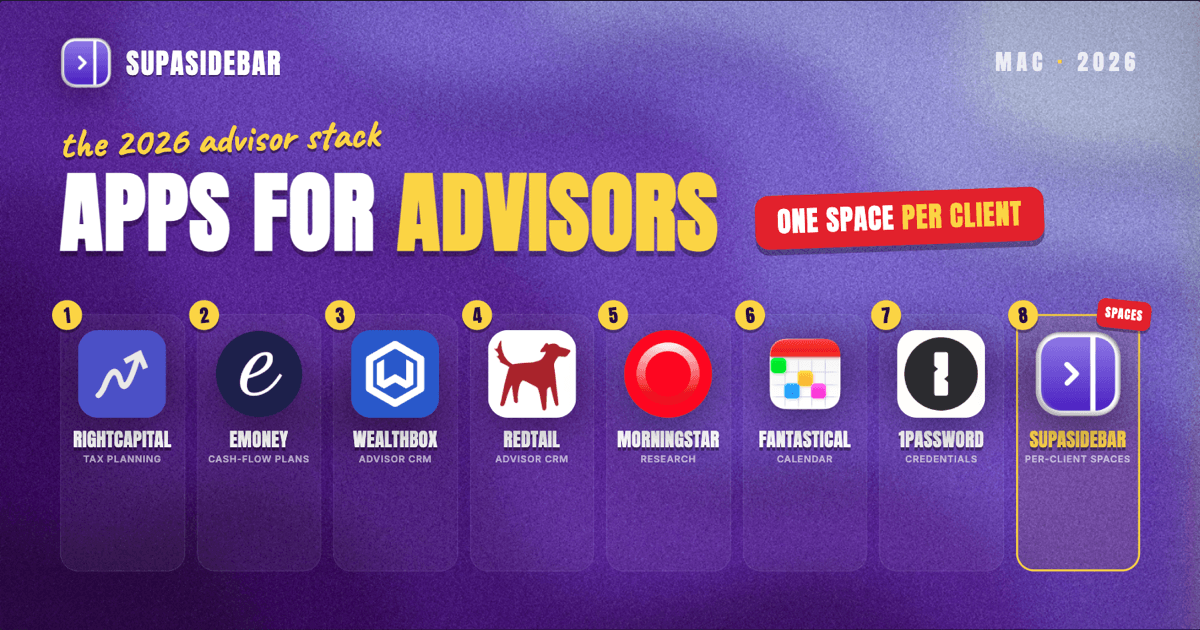
The Mac stack a financial advisor actually runs in 2026 is built around four jobs: planning, the client relationship, portfolio and market research, and keeping every client's confidential web tools separated. The dependable picks are RightCapital or eMoney for financial planning, Wealthbox or Redtail for CRM, Morningstar Advisor Workstation for research, and SupaSidebar for the per-client browser problem - one Space per household keeps each client's custodian portal, plan, and CRM tabs in their own context across every browser. RightCapital integrates directly with Wealthbox, Redtail, SmartOffice, and Advyzon so client data syncs between the plan and the CRM (RightCapital integrations). Most advisor software now lives in the browser, which is exactly why tab separation, not another desktop app, is the setup problem that bites.
The rankings, a comparison table, and a per-situation decision guide are below. This is opinionated, names a winner per job, and skips the generic productivity apps that do not carry advisory weight.
Quick navigation:
- Run a small business alongside advising? → Best Mac Apps for Small Business Owners 2026
- Bookkeeping and tax-prep heavy? → Best Mac Apps for Accountants 2026
- Want a focused, distraction-free setup? → Mac Workspace Setup for Deep Work 2026
- Financial advisor or wealth manager? You are in the right place. Keep reading.
| Tool | Job it does | Mac access | Best for |
|---|---|---|---|
| RightCapital | Financial planning, tax and Roth modeling | Web app | Fee-only advisors who lead with tax planning |
| eMoney | Cash-flow planning + client portal | Web app | Holistic plans with detailed cash-flow modeling |
| SupaSidebar | Per-client tab and Space separation | Native Mac | Running several client households across browsers |
| Wealthbox | Advisor CRM | Web app | Fastest CRM to learn, strong integrations |
| Redtail | Advisor CRM | Web app | Established firms wanting the industry-standard CRM |
| Morningstar Advisor Workstation | Investment research and proposals | Web app | Portfolio research and client-ready proposals |
| Fantastical | Calendar and scheduling | Native Mac | Advisors who live in a packed review calendar |
| 1Password | Credential and document security | Native Mac | Securing client logins and shared firm vaults |
Why a financial advisor's stack is not generic
A financial advisor's software problem is not "be productive." It is "keep many clients' confidential financial lives separate, move data cleanly between a plan and a CRM, and stay inside compliance while doing it." That shapes every pick below.
The day splits into four jobs. Planning software builds and presents the financial plan. The CRM tracks every household, task, and review cadence. Research and portfolio tools support the investment recommendations. And underneath all of it, a compliance and security layer keeps client data protected and communications archived. Most of these tools are now web apps, which means the real Mac-side problem is no longer "which desktop app" - it is how an advisor keeps one client's open browser tabs from bleeding into the next client's.
The sections below go job by job, lead with the recommended tool, then explain the tradeoffs.
RightCapital: tax-forward financial planning
RightCapital is the planning tool to start with for fee-only advisors who lead with tax strategy, because its Roth conversion modeling, Social Security optimization, and tax projections are its strongest feature set (RightCapital). It runs entirely in the browser, so it works the same on any Mac, and it integrates with the major advisor CRMs (Wealthbox, Redtail, SmartOffice, Advyzon) and custodians so plan data syncs without double entry (RightCapital RIA software).
RightCapital tends to land among the more affordable planning platforms, alongside MoneyGuide, while eMoney and NaviPlan usually carry higher price points (pricing changes, so confirm current tiers with each vendor). The 2026 addition worth knowing about is SmartImport, which extracts data from client documents to auto-populate a plan (Kitces AdvisorTech, April 2026). It is a planning tool, not a CRM, so it pairs with one of the CRMs below rather than replacing it.
eMoney: holistic cash-flow planning and the client portal
eMoney is the planning pick when the work is holistic wealth management with detailed cash-flow modeling and a strong client portal. It positions itself as a comprehensive planning platform for advisors delivering full financial-life plans, with cash-flow modeling and client-facing portals as its anchor features. Advisors moving off eMoney can export plans into RightCapital, which speeds conversion, so the two are often evaluated head to head (RightCapital RIA software).
eMoney usually sits at a higher price point than RightCapital or MoneyGuide, which is the main tradeoff: deeper cash-flow modeling and portal polish in exchange for cost. It is browser-based, so the Mac experience is the browser experience - another reason the tab-separation problem below matters more than picking a native desktop client.
SupaSidebar: one Space per client, separated across every browser
An advisor's tools are almost all web apps now, and a single client review can have RightCapital, Wealthbox, a custodian portal, and Morningstar open at once. Multiply that by a book of dozens of households and the browser becomes an undifferentiated wall of tabs where one client's confidential portal sits one tab away from another's.
SupaSidebar is the cross-browser workspace layer for financial advisors: one Space per client household that keeps that client's custodian portal, plan, CRM, and research tabs in their own context, separated from every other client, across whichever browsers the advisor uses. It places this high in the stack because, for an advisor running several households, per-client Spaces are the most differentiated answer to the wall-of-tabs problem - nothing else here organizes the web tools by client the way it does.
SupaSidebar is a native macOS app (macOS 14+) that adds a persistent sidebar to any browser. Each Space holds its own saved links and folders, so "the Henderson household" can be one Space and "the Patel household" another, each with that family's plan, portal, and CRM tabs grouped together. One Space per client also keeps each client's confidential financials in their own context, so one household's custodian portal is not sitting open beside another's. Its Live Tabs view shows open tabs from supported browsers in one place, so a client's plan tab in Chrome and custodian portal in Safari surface in a single list, and its Command Panel searches across saved links, recent items, and live tabs to jump to the right client tab in a second. Air Traffic Control can route a given client's links to a specific Space or browser profile automatically. It works across 33 browsers (counting channel variants), with full Live Tabs support on the major ones including Safari, Chrome, Firefox, Edge, Brave, Arc, and Vivaldi.
The per-client-context pattern is what users reach for. One longtime user, an Arc refugee, switched precisely because they bounce between many work areas through the day and had been leaning on Arc's Spaces to keep those areas separate. The Space-per-context model is the most-cited reason people run SupaSidebar, and for an advisor the contexts are clients.
Two honest scope limits. SupaSidebar organizes the tabs around the work; it is not a planning, CRM, or portfolio tool and does not touch the financial data inside those apps. And it does not isolate browser sessions or log-ins the way separate browser profiles do - it separates the saved context and tabs, not the authenticated session, so two logins to the same custodian still need separate browser profiles (which Air Traffic Control can route to). A free version is available, and it requires no account because data stays on-device and syncs through iCloud.
Wealthbox: the fastest advisor CRM to learn
Wealthbox is the CRM to reach for when speed to value matters, because it is a modern cloud CRM built specifically for advisors and is generally the easiest to learn, with strong planning and custodian integrations. It is web-based and advisor-native rather than a general CRM bent into financial-services shape, which is why it shows up as the "fastest path to value" pick in 2026 advisor-CRM roundups (XYPN CRM guide 2026).
Wealthbox added an AI notetaker and has announced agentic AI features, which is the direction most AdvisorTech is moving (Kitces AdvisorTech, April 2026). The honest limit: a fast-to-learn CRM is also a less-customizable one than a Salesforce-based system, so very large or highly specialized firms sometimes outgrow it.
Redtail: the established industry-standard CRM
Redtail is the CRM for firms that want the long-time industry staple, because it was built specifically for financial advisors and has been a fixture in the financial-services CRM market for years (RightCapital CRM guide). It covers the core advisory workflows - client records, tasks, workflows, and review tracking - and integrates with the common planning and portfolio tools.
The choice between Redtail and Wealthbox usually comes down to taste and existing integrations rather than capability: both are advisor-native, both are web-based, and both handle the household-and-task job well. Larger or specialized firms more often land on Salesforce-based options instead (XYPN CRM guide 2026). Pick one CRM and commit, because moving households between CRMs mid-practice is painful.
Morningstar Advisor Workstation: research and client-ready proposals
Morningstar Advisor Workstation is the research tool for building investment recommendations and client-ready proposals, pulling Morningstar's fund and security data into portfolio analysis and comparison reports. It is the long-standing research workstation advisors reach for when an investment recommendation needs independent data behind it rather than a fund company's own marketing.
It is browser-delivered, so it joins the pile of open tabs an advisor accumulates across a research session: a custodian portal in one tab, the plan in another, the CRM in a third, and Morningstar comparisons in a fourth. That stacking is exactly the problem the per-client setup below is built to solve.
Fantastical: a calendar that keeps the review cadence
Fantastical is the calendar app for an advisor running a packed review schedule, because its natural-language event entry and clean agenda views make a day of back-to-back client reviews easier to scan than the default Calendar app. It is a native Mac app, so it works offline and integrates with macOS notifications and the menu bar.
Scheduling is the one job here better served by a native app than a browser tab, because it lives in the menu bar and surfaces the next meeting without an open tab. Pair it with a scheduling link tool (Calendly is the common pick) so prospects and clients can book review slots without the back-and-forth.
1Password: the credential and document security layer
1Password is the security tool for protecting client logins and shared firm credentials, because it stores logins, secure documents, and shared vaults behind one encrypted account, and the Mac app autofills across browsers. For an advisor handling confidential financial logins across custodians, planning tools, and CRMs, a real password manager is a compliance baseline, not a nicety.
It is a native Mac app with browser extensions, and shared vaults let a firm give staff access to shared logins without emailing passwords around. It secures credentials; it does not separate a client's open browsing context from the next client's. That separation is a different job, handled by the workspace layer covered earlier.
Which financial advisor setup should you pick?
- If you lead with tax planning: RightCapital for the plan, Wealthbox for the CRM, and SupaSidebar to keep each client's plan-and-CRM tabs in their own Space.
- If you do holistic, cash-flow-heavy plans: eMoney for the planning depth and client portal, paired with Redtail or Wealthbox.
- If you run a large book across many households: SupaSidebar earns a high place in the stack - one Space per client is the difference between a clean review and hunting through a wall of tabs - on top of whichever planning and CRM tools the firm already uses.
- If you are a solo or newer advisor: Wealthbox (fastest CRM to learn) + RightCapital (more affordable planning) + SupaSidebar's free version + 1Password is a complete, low-friction starting stack.
- If security and compliance are the priority: 1Password for credentials first, then layer the planning and CRM tools, and use browser profiles (routed via SupaSidebar's Air Traffic Control) to keep client sessions distinct.
Conclusion
The 2026 advisor stack that holds up is RightCapital or eMoney for planning, Wealthbox or Redtail for CRM, Morningstar Advisor Workstation for research, and a native security and organization layer (1Password plus SupaSidebar) underneath. The planning-and-CRM pairing is the core decision; the rest supports it. For an advisor running more than a handful of households, the per-client tab problem is real and worsens with every new client, which is where a Space-per-client setup earns its place rather than being an afterthought.
Solo and newer advisors should start with the fastest, most affordable pair (Wealthbox plus RightCapital) and add depth later. Established firms with complex plans lean eMoney and Redtail. Every advisor, regardless of size, benefits from separating client browsing contexts the moment the book grows past a handful of households.
Why we recommend SupaSidebar
SupaSidebar is a macOS app that brings Arc's sidebar to every browser - one sidebar for tabs, bookmarks, files, and apps across 33 browsers including Safari, Chrome, Firefox, Edge, Brave, Arc, Vivaldi, Dia, and Comet. For a financial advisor, the value is one Space per client household, so each client's custodian portal, plan, CRM, and research tabs stay grouped and separated from every other client across whichever browsers the practice runs. It does not replace planning, CRM, or portfolio software; it organizes the web tools those workflows live in. A free version is available. Try SupaSidebar (free tier).
FAQ
What software do financial advisors use on a Mac in 2026?
Most advisors run a planning tool (RightCapital or eMoney), a CRM (Wealthbox or Redtail), an investment research tool (Morningstar Advisor Workstation), a calendar (Fantastical), and a password manager (1Password). Almost all of the advisor-specific software is browser-based, so it runs the same on any Mac and the practical setup question becomes how to keep each client's tabs organized.
Is there a Mac app to keep each client's browser tabs separate?
SupaSidebar is a native Mac app that adds a sidebar and lets an advisor create one Space per client household, keeping that client's portal, plan, and CRM tabs grouped and separated across browsers. It organizes saved tabs and context, not authenticated sessions, so two logins to the same custodian still need separate browser profiles, which its Air Traffic Control can route to automatically.
Which CRM is best for financial advisors, Wealthbox or Redtail?
Both are advisor-specific, cloud-based CRMs that handle households, tasks, and review tracking. Wealthbox is generally the fastest to learn and is often cited as the quickest path to value, while Redtail is the long-established industry staple. The choice usually comes down to existing integrations and personal preference; larger or specialized firms more often choose Salesforce-based options.
What is the most affordable financial planning software for advisors?
RightCapital and MoneyGuide are usually among the more affordable planning platforms, while eMoney and NaviPlan tend to carry higher price points. RightCapital is especially popular with fee-only advisors for its tax and Roth conversion modeling. Pricing changes, so confirm current tiers directly with each vendor.
Do financial advisor planning tools work on Mac?
Yes. RightCapital, eMoney, Wealthbox, Redtail, and Morningstar Advisor Workstation are all browser-based web apps, so they work on any Mac through Safari, Chrome, or another supported browser without a Windows-only desktop client. Because they run in the browser, managing many open tabs across clients is the main Mac-side workflow challenge.
How do advisors keep client data secure across browsers on a Mac?
A password manager such as 1Password secures logins and shared credentials, and separate browser profiles keep client sessions distinct. SupaSidebar adds an organization layer on top, with one Space per client and Air Traffic Control rules that route a client's links to the right Space or browser profile, reducing the chance of opening the wrong client's portal.