
By Kshetez Vinayak, founder of SupaSidebar. Last updated 2026-06-24.
TL;DR
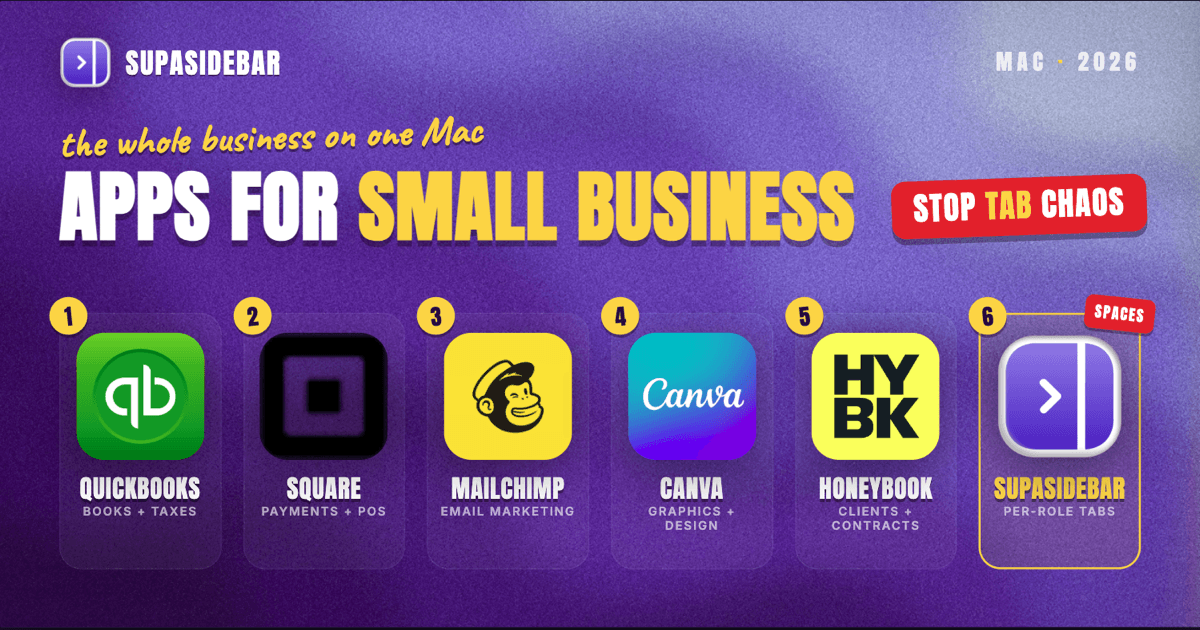
The best Mac apps for small business owners in 2026 are organized by the part of the business they run, not by category: QuickBooks Online for bookkeeping, invoicing, and tax-ready records, Square for taking payments in person and online with no monthly fee, Mailchimp for email marketing and keeping in touch with customers, Canva for the flyers, social posts, and menus a small business makes constantly, HoneyBook for managing leads, contracts, and client communication in one place, and SupaSidebar for keeping each part of the business, finance, marketing, and operations, separated across every browser. A small business owner's real problem is rarely a missing tool, it is wearing the bookkeeper, marketer, and operator hats in the same hour and dragging a different pile of tabs and logins into each one. That sprawl is why a workspace layer earns a spot on this list at all. Several of these start free, Square has no monthly fee, Mailchimp has a free tier, Canva is genuinely usable for free, and SupaSidebar has a free version, while accounting and the fuller marketing and client tools are where a small business's software budget actually goes.
Quick navigation:
- Running the business from home or on the road? → Best Mac Apps for Remote Workers 2026
- Building a focused, distraction-free setup? → Mac Workspace Setup for Deep Work 2026
- Drowning in open tabs specifically? → Too Many Tabs Open on Mac
- Managing marketing campaigns and channels from a Mac? → Best Mac Apps for Marketers 2026
- Running a small business from a Mac? You are in the right place. Keep reading.
| App | Job in the stack | Pricing model | Best for |
|---|---|---|---|
| QuickBooks Online | Bookkeeping, invoicing, taxes | Paid plans from ~$38/mo | Keeping the books clean and tax-ready |
| Square | In-person and online payments | No monthly fee; per-transaction | Retail, food, and service businesses taking payments |
| Mailchimp | Email marketing and customer contact | Free tier; paid by contact count | Staying in front of existing customers |
| Canva | Flyers, social posts, and menus | Free plan genuinely usable | Owners who make their own marketing graphics |
| HoneyBook | Leads, contracts, and client comms | Paid plans from ~$29/mo | Service businesses managing clients end to end |
| SupaSidebar | Per-function workspace across browsers | Free version available | Owners whose tabs span finance, marketing, and ops |
Why a small business owner's app stack isn't a generic "best apps" list
A salaried employee lives inside one job and one set of tools. A small business owner runs the whole company alone or with a tiny team, which means switching between the bookkeeper, the marketer, the salesperson, and the operator several times before lunch, and each role drags in its own context. The bookkeeping hat opens the accounting dashboard, the bank, and a pile of receipts; the marketing hat opens the email tool, a design tab, and the business's own social pages; the sales hat opens a customer's inquiry, a contract, and a payment link; the operations hat opens the POS reports, a supplier site, and a scheduling page. The apps that matter for an owner are not the most powerful enterprise suites, they are the ones that handle a real job cheaply and keep the day from collapsing into browser chaos.
So this list is organized by the jobs a small business owner actually does every day, keep the books, take payments, market to customers, make the graphics, manage clients, and hold it all together without losing track of which tab belongs to which part of the business. The tools are picked for solo owners and small teams, a sensible free-to-paid path, and Mac-friendly workflows. The list leads with the money tools every business needs, then works through marketing, client management, and the workspace layer that keeps the roles from colliding.
QuickBooks Online: keeping the books clean and tax-ready
QuickBooks Online is the default accounting app for small business owners on a Mac: it tracks income and expenses, sends invoices, reconciles the bank feed, and produces tax-ready reports in one browser-based dashboard. The hardest recurring chore for most owners is keeping the books current enough that taxes are not a crisis, and QuickBooks is built to make that a weekly habit rather than a year-end scramble. QuickBooks Online plans in 2026 run roughly $38 per month for Simple Start, $75 for Essentials, and $115 for Plus, with first-time users getting either a 30-day free trial or a discount on the first few months, per NerdWallet's QuickBooks pricing breakdown. It is web-first with no native Mac app, so it lives in a browser tab alongside everything else.
The honest line on QuickBooks: it is the industry standard precisely because accountants already know it, which is its strength and the reason it can feel heavier than a solo shop needs. An owner who only sends a handful of invoices a month may do fine with a lighter free tool like Wave; the day the business needs clean books an accountant can open without complaint, QuickBooks earns the cost.
Best for: owners who want tax-ready books their accountant already knows how to read.
Square: taking payments without a monthly fee
Square is the payments and point-of-sale app for small business owners who sell in person, online, or both: it turns a Mac, an iPad, or a phone into a register, processes cards, and has no monthly fee on its standard plan. Getting paid is the one job a business cannot skip, and Square removes the monthly subscription that traditional POS systems charge, so an owner only pays when a sale actually happens. Square's standard Point of Sale has no monthly or yearly fee and charges 2.6% plus 10 cents per in-person tap, dip, or swipe, with online checkout at 2.9% plus 30 cents and the first card reader free, per Tech.co's Square POS pricing guide. Paid Plus and Premium tiers exist for higher-volume retail and restaurants, but the free plan covers a new business's first stretch.
The honest line on Square: the per-transaction percentage adds up at high volume, so a business processing large monthly totals may eventually negotiate lower rates elsewhere. For a shop, cafe, or service business starting out, the no-monthly-fee model is the easiest way to start accepting cards on day one.
Best for: retail, food, and service businesses that want to take card payments with no fixed monthly cost.
Mailchimp: staying in front of existing customers
Mailchimp is the email marketing app for small business owners who want to keep customers coming back: it stores the contact list, builds newsletters and promotions, and automates simple follow-ups from one dashboard. The cheapest growth a small business has is a repeat customer, and email is still the most direct line to one, which is what Mailchimp is built to run. Mailchimp's free plan covers up to 250 contacts and 500 emails per month, with paid tiers starting around $13 per month for Essentials and scaling by the size of the contact list, per SendX's Mailchimp pricing breakdown. For a business with a small but real customer list, the free tier is enough to start sending; the cost grows as the list does.
The honest line on Mailchimp: it bills on total contacts including unsubscribed ones unless they are archived, and the free plan is far smaller than it used to be, so the list needs regular cleaning to keep the bill down. For owners who actually send to their list, the automation and templates still earn their place.
Best for: owners who want to market to an existing customer list without hiring an agency.
Canva: making the marketing graphics in-house
Canva is the design app most small business owners reach for on a Mac: it builds flyers, social posts, menus, and ads from templates without any design training, in a browser or a native app. A small business produces a steady stream of small graphics, and Canva is built so an owner can make a passable one in minutes instead of paying a designer for every flyer. Canva's free plan is genuinely usable for most marketing graphics, with 250,000-plus templates, free stock assets, and no card required, while Canva Pro at roughly $15 per month adds a Brand Kit, the Background Remover, and Magic Studio AI tools, per Style Factory's Canva pricing guide. Most owners can run their day-to-day graphics on the free plan and only upgrade once brand consistency across a team matters.
The honest line on Canva: it is a template tool, not a replacement for a real designer when a business needs a distinctive brand identity built from scratch. For the routine flyers, posts, and menus a small business makes every week, it is faster and cheaper than any alternative.
Best for: owners who make their own marketing graphics and want professional-looking results without a designer.
The three-hats tab problem (and the workspace layer)
Here is the problem no single app on this list solves, and for an owner who changes roles all day it is the daily one. A small business owner's browser is several jobs deep at once: the finance job has the accounting dashboard, the bank, and a payment processor in one pile; the marketing job has the email tool, a design tab, and the business's social pages in another; the operations job has the POS reports, a supplier portal, and a scheduling page in a third. Some of it sits in Chrome because a vendor portal or an admin login only works there, some in Safari for quick personal reference, and some in a second profile used only for the business account separate from personal browsing.
Finding "that supplier invoice from this morning" turns into a window-by-window hunt, and closing a window to tidy up means losing a half-built research setup. Tab groups inside one browser do not fix this, because the tabs span browsers and profiles. Bookmarks do not fix it either, because half the value is the live, logged-in state of a banking session or a POS dashboard that disappears the moment the browser restarts.
SupaSidebar: keeping each part of the business separated across browsers
SupaSidebar is the cross-browser workspace layer for small business owners: one Space per part of the business that holds that role's tabs, separated from the others and from personal browsing, so the finance Space and the marketing Space never bleed into each other. It is a native Mac app that adds one persistent sidebar across every major Mac browser - Safari, Chrome, Firefox, Edge, Arc, Brave, Vivaldi, Comet, Dia, and more (33 browsers in total counting channel variants). For an owner the unit of organization is the job being done, and that maps directly to Spaces: a finance Space with the books, the bank, and the payment processor, a marketing Space with the email tool and the design tabs, an operations Space with the POS and supplier portals. Live Tabs shows the open tabs from every running browser in one list, so the Chrome vendor pile and the Safari reference pile stop being separate hunts, and Command Panel (⌘⌃K) searches saved links and live tabs across all Spaces in one keystroke, which is the fastest way back to a buried supplier invoice or a customer thread.
For an owner who switches between finance, marketing, and operations all day, this is the tool aimed squarely at the role-switching sprawl, which is why it sits in the working middle of the stack alongside the money and marketing tools rather than as an afterthought. Two owner-specific details help: Air Traffic Control rules route links by URL pattern, so a rule can send every banking or POS-admin link to the business profile automatically, which keeps a company account from opening logged in as a personal session. And Save All Browser Tabs (⌘⌃T) captures an entire research session into a folder in one shortcut, which turns a pile of tabs opened while comparing suppliers or chasing a payment into a saved, reopenable trail attached to that part of the business.
One multi-context user described the habit plainly: "I have a lot of different areas I bounce around between throughout the day so I have been using Arc spaces to separate those." That is the owner workflow in one sentence, and SupaSidebar brings the same separation to whatever browser the business already runs on rather than locking it to one. A second user put the cross-browser case directly: "It is built for exactly this use case: people who use multiple browsers and need a way to consolidate browser context without paying a constant productivity tax every time they switch." (amerpie, r/macapps).
There is also a team angle for owners who have even one or two staff. Any Space can be published as a Shared Space, a single link that lets someone view the curated set of tabs and tools and import it into their own sidebar in one click. An owner can build a "new hire kit" Space (the logins-as-links, dashboards, and reference pages a new employee needs on day one) and hand it over with one link, or share a curated supplier and resource Space with a co-owner. This is a capability, not a habit, roughly 1% of users share a Space today, so it is something you can do rather than something most owners already do, but for a small team it removes the usual back-and-forth of pasting links one at a time.
A free version is available, and 3,000+ Mac users have tried SupaSidebar. SupaSidebar is not an accounting tool and does not store invoices, sales data, or customer records - it organizes the tabs and tools around each part of the business, not the records themselves.
Best for: owners who switch between finance, marketing, and operations all day and whose tabs keep bleeding across browsers and profiles.
HoneyBook: managing leads, contracts, and clients end to end
HoneyBook is the client management app for small business owners who sell a service: it captures leads, sends proposals and contracts, schedules, invoices, and keeps every client conversation in one place. For a service business the chaos is not the books, it is the dozen half-finished client threads scattered across email, and HoneyBook is built to hold the whole client lifecycle from first inquiry to final payment in a single platform. HoneyBook's plans start at roughly $29 per month for Starter and $49 for Essentials, which adds workflow automation and advanced reporting, with a 7-day free trial and no card required, per Research.com's HoneyBook review. For a solo service provider the Starter plan replaces a stack of separate contract, invoicing, and scheduling tools.
The honest line on HoneyBook: it is built for service and creative businesses, so a pure retail or e-commerce shop will get more from Square plus QuickBooks than from a clientflow tool. For photographers, planners, consultants, and other service owners who live in client communication, the all-in-one model is the point.
Best for: service-based owners who manage clients from inquiry to payment and want it all in one platform.
Which small business setup should you pick?
- If you run a retail shop or cafe: Square for payments and POS, QuickBooks Online for the books, Canva for menus and signage, and SupaSidebar to keep the finance and operations tabs separated. Skip the clientflow tool.
- If you run a service or creative business: HoneyBook for leads, contracts, and client comms, QuickBooks for accounting, and Mailchimp to stay in front of past clients. SupaSidebar keeps each client and each part of the business in its own Space.
- If marketing is your bottleneck: lean on Mailchimp for the list and Canva for the graphics, and use a marketing Space in SupaSidebar to keep the email tool, design tabs, and social pages together instead of scattered across windows.
- If you run the business across multiple browsers and profiles: SupaSidebar is the layer that ties the parts together, since the work spans Chrome for a vendor portal, Safari for personal, and sometimes a second profile for the business login.
- If most of your tools live in one browser already: you may not need the workspace layer yet - revisit it the day the tabs start spanning browsers, which for a growing business is sooner than expected.
Conclusion: building the small business stack in 2026
The best Mac apps for small business owners in 2026 are the ones that match the job at hand: QuickBooks for the books, Square for payments, Mailchimp for customer email, Canva for the graphics, HoneyBook for client management, and SupaSidebar for keeping each part of the business from colliding across browsers. The pattern across all of them is that an owner's bottleneck is rarely a single missing capability, it is the constant role-switching that scatters context across tools and browser windows.
Retail and food owners should start with Square and QuickBooks and add Canva for the in-house graphics. Service and creative owners get the most from HoneyBook plus QuickBooks, with Mailchimp keeping past clients warm. Owners who already run the business across different browsers and profiles will feel the tab sprawl first, and that is where a workspace layer like SupaSidebar pays for itself by giving each part of the business its own Space. The honest move is to start with the free tools that fit today's stage and add the paid ones - fuller accounting, marketing, and client tools - exactly when the business crosses into needing them.
Try SupaSidebar (free tier) if your business tabs already span more than one browser.
Why we recommend SupaSidebar
SupaSidebar is a macOS app that brings Arc's sidebar to every browser - one sidebar for tabs, bookmarks, files, and apps across 33 browsers including Safari, Chrome, Firefox, Edge, Arc, Brave, Vivaldi, Comet, and Dia. For a small business owner who switches roles all day, the value is one Space per part of the business: the finance dashboards, marketing tabs, supplier portals, and client threads each get their own separated workspace that persists across whatever browsers the business runs on, instead of collapsing into one overloaded window. It requires macOS 14 or later, syncs over iCloud with no account required, and has a free version. It is not an accounting app or a POS - it organizes the tabs and tools around each part of the business, not the records themselves.
By Kshetez Vinayak, founder of SupaSidebar. Last updated 2026-06-24.
FAQ
What are the best Mac apps for small business owners in 2026?
The core stack is QuickBooks Online for bookkeeping and invoicing, Square for in-person and online payments, Mailchimp for email marketing, Canva for marketing graphics, HoneyBook for client management, and SupaSidebar for keeping each part of the business separated across browsers. An owner can run several of these on free tiers, Square, Mailchimp, Canva, and SupaSidebar, and add paid accounting and client tools as the business grows.
What is the best free app stack for a small business owner on a Mac?
Square has no monthly fee for taking payments, Mailchimp's free tier covers up to 250 contacts for email marketing, Canva's free plan handles most marketing graphics, and SupaSidebar's free version keeps the business tabs separated by function. That covers payments, customer email, design, and tab organization at no monthly cost until the business scales.
What is the best accounting app for a small business on a Mac?
QuickBooks Online is the common choice because it is the standard most accountants already use, and it runs in a browser with no native Mac app needed. Plans start around $38 per month, and first-time users usually get a free trial or an introductory discount. A very small shop sending few invoices may do fine on a free tool like Wave until the books need to be accountant-ready.
What is the best app to keep small business tabs organized across browsers?
SupaSidebar is built for this: it is a native Mac app that adds one sidebar across 33 browsers and lets you create a separate Space for each part of the business, so finance, marketing, and operations tabs stay separated instead of piling into one window. It works across Chrome, Safari, Firefox, and other browsers at once, which matters for owners who keep a business account in one browser and personal browsing in another.
Do small business owners really need a separate app just for tabs?
If the business runs in a single browser, probably not yet. But most owners end up running a business account in Chrome, personal browsing in Safari, and sometimes a second profile for a vendor portal, and that is exactly where tab groups and bookmarks fall short because they cannot span browsers or preserve logged-in sessions. A workspace layer like SupaSidebar fixes that by organizing tabs by function across every browser.
Which app is best for taking payments in a small retail shop?
Square is the common pick for retail, food, and service businesses because its standard plan has no monthly fee and only charges per transaction, with the first card reader free. It turns a Mac, iPad, or phone into a register and handles in-person, online, and invoiced payments. High-volume businesses may eventually negotiate lower processing rates, but the no-monthly-fee model is the easiest way to start accepting cards.