
By Kshetez Vinayak, founder of SupaSidebar. Last updated June 18, 2026.
TL;DR
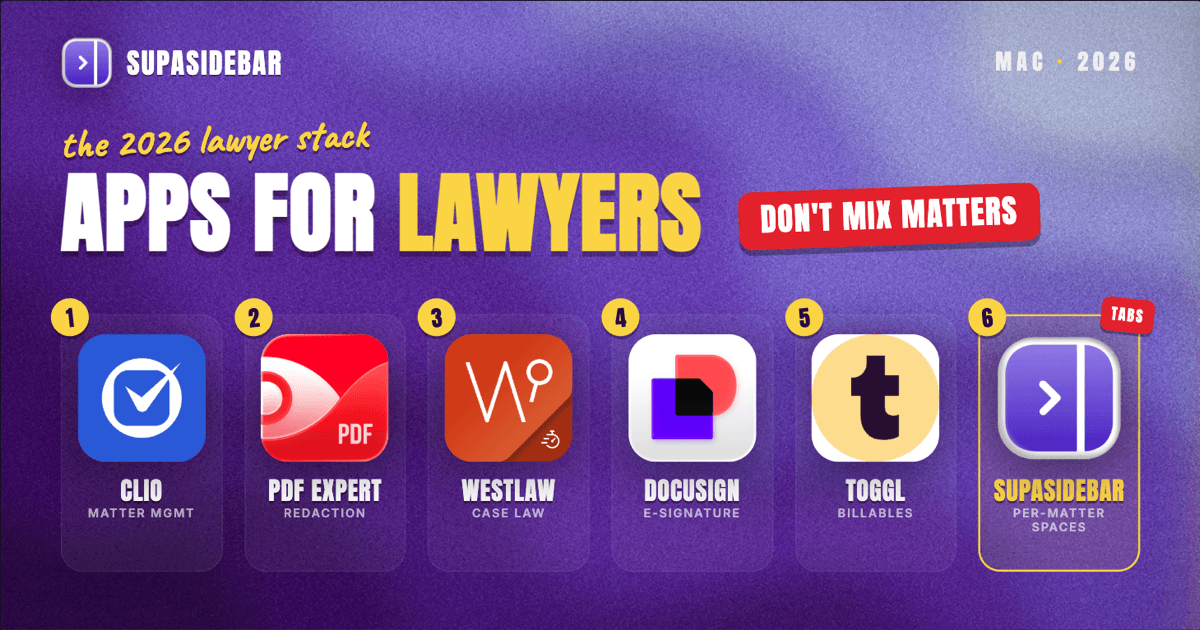
The best Mac apps for lawyers in 2026 are Clio for practice management, PDF Expert for document review and redaction, Westlaw or Lexis for legal research, DocuSign for e-signature, and a time tracker like Toggl Track for billables, with SupaSidebar as the workspace layer that keeps each matter's research, court, and client tabs separated across browsers. A lawyer's real problem is rarely finding a tool, it is keeping privileged work for one client from bleeding into another while juggling a dozen open tabs per matter. The comparison table is right below, then each tool with what it is actually best for.
Quick navigation:
- Want the whole stack at a glance? Read on, the table is next.
- Drowning in research and court tabs? See too many tabs open on Mac.
- Setting up a focused Mac workspace? See the Mac workspace setup for deep work.
| App | Job in the stack | Pricing model | Best for |
|---|---|---|---|
| Clio | Practice and matter management | Paid, per-user tiers | Running matters, billing, and client intake in one place |
| PDF Expert | Document review and redaction | Free reader, paid Pro | Marking up contracts and discovery on a Mac |
| Westlaw / Lexis | Case law and legal research | Paid subscription | Authoritative research with citator coverage |
| DocuSign | E-signature and execution | Free trial, paid tiers | Getting documents signed and tracked |
| SupaSidebar | Per-matter workspace across browsers | Free version available | Keeping each matter's research and client tabs separated |
| Toggl Track | Time and billables tracking | Free tier available | Catching billable time before it slips away |
| 1Password | Credentials and secure sharing | Paid, per-user | Locking down client logins and shared portals |
Why a lawyer's app stack is not a generic "best apps" list
A lawyer does not work on one thing at a time. The day is a stack of separate matters, each with its own client, its own court deadlines, its own research trail, and its own duty of confidentiality. The work itself lives in practice-management software, but the research, the filings portals, the client documents, and the case-law databases are spread across browser tabs that pile up matter by matter.
So the right Mac setup for a lawyer is not the longest list of apps. It is the small set of tools that each own one part of the practice, plus a way to keep one matter's open tabs and logins from spilling into the next. Most "best apps for lawyers" lists stop at the first part. This one covers both, because for an attorney the second part is also an ethics problem, not just a tidiness one.
Running matters, billing, and intake in one place
Clio is the practice-management tool most solo and small-firm lawyers on a Mac reach for in 2026 because it ties matters, contacts, calendaring, billing, and client intake into one cloud system that runs in any browser. It handles the administrative spine of a practice, the part that is not legal work but eats the day if it is scattered across spreadsheets and email.
The reason it matters for a lawyer specifically: a matter in Clio carries its own documents, time entries, deadlines, and billing in one record, so the question "what is the status of the Johnson matter" has a single answer instead of five. MyCase and PracticePanther cover the same job with different pricing and feature emphasis, and for litigation-heavy firms a tool like Smokeball leans harder into document automation. The point is that one system owns the matter record, whichever of them a firm standardizes on.
Marking up contracts and discovery without printing
PDF Expert is the document tool Mac-based lawyers use to read, annotate, redact, and fill the PDFs that make up most of legal work, and its free reader covers viewing while the paid Pro tier adds editing and redaction. Contracts, pleadings, discovery productions, and signed exhibits all arrive as PDFs, and a lawyer lives in them more than in any word processor.
The reason it earns a permanent slot is redaction done properly. True redaction removes the underlying text rather than drawing a black box over it, which matters because improperly redacted court filings have repeatedly leaked privileged information when the black bars turned out to be cosmetic. Adobe Acrobat is the heavier alternative with the deepest redaction and Bates-numbering tooling, and it is still the safer pick for high-stakes productions. For everyday review on a Mac, PDF Expert is the lighter, faster option that does not feel like fighting the software.
Authoritative case law and citator coverage
Westlaw and Lexis are the two legal-research platforms that run in the browser and give lawyers authoritative case law, statutes, secondary sources, and a citator to confirm whether an authority is still good law. Research is where a wrong answer is most expensive, so the depth and the citator coverage are the product, not a nice-to-have.
The reason a paid platform still wins here in 2026: a citator like KeyCite or Shepard's tells a lawyer whether the case they are about to cite has been overruled, which a general search engine cannot reliably do. Free and lower-cost options like Google Scholar, Fastcase (now part of vLex), and Casetext fill in for budget-constrained practices and quick checks, and AI-assisted research tools are increasingly bolted onto these platforms, but the citator is the line most practicing lawyers will not cross without. The honest caution: AI research summaries still hallucinate citations, so anything generated has to be verified against the primary source before it goes in a brief.
Keeping each matter's research and client tabs together
For lawyers who carry several active matters at once, SupaSidebar is the workspace layer that keeps each matter's research, court-portal, and client-document tabs together in one sidebar, separated from the next matter, across whatever browsers those tools live in. That is the part the rest of the stack does not solve, and for an attorney it is closer to a confidentiality safeguard than a convenience.
Here is the pain in concrete terms. A lawyer working three matters might keep Westlaw signed into one browser, a court e-filing portal in a second browser because that is where the credentials are configured, client documents in a cloud drive tab, and a Clio matter open alongside all of it. Switching from the Johnson matter to the Reyes matter means rebuilding that whole set of tabs from memory, and the risk is not just lost time, it is pulling up the wrong client's documents in front of the wrong client. Arc browser solved this kind of context separation with Spaces before it entered maintenance mode in 2025, and Chrome and Safari never fully replicated it. (The Browser Company announced Arc would move to maintenance mode in a May 2025 letter to members.)
SupaSidebar is a macOS app that adds a persistent sidebar to any browser, with one Space per matter holding that matter's saved links, folders, and live tabs. Its Live Tabs feature shows the tabs open across every major Mac browser at once, so the research tab in one browser and the court portal in another sit in the same view. One user described the underlying need exactly: "The ability to organize multiple workspaces and flows is great! Perfect for keeping each project/motion grouped together." (Reddit user, r/macapps). It works alongside the browsers a lawyer already uses, not as a replacement, and there is a free version. It organizes the tabs around each matter, it is not a document or matter-management system itself, and search covers titles and URLs, not the text inside a filing. It earns a place in this stack because separating matters across browsers is a real daily problem for lawyers, and nothing else in the list does it.
Best for: lawyers carrying two or more active matters whose research, court-portal, and client tabs live across different browsers and keep bleeding into each other.
Getting documents signed and tracked
DocuSign is the e-signature tool lawyers use to send engagement letters, settlement agreements, and routine documents for legally binding electronic signature, with an audit trail that records who signed what and when. The free trial covers occasional use, and paid tiers add volume, templates, and team features.
The reason it stays in the core stack is the audit trail. A signed PDF emailed back and forth is hard to prove; a DocuSign envelope carries a tamper-evident certificate of completion that holds up far better if execution is ever questioned. Adobe Acrobat Sign and Dropbox Sign cover the same job, and many practice-management tools now bundle a lighter e-signature feature for simple intake forms. For documents that need a defensible record, a dedicated e-signature platform is still the safer route.
Catching billable time and locking down client access
Time tracking and credential management are the two unglamorous tools that protect a lawyer's revenue and a client's confidentiality. Toggl Track (or a built-in timer inside Clio) catches billable minutes before they evaporate, because time reconstructed at the end of the week is always undercounted, and undercounted time is unbilled revenue. The reason it matters is simple math: a lawyer who logs contemporaneously bills more accurately than one who guesses on Friday.
1Password handles the other half, the dozens of court-portal, client, and vendor logins a practice accumulates, with secure sharing so a paralegal can access a client portal without the password being sent over email. The reason credential hygiene belongs on this list and not in the footnotes: client logins and case files are exactly the data a confidentiality breach exposes, and a shared spreadsheet of passwords is a malpractice claim waiting to happen. Bitwarden is the lower-cost alternative that does the same core job.
Which lawyer Mac setup should you pick?
- If you are a solo or small-firm lawyer: Clio plus PDF Expert plus a research platform covers the core. Add Toggl Track the first time a week of billables comes up short.
- If you carry two or more active matters across browsers: add SupaSidebar as the workspace layer so each matter's research, court, and client tabs stay separated instead of melting into one tab pile. This is the setup that protects both time and confidentiality for multi-matter lawyers.
- If you handle high-stakes litigation and large productions: lean on Adobe Acrobat for redaction and Bates numbering and a full research platform with citator coverage, and treat the lighter tools as everyday helpers.
- If confidentiality and client trust are your hard constraints: prioritize 1Password for credentials, true redaction in your PDF tool, and a defensible e-signature platform over whatever is cheapest.
Conclusion: Picking the lawyer Mac setup
For most lawyers on a Mac in 2026, the working stack is Clio for practice management, PDF Expert for documents, Westlaw or Lexis for research, DocuSign for signatures, and a time tracker plus a password manager underneath. Solo and small-firm lawyers can run that as-is. Lawyers juggling several active matters across browsers and portals hit a different problem, context that scatters across tabs every time they switch matters, with confidentiality on the line, and that is the gap a workspace layer closes. The pick comes down to how many matters you carry at once and how much of your tab chaos is cross-browser.
Try SupaSidebar (free tier) if a single sidebar across your browsers fits how you work. For the underlying tab problem, see too many tabs open on Mac, and for a focused setup, the Mac workspace setup for deep work.
Why we recommend SupaSidebar
SupaSidebar is a macOS app that brings Arc's sidebar to every browser, one sidebar for tabs, bookmarks, files, and apps across 33 browsers including Safari, Chrome, Firefox, Edge, Arc, Brave, Vivaldi, Dia, and Comet. For a lawyer, that means one Space per matter holding its research, court-portal, and client-document tabs, with Live Tabs showing what is open across all of them at once. It is not a browser and not a browser extension, it is a native Mac app that works alongside the browsers you already use, with a free version and a macOS 14+ requirement. Over 3,000 Mac users have tried SupaSidebar.
FAQ
What apps do lawyers use on a Mac in 2026?
Most lawyers on a Mac in 2026 run a practice-management tool like Clio, MyCase, or PracticePanther, a PDF tool such as PDF Expert or Adobe Acrobat for document review and redaction, a legal-research platform like Westlaw or Lexis, an e-signature service like DocuSign, and a time tracker plus a password manager. SupaSidebar is commonly added as a workspace layer to keep each matter's tabs and logins separated across browsers.
What is the best practice management software for Mac lawyers?
Clio is the most widely used cloud practice-management platform for solo and small-firm lawyers on a Mac in 2026 because it runs in any browser and ties matters, billing, calendaring, and intake together. MyCase and PracticePanther are close alternatives with different pricing, and litigation-heavy firms sometimes prefer Smokeball for its document automation.
How do lawyers redact documents safely on a Mac?
Lawyers redact safely by using a PDF tool that removes the underlying text rather than drawing a black box over it, since cosmetic black bars can be undone to reveal the hidden content. PDF Expert and Adobe Acrobat both offer true redaction on a Mac; Acrobat has the deepest redaction and Bates-numbering tooling for large discovery productions.
How do lawyers keep different clients' tabs and files separated on a Mac?
A persistent sidebar app like SupaSidebar keeps clients separated by giving each matter its own Space, holding that matter's research, court-portal, and client-document tabs apart from the next. Its Live Tabs feature shows tabs from across every major Mac browser in one view, which reduces the risk of pulling up the wrong client's documents while switching between matters.
Can a lawyer run a practice on a Mac without expensive software?
Partly. PDF Expert has a free reader, DocuSign and Toggl Track have free tiers, lower-cost research options like Google Scholar and Fastcase exist, and SupaSidebar has a free version, so the supporting tools can start cheap. The two costs that are hard to avoid are a full practice-management subscription and an authoritative research platform with citator coverage, which most practicing lawyers consider non-negotiable.
By Kshetez Vinayak, founder of SupaSidebar.