
By Kshetez Vinayak, founder of SupaSidebar. Last updated June 12, 2026.
TL;DR:
Tab overload on Mac is a cross-browser problem, not a Chrome problem. The fix is a three-layer stack: (1) one hard audit to close anything untouched in 3+ days, (2) vertical/sidebar tabs inside each browser so titles are scannable, (3) a Mac sidebar app that unifies tabs across Safari, Chrome, Firefox, Brave, and Edge into one searchable panel. Single-browser fixes like tab groups and Chrome's tab search help inside one browser, but leave the bigger problem untouched: most Mac users now run 2-3 browsers in parallel, and none of those browsers know about the others.
Where this fits:
- Want to save the pile, not close it? → How to save all open tabs covers exporting tabs into restorable sessions, bookmarks, or workspaces.
- Need a sidebar app, not a tab tip? → Best Mac sidebar app covers the full Mac sidebar category.
- Looking for a real bookmark system to replace tab-hoarding? → Best bookmark manager for Mac and Chrome 2026 is the pillar for bookmark workflows.
What "too many tabs" actually means in 2026
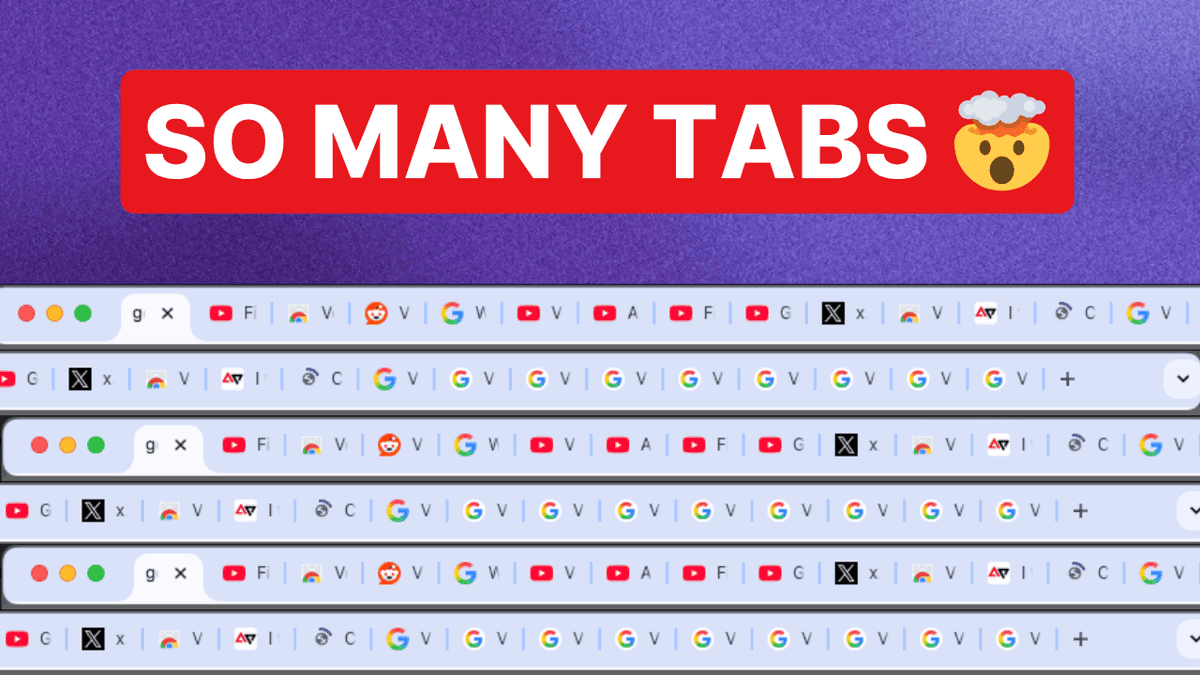
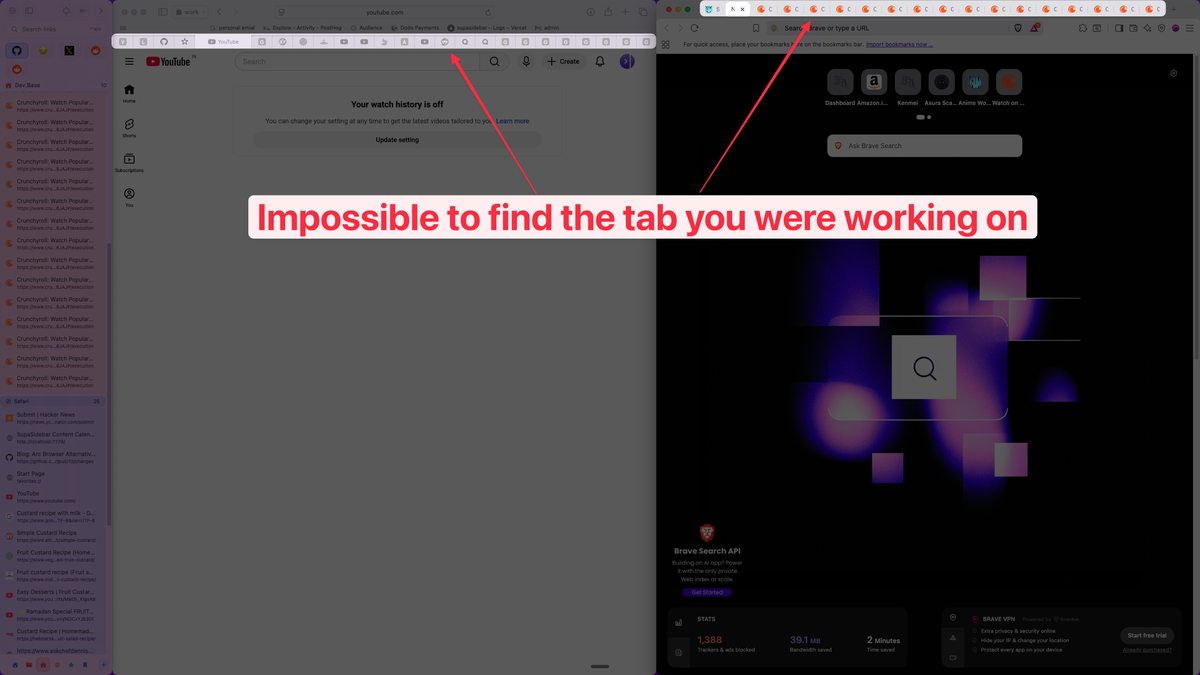
Too many tabs on Mac is when open browser tabs exceed what the user can scan, name, or decide to close - usually 20+ in a single browser or 40+ spread across multiple browsers. It is not a memory problem in most modern setups (Chrome and Safari both freeze inactive tabs). It is a findability problem: at 20+ tabs in a horizontal strip, titles collapse into single-favicon stubs and tabs become unfindable.
The reason this matters on Mac specifically: a typical Mac user keeps Safari open for iCloud-synced personal browsing, Chrome open for Google Workspace, and sometimes Firefox or Brave open for a third workflow (development, privacy, a separate Google account). Three browsers, three independent tab strips, no shared search. The "20 tabs" threshold gets crossed three times in parallel.
This post covers the three things that actually reduce the tab pile, in the order they matter. Curious where you land first? The 30-second Tab Hoarder quiz gives you a score out of 100 and one fix matched to how you actually browse.
Why tabs accumulate (it is not a discipline problem)
Tabs accumulate because a browser tab is the cheapest possible external-memory primitive. A new thought arrives mid-task: open a tab. Something to read later: open a tab. A reference needed in 10 minutes: open a tab. Every tab is a tiny commitment that costs nothing to make and feels expensive to close.
The Reddit thread "anyone else get stuck because your brain is holding too much at once?" (r/productivity, 43 upvotes) captures the pattern exactly:
"Curious if anyone else deals with the 'too many open tabs in my brain' thing and found ways to handle it."
- Reddit user on r/productivity
The browser tab is doing the job of a to-do item, a bookmark, and a working-memory slot at the same time - badly at all three. That is the actual problem to solve. Closing tabs is not discipline; it is replacing the tab with whatever it was standing in for.
The single-browser fixes (honest assessment)
Before the cross-browser layer, these are the in-browser tools and where each one breaks:
| Fix | What it does | Where it breaks |
|---|---|---|
| Tab groups (Chrome, Safari, Firefox, Edge) | Bundles tabs into named, collapsible groups inside one browser | After two weeks: 6 groups × 12 tabs is just a nested pile |
| Chrome tab search (Cmd+Shift+A) | Fuzzy-searches open tabs in Chrome | Only searches this Chrome window's tabs, not Safari or Firefox |
| Tab suspenders (e.g. The Marvellous Suspender) | Freezes inactive tabs to save RAM | Saves memory; does not reduce cognitive load. Avoid The Great Suspender - it was delisted in 2021 for malware. |
| Read-later apps (Pocket, Instapaper, Reeder) | Moves articles out of tabs into a queue | Most tab-hoarding is active project context, not read-later content |
| Vertical tabs (native in Firefox, Chrome, and Edge) | Replaces horizontal favicons with a scannable vertical list | One browser at a time. See Mac vertical tabs guide for the per-browser landscape. |
Vertical tabs are the only structural fix on this list. The other four reorganize the pile; vertical tabs make the pile readable. That is a real difference. But all five share the same ceiling: they work inside one browser at a time.
The cross-browser problem most guides miss
If two or more browsers are running simultaneously - which the 2024 StatCounter data suggests is normal on macOS, where Safari holds ~20% and Chrome ~50% market share - you have two independent tab universes that cannot see each other:
- Chrome tab search (Cmd+Shift+A) cannot find Safari tabs.
- Safari's tab overview (Cmd+Shift+) cannot find Chrome tabs.
- Firefox's URL-bar tab search cannot find anything outside Firefox.
- Tab groups in one browser are invisible in another.
- Bookmarks saved in Brave six months ago are invisible from Chrome unless re-imported.
One SupaSidebar user described the workflow that breaks: "I use different browsers for different workflows - Safari for social media, Chrome for web development, and Firefox for research." That is not chaos. That is a reasonable Mac-native specialization: Safari has the best battery per Apple's M-series specs, Chrome has the deepest Google Workspace integration, Firefox has the best extension ecosystem for tree-style tab tools. Three browsers, three jobs, one human trying to find one tab.
The single-browser fixes do not address this. There is no version of Chrome tab groups that reaches into Safari. There is no Firefox extension that searches Brave's tabs. The cross-browser problem requires a layer that sits above the individual browsers.
The three-layer stack that actually works
For Mac users with the cross-browser problem, this is the order that produces the biggest tab-count drop with the least ongoing maintenance:
Layer 1: One hard audit (one time, ~10 minutes)
Close every tab not touched in 3 days. Every one. Browser history is the safety net - anything actually needed is recoverable. The "might need it later" instinct loses to the statistical reality that almost no closed tab gets re-opened. Do this once per browser. The goal is a clean baseline so layers 2 and 3 are not fighting yesterday's pile.
Layer 2: Inside each browser, switch to a scannable list
Horizontal favicon strips above 15-20 tabs become hostile to use. Inside each browser:
- Firefox: enable native vertical tabs (since v136, March 2025); Sidebery and Tab Stash add tree-style and stash workflows on top
- Edge: View → Turn on vertical tabs (native since 2021)
- Chrome: native vertical tabs rolled out to all users in April 2026 - right-click any tab and choose Show Tabs Vertically
- Safari: native tab sidebar (View → Show Sidebar) shows tabs vertically but cannot show tabs and bookmarks at the same time - a real Safari constraint many users hit (see Mac sidebar app guide)
- Brave: View → Vertical tabs (native since v1.52, May 2023)
This layer is the same advice every "tab management" listicle gives. It works inside one browser. It does not extend across browsers, and no in-browser tool ever will.
Layer 3: A Mac sidebar app that unifies across browsers
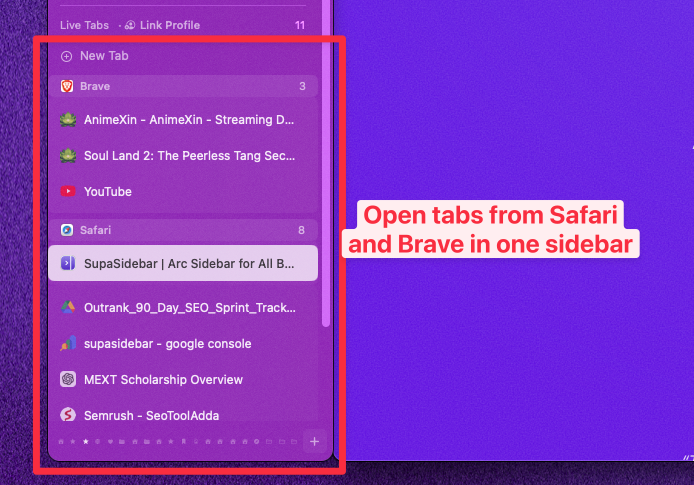
This is the layer single-browser advice cannot reach. A Mac-native sidebar that reads live tab state from every running browser and presents one searchable panel.
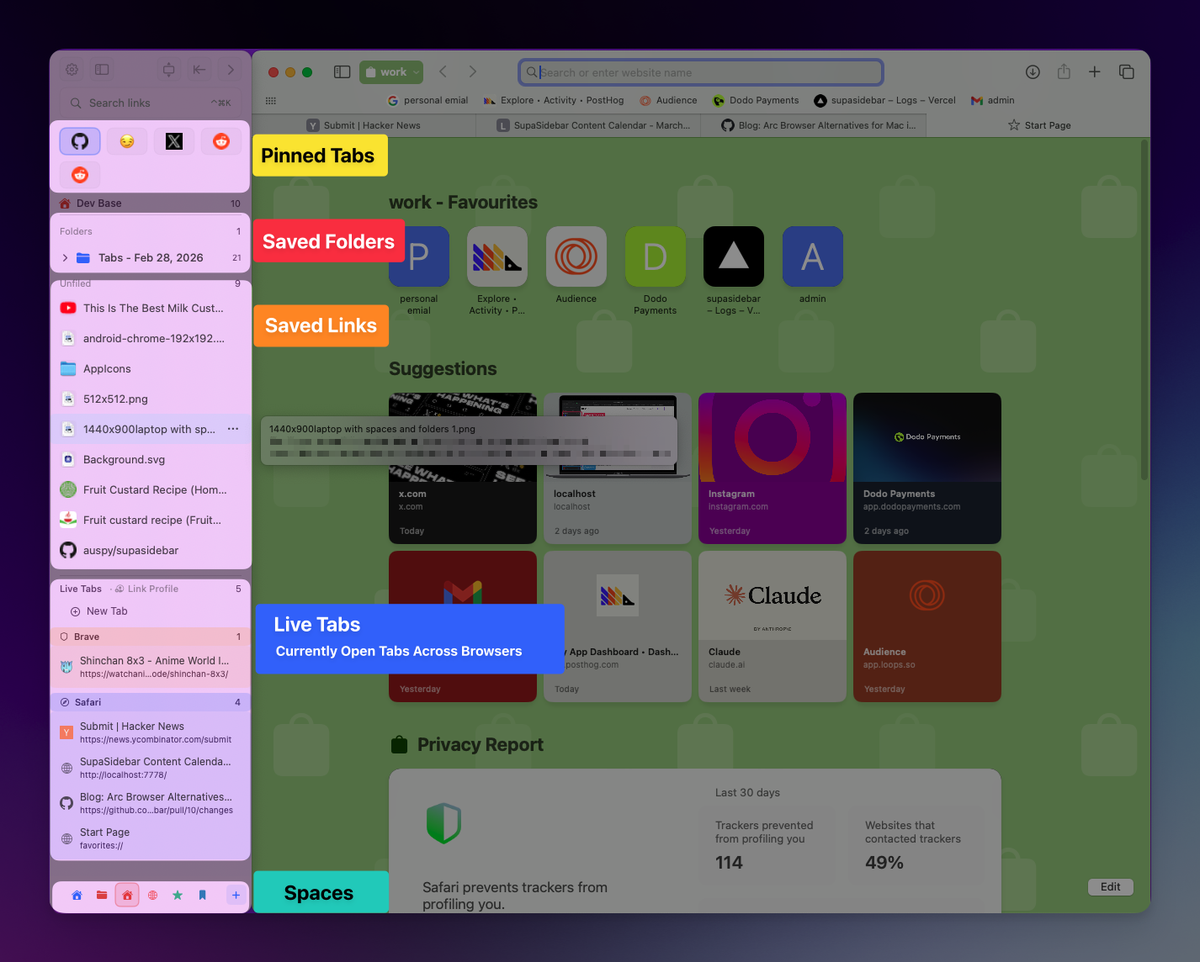
SupaSidebar is built for this layer. It is a macOS app (not a browser extension) that integrates with 32+ browsers in total including Safari, Chrome, Firefox, Arc, Vivaldi, Brave, Helium, and Dia via AppleScript. Live Tabs shows open tabs from every connected browser in one sidebar panel. The Command Panel (⌘⌃K) opens a fuzzy search across every tab from every browser at once - one keystroke, no window switching.
One Reddit user described the recognition moment: "They share the same tabs among different browsers? Thats interesting not gonna lie" - someone who used different browsers for different jobs and had not realized a unified view was an option. Another user, John (a Safari power user with two windows open across monitors for sales/CRM workflow): "I love that Safari lets me put Tabs in a drawer that I keep open on the left side of each browser window... My issue is that I can't have Tabs visible at the same time that Bookmarks are visible. Safari forces me to choose which list to interact with."
That is the gap SupaSidebar's sidebar fills - tabs AND bookmarks AND folders, visible at the same time, on top of every browser, not inside any of them.
For the rest of the Mac sidebar category and how SupaSidebar compares to native sidebars and extensions, see the Mac sidebar app guide. For the underlying "save the tab without leaving it open" problem, how to save all open tabs covers the session/bookmark/workspace tradeoff.
What tab overload usually means
Worth stating plainly: tab overload is often a symptom of task management, not browser management. A tab kept open as a reminder is doing the job of a to-do item. A tab kept open as a reference for later is doing the job of a bookmark. A tab kept open for eventual reading is doing the job of a read-later queue.
The tabs that genuinely need to stay open while working - active project references, the tool windows for the current task, the research tabs being actively cross-referenced - those benefit from layers 2 and 3 above. Everything else should be a task, a bookmark, or closed.
A realistic working target is not 5 tabs. It is 15-20 actively relevant tabs per browser. That is manageable when each tab is on a scannable list AND searchable across browsers. It is chaos when it's a horizontal strip of identical favicons in three separate windows.
Why we recommend SupaSidebar
SupaSidebar is a macOS app that brings Arc's sidebar to every browser - one sidebar for tabs, bookmarks, files, and apps across 32+ browsers including Safari, Chrome, Firefox, Arc, Vivaldi, Brave, Helium, and Dia. For Mac users juggling 2+ browsers simultaneously, it is the missing layer 3 in the tab-overload stack: Live Tabs shows every open tab across every browser in one panel, the Command Panel (⌘⌃K) searches all of them with fuzzy matching, and a free version is available.
The bottom line
Tab overload on Mac is solvable, but the solution depends on how many browsers are running.
Single-browser users (Safari only, or Chrome only):
layers 1 and 2 are enough. Audit once, switch to vertical tabs inside that browser, and the pile becomes scannable. Tab groups and tab search round it out. No third-party app needed.
Two-or-more-browser users (the common Mac case - Safari + Chrome, or Safari + Chrome + Firefox):
layers 1 and 2 reduce the pile inside each browser but leave the cross-browser problem untouched. A Mac sidebar app like SupaSidebar adds the layer that unifies tab state across every browser, which is the bottleneck in this workflow.
Read-later hoarders specifically:
layers 1 and 2 will not stick. A bookmark manager or read-later queue (Pocket, Instapaper, or SupaSidebar's saved-links + folders) is the actual answer. See best bookmark manager for Mac and Chrome 2026.
Next step: pick the layer that matches the workflow above. If it is layer 3, try SupaSidebar (free version).
Frequently Asked Questions
How many tabs is too many tabs on Mac?
There is no universal number, but a practical test: if tab titles in the horizontal strip have collapsed to single-favicon stubs, the threshold has been crossed. For most Mac users, that happens around 15-20 tabs in one browser. Running 2-3 browsers in parallel - common on macOS for the Safari + Chrome + Firefox specialization - can push total open tabs to 40-60 before any single browser feels overloaded.
Do too many open tabs slow down my Mac?
Less than they used to. Both Chrome (since Memory Saver, announced December 2022) and Safari freeze inactive tabs to reclaim RAM. The bigger cost in 2026 is cognitive: time spent hunting for the right tab. If a Mac is actually short on RAM, a tab suspender like The Marvellous Suspender (the malware-free fork of The Great Suspender) helps. Do not install The Great Suspender - it was delisted from the Chrome Web Store in February 2021 for running arbitrary remote code.
What is the fastest way to find a tab I already have open?
In Chrome: Cmd+Shift+A opens tab search. In Safari: Cmd+Shift+\ shows the tab overview grid. In Firefox: type the page title into the URL bar; matching open tabs show up with a "Switch to Tab" suggestion. For Mac users running multiple browsers, SupaSidebar's Command Panel (⌘⌃K) opens a fuzzy search across every open tab from every connected browser in one panel - no need to know which browser the tab is in.
Is there a tab manager that works across multiple browsers on Mac?
Most "tab managers" are browser-specific extensions that only see tabs inside the browser they are installed in. SupaSidebar is a macOS app (not a browser extension) that installs once and reads live tab state from 32+ browsers including Safari, Chrome, Firefox, Arc, Brave, Edge, Vivaldi, and Dia via AppleScript. One sidebar panel shows tabs from all connected browsers simultaneously.
Should I use tab groups or vertical tabs to manage browser tabs?
For single-browser users, vertical tabs win for most workflows because the scannable list format stays readable past 20 tabs, whereas tab groups add an organizational layer to an already-disorganized pile. Tab groups work well only if discipline is consistently applied at the moment of opening a tab. For multi-browser Mac users, vertical tabs inside each browser plus a cross-browser sidebar layer (like SupaSidebar) is the combination that actually scales.
Does Safari have vertical tabs?
Not natively in the sense Chrome and Firefox do. Safari has a sidebar (View → Show Sidebar) that can show tabs as a vertical list, but it cannot show tabs and bookmarks at the same time - it forces a choice. For Safari-specific workarounds and external-app paths, see Safari vertical tabs.
Will closing tabs lose my work?
Not for normal browsing - browser history preserves URLs, and most modern browsers (Chrome, Safari, Firefox) restore the previous session if asked. The risk is unsaved form input, half-written drafts in web apps, or sites that lose state on close. The fix: save those specific tabs as bookmarks (or into a SupaSidebar folder) before the audit, then close the rest with confidence. How to save all open tabs covers session-saving across browsers.
By Kshetez Vinayak, founder of SupaSidebar. Comments and corrections welcome at @k77builds.