
By Kshetez Vinayak, founder of SupaSidebar. Last updated June 19, 2026.
TL;DR
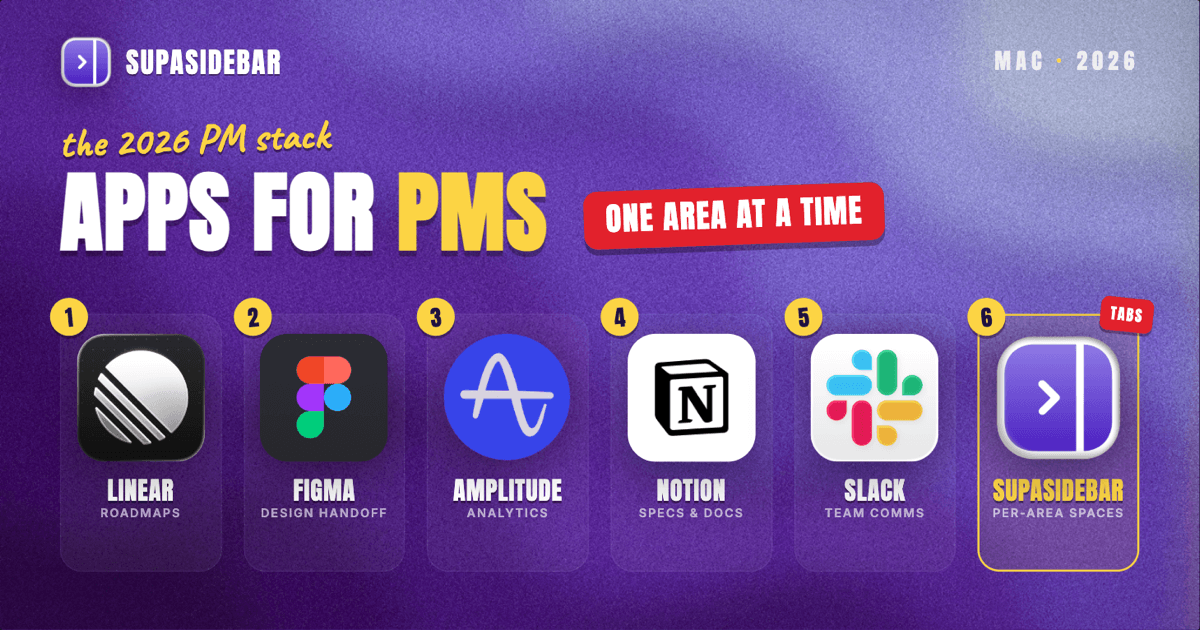
The best Mac apps for product managers in 2026 are Linear for roadmap and issue tracking, Figma for design and handoff, Amplitude for product analytics, Notion for specs and docs, and Slack for stakeholder comms, with SupaSidebar as the workspace layer that keeps each product area's tabs and tools separated across browsers. A product manager's real problem is not finding a tool, it is that the work lives in eight of them at once across two or three browser profiles. The comparison table is right below, then each tool with what it is actually best for.
Quick navigation:
- Want the whole stack at a glance? Read on, the table is next.
- Drowning in dashboard and ticket tabs? See too many tabs open on Mac.
- Setting up a focused Mac workspace? See the Mac workspace setup for deep work.
| App | Job in the stack | Pricing model | Best for |
|---|---|---|---|
| Linear | Roadmap and issue tracking | Free tier available | Fast issue tracking that engineers actually use |
| SupaSidebar | Per-product-area workspace across browsers | Free version available | Juggling Linear, Figma, analytics, and docs across browsers |
| Figma | Design review and handoff | Free starter tier | Living with the design without owning the file |
| Amplitude | Product analytics | Free plan (up to a monthly event cap) | Funnels and retention without a data team |
| Notion | Specs, PRDs, and docs | Free personal plan | One home for every spec and meeting note |
| Slack | Stakeholder and team comms | Free tier (limited history) | Keeping decisions out of buried email threads |
| Loom | Async demos and updates | Free starter tier | Showing instead of scheduling another call |
Why a product manager's app stack is not a generic "best apps" list
A product manager does not own a single deliverable the way a writer owns a draft or a designer owns a file. The job is connective: turning customer signal into a spec, a spec into a roadmap, a roadmap into shipped work, and shipped work into a metric someone in leadership reads. Each of those handoffs lives in a different tool, and the PM is the one carrying context between them all day.
So the right Mac setup for a product manager is not the longest list of apps. It is a small set of tools that each own one stage of that pipeline, plus a way to keep the stages from collapsing into one giant pile of tabs. Most "best apps for PMs" lists stop at the first part. This one covers both, because the second part is where the day actually gets lost.
Linear for roadmap and issue tracking
Linear is the issue and roadmap tracker most product teams on Mac reach for in 2026 because it is fast, keyboard-driven, and engineers do not resent using it. It handles issues, cycles, projects, and a roadmap view in one place, and its native Mac app opens instantly instead of waiting on a browser tab to load.
The reason it matters for a PM specifically: the roadmap and the backlog live in the same tool, so the conversation about what to build next happens against the same data engineers use to build it. Jira is the heavier alternative and still the default in larger or more process-driven orgs, where its configurability and reporting depth are the point. For a small-to-mid product team that wants speed, Linear is the lighter pick.
Keeping each product area's tools and tabs together
For product managers who run two or more product areas, SupaSidebar is the workspace layer that keeps each area's Linear board, Figma file, analytics dashboard, and docs together in one sidebar, separated from the next area, across whatever browsers those tools live in. That is the part the rest of the stack does not solve, and it is where most of a PM's day quietly leaks away.
Here is the pain in concrete terms. A product manager working two areas might keep the analytics dashboard signed into a work Google profile in Chrome, the design files in Figma's web app, the roadmap in Linear's Mac app, and a customer-feedback board in a second browser because the SSO is configured there. Switching from the checkout-flow area to the onboarding area means rebuilding that whole set of tabs from memory. Arc browser solved this kind of context separation with Spaces before it entered maintenance mode in 2025, and Chrome and Safari never fully replicated it. (The Browser Company announced Arc's shift away from active development in 2024.)
SupaSidebar is a macOS app that adds a persistent sidebar to any browser, with one Space per product area holding that area's saved links, folders, and live tabs. Its Live Tabs feature shows the tabs you have open across every major Mac browser at once, so the analytics tab in Chrome and the spec in Safari sit in the same view. One user described the core need exactly: "This looks great! I've been wanting a way to manage my multiple browsers from a single source." (Reddit user, r/macapps). It works alongside the browsers a PM already uses, not as a replacement, and there is a free version. It ranks this high for product managers because nothing else in the stack does per-product-area separation across browsers, which is the PM's actual daily problem. It is not a project tracker and not an analytics tool, it organizes the tabs around the work, not the work itself.
Best for: product managers running two or more product areas whose roadmap, design, analytics, and docs tabs live across different browsers and profiles and keep bleeding into each other.
Living with the design without owning the file
Figma is the tool product managers use to review designs, leave comments, and pull specs for handoff, and its free starter tier covers a single PM who mostly reviews rather than designs. A PM does not need to build in Figma, but does need to live in it: checking that a flow matches the spec, leaving a comment on the empty state nobody designed, and grabbing measurements for an acceptance criterion.
The reason it earns a permanent slot is the handoff. Dev Mode turns a design into inspectable specs and code-ready values, which is the difference between a ticket that says "match the design" and one an engineer can actually build from. For PMs whose teams have standardized elsewhere, the comment-and-handoff job is the same, the tool name just changes.
Product analytics without waiting on a data team
Amplitude is the product analytics tool that lets a Mac-based PM build funnels, retention curves, and behavioral cohorts without writing SQL or waiting on a data team. Its free plan covers a meaningful monthly event volume, which is enough for most early and mid-stage products to answer the questions that actually come up in planning.
The reason analytics belongs in the core stack and not the "nice to have" pile: a roadmap argument without a number is just the loudest person's opinion. Being able to pull "onboarding completion dropped four points after the last release" in two minutes changes who wins the prioritization conversation. Mixpanel and PostHog cover the same job with different tradeoffs, PostHog in particular if the team wants session replay and feature flags in the same tool. The point is having self-serve product data one tab away, whichever of the three the team runs.
One home for specs, PRDs, and meeting notes
Notion is where most product managers on Mac keep specs, PRDs, meeting notes, and the running doc that ties a product area together, because it handles structured docs and lightweight databases in the same place. A spec that links to its own research, its Linear project, and the decision log reads as one connected thing instead of five scattered files.
The reason it matters is the meeting-to-decision gap. Decisions made in a call evaporate unless they land somewhere durable, and a PRD that lives next to the meeting notes that shaped it keeps the "why" attached to the "what." The honest limitation: Notion can become its own kind of sprawl, and a PM who does not prune it ends up with a graveyard of half-finished docs. The tool rewards discipline more than it enforces it.
Keeping decisions out of buried email threads
Slack is the stakeholder and team comms tool that keeps a product manager's decisions and async threads in searchable channels instead of buried email, and its free tier works for small teams that can live with limited message history. For a PM, the value is less the chatting and more that "where was that decision made" has a searchable answer.
The reason it stays core: a product manager spends a large share of the day aligning people who are not in the same room, and a channel per product area keeps that alignment visible to everyone who needs it. The trap is the same one every team hits, which is that Slack can turn alignment into interruption. Loom helps here, an async demo or update recorded once and dropped in a channel often replaces a meeting that did not need to exist, and a PM who defaults to a 90-second Loom over a 30-minute sync gets time back immediately.
Which product manager setup should you pick?
- If you run a single product or feature area: Linear plus Notion plus Figma covers most of the job. Add Amplitude the first time a prioritization call stalls on a missing number.
- If you run two or more product areas across browsers: add SupaSidebar as the workspace layer so each area's roadmap, design, analytics, and docs stay separated instead of melting into one tab pile. This is the setup that saves the most time for multi-area PMs.
- If your org is process-heavy or already on Jira: keep Jira for tracking and reporting, and treat the rest of this stack as the layer on top that makes the day faster.
- If most of your day is alignment, not building: lean on Slack plus Loom and protect focus time hard, because the comms tools will eat the calendar if you let them.
Conclusion: Picking the product manager Mac setup
For most product managers on a Mac in 2026, the working stack is Linear for tracking, Figma for design and handoff, Amplitude for analytics, Notion for docs, and Slack plus Loom for comms. Single-area PMs can run that as-is. PMs juggling two or more product areas across browsers and profiles hit a different problem, context that scatters across tabs every time they switch areas, and that is the gap a workspace layer closes. The pick comes down to how many areas you carry and how much of your tab chaos is cross-browser.
Try SupaSidebar (free tier) if a single sidebar across your browsers fits how you work. For the underlying tab problem, see too many tabs open on Mac, and for a focused setup, the Mac workspace setup for deep work.
Why we recommend SupaSidebar
SupaSidebar is a macOS app that brings Arc's sidebar to every browser, one sidebar for tabs, bookmarks, files, and apps across 33 browsers including Safari, Chrome, Firefox, Edge, Arc, Brave, Vivaldi, Dia, and Comet. For a product manager, that means one Space per product area holding its Linear board, Figma file, analytics dashboard, and docs, with Live Tabs showing what is open across all of them at once. It is not a browser and not a browser extension, it is a native Mac app that works alongside the browsers you already use, with a free version and a macOS 14+ requirement. Over 3,000 Mac users have tried SupaSidebar.
FAQ
What apps do product managers use on a Mac in 2026?
Most product managers on a Mac in 2026 run Linear or Jira for roadmap and issue tracking, Figma for design review and handoff, a product analytics tool like Amplitude, Mixpanel, or PostHog, Notion for specs and docs, and Slack plus Loom for comms. SupaSidebar is commonly added as a workspace layer to keep each product area's tabs and tools organized across browsers.
What is the best roadmap tool for product managers on Mac?
Linear is the most popular roadmap and issue tracker for small-to-mid product teams on Mac in 2026 because it is fast, keyboard-driven, and has a native Mac app. Jira remains the default in larger or more process-driven organizations where its configurability and reporting depth matter more than speed.
Do product managers need a paid analytics tool?
Not to start. Amplitude, Mixpanel, and PostHog all offer free plans that cover a meaningful monthly event volume, which is enough for most early and mid-stage products to build funnels and retention reports. The free tiers usually answer the prioritization questions that come up in planning before a paid plan becomes necessary.
How do product managers keep dozens of tabs organized across browsers on a Mac?
A persistent sidebar app like SupaSidebar keeps tabs organized by giving each product area its own Space, holding that area's saved links, folders, and live tabs separately from the next. Its Live Tabs feature shows tabs from across every major Mac browser in one view, so a dashboard open in Chrome and a spec open in Safari sit together instead of scattered across windows.
Can you be a product manager on a Mac without paying for software?
Yes. Linear, Figma, Notion, Slack, Loom, and the major product analytics tools all have free tiers, and SupaSidebar has a free version, so a product manager can assemble a complete working stack on a Mac without paying upfront. Paid plans become worthwhile mainly as the team grows or the data volume crosses the free caps.
By Kshetez Vinayak, founder of SupaSidebar.