
By Kshetez Vinayak, founder of SupaSidebar. Last updated 2026-06-19.
TL;DR
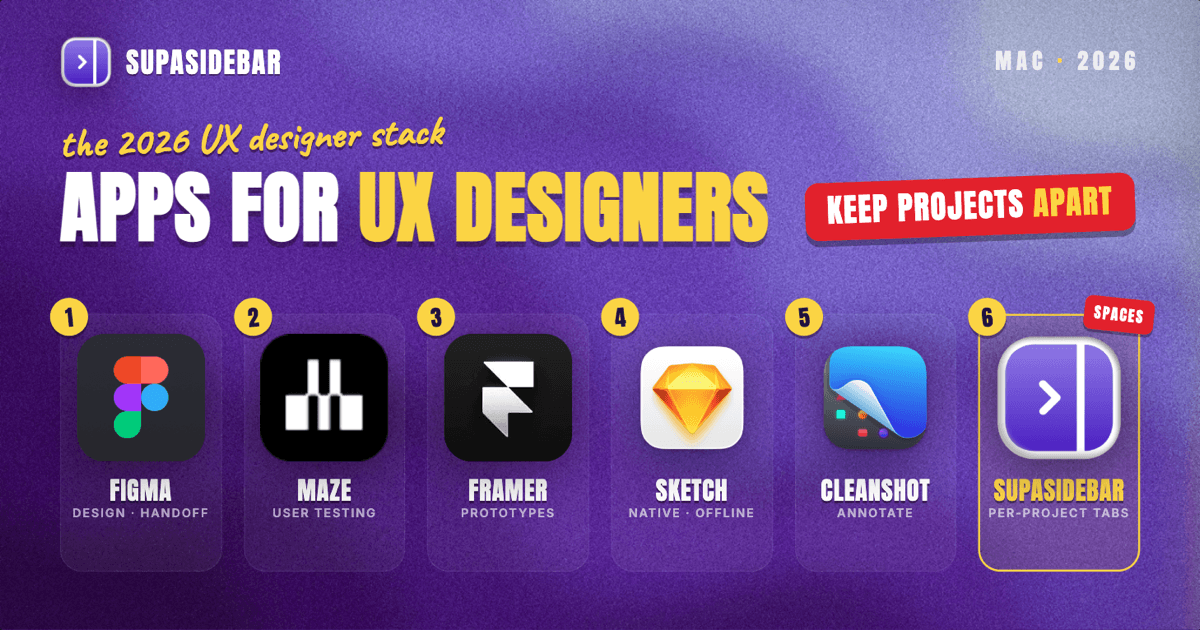
The best Mac apps for UX designers in 2026 are a research-to-handoff toolkit, not a single app: Figma for design, prototyping, and developer handoff through Dev Mode; Maze for unmoderated user testing and research; Framer for high-fidelity interactive prototypes and live sites; FigJam for research synthesis and journey mapping; CleanShot X for annotated feedback; and SupaSidebar for keeping each project's research, Figma, and inspiration tabs organized across browsers and shareable with the team as a link. The center of gravity is still Figma, which now bundles design, prototyping, FigJam, and Dev Mode handoff into one ecosystem. Sketch remains the strongest native-Mac alternative for designers who want a one-time Mac license instead of a subscription. The category-by-category breakdown, pricing, and the comparison table are below.
Quick navigation:
- Choosing a browser for design work? → Best Browser for Designers on Mac 2026
- Building the broader design stack, not just UX? → Best Mac Apps for Designers 2026
- Setting up a focused work environment? → Mac Workspace Setup for Deep Work 2026
- A working UX designer building a Mac stack? You are in the right place. Keep reading.
The UX designer Mac stack at a glance
| App | Job in the stack | Pricing model | Best for |
|---|---|---|---|
| Figma | Design, prototyping, handoff | Free tier; full seat $16/editor/mo (annual); dev seat $12 | Teams shipping to engineers |
| Maze | Unmoderated testing, research | Free plan; Starter $99/mo + recruitment credits | Validating designs with real users |
| Framer | High-fidelity prototypes, live sites | Free plan; Basic $10/mo, Pro $30/mo | Interactive prototypes that feel real |
| FigJam | Journey maps, research synthesis | Included with paid Figma; free tier | Affinity mapping and workshops |
| Sketch | Native Mac UI design | Standard $12/editor/mo; Mac-only license $120/yr | Designers who want a one-time Mac license |
| CleanShot X | Annotated screenshots, feedback | Paid (one-time tiers) | Marking up flows and shipped builds |
| SupaSidebar | Per-project research tabs across browsers, shareable with the team | Free version available | Juggling 2+ projects, or sharing research with a team |
Why the 2026 UX stack centers on one ecosystem
UX design used to mean stitching together separate tools for wireframing, prototyping, whiteboarding, and handoff. By 2026 that has consolidated hard. Figma now spans most of the workflow in one place: design files, interactive prototypes, FigJam for the messy thinking stage, and Dev Mode for the engineer handoff. That consolidation is the single biggest reason a UX designer's Mac setup looks different than it did three years ago.
The pricing reflects the consolidation too. Figma charges by seat type rather than one flat fee. A full editor seat runs $16 per editor per month billed annually, while a dev seat for engineers who only inspect and export costs $12, per Figma's pricing page. That seat split matters because it lets a UX team put designers on full seats and developers on cheaper dev seats instead of paying full price for people who never draw a rectangle.
The apps below are picked for that reality: Figma as the hub, then the specialist tools that do the jobs Figma is wrong for - real user testing, production-grade interactive prototypes, and the cross-browser tab problem no design tool touches.
Designing and prototyping the interface
For design and prototyping on a Mac in 2026, use Figma as the hub and reach for Framer when the prototype needs to feel like a shipped product. Figma covers wireframes, high-fidelity screens, component libraries, and click-through prototypes in the browser or the Mac desktop app, and its real moat is that every stakeholder can open a link without installing anything. The free Starter tier covers a lot of solo and student work; paid seats unlock unlimited files, version history, and shared libraries.
Framer earns its place when a prototype needs real interactions - scroll effects, page transitions, and components that behave like code, not like linked artboards. It doubles as a no-code website builder, so the same prototype can ship as a live page. Framer's free plan is unusually capable, with full access to the design and AI tools on a Framer subdomain; the Basic plan at $10 per month adds a custom domain, and Pro at $30 per month adds staging and analytics.
The honest tradeoff: Framer's interaction fidelity comes with a steeper learning curve than Figma's prototype mode, and for quick validation a Figma click-through is faster to build. Most UX designers use both - Figma for the bulk of the work, Framer when fidelity is the point.
Running user research and testing
For UX research and unmoderated testing on a Mac, use Maze, which runs prototype tests, surveys, card sorts, and tree tests against real participants and reports the results as quantitative metrics. Maze plugs directly into Figma prototypes, so a flow designed in the morning can be tested in the afternoon without rebuilding it. It turns "I think this flow works" into success rates, misclick heatmaps, and time-on-task numbers that hold up in a stakeholder review.
Maze offers a free plan with limited testing - one project, a capped number of testers per month - which is enough to learn the tool and run a small study. The Starter plan is $99 per month for serious research volume. One real cost to plan for: recruitment credits are billed separately from the subscription, so if Maze recruits the participants rather than the designer bringing their own, that is an additional per-participant charge on top of the plan.
The scope limit worth naming: Maze is strongest at unmoderated, quantitative testing. Moderated interviews and deep qualitative work either need the enterprise tier or a dedicated interview tool, so a research-heavy team often pairs Maze with a separate moderated-research setup.
Synthesizing research and mapping journeys
For the messy thinking stage - affinity mapping, journey maps, and workshop synthesis - use FigJam, Figma's whiteboard, which comes bundled with any paid Figma seat and has a free tier of its own. It is where raw research notes become clustered themes, where a user journey gets drawn before any screen is designed, and where a remote team runs a synthesis workshop together. Because it lives in the same account as the design files, moving from a FigJam journey map to the actual Figma screens is one tab away rather than an export between two apps.
FigJam is not the only whiteboard, and teams already living in Miro or a dedicated journey-mapping tool will not switch just for proximity. But for a UX designer whose design files are already in Figma, the included whiteboard removes a tool and a subscription from the stack.
Designing on a Mac without a subscription
For UX designers who want a native Mac app and a one-time payment instead of a monthly seat, use Sketch, the original Mac-native UI design tool. Sketch runs locally, saves files to disk, and works fully offline, which matters for work under NDA that should not live in a browser tab. It still has a deep plugin ecosystem and a loyal base of product designers who never moved to Figma.
Sketch's pricing is the differentiator: alongside subscription plans (Standard at $12 per editor per month), it offers a Mac-only license at $120 per year for solo designers who want the native app without the collaboration cloud. The tradeoff against Figma is real-time collaboration and cross-platform access - Sketch is Mac-only and its collaboration is lighter - so the choice usually comes down to whether the work is solo-and-native or team-and-cloud.
Annotating and sharing feedback
For design feedback and bug annotation on a Mac, use CleanShot X, which captures any screen, draws the arrow, drops the label, and shares a link in one flow. Scrolling capture handles full-page grabs of long flows and shipped landing pages, and the annotation tools replace the "screenshot, open an editor, mark up, export, attach" chain that eats a UX designer's day. It is a one-time-purchase tool with paid tiers rather than a subscription. For marking up a developer build against the design, or sending a client a labeled screenshot of exactly what to change, it removes friction from a task done dozens of times a day.
Keeping each project's research organized across browsers
A UX project lives in browser tabs long before it becomes a Figma file, and that is the problem no design tool solves. Discovery for one project is a pile of competitor flows, a Maze report, a Figma file, and a folder of inspiration links - some open in Chrome because the company SSO lives there, some in Safari because that is where personal browsing happens. Run two or three projects at once and finding "the second project's research session" becomes a window-by-window hunt, and closing a window to tidy up means losing a curated set of reference tabs.
SupaSidebar is the cross-browser workspace layer for UX designers: one Space per project that keeps that project's research, Figma, and inspiration tabs separated across every browser, and shareable with the team as a single link. It is a native Mac app that adds one persistent sidebar across every major Mac browser - Safari, Chrome, Firefox, Edge, Arc, Brave, Vivaldi, Comet, Dia, and more (33 browsers counting channel variants). The unit of organization for a UX designer is the project, and that maps directly to Spaces: one Space per project holding its Figma links, research reports, competitor flows, and reference tabs, separate from every other project.
Live Tabs shows the open tabs from every running browser in one list, so the Chrome work pile and the Safari personal pile stop being separate hunts, and Command Panel (⌘⌃K) searches saved links and live tabs across all Spaces in one keystroke. Save All Browser Tabs (⌘⌃T) captures an entire research session into a folder with one shortcut, which turns "those competitor-flow tabs from discovery" into a saved, reopenable set inside the project's Space.
The team angle is Shared Spaces. Any Space can be published as a single shareable link, and a teammate opens that link to view the whole collection in the browser and import it into their own sidebar in one click. For a UX team that means a discovery research pile, a competitor-analysis set, or a design-references collection becomes a link to drop in Slack instead of fifteen pasted URLs, and the recipient can resync it later if the publisher updates it. No account is needed to view a shared Space, and the feature has no paywall.
A freelance web developer who works with multiple agencies described the cross-browser part this way over email: "I really like where you're going with this - I can see this becoming my go-to bookmarking tool. The ability to flick between browsers is so liberating." SupaSidebar is not a design or research tool - it organizes the tabs around the work, not the work itself - so it sits alongside Figma and Maze rather than replacing anything. A free version is available, and 3,000+ Mac users have tried SupaSidebar.
Best for: UX designers and teams running two or more projects whose research and design tabs are scattered across browsers.
Which UX designer setup should you pick?
- If you work on a team that ships to engineers: Figma is the hub - full seats for designers, dev seats for developers - with FigJam for synthesis and Dev Mode for handoff. Add Maze when decisions need user data behind them, and use SupaSidebar's Shared Spaces to hand a whole research or competitor-analysis collection to the team as one link instead of pasting fifteen URLs.
- If you are a solo or freelance UX designer juggling several projects: Figma plus Maze's free or Starter plan, and add SupaSidebar to keep each project's research and design tabs separated by Space across browsers, since project separation is the daily tax of freelancing.
- If you want a native Mac app and a one-time payment: Sketch with the Mac-only license, paired with Framer's free plan for the high-fidelity prototypes Sketch does not do as well.
- If prototype realism is the whole point: Framer for the interactive prototype that feels shipped, with Figma still doing the bulk design work upstream.
- If you are a UX student or just starting out: run Figma's free tier, FigJam's free tier, Maze's free plan, and Framer's free plan, and you can do real UX work for $0 - and SupaSidebar's free version keeps each course project's research separated and lets a study group share a reading collection as one link.
Conclusion
The 2026 verdict for UX designers: build the stack around Figma for design, prototyping, and handoff, add Maze for the user research that turns opinions into evidence, and reach for Framer when a prototype needs to feel real. Sketch remains the right call for designers who want a native Mac app and a one-time license rather than a subscription.
Try SupaSidebar (free tier) if your project research and design tabs are scattered across browsers right now. For the browser choice underneath this stack, see the designer browser comparison.
Why we recommend SupaSidebar
SupaSidebar is a macOS app that brings Arc's sidebar to every browser - one sidebar for tabs, bookmarks, files, and apps across 33 browsers including Safari, Chrome, Firefox, Edge, Arc, Brave, Vivaldi, Comet, and Dia. For UX designers, it turns each project into a Space holding that project's Figma files, research reports, competitor flows, and live inspiration tabs, searchable in one keystroke with Command Panel (⌘⌃K) no matter which browser they are open in. Shared Spaces publishes any of those Spaces as a single link a teammate can view in the browser and import in one click, so a research collection moves to the team without a folder of pasted URLs. iCloud sync keeps the setup identical across a studio Mac and a laptop, with no account required. macOS 14+ required.
FAQ
What apps do UX designers use on Mac in 2026?
The common working stack is Figma for design, prototyping, and developer handoff, Maze for unmoderated user testing and research, Framer for high-fidelity interactive prototypes, FigJam for journey mapping and research synthesis, CleanShot X for annotated feedback, and SupaSidebar for organizing project research tabs across browsers. Sketch remains popular among Mac-native designers who prefer a one-time license over a subscription.
What is the best prototyping tool for Mac UX designers?
Figma covers most prototyping needs with click-through flows built directly from design files, and it is the default for team work because stakeholders open a link with no install. Framer is the better choice when a prototype needs real interactions - scroll effects, transitions, and components that behave like code - and it can ship the prototype as a live website. Most UX designers use Figma for the bulk of prototyping and Framer when fidelity is the point.
Is Figma or Sketch better for UX design on a Mac?
It depends on how the work happens. Figma wins for real-time collaboration, cross-platform access, and an all-in-one ecosystem with prototyping, FigJam, and Dev Mode handoff. Sketch wins for designers who want a native Mac app, offline local files, and a one-time Mac-only license at $120 per year instead of a per-seat subscription. Team-and-cloud work points to Figma; solo-and-native work points to Sketch.
What is the best free UX design app for Mac?
Figma's free Starter tier is the strongest free option for UX work, covering design, prototyping, and a capped set of files at no cost. Framer's free plan is unusually capable for high-fidelity prototypes, and Maze's free plan and FigJam's free tier cover early research and synthesis. Between them, a student or solo designer can do genuine UX work without paying anything until the volume demands a paid plan.
How do UX designers organize research for multiple projects on a Mac?
The two jobs are separation and retrieval. Separation: one workspace per project so project A's research and Figma tabs never mix with project B's. Retrieval: search that spans everything, including tabs open in different browsers. SupaSidebar handles both with per-project Spaces and Command Panel search across saved links and live tabs, so a discovery session in Chrome and a Figma file in Safari live in the same project Space instead of two separate window hunts. To hand research to a teammate, Shared Spaces publishes a whole Space as one link they can view and import in a click.
By Kshetez Vinayak, founder of SupaSidebar. Last updated 2026-06-19.