
By Kshetez Vinayak, founder of SupaSidebar. Last updated 2026-06-17.
Quick navigation:
- Choosing between the two big AI browsers? → Comet vs Dia Browser
- Want the Dia side of the AI-browser story? → Dia Browser Mac Review
- Looking at the broader Mac browser landscape in 2026? → Best Browser for Mac 2026
TL;DR:
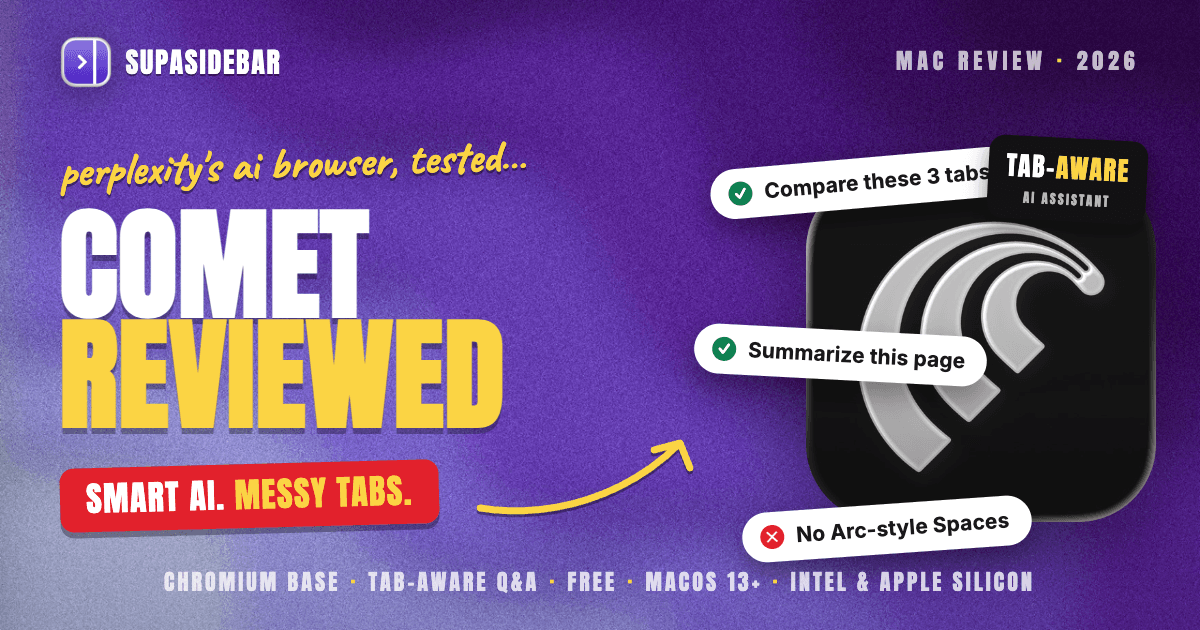
Comet is Perplexity's Chromium-based AI browser, built around an agentic assistant that can read every open tab, answer questions about them, and take actions like drafting emails or filling forms. It runs on macOS 13 (Ventura) and later, on both Intel and Apple Silicon, and it is free for everyone with a Perplexity account. The assistant and its tab-aware Q&A are the reason to install Comet, and they are genuinely good. The weak spot is tab management: Comet uses a conventional Chromium horizontal tab strip with no Arc-style Spaces, so the more tabs are open the more the window clutters, exactly the workflow the AI assistant cannot organize for users across other browsers. Comet is a good pick for AI-heavy researchers who live in one browser. For people who keep tabs spread across Comet, Chrome, and Safari at once, the gap is filled by SupaSidebar, a Mac sidebar app that shows live tabs from every browser, Comet included, in one place.
Quick verdict on Comet Browser for Mac in 2026
Comet is the strongest "AI is the point" browser on Mac right now, and the assistant earns its place. Asking it to compare three open tabs, summarize a long article without leaving the page, or pull the key numbers out of a dashboard works the way the marketing promises, and that tab-aware context is the feature reviewers and users consistently call out as the keeper.
The trade-off is that everything underneath the assistant is standard Chromium. There is no named workspace system like Arc's Spaces, no vertical-tab organization layer, and no session model beyond what Chrome already does. The autonomous agent mode is more hit-or-miss than the question-answering mode, which is the common thread across community reports. So Comet is excellent at thinking about a handful of tabs and average at helping organize dozens of them.
This review covers Comet on Mac as a standalone browser. It does NOT cover Comet head-to-head against Dia in depth (the Comet vs Dia post owns that comparison), and it does NOT rank Comet against the whole Mac browser field (the Best Browser for Mac 2026 guide owns that).
Comet Browser at a glance
| Attribute | Comet (Perplexity) |
|---|---|
| Browser engine | Chromium (Chrome extensions supported) |
| Headline feature | Agentic AI assistant with tab-aware Q&A |
| Tab organization | Conventional horizontal tab strip, no Arc-style Spaces |
| macOS requirement | macOS 13 (Ventura) or later, Intel and Apple Silicon |
| Other platforms | Windows, Android, iOS |
| Price | Free with a Perplexity account; optional Comet Plus add-on |
| Best for | AI-heavy researchers who work mostly inside one browser |
What Comet Browser actually is (and what it isn't)
Comet is a Chromium-based web browser made by Perplexity, the AI-search company. Pages render exactly as Chrome renders them, and because it is Chromium underneath, extensions from the Chrome Web Store install and run normally, confirmed across launch coverage including CNBC. The differentiator is not the rendering engine. It is the Perplexity assistant wired directly into the browsing session.
Comet is NOT a new browser engine. Web compatibility, site behavior, and the security model are Chromium's. The Comet team rebases its product on top of Chromium releases the same way other Chromium forks do.
Comet is NOT an "AI on the side" browser like Brave's Leo or Opera's Aria, where the AI is a bolt-on panel. Comet is structured around the assistant. The assistant can see open tabs, organize them, draft emails, and shop, per TechCrunch's launch coverage, and that agentic behavior is the core pitch rather than a feature in a menu.
Comet is NOT an Arc-style organization browser. It has no Spaces, no built-in vertical-tab workspace layer, and no session system beyond Chromium defaults. The intelligence is in the assistant, not in the tab UI.
The Comet assistant: where it genuinely shines
The assistant is the reason to try Comet, and tab-aware question answering is its best trick. Because the assistant can read every open tab, a prompt like "compare the pricing on these three tabs" or "summarize the open article" works without copy-pasting anything into a separate chat window. Community reports consistently single this out as the loved feature, while treating the fully autonomous agent mode as more variable, per discussion in r/perplexity_ai.
Beyond Q&A, the assistant is agentic. It can take multi-step actions on a page, draft replies, and run shopping or research tasks on the user's behalf. When the task is well-scoped and lives in one or two tabs, this is the part of Comet that feels like the future. When the task spans many tabs or sites, results get less reliable, which matches the general "great at reading, uneven at doing" pattern users describe.
For a researcher who keeps a cluster of related tabs open and asks the assistant to reason across them, Comet is a real upgrade over a normal browser plus a separate chatbot. That single workflow is what Comet does better than almost anything else on Mac.
Where Comet falls short: tab management at scale
The honest weakness is organization. Comet ships a conventional Chromium horizontal tab strip. There is no Arc-style Spaces system to separate work from personal from a side project, and no native vertical-tab workspace layer. As of mid-2026, public reviews note Comet still lacks the traditional tab-management features power users expect from organization-first browsers, with the consensus being that Comet excels at AI and integration but leaves tab organization to Chromium defaults, as summarized in Cybernews' 2026 Comet review.
This matters because the assistant's superpower, reading open tabs, scales badly against the tab strip's weakness. The more tabs open, the more useful cross-tab Q&A becomes, and the more crowded and unmanageable the horizontal strip gets. The browser invites people to keep many tabs open, then organizes none of them.
There is also the multi-browser reality. Almost nobody runs only one browser. A typical Mac setup keeps Chrome open for work because that is where the company sign-in lives, Safari for personal use, and now Comet for AI research. Comet's assistant can only see Comet's tabs. The tabs sitting in Chrome and Safari are invisible to it, and they pile up the same way they always did.
Comet on Mac: platform and requirements
Comet runs on macOS 13 (Ventura) and later, on both Intel and Apple Silicon Macs, per the Comet Help Center operating system requirements. That Ventura floor and Intel support make it more broadly installable than some newer AI browsers that require Apple Silicon and a more recent macOS.
Comet is not Mac-only. It also ships on Windows, Android, and iOS, with the iOS app receiving a major update in May 2026 per 9to5Mac. Cross-platform availability means a Comet user is not locked to a single device class.
Comet pricing in 2026
Comet is free to use for anyone with a Perplexity account, no browser subscription required. This was not always the case. Comet launched in July 2025 gated behind the Perplexity Max plan before being opened to everyone, as documented in Perplexity's own announcement and CNBC.
There is an optional Comet Plus add-on that bundles premium content from partner publishers. Pro and Max subscribers get it included, and it is available as a low-cost standalone add-on for everyone else, per the same launch coverage. None of that is required to use the browser or its assistant.
How SupaSidebar fits with Comet
Comet's assistant is excellent at reasoning across the tabs that are open inside Comet. The gap it leaves is everything outside Comet, plus the lack of an organization layer for tabs once there are a lot of them. That is the gap SupaSidebar closes.
SupaSidebar is a Mac sidebar app, not a browser and not an extension, that shows live tabs from every browser at once. Comet is a fully supported browser in SupaSidebar's Live Tabs, so a Comet user can see and switch to Comet tabs, Chrome tabs, and Safari tabs from one sidebar instead of alt-tabbing between three windows. Clicking a live tab switches to the existing tab rather than opening a duplicate.
On top of that, SupaSidebar adds the organization layer Comet does not have: Spaces to separate work, personal, and side projects; saved links and folders that persist across browsers; and a Command Panel for fuzzy search across saved items, recent items, and live tabs. The result is Comet for AI research, with a cross-browser sidebar holding the whole setup together.
| What you want | Comet alone | Comet + SupaSidebar |
|---|---|---|
| Ask AI about open tabs | Yes (Comet tabs only) | Yes, in Comet |
| See tabs from Chrome, Safari, and Comet together | No | Yes |
| Arc-style Spaces / workspaces | No | Yes |
| Persistent saved links across browsers | No | Yes |
| Fuzzy search across all tabs and saved items | No | Yes (Command Panel) |
Which Mac user should pick Comet?
- If AI research is the bulk of the work and it happens in one browser: pick Comet. The tab-aware assistant is the best version of that workflow on Mac today.
- If tabs are spread across Comet, Chrome, and Safari at once: Comet alone will not unify them. Add SupaSidebar so every browser's live tabs and the organization layer live in one sidebar.
- If the priority is workspace organization, not AI: Comet is the wrong starting point. A sidebar layer on top of any browser, or an organization-first browser, fits better. See the Best Browser for Mac 2026 guide.
- If the real question is Comet versus Dia: read the dedicated Comet vs Dia head-to-head, which compares the two AI browsers directly.
Conclusion
Comet is the AI browser to beat when the job is asking smart questions about the pages already open. The Perplexity assistant, and especially its tab-aware Q&A, delivers on the promise that older "AI in a side panel" browsers never quite reached, and it runs broadly on macOS 13 and later across Intel and Apple Silicon, free with a Perplexity account.
Single-browser AI researchers should install Comet and use the assistant heavily. Multi-browser users should pair Comet with a cross-browser sidebar, because Comet's assistant only sees Comet's tabs and its Chromium tab strip does not organize anything once the count climbs. People who care more about workspace structure than AI should treat Comet as one input, not the whole setup.
For anyone running more than one browser, the cross-browser tabs and organization layer come from SupaSidebar (free version available), which treats Comet as a first-class browser alongside the rest.
Why we recommend SupaSidebar
SupaSidebar is a macOS app that brings Arc's sidebar to every browser - one sidebar for tabs, bookmarks, files, and apps across 33 browsers including Safari, Chrome, Firefox, Edge, Arc, Brave, Vivaldi, Comet, and Dia. It is not a browser and not a browser extension. It is a native Mac app that adds a persistent sidebar to whatever browser is already in use, with Spaces to separate contexts, live tabs from every browser at once, and a Command Panel for fast search across everything saved and open.
For Comet users specifically, that means the AI research browser keeps doing what it is best at while SupaSidebar handles the part Comet leaves on the table: seeing and organizing tabs across Comet, Chrome, Safari, and the rest from one place.
By Kshetez Vinayak, founder of SupaSidebar.
FAQ
Is Comet browser good in 2026?
Comet is very good at AI-assisted research and tab-aware question answering, and it runs broadly on macOS 13 and later across Intel and Apple Silicon for free. Its weak spot is tab organization, since it uses a conventional Chromium tab strip with no Arc-style Spaces. It is a strong pick for AI-heavy single-browser workflows and a weaker pick for people who need to organize many tabs across several browsers.
Is Comet browser free?
Yes. Comet is free to use for anyone with a Perplexity account, with no separate browser subscription required. There is an optional Comet Plus add-on that bundles premium publisher content, included for Pro and Max subscribers and available as a low-cost add-on otherwise, but it is not needed to use the browser or its assistant.
What macOS version does Comet need?
Comet requires macOS 13 (Ventura) or later and runs on both Intel and Apple Silicon Macs. It also ships on Windows, Android, and iOS, so it is not Mac-only.
Does Comet have Spaces or workspaces like Arc?
No. As of mid-2026 Comet uses a conventional Chromium horizontal tab strip and does not have an Arc-style named Spaces system or a built-in vertical-tab workspace layer. The intelligence in Comet lives in the AI assistant, not in the tab-organization UI.
Can SupaSidebar work with Comet?
Yes. Comet is a fully supported browser in SupaSidebar's Live Tabs, so SupaSidebar can show and switch to Comet's open tabs alongside tabs from Chrome, Safari, and other browsers in one sidebar. SupaSidebar also adds Spaces, saved links, and a Command Panel that Comet does not have on its own.
What is Comet best at compared to other AI browsers?
Comet's standout strength is reading and reasoning across the tabs already open, so prompts like "compare these three tabs" work without leaving the page. For a direct comparison with the other major AI browser on Mac, see the Comet vs Dia head-to-head.