
By Kshetez Vinayak, founder of SupaSidebar. Last updated 2026-07-14.
Quick navigation:
- Comparing Dia specifically to Arc, or thinking about Dia as an Arc replacement? → Arc Browser vs Dia Browser
- Looking at every Arc alternative side-by-side? → Arc Browser Alternative Guide
- Want the broader Mac browser landscape in 2026? → Best Browser for Mac 2026
TL;DR:
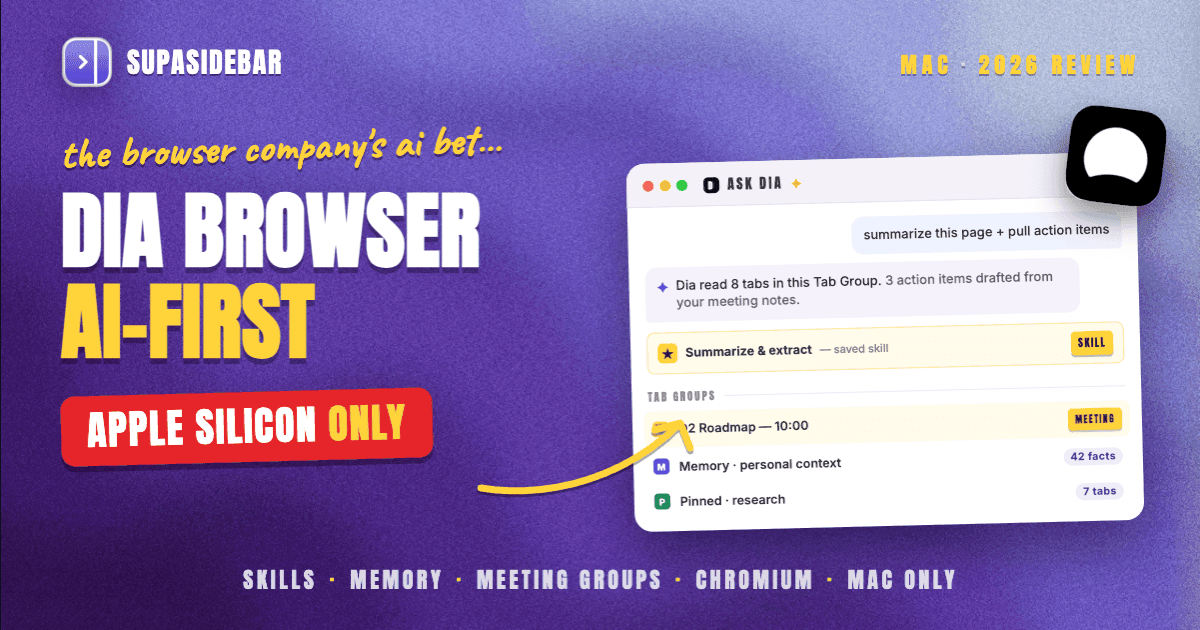
Dia is The Browser Company's Chromium-based AI-first browser, publicly launched on macOS October 9, 2025, and acquired by Atlassian for $610 million on October 21, 2025. It ships an AI assistant in the sidebar, custom AI shortcuts called Skills, a Memory system that pulls personal context from open tabs, and Tab Groups including auto-organized meeting tab groups. Dia is a fit for AI-heavy single-browser workflows on Apple Silicon Macs running macOS 14 or later, and it is NOT a fit for Intel Macs, Linux, Windows, or for users who relied on Arc's Spaces or StorableSidebar.json import. Multi-browser users still face a tab-pile problem Dia does not solve, and that is the gap SupaSidebar (a Mac sidebar app that works across 32+ browsers including Dia) fills on top.
Quick verdict on Dia Browser for Mac in 2026
Dia is a Chromium-based browser with a built-in AI assistant in the sidebar, custom AI shortcuts ("Skills"), a personal-context Memory feature, and Tab Groups including auto-organized meeting tab groups. It is currently available on Apple Silicon Macs running macOS 14 or later, with Windows on a signup-only waitlist and no Linux or Intel Mac support as of July 2026 per the official changelog and Wikipedia entry.
Dia is genuinely useful for users who lean heavily on AI for daily browsing and want that AI to read open tabs without copy-paste. The catch is that Dia replaces Arc's Cmd+T command bar with an AI chat box, has no Arc-style Spaces (profiles in separate windows instead), and offers no direct path to import a StorableSidebar.json file from Arc. Users coming from Arc face manual recreation of their setup.
This review covers Dia on Mac specifically, as a standalone browser. It does NOT cover Dia as an Arc replacement (the Arc-vs-Dia post and the Arc Alternative Guide own that intent), Windows or Linux behavior (Dia does not currently run there), or Dia Pro pricing tier comparisons in depth (covered briefly in the pricing section).
What Dia Browser actually is (and what it isn't)
Dia is a Chromium-based browser built by The Browser Company of New York, the same team that built Arc. It is published at diabrowser.com, runs on Chromium 144 as of v1.14.0 (January 2026), has kept shipping monthly updates since and reached v1.38.0 by July 2026 per the official changelog, and supports Chrome extensions through the standard Chromium extension API. The Browser Company itself is now an Atlassian subsidiary, acquired for $610 million in a deal announced October 21, 2025 per BusinessWire.
It is NOT a new browser engine. Pages render exactly as Chrome renders them, with the same web compatibility, the same site-by-site behavior, and a Chromium release cadence the Dia team rebases on top of.
It is NOT Arc 2.0. Dia uses profiles in separate windows where Arc used Spaces. Dia uses an AI chat box where Arc used a Cmd+T command bar. Dia has no Boosts (per-site CSS injection), no Easels (visual whiteboards), and no direct StorableSidebar.json import from Arc.
It is NOT an "AI on the side" browser like Brave's Leo or Opera's Aria. Dia's AI is central. The browser is structured around the assistant, not the other way around. Skills, Memory, and Tab Groups for Meetings all assume the AI is doing work users would otherwise do manually.
What Dia IS, and what it sells itself on, is the AI layer. The sidebar chat, the Skills system, the Memory feature, the meeting tab groups, the cross-tab context - these are the reasons users install Dia. Everything else is Chromium underneath.
Installing Dia on Mac and first impressions
Dia ships as a DMG download from diabrowser.com/download for Apple Silicon Macs running macOS 14 (Sonoma) or later. The installer rejects older macOS versions and refuses to launch on Intel Macs - per the Wikipedia entry on Dia and the official changelog, Apple Silicon is a hard requirement. Homebrew installation is not officially packaged by The Browser Company as of July 2026; users searching for "dia browser brew" will find community casks of varying reliability rather than an official brew install dia-browser recipe.
Public launch was October 9, 2025 per MacRumors, ending the invite-only beta that began June 2025. First-run setup imports bookmarks and history from another installed browser (Safari, Chrome, Edge, or Brave if present), then drops the user into the default profile with the AI sidebar open. Onboarding includes a short Skills walkthrough and a Memory opt-in.
The sidebar opens on the right by default. A chat pane sits at the top, an active tabs list below, and pinned tabs at the bottom. The chat pane is the headline interaction - the same place users type questions, build Skills, search Memory, and trigger Tab Groups commands.
Dia sidebar: what's actually in it
The sidebar is Dia's primary surface. Sidebar mode has been present since at least v1.0.1 (October 8, 2025) per the changelog, and vertical tabs were supported by v1.3.1 (October 29, 2025). The sidebar layout established by v1.16.0 (January 28, 2026) still holds the same four sections as of the latest changelog entries verified July 12, 2026, with Dia now on v1.38.0:
- AI chat pane. A scrollable conversation with Dia's assistant, scoped to either the current tab, a Tab Group, or the whole profile via
@-mentions. This is where Skills are invoked and Memory is queried. - Active tabs. A vertical list of tabs in the current window, with title and favicon. Pinned tabs and Tab Groups appear above regular tabs.
- Pinned tabs. Persistent across sessions, polished in v1.4.0 (November 5, 2025).
- Tab Groups. Including auto-organized meeting groups (v1.14.0, January 14, 2026), pinned Tab Groups (v1.16.0, January 28, 2026), and chat-anchored "@Tabs" references.
The sidebar can be collapsed to enter Focus Mode (Cmd+S to hide tabs entirely, added v1.3.1 October 29, 2025; sidebar-collapse Focus Mode added v1.5.0 November 12, 2025). There is also a Chromium Side Panel integration shipped in v1.10.1 (December 17, 2025) for extensions that need the standard Chromium side panel API.
What the sidebar does NOT have, per the changelog as of July 2026: Arc-style Spaces (profiles in separate windows are the closest analog), a fuzzy command bar of the Arc Cmd+T variety (the AI chat pane replaces it conceptually but is a chat box, not a search field), and Easels or Boosts (Arc features the Dia team chose not to port).
AI features: Skills, Memory, Tab Groups for Meetings
Dia's three headline AI features are Skills, Memory, and Tab Groups for Meetings. Each shipped at a verifiable point in the v1.x line.
Skills
are custom AI shortcuts built in plain English. The Natural Language Skill Builder shipped in v1.2.0 (October 23, 2025) and lets users describe a workflow ("summarize this page and pull out action items") and save it as a reusable skill. Skills can chain across tabs and integrate with services Dia has connected.
Memory
is the personal-context retrieval system. Automatic Memory Search shipped in v1.4.0 (November 5, 2025), and Memory Search via Tab Overflow shipped in v1.7.0 (November 30, 2025). Memory stores facts Dia has learned about the user from previous chats and tab activity, then surfaces them when relevant. Josh Miller, The Browser Company's CEO, has stated that Memory "lets your AI learn from every tab you open" per a Reddit thread surfacing his X post - a feature claim users have flagged as a privacy trade-off.
Tab Groups for Meetings
shipped in v1.14.0 (January 14, 2026). When a calendar event is open in a tab, Dia auto-creates a Tab Group containing every tab opened during that meeting and labels the group with the event name. Tabs opened during a Zoom call go into the meeting group. The group survives the call and is searchable later.
Other AI integrations
, with verifiable ship dates from the changelog:
- Gmail integration: v1.1.0, October 15, 2025
- Google Calendar integration: v1.1.0, October 15, 2025
- Search Slack: v1.6.0, November 19, 2025
- Slack activity search (mentions and unreads): v1.8.0, December 3, 2025
- Notion attachments: referenced in v1.13.1 polish (January 7, 2026), shipped earlier
- AppleScript and Raycast integration: v1.7.0, November 30, 2025
- YouTube summaries: v1.14.0, January 14, 2026
More recent updates.
Since the initial version of this review, Dia shipped Sync (v1.26.0) for cross-device history and settings, open-tab search via Cmd+Shift+A, automatic New Tab cleanup that closes stale blank tabs, and Live Groups that extend the meeting auto-grouping idea to Slack, Notion, and Confluence threads.
A common writer mistake about Dia is "Amplitude integration shipped in March 2026." The official changelog contains zero hits for Amplitude as of the July 12, 2026 fetch. Treat that claim as unverified.
Performance and RAM on Apple Silicon
Dia runs on Chromium 144 as of v1.14.0, with the current release at v1.38.0 (July 2026). Performance on Apple Silicon tracks Chromium's general behavior on Mac - faster JavaScript than Safari on Speedometer benchmarks, slightly higher RAM per tab than Safari, and battery consumption that lands between Chrome and Brave depending on how active the AI sidebar is. Independent third-party benchmarks comparing Dia specifically to Chrome and Safari on Apple Silicon are limited as of July 2026, so the honest framing is "expect Chromium-tier behavior on M-series Macs, with extra RAM overhead for the AI sidebar when active."
The AI sidebar itself adds memory pressure. When Memory is actively scanning open tabs or Skills are chained across tabs, RAM usage climbs noticeably compared to a Chromium baseline. Users running 30+ tabs with Memory enabled have reported the browser slowing on 8GB M1 Macs. Apple Silicon Macs with 16GB or more handle the load comfortably.
Intel Macs are not supported. Users with Intel-based Macs cannot install Dia. The download page refuses Intel processors per the Wikipedia entry on Dia.
Privacy posture and the Atlassian acquisition
Dia's Privacy Policy was updated in May 2025 with what a r/DiaBrowser post flagged as significantly broader data collection than Arc had. Dia collects "pages you visit" and AI queries as part of the assistant's training and personalization context. The official line is that Memory data is encrypted and personal, but the data-collection scope is broader than a non-AI browser.
End-to-end encrypted Sync is referenced on Dia's marketing pages for cross-device sync, but the exact scope (which fields are E2EE versus server-readable) is not detailed in the public changelog.
The Atlassian acquisition closed October 21, 2025. As of December 2025, Dia cleared an Atlassian security review and The Browser Company began recruiting for "Dia for Companies" per a r/DiaBrowser thread. Users skeptical of enterprise-owned browsers have raised this concern openly on the subreddit.
Pricing
Per diabrowser.com/pricing (last verified July 2026):
- Free tier with core browsing and basic AI features
- Dia Pro at $20 per month for extended AI features
Dia Pro is on the higher end for an AI browser. Comet (Perplexity's browser, often compared head-to-head with Dia on r/DiaBrowser - see Dia is Cooked by Comet thread) sits at a different price point with the Perplexity engine, and traditional browsers like Brave, Chrome, Firefox, Safari, and Zen are free. Users paying $20/month for Dia Pro are paying for the AI assistant and Memory, not for the browser itself.
Extensions and Chrome Web Store compatibility
Dia ships standard Chromium extension support and accepts Chrome Web Store installs. Manifest V3 extensions install and run normally. Manifest V2 phase-out was announced in v1.16.0 (January 28, 2026) targeting v1.17 - users running older M2 extensions should expect them to break in the v1.17 release line.
A Chromium Side Panel API integration shipped in v1.10.1 (December 17, 2025), so extensions that target the standard Chromium side panel work as expected. Notion-style extensions, password managers like 1Password and Bitwarden, and the standard Chrome Web Store catalog all install.
What does NOT install: Firefox-only extensions (Sidebery, Tree Style Tab, Mozilla's Container Tabs), Safari Web Extensions API exclusives, and Arc-specific Boosts (which were never a standard extension format).
Dia roadmap and platform status
A surprising amount of search traffic comes from queries like "dia browser ios app," "dia browser for linux," "dia browser windows," and "dia browser intel mac." Each has a specific status as of July 2026 per the official changelog and the Wikipedia entry.
Dia for iOS:
No iOS app shipped as of July 2026. Tab Handoff from iPhone shipped in v1.15.0 (January 22, 2026) - the Mac browser receives content from iOS Safari, but Dia itself does not run on iOS. The Browser Company has not publicly committed to an iOS release date.
Dia for Linux:
No Linux release as of July 2026. Linux is not in the changelog, not on the download page, and not on the signup waitlist. Linux users wanting an Arc-style Chromium browser typically look at Vivaldi or Brave with custom UI tweaks.
Dia for Windows:
A signup page exists at the time of the July 2026 fetch, with no release date. Windows is the most likely next platform, but as of this writing it is signup-only.
Dia for Intel Mac:
Not supported and not on the roadmap. Apple Silicon (M1, M2, M3, M4) is a hard requirement. Intel Mac users cannot install Dia.
Dia for Companies:
In recruiting per the Atlassian security review thread (December 2025). No public release date.
Dia via Homebrew:
No official cask from The Browser Company. Searches for "dia browser brew" return community casks of varying reliability. The official install path remains the DMG from diabrowser.com.
The headline takeaway: Dia is Apple Silicon Mac only as of July 2026. Cross-platform users (Mac + Windows, Mac + Linux, or any Intel Mac users) need a different browser for the non-Mac side.
How Dia compares to SupaSidebar
A common search pattern is "Dia vs Arc," which the Arc Browser vs Dia Browser post handles in depth. The relevant comparison here is different: Dia versus a cross-browser sidebar app. They solve different problems.
| Dimension | Dia Browser | SupaSidebar |
|---|---|---|
| Type | AI-first Chromium browser | Mac sidebar app on top of any browser |
| Browser scope | Single (itself) | 32+ browsers including Safari, Chrome, Firefox, Arc, Vivaldi, Brave, Helium, Dia |
| Engine | Chromium | Native macOS app (not a browser) |
| OS requirement | macOS 14+, Apple Silicon only | macOS 14+, Intel and Apple Silicon |
| Sidebar | In-browser, AI-centric | Persistent across every supported browser |
| Spaces / contexts | Profiles in separate windows | Spaces, with iCloud sync |
| Command surface | AI chat pane | Command Panel (Cmd+Ctrl+K) with 7 search scopes |
| Tab routing | Manual or AI-assisted within Dia | Air Traffic Control routes to Spaces, browsers, AND profiles |
| AI features | Skills, Memory, Tab Groups for Meetings | Ask AI mode in Command Panel (operates on sidebar data) |
| Arc data import | Manual recreation only | 3-click direct StorableSidebar.json import |
| Pricing model | Free + $20/month Pro | Free tier with 3 Spaces, Pro Personal available |
The two products coexist comfortably. A user running Dia as their primary browser can install SupaSidebar on top and gain a persistent sidebar that survives across Dia plus Safari (for iCloud Keychain workflows) plus Chrome (for Google Workspace) plus any other browser open on the machine.
One real-user data point on this combination, from user-quotes-for-content.md:
"I switched from Arc to Dia and I'm not quite satisfied with how it handles tab management. Then I came across your app on the Arc subreddit." - Jörg Heckel, after migrating Arc → Dia → SSB
The same multi-browser tab-pile problem Arc could not solve at the OS level, Dia also cannot solve at the OS level. The browser is one app; tabs live inside it. A Mac sidebar app sitting outside the browser is the layer that unifies them.
What Dia gets right
Dia gets the AI integration right. The Skills system is the cleanest implementation of "describe what you want, save it as a reusable command" shipped by any browser as of July 2026. Skills compose. They chain across tabs. The Natural Language Skill Builder lowers the barrier from "write a prompt template" to "describe the outcome."
Memory is genuinely useful for users who do research across many tabs. Automatic Memory Search means the browser surfaces context without explicit retrieval - relevant prior chats and tabs appear as suggestions when typing in the chat pane.
Tab Groups for Meetings is a category-of-one feature. No other browser auto-organizes calendar tabs into a group. For users in 4+ meetings a day with reference material scattered across tabs, the auto-grouping is the kind of small workflow win that pays for the Pro subscription on its own.
The Chromium foundation is conservative engineering. Web compatibility, extension support, and security update cadence all match Chrome. Users coming from Chrome give up nothing on the web platform; users coming from Arc give up Boosts and Easels.
What Dia gets wrong (or just doesn't do)
Dia is single-browser. There is no cross-browser story. Users running Dia plus another browser on the same Mac have two separate tab piles, two separate session manager states, two separate sidebar workflows.
Dia has no Arc data import. The user with an exported StorableSidebar.json from Arc has to manually recreate Spaces as profiles, recreate pinned tabs, and recreate Folders. The Arc Alternative Guide covers this gap in detail.
Dia replaces Arc's Cmd+T command bar with an AI chat box. This is a deliberate philosophical choice (AI-first instead of fuzzy-search-first), but it is a downgrade for users whose Arc muscle memory was "hit Cmd+T, type a fragment of the tab title, hit Enter." The chat pane is a conversation, not a search field. Users coming from Arc report on r/DiaBrowser that the muscle memory does not transfer.
Dia is Apple Silicon Mac only. Intel Mac users, Windows users (signup-only), and Linux users are excluded as of July 2026.
Dia Pro at $20 per month is on the higher end for an AI browser, especially when Chrome plus a free AI extension (Sider, Monica) provides comparable AI-in-the-sidebar functionality at $0. Users paying for Pro are paying for Memory and Skills depth, not for browsing.
Privacy data collection scope is broader than non-AI browsers. The Privacy Policy update flagged on r/DiaBrowser in May 2025 is worth reading before opting into Memory.
Conclusion: Picking what to use
For Apple Silicon Mac users who want an AI assistant in the browser, lean heavily on the AI for daily work, and run a single browser, Dia is the strongest option on Mac as of July 2026. Skills, Memory, and Tab Groups for Meetings are real differentiators, and the Chromium foundation keeps web compatibility on solid ground.
For Arc refugees expecting a 1:1 replacement, Dia is not the answer. Spaces are gone (profiles in separate windows are not the same mental model), the Cmd+T command bar is gone (an AI chat pane replaces it conceptually but not in muscle memory), and there is no StorableSidebar.json import path. The Arc Browser Alternative Guide covers the full landscape of Arc replacements.
For Intel Mac users, Windows users, Linux users, or anyone running 2+ browsers daily, Dia is not the right tool today. Intel and Linux are not supported; Windows is signup-only. Multi-browser users still face the same tab-pile problem Dia does not solve.
For users running Dia as their primary browser but also using Safari, Chrome, or any other browser on the same Mac, layering a cross-browser sidebar on top closes the gap Dia leaves at the OS level. Try SupaSidebar (free tier) for the persistent cross-browser sidebar that works with Dia and every major Mac browser, or read the Best Browser for Mac 2026 guide for the broader Mac browser landscape.
Why we recommend SupaSidebar
SupaSidebar is a macOS app that brings Arc's sidebar to every browser - one sidebar for tabs, bookmarks, files, and apps across 32+ browsers including Safari, Chrome, Firefox, Arc, Vivaldi, Brave, Helium, and Dia. It runs on macOS 14 and later on both Intel and Apple Silicon Macs, includes a free tier with 3 Spaces and a 7-day trial of all Pro features, supports a 3-click direct import from Arc's StorableSidebar.json, and includes Command Panel (Cmd+Ctrl+K) as an upgrade over Arc's Cmd+T with cross-browser tab search and 7 search scopes. SupaSidebar does not replace Dia or any browser - it layers a persistent sidebar on top of every browser open on the Mac, so Dia's AI workflows continue inside Dia while Safari, Chrome, and Firefox tabs join the same sidebar surface.
Frequently Asked Questions
Is Dia browser good in 2026?
Dia is good for Apple Silicon Mac users who want an AI-first browser with Skills, Memory, and Tab Groups for Meetings, and who run a single browser. It is not good for Intel Macs (not supported), Linux (not supported), Windows (signup-only as of July 2026), or for users expecting an Arc 1:1 replacement.
What are the main Dia browser features?
The headline features are: AI assistant in the sidebar (since v1.0.1, October 8, 2025), Skills (custom AI shortcuts built in plain English, v1.2.0, October 23, 2025), Memory (personal-context retrieval, v1.4.0 onward), Tab Groups (v1.9.0, December 10, 2025), Tab Groups for Meetings (v1.14.0, January 14, 2026), Focus Mode (v1.3.1, October 29, 2025), and integrations with Gmail, Google Calendar, Slack, Notion, AppleScript, and Raycast.
Does Dia browser have a sidebar?
Yes. Dia has a sidebar by default, with an AI chat pane at the top, active tabs in the middle, and pinned tabs and Tab Groups at the bottom. The sidebar has been present since at least v1.0.1 (October 8, 2025). Vertical tabs were supported by v1.3.1 (October 29, 2025).
Is there a Dia browser iOS app?
No. There is no Dia iOS app as of July 2026. Tab Handoff from iPhone shipped in v1.15.0 (January 22, 2026) so the Mac browser can receive content from iOS Safari, but Dia itself does not run on iOS.
Is Dia browser available on Linux?
No. Linux is not supported and is not on the public roadmap as of July 2026.
Is Dia browser available on Windows?
Not yet as a release. A signup page exists at diabrowser.com but no Windows version has shipped publicly as of July 2026.
Does Dia browser work on Intel Macs?
No. Dia requires an Apple Silicon Mac (M1, M2, M3, or M4) and macOS 14 (Sonoma) or later. Intel Macs cannot install Dia.
Can I install Dia browser via Homebrew?
There is no official Homebrew cask from The Browser Company as of July 2026. Community casks exist with varying reliability. The official install path is the DMG download from diabrowser.com/download.
How much does Dia browser cost?
Dia is free with core browsing and basic AI features. Dia Pro is $20 per month for extended AI features. Pricing is published at diabrowser.com/pricing and was last verified July 2026.
Can Dia import data from Arc?
No direct import. Dia does not accept Arc's StorableSidebar.json file. Users coming from Arc need to manually recreate Spaces (as profiles), pinned tabs, and Folders.
By Kshetez Vinayak, founder of SupaSidebar. Last updated 2026-07-14.