
By Kshetez Vinayak, founder of SupaSidebar. Last updated 2026-06-30.
Quick navigation:
- Want the full Dia review before deciding to leave? → Dia Browser Mac Review 2026
- Weighing Dia against the other AI browser, Comet? → Comet vs Dia Browser
- Comparing Dia specifically as an Arc replacement? → Arc Browser vs Dia Browser
- Looking for what to use instead of Dia? You are in the right place. Keep reading.
TL;DR:
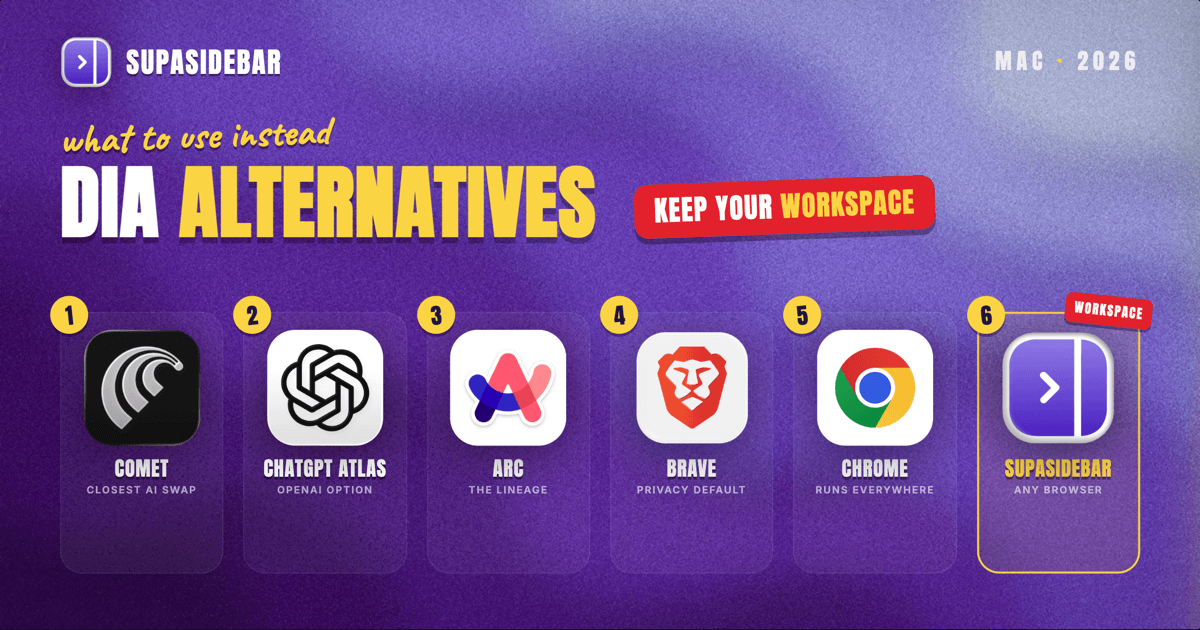
The best Dia browser alternative depends on why you are leaving. If you want a different AI-first browser, Perplexity Comet is the closest like-for-like and runs free on both Intel and Apple Silicon Macs, while ChatGPT Atlas is the OpenAI-backed option. If Dia simply will not run on your machine (it needs an Apple Silicon Mac on macOS 14 or later, with no Intel, Linux, or shipped Windows build as of mid-2026), almost any mainstream browser is a fit. And if what you actually liked about Dia was having one organized place for your tabs and tools, the gap is not a browser at all: SupaSidebar is a Mac sidebar app that gives you Arc-style Spaces and a unified tab view across 32+ browsers, including Dia itself, so the workflow survives whichever browser you choose next.
Dia browser alternatives at a glance
| Alternative | Type | Runs on | AI built in | Best for |
|---|---|---|---|---|
| Perplexity Comet | AI-first browser | macOS 13+, Intel + Apple Silicon, Windows | Yes (agentic, tab-aware) | The closest AI-browser swap, on any Mac |
| ChatGPT Atlas | AI-first browser | macOS (Apple Silicon focus) | Yes (ChatGPT in the page) | OpenAI users who want ChatGPT in the browser |
| Arc | Chromium, sidebar-first | macOS, Windows | Light AI tools | People who wanted Dia's Arc lineage, not its AI |
| Brave | Chromium, privacy-first | macOS, Windows, Linux | Leo assistant (optional) | Privacy-led browsing with an AI option on the side |
| Google Chrome | Chromium, mainstream | Everything | Gemini features | The familiar, runs-everywhere default |
| SupaSidebar | Sidebar app (not a browser) | macOS 14+, Intel + Apple Silicon | Ask AI (own key) | Keeping one organized workspace across any browser |
Why people look for a Dia alternative
Dia is The Browser Company's Chromium-based, AI-first browser, publicly launched on macOS on October 9, 2025 and now owned by Atlassian after a $610 million acquisition that closed October 21, 2025 per BusinessWire. It puts a conversational AI assistant in the sidebar, adds custom AI shortcuts called Skills, and pulls personal context from open tabs through a Memory feature.
Three reasons send people looking for something else. The first is hardware: Dia requires an Apple Silicon Mac running macOS 14 or later, so Intel Macs cannot run it at all, and there is no Linux build and no shipped Windows version as of mid-2026 (the Windows signup page exists, but the release does not). The second is workflow: Dia replaces Arc's Cmd+T command bar with an AI chat box and has no Arc-style Spaces, using profiles in separate windows instead, which frustrates anyone who came from Arc expecting that model. The third is lock-in: Dia is a whole browser, so adopting it means moving your daily browsing into it, and leaving means moving out again.
Which alternative fits depends on which of those three is your reason. The sections below are grouped that way.
Perplexity Comet: the closest AI-browser swap
Perplexity Comet is the most direct Dia alternative if what you want is another AI-first browser, and it removes Dia's biggest limitation by running on far more machines. Comet is a Chromium browser with an agentic assistant that can see your open tabs, answer questions about them, organize tabs, and handle multi-step tasks.
Comet runs on macOS 13 (Ventura) or later, on both Intel and Apple Silicon, which means the Intel Mac owners Dia shuts out can actually use it, per the Comet Help Center. It also ships on Windows, Android, and iOS. Comet became free for everyone with a Perplexity account in late 2025, so there is no paywall to try it, per CNBC.
The tradeoff is the same shape as Dia's: it is a conventional Chromium tab strip with an AI layer, not a workspace-organized browser. The loved feature in community reviews is tab-aware Q&A, the kind where you ask it to compare three open tabs, while the autonomous agent mode gets mixed reviews. For a head-to-head between these two, the Comet vs Dia comparison goes deeper.
Best for:
Dia users who want the AI-browser experience but need it to run on an Intel Mac or for free.
ChatGPT Atlas: the OpenAI option
ChatGPT Atlas is the alternative for people whose AI of choice is ChatGPT rather than Dia's assistant. Atlas reframes the browser around OpenAI's model, letting ChatGPT read the page you are on and act inside it, the same agentic direction Dia and Comet took.
Atlas, Comet, and Dia are routinely grouped together as the leading agentic AI browsers of 2026, so moving between them keeps you in the same product category rather than stepping back to a classic browser. If your reason for leaving Dia is that you would rather have ChatGPT than The Browser Company's assistant, Atlas is the natural target. As with the others, it is a full browser, so adopting it is a migration of your daily browsing, not an add-on.
Best for:
ChatGPT-first users who want their assistant living in the browser instead of a separate tab.
Arc: if you wanted the lineage, not the AI
Arc is the alternative for people who liked that Dia came from The Browser Company but did not actually want an AI-first browser. Arc is the sidebar-and-Spaces browser Dia succeeded, and it still runs today with its Spaces, command bar, and vertical tabs intact.
The honest caveat is that Arc entered maintenance mode on May 27, 2025 and is no longer getting new features, per the Browser Company's letter to Arc members. It works, but it is a frozen product. That makes Arc a reasonable short-term home for someone who wants the Spaces-and-sidebar model rather than a chat box, while knowing development has stopped. Anyone weighing Arc against Dia directly should read the Arc vs Dia comparison, which owns that question in full.
Best for:
Former Arc users who preferred the workspace model over Dia's AI and accept a browser that is no longer updated.
Brave and Chrome: if you just need a normal browser
Brave and Google Chrome are the alternatives for the simplest reason of all: Dia will not run on your machine, or you are done with AI-first browsers and want something dependable. Both are Chromium browsers, so Chrome Web Store extensions work in either.
Brave runs on macOS, Windows, and Linux, blocks trackers and ads by default through its Shields system, and includes an optional Leo AI assistant you can ignore if you want, per Brave. Chrome runs on everything, is the familiar default, and now carries Gemini-based AI features for people who still want some assistance. Neither tries to be a workspace-organized browser; they are browsers in the traditional sense, which for many people leaving an AI-first experiment is exactly the point.
Best for:
Anyone on an Intel Mac, Linux, or Windows, or anyone who wants a stable, mainstream browser without the AI-first framing.
SupaSidebar: keep your workspace across whatever browser you pick
For a lot of people, the thing they actually liked about Dia was not the AI at all. It was having one organized place for their tabs and tools. The trouble is that every browser alternative above asks you to move into a single new browser and rebuild that organization inside it, and then lose it again the next time you switch. That is the gap none of the browsers close.
SupaSidebar is a Mac sidebar app, not a browser, that gives you that organized workspace and keeps it no matter which browser you run. It puts an Arc-style sidebar with Spaces on top of Safari, Chrome, Brave, Comet, Dia, or any of 32+ supported Mac browsers, with a Command Panel to search across all of them and a Live Tabs view that shows your open tabs from every browser in one list. So you can pick any Dia alternative above as your actual browser and still keep one consistent sidebar across it. For users coming from Arc, importing an Arc sidebar takes three clicks through Preferences, Import and Export, Arc, Import, with no file copying. This cross-browser-workspace job is the one multi-browser users repeatedly ask for, and it is the one a single new browser cannot do for you. For a side-by-side of how SupaSidebar stacks up against Dia specifically, see Dia Browser vs SupaSidebar.
Here is what that looks like in practice for someone who left Dia but kept its AI habits:
| Example Space | Links inside |
|---|---|
| Research (AI tabs) | chatgpt.com, perplexity.ai, claude.ai, notion.so |
| Client work | the client's app, gmail.com, calendar.google.com, slack.com |
| Personal | youtube.com, reddit.com, the bank login, amazon.com |
Switching Spaces swaps the whole set of tabs in view at once, so the AI research context and the client context never bleed into each other, even if half of those tabs live in Comet and half live in Safari. SupaSidebar organizes the tabs around your work; it does not replace your browser or add its own AI model to your browsing, and it is macOS 14 or later only. The point is that the workspace stops being tied to one browser's survival.
Best for:
People who liked Dia's "one organized place" feeling and want it to outlast any single browser choice.
Which Dia alternative should you pick?
- If you want another AI browser that runs on any Mac: pick Perplexity Comet. It is the closest swap and works on Intel Macs and for free.
- If your AI of choice is ChatGPT: pick ChatGPT Atlas and keep the agentic-browser experience with OpenAI's model.
- If you wanted Dia's Arc lineage, not its AI: Arc still has Spaces and the command bar, with the caveat that it is in maintenance mode and frozen.
- If Dia just will not run on your machine, or you are done with AI browsers: Brave (privacy-first, cross-platform) or Chrome (familiar, everywhere) are the dependable defaults.
- If what you liked was one organized workspace: add SupaSidebar on top of whichever browser you choose, so your Spaces and tabs survive the switch instead of being rebuilt inside one more browser.
Conclusion: what to use instead of Dia in 2026
There is no single best Dia browser alternative, because people leave Dia for different reasons. AI-browser users get the closest match from Perplexity Comet, which runs on more Macs than Dia does, or from ChatGPT Atlas if they prefer OpenAI's model. Users blocked by Dia's Apple-Silicon-only requirement, or simply tired of the AI-first model, are best served by Brave or Chrome, which run everywhere and behave like normal browsers. And former Arc users who wanted the workspace model over a chat box can return to Arc, accepting that it is frozen in maintenance mode.
The pattern worth noticing is that every one of those is a whole browser, so switching means rebuilding your setup inside it. If the thing you valued in Dia was having one organized home for your tabs and tools, the better move is to stop tying that home to a single browser. SupaSidebar gives you Arc-style Spaces and a unified tab view across 32+ browsers including Dia, so you can choose any browser above as your daily driver and keep the same workspace on top of it.
Try SupaSidebar (free tier) and keep your workspace whichever browser you land on.
FAQ
What is the best alternative to Dia browser?
It depends on why you are switching. For another AI-first browser that runs on any Mac, Perplexity Comet is the closest match and is free. For a normal, dependable browser, Brave or Chrome are the strongest picks. If you mainly want one organized workspace for your tabs, SupaSidebar adds that on top of any browser rather than replacing your browser.
Is there a Dia browser alternative for Intel Macs?
Yes. Dia requires an Apple Silicon Mac on macOS 14 or later and cannot run on Intel Macs at all. Perplexity Comet runs on macOS 13 or later on both Intel and Apple Silicon, making it the closest AI-browser alternative that Intel Mac owners can actually install. Brave and Chrome also support Intel Macs.
Is there a free alternative to Dia browser?
Dia has a free tier, with Dia Pro at $20 per month. Among alternatives, Perplexity Comet is free for everyone with a Perplexity account, and Brave and Chrome are free browsers. SupaSidebar has a free tier as well, with the main paid difference being unlimited Spaces.
What can I use instead of Dia if I want Arc's Spaces?
Arc itself still has Spaces, though it has been in maintenance mode since May 2025 and is no longer updated. If you want Arc-style Spaces on a browser that is actively developed, SupaSidebar adds a Spaces-based sidebar on top of any current browser, so you get the workspace model without depending on a frozen browser.
Does Dia import data from Arc?
No. As of 2026, Dia offers no direct import of an Arc StorableSidebar.json file, so moving from Arc to Dia means recreating your setup manually. SupaSidebar, by contrast, imports an Arc sidebar in three clicks through Preferences, Import and Export, Arc, Import.
Is SupaSidebar a replacement for Dia browser?
Not exactly. SupaSidebar is a sidebar app, not a browser, so it does not replace Dia or any browser one-for-one. It works alongside whichever browser you use, adding Arc-style Spaces and a cross-browser tab view. You can run it on top of a Dia alternative like Comet or Brave to keep one organized workspace across them.
By Kshetez Vinayak, founder of SupaSidebar. Last updated 2026-06-30.