
By Kshetez Vinayak, founder of SupaSidebar. Last updated 2026-06-28.
TL;DR
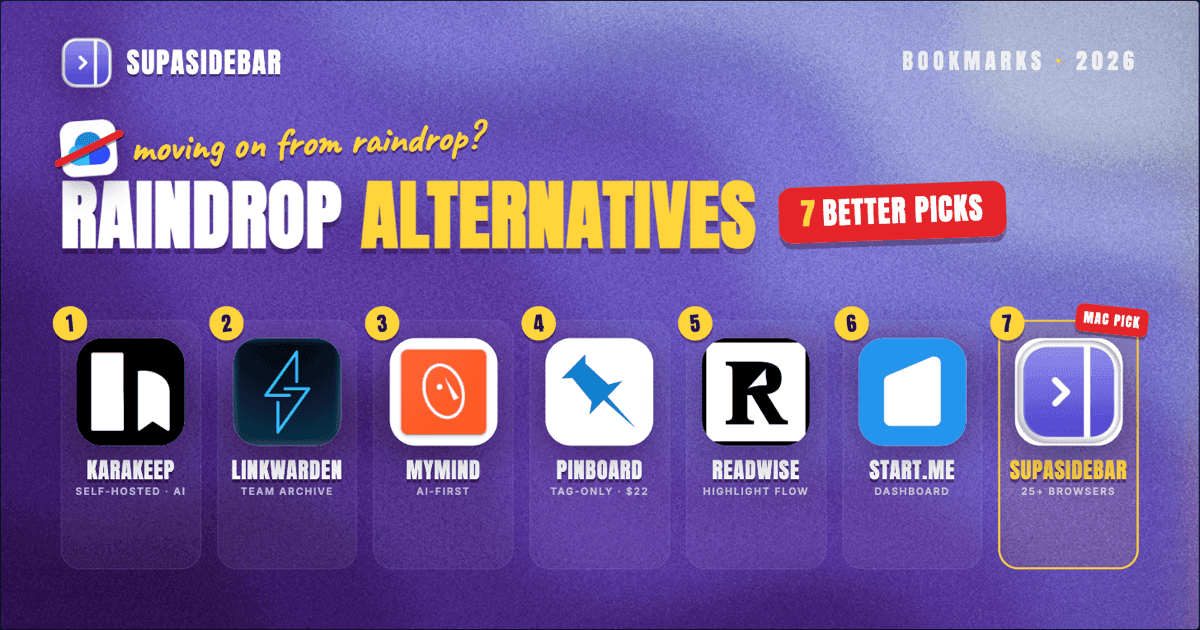
Raindrop.io is a strong all-around bookmark manager, but it has real gaps: a paid tier for full-text search, an Android app that is mostly a share sheet, and a one-developer dependency that worries long-term users. Seven alternatives cover the gaps in 2026: Karakeep and Linkwarden for self-hosted control, mymind for AI-first auto-organization, Pinboard for minimalist tag-only workflows, Readwise Reader for highlight-driven reading, Start.me for visual dashboards, and SupaSidebar for Mac users who save bookmarks across multiple browsers from a single sidebar. The right pick depends on whether the priority is data ownership, AI organization, reading flow, or cross-browser access. The full feature matrix and segment recommendations are below.
Quick navigation:
- Need the full bookmark-manager comparison? → Best Bookmark Manager for Mac and Chrome (2026)
- Lost Pocket and need a read-later replacement? → Pocket Alternatives: Best Read-Later Apps (2026)
- Comparing Raindrop alternatives? → Keep reading.
Why people leave Raindrop.io in 2026
Raindrop is well-designed and the free tier is generous, which is why it tops most "best bookmark manager" lists. The reasons users start looking for alternatives are specific:
- Full-text search is paywalled. The free tier limits search to titles, tags, and notes. Searching the actual content of saved pages requires the Pro subscription.
- Mobile apps lag the web. A Reddit user on r/selfhosted captured a common frustration: "the Android 'app' (literally just a 'share to'-shortcut), and their Firefox extension doesn't work as great as their Chrome extension." [r/selfhosted thread]
- One-developer risk. Raindrop has been a solo project for years. As one r/selfhosted commenter put it: "The only reason I don't wanna rely on Raindrop is its one-man operation nature. What happens when he abandons it?" After Pocket shut down in July 2025 and Omnivore was acqui-hired by ElevenLabs in late 2024, this concern is louder than it used to be.
- Browser-specific quality differs. The Chrome extension is the polished one. The Firefox and Safari extensions handle the basics but lag on features and stability.
- It is a bookmark manager, not a read-later app. Raindrop has a reader mode, but newsletter ingestion, full text-to-speech, RSS, and highlighting tools are limited compared to dedicated reading apps.
None of these are dealbreakers for everyone. They are dealbreakers for specific use cases. The right alternative depends on which one matters most for the workflow.
Quick comparison table
| Tool | Free tier | Paid tier (USD) | Self-host option | AI features | Mac-native app | Multi-browser focus |
|---|---|---|---|---|---|---|
| Karakeep | Self-hosted free | Cloud option | Yes (open source) | AI tagging, auto-summaries | No (web) | Browser extensions |
| Linkwarden | Self-hosted free | Cloud subscription | Yes (open source) | AI tagging | No (web) | Browser extensions |
| mymind | 100 cards | Subscription | No | Auto-tagging, image OCR | Yes (Mac app) | Browser extensions |
| Pinboard | Paid only | $22/year | No | None | No (web + 3rd-party apps) | Browser extensions |
| Readwise Reader | Free reading | Subscription | No | AI summaries, ghostreader | No (web + mobile) | Browser extensions |
| Start.me | Free tier | Subscription | No | None | No (web) | Browser extensions |
| SupaSidebar | Free Forever (3 Spaces) | Pro tier | No | Ask AI on sidebar data | Yes (Mac sidebar) | 32+ browsers |
The seven Raindrop.io alternatives, ranked by use case
1. Karakeep - Best self-hosted alternative with AI
Karakeep (formerly Hoarder) is an open-source, self-hostable bookmark manager that has gained traction in 2026 as the closest functional replacement for Raindrop's feature set. It supports nested collections, full-text search of page content, AI-generated tags, automatic summaries, and a clean reader mode.
What works:
Karakeep stores a full archived copy of every page, runs full-text search on the saved content (no paywall), and supports automatic AI tagging via OpenAI or Ollama for local LLMs. Browser extensions for Chrome and Firefox handle quick saves. iOS and Android apps are functional, not just share-sheet shortcuts.
Where it falls short:
Karakeep is self-hosted by default. The cloud option exists but the project's main path is "deploy it yourself," which means Docker, a server, and ongoing maintenance. Not friendly for non-technical users. Mac users get no native app, only the web interface.
Best for:
Technical users who want Raindrop's UX with full data ownership and free full-text search.
2. Linkwarden - Best collaborative self-hosted option
Linkwarden is another open-source bookmark manager that has matured fast in the past 18 months. It focuses on collaborative bookmarking - shared collections, team workflows, and link preservation via the Internet Archive integration.
What works:
Linkwarden archives every saved page (HTML, screenshot, and PDF copies), supports tags and nested collections, and includes built-in AI tagging. The Linkwarden Cloud subscription handles hosting for non-technical users. Self-hosting is completely free via Docker.
Where it falls short:
The web interface is functional but less polished than Raindrop. Mobile apps exist but lag the web experience. No Mac-native app. The cloud tier exists but pricing is less generous than Raindrop's free tier for casual users.
Best for:
Teams and small organizations that need shared bookmark collections without paying per-seat for SaaS tools.
3. mymind - Best for AI-first auto-organization
mymind takes a different approach: the entire premise is "save now, organize never." Auto-tagging via AI, OCR on screenshots, color and category detection, and search that surfaces saved items by visual or text content - all without manual organization.
What works:
mymind's automatic organization is genuinely useful. Drop in a screenshot, an image, an article, or a quote, and the system tags it and makes it searchable without any folder structure. Mac app is native and clean. Browser extensions for Chrome, Safari, and Firefox handle quick captures.
Where it falls short:
Subscription-only, no free tier beyond the first 100 cards. AI organization can mistag items - if it misreads a saved page's topic, the only way to fix it is manual override, which defeats the "save now, organize never" promise. No nested collections by design (philosophical choice, but a downgrade if hierarchical structure matters).
Best for:
Visual thinkers who hate folder organization and want AI to handle structure invisibly.
4. Pinboard - Best minimalist tag-only alternative
Pinboard has been around since 2009 and remains the answer for users who want their links stored, tagged, and findable - nothing more. No AI, no visual cards, no reader mode, no drag-and-drop moodboards. Just a fast, tag-centric service.
What works:
Pinboard is fast, reliable, and inexpensive at $22/year for the standard plan ($39/year with archiving). The bookmarklet handles saving from any browser. Tag-based search is sharp. Third-party iOS apps like Pinner and Pushpin handle mobile.
Where it falls short:
No native app. No archiving on the basic tier (the archive add-on costs extra annually). The interface is text-only and intentionally retro - users who want previews, thumbnails, or visual browsing will hate it. No AI features.
Best for:
Heavy bookmarkers who value speed, ownership, and a tag-only workflow over visual polish.
5. Readwise Reader - Best for read-later and highlighting
Readwise Reader is closer to a reading and annotation pipeline than a traditional bookmark manager. It saves articles, PDFs, emails, YouTube videos, and tweets into a unified reading queue with highlighting that syncs to Readwise's spaced-repetition system.
What works:
Reader's highlight workflow is the best on the market - highlights flow into Notion, Obsidian, Logseq, or any second-brain tool via Readwise sync. Ghostreader (the built-in AI assistant) summarizes articles, defines terms, and answers questions about saved content. Newsletter ingestion via a dedicated email address. Excellent mobile apps.
Where it falls short:
Subscription-only at the full feature level. The free tier is limited to reading without highlighting export. Not designed for collecting links to revisit - designed for processing content linearly. No nested collections, just queues and feeds.
Best for:
Readers who highlight heavily and want bookmarks that turn into research material via Readwise's review system.
6. Start.me - Best for visual dashboards
Start.me treats bookmarks as a personal dashboard rather than a list. Each saved link sits on a visual grid that can replace the new-tab page or function as a team homepage with shared widgets, RSS feeds, and notes.
What works:
The visual dashboard format is genuinely different - bookmarks become navigation, not storage. Team dashboards work well for shared resource hubs. Free tier supports unlimited bookmarks (with limits on dashboards and widgets). Browser extensions for Chrome, Firefox, Edge, and Safari.
Where it falls short:
Search is weaker than Raindrop. No archiving of saved pages. AI features are limited. The visual format works for ~50 to 200 bookmarks - past that, the dashboards get unwieldy. Mobile apps lag the web.
Best for:
Users who want bookmarks as a daily homepage rather than an archive to search.
7. SupaSidebar - Best for Mac users with multiple browsers
SupaSidebar is a different category of tool. It is a Mac sidebar app, not a web service. Saved links, bookmarks, recent items, and live browser tabs all live in a persistent sidebar that stays accessible across Safari, Chrome, Firefox, Arc, Zen, Vivaldi, Brave, Helium, and Dia (32+ browsers in total). Per the product reference, it works with 32+ browsers and routes saves to the right Space based on Air Traffic Control rules.
What works:
SupaSidebar removes the "which browser did I save that in" problem. Smart Save (⌘⌃S) captures the current browser page and routes it to the matching Space via ATC rules. The Command Panel (⌘⌃K) searches saved links, recent items, AND live tabs across every browser at once. There is no per-browser extension - the sidebar talks to browsers via AppleScript, so adding a new browser does not require installing anything. The Ask AI mode runs over sidebar data (search, create folders, move items). All data stays on-device with optional iCloud sync.
Where it falls short:
Mac-only. Not designed as a long-form read-later app - no reader mode, no highlighting workflow, no newsletter ingestion. Free tier caps at 3 Spaces (almost every other feature works in the free tier). No collaborative shared collections.
Best for:
Mac users who save links from multiple browsers and want a persistent sidebar that unifies tabs, bookmarks, and saved pages across all of them. For a direct head-to-head, see SupaSidebar vs Raindrop.io.
How to pick: a decision tree
The right alternative depends on which Raindrop gap matters most.
If data ownership is the priority:
Self-host with Karakeep or Linkwarden. Karakeep is closer to Raindrop's feature set; Linkwarden is stronger for collaboration. Both are free if hosted locally and require Docker familiarity.
If AI organization is the priority:
mymind is the most committed to the AI-first model. Karakeep and Linkwarden have AI tagging but are not built around it. Readwise Reader's AI is reading-focused, not organization-focused.
If reading and highlighting is the priority:
Readwise Reader is the answer. It is not really a Raindrop replacement - it is a different kind of tool that absorbs the read-later use case more completely than Raindrop ever did.
If multi-browser access is the priority on Mac:
SupaSidebar is the only tool in this list designed for the "I have Chrome for work, Safari for personal, and Arc for testing" problem. The sidebar stays accessible across all of them, and the Command Panel searches saved items plus live tabs in every browser at once.
If minimalism and a low flat price matter most:
Pinboard. Cheap annual plan, no AI, no visual fluff.
If a personal dashboard is the goal:
Start.me. The visual grid replaces the new-tab page in a way no other tool in this list does.
What Raindrop still does better
Being fair: Raindrop.io still wins on a few things, and switching for the sake of switching is a bad idea.
- Free tier generosity. Unlimited bookmarks, unlimited collections, and a polished interface at $0. Most alternatives either limit free use or look worse out of the box.
- Cross-platform polish. The web app, iOS app, macOS app, and Windows app all exist and all work. mymind and SupaSidebar are Mac-only. Karakeep and Linkwarden have weaker mobile experiences.
- Visual browsing. Card view, list view, masonry view, and headline view all ship. No alternative in this list offers as many visual modes.
- AI features without paywall. Raindrop added AI tag suggestions in 2024 and they are available on the free tier. Linkwarden and Karakeep require setup; mymind and Readwise paywall their AI.
If the workflow is "save links across devices, browse them visually, occasionally search by tag," Raindrop is hard to beat. The alternatives win when a specific gap (data ownership, AI organization, reading workflow, multi-browser access) becomes the dominant requirement.
Conclusion: Picking what to use in 2026
The right Raindrop.io alternative depends entirely on the gap being filled. There is no universal winner because Raindrop's weaknesses are workflow-specific, not product-wide.
Single-priority users get clear picks: Karakeep for self-hosted feature parity, Linkwarden for collaborative self-hosting, mymind for AI-first organization, Pinboard for minimalist tag-only workflows, Readwise Reader for highlight-driven reading, and Start.me for visual dashboard layouts. Multi-browser Mac users facing the "where did I save that link" problem across Safari, Chrome, and Arc get the most distinct benefit from SupaSidebar, since it eliminates the per-browser save step entirely.
The next step is to try one for two weeks before committing - export from Raindrop (Settings → Export) and import into the chosen tool. Karakeep, Linkwarden, and Readwise all accept Raindrop's HTML export format. Try SupaSidebar (free tier) for the cross-browser Mac sidebar workflow.
Why we recommend SupaSidebar
SupaSidebar is a macOS app that brings Arc's sidebar to every browser - one sidebar for tabs, bookmarks, files, and apps across 32+ browsers including Safari, Chrome, Firefox, Arc, Zen, Vivaldi, Brave, Helium, and Dia. For Mac users who keep multiple browsers open during a workday, this turns bookmark management into a single, persistent sidebar instead of separate bookmark systems per browser. The free tier covers most workflows (3 Spaces, all features except unlimited Spaces), and all data stays on-device.
Frequently Asked Questions
What is the best free alternative to Raindrop.io?
For self-hosted users, Karakeep and Linkwarden are both free and open-source with feature sets comparable to Raindrop's paid tier (full-text search, AI tagging, page archiving). For non-technical users, Start.me offers a free tier with unlimited bookmarks, though search is weaker than Raindrop. SupaSidebar's free tier covers cross-browser bookmark access on Mac with 3 Spaces and most Pro features included.
Is Raindrop.io still worth using in 2026?
Yes, for many workflows. Raindrop's free tier remains generous, the cross-platform apps are polished, and the visual browsing modes are unmatched. Users typically only need alternatives when a specific gap matters: data ownership, free full-text search, heavy reading workflow, or multi-browser access on Mac.
What is the best Raindrop.io alternative for Chrome users?
For pure Chrome workflows, Karakeep's Chrome extension is the closest functional match. mymind also has a polished Chrome extension with stronger AI features. For users who only use Chrome (not multiple browsers), the Raindrop Chrome extension itself is one of the best - there may be no real reason to switch.
Can I import my Raindrop.io bookmarks into these alternatives?
Most alternatives accept Raindrop's HTML export. Karakeep, Linkwarden, Pinboard, Readwise Reader, and Start.me all support importing from Raindrop's exported HTML file. To export from Raindrop: Settings → Backups → Export → choose HTML format. mymind imports from CSV. SupaSidebar imports from standard browser bookmark exports rather than Raindrop-specific format.
What is the best self-hosted Raindrop alternative?
Karakeep is the closest functional clone of Raindrop with full self-hosting. Linkwarden is a strong alternative if collaboration and team workflows matter. Both require Docker familiarity but offer unlimited storage, AI tagging, page archiving, and zero subscription costs once running.
Is there a Raindrop alternative with offline reading?
Readwise Reader has the strongest offline reading experience among alternatives - mobile apps cache articles for offline access and the highlighting works fully offline. Wallabag (open-source, self-hosted) is another option focused on offline reading. Raindrop's offline support is limited.
Which Raindrop alternative is best for Mac users?
mymind has the most polished Mac-native app among traditional bookmark managers. SupaSidebar takes a different approach - it is a persistent Mac sidebar that unifies bookmarks across all browsers (not a standalone bookmark manager), which fits Mac users who switch between Safari, Chrome, Arc, and Firefox during a workday.
By Kshetez Vinayak, founder of SupaSidebar. Last updated 2026-06-28.