
By Kshetez Vinayak, founder of SupaSidebar. Last updated July 30, 2026.
TL;DR
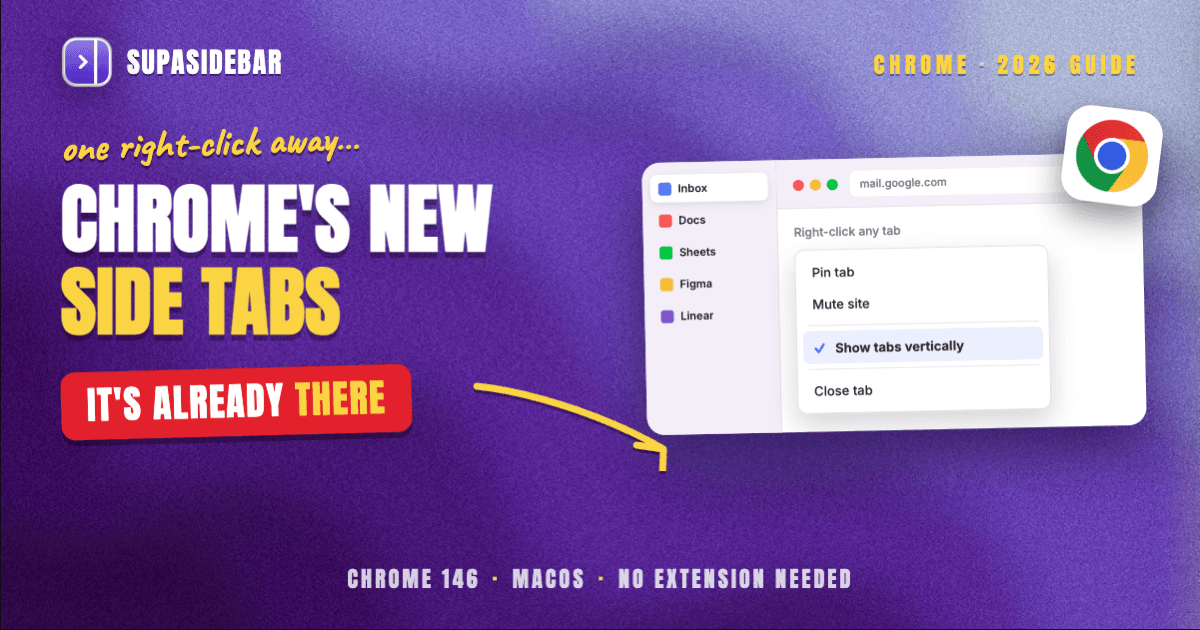
Chrome has native vertical tabs on Mac: right-click any tab and choose Show tabs vertically, and the tab strip moves into a collapsible column on the left edge of the window. Google announced the feature on April 7, 2026, and it needs Chrome 146 or newer, so the answer to "does Chrome have vertical tabs" changed this year. The exact steps, the Settings route, and the five reasons the menu item goes missing are all below. The honest limit worth knowing before you start: Chrome's vertical tabs are a layout for the tabs currently open in Chrome, not a workspace, and the column stops at Chrome's window edge.
Quick navigation:
- Want the same layout in Safari instead? → Safari Vertical Tabs
- Wondering whether Chrome's version replaces Arc's sidebar? → Chrome Vertical Tabs vs Arc Sidebar (2026)
- Managing far more Chrome tabs than one column can hold? → Chrome Tab Manager Guide 2026
- Comparing every browser sidebar extension option, not just Chrome's? → Chrome Vertical Tabs & Browser Sidebar Extensions
- On a Mac and just want the vertical tab column in Chrome? You are in the right place. Keep reading.
At a glance: four ways to get a vertical tab column on a Mac
| Method | What you actually get | Spans other browsers? | Setup | Best for |
|---|---|---|---|---|
| Chrome native vertical tabs | Collapsible left strip with full tab titles, tab groups intact | No, Chrome windows only | Right-click a tab, one click | Chrome-only users who want the layout and nothing more |
| Chrome Settings > Appearance | Same strip, set from a preference instead of a context menu | No, Chrome windows only | Settings > Appearance > Tab position | Anyone whose right-click menu is missing the option |
| Switch to a browser that ships it | Vertical tabs plus that browser's own extras (Brave tree stacking, Vivaldi Workspaces, Opera Tab Islands) | No, still one browser | Install and migrate | People willing to leave Chrome behind |
| SupaSidebar | One vertical rail of saved links, folders, and live tabs from every browser at once, split into Spaces | Yes, 32+ browsers | Install the Mac app, no extension | Anyone running Chrome plus a second browser |
Does Chrome have vertical tabs on Mac?
Yes. Chrome ships a native vertical tab layout on macOS, turned on by right-clicking any tab and choosing Show tabs vertically, and no extension is required. Google announced vertical tabs and a full-page reading mode on April 7, 2026, describing the point of the layout as being able to "read full page titles and manage tab groups with ease, even when your tab count hits double digits."
The feature landed in Chrome 146 and reached the stable channel for everyone during April 2026, on Windows, macOS, Linux, and ChromeOS (MacRumors coverage). Mobile Chrome does not have it at all, on either Android or iOS, and Google has not announced plans to bring it there.
This matters for anyone who searched this question a year ago and got a "no, use an extension" answer. Chrome side tabs on Mac are now a built-in setting, and the extension workarounds that used to be the only route are no longer the first thing to reach for.
How to turn on vertical tabs in Chrome on Mac
Two routes reach the same layout. The right-click route is faster; the Settings route is the fallback when the context menu does not show the option.
- Check the Chrome version first. Open
chrome://settings/help. Vertical tabs need Chrome 146 or newer, so let Chrome update and relaunch if the number is lower. - Right-click any open tab. The context menu appears over the horizontal tab strip at the top of the window.
- Choose "Show tabs vertically." The strip moves immediately to a column on the left edge of the Chrome window. Nothing is lost in the move, and existing tab groups stay grouped.
- Collapse or resize the column. Drag its inner edge to set the width, or collapse it to a favicon-width strip when a page needs the horizontal room back.
- Or set it from Settings instead. Open Settings > Appearance and find Tab position, then set it to the side. On Chrome 146 through 149 the same control is labelled Tab strip position, with Top and Side as the two values.
- To undo it, right-click anywhere inside the vertical strip and choose Show tabs horizontally. The tab strip returns to the top of the window right away.
One thing worth setting expectations on: the address bar stays at the top of the window. Chrome moves the tabs, not the whole chrome of the browser, so the layout looks different from Arc's sidebar even though both put tabs on the left.
When "Show tabs vertically" is missing from the menu
The single most common complaint about this feature is that the menu item is not there. There are five reasons for that, and only one of them needs a workaround (troubleshooting breakdown):
- Chrome is older than 146. Update at
chrome://settings/helpand relaunch. - The staged rollout has not reached your profile yet. Google ships features to a percentage of profiles at a time, so two Macs on the same version can differ.
- The flag is set to Disabled. Open
chrome://flags/#vertical-tabs, set it to Enabled, and relaunch. This is the one real workaround on the list. - The browser is managed. Open
chrome://management. If it reports a managed browser, a work or school policy can hide interface options, and the fix is an IT request rather than a setting. - It is mobile Chrome. Vertical tabs are desktop-only, so iOS and Android use the tab grid regardless of version.
Checking chrome://management first saves the most time on a work Mac, because a managed policy makes every other step on the list pointless.
What Chrome's vertical tabs do not do
Chrome's vertical tabs are a tab layout, not a workspace, and the distinction decides whether the built-in feature is enough. The column shows the tabs open in Chrome right now. Close a tab and it leaves the column. Nothing in it persists as a saved rail of the sites and documents a project actually needs.
That gap has three specific shapes:
No Spaces.
Arc's sidebar separated contexts, so client work and personal browsing lived in different rails that did not see each other. Chrome's vertical strip is one flat list per window, and tab groups colour-code that list rather than separating it.
No saved-links rail.
The column holds live tabs only. Bookmarks stay in the bookmarks bar and the bookmark manager, which is a different surface with a different search box.
No view outside Chrome.
This is the one that catches people on a Mac. A typical Mac setup keeps Chrome open because that is where the company SSO is configured, and Safari open for everything else, and Chrome's vertical tabs are blind to every tab in that second browser. Safari, for its part, has a sidebar with Tabs and Tab Groups, Bookmarks, and Reading List modes, but no setting that moves its tab strip to a vertical layout at all.
Switching browsers entirely does not close that last gap either. Brave has vertical tabs on macOS with tree-style stacking that nests a tab under whichever tab opened it. Opera One added a vertical tab strip in July 2026 where pinned tabs sit at the top as a grid of icons and Tab Islands survive a switch between layouts. Vivaldi goes furthest, pairing a vertical tab bar with Workspaces. Every one of them is still a single browser looking only at itself, and Tab Islands and tree stacking are tab grouping rather than persistent separate contexts.
So the question that Chrome's April 2026 update does not answer is what a vertical tab column looks like when the work is spread across two browsers instead of one.
SupaSidebar: one vertical rail that spans every browser on the Mac
SupaSidebar is a macOS app that puts a single vertical sidebar next to any browser, holding saved links, folders, files, and live tabs from every browser at once, organized into Spaces. It is not a Chrome extension and not a browser, which is the reason the column survives a switch from Chrome to Safari instead of disappearing with the browser that rendered it.
The mechanic that does the work is Live Tabs. SupaSidebar reads open tabs from 32+ Mac browsers through AppleScript and accessibility APIs, groups them by browser in one rail, and activates the existing tab when clicked rather than opening a duplicate. Chrome's tab strip cannot see a Safari tab; the SupaSidebar rail shows both at the same time.
Spaces handle the separation Chrome's flat list does not. Each Space is its own set of saved links and folders, switched by shortcut, so a project's sites are one keystroke away instead of buried in a bookmarks folder from two years ago. The Command Panel (⌘⌃K) then fuzzy-searches saved items, recent items, and live tabs across every browser from one box, and the sidebar itself toggles with ⌘⇧Space.
Here is what that looks like set up for a Mac running Chrome for work and Safari for everything else:
| Example Space | What lives in the rail |
|---|---|
| Client delivery | docs.google.com, linear.app, figma.com, the client's staging URL, the shared drive folder |
| Admin and billing | stripe.com, the bank login, quickbooks.com, the accountant's shared sheet |
| Reading queue | saved articles, github.com pull requests waiting for review |
Switching from Client delivery to Admin and billing swaps the entire rail in one keystroke, and Live Tabs keeps showing what is genuinely open in Chrome and Safari underneath it, so nothing has to be closed to get a clean workspace.
Two honest scope limits. SupaSidebar does not replace Chrome's tab strip, it sits beside it, so turning on Chrome's native vertical tabs and running SupaSidebar are compatible rather than competing choices. And it does not close or reorganize tabs inside a browser beyond activating and bulk-closing them; it organizes the rail around the work, not the browser's internals. It requires macOS 14 or later, and a free version is available.
One Reddit user summarized the demand this fills in a sentence: "This looks great! I've been wanting a way to manage my multiple browsers from a single source."
Best for:
anyone whose day runs across two or more Mac browsers and wants one vertical rail that does not reset when the browser changes.
Which vertical-tab setup should you pick?
If you live in Chrome and only Chrome:
turn on Chrome's native vertical tabs and stop there. It is free, built in, and the layout is genuinely good now.
If the menu item is missing:
check chrome://management first, then chrome://flags/#vertical-tabs. Do not install an extension before ruling out those two.
If you want vertical tabs plus real workspaces inside one browser:
Vivaldi is the closest Chromium browser, pairing a vertical tab bar with Workspaces.
If you run Chrome plus a second browser:
no browser-native vertical tab setting will help, because each one only sees itself. SupaSidebar is the layer that spans them.
If you came from Arc and miss Spaces specifically:
the full side-by-side on that question lives in Chrome Vertical Tabs vs Arc Sidebar.
Conclusion: what to turn on
Chrome has native vertical tabs on Mac as of April 2026, they take one right-click to enable, and for a Chrome-only workflow that is the whole answer. The layout reads full tab titles, keeps tab groups intact, and costs nothing.
The split comes down to how many browsers are open. Single-browser Chrome users: use the built-in setting and skip every extension. Users on a managed work Mac: check chrome://management before troubleshooting anything else. Arc refugees who used Spaces: the layout alone will not feel like enough, because a flat list of live tabs is not a workspace. Two-or-more-browser users on a Mac: a vertical column locked inside one browser leaves the actual problem untouched, and a sidebar that lives outside the browser is the only thing that spans them.
Turn on Chrome's vertical tabs first, since it takes five seconds and settles the question. If the column still only shows half of what is open, try SupaSidebar (free tier).
Why we recommend SupaSidebar
SupaSidebar is a macOS app that brings Arc's sidebar to every browser - one sidebar for tabs, bookmarks, files, and apps across 32+ browsers including Safari, Chrome, Firefox, Edge, Arc, Brave, Vivaldi, Dia, and Comet. It is not a browser and not a browser extension, so the rail is a property of the Mac rather than of whichever browser happens to be in front. Around 3,000+ Mac users have tried SupaSidebar, it syncs through iCloud with no account required, and it runs on macOS 14 and later.
FAQ
Does Chrome have vertical tabs?
Yes, on desktop. Chrome shipped native vertical tabs in version 146 and rolled them to the stable channel during April 2026 for Windows, macOS, Linux, and ChromeOS. Right-click any tab and choose Show tabs vertically. Mobile Chrome on iOS and Android does not have the feature.
How do I get vertical tabs in Chrome on a Mac?
Right-click any open tab and choose Show tabs vertically, and the tab strip moves to a collapsible column on the left of the window. The alternative route is Settings > Appearance > Tab position, set to the side. On Chrome 146 through 149 that control is labelled Tab strip position with Top and Side values.
Why is "Show tabs vertically" missing from my Chrome menu?
Five common reasons: Chrome is older than version 146, the staged rollout has not reached your profile, the vertical-tabs flag is set to Disabled, the browser is managed by a work or school policy, or it is mobile Chrome. Enable chrome://flags/#vertical-tabs and relaunch for the flag case, and check chrome://management for the policy case.
Do I still need a vertical tabs extension for Chrome?
Not for the layout itself. Chrome's built-in setting does what the extensions were installed for, and it does it without a panel, a permission prompt, or a dependency that can be delisted. An extension is only worth considering for a specific behaviour Chrome does not offer, such as tree-style nesting.
Are Chrome's vertical tabs the same as Arc's sidebar?
No. Chrome's vertical tabs are a layout for the tabs currently open in one Chrome window. Arc's sidebar was a workspace with Spaces separating contexts and a persistent rail of saved links. Chrome has no Spaces equivalent, and its column cannot see tabs in another browser.
Can I get one vertical tab list covering Chrome and Safari at the same time?
Not from either browser's own settings, because each one only reads its own tabs. A Mac app that sits outside the browser can. SupaSidebar's Live Tabs section shows open tabs from 32+ Mac browsers grouped in one rail and activates the existing tab instead of opening a duplicate.
Does turning on vertical tabs in Chrome slow anything down or lose my tabs?
No. It is a layout change applied instantly to the window, tabs and tab groups carry over unchanged, and switching back with Show tabs horizontally is equally immediate. Nothing is closed or reordered in either direction.
Written by Kshetez Vinayak, founder of SupaSidebar, a Mac app that gives every browser one shared sidebar.