
By Kshetez Vinayak, founder of SupaSidebar. Last updated June 12, 2026.
Quick navigation (Arc cluster):
- Wondering if Arc is dead? → Is Arc Browser Dead?
- Already decided to leave Arc? → Switching from Arc Browser
- Comparing every Arc alternative? → Arc Browser Alternative Guide
- Wondering if Chrome's new vertical tabs replace Arc? → You're in the right place.
TL;DR
Chrome added native vertical tabs in Chrome 146 stable (March 2026), rolled out to all users in April 2026. They are real, they work, and they answer the question many Arc users have been asking since Arc entered maintenance mode: whether Chrome alone is now a viable Arc replacement. The answer is partly. Chrome's vertical tabs give a collapsible left-side tab list and tab-group support, but no Spaces, no session recovery, no keyboard-driven search across the list, and no cross-browser view. Arc's sidebar was a workspace. Chrome's vertical tabs are a list. For Chrome-only users who just wanted vertical layout, this is enough. For Arc refugees who used Spaces or kept Chrome AND another browser open, the gap stays open - and a Mac sidebar app like SupaSidebar closes it across all 33 supported browsers.
What Chrome's Native Vertical Tabs Actually Are
Chrome's native vertical tabs first appeared in Chrome Canary in late 2025 and rolled into Chrome 145 Beta on January 19, 2026 (gHacks). Chrome 146 stable shipped in March 2026 as the first GA release with the feature, and Google rolled it out to all users in April 2026 (TechCrunch, MacRumors).
Three ways to enable them, in order of speed:
- Right-click any Chrome window and select Show Tabs Vertically.
- Visit chrome://flags/#vertical-tabs, enable the flag, and restart.
- Open Settings → Appearance → Tab strip position and switch to vertical.
Once enabled, Chrome's horizontal tab strip collapses and a left-side panel takes over. Tab groups (Chrome has had these since v83 in May 2020) render as collapsible color-coded headers within the panel. Mobile Chrome does not include vertical tabs - the feature is desktop-only due to screen-size constraints.
That is what Chrome shipped. The next question is what it left out.
What Chrome's Vertical Tabs Don't Replace
Native vertical tabs in Chrome do four things: stack tabs vertically, show tab groups, persist across the session, and read full page titles. They do not replicate what made Arc's sidebar a workspace instead of a list. Per Chrome's own documentation and the rollout coverage, the native implementation explicitly does not save workspaces, recover sessions, or offer keyboard search across the panel.
The Arc-shaped gaps:
- No Spaces. Chrome has profiles, which isolate cookies and history, but switching profiles opens a new window. Arc Spaces let one window flip between Work, Personal, and Project contexts without re-logging in or losing layout. Chrome's vertical tabs panel is a single flat list - same list whether the task is Slack or side-project research.
- No session recovery built into the panel. Closed tab groups vanish unless they were saved to a profile. Arc auto-archived tabs after 12 hours and kept them recoverable; Chrome's vertical tabs have no equivalent.
- No keyboard search across the list. Arc's Cmd+T searched bookmarks, tabs, history, and actions in one fuzzy field. Chrome's address bar searches history and bookmarks but does not natively fuzzy-match against the open-tab list in the vertical panel.
- No nested folders. Tab groups are one level deep. Arc's sidebar supported folders within folders, with custom icons and color coding.
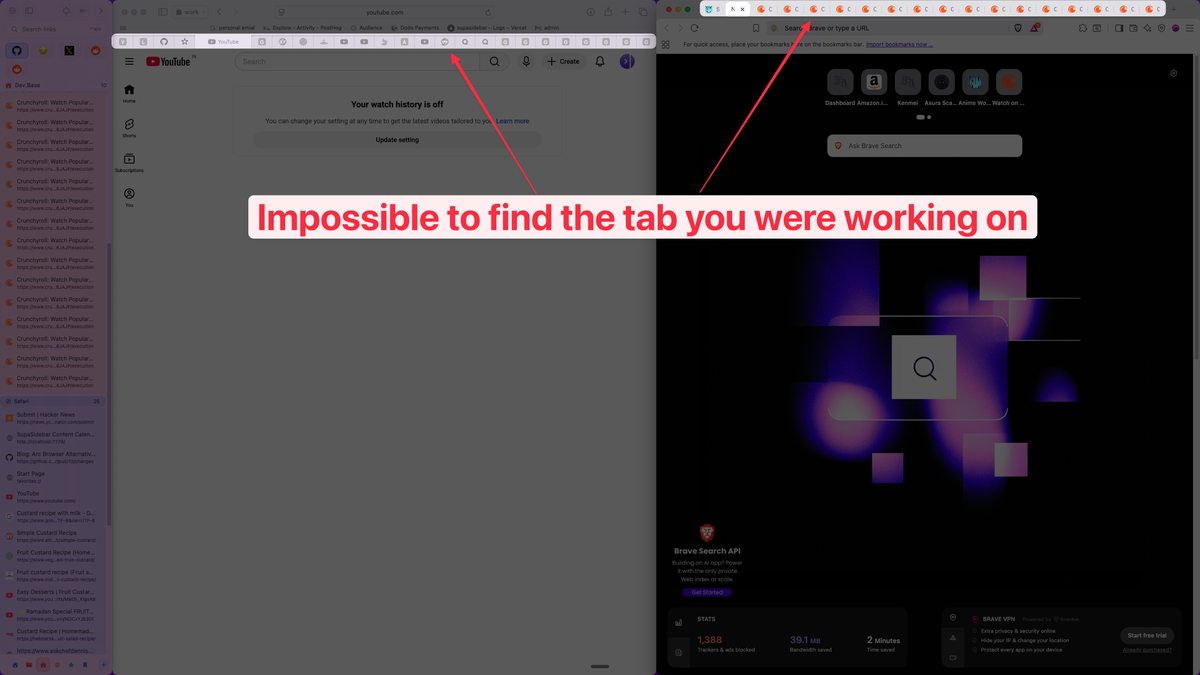
- Locked to Chrome. The panel shows Chrome tabs only. Any tab in Safari, Firefox, Arc, Brave, Edge, Vivaldi, Zen, or any other browser is invisible to Chrome's vertical tabs.
This is the trap an Arc refugee falls into when reading "Chrome has vertical tabs now." The headline is correct. The implementation is closer to Edge's 2021 vertical tabs than to Arc's sidebar. Per the Chrome Unboxed coverage of the stable rollout, Google's framing is explicit: vertical tabs are about screen real estate, not workspace organization.
Arc Sidebar vs Chrome Vertical Tabs: Feature-by-Feature
Naming what Arc had and what Chrome 146 ships against each item:
| Arc feature | Chrome native vertical tabs (Apr 2026) | Result |
|---|---|---|
| Vertical tab list | Yes, left-side panel | Match |
| Tab groups | Yes, since 2020 | Match |
| Spaces (work/personal/project contexts) | No - profiles only, separate windows | Gap |
| Persistent pinned tabs across sessions | Limited - tab groups can be saved per profile | Partial |
| Auto-archive old tabs (Arc's 12-hour rule) | No | Gap |
| Cmd+T command bar (fuzzy search across tabs/bookmarks/history) | No - address bar only | Gap |
| Air Traffic Control (route links by URL rule) | No | Gap |
| Little Arc (floating mini-browser) | No | Gap |
| Split View | No - third-party only | Gap |
| Boosts (per-site CSS injection) | No - extension territory (Stylus) | Gap |
| Easels (visual whiteboards) | No | Gap |
| Cross-browser tab view | No - Chrome only | Gap |
| Nested folders with icons | No - tab groups are flat | Gap |
Three matches. Ten gaps. For Arc users who only valued vertical layout, three matches is the whole answer and Chrome is enough. For Arc users who lived in Spaces, ATC, and Cmd+T, the gap is most of what made Arc Arc.
The Three Realistic Paths for an Arc User in May 2026
The full migration framework lives in Switching from Arc Browser. What follows is the Chrome-specific version of that decision.
Path 1: Stay on Arc.
Arc is in maintenance mode after The Browser Company's May 2025 letter, but it still works. Security patches ship; features don't. The risk is gradual decay under macOS updates. Defensible if Arc currently does the job and a workflow rewrite costs more than the maintenance-mode risk.
Path 2: Switch to Chrome (or any single browser).
Use Chrome 146's vertical tabs, accept the workspace loss, and rebuild what can be rebuilt with Chrome profiles + extensions. This works if the Arc workflow was mostly vertical layout + tab groups. It does not work if Spaces or cross-browser flow was core. Honest expectation: 1-3 hours of bookmark organizing and a workflow that is less capable than the Arc baseline.
Path 3: Keep the browser, add a Mac sidebar app.
Use Chrome (with or without its native vertical tabs enabled), Safari, Firefox, or any combination, and run a separate macOS app that provides the sidebar workflow on top. Path 3 is the one most Arc refugees did not know existed when they searched "Arc alternative." This is the path SupaSidebar was built for.
The honest tradeoff: Path 3 adds a separate app to the system - one more thing to install, learn, and trust. Path 2 keeps the setup simple but loses the workspace model permanently.
What Chrome + a Mac Sidebar App Looks Like
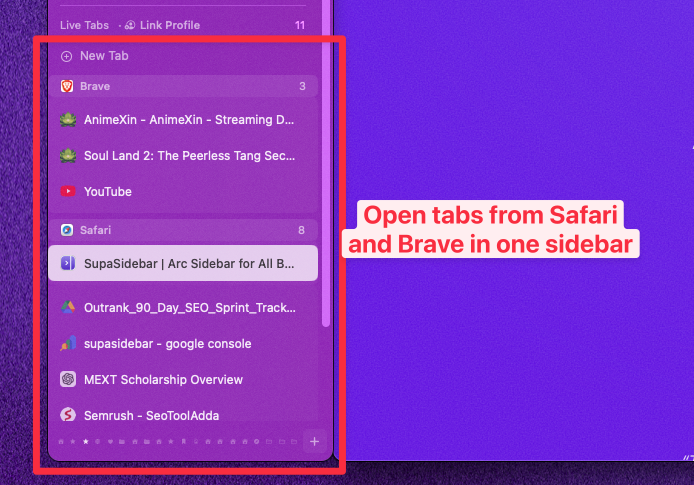
The combination some Arc refugees have already found, in plain terms: Chrome stays open for the sites that need Chrome (work SSO, Google Workspace, dev tools that target Chromium). A separate macOS app provides the sidebar - persistent pinned items, Spaces, a Command Panel, link routing rules. The sidebar floats on the screen edge and follows the active browser. Switching browsers does not lose the sidebar.
SupaSidebar is one app in this category. It targets the gap Chrome's vertical tabs leave open:
- Sidebar with persistent Pinned Items. Pinned tabs, bookmarks, files, and apps stay visible. They survive Chrome window close, browser switch, and Mac restart.
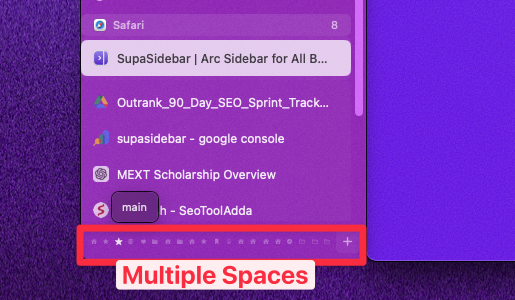
- Spaces. Multiple contexts, each with their own pinned items. The free tier includes 3 Spaces. This is the closest direct port of Arc's Spaces available outside Arc itself.
- Command Panel (⌘⌃K). A fuzzy search across saved items, recent links, and live tabs from every running browser - not just Chrome. The Command Panel is what Arc's Cmd+T did, with cross-browser scope added.
- Air Traffic Control. Same name as Arc's, more powerful. Routes saves to specific Spaces, opens links in specific browsers, and routes to specific browser profiles. Example rule: "links from notion.so → Work Space → Chrome with Work profile."
- Live Tabs across 33 browsers. SupaSidebar shows the actual open tabs from Chrome, Safari, Firefox, Arc, Brave, Edge, Vivaldi, Dia, and more, all in one list. Chrome's vertical tabs only show Chrome's tabs.
- Three-click Arc import. Preferences → Import and Export → Arc → Import. Pulls in Arc Spaces, folders, and pinned tabs directly. No file copying.
The reason this combination works for Arc refugees is that Chrome's part of the job (rendering web pages, running extensions, handling SSO) and Arc's old job (workspace and tab organization) are actually two different jobs. Chrome 146 only solved the layout half. The workspace half stays open.
One paying SupaSidebar user, an Arc refugee, put the combination together with Anthropic's Claude sidebar extension in Chrome:
"now i can use Claude sidebar in Chrome and essentially have 'Arc' as an Agentic Browser. great job!"
What none of these methods close: Arc's Boosts (per-site CSS injection - browser-engine feature, only a userstyle extension like Stylus approximates it) and Easels (visual whiteboards - Notion or Apple Notes are the closest fit). Path 2 and Path 3 both lose these. Path 1 keeps them frozen in time.
When Chrome's Vertical Tabs Are Enough
Chrome 146's vertical tabs are genuinely sufficient when:
- The Arc workflow used vertical layout but not Spaces.
- Tab groups handle the grouping need.
- Only one browser runs at a time.
- Cmd+T-style fuzzy search across the entire tab/bookmark history was not central.
- The setup uses Chrome SSO heavily and switching browsers is not on the table.
In this case, the right move is to enable Chrome's vertical tabs and stop here. No extra app, no extra cost. This is the honest answer for a real segment of readers - not every reader needs the Path 3 setup.
When Chrome's vertical tabs are not enough:
- Multi-browser users (anyone running Chrome + Safari, or Chrome + Firefox, or three browsers).
- Anyone who used Arc Spaces for Work / Personal / Project context switching.
- Anyone who relied on Cmd+T for cross-search.
- Anyone who used ATC rules to route links automatically.
The pattern: Chrome's vertical tabs solve the visible problem (horizontal tab strip is unreadable past 20 tabs). They do not solve the structural problem (Arc was a workspace, Chrome is a browser).
Conclusion: Picking what to use in 2026
Chrome's native vertical tabs (shipped Chrome 146, March 2026, full rollout April 2026) cover the vertical-layout half of what Arc users miss. They do not cover Spaces, cross-browser flow, ATC, or Cmd+T-style cross-search - which is most of what Arc actually was.
Single-browser Chrome users who want vertical layout:
Chrome 146's native vertical tabs are enough. Right-click any window and select Show Tabs Vertically. No extra tools needed.
Arc users who only valued vertical tabs and tab groups:
Switching to Chrome is reasonable. Expect to lose Spaces and ATC permanently and reset bookmark habits.
Arc users who lived in Spaces, ATC, or Cmd+T:
Path 3 - keep any browser, add a Mac sidebar app. The workspace half of Arc's value transfers to the sidebar app; Chrome handles the page-rendering half.
Multi-browser users running Chrome alongside Safari, Firefox, or Arc:
A cross-browser sidebar is the only setup that unifies tabs across all of them. Chrome's vertical tabs show only Chrome's tabs by design.
Try SupaSidebar (free tier) if a Mac sidebar across 33 browsers fits the workflow. For the full Arc-alternatives picture, see the Arc Browser Alternative Guide.
Why SupaSidebar
SupaSidebar is a macOS app that brings Arc's sidebar to every browser - one sidebar for tabs, bookmarks, files, and apps across 33 browsers including Safari, Chrome, Firefox, Arc, Vivaldi, Brave, Helium, and Dia. The free tier includes 3 Spaces, iCloud sync, the Command Panel, and full cross-browser Live Tabs.
FAQ
Does Chrome have native vertical tabs in 2026?
Yes. Chrome 146 stable shipped native vertical tabs in March 2026, and the feature rolled out to all users in April 2026. The feature can be enabled by right-clicking any Chrome window and selecting "Show Tabs Vertically", via chrome://flags/#vertical-tabs, or in Settings → Appearance → Tab strip position. Mobile Chrome does not include the feature.
Is Chrome's vertical tabs feature the same as Arc's sidebar?
No. Chrome's vertical tabs are a tab-layout option - they stack tabs vertically and show tab groups. Arc's sidebar is a full workspace system that included Spaces (multi-context workspaces), Cmd+T command bar (fuzzy search across tabs, bookmarks, history), Air Traffic Control (URL routing rules), Little Arc (floating mini-browser), and persistent pinned items. Chrome covers vertical layout. Arc covered layout plus organization plus cross-cutting workflow.
Are Chrome vertical tabs enough to replace Arc?
For single-browser Chrome users who only valued Arc's vertical layout: yes. For Arc users who used Spaces, ATC, or kept Chrome open alongside Safari or Firefox: no. The gap is the workspace and cross-browser layer, which Chrome's vertical tabs do not address.
How do I enable vertical tabs in Chrome?
Three options: (1) right-click any Chrome window and select "Show Tabs Vertically" - fastest, (2) visit chrome://flags/#vertical-tabs, enable the flag, and restart Chrome, (3) open Settings → Appearance → Tab strip position and switch to vertical. The feature requires Chrome 145 or later. Chrome 146 is the first stable release with vertical tabs in the official build.
What does Chrome's vertical tabs implementation not do?
It does not save workspaces (no equivalent to Arc Spaces), does not recover sessions automatically, does not offer keyboard fuzzy search across the open-tab list, does not support nested folders, and does not show tabs from any browser other than Chrome itself. Tab groups (which Chrome has had since version 83 in May 2020) provide one level of grouping.
Can I use Chrome's vertical tabs and a Mac sidebar app together?
Yes. Chrome's vertical tabs and a Mac sidebar app like SupaSidebar are not exclusive - they address different layers. Chrome's vertical tabs reorganize Chrome's own tab strip. A Mac sidebar app sits outside the browser, persists across browser switches, and shows tabs from every running browser. Some users run both: Chrome's native vertical tabs inside Chrome, and a separate sidebar app for cross-browser pins, Spaces, and Command Panel search.
Does SupaSidebar work with Chrome's vertical tabs?
Yes. SupaSidebar reads Chrome tabs via AppleScript regardless of whether Chrome's vertical tabs panel is enabled. The sidebar shows Chrome's tabs alongside Safari, Firefox, Arc, Brave, Edge, and the rest of the 33 supported browsers in one list. Switching Chrome's tab strip position to vertical does not change how SupaSidebar reads the tab data.
Is there an Arc-style command bar for Chrome?
Chrome's address bar handles URL entry and history search, but it does not fuzzy-match against open tabs the way Arc's Cmd+T did. The closest in-Chrome alternative is the Tab Search button (built into Chrome) which lists open tabs but offers limited fuzzy matching. For Arc's full Cmd+T behavior across browsers, a separate command palette tool (Raycast, Alfred) or a Mac sidebar with a command panel like SupaSidebar's ⌘⌃K covers the workflow.
By Kshetez Vinayak, founder of SupaSidebar. Last updated June 12, 2026.