
By Kshetez Vinayak, founder of SupaSidebar. Last updated 2026-06-08.
Quick navigation:
- Want the step-by-step research browser setup walkthrough? -> Browser setup for researchers on Mac
- Comparing every Mac browser, not just for research? -> Best browser for Mac in 2026
- Which browser handles a research workload best? -> You're in the right place. Keep reading.
TL;DR
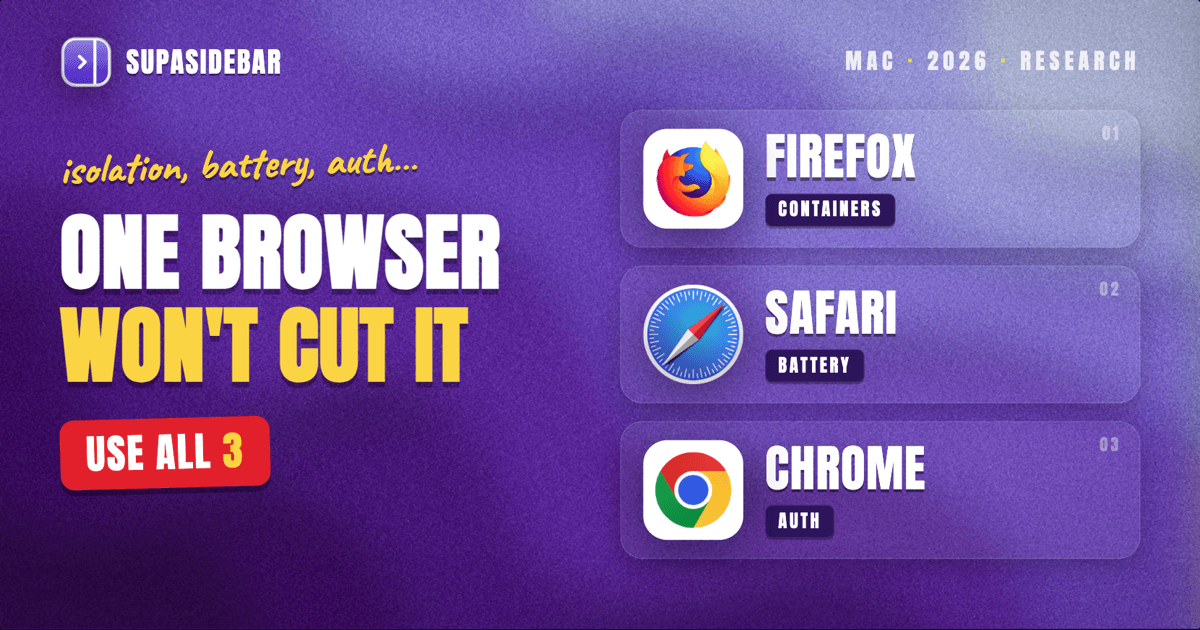
For academic research on Mac in 2026, the best single browser is Firefox for most researchers, because Multi-Account Containers isolate library proxies, institutional logins, and personal accounts in one window, and its PDF viewer and reader mode handle paper-heavy reading well. Safari is the right pick if battery life on a MacBook Air matters more than container isolation, and Chrome is unavoidable when the university runs Google Workspace and JSTOR or database auth assumes Chrome. The catch is that no single browser wins outright: researchers end up across two or three of them, and the real bottleneck is not the browser, it is the 30+ source tabs scattered across all of them by Thursday. That cross-browser tab graveyard is what a sidebar layer (SupaSidebar) solves, and it is the part nearly every "best research browser" guide skips.
SupaSidebar is a macOS app that brings Arc's sidebar to every browser, one sidebar for tabs, bookmarks, files, and apps across 25+ browsers including Safari, Chrome, Firefox, Arc, Zen, Vivaldi, Brave, Helium, and Dia. For a researcher, it is the layer that keeps every paper, dataset, and database tab in one place no matter which browser opened it.
What research actually demands from a browser
A research workload is not a normal browsing workload. The axes that matter are different from a "fastest browser" or "best privacy browser" roundup, so the comparison below is built on what a literature review, a grant application, or a dissertation chapter actually puts a browser through:
- Tab persistence. Sessions span days. A browser that drops 30 open tabs on a crash or an update costs hours of re-finding sources.
- Account and proxy isolation. Library proxies, institutional SSO, a personal Google account, and a co-author's shared Drive all need to stay logged in at once without colliding.
- PDF handling. Papers open as PDFs constantly. In-browser viewing, annotation, and a clean reader mode reduce the number of round trips to a separate app.
- Memory under load. A research session is a memory stress test. The browser has to hold dozens of tabs without choking an 8GB MacBook Air.
- Reference-manager integration. Zotero, Mendeley, and EndNote all ship browser connectors. The connector has to actually exist for the browser in question.
- Cross-device sync. Reading on the iPad on the train, writing on the Mac at the desk. Tabs and references should follow.
Most browser comparisons rank on speed and privacy. For research, tab persistence and account isolation matter more, and that reorders the winners.
The comparison: best Mac browsers for research in 2026
Each browser below is scored on the research axes, not on general browsing. "Containers" means built-in, per-tab account isolation without separate windows or profiles.
| Browser | Tab persistence | Account isolation | PDF + reader | Memory under load | Zotero connector | Best for |
|---|---|---|---|---|---|---|
| Firefox | Strong (session restore + Sync) | Best (Multi-Account Containers) | Strong (built-in viewer + reader) | Moderate | Yes | Most researchers, container-heavy logins |
| Safari | Moderate (Tab Groups, iCloud) | Weak (profiles only, macOS 14+) | Strong (PDF + Reader, Preview handoff) | Best (lowest RAM, best battery) | Yes | MacBook Air users, battery-first |
| Chrome | Strong (session + sync) | Moderate (profiles, not per-tab) | Moderate (basic viewer) | Heaviest | Yes | Google Workspace + database auth |
| Edge | Strong (Collections + sync) | Moderate (profiles) | Strong (built-in PDF annotation) | Lighter than Chrome | Yes | PDF annotation in-browser, Office users |
| Vivaldi | Strong (Tab Stacks + sessions) | Moderate (profiles) | Moderate | Heavier | Yes | Power users who want tab tree + notes |
Two takeaways drive everything below. First, Firefox is the most research-fit single browser because account isolation is its native strength, and isolation is the axis where researchers get burned most often. Second, the table is also the argument for why one browser is rarely enough: the row that wins on isolation loses on battery, the row that wins on battery loses on isolation, and the row everyone is forced into for auth (Chrome) loses on memory.
Firefox: the best default for most researchers
Firefox wins the research axis primarily on Multi-Account Containers, an official Mozilla extension that colors and isolates tabs into separate cookie jars inside one window. A researcher can keep the university library proxy in one container, a personal Google Scholar session in another, and a co-author's shared Drive in a third, all logged in simultaneously, all in the same window, with no profile-switching. No other major browser does this natively per-tab.
The built-in PDF viewer renders papers cleanly and the reader mode strips journal-site clutter for long reads. Firefox Sync carries open tabs and bookmarks across Mac, iPad, and phone. Memory sits in the middle of the pack, heavier than Safari but lighter than Chrome under a 30-tab load. The Zotero connector is fully supported. The one real cost: a few institutional database portals still assume Chrome and occasionally misbehave in Firefox, which is exactly why most researchers keep Chrome around for auth even when Firefox is their daily driver. For the head-to-head against the battery pick, see Firefox vs Safari on Mac.
Safari: the battery and memory pick
Safari is the lightest browser on Apple Silicon and the longest-lasting on battery, which matters when a research day is six hours in a library with no outlet. Apple rates the MacBook Air M-series at up to 18 hours of wireless web browsing, and that figure is measured in Safari, not Chrome (Apple MacBook Air tech specs). The PDF experience is strong: papers open inline, Reader mode is excellent, and handoff to Preview for annotation is one click.
Where Safari falls short for research is isolation. Profiles arrived in Safari on macOS 14+, but they are full window-level profiles, not per-tab containers, so juggling a library proxy and a personal account means switching profiles rather than glancing between two colored tabs. For a researcher whose logins are simple, Safari is the efficiency pick. For one drowning in institutional accounts, the isolation gap pushes them to Firefox.
Chrome: the one you keep for auth
Chrome is rarely the research-optimal choice, but it is almost always present because the institution forces it. Google Workspace for Education, many JSTOR and ProQuest auth flows, and a long tail of database portals are built and tested against Chrome first. Session restore and sync are reliable, the Zotero connector works, and the extension ecosystem is the largest. The price is memory: Chrome is the heaviest browser in the table under a multi-tab research load, and on an 8GB MacBook Air a 30-tab session will swap to disk and slow the whole machine. The pragmatic move is to treat Chrome as the auth-and-Workspace browser, not the reading browser, and keep the bulk of the source tabs somewhere lighter. For the engine-by-engine breakdown, see Firefox vs Chrome on Mac.
Edge and Vivaldi: the specialist picks
Edge deserves a mention for one research-specific strength: its built-in PDF reader supports inline annotation and highlighting without an extension, which is genuinely useful for marking up papers in-browser. It is Chromium, so it shares Chrome's auth compatibility while using somewhat less memory. Vivaldi is the pick for the power user who wants Tab Stacks (grouped, nested tabs), built-in Notes, and per-window sessions, at the cost of heavier resource use and a steep learning curve. Neither beats Firefox as a default, but both fit specific research styles.
The real bottleneck: tabs scattered across browsers
Here is the pattern that no single-browser recommendation fixes. By the middle of a research week, the source tabs are spread across browsers: the library proxy and isolated logins in Firefox, the Workspace docs and database auth in Chrome, and a handful of papers Safari opened because it was already in front. Three browser windows, 30-plus tabs, and the one paper that matters is in whichever window is currently buried.
Reference managers do not solve this. Zotero stores the citation and a snapshot, but it does not re-open the live tab with the scroll position, the logged-in proxy session, and the right browser. Bookmarks store the URL but lose the session. The tabs themselves stay fragmented across browsers, and the cost is the daily ritual of re-finding the same sources.
This is the gap a cross-browser sidebar closes. SupaSidebar shows live tabs from every browser in one sidebar docked to the screen edge, grouped by browser, so the Firefox containers, the Chrome Workspace tabs, and the Safari papers all appear in one list. Tabs organize into Spaces, one per paper or project, and clicking a live tab activates the existing tab in its original browser instead of opening a duplicate. The Command Panel (a single keyboard shortcut, an upgrade over Arc's command bar) searches across every saved link and every open tab from all browsers at once, so finding "that one methods paper" no longer means cycling through three browser windows.
For the step-by-step version of this setup, the browser setup for researchers on Mac walkthrough covers configuring Spaces per project, saving sources, and wiring up the sidebar alongside Zotero. This post is the browser comparison; that one is the build.
How SupaSidebar fits a research workflow
SupaSidebar is not a browser and does not replace Firefox, Safari, or Chrome. It is a native macOS app that adds a persistent sidebar on top of whichever browsers a researcher already uses, which is what makes it fit the multi-browser reality of academic work rather than fighting it.
| Research need | What the browser gives | What SupaSidebar adds |
|---|---|---|
| 30+ source tabs across browsers | Each browser shows only its own tabs | One sidebar showing live tabs from all 25+ browsers at once |
| One workspace per paper/project | Tab Groups or windows, per-browser | Spaces that span browsers, one per project |
| Find a buried source fast | Per-browser tab search | Command Panel searches every tab and saved link across all browsers |
| Keep sources after the session ends | Bookmarks (URL only) | Saved links plus live-tab activation, synced via iCloud, no account |
| Reading on iPad, writing on Mac | Per-browser sync | Saved links and folders sync across Macs via iCloud |
A free version is available, it works with 25+ browsers, and it requires no account because saved data syncs through iCloud. The point for a researcher is narrow and specific: it is the one layer that treats every open source as a single thing, regardless of which browser opened each one.
Conclusion: what to use for research on Mac in 2026
For most researchers on Mac in 2026, Firefox is the best single browser, because Multi-Account Containers solve the institutional-login isolation problem better than any other browser, and its PDF and reader handling fit paper-heavy reading. MacBook Air users who prioritize battery and a light memory footprint should use Safari, accepting weaker account isolation in exchange for the longest unplugged research day. Anyone whose university runs Google Workspace or whose databases assume Chrome should keep Chrome for auth and Workspace specifically, while doing the bulk of reading in a lighter browser to avoid its memory cost. Researchers who annotate PDFs in-browser will find Edge's built-in annotation worth a look, and tab-tree power users should evaluate Vivaldi.
The deeper answer is that research is a multi-browser activity, and the browser choice matters less than how the sources stay organized across whatever browsers end up open. The tab-and-source layer is where the real time is lost or saved. Try SupaSidebar (free tier) to keep every research tab in one sidebar across all of them, or read the browser setup for researchers on Mac guide for the full configuration.
Why we recommend SupaSidebar
SupaSidebar is a macOS app that brings Arc's sidebar to every browser, one sidebar for tabs, bookmarks, files, and apps across 25+ browsers including Safari, Chrome, Firefox, Arc, Zen, Vivaldi, Brave, Helium, and Dia. For researchers and academics, the value is the cross-browser layer: a literature review lives across Firefox containers, Chrome Workspace tabs, and Safari papers at the same time, and SupaSidebar is the single place all of those open sources appear, search, and persist. It does not replace the browser a researcher prefers; it sits on top of all of them so the source tabs stop fragmenting.
FAQ
What is the best browser for academic research on Mac in 2026?
Firefox is the best single browser for most researchers on Mac in 2026, because Multi-Account Containers isolate library proxies and institutional logins per tab in one window, and its PDF viewer and reader mode handle paper-heavy reading well. Safari is better for battery life and low memory use on a MacBook Air. Chrome is usually kept alongside whichever browser is primary, because many university systems and databases assume Chrome for authentication.
How do I manage 30+ research tabs spread across Safari, Chrome, and Firefox?
A reference manager stores the citation but cannot re-open the live tab with its scroll position and logged-in session. The Mac-native fix is SupaSidebar, a sidebar app that shows live tabs from every browser (Safari, Chrome, Firefox, Edge, Brave, Vivaldi, Zen, Orion, Dia, plus 25+ browsers in total) in one list docked to the screen edge. Tabs organize into Spaces, one per paper or project, and a single keyboard shortcut searches across every open tab and saved link from all browsers at once.
Which browser has the best PDF viewer for reading papers on Mac?
Firefox and Safari both have strong built-in PDF viewers with clean reader modes for long reads, and Safari hands off to Preview for annotation in one click. Edge stands out for in-browser PDF annotation and highlighting without an extension, which is useful for marking up papers directly. Chrome's built-in viewer is the most basic of the four.
Does Zotero work in all the major Mac browsers?
Yes. Zotero ships a Connector for Firefox, Safari, Chrome, and Edge, so citation capture works regardless of which of those browsers a researcher uses. This means the browser choice can be made on tab persistence, isolation, and battery rather than on reference-manager compatibility.
Is Safari good enough for a PhD-level research workload?
Safari is excellent on battery and memory and has a strong PDF and reader experience, which suits long reading days on a MacBook Air. The gap for heavy research is account isolation: Safari offers window-level profiles on macOS 14+ but not per-tab containers, so juggling many institutional logins is clunkier than in Firefox. For researchers with simple logins, Safari is a strong default; for those drowning in proxies and SSO accounts, Firefox isolates better.
Why do researchers end up using more than one browser?
No single browser wins on every research axis at once. Firefox isolates accounts best, Safari lasts longest on battery, and Chrome is the one many university systems and databases are built for. The result is that most researchers split work across two or three browsers, which fragments source tabs across separate windows. A cross-browser sidebar like SupaSidebar consolidates those scattered tabs into one place so the multi-browser setup stops costing time.
Will my research tabs and sources sync to my iPad?
Browser-level sync (Firefox Sync, iCloud Tabs in Safari, Chrome sync) carries open tabs and bookmarks within that one browser across devices. SupaSidebar syncs its saved links and folders across Macs via iCloud with no account required, which keeps the cross-browser source set consistent on every Mac. Live tabs themselves are shown from the local machine, so the consolidation happens per-Mac while saved sources follow.
By Kshetez Vinayak, founder of SupaSidebar. Last updated 2026-06-08.