
TL;DR:
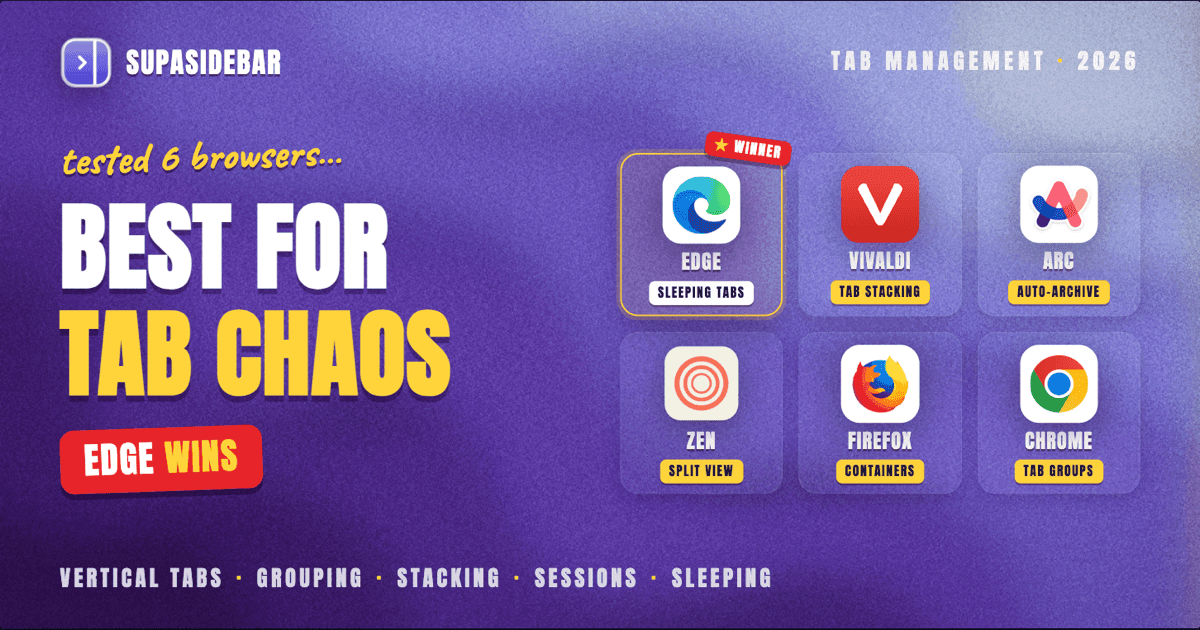
Edge wins for most people - native vertical tabs since 2021, sleeping tabs that actually reduce memory, and tab groups that sync across devices. Vivaldi wins for power users who want maximum control with tab stacking, tiling, and session management. Chrome 146 finally added vertical tabs in March 2026, but the feature still requires manual activation. For Mac users juggling multiple browsers, SupaSidebar adds a persistent sidebar with tab management across 32+ browsers without switching.
Looking for something specific?
- Picking a browser, not just managing tabs? → Best browsers for Mac in 2026
- Need to stash a full session fast? → How to save all open tabs
- Comparing the two vertical-tab approaches? → Chrome vertical tabs vs Arc sidebar
- Already here for the tab-management roundup? → Keep reading.
Best Browser for Tab Management: What Actually Matters
The tab management landscape shifted in early 2026. Chrome 146 shipped native vertical tabs in March, ending years of extension-only workarounds. Arc entered maintenance mode in May 2025 and was acquired by Atlassian for $610 million in September 2025. Zen Browser keeps gaining Firefox-based users who want vertical tabs without the RAM overhead of Chromium.
This comparison covers six browsers and one cross-browser tool, tested against the features that actually reduce tab chaos: vertical tabs, tab grouping, session management, and memory efficiency. Every claim links to a primary source or official documentation.
Microsoft Edge: Best Built-In Tab Management for Most People
Edge has had vertical tabs since 2021 - years before Chrome added them. Toggle between horizontal and vertical layouts with Ctrl+Shift+, (or Cmd+Shift+, on Mac). The vertical sidebar shows full tab titles instead of just favicons, which matters once tab count passes 20.
Tab groups
work the same as Chrome's (Edge is Chromium-based) but with one addition: Edge groups sync across devices via Microsoft account. Right-click any tab, choose "Add tab to a new group," assign a color and label.
The standout feature is sleeping tabs. Edge automatically suspends inactive tabs after a configurable timeout (30 seconds to 12 hours), freeing up memory and CPU. Sleeping tabs appear grayed out in the tab strip. Sites that should never sleep can be added to a blocklist in Settings. In PCMag's November 2025 testing, Edge led Chrome in idle memory and disk footprint when running 50+ tabs.
Where Edge falls short:
No tab stacking (Vivaldi-style nested groups). No built-in session manager - closing the browser means trusting "Continue where you left off" or using an extension. No workspaces for separating projects.
Best for:
Windows users who keep 30-100 tabs open and want memory efficiency without extensions. Mac users who already use Edge for Microsoft 365 integration. For a broader look at Mac-specific browser options, see the best browsers for Mac in 2026.
Vivaldi: Most Tab Management Features of Any Browser
Vivaldi treats tab management as a core feature, not an afterthought. The list of built-in tools is longer than most browsers' entire feature set.
Tab stacking
is Vivaldi's signature. Drag one tab onto another to create a stack - a nested group that collapses into a single tab-bar slot. Two-level tab stacks show the stack in the top row and its contents in a second row below. Accordion stacking expands inline. As of Vivaldi 7.8 (February 2026), creating stacks is as easy as dragging a tab into another tab's content area.
Tab tiling
lets you view up to four tabs simultaneously in a grid. Combined with stacking, this means you can organize 40 tabs into 10 stacks and tile 4 of them side-by-side. No other mainstream browser does this natively.
Session management
is built in. Save any set of open tabs as a named session, close them all, and restore them later. This is the feature most Chrome/Edge users need an extension for.
Vivaldi also has vertical tabs, tab grouping (separate from stacking), tab hibernation (similar to Edge's sleeping tabs), and a tab bar position that can be moved to any edge of the window.
Where Vivaldi falls short:
The sheer number of options can overwhelm new users. Performance with 200+ tabs can lag behind Edge or Chrome. Smaller extension ecosystem than Chromium mainstream (though it runs Chrome extensions). Sync requires a Vivaldi account. For tips on saving and restoring tab sessions across any browser, see how to save all open tabs.
Best for:
Power users who want maximum control over tab organization and are willing to spend 30 minutes configuring their setup.
Arc Browser: Opinionated Tab Philosophy (Now in Maintenance Mode)
Arc took a fundamentally different approach: tabs are temporary by default. The auto-archive feature closes tabs after 12 hours by default (configurable per profile). Anything worth keeping gets pinned to the sidebar, organized into Spaces - separate workspaces with their own pins, folders, and tabs.
This philosophy works remarkably well for people drowning in tabs. Instead of managing 80 tabs, Arc forces a decision: pin it or let it disappear. The Cmd+T command bar replaces the traditional address bar, encouraging search over tab-hunting.
The catch:
Arc entered maintenance mode in May 2025. CEO Josh Miller wrote that Arc was "too different, with too many new things to learn, for too little reward" for most people. Atlassian acquired The Browser Company for $610 million in September 2025, with the deal closing in October 2025. As of June 2026, Arc still works but receives no new features or bug fixes.
Where Arc falls short:
No new development. Stability issues reported by users. macOS only (the Windows version never left early access). The team's focus shifted to Dia, a new AI-focused browser that launched publicly in October 2025 and has been gradually adding Arc features like sidebar mode and vertical tabs.
Best for:
Anyone already using Arc who has their workflow dialed in. Not recommended for new users given the maintenance-mode status.
Zen Browser: Firefox-Based Vertical Tabs Done Right
Zen is the browser that Firefox power users wished Firefox would become. Built on Firefox's Gecko engine, it ships with vertical tabs, workspaces, and split view out of the box - features that Firefox itself only recently added natively.
Workspaces
are Zen's answer to Arc's Spaces. Each workspace holds its own set of tabs, and you can assign browser profiles to specific workspaces for separate logins. A recent update added the option to sync only pinned tabs across workspace windows, keeping unpinned tabs local to each window.
Split view
supports up to four tiled tabs in a grid. Zen Glance lets you preview links in a temporary overlay without opening a new tab - reducing tab accumulation at the source.
The Move to Folder context menu item gives one-click tab-to-folder organization, and the vertical sidebar supports both left and right positioning.
Where Zen falls short:
As a Firefox fork, it inherits Gecko's performance characteristics - Chromium-based browsers generally win in raw JavaScript benchmarks and multi-tab memory efficiency on Windows. Some users have reported high RAM usage compared to expectations. The extension ecosystem is Firefox's, which is smaller than Chrome's. Still in beta as of June 2026.
Best for:
Privacy-conscious users who want vertical tabs and workspaces without the Chromium ecosystem. Firefox users looking for a more opinionated, organized browsing experience.
Firefox: Native Vertical Tabs Arrived, Finally
Firefox added native vertical tabs in late 2025, ending years of reliance on extensions like Sidebery and Tree Style Tab. The implementation is clean: tabs move to a collapsible sidebar on the left, with hover-to-reveal for saving screen space.
Tab groups
arrived in Firefox's native sidebar, though the implementation is newer and less polished than Edge's or Chrome's. For advanced organization, many Firefox users still pair native vertical tabs with Sidebery for tree-style nesting and container integration.
Firefox's Multi-Account Containers remain unique in the browser landscape. Each container isolates cookies, storage, and logins - run separate Google accounts, AWS consoles, or social media profiles in the same window without profile switching. Combined with vertical tabs, containers become a powerful workspace system.
Where Firefox falls short:
Native tab management features are newer and rougher than competitors. Profile management is weaker - running multiple profiles simultaneously uses significantly more RAM than Chrome profiles. No built-in session management. No tab stacking or tiling. Market share continues to decline (roughly 2-3% per StatCounter, December 2025).
Best for:
Privacy-focused users who value container isolation. Developers who need Gecko-engine testing. Users already invested in Firefox Sync.
Google Chrome: Vertical Tabs Finally, But Catching Up
Chrome 146 shipped vertical tabs in March 2026, with the feature rolling out to stable users in April 2026. Right-click the tab strip and choose "Show Tabs Vertically" to move tabs to a left sidebar. For a deeper look at how Chrome's vertical tabs compare to Arc's sidebar approach, see the Chrome vertical tabs vs Arc sidebar comparison.
Tab groups
have been in Chrome since 2020 and remain the browser's strongest tab management feature. Color-coded, collapsible, and now available in the vertical sidebar layout. Group sync across devices works via Google account.
Chrome's tab management is functional but bare. No sleeping tabs (discarded tabs exist but are manual), no session management, no tab stacking, no workspaces. The extension ecosystem fills these gaps - Tab Group Vault, OneTab, and others - but that is extension dependency, not built-in capability.
Where Chrome falls short:
Vertical tabs still require manual activation as of June 2026 - not enabled by default. No sleeping tabs equivalent (Edge's biggest advantage over Chrome). Highest baseline memory usage among Chromium browsers. No workspaces or session management without extensions.
Best for:
Users who want maximum website compatibility and the largest extension ecosystem. Developers who need Chrome DevTools. Anyone already deep in the Google ecosystem.
SupaSidebar: Tab Management Across Every Browser
Every browser above solves tab management within its own window. SupaSidebar solves it across all of them.
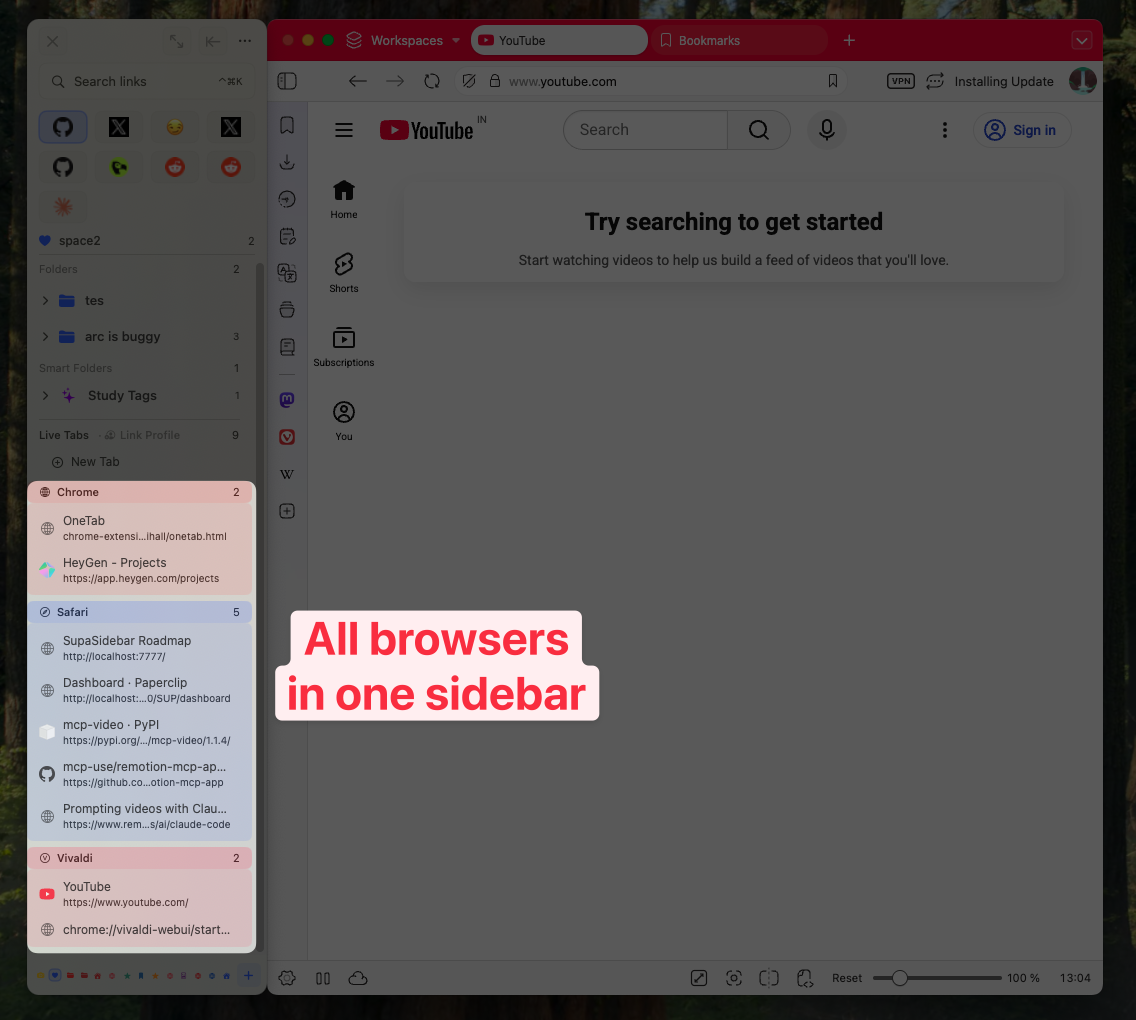
SupaSidebar is a macOS app that adds a persistent sidebar accessible from any browser - Chrome, Safari, Edge, Firefox, Vivaldi, Zen, Arc, Brave, and 32+ browsers total. The sidebar holds bookmarks, live tabs, folders, and Spaces (workspaces), all synced across browsers via iCloud.
How it helps with tab management:
- Live Tabs shows open tabs from every browser in one list. Switch to any tab in any browser from the sidebar without hunting through windows.
- Spaces work like Arc's Spaces but across browsers. Keep work tabs, personal browsing, and project research in separate workspaces regardless of which browser each tab lives in.
- Air Traffic Control routes URLs to specific browsers automatically based on rules. Work links open in Chrome, personal links open in Safari - no manual switching.
- Command Panel (
Cmd+Shift+Space) provides fuzzy search across all bookmarks, recent items, and live tabs from every browser.
The approach is different from the browsers above because it sits at the macOS level, not inside any single browser. As one Reddit user put it: "love that this sits at the OS level instead of just being another extension."
SupaSidebar requires macOS 14 (Sonoma) or later.
Quick Comparison: Tab Management Features by Browser
| Feature | Edge | Vivaldi | Arc | Zen | Firefox | Chrome | SupaSidebar |
|---|---|---|---|---|---|---|---|
| Vertical tabs | Native (2021) | Native | Sidebar-only | Native | Native (2025) | Native (2026) | N/A (OS-level) |
| Tab groups | Yes + sync | Yes | Via Spaces | Via Workspaces | Yes (basic) | Yes + sync | Via Spaces |
| Tab stacking | No | Yes (2-level) | No | No | No | No | N/A |
| Tab tiling | No | Yes (4-way) | No | Yes (4-way) | No | No | N/A |
| Sleeping/hibernation | Yes (auto) | Yes (manual) | Auto-archive | No | No | No (manual discard) | N/A |
| Session management | No | Yes (built-in) | No | No | No | No | Via Spaces |
| Workspaces | No | No | Yes (Spaces) | Yes | No (Containers) | No | Yes (Spaces) |
| Cross-browser tabs | No | No | No | No | No | No | Yes (32+ browsers) |
| Split view | No | Yes | No | Yes | No | No | N/A |
How to Pick the Right Browser for Tab Management
Under 30 tabs, no complex workflows:
Chrome with tab groups is enough. The ecosystem and compatibility advantages outweigh missing power features.
30-100 tabs, want it to just work:
Edge. Sleeping tabs handle memory, vertical tabs handle visibility, and groups handle organization. Minimal setup required.
100+ tabs, want full control:
Vivaldi. Tab stacking, tiling, and session management give the tools to organize at scale. Expect a steeper learning curve.
Privacy-first, vertical tabs required:
Zen or Firefox. Zen for the more opinionated experience with workspaces and split view. Firefox for Multi-Account Containers and the established extension ecosystem.
Multiple browsers on Mac:
SupaSidebar. No single browser can manage tabs across other browsers. If the workflow spans Chrome for work, Safari for personal, and Firefox for development, a cross-browser layer is the only way to unify them.
Conclusion
The best browser for tab management depends on how many tabs are open and how many browsers are in use.
Edge offers the most complete built-in package for the average user - vertical tabs, sleeping tabs, and synced groups with zero configuration. Vivaldi wins for power users who want granular control through stacking, tiling, and sessions. Chrome 146's vertical tabs closed a long-standing gap but the browser still lacks sleeping tabs and session management.
Arc's maintenance-mode status makes it hard to recommend for new users in 2026, despite its innovative auto-archive philosophy. Zen and Firefox serve the privacy-conscious audience with native vertical tabs on the Gecko engine, though Zen's workspaces make it the stronger tab management choice between the two.
For Mac users running multiple browsers - which is increasingly common as people use different browsers for different purposes - SupaSidebar bridges the gap by providing a unified sidebar across 32+ browsers. The problem it solves is the one no single browser can: managing tabs that span Chrome, Safari, Firefox, and everything else from one place.
The tab management landscape in 2026 is the most competitive it has been in years. Chrome's late entry into vertical tabs, Edge's continued sleeping-tab advantage, Vivaldi's unmatched stacking system, and cross-browser tools like SupaSidebar all serve different slices of the same problem. Match the tool to the workflow, not the other way around.
FAQ
What is the best browser for managing lots of tabs in 2026?
Edge is the best browser for managing lots of tabs for most users. Native vertical tabs, automatic sleeping tabs, and synced tab groups handle 50-100+ open tabs with lower memory usage than Chrome. For power users who need stacking and tiling, Vivaldi offers more granular control.
Does Chrome have vertical tabs now?
Yes. Chrome 146 added native vertical tabs in March 2026. Right-click the tab strip and select "Show Tabs Vertically." The feature is available but requires manual activation - it is not enabled by default yet.
Is Arc Browser still worth using in 2026?
Arc still works but entered maintenance mode in May 2025 and receives no new features or bug fixes. Atlassian acquired The Browser Company in September 2025, and the team's focus shifted to Dia. Existing Arc users with established workflows can continue, but new users should consider alternatives.
What browser has the best tab stacking feature?
Vivaldi is the only mainstream browser with true tab stacking. Two-level tab stacks nest tabs inside collapsible groups, and Vivaldi 7.8 made creating stacks as simple as dragging one tab onto another. No other browser offers this natively.
Can one app manage tabs across multiple browsers?
Yes. SupaSidebar is a macOS app that provides a persistent sidebar showing live tabs, bookmarks, and workspaces across 32+ browsers including Chrome, Safari, Edge, Firefox, and Arc. It works at the operating system level rather than as a browser extension.
How does Zen Browser compare to Firefox for tab management?
Zen Browser is built on Firefox's engine but adds workspaces, split view (up to 4 tabs), and Zen Glance link previews on top of Firefox's native vertical tabs. Firefox offers Multi-Account Containers for cookie isolation, which Zen does not. Zen is better for tab organization, Firefox is better for account isolation.