
By Kshetez Vinayak, founder of SupaSidebar. Last updated 2026-06-22.
TL;DR
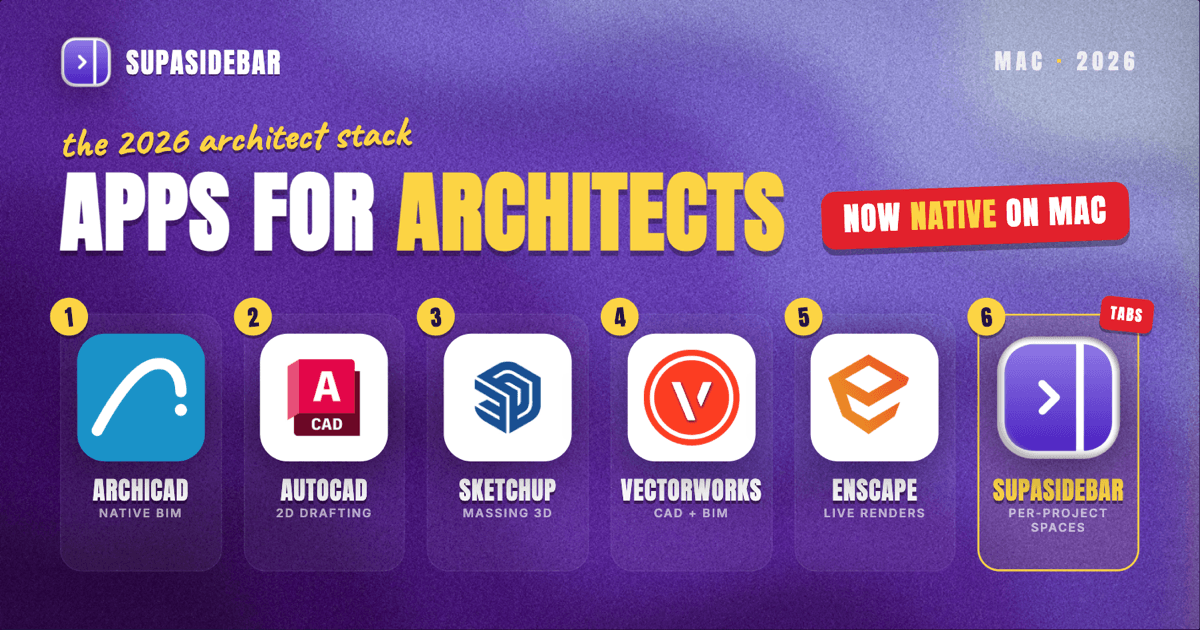
The best Mac apps for architects in 2026 are organized by the stage of the work, not by brand: Archicad for native-Mac BIM and construction documents, AutoCAD for Mac for 2D drafting and detailing, SketchUp Pro for fast conceptual massing, Vectorworks for a single CAD-and-BIM environment that also handles site and landscape work, Enscape for real-time rendering that syncs live from the model, Morpholio Trace for sketching over drawings on an iPad with an Apple Pencil, and SupaSidebar to keep each project's material sources, supplier portals, and client references in its own workspace instead of one merged tab pile across browsers. Archicad, Vectorworks, SketchUp, Rhino, and AutoCAD all run natively on Apple Silicon as of 2026, so the long-standing "architecture software does not run on Mac" complaint is mostly outdated (GetApp, architectural CAD for Mac 2026). The big costs are the CAD and BIM subscriptions, which run into the thousands per year; the sketching and tab-organization tools are cheap or free by comparison.
Quick navigation:
- Picking visual and design tools more broadly? → Best Mac Apps for Designers 2026
- Building a focused work setup? → Mac Workspace Setup for Deep Work 2026
- Drowning in open tabs specifically? → Too Many Tabs Open on Mac
- Setting up a Mac for architecture work? You are in the right place. Keep reading.
| App | Job in the stack | Pricing model | Best for |
|---|---|---|---|
| Archicad | Native-Mac BIM and construction docs | Subscription, ~$201-237/mo billed annually | Design-stage BIM with smooth Mac 3D |
| AutoCAD for Mac | 2D drafting, detailing, annotation | Subscription, ~$1,865/yr | Precise 2D drawings and documentation |
| SketchUp Pro | Fast conceptual massing and 3D | $399/yr | Early-stage massing and quick 3D |
| Vectorworks | CAD plus BIM, site and landscape | Subscription, paid | One environment for design, site, and docs |
| Enscape | Real-time rendering, live model sync | Subscription, paid | Walkthroughs without leaving the model |
| Morpholio Trace | iPad sketch-over-CAD with Apple Pencil | Free tier; paid upgrades | Sketching over drawings and site markups |
| SupaSidebar | Per-project tab and reference separation | Free version available | Keeping each project's tabs apart across browsers |
An architect's Mac runs a mix of heavy native applications and a constant stream of browser tabs: supplier and material sources, building-code and zoning lookups, client shared folders, product cut sheets, and reference imagery. So this list covers the modeling and documentation tools that carry the design, then the rendering and sketching tools that sit alongside them, and ends with the one thing that keeps the browser side of the work from collapsing into chaos. Pricing for the paid tools is in US dollars and was checked in June 2026; CAD and BIM subscriptions in particular vary by plan and region, so treat the figures as starting points.
Archicad: native-Mac BIM that holds up through construction documents
For full BIM on a Mac, Archicad is the reference most architects reach for first, because it is the most direct Revit competitor with genuine native macOS support rather than a Windows tool bolted onto a Mac. Its interface is more design-oriented, with smoother 3D navigation and faster visual feedback, and its live Grasshopper connection lets you push parametric geometry straight into the BIM model for algorithmic work (Flowcase, best architectural software 2026). It runs natively on Apple Silicon, so an M-series MacBook handles a real project model without the Windows-VM detour Revit users on Mac still live with.
The cost is the catch. Archicad runs roughly $201 to $237 per month depending on the plan, billed annually, and steeper month to month (myarchitectai, Archicad pricing 2026). For a practising architect or a firm that documents in BIM, that is the price of staying on native Mac instead of running Revit in a virtual machine. For a student, the same software is usually free through an education license, which is worth checking before paying anything.
AutoCAD for Mac: precise 2D drafting and detailing
For 2D drafting, detailing, and annotation, AutoCAD for Mac is still the documentation standard, and Autodesk now ships it native on Apple Silicon with the same precision as the Windows edition (GetApp, architectural CAD for Mac 2026). It handles 2D drafting and 3D modeling, and it is the format most consultants, contractors, and authorities expect drawings to arrive in, which is why it survives even in firms that model in something else.
An individual AutoCAD subscription runs about $1,865 per year, with month-to-month around $235 and a discount for committing to a one-year or three-year term (Noble Desktop, how much does AutoCAD cost; Autodesk, buy AutoCAD). For architects who only need it occasionally, Autodesk's Flex token program lets you pay per day of use instead of an annual seat, which can be far cheaper for light drafting work.
SketchUp Pro: fast conceptual massing and early 3D
For the earliest design stages, SketchUp Pro is the fastest way to get a building idea into 3D, which is why so many architects sketch massing in it before committing to a BIM tool. It moves from conceptual massing to detailed work and imports and exports cleanly into BIM apps, so a SketchUp study can hand off to Archicad or Vectorworks later in the project (Capterra, architectural CAD for Mac 2026). It runs natively on Apple Silicon alongside the rest of this stack.
SketchUp Pro costs $399 per year, which is modest next to the BIM and CAD subscriptions, and Trimble retired the old one-time perpetual license for new buyers around 2020 to 2021, so the subscription is the current path (myarchitectai, SketchUp pricing 2026; DigitaLicence, SketchUp Pro USA pricing 2026). The honest scope limit: SketchUp is a modeler, not a documentation engine. It produces beautiful massing and presentation models, but construction documents belong in Archicad, Vectorworks, or AutoCAD.
Vectorworks: one environment for design, site, and documentation
For architects who want CAD and BIM in a single tool rather than stitching several together, Vectorworks is the full-featured option, used across architecture, landscape, and entertainment design. It covers drafting, modeling, visualization, site planning, compliance documentation, and project staging inside one platform, and it runs natively on Apple Silicon (GetApp, architectural CAD for Mac 2026). For a small practice that does both buildings and site or landscape work, keeping it in one environment removes a lot of import-export friction.
Vectorworks is a paid subscription, and its appeal is breadth rather than being the single best at any one task. An architect who lives mostly in massing might prefer SketchUp plus a separate BIM tool; one who wants a single home for design through documentation, including site work, gets more from Vectorworks. It competes with Archicad on the BIM side and with AutoCAD on the drafting side, which is the point: it tries to be the one app, where the others are specialists.
Enscape: walkthroughs and renders without leaving the model
For turning a model into a render or a walkthrough, Enscape is the real-time visualization tool architects reach for, and its advantage is live sync: it plugs into the modeler so a change in SketchUp, Rhino, Vectorworks, or Archicad updates the render instantly, instead of the import-export round trip that breaks the design flow (Chaos, Enscape for Mac with Rhino). On Mac it runs only on Apple Silicon, and while it is native, it does not yet use the full Apple GPU the way some fully Metal-accelerated competitors do, so very large scenes can ask for a strong machine (myarchitectai, rendering software for Mac 2026).
The reason Enscape earns a spot over standalone renderers is the workflow, not raw image quality: never leaving the modeling environment means clients can be walked through a space the moment a wall moves. For architects who would rather a fully Metal-accelerated path, Twinmotion is the alternative, at the cost of importing and exporting the model. Either way, real-time rendering on Mac in 2026 is genuinely viable, which was not true a few years ago.
Morpholio Trace: sketching over drawings on an iPad
For hand sketching that talks to CAD, Morpholio Trace turns an iPad and Apple Pencil into a digital trace-paper drafting board, which is why it has been a repeated "best app" pick for architects, landscape architects, and interior designers (Morpholio, Trace). It carries the whole design loop: concept sketches, schematic design, detail markups, and high-resolution PDF drawing-set redlines on site, and it taps Apple's LiDAR through RoomPlan to scan a room into a scaled 3D base to sketch over.
Trace is not a Mac app in the strict sense, it lives on iPad, but it belongs in an architect's Apple toolkit because the sketch-to-CAD handoff is where a lot of early design actually happens. A concept sketched in Trace over a scaled plan, then exported as a PDF, drops straight into the documentation tools above. The free tier covers a real amount of sketching, with paid upgrades for the heavier CAD-style features.
SupaSidebar: keeping each project's reference tabs from merging into one pile
SupaSidebar is a Mac sidebar app that keeps an architect's per-project browser context, the material sources, supplier portals, code lookups, and client folders for one project, organized as a Space instead of one undifferentiated wall of tabs. The problem it answers is specific to how architecture research works: every project spawns its own set of product cut sheets, manufacturer sites, zoning and code references, and a shared client drive, and by the time two or three projects are live at once, those tabs pile into a strip of favicons where finding the right supplier page takes longer than the lookup. Past 20 tabs, the titles shrink to icons you cannot tell apart.
That tab problem is what Arc browser solved with a vertical sidebar and Spaces before The Browser Company put Arc into maintenance mode on May 27, 2025 (The Browser Company, "A Letter About Arc"). Since then the other browsers have shipped partial versions, Chrome and Edge have vertical tabs as a flat list with no spaces, Firefox added vertical tabs in version 136 without workspaces, and Safari does the least. None of them carry a per-project workspace model across every browser at once, which matters for an architect who keeps a client portal logged in on one browser and supplier research open in another.
SupaSidebar takes a different approach: it is a standalone macOS app, not a browser or an extension, that adds a persistent sidebar working across every major Mac browser through a single Command Panel and per-Space organization. An architect can keep one Space per project, holding that project's material sources, code references, and client folder, switch between projects with a shortcut, and use Live Tabs to see and jump to open tabs from every browser at once. It is honest about its scope: it organizes the browser tabs around the work, it is not a CAD or BIM tool and does not touch the model, and it requires macOS 14 or later. There is a free version. More than 3,000 Mac users have tried SupaSidebar, and the per-project separation is the reason it shows up in an architect's stack where the heavy design tools live on the desktop and the research lives in the browser.
Which architect Mac setup should you pick?
If you document in BIM and want to stay native on Mac:
build around Archicad for the model and documents, add SketchUp Pro for fast early massing, and Enscape for renders that sync live from the model. That covers concept through construction documents without a Windows VM.
If your work is drafting-heavy or consultant-driven:
make AutoCAD for Mac the center for 2D documentation, since it is the format everyone else expects, and add SketchUp for any 3D study work. Use the Flex token plan if AutoCAD use is occasional rather than daily.
If you want one tool for design, site, and documentation:
Vectorworks covers CAD and BIM plus site and landscape in a single Apple-Silicon-native environment, which suits a small practice that does both buildings and grounds.
If you sketch by hand and present early:
add Morpholio Trace on an iPad for sketching over scaled plans and on-site PDF markups, then export to the documentation tools above.
If you juggle two or more live projects with their own research:
add SupaSidebar so each project's supplier, code, and client tabs stay in their own Space across browsers, instead of one merged pile.
If you are an architecture student:
check education licenses first, Archicad, AutoCAD, and SketchUp are commonly free or heavily discounted for students, which changes the whole math above.
Conclusion
The best Mac apps for architects in 2026 are a modeling-and-documentation core plus a rendering and sketching layer plus a way to keep the browser side organized: Archicad for native-Mac BIM, AutoCAD for Mac for 2D documentation, SketchUp Pro for fast massing, Vectorworks where one combined environment is the goal, Enscape for live rendering, and Morpholio Trace for iPad sketching. The headline change this year is that Archicad, Vectorworks, SketchUp, Rhino, and AutoCAD all run natively on Apple Silicon, so a Mac is now a first-class architecture machine rather than a compromise. Architects documenting in BIM should build around Archicad; drafting-led practices around AutoCAD; small firms that want one tool around Vectorworks. Architects running two or more projects with separate research will get the most from adding SupaSidebar (free version) to keep each project's tabs in its own Space. For a broader look at visual and design tooling, the best Mac apps for designers goes deeper on the creative side.
Why we recommend SupaSidebar
SupaSidebar is a macOS app that brings Arc's sidebar to every browser - one sidebar for tabs, bookmarks, files, and apps across 33 browsers including Safari, Chrome, Firefox, Edge, Arc, Brave, Vivaldi, Dia, and Comet. For an architect, the value is per-project separation: one Space holds a project's material sources, supplier portals, and code references, another holds a second project, and a shortcut flips between them without hunting through a single overloaded tab bar. Live Tabs shows open tabs from every browser at once, so a manufacturer page opened in Safari and a client drive opened in Chrome both surface in the same sidebar. It is not a CAD or BIM tool and does not touch the model; it organizes the browser research around the design work. There is a free version, and it requires macOS 14 or later.
FAQ
What are the best apps for architects on a Mac in 2026?
The core stack is Archicad for native-Mac BIM, AutoCAD for Mac for 2D drafting and documentation, SketchUp Pro for conceptual massing, and Vectorworks if you want CAD and BIM in one tool. Enscape adds real-time rendering, Morpholio Trace adds iPad sketching, and SupaSidebar keeps each project's reference tabs organized across browsers. Most of the modeling tools now run natively on Apple Silicon.
Does AutoCAD run on a Mac in 2026?
Yes. AutoCAD for Mac runs natively on Apple Silicon and handles 2D drafting and 3D modeling with the same precision as the Windows edition. An individual subscription runs around $1,865 per year, with a Flex token option for occasional use that charges per day instead of an annual seat.
What is the best BIM software for Mac?
Archicad is the strongest native-Mac BIM tool, with genuine macOS support, smooth 3D navigation, and a live Grasshopper connection for parametric work. It runs roughly $201 to $237 per month billed annually. Revit, the main alternative, has no native Mac version and is usually run in a virtual machine on Mac.
Can architecture students get these apps for free?
Often yes. Archicad, AutoCAD, and SketchUp commonly offer free or heavily discounted education licenses to verified students, so an architecture student should check each vendor's student program before paying for a subscription. The paid figures in this guide are individual commercial prices.
Can a Mac app keep my project research tabs separated?
Yes. SupaSidebar organizes tabs into Spaces, so each project's supplier, material, and code reference tabs can sit in their own Space, even when they are open in different browsers. It is a standalone macOS app, not a browser extension, and it has a free version. It organizes the tabs around the work; it is not a CAD or BIM tool.
Is rendering on a Mac good enough for architects in 2026?
Yes, real-time rendering on Mac is genuinely viable now. Enscape runs natively on Apple Silicon and syncs live from SketchUp, Rhino, Vectorworks, and Archicad, though it does not yet use the full Apple GPU, so large scenes benefit from a strong machine. Twinmotion is the fully Metal-accelerated alternative, at the cost of importing and exporting the model.
By Kshetez Vinayak, founder of SupaSidebar. Last updated 2026-06-22.