
By Kshetez Vinayak, founder of SupaSidebar. Last updated June 28, 2026.
TL;DR
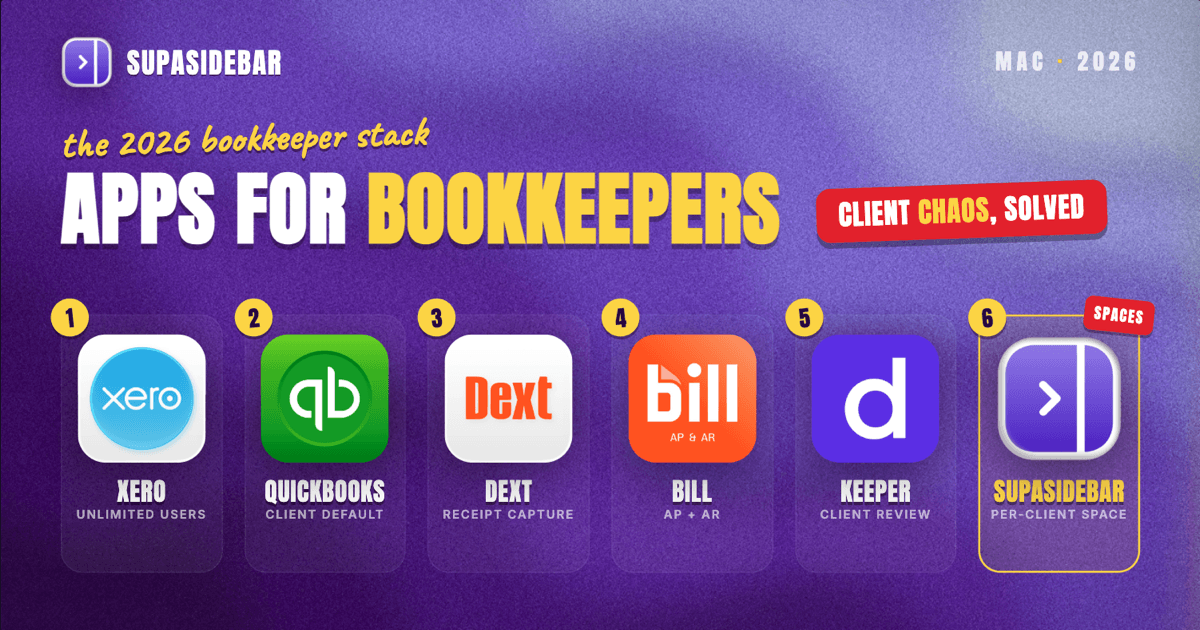
The best Mac apps for bookkeepers in 2026 are cloud-based and browser-first, so the real bottleneck is not the software but the dozen client logins open at once. Xero leads for multi-client work because every plan includes unlimited users; QuickBooks Online is the default clients already use; Dext and Hubdoc kill manual receipt entry; BILL handles accounts payable and receivable; and Keeper ties client review and communication together. SupaSidebar sits on top of all of them, giving each client its own Space so one company's books never bleed into another's across browsers. The full comparison table, per-tool breakdown, and a setup pick are below.
Quick navigation:
- Doing the books for one company in-house rather than a client roster? → Best Mac Apps for Accountants 2026
- Advising on the money, not recording it? → Best Mac Apps for Financial Advisors 2026
- Drowning in client tabs across browsers? → Too Many Tabs Open on Mac
- Setting up a focused Mac workspace? → Mac Workspace Setup for Deep Work 2026
- Running the books for multiple clients on a Mac? You are in the right place. Keep reading.
The best Mac apps for bookkeepers at a glance
The table below covers the core stack a freelance or small-firm bookkeeper runs on a Mac in 2026. Almost everything is web-based, which matters: a bookkeeper's day is less about one app and more about hopping between four or five client accounts, each with its own login.
| Tool | What it does | Pricing model (2026) | Best for |
|---|---|---|---|
| Xero | Cloud accounting and bank reconciliation | Early ~$15/mo, Growing ~$42/mo, Established ~$78/mo, unlimited users on every plan | Bookkeepers running multiple clients who need unlimited user seats |
| QuickBooks Online | Cloud accounting most clients already use | Simple Start ~$38/mo, Essentials ~$75/mo, Plus ~$115/mo | Matching the platform a client already runs |
| Wave | Free invoicing and basic accounting | Core invoicing/accounting free; Pro ~$16/mo | Solo bookkeepers and very small clients on a budget |
| Dext | AI receipt and bill data capture | Business ~$20-40/mo; per-client Practice tiers for bookkeepers | Killing manual data entry across a client roster |
| BILL | Accounts payable and receivable automation | Essentials ~$45/user/mo, Team ~$55, Corporate ~$89, plus per-transaction fees | Running client bill pay and approvals in one place |
| Keeper | Bookkeeping practice management and file review | Standard ~$8/client/mo, Premium ~$10/client/mo | Catching coding errors and managing client comms |
| SupaSidebar | Per-client workspace layer across browsers | Free version available | Keeping each client's logins and tabs in their own Space |
A few patterns to notice before the per-tool detail. Every accounting platform here is browser-based with no native Mac app, which is why bookkeepers live in tabs. Pricing for the receipt-capture and practice-management tools is increasingly per-client, not flat, because the vendors know a bookkeeper's "users" are really their book of business. And reconciliation, the job bookkeepers actually get judged on, is now an automation feature inside the accounting platform rather than a separate tool.
Xero: multi-client cloud accounting with unlimited users
Xero is the strongest core accounting app for a Mac bookkeeper juggling several clients, because every Xero plan includes unlimited users, so a five-person engagement costs the same as a sole proprietor. That single pricing decision is what separates it from most rivals for client work.
Xero runs entirely in the browser, with automated bank reconciliation that matches imported transactions against rules a bookkeeper sets once. Its plan ladder is roughly Early at about $15 per month (capped at 20 invoices and 5 bills), Growing at about $42 per month with unlimited invoices and bills, and Established at about $78 per month adding multi-currency, project tracking, and advanced reporting, per business.com's 2026 Xero review. Some regions list higher figures, so check the live pricing page for the client's country before quoting.
The catch is that "unlimited users" only helps if the bookkeeper actually manages multiple clients on Xero. A bookkeeper whose clients all run QuickBooks gains nothing from it. The platform also assumes a degree of cloud-accounting fluency that newer clients sometimes resist.
Best for:
Bookkeepers running several clients who want one platform without paying per seat.
QuickBooks Online: the platform clients already run
QuickBooks Online is the accounting app most small-business clients already use, which makes it the practical default for a bookkeeper who works on the client's books rather than migrating them. Meeting clients where they are beats forcing a switch.
QuickBooks Online is browser-based with no native Mac app, and its 2026 plans run roughly Simple Start at about $38 per month, Essentials at about $75 per month, and Plus at about $115 per month, with first-time users getting either a 30-day trial or a discount on the first few months, per NerdWallet's QuickBooks pricing breakdown. Annual billing saves roughly 15 to 20 percent.
The honest trade-off versus Xero is users and cost: QuickBooks Online charges by plan tier and limits seats, so a bookkeeper managing many client files can find the per-client math less friendly than Xero's unlimited-user model. The upside is ubiquity. Most clients, accountants, and lenders already speak QuickBooks.
Best for:
Bookkeepers working inside the platform a client already uses.
Wave: free accounting for solo bookkeepers and tiny clients
Wave is the budget pick for solo bookkeepers and very small clients, because its core invoicing and accounting are permanently free with no contact or invoice caps. For a one-person operation or a side practice, that removes the software bill entirely.
Wave's core features stay free, with a Pro tier at about $16 per month adding automatic invoice reminders and unlimited receipt scanning, per Wave's pricing page; payment processing carries the standard card fee of roughly 2.9 percent plus a fixed per-transaction amount, lower for ACH bank transfers. It runs in the browser like the rest of this stack.
Where Wave falls short is depth. It does not match Xero or QuickBooks Online on multi-entity reporting, advanced bank rules, or the integrations a growing client roster eventually needs. It is a starting tool, not a scaling one.
Best for:
Solo bookkeepers and very small clients who want zero software cost.
Dext: AI receipt and bill capture that ends manual entry
Dext is the data-capture engine that removes the most tedious part of bookkeeping, pulling supplier, tax, and payment details out of receipts and bills automatically. For a bookkeeper, the time saved on manual entry is the whole point.
Dext (formerly Receipt Bank) extracts data from photographed, emailed, or uploaded documents and from e-commerce sources like Shopify, Stripe, and Amazon, then pushes it into Xero or QuickBooks Online. Business plans run roughly $20 to $40 per month, and it offers dedicated Practice tiers priced per client connection (Practice Essentials around $17.70 per client, Advanced around $19.20 per client), per Dext's pricing page. The per-client model is built for exactly this audience.
A lighter alternative worth knowing: Hubdoc is owned by Xero and included free in every Xero plan, while QuickBooks Online users pay about $12 per month for it standalone, per Xero's Hubdoc guide. If the clients are all on Xero, Hubdoc may cover the capture job at no extra cost; Dext earns its price when accuracy across many clients and sources matters.
Best for:
Bookkeepers ending manual receipt and bill entry across a client roster.
BILL: accounts payable and receivable in one place
BILL (formerly Bill.com) centralizes client bill pay and invoicing, automating approvals and payments that would otherwise scatter across email and bank portals. For bookkeepers who handle a client's money movement, it consolidates a messy workflow.
BILL's 2026 plans run roughly Essentials at about $45 per user per month, Team at about $55, and Corporate at about $89, with per-transaction fees on top (ACH around $0.49, check around $1.99, international wire around $9.99), per Tekpon's BILL pricing breakdown. It offers special partner pricing for accountants and bookkeepers and syncs two-way with leading accounting platforms.
The cost stacks up fast, because it bills per user and per transaction, so a bookkeeper passing it to a small client should weigh whether the automation justifies the fees against simply paying bills manually. For higher-volume clients with real approval chains, it pays for itself in errors avoided.
Best for:
Bookkeepers running client bill pay and approval workflows in one tool.
Keeper: catch coding errors and manage clients
Keeper is the practice-management layer that ties a bookkeeper's client work together, surfacing coding errors and centralizing client communication so nothing slips between platforms. It is the tool built specifically for the bookkeeper, not the client.
Keeper connects to QuickBooks and Xero, flags miscoded transactions for review without leaving the app, generates client-facing reports, and runs in-app chat and task tracking, with pricing around $8 per client per month for Standard and $10 per client per month for Premium, per Capterra's Keeper listing. A 14-day trial is available.
The limit is scope: Keeper sits on top of the accounting platform, it does not replace it, so it is an addition to the stack rather than a substitute for Xero or QuickBooks Online. For a bookkeeper with one or two clients, the per-client cost may outweigh the benefit; for a growing book, the error-catching pays back quickly.
Best for:
Bookkeepers managing client review, comms, and quality control across a roster.
SupaSidebar: keep each client's books in their own Space
For bookkeepers running several clients across browsers, here is the problem none of the accounting tools solve. Every app above is browser-based, so a typical day means QuickBooks for one client, Xero for two more, a bank portal for each, BILL for approvals, and Dext for receipts, all open as tabs at once. The tabs blur together, and logging into the wrong client's bank or posting to the wrong company file is a real risk when twenty tabs look identical.
SupaSidebar is the cross-browser workspace layer for bookkeepers: one Space per client that keeps each company's logins, portals, and tabs separated across every browser on the Mac. It is a native macOS app, not a browser or extension, that adds a persistent sidebar to any browser and organizes saved links and live tabs into Spaces, which is exactly the per-client separation a multi-client bookkeeper needs (see SupaSidebar's docs for the feature set).
The fit is specific. Spaces let a bookkeeper give "Client A," "Client B," and "Personal" each their own set of pinned logins and tabs, and switching Spaces swaps the whole context in one keystroke, so the bank login on screen always matches the books on screen. Air Traffic Control can route a client's links to a specific browser profile automatically, which matters when one client's QuickBooks lives in a Chrome work profile and another's in a separate one. Live Tabs shows every open tab from every supported browser in one list, so a bookkeeper working across Safari and Chrome can see and switch to the right client tab without hunting. This separation use case is one of SupaSidebar's strongest and most-adopted patterns among multi-context users, and it maps directly onto how a bookkeeper's day is structured.
To be precise about scope: SupaSidebar organizes the tabs around the work, it does not touch the numbers. It does not reconcile accounts, capture receipts, or pay bills, and it does not isolate browser sessions the way separate browser profiles do. It is the workspace layer on top of the accounting stack, not a replacement for any tool above. It runs on macOS 14 and later, and a free version is available.
Best for:
Bookkeepers keeping each client's logins and tabs cleanly separated across browsers.
Why a bookkeeper's stack is not a generic accounting stack
A bookkeeper's tools differ from a single business's accounting setup in one way: multiplicity. A company's in-house finance person logs into one QuickBooks file. A bookkeeper logs into five, plus five bank portals, plus the receipt-capture and bill-pay tools for each. That is why per-client pricing has spread across the category, and why the organizing problem, not the accounting problem, is the one a Mac bookkeeper hits hardest.
It is also why the accountants stack overlaps but is not identical: accountants lean toward advisory, tax, and period-close work, while bookkeepers live in the day-to-day transaction recording across many clients. The tools share names; the daily pattern does not.
Which bookkeeper setup should you pick?
- If you run books for multiple clients and want one platform: Xero, because unlimited users on every plan removes the per-seat penalty that hurts multi-client work.
- If your clients already run QuickBooks: stay on QuickBooks Online and work in their files rather than forcing a migration.
- If you are solo or your clients are tiny: Wave, because the core accounting is free and the only cost is payment processing.
- If manual data entry is eating your day: add Dext (or Hubdoc free with Xero) to automate receipt and bill capture.
- If you handle client bill pay and approvals: add BILL for accounts payable and receivable, weighing the per-user and per-transaction fees.
- If you want to catch coding errors and manage client comms: add Keeper as the practice-management layer.
- If you keep losing track of which client's tabs are which: add SupaSidebar so each client gets its own Space across every browser.
Conclusion: building a bookkeeper's Mac stack in 2026
The best Mac apps for bookkeepers in 2026 are a layered stack, not a single app: Xero or QuickBooks Online for the books, Dext or Hubdoc for capture, BILL for payments, and Keeper for review. Xero wins for true multi-client work on the strength of unlimited users; QuickBooks Online wins when you are meeting clients where they already are.
By segment: solo bookkeepers and tiny clients should start with Wave and add Dext only when entry volume justifies it. Multi-client bookkeepers should standardize on Xero, layer Keeper for quality control, and add BILL where clients have real approval chains. Every bookkeeper running more than two clients on a Mac hits the same tab-chaos problem, and that is where a per-client workspace earns its place.
If a unified, per-client sidebar fits how you work across browsers, try SupaSidebar (free tier). For the in-house version of this stack, see the accountants guide.
FAQ
What is the best accounting app for bookkeepers on Mac in 2026?
Xero is the strongest core accounting app for Mac bookkeepers managing multiple clients, because every plan includes unlimited users, so a multi-person engagement costs the same as a solo one. QuickBooks Online is the better pick when clients already run it. Both are browser-based, so they work on any Mac without a native app.
Do bookkeeping apps have native Mac apps?
Most do not. QuickBooks Online, Xero, Wave, Dext, BILL, and Keeper are all browser-based and run in any Mac browser, with no dedicated macOS app. That is why bookkeepers end up with many client tabs open at once, and why a workspace tool that organizes tabs by client is useful on a Mac.
How do bookkeepers manage multiple client logins on a Mac?
Bookkeepers separate client contexts using browser profiles, separate Spaces, or a sidebar app. SupaSidebar gives each client its own Space across every browser, so one company's logins and tabs stay separate from another's, reducing the risk of acting in the wrong client's account. It runs on macOS 14 and later and a free version is available.
What is the cheapest bookkeeping software for Mac?
Wave is the cheapest, with permanently free core invoicing and accounting and no contact or invoice caps; the only cost is standard payment-processing fees of roughly 2.9 percent plus a per-transaction amount. A Pro tier at about $16 per month adds automatic reminders and unlimited receipt scanning. It suits solo bookkeepers and very small clients but lacks the depth of Xero or QuickBooks Online.
What is the difference between bookkeeper and accountant Mac apps?
The tools overlap heavily, but bookkeepers lean on multi-client, day-to-day transaction tools (Xero, QuickBooks Online, Dext, BILL) where per-client pricing and unlimited users matter, while accountants add advisory, tax, and period-close software. A bookkeeper's main extra challenge is juggling many client logins at once, which a per-client workspace tool addresses.
Can SupaSidebar do bookkeeping?
No. SupaSidebar does not reconcile accounts, capture receipts, or pay bills. It is a Mac sidebar app that organizes browser tabs and saved links into Spaces, so a bookkeeper can keep each client's logins and portals separated across browsers. It sits on top of accounting tools like Xero and QuickBooks Online, it does not replace them.
By Kshetez Vinayak, founder of SupaSidebar. Last updated June 28, 2026.