
By Kshetez Vinayak, founder of SupaSidebar. Last updated June 28, 2026.
TL;DR
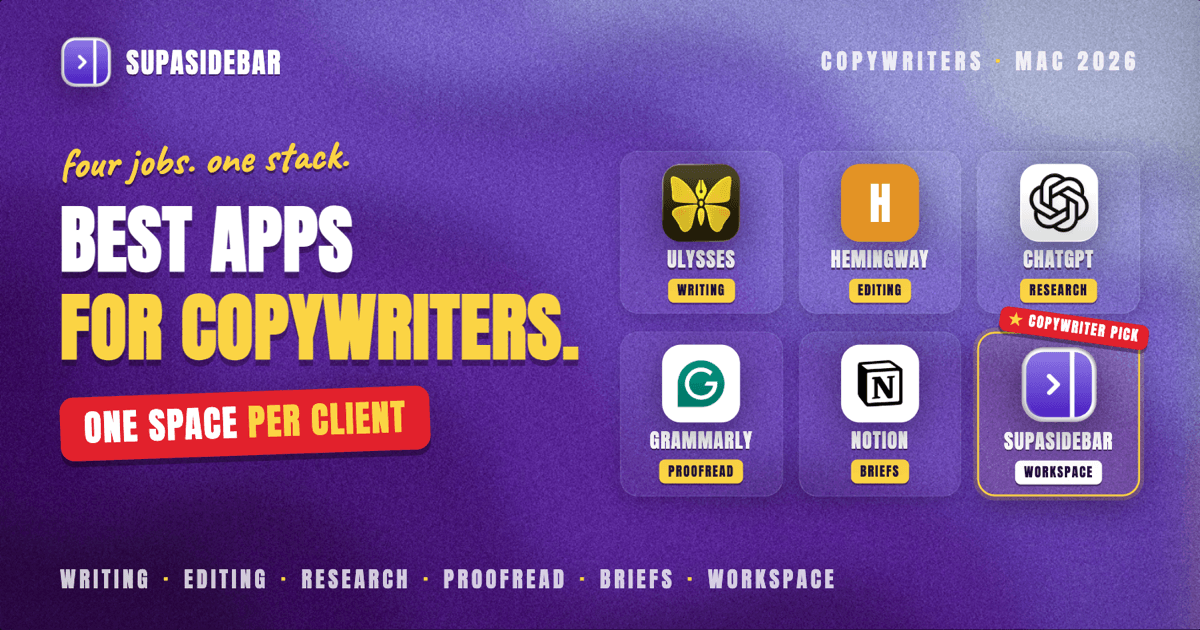
The best Mac apps for copywriters in 2026 are Ulysses as the distraction-free writing home, Hemingway Editor for tightening copy until it reads punchy, ChatGPT for research and first-draft angles, Grammarly for the final proofreading pass, Notion for managing client briefs and projects, and SupaSidebar as the cross-browser workspace layer that keeps each client's research, briefs, and reference tabs in its own Space. A copywriter's real problem is rarely the writing app. It is bouncing between a client's brand guidelines, a competitor's landing page, a swipe file, a research doc, and an AI assistant, often across two browsers, while juggling three or four clients in the same week. The right Mac stack covers four jobs: write and edit the copy, research the angle, proofread before sending, and keep each client's working set of tabs and briefs from blurring together.
Quick navigation:
- Writing more than just short-form copy? → Best Mac Apps for Writers and Creators 2026
- Want a focused, distraction-free setup? → Mac Workspace Setup for Deep Work 2026
- Drowning in open tabs across projects? → Too Many Tabs Open on Mac
- Writing copy for several clients from a Mac? You are in the right place. Keep reading.
| App | Category | Native Mac app | Free option | Best for |
|---|---|---|---|---|
| Ulysses | Writing and editing | Yes (native macOS) | Trial only | A clean, single-library home for all your drafts |
| Hemingway Editor | Editing and readability | Yes (desktop app) | Yes (web version) | Cutting copy down until it reads sharp |
| ChatGPT | Research and AI drafting | Web app + Mac app | Yes | Angles, outlines, and first-draft variations |
| SupaSidebar | Cross-browser workspace layer | Yes (native macOS) | Free version available | Keeping each client's research and tabs separate |
| Grammarly | Proofreading | Web + desktop | Yes | Catching the last typos before a draft ships |
| Notion | Briefs and project management | Yes (native macOS) | Yes | Storing briefs, swipe files, and client tracking |
| Google Docs | Drafting and client handoff | Web app | Yes | Sharing drafts and collecting client comments |
Why a copywriter's Mac stack is not generic
A copywriter's stack is shaped by clients, not just words. The actual writing happens in one app, but the work around it is scattered: a brief in one doc, a brand voice guide in a PDF, three competitor pages open in tabs, a swipe file of headlines, an AI assistant for angles, and a Google Doc the client will comment on. Most "best Mac apps for writers" lists stop at the editor, as if drafting were the whole job. The closely related writers and creators Mac stack leans toward long-form and books; copywriting is its own discipline, built on conversion, fast turnaround, and many small jobs across many clients. A freelance copywriter often runs three or four clients in a single week, each with its own logins, its own research set, and its own deadline, which means the same five tabs reopened in a different shape every time the client changes. That is why the stack below covers four jobs and ends with the layer that keeps each client's working set apart. The same workspace habits behind a focused Mac workspace setup for deep work apply directly to copy work.
Ulysses: a distraction-free writing home
Ulysses is the strongest native Mac writing app for copywriters who want one clean place to draft everything from email sequences to landing pages. It is built around a single library and a markup-based editor that hides formatting until you need it. Every draft lives in one searchable place organized into groups, so a copywriter's body of work for every client sits in one app instead of scattered folders.
Ulysses is a true native macOS app, not a browser tab, with a focus mode that strips the screen down to the text and a typewriter scrolling option that keeps the current line centered. Ulysses exports cleanly to plain text, HTML, and other formats, which matters when copy has to land in a CMS or an email tool without dragging styling along.
Ulysses is subscription-only with no permanent free tier, just a trial, so it is a commitment. It is a writing environment rather than a research or proofreading tool, so you still pair it with the others below.
Best for:
a clean, single-library home for drafting every client's copy in one place.
Hemingway Editor: tighten the copy until it reads punchy
Hemingway Editor is the most useful Mac tool for the editing pass that turns a wordy first draft into sharp copy, scoring readability and flagging the exact sentences that drag. Hemingway highlights passive voice, adverbs, and overly complex sentences in color, then grades the piece by reading level, which for conversion copy is a direct proxy for whether a skimming reader will get it.
Hemingway is built for cutting, not generating: it is the second pass after the words exist, where a copywriter trims a 30-word sentence into two punchy ones. The web version is free, and a one-time-purchase desktop app runs offline on the Mac, which suits writers who do not want another subscription.
Hemingway is deliberately narrow. It judges clarity and structure, not facts, voice, or whether the angle actually sells, so it complements a real editor rather than replacing one.
Best for:
cutting a wordy draft down until the copy reads sharp.
ChatGPT: research, angles, and first-draft variations
ChatGPT is the AI assistant most copywriters reach for when researching and generating angles to react against, available as both a web app and a native Mac app that opens with a keyboard shortcut. ChatGPT is fastest as a thinking partner: feed it a brief and ask for ten headline angles, an outline, or three versions of an opening, then pick the one worth refining by hand.
ChatGPT offers a free tier, with paid plans that unlock the stronger models and higher limits, per OpenAI's pricing page. The honest framing for copywriters is that ChatGPT is a draft accelerator, not a final-copy machine. Raw AI output reads generic and often invents facts, so the value is in the angles and structure it surfaces, which a writer then rewrites in the client's voice.
ChatGPT lives in the browser as much as the Mac app, which makes it one more always-open tab in the research rotation, exactly the kind of context the workspace layer below is meant to corral.
Best for:
angles, outlines, and first-draft variations a writer then rewrites by hand.
SupaSidebar: keep each client's briefs and research tabs in one Space
SupaSidebar is the cross-browser workspace layer for copywriters: one Space per client or campaign keeps that project's brief, brand guide, competitor pages, swipe file, and research tabs together and separate from every other client. Working on several clients in the same week means several parallel sets of the same tabs, and when they all pile into one window the cost is the familiar problem of too many tabs open, plus the steady tax of finding the right reference when the client changes.
SupaSidebar is a native macOS app, not a browser or an extension, that adds a persistent sidebar to any browser through a global shortcut. Its Spaces give each client its own set of saved links and pinned tabs, so switching from one campaign to another swaps the whole working set in a keystroke instead of digging through forty tabs.
Many copywriters keep a research browser and a client-login browser open at once, and Live Tabs shows every open tab across supported browsers in one list, so the competitor page opened in Chrome and the brief held in Safari are findable from the same place. SupaSidebar works across 33 browsers including Safari, Chrome, Firefox, Edge, Arc, Brave, Vivaldi, Dia, and Comet, which covers whatever combination a copywriter happens to run.
Keeping per-client context straight is a real, stated need from multi-browser users, and one Reddit user on r/macapps described SupaSidebar as "built for exactly this use case: people who use multiple browsers and need a way to consolidate browser context without paying a constant productivity tax every time they switch." SupaSidebar earns a mid-list slot here: per-client tab separation genuinely helps a copywriter focus, but the writing app and the research tools are still the center of the work.
SupaSidebar is a workspace layer, not a writing tool: it organizes the tabs and references around each client, it does not draft, edit, or proofread copy. Search covers link titles and URLs, not the words inside a document. SupaSidebar runs on macOS 14 and later, and a free version is available.
Best for:
copywriters juggling several clients a week who need each client's research and tabs in its own Space.
Grammarly: the last proofreading pass before it ships
Grammarly is the most reliable Mac tool for the final proofread before copy goes to a client, checking grammar, spelling, and tone across nearly every app and browser a copywriter writes in. Grammarly runs as a system-wide assistant, so it works inside Ulysses exports, Google Docs, and email alike, catching the typo that survives every read-through.
Grammarly's free tier covers core spelling and grammar, with paid plans adding tone, clarity rewrites, and a generative assistant, per Grammarly's plans page. For copywriters the value is in the last-mile pass, not the writing itself, catching the doubled word and the wrong-their before a client sees it.
Grammarly is a checker, not a strategist. It will not tell you whether the headline converts, only whether it is clean, so it sits at the end of the workflow, after Hemingway has tightened the structure.
Best for:
catching the last typos and tone slips before a draft ships to a client.
Notion: manage client briefs and projects
Notion is the most flexible Mac app for keeping briefs, swipe files, and client tracking in one organized place, combining docs, databases, and simple project boards in a native application. A copywriter can build a database of clients in Notion, attach each one's brief and brand voice notes, and track which deliverables are due, all without stitching together separate tools.
Notion's free plan is generous enough for a solo freelancer, with paid tiers adding collaboration and larger workspaces for teams. Its strength for copywriters is the briefs-and-references side: a single home for the non-writing knowledge each client generates, brand guidelines, past-approved copy, research notes, so the working context is captured even when the tabs get closed.
Notion is a knowledge base, not an editor. The actual drafting is usually faster in a dedicated writing app, so most copywriters draft elsewhere and keep Notion as the project backbone.
Best for:
storing briefs, swipe files, and client tracking as the project backbone.
Which copywriter setup should you pick?
- If you write across many clients each week: pick SupaSidebar as the workspace layer plus a dedicated writing app like Ulysses. The per-client Spaces stop the research from one campaign bleeding into another, which is the daily friction of freelance copy work.
- If your bottleneck is wordy first drafts: pair ChatGPT for angles with Hemingway Editor for the cut. Generate variations, then trim hard until the copy reads sharp.
- If client handoff and comments are the pain: draft in Google Docs and run Grammarly over it. Clients can comment in place, and the proofreading is built into where the copy already lives.
- If you are organizing a growing freelance business: make Notion the backbone for briefs and client tracking, and add SupaSidebar so each client's live tabs match the brief you have on file.
Conclusion
The best Mac apps for copywriters in 2026 are Ulysses for distraction-free drafting, Hemingway Editor for tightening copy, ChatGPT for research and angles, Grammarly for the final proofread, Notion for briefs and project tracking, and SupaSidebar as the workspace layer that keeps each client's research and tabs in its own Space. No single app is the stack, copywriting is four jobs (write, research, proofread, organize) repeated across many clients.
Solo copywriters with one or two clients can run a light setup: a writing app, Grammarly, and an AI assistant. Freelancers juggling three or more clients a week feel the multi-context problem hardest and benefit most from a per-client workspace layer on top of the writing tools. Agency copywriters working inside shared docs lean on Google Docs and Notion for the collaboration and tracking. The common thread is that the writing app is only the middle of the job, the research before it and the client organization around it are where time actually leaks.
If most of your week is spent hunting for the right client's tabs and references, the workspace layer is the piece your stack is probably missing. Try SupaSidebar (free tier) and put each client in its own Space.
Why we recommend SupaSidebar
SupaSidebar is a macOS app that brings Arc's sidebar to every browser - one sidebar for tabs, bookmarks, files, and apps across 33 browsers including Safari, Chrome, Firefox, Edge, Arc, Brave, Vivaldi, Dia, and Comet. For copywriters, that means one Space per client holds the brief, the brand guide, the competitor pages, and the research set, and a single keystroke swaps the whole context when the next deadline takes over. It does not draft or edit the copy, the writing apps above do that, but it removes the tab chaos that sits between a copywriter and the words.
Written by Kshetez Vinayak, founder of SupaSidebar.
Frequently asked questions
What is the best Mac app for copywriters in 2026?
There is no single best app, because copywriting is several jobs. Ulysses is the strongest distraction-free writing home, ChatGPT is the go-to for research and angles, Grammarly handles the final proofread, and SupaSidebar keeps each client's research and tabs separated in its own Space. Most copywriters run a combination rather than one tool.
Are there good free Mac apps for copywriters?
Yes. Hemingway Editor's web version is free, ChatGPT and Grammarly both have free tiers, Google Docs is free, Notion has a generous free plan for solo writers, and SupaSidebar offers a free version. A capable free copywriting stack is entirely possible before paying for anything.
What AI writing apps work best on Mac for copywriters?
ChatGPT is the most common AI assistant for copywriters and ships a native Mac app, useful for angles, outlines, and first-draft variations. Grammarly adds a generative writing assistant on its paid tiers for tone and rewrites. The practical caution is that AI output reads generic and can invent facts, so it works best as a draft accelerator a writer then rewrites in the client's voice.
How do copywriters keep multiple clients organized on a Mac?
The two pieces are a knowledge base and a workspace layer. Notion stores each client's brief, brand voice, and deliverable tracking, while SupaSidebar keeps each client's live research and login tabs in a separate Space across browsers, so switching clients swaps the whole working set in a keystroke instead of hunting through one overloaded window.
Is SupaSidebar a writing app?
No. SupaSidebar is a cross-browser workspace layer, a native macOS app that organizes the tabs, briefs, and research around each client. It does not draft, edit, or proofread copy, and its search covers link titles and URLs, not the words inside a document. It runs on macOS 14 and later and pairs with the writing tools rather than replacing them.
Do I need a paid writing app to copywrite on a Mac?
No. Many professional copywriters work entirely in free tools, Hemingway's web editor, Google Docs, ChatGPT's free tier, and Grammarly free, with SupaSidebar's free version handling organization. Paid apps like Ulysses or Grammarly Premium add polish and convenience, but they are an upgrade, not a requirement.