
By Kshetez Vinayak, founder of SupaSidebar. Last updated 2026-06-15.
Quick navigation:
- Looking for student picks? → Best Mac Apps for Students 2026
- Building an AI dev stack? → Best Mac Apps for AI Developers 2026
- Want a deep-work setup? → Mac Workspace Setup for Deep Work 2026
- Writer or content creator? You are in the right place. Keep reading.
TL;DR
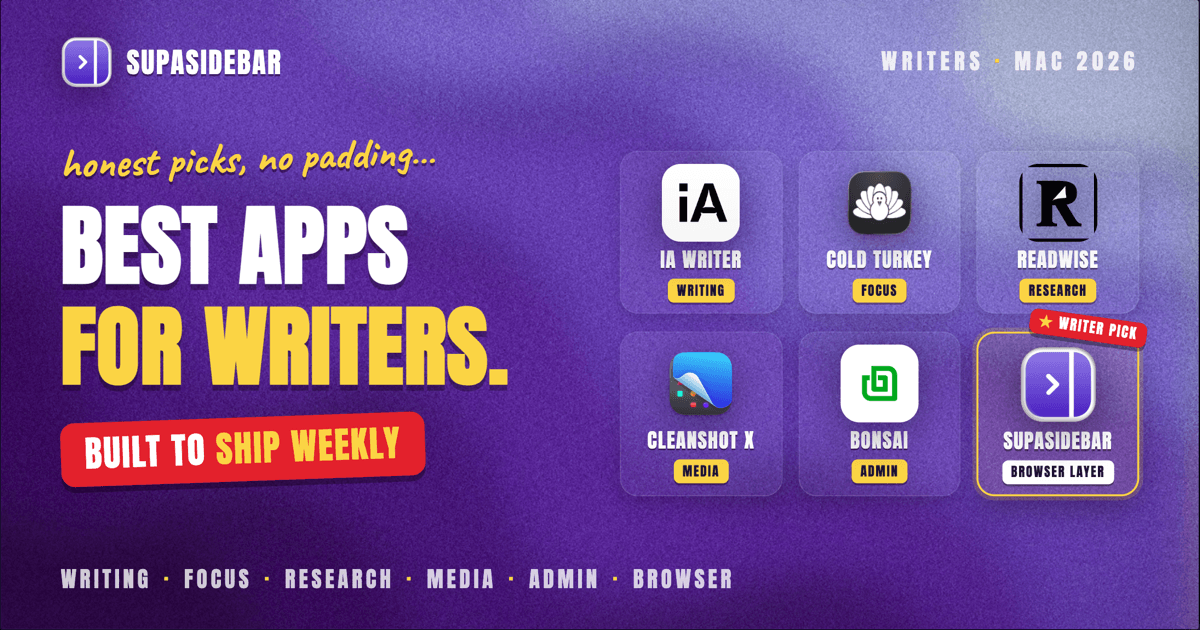
The Mac writing stack that actually carries a freelance or content workflow in 2026 looks like this: iA Writer or Ulysses for the writing surface, Cold Turkey Blocker for focus, Readwise plus SupaSidebar for research, and CleanShot X for media capture. iA Writer was named an Apple Design Award finalist at WWDC 2025 for its plain-text, AI-aware design (Mac Stories coverage). Ulysses still owns one-click publishing to WordPress, Ghost, and Medium (Ulysses publishing docs). The rest of the stack below covers focus, research, media, and admin - the parts every productivity blog skips because they cannot be summarized in a sentence.
This piece is a category-by-category walkthrough of the stack. It is opinionated, names winners per category, and skips apps that show up in every listicle but do not actually carry weight (Notion is good for project pages, not for writing prose; that is why it lives in research, not writing).
Scope:
Mac apps for writers, bloggers, freelance journalists, newsletter authors, podcasters, and YouTube creators. Not covered: full publishing-house tools (InCopy, K4), heavy DTP (InDesign), and apps that have no Mac client.
The writing surface (where the words go)
This is the first decision and the one most writers get wrong. The writing app is not where the words live - it is where the writing happens. The two questions that actually matter: does the editor stay out of the way, and does the file format outlive the app?
iA Writer
iA Writer is the cleanest writing surface on Mac. Plain .md files on disk, syntax highlighting that visually separates nouns, verbs, adjectives, and adverbs (the famous Style Check), and focus mode that fades every paragraph except the current one. It was an Apple Design Award finalist at WWDC 2025 for the way it visually marks AI-generated content with colored gradients, encouraging the writer to rewrite it in their own voice. Files sync via iCloud or Dropbox, so the words are never trapped inside the app.
Best for: bloggers, essayists, newsletter writers, anyone who publishes Markdown.
Ulysses
Ulysses uses a sheet-based library instead of files on disk - every piece of writing is a "sheet" inside a unified library. The trade-off is portability for organization. Writers who manage 200+ blog drafts at once tend to prefer Ulysses because the library, tags, and goals system handles volume better than a folder of files. The killer feature is direct publishing: one click sends a sheet to WordPress, Ghost, Medium, or Micro.blog with images attached.
Best for: working bloggers who publish weekly, newsletter writers managing a backlog, writers who like a library-style interface.
Scrivener
Scrivener is the long-form workhorse. The corkboard, outliner, split editor, and research binder are built for novels, screenplays, dissertations, and long non-fiction. Pricing it against iA Writer or Ulysses is a category error - Scrivener does jobs the other two cannot. A book writer who tries to manage 30 chapters in iA Writer will rebuild Scrivener inside their file system within a month.
Best for: book writers, screenwriters, anyone holding 50,000+ words in a single project.
Drafts
Drafts is the capture layer, not the editor. Every fragment, voice note, tweet draft, and idea lands in Drafts first, then gets sent (with a tap) to the right destination - Ulysses, iA Writer, email, a task manager. The premise: the moment of capture should never be the moment of organization. Drafts won Mac Stories' App of the Year for exactly this reason.
Best for: writers who lose ideas in the gap between thought and editor.
The skip list
Apps to skip in 2026: Bear (sync issues across iCloud, slow Mac client updates), Pages (a layout tool, not a writing surface), Microsoft Word for Mac (no Markdown, no focus mode, file format pain), Notion (great for project pages, awful for prose).
Distraction-free and focus
Writers spend more on focus apps than they admit. The category exists because the modern Mac is a notification machine and the modern browser is a 12-tab Slack-Twitter-Discord-Reddit attention drain. The question is not whether to use a blocker - it is which one cannot be defeated by a willpower lapse at 2 PM.
Cold Turkey Blocker
The strongest blocker on Mac. Once a session is started, the app cannot be quit, the blocklist cannot be edited, and even reinstalling macOS will not unlock the session early. This is by design. Cold Turkey treats willpower as a finite resource and removes the option to relapse during a scheduled focus block.
Best for: writers with a real Twitter habit, dissertation phase, deadline crunch.
Focus (macOS native)
The built-in macOS Focus Modes are surprisingly capable. A Writing focus that hides Slack, Discord, and Mail badges, sets a custom wallpaper, and dims non-writing apps is one Settings menu away. It does not block sites - it just makes them quieter. Pair with a Safari/Chrome extension for the blocking layer.
Best for: writers who want gentle friction, not lockdown.
Freedom
Freedom syncs blocks across Mac, iPhone, iPad, and Windows. The case for it is exactly the escape route most writers take: when the Mac blocks Twitter, the phone does not. Freedom closes that loophole. Less aggressive than Cold Turkey on the Mac itself but more comprehensive across devices.
Best for: writers who reach for the phone the moment the Mac says no.
One Sec
One Sec adds a forced 10-second pause before opening any flagged app. Not a blocker - a friction layer. Ten seconds is enough time to remember the writing session is in progress and close the tab. The neurology argument: most app-opens are habit loops, not decisions. The pause turns the loop back into a decision.
Best for: writers who do not want to feel locked out, just slightly inconvenienced.
Research and tab management
Research is where writer-grade software gets weird. Writers do not research the way developers do. The pattern: 25 tabs open across Safari (the reading view), Chrome (where the CMS lives), and sometimes a third browser for AI chats. Each article spawns its own constellation of tabs that needs to survive context switches.
SupaSidebar (the cross-browser tab layer)
SupaSidebar is the cross-browser workspace layer for writers: a Space per article keeps that piece's research tabs together no matter which browser opened them. It brings Arc's sidebar to every browser - one sidebar for tabs, bookmarks, files, and apps across 33 browsers including Safari, Chrome, Firefox, Edge, Arc, Brave, Vivaldi, Comet, and Dia. Research material lands in whichever browser opened it (Reddit threads in Safari, an AI chat in Chrome, a Substack in Arc), and SupaSidebar's Spaces let each article-in-progress keep its own research set without forcing the writer to consolidate into one browser. It runs on macOS 14 (Sonoma) and later.
Best for: writers who research across multiple browsers and lose track of which tab is in which window.
A real case: François Cuneo, a Swiss French tech blogger at cuk.ch, runs SupaSidebar across 3 Macs with Comet browser and 5 Spaces. Each Space is a context - one article in progress, one research project, one personal. iCloud sync handles the cross-device piece automatically.
Readwise
Readwise pulls highlights from Kindle, Pocket, Instapaper, Reader, and the web into a single searchable library and surfaces them again later via a daily review email. For writers, the value is not the highlight itself - it is being reminded of a quote from a book read 18 months ago, in the same week an article needs it. The Reader app is the read-later piece (a Pocket replacement that does not have a checkered ownership history).
Best for: non-fiction writers, essayists, anyone with a Kindle library.
Notion (for project pages, not for prose)
Notion is excellent for project briefs, content calendars, source lists, and the kind of structured-data work where a database beats a document. Writing the actual prose in Notion is painful (slow editor, latency on long pages, no real Markdown). Use Notion as the project hub and one of iA Writer/Ulysses/Scrivener for the actual writing.
Best for: writers managing client briefs, content calendars, source databases.
Publishing and CMS
The publishing layer depends entirely on where the words ship. Three common configurations:
| Writer type | Editor | Publishing path |
|---|---|---|
| WordPress blogger | Ulysses | Direct WordPress publish from inside Ulysses |
| Substack newsletter | iA Writer | Copy Markdown into Substack editor |
| Ghost blogger | Ulysses or iA Writer | Ulysses one-click; iA Writer via copy |
| Medium contributor | Ulysses or iA Writer | Ulysses publishes natively; iA Writer copies |
| Static site (Hugo, Astro, Eleventy) | iA Writer | Push .md to a Git repo |
| Self-hosted CMS | iA Writer | Copy Markdown; sometimes via API |
The decision rule: if direct publish saves more than 5 minutes per post and the writer publishes weekly, Ulysses earns the price tag. If publishing is rare or the CMS is Markdown-native, iA Writer is the cleaner pick.
Media capture and editing
Most "writer" workflows now include some media work - screenshots for tutorials, voice memos for podcasts, short clips for social. These are the apps that earn their place.
CleanShot X
CleanShot X is the most-recommended screenshot tool on Mac and the reason becomes obvious within a week: macOS's default ⌘⇧4 leaves screenshots scattered on the desktop with timestamp filenames. CleanShot keeps screenshots in a clipboard-style overlay, lets the writer annotate before saving, and handles scrolling captures and short screen recordings. The annotation tools alone justify the cost for any tutorial writer.
Best for: bloggers, tutorial writers, anyone who screenshots more than once a day.
Audio Hijack
Audio Hijack handles the audio side of podcasting on Mac - capture from any app, multi-track recording, real-time effects. The block-based interface is unusual but settles fast. Pair with a USB microphone (Shure MV7 is the modern default) and a treated room.
Best for: podcasters, audio interviewers, writers recording voice notes for transcription.
ScreenFlow
ScreenFlow is the lighter alternative to Final Cut for screen-recording tutorials. The screen-recording capture is best-in-class on Mac, the timeline is approachable, and exports go straight to YouTube. Final Cut is overkill for a tutorial creator who is not editing narrative video.
Best for: tutorial creators, course makers, YouTubers doing screen-only content.
Riverside (or SquadCast)
Both record local-quality audio and video for remote podcast interviews, then upload the local files to the cloud. The result is studio-grade audio from a Zoom-like recording experience. Riverside has the better editing layer; SquadCast has the more reliable recording. Either beats recording a Zoom call as the audio source.
Best for: interview podcasters with remote guests.
Admin (the boring stack)
The admin layer kills more freelance careers than the writing itself. Two apps cover most of it:
Bonsai
for proposals, contracts, time tracking, and invoicing - the all-in-one freelance back-office. The contract templates alone save several billable hours per project.
FreshBooks
for writers who only need invoicing and basic accounting. Simpler than Bonsai, cheaper, less project-management overlap.
For taxes, Keeper or Found integrate with both. Neither replaces an accountant, but both keep receipts and mileage organized between quarters.
The full stack at a glance
| Layer | Pick | Alternate |
|---|---|---|
| Writing (short-form Markdown) | iA Writer | Ulysses |
| Writing (long-form, books) | Scrivener | - |
| Capture | Drafts | Apple Notes |
| Focus (hard lock) | Cold Turkey Blocker | - |
| Focus (gentle) | macOS Focus + One Sec | Freedom |
| Research tab layer | SupaSidebar | Workona |
| Highlights and read-later | Readwise | Matter |
| Project hub | Notion | Obsidian |
| Screenshots | CleanShot X | Shottr |
| Audio | Audio Hijack | - |
| Video / screen | ScreenFlow | Final Cut |
| Remote interview | Riverside | SquadCast |
| Admin / invoicing | Bonsai | FreshBooks |
This is not the universal stack. It is the stack that holds up under weekly publishing pressure across writing, research, media, and admin. A writer who does not record audio can drop Audio Hijack and Riverside. A writer who never blocks sites can skip the focus row. The point is the categories, not the specific picks.
Conclusion: Picking the right stack
The strongest argument against most "best apps" listicles is that they treat each app as a standalone choice. The writer's stack is a system - the editor needs to talk to the publishing layer, the research layer needs to outlive the browser, the focus layer needs to actually hold. The picks above are chosen because they fit together, not because they each won a category in isolation.
Bloggers and newsletter writers:
Ulysses for the editor, Cold Turkey for focus, SupaSidebar for research tabs, CleanShot X for media. WordPress, Ghost, and Substack all publish cleanly from this stack.
Book and long-form writers:
Scrivener for the manuscript, iA Writer for daily essays and side pieces, Readwise for research surfacing. The book lives in Scrivener; everything else is satellite.
Tutorial and YouTube creators:
iA Writer for scripts and notes, CleanShot X plus ScreenFlow for capture and edit, SupaSidebar for the multi-browser research workflow that comes with any "how to do X" video. Audio Hijack only if voice-over quality matters.
Podcasters:
Drafts for show-note capture, iA Writer for episode prep, Audio Hijack for local capture, Riverside for guests. SupaSidebar earns its place once research spans more than one browser.
If the stack needs to be built one app at a time, start with the writing surface (iA Writer or Ulysses) and the focus layer (Cold Turkey or One Sec). Everything else can wait until the writing habit is established.
Try SupaSidebar (free tier) to handle the cross-browser research layer.
Why we recommend SupaSidebar
SupaSidebar is a macOS app that brings Arc's sidebar to every browser - one sidebar for tabs, bookmarks, files, and apps across 33 browsers including Safari, Chrome, Firefox, Edge, Arc, Brave, Vivaldi, Comet, and Dia. For writers and content creators, the value is specific: research lives in whichever browser opened it, and SupaSidebar's Spaces let each article-in-progress keep its own research set without forcing a consolidation into one browser. iCloud sync handles the cross-device piece automatically. Runs on macOS 14 (Sonoma) and later.
Frequently Asked Questions
What is the best writing app for Mac in 2026?
It depends on what gets written. iA Writer is the best for short-form Markdown, blog posts, and essays because it is the most distraction-free and stores files as plain .md on disk. Ulysses is the best for writers who publish directly to WordPress, Ghost, or Medium and want a sheet-based library. Scrivener is the best for long-form projects with research, outlines, and multiple chapters, like books or screenplays.
Do writers really need separate apps, or is a Mac with Pages enough?
Pages is enough for occasional documents. It is not enough for a writing practice. Dedicated writing apps remove the toolbar noise, enforce Markdown so files stay portable, and add focus modes that hide everything except the current paragraph. Writers who publish more than once a month tend to switch within their first year on a Mac because Pages bills itself as a layout tool, not a writing surface.
Which Mac apps help with focus while writing?
Cold Turkey Blocker is the strongest because it cannot be killed mid-session, even by quitting the app. Focus (the macOS app) is gentler and integrates with macOS Focus Modes. Freedom syncs blocks across Mac, iPhone, and iPad so writers cannot escape to another device. One Sec adds a 10-second pause before opening Twitter or Reddit, which is enough friction for most writers to close the tab and keep writing.
What is the best Mac app for content creators who research across many tabs?
Research-heavy work tends to spread across two or three browsers - one for the CMS, one for AI chats, one for source PDFs. SupaSidebar is built for this case: it gives Mac one persistent sidebar that lists tabs from 33 browsers, plus Spaces for keeping each article's research separate. Readwise is the companion piece for capturing highlights from articles and Kindle into a single library.
Which Mac apps do content creators use for media work?
CleanShot X for screenshots and short screen recordings, Audio Hijack for podcast capture, and ScreenFlow or Final Cut for video editing. CleanShot X covers most blog and tutorial needs and is the most-cited Mac screenshot tool because the default macOS shortcut leaves images on the desktop. ScreenFlow is the lighter option for tutorial creators who do not need Final Cut's depth.
Is iA Writer or Ulysses better for bloggers?
Ulysses for bloggers who publish straight to WordPress, Ghost, or Medium from inside the app. iA Writer for bloggers who copy Markdown into a CMS or use a static-site generator. Ulysses uses an internal library; iA Writer uses files on disk synced via iCloud or Dropbox. Both are excellent at the writing surface itself, so the deciding factor is publish workflow, not the editor.
By Kshetez Vinayak, founder of SupaSidebar. Last updated 2026-06-15.