
By Kshetez Vinayak, founder of SupaSidebar. Last updated 2026-06-20.
TL;DR
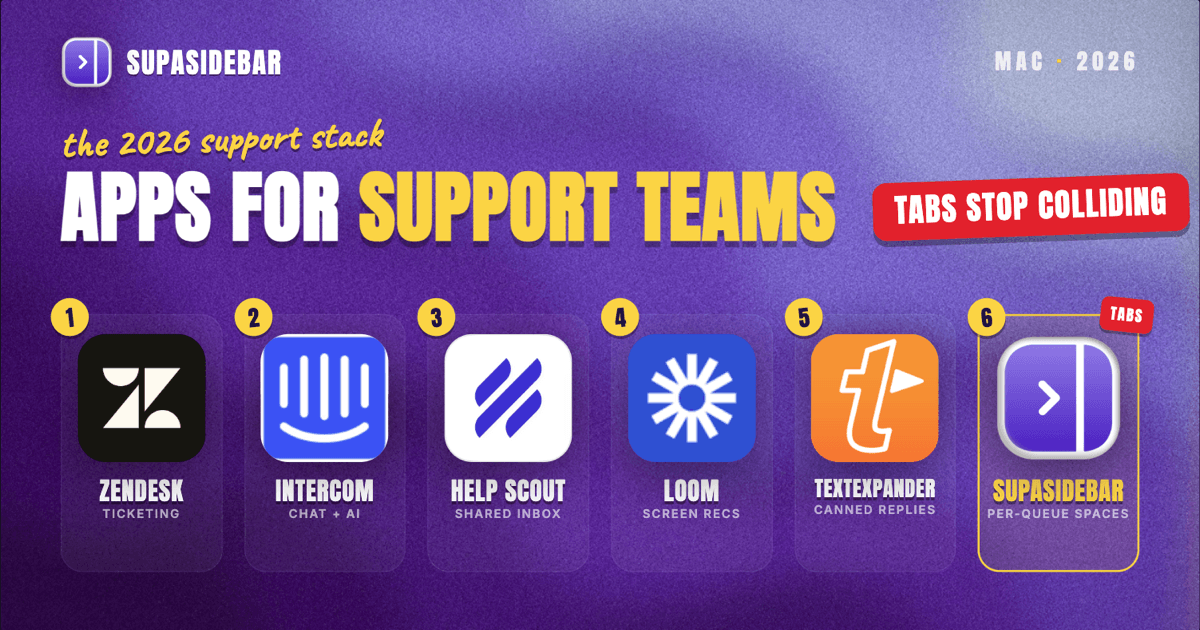
The best Mac apps for customer support teams in 2026 are organized by the support job, not by suite: Zendesk Suite as the ticketing system that holds every conversation, SupaSidebar for keeping each queue's pile of ticket, knowledge-base, and product tabs separated across every browser, Intercom for live chat with an AI agent that deflects the repetitive questions, Help Scout as the lighter shared-inbox and docs option for small teams, Loom for answering with a 60-second screen recording instead of a wall of text, and TextExpander for turning canned answers into a two-character shortcut. An agent's real problem is rarely a missing tool, it is the sprawl: every open ticket drags in the helpdesk record, the knowledge-base article, the customer's account in an admin panel, the product tab where the bug actually lives, and often a second browser profile used only to reproduce the issue as the customer sees it. That sprawl is why the workspace layer earns a spot high on this list rather than the bottom. Several of these start free, Help Scout has a free tier, Loom has a permanent free plan, and SupaSidebar has a free version, while the per-agent ticketing seats and per-resolution AI are where a support budget actually goes.
Quick navigation:
- Working remotely or across time zones? → Best Mac Apps for Remote Workers 2026
- Building a focused, distraction-free setup? → Mac Workspace Setup for Deep Work 2026
- Drowning in open tabs specifically? → Too Many Tabs Open on Mac
- Running a support desk from a Mac? You are in the right place. Keep reading.
| App | Job in the stack | Pricing model | Best for |
|---|---|---|---|
| Zendesk Suite | Ticketing and omnichannel helpdesk | Support Team ~$19/agent/mo | One system of record for every ticket |
| SupaSidebar | Per-queue workspace across browsers | Free version available | Tickets whose tabs span browsers and profiles |
| Intercom | Live chat plus AI agent (Fin) | Seats from ~$29/seat/mo; ~$0.99 per AI resolution | Deflecting repetitive questions with AI |
| Help Scout | Shared inbox and knowledge base | Free plan; Standard ~$25/user/mo | Small teams who want a simple shared inbox |
| Loom | Async screen-recorded answers | Free plan; Business ~$12.50-15/creator/mo | Explaining a fix faster than typing it |
| TextExpander | Canned-response macros | Individual ~$3.33/mo; Business ~$8.33/user/mo | Killing repetitive typing on common replies |
Why a support agent's app stack isn't a generic "best apps" list
A solo knowledge worker lives inside one set of tools and one account. A customer support agent works dozens of tickets a day, and each one drags in its own context: the helpdesk record, the customer's account in an internal admin panel, the relevant knowledge-base article, the product page or app where the issue actually happens, and sometimes a clean browser profile used only to reproduce the bug the way the customer sees it. The apps that matter for an agent are not the flashiest, they are the ones that keep all that context one click away without burying the shift in browser tabs.
So this list is organized by the jobs an agent actually does every day - log and route tickets, chat live, look things up, answer fast, and reproduce problems - and keep it all from collapsing into tab chaos. The tools are picked for individual and small-team support use, a sensible free-to-paid path, and Mac-native polish where it exists. The list leads with the ticketing system where every conversation lives and the workspace layer that keeps the queues from colliding, then works through live chat, knowledge base, screen recording, and macros.
The multi-ticket tab problem (and the workspace layer)
Here is the problem no helpdesk solves, and for an agent working a full queue it is the daily one. A support agent's browser is several tickets deep at once: the billing ticket has the helpdesk record, the customer's account in the admin panel, and a Stripe dashboard tab in one pile; the bug report has the ticket, a knowledge-base article, and the product page where the bug reproduces in another; the feature question has the docs site and a community thread in a third. Some of it sits in Chrome because the admin tools and SSO live there, some in Safari for quick reference, and some in a second profile or a different browser used only to reproduce the customer's exact environment.
Finding "that one admin panel tab from the billing ticket" turns into a window-by-window hunt, and closing a window to clean up means losing a reproduction setup built over the last twenty minutes. Tab groups inside one browser do not fix this, because the tabs span browsers and profiles. Bookmarks do not fix it either, because half the value is the live, logged-in state of an admin session that vanishes the moment the browser restarts.
SupaSidebar: keeping each queue's tabs separated across browsers
SupaSidebar is the cross-browser workspace layer for support agents: one Space per queue or product area that holds that area's helpdesk tabs, knowledge-base articles, admin panels, and reproduction tabs, separated from every other queue and from personal browsing. It is a native Mac app that adds one persistent sidebar across every major Mac browser - Safari, Chrome, Firefox, Edge, Arc, Brave, Vivaldi, Comet, Dia, and more (33 browsers counting channel variants). For an agent the unit of organization is the queue or the product area, and that maps directly to Spaces. Live Tabs shows the open tabs from every running browser in one list, so the Chrome admin-panel pile and the Safari docs pile stop being separate hunts, and Command Panel (⌘⌃K) searches saved links and live tabs across all Spaces in one keystroke, which is the fastest way back to a buried reference article.
For an agent who reproduces customer issues across different browsers and profiles, this is one of the most differentiated tools in the stack - the only one aimed squarely at the sprawl problem, which is why it sits high on this list rather than at the end. Two support-specific details earn that placement. Air Traffic Control rules route links by URL pattern, so a rule can send every admin-panel or internal-tool link to the work profile automatically, which keeps a customer's account from opening logged in as a personal session. And Save All Browser Tabs (⌘⌃T) captures an entire reproduction session into a folder in one shortcut, which turns a whole pile of tabs opened while debugging a ticket into a saved, reopenable trail attached to that product area's Space.
A freelance web developer who runs client work the same way described the habit plainly: "I really like where you're going with this - I can see this becoming my go-to bookmarking tool. The ability to flick between browsers is so liberating." For a support agent that maps to one Space per queue and one click between the browser where the helpdesk lives and the browser where the bug reproduces. A free version is available, and 3,000+ Mac users have tried SupaSidebar. SupaSidebar is not a helpdesk and does not store tickets, track SLAs, or hold customer records - it organizes the tabs and tools around each ticket, not the conversation data itself.
Best for: support agents who reproduce customer issues across different browsers and profiles and whose ticket, admin, and reference tabs keep bleeding into each other.
Zendesk: logging and routing every ticket in one system
Zendesk Suite is the ticketing system that gives a support team on Macs one system of record: every email, chat, and call lands as a ticket in one queue instead of scattered across inboxes. Support is won or lost on nothing falling through the cracks, and the helpdesk is what keeps every conversation assigned, tracked, and answered within an SLA. Zendesk's entry Support Team plan runs about $19 per agent per month (billed annually), with the fuller Suite Team at roughly $55, Suite Professional at about $115, and Suite Enterprise around $169 per agent per month, per Costbench's Zendesk pricing breakdown. Advanced AI is a paid add-on on top of those seats, starting around $50 per agent per month, per the same breakdown.
The honest line on Zendesk: it is the category heavyweight and scales to large omnichannel teams, but the per-agent seats plus AI add-ons add up fast, and a small team rarely needs the full Suite tier to start.
Best for: teams that want one omnichannel system of record and room to scale ticketing, routing, and reporting.
Intercom: deflecting repetitive questions with live chat and AI
Intercom is the live-chat and in-app messaging layer for support teams whose customers expect an answer in the product, not just by email: it adds a chat widget, a shared team inbox, and Fin, an AI agent that resolves common questions before a human ever sees them. A large share of support volume is the same handful of questions, and an AI agent that answers them frees agents for the tickets that actually need a person. Intercom's seats start at about $29 per seat per month on the Essential plan (billed annually), and Fin is priced separately at roughly $0.99 per resolution across all plans, per Featurebase's Intercom pricing breakdown. That per-resolution model means the AI cost scales with deflected volume rather than a flat seat fee.
The trade-off worth naming: the per-resolution Fin pricing is predictable at low volume but can climb at high deflection rates, so it is worth modeling expected resolutions before committing - the savings come from volume the AI handles, not from the seat price alone.
Best for: teams that support customers inside a product or website and want AI deflection on top of live chat.
Help Scout: a lighter shared inbox and knowledge base for small teams
Help Scout is the simpler shared-inbox and docs option for small support teams on Macs who find a full helpdesk like overkill: it turns a support email address into a shared inbox where the whole team can see, assign, and reply to conversations, plus a hosted knowledge base for self-service. Not every team needs omnichannel routing and AI tiers, and a clean shared inbox with a docs site covers a surprising amount of support work. Help Scout has a free plan (capped at 100 contacts a month and 5 users), with the Standard plan at about $25 per user per month and Plus at roughly $45 per user per month adding unlimited contacts and more inboxes, per Costbench's Help Scout pricing breakdown. Its AI Answers chatbot is billed separately at about $0.75 per AI-resolved conversation.
The honest line on Help Scout: it is deliberately lighter than Zendesk or Intercom, which is the point for a small team, but a desk that grows into heavy omnichannel or phone support will eventually outgrow it.
Best for: small support teams who want a shared inbox plus a knowledge base without the weight of a full helpdesk.
Loom: answering with a 60-second recording instead of a wall of text
Loom is the async screen-recording tool that turns a multi-paragraph "here is how to fix it" reply into a 60-second video on a Mac: record the screen and camera, and the customer watches the exact clicks instead of parsing a wall of steps. Some answers are far faster to show than to type, and a short recorded walkthrough lands better than a numbered list for anything visual. Loom's free Starter plan covers up to 25 videos per creator with five-minute recordings, per Costbench's Loom pricing breakdown, which is enough for an agent who records occasionally. The Business plan at roughly $12.50 to $15 per creator per month (annual billing) lifts the video and length caps and adds 4K, and a Business plus AI tier adds auto-summaries.
The free tier's 25-video and five-minute caps are the limit to watch: an agent who records walkthroughs all day will hit them quickly, which is exactly when the Business tier earns its seat.
Best for: agents who answer visual or multi-step questions and want to show a fix rather than type it.
TextExpander: killing the repetitive typing on common replies
TextExpander is the macOS macro tool that deletes the repetitive typing from a support shift: type a short abbreviation and it expands into a full canned response, signature, or troubleshooting script, with fields the agent can fill in. A huge share of support replies are variations on the same dozen answers, and retyping them by hand is pure overhead that TextExpander removes. TextExpander's Individual plan runs about $3.33 per month (billed annually), with the Business plan at roughly $8.33 per user per month adding shared snippet groups, permissions, and usage analytics, per TextExpander's pricing page. The shared-snippet model is the team feature that matters: it keeps every agent's canned answers consistent and up to date from one place.
The team value is worth naming plainly: shared snippet groups mean a policy change updates everyone's canned responses at once, instead of each agent editing their own copy and drifting out of sync.
Best for: agents and teams who send the same handful of replies all day and want them down to a two-character shortcut.
Which support team setup should you pick?
- If you are a small team starting out: pair the free Help Scout plan for a shared inbox with a free Loom plan for walkthroughs, TextExpander Individual for canned replies, and the free version of SupaSidebar to keep each queue's tabs separated.
- If you reproduce issues across browsers and profiles: the workspace layer is your biggest win - tab sprawl is otherwise your daily tax, and SupaSidebar groups each queue's ticket, admin, and reproduction tabs by Space.
- If you need omnichannel and scale: step up to Zendesk Suite for ticketing, routing, and reporting across email, chat, and phone.
- If your customers live in the product: add Intercom for in-app live chat and Fin AI deflection on the repetitive questions.
- If your answers are visual: add Loom Business so video walkthroughs are not capped.
- If your team sends the same replies constantly: add TextExpander Business so shared snippets stay consistent across every agent.
- If you also work remotely: pair this with the remote-worker Mac stack.
Conclusion: Picking the support team Mac setup
The 2026 verdict: run ticketing in Zendesk (or a lighter shared inbox in Help Scout for a small team), add Intercom for in-app chat and AI deflection, answer visual questions with Loom, cut repetitive typing with TextExpander, and keep the whole multi-ticket browser sprawl from collapsing into tab chaos with SupaSidebar grouping each queue's tabs by Space. Spend real budget where the volume actually lands - the per-agent ticketing seats and per-resolution AI - and lean on the free tiers for the shared inbox, screen recording, and the workspace layer.
Try SupaSidebar (free tier) if ticket tabs are scattered across browsers right now.
Why we recommend SupaSidebar
SupaSidebar is a macOS app that brings Arc's sidebar to every browser - one sidebar for tabs, bookmarks, files, and apps across 33 browsers including Safari, Chrome, Firefox, Edge, Arc, Brave, Vivaldi, Comet, and Dia. For customer support agents, it turns each queue or product area into a Space holding that area's helpdesk tabs, knowledge-base articles, admin panels, and reproduction tabs, searchable in one keystroke with Command Panel (⌘⌃K) no matter which browser they are open in. iCloud sync keeps the setup identical across an office Mac and a laptop, with no account required. macOS 14+ required.
FAQ
What apps do customer support teams use on a Mac in 2026?
A common individual or small-team support stack is Zendesk Suite or Help Scout as the helpdesk, Intercom for live chat and AI deflection, Loom for screen-recorded answers, TextExpander for canned replies, and SupaSidebar for keeping each queue's tabs organized across browsers. Several of these start free, so the stack scales with ticket volume and team size rather than a fixed subscription bill.
What is the best helpdesk for a support team on a Mac?
Zendesk Suite is a common pick for teams that need omnichannel ticketing across email, chat, and phone, starting around $19 per agent per month on the entry Support Team plan. Small teams that want something lighter often choose Help Scout, which offers a free plan and a simple shared inbox plus knowledge base. Both run in the browser on a Mac, so they work the same on macOS as anywhere else.
Is there a free helpdesk app for support teams on Mac?
Yes - Help Scout has a free plan that covers a shared inbox for up to 5 users and 100 contacts a month, which is enough for a small team starting out. Free support setups usually pair it with a free Loom plan for walkthroughs and TextExpander or a built-in text-replacement tool for canned replies, then add paid helpdesk tiers once ticket volume justifies the spend.
How do support agents manage dozens of ticket tabs on a Mac?
The reliable method is per-queue workspaces plus cross-browser search. SupaSidebar creates one Space per queue or product area that holds its helpdesk tabs, knowledge-base articles, and admin panels, and its Live Tabs view plus Command Panel (⌘⌃K) search every running browser at once, so an admin panel in Chrome and a docs article in Safari are found in the same keystroke. Air Traffic Control rules can route each internal tool's links to the right browser profile automatically, which prevents opening a customer's account in a personal session.
What is the best tool for canned responses on a Mac?
TextExpander is the standard pick: an agent types a short abbreviation and it expands into a full reply, signature, or troubleshooting script, with fillable fields. Its Individual plan runs about $3.33 per month, and the Business plan (around $8.33 per user per month) adds shared snippet groups so a whole team's canned answers stay consistent and update from one place. macOS also has a built-in text-replacement feature for lighter needs.
How can support teams answer faster with screen recordings?
Loom lets an agent record the screen and camera and share a link, so a visual or multi-step fix becomes a short video instead of a wall of text. Its free Starter plan covers up to 25 videos per creator at five-minute lengths, which suits occasional use; the Business plan (around $12.50 to $15 per creator per month) removes the caps and adds higher quality. Recorded walkthroughs land better than numbered lists for anything the customer needs to see on screen.
Does Intercom's AI agent reduce support workload?
Intercom's Fin AI agent answers common questions automatically before a human sees them, which can deflect a large share of repetitive volume. It is priced at roughly $0.99 per resolution on top of seat costs that start around $29 per seat per month annually, so the AI cost scales with how much it actually handles rather than a flat fee. The savings come from the volume Fin resolves, so it is worth estimating expected resolutions before committing.
By Kshetez Vinayak, founder of SupaSidebar. Last updated 2026-06-20.