
By Kshetez Vinayak, founder of SupaSidebar. Last updated 2026-06-18.
TL;DR
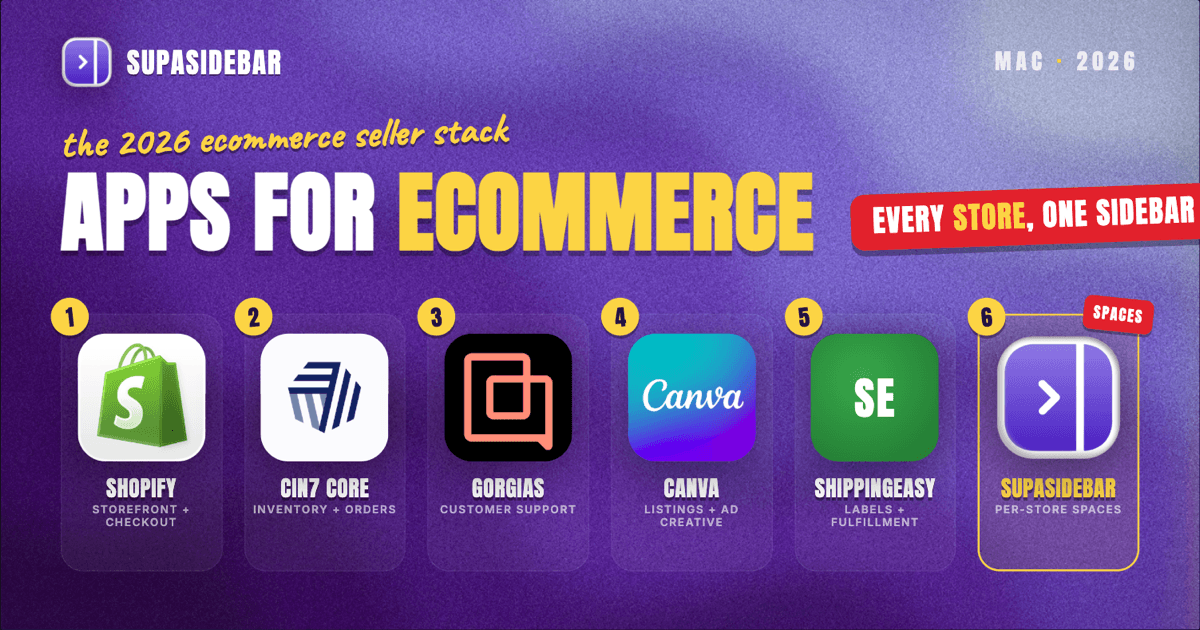
The best Mac apps for ecommerce sellers in 2026 are organized by the part of selling they run, not by category: Shopify for the storefront, checkout, and listings, SupaSidebar for keeping each store and sales channel separated across every browser, Cin7 Core for inventory and multi-channel order management, Gorgias for ecommerce customer support that shows the order inside the ticket, Canva for the product images, ads, and social posts a store ships constantly, and ShippingEasy for label printing and fulfillment. An ecommerce seller's real problem is rarely a missing tool, it is running a storefront, an ad dashboard, a supplier portal, a marketplace seller center, and a support inbox in the same hour, each in its own browser tab or profile, and losing track of which window belongs to which store. That channel sprawl is why a workspace layer ranks near the top of this list rather than as an afterthought. Several of these start free or cheap, Shopify has a trial, Gorgias starts at a few dollars a month, Canva is genuinely usable for free, and SupaSidebar has a free version, while the platform fees and inventory tooling are where an online seller's software budget actually goes.
Quick navigation:
- Running the store from home or on the road? → Best Mac Apps for Remote Workers 2026
- Building a focused, distraction-free setup? → Mac Workspace Setup for Deep Work 2026
- Drowning in open tabs specifically? → Too Many Tabs Open on Mac
- Selling online from a Mac? You are in the right place. Keep reading.
| App | Job in the stack | Pricing model | Best for |
|---|---|---|---|
| Shopify | Storefront, checkout, listings | Paid plans from ~$39/mo | Running a hosted online store end to end |
| SupaSidebar | Per-store, per-channel workspace across browsers | Free version available | Sellers running multiple stores, marketplaces, and ad accounts |
| Cin7 Core | Inventory and multi-channel order management | Paid (quote-based tiers) | Sellers syncing stock across several sales channels |
| Gorgias | Ecommerce customer support with order context | Paid from ~$10/mo | Stores fielding order, refund, and shipping questions |
| Canva | Product images, ads, and social posts | Free plan genuinely usable | Sellers making their own listing and ad creative |
| ShippingEasy | Label printing and fulfillment | Free starter tier; paid by volume | Sellers shipping their own orders and chasing postage rates |
Why an ecommerce seller's app stack isn't a generic "best apps" list
An ecommerce seller does not live inside one tool, the way a salaried employee lives inside one job. Selling online means running the whole pipeline at once: listing products, driving traffic, taking orders, managing stock, fulfilling shipments, and answering buyers, often across more than one store and more than one marketplace. Each part drags its own context into the browser. The storefront job opens the Shopify admin, the theme editor, and a product page; the marketing job opens the Meta and Google ad managers, an analytics tab, and the store's own social pages; the operations job opens an inventory dashboard, a supplier site, and a shipping carrier; the marketplace job opens Amazon or eBay seller central in a separate logged-in session entirely. The apps that matter for a seller are not the heaviest enterprise suites, they are the ones that run a real part of the pipeline and keep the day from collapsing into a pile of look-alike windows.
So this list is organized by the jobs an online seller actually does every day, build and run the store, keep stock and orders straight, answer customers, make the creative, get orders out the door, and hold it all together without losing which tab belongs to which store or channel. The tools are picked for solo sellers and small teams, a sensible free-to-paid path, and Mac-friendly browser-based workflows. The list leads with the storefront every seller needs, then the workspace layer that the multi-channel sprawl makes essential, then inventory, support, creative, and shipping.
Shopify: running the storefront end to end
Shopify is the default storefront platform for ecommerce sellers on a Mac: it hosts the online store, handles checkout and payments, manages product listings, and runs entirely in a browser, so there is no native app to install. The hardest part of selling online is not building one store, it is keeping the catalog, checkout, and orders running reliably while traffic comes in, and Shopify is built to take that whole layer off the seller's plate. Shopify's 2026 plans run $39 per month for Basic ($29 on annual billing), $105 for Grow, and $399 for Advanced, with a free trial to start, per Commerce-UI's Shopify pricing breakdown. Using Shopify Payments, the Basic plan charges 2.9% plus 30 cents per online transaction, dropping to 2.5% plus 30 cents on Advanced, and a third-party payment gateway adds a surcharge on top.
The honest line on Shopify: the monthly fee plus transaction cut means it is not the cheapest way to put up a single product, a seller testing one item might start on a no-monthly-fee marketplace or a simpler builder like Big Cartel. The day the store needs real checkout, apps, and multi-channel selling, Shopify's platform is what most sellers settle on.
Best for: sellers who want a hosted, reliable storefront with checkout, listings, and an app ecosystem in one place.
The multi-store, multi-channel tab problem (and the workspace layer)
Here is the problem no single app on this list solves, and for a seller running more than one store or channel it is the daily one. An ecommerce seller's browser is several businesses deep at once: the storefront job has the Shopify admin, the theme editor, and a live product page in one pile; the marketing job has the Meta ad manager, Google Ads, and an analytics tab in another; the operations job has an inventory dashboard, a supplier portal, and a shipping carrier in a third; and the marketplace job has Amazon or eBay seller central logged in as the business account, which has to stay separate from a personal login. A seller running two stores doubles all of it.
Some of those tabs live in Chrome because an ad platform or a marketplace tool only behaves there, some in Safari for quick reference, and some in a second browser profile used only for the business account. Finding the supplier quote from this morning or the half-edited ad set turns into a window-by-window hunt, and closing a window to tidy up means losing a half-built research or comparison session. Tab groups inside one browser do not fix this, because the tabs span browsers and profiles. Bookmarks do not fix it either, because half the value is the live, logged-in state of a seller-central session or an ad dashboard that disappears the moment the browser restarts. As one seller put it on r/ecommerce, "Running a small ecommerce business right now feels way heavier than it looks" - and a lot of that weight is the context-switching, not the work itself.
SupaSidebar: keeping each store and channel separated across browsers
SupaSidebar is the cross-browser workspace layer for ecommerce sellers: one Space per store or sales channel that holds that channel's tabs, separated from the others and from personal browsing, so the Store A Space and the Amazon Space never bleed into each other. It is a native Mac app that adds one persistent sidebar across every major Mac browser - Safari, Chrome, Firefox, Edge, Arc, Brave, Vivaldi, Comet, Dia, and more (33 browsers in total counting channel variants). For a seller the unit of organization is the store or channel being worked, and that maps directly to Spaces: a Shopify Space with the admin, theme editor, and analytics, an ads Space with Meta and Google managers, a marketplace Space with seller central and listing tools, a fulfillment Space with the inventory dashboard and shipping carrier. Live Tabs shows the open tabs from every running browser in one list, so the Chrome ad-manager pile and the Safari reference pile stop being separate hunts, and Command Panel (⌘⌃K) searches saved links and live tabs across all Spaces in one keystroke, which is the fastest way back to a buried supplier quote or a customer thread.
For a seller who runs multiple stores, marketplaces, and ad accounts across browsers all day, this is the tool aimed squarely at the channel-switching sprawl, and that is why it earns a spot near the top of the stack rather than buried at the end - for keeping several stores and channels untangled across browsers, nothing else on this list does per-channel Spaces. Two seller-specific details help. Air Traffic Control rules route links by URL pattern, so a rule can send every marketplace or ad-platform link to the business profile automatically, which keeps a seller-central account from opening logged in as a personal session. And Save All Browser Tabs (⌘⌃T) captures an entire research session into a folder in one shortcut, which turns a pile of tabs opened while comparing suppliers or sourcing a product into a saved, reopenable trail attached to that store.
One multi-context user described the habit plainly, in a review on r/macapps: "It is built for exactly this use case: people who use multiple browsers and need a way to consolidate browser context without paying a constant productivity tax every time they switch." That productivity tax is exactly what a seller pays when a marketplace session, an ad dashboard, and a supplier portal each live in a different browser. Another user, an Arc switcher, described using separate Spaces to keep a lot of different work areas apart throughout the day, which is the multi-store seller workflow in one sentence, and SupaSidebar brings that same separation to whatever browsers the stores already run on rather than locking it to one. A free version is available, and 3,000+ Mac users have tried SupaSidebar. SupaSidebar is not a storefront or an inventory tool and does not store products, orders, or stock counts - it organizes the tabs and tools around each store and channel, not the commerce data itself.
For a seller with a virtual assistant or a small team, a Space is also shareable. Shared Spaces lets a seller publish a curated Space - the store's dashboards, supplier links, and reference tabs as one collection - to a single link that a teammate can open and import into their own sidebar in one click, so onboarding a VA to a store's toolset becomes handing over one link instead of a list of bookmarks. It is a capability rather than a habit most sellers have adopted yet, but a solo seller bringing on help can use it today to hand off a store's whole tab set as an importable kit.
Best for: sellers running more than one store, marketplace, or ad account whose tabs keep bleeding across browsers and profiles.
Cin7 Core: keeping inventory and orders straight across channels
Cin7 Core is the inventory and order management app for ecommerce sellers who sell on more than one channel: it tracks stock, syncs quantities across stores and marketplaces, manages purchasing, and handles order fulfillment from one cloud dashboard. The fastest way to lose money selling online is overselling stock that has already gone out on another channel, and Cin7 Core is built to keep one source of truth for inventory across every place the seller lists. It is a cloud-based platform that connects Shopify, Amazon, and other channels, with purchasing, warehouse, and shipping integrations in the back end, per SourceForge's Mac ecommerce software roundup. Pricing is quote-based by feature tier rather than a flat published rate, so it sits above the entry-level tools in cost.
The honest line on Cin7 Core: it is more system than a single-channel seller shipping a few orders a week needs, and the setup is real work. The day a seller is listing the same SKUs on a store plus one or two marketplaces, a central inventory system stops being optional and starts paying for itself in prevented oversells.
Best for: sellers syncing stock and orders across multiple channels who need one inventory source of truth.
Gorgias: answering customers with the order already in view
Gorgias is the customer support app built specifically for ecommerce: it pulls every buyer conversation from email, chat, and social into one inbox and shows the customer's order history, with refund and shipping actions, right inside the ticket. A storefront's support load is mostly order-status and return requests, and Gorgias is built so an agent answers without leaving the ticket to dig through the store admin. Gorgias's Starter plan runs about $10 per month for 50 tickets across email, live chat, Instagram, Facebook, TikTok, and WhatsApp, with overage charged per ticket beyond the cap and AI-agent replies billed separately, per Chatarmin's Gorgias pricing breakdown. The ticket-based model is cheap to start and scales with volume rather than seats.
The honest line on Gorgias: the per-ticket pricing and AI-interaction charges can climb fast during a sale or a seasonal spike, so a very low-volume store may do fine with a general help desk or even a shared inbox at first. For a store doing steady order volume, having the order, the refund button, and the shipping status inside the ticket is what makes it worth the cost.
Best for: stores fielding regular order, refund, and shipping questions that want the order context inside every ticket.
Canva: making the listing and ad creative in-house
Canva is the design app most ecommerce sellers reach for on a Mac: it builds product images, ad creative, social posts, and promo banners from templates without any design training, in a browser or a native app. A store ships a constant stream of visual content - listing photos, sale banners, Instagram posts, ad variations - and Canva is built so a seller can make a passable one in minutes instead of paying a designer for every asset. Canva's free plan is genuinely usable for most store creative, with 250,000-plus templates, free stock assets, and no card required, while Canva Pro at roughly $15 per month adds a Brand Kit, the Background Remover (useful for clean product shots), and Magic Studio AI tools, per Style Factory's Canva pricing guide. Most sellers can run day-to-day creative on the free plan and upgrade once brand consistency and background removal at volume matter.
The honest line on Canva: it is a template tool, not a replacement for professional product photography or a brand designer when a store needs a distinctive identity built from scratch. For the routine listing images, ad variations, and social posts a store makes every week, it is faster and cheaper than any alternative.
Best for: sellers who make their own listing and ad creative and want professional-looking results without a designer.
ShippingEasy: getting orders out the door
ShippingEasy is the shipping and fulfillment app for ecommerce sellers who pack and ship their own orders: it pulls orders from the store and marketplaces, finds discounted postage rates, prints labels in batches, and automates tracking updates back to the buyer. Fulfillment is where margin quietly leaks - overpaying for postage and hand-typing addresses - and ShippingEasy is built to batch that work and surface the cheapest carrier for each parcel. It is online shipping software that automates back-end fulfillment and surfaces discounted postage rates for ecommerce sellers, with a free starter tier and paid plans that scale by shipment volume, per SourceForge's Mac ecommerce software roundup.
The honest line on ShippingEasy: a seller whose platform already includes solid built-in label printing may not need a separate tool yet, and a seller using fulfillment-by-marketplace ships nothing themselves. For a store packing its own orders across channels, the rate shopping and batch labels pay for the subscription in postage saved.
Best for: sellers who ship their own orders and want batch labels plus the cheapest postage rate per parcel.
Which ecommerce seller setup should you pick?
- If you run a single Shopify store: Shopify for the storefront, Canva for the listing and ad creative, Gorgias once the support volume justifies it, and SupaSidebar to keep the admin, ads, and analytics tabs separated. Skip the multi-channel inventory system until you add a second channel.
- If you sell across a store plus marketplaces (Amazon, eBay): Cin7 Core becomes essential to stop overselling, and SupaSidebar earns its keep by giving each store and each marketplace its own Space and keeping the business logins out of personal browsing.
- If fulfillment is your bottleneck: lean on ShippingEasy for batch labels and rate shopping, and keep an operations Space in SupaSidebar with the inventory dashboard, supplier portals, and carrier in one place.
- If you run multiple stores or many ad accounts across browsers and profiles: SupaSidebar is the layer that ties them together, since the work spans Chrome for an ad platform, Safari for reference, and a second profile for each business login.
- If you are handing a store off to a VA or a small team: publish that store's Space as a Shared Space in SupaSidebar so the dashboards, supplier links, and reference tabs transfer as one importable link instead of a scattered list of bookmarks.
- If everything still lives in one store and one browser: you may not need the workspace layer yet - revisit it the day you add a second channel or a second store, which for a growing seller is sooner than expected.
Conclusion: building the ecommerce stack in 2026
The best Mac apps for ecommerce sellers in 2026 are the ones that match the job at hand: Shopify for the storefront, Cin7 Core for multi-channel inventory, Gorgias for order-aware support, Canva for the creative, ShippingEasy for fulfillment, and SupaSidebar for keeping every store and channel from colliding across browsers. The pattern across all of them is that a seller's bottleneck is rarely a single missing capability, it is the constant channel-switching that scatters context across stores, marketplaces, ad accounts, and browser windows.
Single-store sellers should start with Shopify plus Canva and add Gorgias and ShippingEasy as order and support volume grow. Multi-channel sellers get the most from Cin7 Core for inventory and feel the tab sprawl first, which is exactly where a workspace layer like SupaSidebar pays for itself by giving each store and channel its own Space. The honest move is to start with the free and cheap tools that fit today's stage and add the platform fees and inventory tooling exactly when the volume crosses into needing them.
Try SupaSidebar (free tier) if your store tabs already span more than one browser or more than one store.
Why we recommend SupaSidebar
SupaSidebar is a macOS app that brings Arc's sidebar to every browser - one sidebar for tabs, bookmarks, files, and apps across 33 browsers including Safari, Chrome, Firefox, Edge, Arc, Brave, Vivaldi, Comet, and Dia. For an ecommerce seller who runs multiple stores and channels, the value is one Space per store or channel: the storefront admin, ad dashboards, marketplace seller centrals, supplier portals, and support tabs each get their own separated workspace that persists across whatever browsers the business runs on, instead of collapsing into one overloaded window. It requires macOS 14 or later, syncs over iCloud with no account required, and has a free version. It is not a storefront or an inventory app - it organizes the tabs and tools around each store and channel, not the products, orders, or stock counts themselves.
By Kshetez Vinayak, founder of SupaSidebar. Last updated 2026-06-18.
FAQ
What are the best Mac apps for ecommerce sellers in 2026?
The core stack is Shopify for the storefront, Cin7 Core for multi-channel inventory and order management, Gorgias for ecommerce customer support, Canva for listing and ad creative, ShippingEasy for fulfillment, and SupaSidebar for keeping each store and channel separated across browsers. A seller can start several of these cheaply, Gorgias from around $10 per month, Canva and SupaSidebar with free versions, and add the platform fees and inventory tooling as the store grows.
What is the best app to manage multiple ecommerce stores on a Mac?
SupaSidebar is built for this: it is a native Mac app that adds one sidebar across 33 browsers and lets you create a separate Space for each store or sales channel, so a Shopify store, an Amazon seller account, and an ad dashboard stay separated instead of piling into one window. It works across Chrome, Safari, Firefox, and other browsers at once, which matters for sellers who keep a marketplace account in one browser and personal browsing in another.
What is the best ecommerce platform for a Mac?
Shopify is the common choice because it is browser-based with no native app needed, handles checkout and payments, and has a large app ecosystem for extending the store. Plans start at $39 per month ($29 on annual billing) plus per-transaction fees, with a free trial to begin. A seller testing a single product may start cheaper on a marketplace or a simpler builder, then move to Shopify once the store needs real checkout and multi-channel selling.
What is the best customer support app for an ecommerce store?
Gorgias is built specifically for ecommerce: it centralizes email, chat, and social messages in one inbox and shows the buyer's order history with refund and shipping actions inside each ticket. Its Starter plan runs about $10 per month for 50 tickets, billed by ticket volume rather than per agent. A very low-volume store can start with a shared inbox or a general help desk, but the order context inside the ticket is what makes Gorgias worth it once order volume is steady.
Do ecommerce sellers really need a separate app just for tabs?
If the whole business runs in a single store and a single browser, probably not yet. But most sellers end up running a storefront admin, ad managers, a marketplace seller account, and supplier portals across Chrome, Safari, and a second business profile, and that is exactly where tab groups and bookmarks fall short because they cannot span browsers or preserve logged-in sessions. A workspace layer like SupaSidebar fixes that by organizing tabs by store and channel across every browser.
How do Amazon and Shopify sellers keep marketplace logins separate from personal browsing?
A common setup is a dedicated browser profile for the business account, kept apart from the personal profile, so a seller-central or ad-platform session never opens logged in as a personal account. SupaSidebar reinforces this with a Space per channel plus Air Traffic Control rules that route marketplace and ad-platform links to the business profile automatically, so the right login opens every time without manual profile-switching.
How can a seller hand off a store's tabs to a virtual assistant?
SupaSidebar lets a seller publish a Space as a Shared Space, a single link that holds the store's dashboards, supplier portals, and reference tabs as one collection. A virtual assistant or teammate opens the link and imports the whole set into their own sidebar in one click, so onboarding someone to a store's toolset is handing over one link instead of a list of bookmarks. It is available to every user, though most solo sellers only reach for it once they bring on help.