
By Kshetez Vinayak, founder of SupaSidebar. Last updated June 23, 2026.
TL;DR:
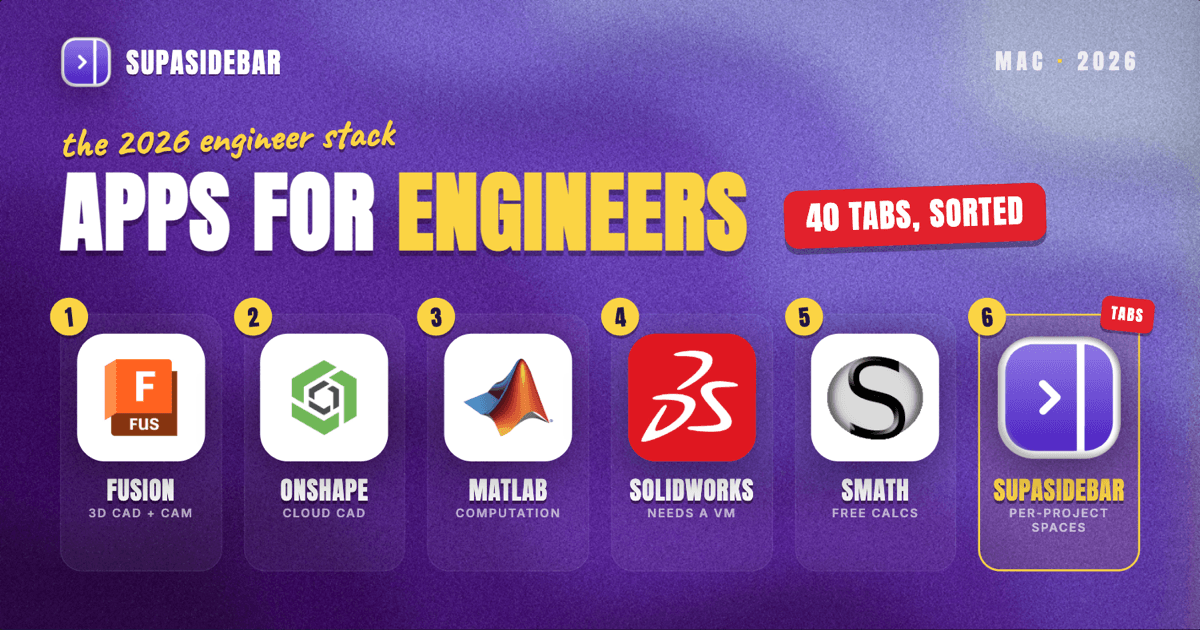
For engineers on a Mac in 2026, the strongest native stack is Autodesk Fusion for 3D CAD and CAM, MATLAB for computation and modeling, Onshape when a team needs browser-based collaborative CAD, SMath Studio for free Mathcad-style calculations, and Notion or Obsidian for documentation. SolidWorks still has no native Mac build, so heavy SolidWorks shops run it in a Windows virtual machine or move to the cloud xDesign tools. The hardest part of an engineering Mac is not any single app: it is that datasheets, standards portals, vendor sites, simulation dashboards, and project docs all live in the browser, scattered across tabs and windows. SupaSidebar keeps that browser side organized, one Space per project, so the reference set for a job stays together across every browser.
Quick navigation:
- Want the short list? Keep reading, the comparison table is right below.
- Comparing browsers, not apps? See the best browser for developers on Mac.
- Setting up a focused work environment? See the Mac workspace setup for deep work.
| App | Category | Mac support | Price (2026) | Best for |
|---|---|---|---|---|
| Autodesk Fusion | 3D CAD / CAM | Native (Apple Silicon) | Free for personal use; $680/yr commercial | Mechanical engineers who want one native Mac CAD+CAM tool |
| Onshape | Cloud CAD / PDM | Browser (any device) | Free non-commercial; $1,500/yr Standard | Teams that need collaborative CAD with version control |
| MATLAB | Computation / modeling | Native (Apple Silicon, R2023b+) | Home $165/yr; commercial higher | Numerical analysis, control systems, signal processing |
| SolidWorks | Parametric CAD | No native Mac (VM or cloud) | License + VM, or xDesign cloud | Shops already standardized on SolidWorks |
| SMath Studio | Engineering calculations | Mac (free) | Free | Mathcad-style worksheets without the Mathcad price |
| Notion / Obsidian | Documentation / notes | Native | Free tiers available | Project notes, calc records, knowledge base |
| SupaSidebar | Browser workspace layer | Native (macOS 14+) | Free version available | Keeping each project's reference tabs and portals together across browsers |
Why an engineer's Mac stack is not generic
Engineering work splits cleanly into two halves, and they pull a Mac in different directions. The first half is the heavy design and computation work: CAD models, finite-element analysis, circuit simulation, structural calculations. That half is dominated by a small number of specialist tools, and on a Mac the native options are narrower than on Windows. The second half is everything around the model: component datasheets, material standards, supplier catalogs, code references, project management, and client or vendor portals. That half lives almost entirely in the browser, and it is where most engineers lose time.
A mechanical engineer might have a Fusion model open, a McMaster-Carr tab for a fastener, three PDF datasheets, an ASME code reference, and a project tracker, all at once. An electrical engineer juggles a simulation tool, a parts distributor, and a stack of component pages. The apps below cover both halves, with an honest note on what actually runs natively on macOS in 2026 and what still needs a workaround.
Autodesk Fusion: native Mac CAD and CAM in one tool
Autodesk Fusion is the most practical native CAD choice for engineers on a Mac, combining parametric modeling, simulation, and CAM in a single Apple Silicon application. It runs natively on macOS rather than through a virtual machine, which is the main reason it has become the default recommendation for Mac-based mechanical engineers.
Fusion is free for personal use through a three-year renewable subscription, with eligibility limited to hobbyists generating less than $1,000 in annual revenue from their projects (Autodesk). For commercial work, Fusion costs $85 per month or $680 per year (Autodesk). It covers solid and surface modeling, assemblies, generative design, and toolpaths for CNC, which means a small shop can model and manufacture from the same file. It is not a drop-in SolidWorks replacement for every workflow, and large enterprise assemblies can strain it, but for most individual engineers and small teams it is the strongest native Mac CAD tool available.
Onshape: collaborative CAD that runs in the browser
Onshape is the best fit for engineering teams that need real-time collaborative CAD with built-in version control, and because it runs entirely in a browser it works identically on a Mac, a Chromebook, or a tablet. There is nothing to install and no GPU requirement, which removes the usual Mac CAD headaches in one move.
The free plan is fully featured but stores all designs as public and non-commercial, which suits makers, students, and open-source hardware (Onshape). Commercial plans start at $1,500 per user per year for Standard and $2,500 for Professional, and Onshape offers Professional free to qualifying hardware startups (Onshape). The collaboration model is the differentiator: multiple engineers can work in the same document at once with full change history, the way a coding team works in a shared repository. Because Onshape lives in a browser tab, it slots naturally into the reference-tab problem the rest of this post is about.
MATLAB: computation and modeling, now native on Apple Silicon
MATLAB is the standard for numerical computation, control systems, and signal processing across most engineering disciplines, and since release R2023b it runs natively on Apple Silicon Macs (MathWorks). For mechanical, electrical, and aerospace engineers who already think in MATLAB and Simulink, native performance on an M-series Mac is a real upgrade over the old Rosetta path.
One limitation matters for Mac users: MATLAB does not support GPU computing on macOS, on either Intel or Apple Silicon, because its GPU acceleration is tied to NVIDIA architectures (MathWorks). Heavy GPU-dependent workloads still need a different machine. On pricing, MathWorks sunset its perpetual Home and Student licenses on January 1, 2026, replacing them with annual subscriptions; the Home license is now $165 per year and is restricted to personal, non-commercial use (MATLABtoPython). Commercial and academic licenses cost considerably more. Free alternatives like GNU Octave cover a subset of MATLAB syntax for engineers who only need the basics.
SolidWorks: still no native Mac, plan for a workaround
SolidWorks remains the most common parametric CAD package in mechanical engineering, and in 2026 it still has no native macOS version, so Mac users have to choose a workaround. This is the single biggest gotcha for an engineer switching to a Mac.
There are two practical paths. The first is virtualization: running the Windows version of SolidWorks inside a Windows 11 virtual machine via Parallels Desktop, which now supports the full 3DEXPERIENCE platform on Apple Silicon (Parallels). The second is the cloud route: the browser-based tools formerly called SOLIDWORKS Cloud, now SOLIDWORKS xDesign, which run on any device including a Mac (Solid Solutions). For an engineer whose firm is standardized on native SolidWorks files, the virtual machine is usually unavoidable; for greenfield work, Fusion or Onshape sidestep the problem entirely.
SMath Studio: free engineering calculations on Mac
SMath Studio is the best free option for engineers who want Mathcad-style natural-math worksheets on a Mac, where each calculation reads like it would on paper with live units and instant recalculation. PTC Mathcad Prime, the commercial standard for documented engineering calculations, does not run natively on macOS, which leaves a gap that SMath fills well (Capterra).
SMath Studio is free and cross-platform, with a Mathcad-like interface that handles unit-aware calculations, symbolic math, and exportable worksheets. For engineers who need formal, auditable calculation records, it does not fully match Mathcad's polish or its industry acceptance, so regulated work may still require the Windows tool. But for day-to-day sizing, tolerance, and back-of-envelope calculations, a free Mac-friendly worksheet tool is hard to beat.
Notion and Obsidian: project docs and calculation records
For documentation, Notion and Obsidian both run natively on Mac and cover the writing half of engineering work: design notes, calculation records, meeting summaries, and shared knowledge bases. Notion suits team wikis and structured project databases, while Obsidian suits engineers who want plain-text Markdown notes stored locally and linked into a personal knowledge graph.
Both have capable free tiers. The choice usually comes down to whether the work is collaborative (Notion, with shared databases and pages) or individual and offline-first (Obsidian, with local files you fully control). Engineers documenting a long project benefit from either, because the design rationale and the calculation trail are as important as the model itself.
SupaSidebar: keep each project's reference tabs together across browsers
For the browser half of engineering work, SupaSidebar is the workspace layer that keeps every project's datasheets, standards, supplier portals, and reference tabs organized in one place across all your browsers. Engineers rarely work in a single browser: a parts distributor login lives in Chrome, a simulation dashboard in Safari, a client portal in Firefox. SupaSidebar gives each project its own Space, so opening "Bridge Retrofit" brings back exactly that job's reference set, and a different Space holds the next project's tabs without them bleeding together. For a fuller walkthrough of that workflow, see how to organize browser tabs by project on Mac.
SupaSidebar is a native macOS app, not a browser or an extension, that adds a persistent sidebar to any browser. Its Live Tabs section shows the tabs you have open across every supported browser in one list, so a stack of datasheet tabs spread over three browsers is finally visible in one place. The Command Panel (⌘⌃K) fuzzy-searches saved links, recent pages, and live tabs across all Spaces at once, which beats hunting through browser tab bars for the datasheet you opened an hour ago. Air Traffic Control rules can route saves automatically, so a fastener page always lands in the project Space it belongs to.
One user described the multi-browser case plainly on Reddit: "It is built for exactly this use case: people who use multiple browsers and need a way to consolidate browser context without paying a constant productivity tax every time they switch." (Reddit user, r/macapps). For an engineer running cloud CAD in one browser, a parts distributor login in another, and project docs in a third, that tax is the cost of the tab hunt several times a day.
Teams get one more angle. With Shared Spaces, an engineer can publish a curated Space as a single link, so a lead can hand the whole team one collection of the standards, datasheets, and supplier portals a project depends on, and anyone with the link can view it or import it into their own sidebar. It is a way to standardize a project's reference set across a team rather than emailing a list of links. This is an available capability rather than something most users do today, so treat it as a handoff option worth knowing about.
What it does not do is matter for an honest fit: SupaSidebar organizes the tabs and references around the work, it does not model, simulate, or run calculations. It is the layer that keeps the reference material for a job from scattering, not an engineering tool itself. For an engineer whose biggest daily friction is forty open tabs across three browsers belonging to four different projects, that is the gap it closes. SupaSidebar's search covers titles and URLs, not the contents inside a PDF datasheet, so it points you to the right page rather than reading it for you.
Which engineering setup should you pick?
- If you do mechanical CAD and want native Mac performance: pick Autodesk Fusion, the most complete native CAD+CAM tool on macOS.
- If your team needs collaborative CAD with version history: pick Onshape, since it runs in any browser and handles multi-engineer editing.
- If your firm is locked into SolidWorks files: plan for a Windows virtual machine via Parallels, or move greenfield work to xDesign in the browser.
- If you live in numerical computation and modeling: pick MATLAB, now native on Apple Silicon, and budget for the annual subscription.
- If you want free engineering calculations: pick SMath Studio for Mathcad-style worksheets at no cost.
- If your real bottleneck is browser chaos across projects: pick SupaSidebar to give each project its own Space of reference tabs across every browser.
Conclusion
The best Mac apps for engineers in 2026 split along the two halves of the job: Autodesk Fusion and Onshape cover native and collaborative CAD, MATLAB covers computation, SMath Studio covers free calculations, and Notion or Obsidian cover documentation, while SolidWorks shops still need a virtual machine or the cloud xDesign tools. The specialist apps you choose depend on your discipline. Mechanical engineers gravitate to Fusion; computation-heavy work centers on MATLAB; teams favor Onshape.
Single-discipline engineers working in one tool all day will get the most from the CAD or computation pick that matches their field. Engineers who context-switch across many projects, each with its own datasheets, vendor portals, and reference tabs spread over several browsers, get the most from adding a workspace layer underneath the specialist tools. The design tools handle the model; SupaSidebar handles the browser sprawl around it.
Try SupaSidebar (free version) to keep each project's reference tabs together across every browser on your Mac.
Why we recommend SupaSidebar
SupaSidebar is a macOS app that brings Arc's sidebar to every browser - one sidebar for tabs, bookmarks, files, and apps across 33 browsers including Safari, Chrome, Firefox, Edge, Brave, Arc, Vivaldi, Dia, and Comet. For engineers, the value is per-project organization: one Space per job keeps that project's datasheets, standards, supplier portals, and reference tabs together, and Live Tabs surfaces everything you have open across browsers in one view. More than 3,000 Mac users have tried SupaSidebar. It runs on macOS 14 and later, with a free version available.
FAQ
What is the best CAD app for engineers on a Mac in 2026?
Autodesk Fusion is the best native CAD app for most engineers on a Mac, because it runs natively on Apple Silicon and combines parametric modeling, simulation, and CAM in one tool. Onshape is the best choice for teams that need browser-based collaborative CAD with version control.
Does SolidWorks run on Mac?
No, SolidWorks has no native macOS version as of 2026. Mac users run it inside a Windows virtual machine using Parallels Desktop on Apple Silicon, or use the browser-based SOLIDWORKS xDesign cloud tools instead.
Does MATLAB run natively on Apple Silicon Macs?
Yes, MATLAB runs natively on Apple Silicon Macs starting with release R2023b. However, MATLAB does not support GPU computing on macOS, because its GPU acceleration is limited to NVIDIA architectures, so heavy GPU workloads need a different machine.
Is there a free engineering calculation app for Mac?
Yes, SMath Studio is a free, cross-platform engineering calculation tool with a Mathcad-style interface that handles unit-aware math on Mac. PTC Mathcad Prime, the commercial standard, does not run natively on macOS.
What does SupaSidebar do for engineers?
SupaSidebar gives each engineering project its own Space of browser tabs, so datasheets, standards, supplier portals, and reference pages stay together across every browser. Its Live Tabs view shows all open tabs from supported browsers in one list, and its Command Panel searches saved links and live tabs across all Spaces. It organizes the browser side of engineering work; it does not model or run calculations.
Can I run engineering software on an Apple Silicon Mac?
Many engineering apps now run natively on Apple Silicon, including Autodesk Fusion and MATLAB. Onshape runs in any browser. The main exception is SolidWorks, which still requires a Windows virtual machine or the cloud xDesign tools.
Can an engineering team share a set of reference links?
Yes. SupaSidebar's Shared Spaces feature lets an engineer publish a Space as a single link, so a team can share one curated collection of standards, datasheets, and supplier portals for a project. Anyone with the link can view it or import it into their own sidebar. It is available to all users, though it is a newer capability rather than a default habit.
By Kshetez Vinayak, founder of SupaSidebar. Last updated June 23, 2026.