
By Kshetez Vinayak, founder of SupaSidebar. Last updated June 7, 2026.
TL;DR:
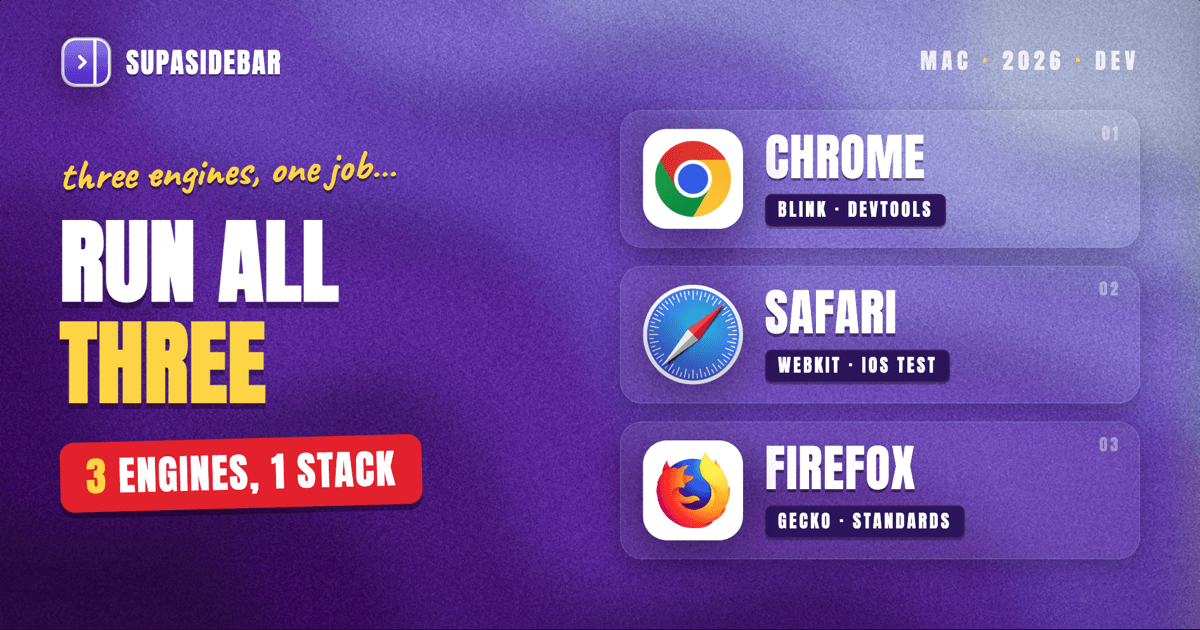
There is no single best browser for developers on Mac in 2026, because the developer workflow needs three engines. Chrome (or a Chromium fork like Edge or Brave) wins on DevTools depth and the broadest extension and protocol ecosystem, and stays the primary debugging browser for most Mac developers. Safari is mandatory for testing WebKit, since every browser on iOS and iPadOS runs WebKit by Apple policy, so a bug that only shows on an iPhone reproduces only in Safari. Firefox earns its spot for standards-compliance checks, its CSS Grid and accessibility inspectors, and a privacy model that keeps tracker noise out of network logs. The practical answer is to run all three and stop losing reference tabs across them. A Mac sidebar app like SupaSidebar keeps every localhost, docs, and dashboard tab in one place across Chrome, Safari, and Firefox, so switching engines does not mean switching context.
Looking for something more specific?
- Comparing every Mac browser, not just for dev work? -> Best Browser for Mac in 2026
- Want a full cross-browser dev environment, not a head-to-head? -> Browser Setup for Developers on Mac 2026
- Looking for dev apps beyond the browser? Best Mac Apps for Developers 2026 (coming soon)
- Just want Chrome vs Safari head-to-head? -> Safari vs Chrome on Mac 2026
Best browser for developers on Mac: the 30-second verdict
The best browser for developers on Mac in 2026 is not one browser, it is a stack of three. Chrome or a Chromium fork is the primary development browser because it has the deepest DevTools, the widest extension catalog, and first-party support for emerging debugging protocols. Safari is required for any project that ships to iPhone or iPad, because Apple mandates WebKit for all browsers on iOS, so Safari on the Mac is the only desktop place those rendering bugs appear. Firefox is the standards-and-privacy check, with the strongest CSS Grid inspector and accessibility tooling and a network log that is not buried in tracker requests.
This post compares the major browsers strictly on the developer axis: DevTools depth, JavaScript performance, rendering-engine coverage, the extension and protocol ecosystem, and memory under heavy tab loads. It does not re-run the general "best browser for Mac" comparison (that lives in the Best Browser for Mac guide), and it does not walk through configuring a full dev environment step by step (that is the Browser Setup for Developers guide). The focus here is the decision: which browser to reach for, for which part of the job.
Why developers can't pick just one browser
Web development on a Mac in 2026 spans three rendering engines, and no browser covers all three. Chrome, Edge, Brave, Vivaldi, Opera, and Arc all run Blink. Safari runs WebKit. Firefox runs Gecko. A site that passes in Blink can still break in WebKit or Gecko, and the only honest way to catch that is to open the site in a browser running each engine.
The constraint that forces this is Apple's platform policy. Every browser on iOS and iPadOS is required to use Apple's WebKit engine, so Chrome on an iPhone is Blink in name only and WebKit underneath, per Apple's App Store Review Guidelines. That single rule means desktop Safari on a Mac is the canonical place to reproduce any rendering or JavaScript bug that a user reports on an iPhone. Skip Safari, and a class of bugs simply never surfaces until a customer files them.
Blink's dominance does not remove the need for the other two. Gecko (Firefox) is the last fully independent engine with meaningful market share, and testing in it catches standards assumptions that Blink quietly tolerates. The result is a workflow where a developer keeps Chrome, Safari, and Firefox open at once, each holding its own pile of localhost tabs, docs, and dashboards. That tab sprawl across three browsers is the real daily friction, and it is the problem SupaSidebar was built to solve, by surfacing tabs from all of them in one sidebar.
The developer browser comparison table
This table ranks the major Mac browsers on the attributes that matter for development work, not for general browsing. Numbers reflect May to June 2026 builds on macOS 14+.
| Browser | Engine | DevTools depth | JS speed (Speedometer 3.1) | Extension ecosystem | Best for |
|---|---|---|---|---|---|
| Chrome | Blink | Deepest (Lighthouse, full CDP, device emulation) | Fastest tier | Largest (Chrome Web Store) | Primary debugging, performance profiling |
| Edge | Blink | Chrome DevTools + 3D View, extras | Fastest tier (ties Chrome) | Chrome Web Store + Edge add-ons | Devs in the Microsoft and Azure stack |
| Safari | WebKit | Strong, WebKit-specific (Timelines, Responsive Design Mode) | Strong on Apple Silicon, best battery | Limited (Safari Web Extensions) | WebKit and iOS or iPadOS testing |
| Firefox | Gecko | Best CSS Grid and accessibility inspectors | Mid tier | Large (AMO, WebExtensions) | Standards checks, privacy-clean network logs |
| Brave | Blink | Chrome DevTools (shares Blink) | Fastest tier | Chrome Web Store | Chromium parity with tracker blocking on |
Two things stand out. First, the Blink browsers (Chrome, Edge, Brave) share the same DevTools foundation, so the choice among them is about ecosystem and defaults, not debugging capability. Second, Safari and Firefox are not interchangeable extras, they are the only desktop access to WebKit and Gecko respectively, which is why they are non-negotiable parts of the stack rather than nice-to-haves.
DevTools: Chrome leads, but the others cover real gaps
Chrome DevTools is the deepest browser debugging toolkit in 2026 and the reason most Mac developers keep Chrome as the primary browser. It ships the full Chrome DevTools Protocol, which is what Puppeteer, Playwright (Chromium mode), Lighthouse, and most automated testing tools speak to. Performance profiling, coverage analysis, network throttling, and device emulation are all first-class. For day-to-day debugging and performance work, nothing else matches it.
Edge runs the same Blink DevTools and adds a few extras, most notably the 3D View for inspecting DOM layering and z-index stacking, plus tighter integration for developers working in Azure and the Microsoft stack. Brave also inherits Chrome DevTools unchanged, so a developer can debug in Brave exactly as they would in Chrome while keeping tracker blocking on to see how a site behaves under aggressive shields.
Safari Web Inspector is strong in its own domain. Its Responsive Design Mode and device simulation are the closest desktop approximation of iPhone and iPad rendering, and its Timelines view is genuinely useful for WebKit-specific performance questions. It cannot speak the Chrome DevTools Protocol, which limits its place in CDP-based automation pipelines, but for reproducing the actual bug a user saw on iOS, it is the only tool that counts.
Firefox DevTools is the standards developer's favorite for two specific tools: the CSS Grid inspector, which visualizes grid lines and areas better than any competitor, and the accessibility inspector, which surfaces the accessibility tree and contrast issues clearly. For anyone doing serious layout or a11y work, Firefox earns its tab in the stack on those two panels alone.
JavaScript performance and memory on Apple Silicon
On raw JavaScript benchmarks, the Blink browsers lead. Chrome, Edge, and Brave cluster at the top of Speedometer 3.1 on Apple Silicon Macs in 2026, since they share the V8 engine. Safari is competitive and often wins on energy efficiency thanks to deep macOS and Apple Silicon integration, which matters when profiling on battery away from a desk. Firefox sits in the middle tier on synthetic JS benchmarks, though the gap is rarely the bottleneck in real development work.
Memory is where the developer workflow diverges from benchmark browsing. Developers do not run five tabs, they run fifty: localhost on three ports, staging, production, a stack of MDN and framework docs, a design file, a ticketing board, and CI dashboards. Chrome's per-process model is fast but memory-hungry under that load, which is a known pain on 8GB and 16GB Macs. Safari is the lightest on RAM of the major browsers on macOS and the most battery-friendly. Firefox sits between them and offers the most control through about:config for capping content processes.
The practical takeaway: pick the primary debugging browser for DevTools, not for RAM, then manage the tab pile separately rather than trying to make one browser hold everything. That separation is the point. The browser handles rendering and debugging, and a Mac sidebar app handles the tab and context sprawl across all of them.
The cross-browser approach: one sidebar across all three engines
The real cost of a three-engine workflow is not switching browsers, it is losing track of where everything lives. A developer ends up with localhost tabs in Chrome, the iOS-bug reproduction in Safari, and a standards check in Firefox, and there is no single view of any of it. Reopening the right tab in the right browser becomes a tax paid dozens of times a day.
SupaSidebar closes that gap. It is a native macOS app that adds a persistent sidebar to every browser, so the tabs open across Chrome, Safari, and Firefox all appear in one place. Its Live Tabs section shows currently open tabs from 25+ browsers grouped together, and clicking a tab activates the existing tab in its own browser instead of opening a duplicate. A developer can keep one Space per project, with the docs, localhost, and dashboard tabs that project needs pinned and persistent across restarts and across whichever engine they are testing in that minute.
Two features carry most of the weight for development work. Air Traffic Control routes URLs to the right browser automatically, so a localhost link can always open in Chrome while a production URL opens in Safari for a WebKit check, set once and then forgotten. The Command Panel (⌘⌃K) searches every open tab across every browser at once, which means finding the staging tab does not require remembering which of the three browsers it is in. SupaSidebar is not a browser and not an extension, it is a standalone Mac app that works alongside whatever engines the job requires.
Conclusion: what developers should actually run
The best browser for developers on Mac in 2026 is a deliberate three-browser stack, not a single pick. Chrome or a Chromium fork is the primary debugging browser for its DevTools depth and ecosystem, Safari is mandatory for WebKit and any project shipping to iOS or iPadOS, and Firefox covers standards compliance with the best CSS Grid and accessibility inspectors.
Pick by what part of the job dominates. Front-end and performance work: Chrome as primary, Safari and Firefox for verification. Anyone shipping to iPhone or iPad: Safari is non-negotiable, kept open alongside Chrome at all times. Microsoft and Azure developers: Edge as the Chromium primary for the stack integration. Privacy-conscious or standards-focused developers: Firefox as primary, Chrome on hand for the CDP-based tooling. Whatever the mix, the bottleneck is the same, tabs scattered across three browsers with no unified view.
The next step is to stop paying the tab-switching tax. Keep the three engines, and put one sidebar over all of them so reference tabs, localhost, and dashboards live in a single place. Try SupaSidebar (free tier) to run Chrome, Safari, and Firefox side by side without losing context.
Why we recommend SupaSidebar for a multi-browser dev workflow
SupaSidebar is a macOS app that brings Arc's sidebar to every browser, one sidebar for tabs, bookmarks, files, and apps across 25+ browsers including Safari, Chrome, Firefox, Arc, Zen, Vivaldi, Brave, Helium, and Dia. For developers who run three engines at once, that is the difference between a workflow that fights tab sprawl and one that contains it.
Live Tabs surfaces every open tab from all of them in one grouped view, the Command Panel searches across all browsers in under a second, and Air Traffic Control routes each URL to the browser it belongs in. Spaces keep one project's tabs together and persistent across sessions, so a context switch between testing engines never loses the reference material. It runs on macOS 14+, keeps all data on-device, and has a free version. SupaSidebar does not replace any browser, it sits alongside the three that real web development on a Mac already requires.
FAQ
What is the best browser for web development on Mac in 2026?
There is no single best browser, because web development needs three rendering engines. Chrome or a Chromium fork is the primary debugging browser for DevTools depth, Safari is required for WebKit and iOS or iPad testing, and Firefox covers standards and accessibility. Most Mac developers run all three at once.
Is Chrome or Firefox better for DevTools on Mac?
Chrome has the deeper DevTools overall, including the full Chrome DevTools Protocol that powers automation tools like Puppeteer and Playwright. Firefox wins on two specific panels: its CSS Grid inspector and its accessibility inspector are the best in any browser. Many developers keep both for those reasons.
Do I really need Safari for web development?
Yes, if the site ships to iPhone or iPad. Apple requires every browser on iOS and iPadOS to use WebKit, so Safari on the Mac is the only desktop browser that reproduces WebKit and iOS rendering bugs. Without it, an entire class of mobile-only bugs never appears during development.
Which browser uses the least RAM for developers on Mac?
Safari is the lightest on RAM of the major browsers on macOS and the most battery-efficient, thanks to deep Apple Silicon integration. Chrome is the heaviest under large tab loads. Firefox sits in between and offers the most memory control through about:config.
What is the fastest browser for JavaScript on Apple Silicon?
The Chromium browsers (Chrome, Edge, Brave) lead Speedometer 3.1 on Apple Silicon because they share the V8 engine. Safari is close behind and usually wins on energy efficiency. Firefox is mid-tier on synthetic JS benchmarks, though the difference rarely matters in everyday development.
How do developers manage tabs across three browsers on Mac?
A Mac sidebar app keeps tabs from every browser in one place. SupaSidebar shows Live Tabs from 25+ browsers in a single sidebar, routes URLs to the right browser with Air Traffic Control, and searches every open tab across browsers from one Command Panel. That removes the friction of running Chrome, Safari, and Firefox at the same time.
Written by Kshetez Vinayak, founder of SupaSidebar.