
By Kshetez Vinayak, founder of SupaSidebar. Last updated 2026-06-20.
TL;DR
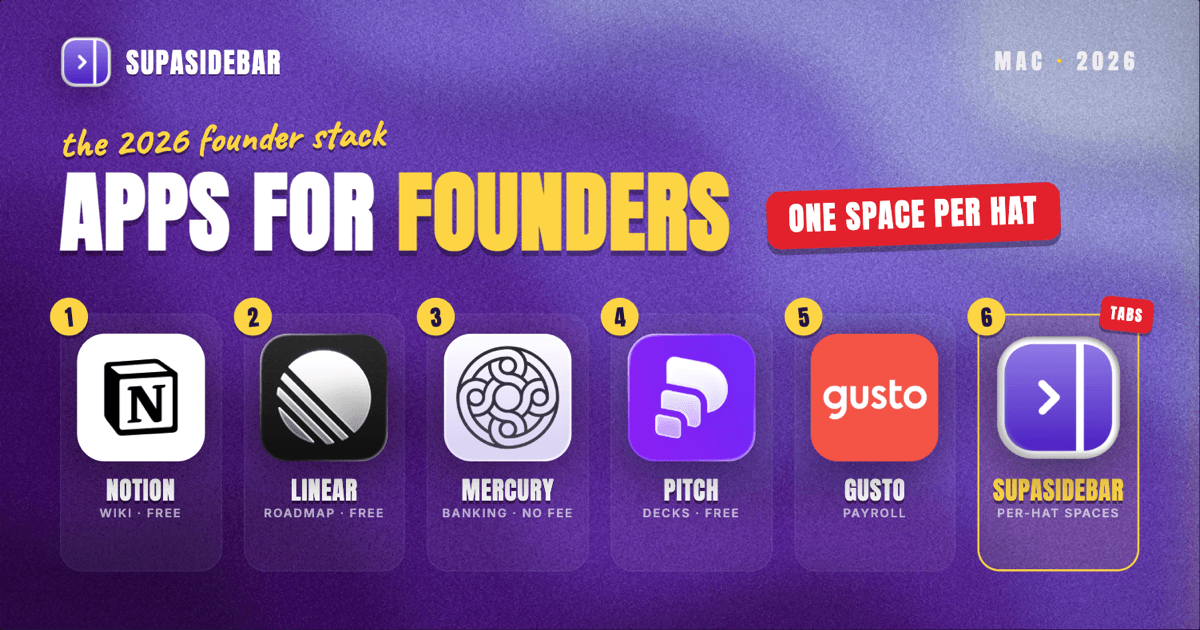
The best Mac apps for founders in 2026 are organized by the hat you are wearing, not by category: Notion as the company wiki that holds docs, specs, and the operating plan, SupaSidebar for keeping each function's pile of product, sales, finance, and hiring tabs separated across every browser, Linear for tracking what is being built and what is next, Mercury for startup banking with no monthly fees, Pitch for building the fundraising deck, and Gusto for running payroll once the first hire lands. A founder's real problem is rarely a missing tool, it is the whiplash: a single morning swings from a customer call to a Stripe dashboard to a candidate's resume to an investor thread, and every switch drags in a different set of tabs and logins. That sprawl is why the workspace layer earns a spot high on this list rather than the bottom. Several of these start free, Notion has a free personal plan, Linear has a free tier, Mercury charges no monthly fee, and SupaSidebar has a free version, while payroll and fuller team seats are where a young company's tool budget actually goes.
Quick navigation:
- Running everything from home or on the road? → Best Mac Apps for Remote Workers 2026
- Building a focused, distraction-free setup? → Mac Workspace Setup for Deep Work 2026
- Drowning in open tabs specifically? → Too Many Tabs Open on Mac
- Running a startup from a Mac? You are in the right place. Keep reading.
| App | Job in the stack | Pricing model | Best for |
|---|---|---|---|
| Notion | Company wiki, docs, and specs | Free personal plan; paid team seats | One home for everything written down |
| SupaSidebar | Per-function workspace across browsers | Free version available | Founders whose tabs span browsers and roles |
| Linear | Issue tracking and roadmap | Free tier; Standard ~$8/user/mo | Tracking what is being built and what is next |
| Mercury | Startup banking and finance | No monthly fee | Venture-backed startups and LLCs |
| Pitch | Fundraising and sales decks | Free plan; paid from ~$13/mo | Building an investor or sales deck fast |
| Gusto | Payroll and hiring | Simple ~$49/mo + $6/person | Running payroll for the first hires |
Why a founder's app stack isn't a generic "best apps" list
A salaried knowledge worker lives inside one job and one set of tools. A startup founder wears five hats before lunch, and each one drags in its own context: the product hat pulls up the issue tracker, the staging site, and a design file; the sales hat opens the CRM, a prospect's site, and a demo tab; the finance hat lands on the banking dashboard, Stripe, and a spreadsheet; the hiring hat opens an applicant tracker, a resume, and a candidate's LinkedIn; the fundraising hat juggles the deck, an investor's profile, and a data room. The apps that matter for a founder are not the flashiest, they are the ones that keep all that context one click away without burying the day in browser tabs.
So this list is organized by the jobs a founder actually does every day - write things down, build the product, move money, raise money, and hire - and keep it all from collapsing into tab chaos. The tools are picked for solo founders and small teams, a sensible free-to-paid path, and Mac-native polish where it exists. The list leads with the wiki where decisions live and the workspace layer that keeps the functions from colliding, then works through issue tracking, banking, decks, and payroll.
Notion: keeping everything the company knows in one place
Notion is the company wiki for a startup on Macs: docs, product specs, meeting notes, the operating plan, and a lightweight database all live in one searchable workspace instead of scattered across a dozen Google Docs. A founder's hardest information problem early on is that nothing is written down in one place, and Notion fixes that by being the single home everyone opens first. Notion's personal plan is free and covers unlimited pages for solo individual use, with paid plans adding collaboration seats and team features, per Notion's pricing page. For a solo founder the free plan is genuinely enough to run a company wiki; the cost only starts once a team needs shared editing.
The honest line on Notion: it does almost everything a little, which is its strength as a wiki and its weakness as a specialized tool. A founder will still reach for a real issue tracker and a real spreadsheet, but for written knowledge, Notion is the default.
Best for: founders who want one searchable home for every doc, spec, and plan.
The five-hats tab problem (and the workspace layer)
Here is the problem no single app solves, and for a founder switching roles all day it is the daily one. A founder's browser is several jobs deep at once: the product job has the issue tracker, the staging site, and a Figma tab in one pile; the finance job has the banking dashboard, Stripe, and a metrics spreadsheet in another; the hiring job has the applicant tracker, a resume PDF, and a candidate's LinkedIn in a third; the fundraising job has the deck, an investor's site, and a shared data room in a fourth. Some of it sits in Chrome because the SSO and admin tools live there, some in Safari for quick personal reference, and some in a second profile or a different browser used only for the work account.
Finding "that one investor thread from this morning" turns into a window-by-window hunt, and closing a window to clean up means losing a research setup built over the last twenty minutes. Tab groups inside one browser do not fix this, because the tabs span browsers and profiles. Bookmarks do not fix it either, because half the value is the live, logged-in state of a banking session or an admin panel that vanishes the moment the browser restarts.
SupaSidebar: keeping each function's tabs separated across browsers
SupaSidebar is the cross-browser workspace layer for founders: one Space per function that holds that role's tabs, separated from every other role and from personal browsing, so the finance Space and the hiring Space never bleed into each other. It is a native Mac app that adds one persistent sidebar across every major Mac browser - Safari, Chrome, Firefox, Edge, Arc, Brave, Vivaldi, Comet, Dia, and more (33 browsers in total counting channel variants). For a founder the unit of organization is the hat being worn, and that maps directly to Spaces. Live Tabs shows the open tabs from every running browser in one list, so the Chrome admin pile and the Safari reference pile stop being separate hunts, and Command Panel (⌘⌃K) searches saved links and live tabs across all Spaces in one keystroke, which is the fastest way back to a buried investor thread or spec.
For a founder who context-switches across product, sales, finance, and hiring all day, this is one of the most differentiated tools in the stack - the only one aimed squarely at the role-switching sprawl, which is why it sits high on this list rather than at the end. Two founder-specific details earn that placement. Air Traffic Control rules route links by URL pattern, so a rule can send every banking or admin link to the work profile automatically, which keeps a company account from opening logged in as a personal session. And Save All Browser Tabs (⌘⌃T) captures an entire research session into a folder in one shortcut, which turns a pile of tabs opened while diligence-checking an investor or a hire into a saved, reopenable trail attached to that function's Space.
One founder who runs his work exactly this way described the habit plainly: "I have a lot of different areas I bounce around between throughout the day so I have been using Arc spaces to separate those." That is the founder workflow in one sentence, and SupaSidebar brings the same separation to whatever browser the company already runs on rather than locking it to one. Another multi-browser user put the underlying need this way on Reddit: "people who use multiple browsers and need a way to consolidate browser context without paying a constant productivity tax." A free version is available, and 3,000+ Mac users have tried SupaSidebar. SupaSidebar is not a project tracker and does not store specs, tickets, or financial data - it organizes the tabs and tools around each function, not the work itself.
Best for: founders who switch between product, sales, finance, and hiring all day and whose tabs keep bleeding across browsers and profiles.
Linear: tracking what is being built and what is next
Linear is the issue tracker that gives a founder one clear view of what is shipping: bugs, features, and the roadmap live as issues in a fast, keyboard-driven app instead of a sprawling spreadsheet. Early product work is won by knowing exactly what is in flight and what is next, and Linear is built to make that legible without ceremony. Linear's free tier covers unlimited members but caps you at 250 active issues and 2 teams, with the Standard plan at about $8 per user per month (annual billing saves roughly 20%), per Costbench's Linear pricing breakdown. For a solo founder or a two-person team the free tier carries you a long way before the issue cap bites.
The honest line on Linear: it is opinionated and fast, which developers love and which can feel rigid if you want a flexible all-purpose board. For a founder who just wants to know what is being built, that opinionation is the point.
Best for: founders tracking product work who want a fast, structured roadmap over a freeform board.
Mercury: moving money without a monthly fee
Mercury is the startup banking platform for founders who want business checking built for a company, not retrofitted from a personal account: it opens online, charges no monthly fee, and is designed around how venture-backed startups and LLCs actually operate. A young company's finances should not leak fees, and Mercury removes the account minimums, monthly fees, and transfer charges that traditional business banking layers on. Mercury charges no monthly fees and no account minimums, with no fees on ACH or domestic wires, and protects deposits up to $5 million through an FDIC insured-cash-sweep network across partner banks, per NerdWallet's Mercury review.
The honest line on Mercury: it does not accept cash deposits and does not support sole proprietorships, so a cash business or an unincorporated solo operator will not be a fit. For an incorporated, venture-track or e-commerce startup, the no-fee model is hard to beat.
Best for: incorporated startups and LLCs that bank entirely online and never handle cash.
Pitch: building the deck that raises the round
Pitch is the deck tool for founders building an investor or sales presentation on a Mac: it pairs fast, template-driven slide design with real-time collaboration, so a fundraising deck comes together in an afternoon instead of a weekend wrestling with slide software. The deck is often the single highest-stakes document a founder makes, and Pitch is built to get a polished version done quickly and keep it editable as the story changes. Pitch has a free plan, with paid plans starting at about $13 per month, per Prezent's roundup of pitch deck software. For most early founders the free plan covers the first deck; paid tiers add analytics and team features for when the deck goes out at scale.
The honest line on Pitch: it is a presentation tool, not a fundraising CRM, so tracking who opened the deck and following up still lives elsewhere. For building the artifact itself, it is faster than starting from a blank Keynote.
Best for: founders who need a clean investor or sales deck quickly and want to keep iterating on it.
Gusto: running payroll once the first hire lands
Gusto is the payroll and HR platform for founders making their first hires on a Mac: it runs payroll, handles tax filings, and manages benefits and onboarding so a founder is not hand-calculating withholdings. The moment a company has even one W-2 employee, payroll compliance becomes a real liability, and Gusto exists to take that off the founder's plate. Gusto's Simple plan starts at about $49 per month plus $6 per person, after a price increase from $40 in March 2026, per SpotSaaS's Gusto pricing breakdown. That base-plus-per-person model means the cost scales with headcount rather than a flat enterprise fee.
The honest line on Gusto: the monthly base fee is real overhead before the first hire, so a true solo founder with no employees does not need it yet. The day the first hire signs, it earns its place.
Best for: founders running payroll for their first W-2 employees who want compliance handled.
Which founder setup should you pick?
- If you are a solo founder pre-revenue: Notion (free) for the wiki, Linear (free) to track the build, SupaSidebar (free) to keep your role tabs separated, and Mercury once you incorporate. Skip payroll until you hire.
- If you are raising a round: add Pitch for the deck and lean on SupaSidebar to keep the data room, investor research, and metrics tabs in one fundraising Space instead of scattered across windows.
- If you just made your first hire: add Gusto for payroll, and use Linear's paid tier if you have crossed the free issue cap.
- If you run the company across multiple browsers and profiles: SupaSidebar is the layer that ties the hats together, since the work spans Chrome for the work account, Safari for personal, and sometimes a second profile or browser for the company login.
- If most of your tools live in one browser already: you may not need the workspace layer yet - revisit it the day the tabs start spanning browsers, which for most founders is sooner than expected.
Conclusion: building the founder stack in 2026
The best Mac apps for founders in 2026 are the ones that match the job at hand: Notion for written knowledge, Linear for the build, Mercury for money, Pitch for the raise, Gusto for payroll, and SupaSidebar for keeping every function's tabs from colliding across browsers. The pattern across all of them is that a founder's bottleneck is rarely a single missing capability, it is the constant role-switching that scatters context across tools and browser windows.
Single-browser founders early in the journey can lean on the free tiers of Notion and Linear and add the rest as the company grows. Founders who already run work and personal life across different browsers and profiles will feel the tab sprawl first, and that is where a workspace layer like SupaSidebar pays for itself by giving each hat its own Space. The honest move is to start with the free tools that fit today's stage and add the paid ones - payroll, fuller seats - exactly when the company crosses into needing them.
Try SupaSidebar (free tier) if your founder tabs already span more than one browser.
Why we recommend SupaSidebar
SupaSidebar is a macOS app that brings Arc's sidebar to every browser - one sidebar for tabs, bookmarks, files, and apps across 33 browsers including Safari, Chrome, Firefox, Edge, Arc, Brave, Vivaldi, Comet, and Dia. For a founder who wears five hats a day, the value is one Space per function: the product tabs, finance dashboards, hiring pipeline, and fundraising research each get their own separated workspace that persists across whatever browsers the company runs on, instead of collapsing into one overloaded window. It requires macOS 14 or later, syncs over iCloud with no account required, and has a free version. It is not a project tracker or a banking app - it organizes the tabs and tools around each function, not the work itself.
By Kshetez Vinayak, founder of SupaSidebar. Last updated 2026-06-20.
FAQ
What are the best Mac apps for founders in 2026?
The core stack is Notion for the company wiki, Linear for issue tracking and roadmap, Mercury for startup banking, Pitch for fundraising decks, Gusto for payroll once you hire, and SupaSidebar for keeping each function's tabs separated across browsers. A solo founder can run most of these on free tiers and add paid tools as the company grows.
What is the best app to keep founder tabs organized across browsers?
SupaSidebar is built for this: it is a native Mac app that adds one sidebar across 33 browsers and lets you create a separate Space for each function, so product, finance, hiring, and fundraising tabs stay separated instead of piling into one window. It works across Chrome, Safari, Firefox, and other browsers at once, which matters for founders who keep a work account in one browser and personal browsing in another.
Do founders really need a separate app just for tabs?
If your work lives in a single browser, probably not yet. But most founders end up running a work account in Chrome, personal browsing in Safari, and sometimes a second profile or browser for the company login, and that is exactly where tab groups and bookmarks fall short because they cannot span browsers or preserve logged-in sessions. A workspace layer like SupaSidebar fixes that by organizing tabs by function across every browser.
What is the best free app stack for a solo founder?
Notion's free personal plan covers the company wiki, Linear's free tier (up to 250 active issues) tracks the build, and SupaSidebar's free version keeps your role tabs separated. Mercury adds no-monthly-fee banking once you incorporate. That covers documents, product tracking, finance, and tab organization at no monthly cost until you hire or scale.
What does SupaSidebar cost for founders?
SupaSidebar has a free version, so a founder can start organizing tabs into Spaces at no cost. It runs on macOS 14 or later and syncs over iCloud without requiring an account. Paid tiers exist for heavier use, but the free version is enough to set up a Space per function and see whether the workflow fits.
Which banking app is best for a startup founder on a Mac?
Mercury is the common pick for incorporated startups and LLCs: it opens online, charges no monthly fee or account minimum, and protects deposits up to $5 million through an FDIC insured-cash-sweep network. It does not accept cash deposits or support sole proprietorships, so a cash business or unincorporated solo operator should look elsewhere.