
By Kshetez Vinayak, founder of SupaSidebar. Last updated 2026-06-15.
TL;DR
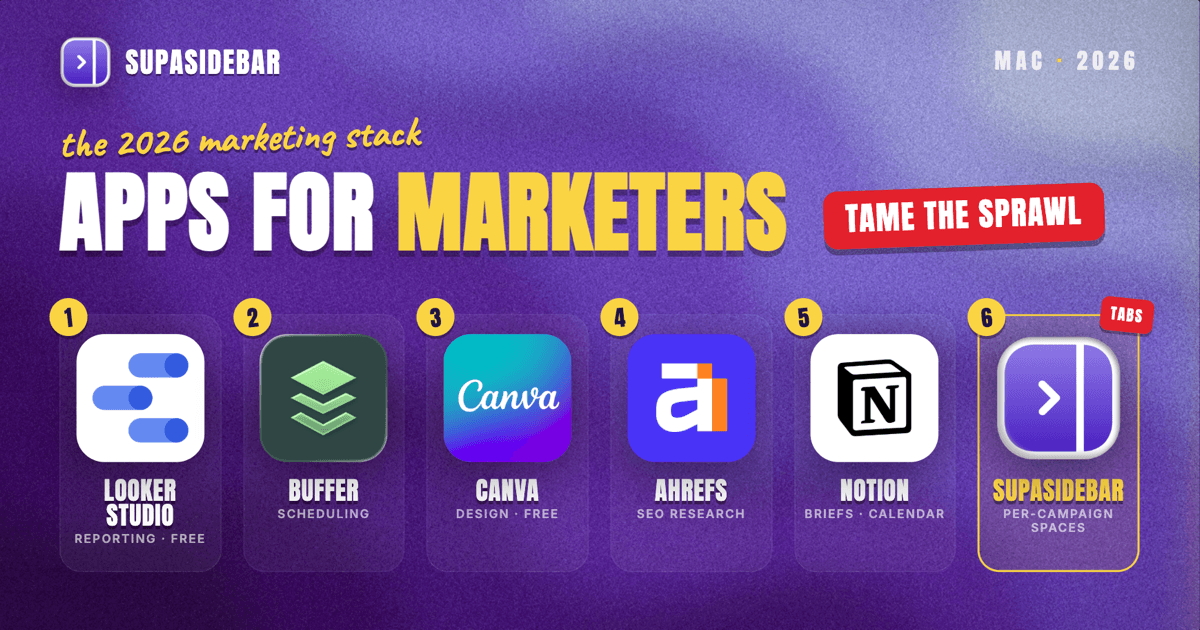
The best Mac apps for marketers in 2026 are organized by the marketing job, not by suite: Looker Studio for cross-channel reporting dashboards, SupaSidebar for keeping each campaign's 20-plus dashboard tabs grouped by Space across every browser, Buffer for social scheduling, Canva for fast on-brand design, Ahrefs for SEO and content research, and Notion for the campaign calendar and briefs. A marketer's real problem is rarely a missing tool, it is the sprawl: analytics in one tab pile, the ad manager in another, the scheduler in a third, and half of them open in a different browser because that is where the work login lives. Most of this stack starts free, Looker Studio is free for unlimited reports, Buffer's free plan covers three channels, Canva Free covers most design, and Ahrefs Webmaster Tools is free for your own verified sites.
Quick navigation:
- Working remotely or across time zones? → Best Mac Apps for Remote Workers 2026
- Building a focused, distraction-free setup? → Mac Workspace Setup for Deep Work 2026
- Drowning in open tabs specifically? → Too Many Tabs Open on Mac
- Running campaigns and channels from a Mac? You are in the right place. Keep reading.
| App | Job in the stack | Pricing model | Best for |
|---|---|---|---|
| Looker Studio | Cross-channel reporting | Free (Pro tier optional) | A weekly report that updates itself |
| SupaSidebar | Per-campaign workspace across browsers | Free version available | Several campaigns across browsers and profiles |
| Buffer | Social scheduling | Free (3 channels); Essentials $5/channel/mo | Scheduling across networks from one place |
| Canva | Routine design and creative | Free; Pro ~$15/mo | On-brand graphics without a designer |
| Ahrefs | SEO and content research | Free Webmaster Tools (own sites); paid from $29/mo | Own-site data free; competitor data paid |
| Notion | Campaign briefs and calendar | Free personal plan | One home per campaign brief and calendar |
Why a marketer's app stack isn't a generic "best apps" list
A salaried analyst lives inside one company's tools and one set of logins. A marketer runs several campaigns and channels in parallel, and each one drags in its own dashboard, its own login, and its own deadline. The apps that matter for a marketer are not the flashiest, they are the ones that keep all those moving parts visible without burying the day in browser tabs: the Q3 launch dashboard, the always-on paid account, the SEO content pipeline, the social calendar, and the weekly report that pulls from all of them.
So this list is organized by the jobs a marketer actually does every week - measure, schedule, design, research, plan, and keep it all from collapsing into tab chaos. The tools are picked for in-house or small-team use, a sensible free-to-paid path, and Mac-native polish where it exists.
Building the weekly report so it updates itself
Looker Studio is the free reporting tool for marketers on a Mac: it connects natively to Google Analytics, Google Ads, and Search Console plus hundreds of third-party connectors, so a single report pulls traffic, spend, and rankings into one self-refreshing view. Marketing lives or dies on the weekly number, and rebuilding it by hand in a spreadsheet every Monday is wasted time. It is free for unlimited reports, dashboards, and users, per Looker Studio coverage, with a paid Pro tier for enterprise team workspaces that most marketers never need. Pre-built cross-channel templates mean a usable dashboard exists in an afternoon, not a sprint.
One naming note worth knowing: Google renamed Looker Studio back to its original "Data Studio" name in April 2026, so current articles and templates may use either label for the same free tool.
Best for: marketers who rebuild the same report every week and want it to update on its own.
The problem no dashboard or scheduler solves is tab sprawl across campaigns. A marketer's browser is several campaigns deep at once: the Q3 launch has its analytics view, ad manager, landing-page editor, and a shared creative folder in one pile of tabs; the always-on paid account has its own dashboards in another; the SEO pipeline has Ahrefs, Search Console, and a content doc in a third, some in Chrome where the company's ad accounts and SSO live, some in Safari, some in a second profile used only for a side brand. Tab groups inside one browser do not fix this because the tabs span browsers and profiles, and bookmarks do not fix it because half the value is the live, logged-in state of a working session that vanishes the moment the browser restarts.
Keeping each campaign's tabs grouped across browsers
SupaSidebar is the cross-browser workspace layer for marketers: one Space per campaign that groups its dashboards, ad manager, and working tabs across every browser and profile. It runs natively on macOS and adds one persistent sidebar across every major Mac browser - Safari, Chrome, Firefox, Edge, Arc, Brave, Vivaldi, Comet, Dia, and more (33 browsers counting channel variants). For a marketer the unit of organization is the campaign or channel, and that maps directly to Spaces: one Space per campaign holding its dashboards, ad manager, landing-page tabs, and asset links, separated from every other campaign and from personal browsing. Live Tabs shows the open tabs from every running browser in one list, so the Chrome work pile and the Safari research pile stop being separate hunts. Command Panel (⌘⌃K) searches saved links and live tabs across all Spaces in one keystroke, which is the fastest way back to a buried dashboard.
Two marketer-specific details earn the spot in this list. Air Traffic Control rules route links by URL pattern, so a rule can send every link from the ad platform to the work profile automatically, which keeps the company ad account from opening logged in as a personal Google account. And Save All Browser Tabs (⌘⌃T) captures an entire working session into a folder in one shortcut, which turns "all those tabs from this week's launch prep" into a saved, reopenable set inside that campaign's Space.
A Reddit user described the underlying habit plainly: "The ability to organize multiple workspaces and flows is great! Perfect for keeping each project/motion grouped together." For a marketer that maps to one Space per campaign or channel. With a marketer routinely a dozen-plus dashboards deep across two or three browsers, taming that sprawl is the most differentiated win in the stack after the report itself, which is why it ranks this high. A free version is available, and 3,000+ Mac users have tried SupaSidebar.
Best for: marketers running two or more campaigns whose dashboards, ad managers, and tabs live across different browsers and profiles and keep bleeding into each other.
Scheduling posts across every network at once
Buffer is the social scheduler for marketers on a Mac: it queues posts across channels from one interface, with a free plan covering up to three channels and ten scheduled posts per channel at a time, per Buffer's pricing. Posting live to five networks by hand is a tax no marketer should pay. The catch worth naming up front: the free limit is a queue size, not a monthly cap, so an active business account fills those ten slots fast. Paid Essentials runs $5 per channel/month on annual billing ($6 monthly), and Team is $10 per channel/month, which is where the cost climbs for anyone running more than a handful of accounts.
Buffer deliberately stays a scheduler rather than a full social-listening suite, which keeps it simple. A solo marketer or small team running three channels can sit on the free plan until volume forces the upgrade.
Best for: marketers who want straightforward cross-network scheduling without a heavyweight social suite.
Shipping on-brand graphics without a designer on call
Canva covers a marketer's day-to-day design load on a Mac, with templates, brand controls, and quick export for the constant stream of social graphics, ad creative, and one-off slides. Waiting on a designer for every asset kills momentum, and Canva removes that wait. Canva Free is genuinely usable for most marketing graphics, with hundreds of thousands of templates and free stock assets, per Canva pricing coverage. Pro, around $15/month on the current plan (some 2026 sources list slightly different figures, so check the live page), adds Brand Kit, background removal, and Magic Studio AI tools, which earn their keep once brand consistency across many assets becomes the job.
The honest line on Canva: it is a production tool, not a replacement for a real design system when the brand work gets serious. For the high volume of routine creative a marketer churns out, it is hard to beat.
Best for: marketers who need on-brand graphics fast and do not have a designer on call.
Knowing what to write and what's working
Ahrefs is the SEO and content-research tool for marketers, covering keyword data, backlink analysis, content gap reports, and rank tracking. Content and organic marketing run on knowing what to write and what is already working, and that is exactly what Ahrefs surfaces. The detail many marketers miss: Ahrefs Webmaster Tools is free for any verified site owner, covering Site Explorer and Site Audit on your own domains plus your backlink profile and organic rankings, per Ahrefs pricing coverage. The free tier stops at your own verified sites, so competitor research needs a paid plan, which starts at $29/month for Starter and climbs to $129/month for Lite (the cheapest tier with full rank tracking).
The practical path: a marketer auditing and tracking their own site gets real value from the free Webmaster Tools, and only pays once competitor analysis and broad keyword research become the daily work.
Best for: marketers who own organic and content and want their own site's data free before paying for competitor intelligence.
Keeping each campaign's brief, calendar, and assets together
Notion is the campaign-planning layer for marketers on a Mac: one workspace with a page per campaign holding the brief, the content calendar, the asset links, and the results recap. Campaigns are scattered by default - a brief in email, a calendar in a spreadsheet, asset links in a chat thread - and Notion pulls them into one place. Its free personal plan covers unlimited pages for solo use, per Notion's pricing. A campaign template turns a new launch into a structured project page in a minute instead of a blank doc and three lost links.
Notion does not replace the dashboards or the ad managers - those stay where the data lives. It replaces the marketer's own scattered planning notes with one searchable home, which matters most when a campaign wraps and the next quarter's planning needs last quarter's context fast.
Best for: marketers who keep campaign plans across spreadsheets, docs, and chat threads and lose the thread between them.
Which marketer setup should you pick?
- If you are solo or a small team: run nearly the whole stack free - Looker Studio, Buffer free for three channels, Canva Free, Ahrefs Webmaster Tools on your own site, a Notion campaign workspace, and the free version of SupaSidebar.
- If you manage many channels: pay for Buffer Team so scheduling does not hit the queue cap.
- If you own content or SEO: pay for Ahrefs once competitor keyword research becomes the daily work.
- If you run several campaigns across browsers and profiles: the workspace layer is your biggest win - tab sprawl is otherwise your daily tax, and SupaSidebar groups each campaign's dashboards and tabs by Space.
- If you run a single channel: lean on a deep-work setup instead.
- If you also work remotely: pair this with the remote-worker Mac stack.
Conclusion: Picking the marketer Mac setup
The 2026 verdict: build the weekly report once in Looker Studio, schedule social through Buffer, produce routine creative in Canva, research and track organic in Ahrefs, run the campaign calendar in Notion, and spend real budget on the layers that scale with volume - paid Ahrefs once competitor research is daily, Buffer Team once the channel count grows, and SupaSidebar to keep each campaign's dashboards and tabs grouped by Space.
Try SupaSidebar (free tier) if campaign tabs are scattered across browsers right now.
Why we recommend SupaSidebar
SupaSidebar is a macOS app that brings Arc's sidebar to every browser - one sidebar for tabs, bookmarks, files, and apps across 33 browsers including Safari, Chrome, Firefox, Edge, Arc, Brave, Vivaldi, Comet, and Dia. For marketers, it turns each campaign or channel into a Space holding that work's dashboards, ad managers, research tabs, and asset links, searchable in one keystroke with Command Panel (⌘⌃K) no matter which browser they are open in. iCloud sync keeps the setup identical across an office Mac and a laptop, with no account required. macOS 14+ required.
FAQ
What apps do marketers use on a Mac in 2026?
A common in-house or small-team marketing stack is Looker Studio for reporting dashboards, Buffer for social scheduling, Canva for design, Ahrefs for SEO and content research, Notion for the campaign calendar and briefs, and SupaSidebar for organizing each campaign's tabs and dashboards across browsers. Most of these start free, so the stack scales with the number of campaigns and channels rather than a fixed subscription bill.
What is the best free marketing dashboard app for Mac?
Looker Studio (renamed back to Data Studio in April 2026) is the strongest free option - it is free for unlimited reports and users, and it connects natively to Google Analytics, Google Ads, and Search Console plus hundreds of third-party connectors. A marketer can build a cross-channel dashboard from a free template in an afternoon and have it refresh automatically, which removes the weekly manual reporting tax.
Is there a free SEO tool for marketers on Mac?
Yes. Ahrefs Webmaster Tools is free for any verified site owner and gives Site Explorer and Site Audit on your own domains plus your backlink profile and organic rankings. The free tier stops at sites you have verified, so competitor research needs a paid plan starting at $29/month for Starter, with full rank tracking on the $129/month Lite tier.
How do marketers manage dozens of campaign tabs on a Mac?
The reliable method is per-campaign workspaces plus cross-browser search. SupaSidebar creates one Space per campaign that holds its dashboards, ad manager, and working tabs, and its Live Tabs view plus Command Panel (⌘⌃K) search every running browser at once, so a tab in Chrome and a tab in Safari are found in the same keystroke. Air Traffic Control rules can route each platform's links to the right browser profile automatically, which prevents opening a company ad account in a personal session.
Is Canva free enough for marketing work?
For most routine marketing graphics, yes. Canva Free includes hundreds of thousands of templates, free stock assets, and the core editor, which covers social posts, simple ad creative, and one-off slides. Canva Pro (around $15/month, with some 2026 sources listing slightly different figures) adds Brand Kit, background removal, and Magic Studio AI tools, which become worth it once brand consistency across a high volume of assets is the job.
Do marketers need to pay for Buffer?
Not to start. Buffer's free plan connects up to three channels with up to ten scheduled posts queued per channel, which is enough for a solo marketer or small team posting at a modest cadence. Because the free limit is a queue size rather than a monthly cap, an active account fills it quickly, and Essentials at $5 per channel/month (annual) or Team at $10 per channel/month becomes worth it as channel count and posting volume grow.
By Kshetez Vinayak, founder of SupaSidebar. Last updated 2026-06-15.