
By Kshetez Vinayak, founder of SupaSidebar. Last updated 2026-06-27.
TL;DR
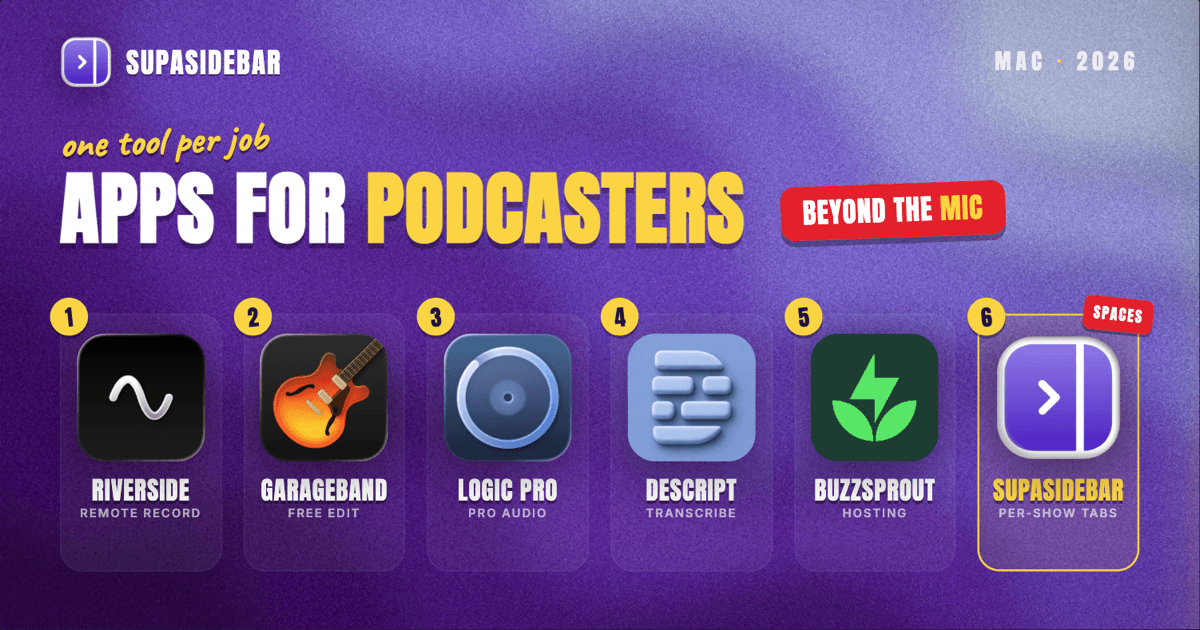
The best Mac apps for podcasters in 2026 are organized by the job, not by suite: Riverside for studio-quality remote recording, GarageBand or Logic Pro for the main edit on a Mac, Audacity as the free deep-control alternative, Descript for transcript-based editing and captions, Buzzsprout or Transistor for hosting and distribution, and SupaSidebar for keeping each show's guest research, hosting dashboard, and distribution tabs grouped by Space across every browser. A podcaster's real bottleneck is rarely the audio itself, it is everything around the episode: the guest research, the booking calendar, the recording studio link, the hosting dashboard, the show notes, and the distribution and analytics pages, all spread across browsers and all open at once. Most of this stack starts free, GarageBand and Audacity cost nothing, Riverside has a free recording tier, and Descript has a free plan, so the setup scales with the show rather than a fixed bill.
Quick navigation:
- Making YouTube video too? → Best Mac Apps for YouTubers 2026
- Setting up a focused production workspace? → Mac Workspace Setup for Deep Work 2026
- Drowning in guest and research tabs? → Too Many Tabs Open on Mac
- Building a podcast stack on a Mac? You are in the right place. Keep reading.
| App | Job in the stack | Pricing model | Best for |
|---|---|---|---|
| Riverside | Studio-quality remote recording | Free 2 hrs/mo; Standard $19/mo | Remote interviews recorded locally |
| GarageBand | Simple Mac-native editing | Free with macOS | Trimming and quick interview edits |
| Logic Pro | Pro multi-track audio editing | $199 one-time | Multi-guest panels and mastering |
| Audacity | Free deep-control editor | Free (open source) | Editing on a budget across platforms |
| Descript | Transcript-based editing and captions | Free tier; paid from ~$16/mo | Cutting filler and generating show notes |
| Buzzsprout | Hosting and distribution | Free trial; paid from $12/mo | Beginners who want the simplest host |
| Transistor | Multi-show hosting network | From $19/mo (unlimited shows) | Running several shows on one plan |
| SupaSidebar | Per-show research and distribution across browsers | Free version available | Tabs spread across multiple browsers |
Why a podcaster's app stack isn't a generic "best apps" list
A salaried office worker lives in one set of tools and one login. A podcaster runs a small production pipeline solo, and every episode drags in its own guest research, its own recording session, its own edit, its own show notes, and its own publish-and-promote deadline. The apps that matter for a podcaster are not only the audio editor, they are the ones that handle the parts a generic productivity list skips: capturing a remote guest at studio quality, cutting the recording cleanly, turning speech into searchable text and show notes, and getting the episode hosted and distributed to every directory.
So this list is organized by the jobs a podcaster actually does on every episode: record the conversation, edit the audio, transcribe and write the notes, host and distribute the file, and keep all the surrounding research and dashboards visible without burying the day in tabs. The tools are picked for solo and small-team shows, a sensible free-to-paid path, and Mac-native or cross-platform performance where it matters.
Riverside: studio-quality remote recording
Riverside is the remote-recording pick for podcasters on a Mac: it records each participant locally in high resolution and then uploads the files, so a guest's shaky internet connection does not degrade the final audio, per a 2026 Riverside pricing breakdown. For an interview show, the recording is the foundation, and recording locally rather than capturing the live call is the single biggest quality decision a remote podcaster makes.
Riverside's free plan covers up to two hours of recording per month at 720p video and 44.1 kHz audio with a watermark. The Standard plan at $19/month lifts that to five hours, up to 4K video, and 48 kHz audio, per the same pricing coverage.
The honest scope on Riverside: the free tier's two-hour monthly cap and watermark mean a regular interviewer outgrows it quickly. The local-recording model means each guest uploads their own track after the session, so a stable upload at the end matters. For a podcaster who records remote guests and wants the audio to sound studio-grade regardless of connection, Riverside is the standard.
Best for:
interview podcasters recording remote guests who want each track captured locally at studio quality.
GarageBand: the free Mac-native starting point
GarageBand is the free starting editor for podcasters on a Mac: it ships with macOS at no cost and handles trimming, multi-track voice editing, and quick interview cuts without a single purchase, per a 2026 GarageBand vs Logic Pro comparison. For a new show or a simple format, GarageBand covers recording, basic editing, and exporting before any money changes hands, and it teaches the multi-track basics that transfer directly to Logic Pro later.
The honest scope limit: GarageBand skips the heavier mixing, automation-lane depth, and mastering tools, so a podcaster balancing levels across a quiet guest and a loud host on a panel will feel the ceiling. For a solo show or a clean two-person interview, that ceiling rarely arrives.
Best for:
new podcasters who want a capable editor that costs nothing and is already installed on the Mac.
Logic Pro: the pro audio upgrade
Logic Pro is the professional audio upgrade for serious podcasters on a Mac: a $199 one-time purchase, not a subscription, that adds multi-automation-lane editing, a full plugin and mastering suite, and the headroom to balance a multi-person panel cleanly, per the same GarageBand vs Logic Pro comparison. For a show that records multiple guests or wants control over levels, noise, and mastering, Logic Pro is where GarageBand's ceiling lifts, and the one-time price means no recurring bill.
The trade-off is the learning curve and the platform: Logic Pro is Mac-only and far deeper than a beginner needs, so it is the upgrade a podcaster grows into rather than the first install. For Mac-based shows that have outgrown GarageBand, Logic Pro is the natural next step without a subscription.
Best for:
Mac-only podcasters running multi-guest panels who want pro mixing and mastering with one-time pricing.
Audacity: the free cross-platform editor
Audacity is the free, deep-control editor for podcasters on a Mac: an open-source audio editor that runs natively on Apple Silicon and offers finer manual control than GarageBand, including an auto-duck feature that drops a music bed under narration automatically, per Audacity's official site. Audacity is free for everyone with no tier, runs on macOS 10.15 and newer as a universal binary, and gives a podcaster manual editing depth without a purchase.
The honest scope limit: Audacity's interface is utilitarian and its workflow is more manual than a modern DAW, so it trades polish for control. For a podcaster who wants real editing depth at zero cost, or who also works on Windows or Linux, Audacity is the most capable free option.
Best for:
budget-conscious or cross-platform podcasters who want deep manual audio control for free.
Descript: edit by transcript and write notes faster
Descript is the transcript-based editor's shortcut for podcasters on a Mac: it transcribes the recording and lets a podcaster edit the audio by editing the text, then removes filler words and generates captions and show-note material automatically, per Descript pricing coverage. For a spoken-word format, cutting "ums" and tightening a ramble is faster as text than on a waveform, and the transcript doubles as the raw material for show notes and search-friendly episode pages.
Descript's free plan covers light use, around 60 media minutes per month with limited AI tools, per a 2026 Descript free-plan breakdown. Paid plans start around $16/user/month billed annually and lift the transcription and export limits.
The honest scope limit: Descript is built for spoken-word work and complements a full DAW rather than replacing it for music-heavy production or fine mastering. For interview and conversational shows, Descript removes the most tedious part of both the edit and the notes.
Best for:
conversational and interview podcasters who want transcript editing plus ready-made show-note text.
The guest-and-distribution tab problem (and the workspace layer)
Here is the problem no recorder or editor solves. A podcaster's browser is several episodes deep at once: the next episode has its guest-research tabs, the booking calendar, the pre-interview questionnaire, and the Riverside studio link in one cluster; the episode in post has its hosting dashboard, the show-notes doc, and the transcript in another; the back catalog has the analytics page, the directory submission status on Apple Podcasts and Spotify, and the sponsor's brief in a third. Some of it sits in Chrome because the analytics login lives there, some in Safari for personal browsing, and some in a separate browser used only for a show's brand account. Finding "the prep doc for the guest two weeks out" turns into a window-by-window hunt, and closing a window to clean up means losing a research set built across the whole season.
Tab groups inside one browser do not fix this, because the tabs span browsers and profiles. Bookmarks do not fix it either, because half the value is the live, logged-in state of a hosting dashboard or a recording studio session that vanishes the moment the browser restarts.
SupaSidebar: keep each show's guest and distribution tabs together
SupaSidebar is the cross-browser workspace layer for podcasters: one Space per show or season that keeps its guest research, hosting dashboard, and distribution tabs separated across every browser, so the next episode's prep tabs never mix with the current episode's analytics and submission pages. SupaSidebar is a native Mac app that adds one persistent sidebar across every major Mac browser - Safari, Chrome, Firefox, Edge, Arc, Brave, Vivaldi, Comet, Dia, and more (33 browsers counting channel variants).
For a podcaster the unit of organization is the show, and that maps directly to Spaces: one Space per show holding its guest pipeline, booking calendar, hosting dashboard, show-notes doc, and the directory submission pages, separated from every other show and from personal browsing.
Live Tabs shows the open tabs from every running browser in one list, so the Chrome analytics pile and the Safari research pile stop being separate hunts. Command Panel (⌘⌃K) searches saved links and live tabs across all Spaces in one keystroke, which is the fastest way back to a buried guest prep doc or a directory submission page. SupaSidebar also saves files and folders, not only links, so an episode's audio-export folder or artwork folder lives in the same Space as its web tabs, and Save All Browser Tabs (⌘⌃T) captures a whole research session into a folder in one shortcut.
A Reddit user described the underlying habit plainly: "Not just bookmarks - I can drop a project folder right into my workspace." For a podcaster that maps to one Space per show holding both the audio-export folder and the guest-and-distribution tabs. SupaSidebar organizes the tabs around the show, it is not a recorder or an editor and does not host the feed. A free version is available, and 3,000+ Mac users have tried SupaSidebar.
Best for:
podcasters running two or more shows whose guest research, hosting, and distribution tabs live across different browsers and keep bleeding into each other.
Which podcaster setup should you pick?
- If you are just starting: run nearly the whole stack free - Riverside's free tier for remote recording, GarageBand or Audacity for the edit, Descript's free tier for transcripts, and the free version of SupaSidebar.
- If you record remote guests: make Riverside the foundation so every guest's track is captured locally at studio quality regardless of their connection.
- If you record multi-guest panels: upgrade from GarageBand to Logic Pro for the automation lanes and mastering that balance several voices cleanly.
- If you want faster show notes: add Descript so the edit, the captions, and the show-note text come out of one transcript pass.
- If you run several shows across browsers: the workspace layer is your biggest win - guest-and-distribution sprawl is otherwise your daily tax, and SupaSidebar groups each show's research, hosting, and distribution tabs by Space.
- If you also publish to YouTube: pair this with the YouTuber Mac stack.
Conclusion: Picking the podcaster Mac setup
The 2026 verdict: record remote guests in Riverside, edit in GarageBand or Logic Pro (or Audacity for free), transcribe and write notes in Descript, host on Buzzsprout or Transistor, and keep each show's guest research, hosting dashboard, and distribution tabs grouped by Space in SupaSidebar. Starting podcasters can run almost the entire stack on free tiers; the first paid upgrade most shows feel is a recording tool for remote interviews or a hosting plan once the feed goes public. Mac-based shows running multi-guest panels should buy Logic Pro outright for the mixing headroom, and conversational shows get the most from Descript's transcript editing and ready-made show notes.
Try SupaSidebar (free tier) if your guest research, hosting, and distribution tabs are scattered across browsers right now.
Why we recommend SupaSidebar
SupaSidebar is a macOS app that brings Arc's sidebar to every browser - one sidebar for tabs, bookmarks, files, and apps across 33 browsers including Safari, Chrome, Firefox, Edge, Arc, Brave, Vivaldi, Comet, and Dia. For podcasters, it turns each show into a Space holding that show's guest pipeline, booking calendar, hosting dashboard, show-notes doc, and directory submission pages, searchable in one keystroke with Command Panel (⌘⌃K) no matter which browser they are open in. iCloud sync keeps the setup identical across a recording Mac and a laptop, with no account required. macOS 14+ required.
FAQ
What apps do podcasters use on a Mac in 2026?
A common solo or small-show stack is Riverside for remote recording, GarageBand or Logic Pro for editing on a Mac (or free Audacity), Descript for transcript-based editing and captions, Buzzsprout or Transistor for hosting and distribution, and SupaSidebar for keeping each show's guest research and distribution tabs organized across browsers. Most of these start free or have a free tier, so the stack scales with the show rather than a fixed subscription bill.
What is the best free podcast editing software for Mac in 2026?
GarageBand is the best free editor for most Mac podcasters because it ships with macOS at no cost and handles trimming, multi-track voice editing, and exporting. Audacity is the free alternative with deeper manual control, runs natively on Apple Silicon, and adds features like auto-duck for music beds; it is also the pick for anyone who works across Windows or Linux too. Both are genuinely free, so the paid upgrade to Logic Pro ($199 one-time) only matters once multi-guest mixing and mastering become the job.
How do I record a remote podcast guest in studio quality on a Mac?
Use a local-recording tool rather than capturing the live call. Riverside records each participant's track separately on their own device and then uploads the files, so a guest's unstable internet does not degrade the final audio, up to 4K video and 48 kHz audio on paid plans. Its free plan covers up to two hours per month at 720p with a watermark, which is enough to test the workflow before subscribing at $19/month for the Standard tier.
Should I host my podcast on Buzzsprout or Transistor?
Both are solid; the choice depends on how many shows you run. Buzzsprout is the simplest host for a single show, with paid plans from $12/month based on upload hours, plus unlimited storage and a podcast website. Transistor starts at $19/month but includes unlimited shows and collaborators on every plan, so it is the better fit for anyone running multiple podcasts or a small network on one bill.
How do podcasters keep guest research and distribution tabs organized on a Mac?
The reliable method is per-show workspaces plus cross-browser search. SupaSidebar creates one Space per show that holds its guest pipeline, booking calendar, hosting dashboard, show-notes doc, and directory submission pages, and its Live Tabs view plus Command Panel (⌘⌃K) search every running browser at once, so a tab in Chrome and a tab in Safari are found in the same keystroke. It also saves the episode's audio-export or artwork folder alongside the web tabs, so the whole working context for a show lives in one place.
By Kshetez Vinayak, founder of SupaSidebar. Last updated 2026-06-27.