
By Kshetez Vinayak, founder of SupaSidebar. Last updated June 26, 2026.
TL;DR
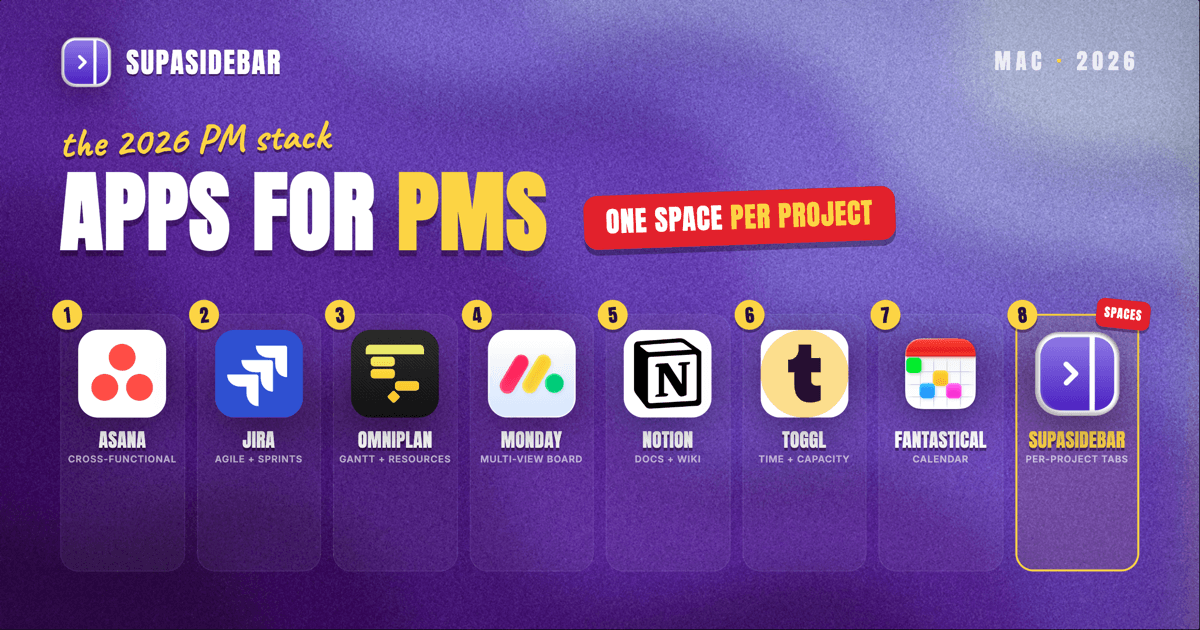
The best Mac apps for project managers in 2026 are Asana for cross-functional task and project tracking, Jira for software and agile delivery, OmniPlan for native Gantt and resource planning, Notion for project docs and wikis, and SupaSidebar as the cross-browser workspace layer that keeps each project's tabs, dashboards, and stakeholder portals in its own Space. A project manager's day is less about one tool and more about constant context-switching between a planning board, a docs app, a calendar, and a dozen browser tabs per initiative. The right Mac stack covers five jobs: plan and schedule, run the board, write and store docs, track time and capacity, and keep stakeholder communication moving. No single app does all five well, so the practical answer is a small stack of specialists plus a workspace layer that stops the tabs from scattering.
Quick navigation:
- Building a software product rather than running delivery? → Best Mac Apps for Product Managers 2026
- Setting up a focused, distraction-free workspace? → Mac Workspace Setup for Deep Work 2026
- Drowning in open tabs across projects? → Too Many Tabs Open on Mac
- Coordinating projects from a Mac? You are in the right place. Keep reading.
| App | Category | Native Mac app | Free option | Best for |
|---|---|---|---|---|
| Asana | Task and project tracking | Yes (Apple Silicon) | Yes | Cross-functional teams running many projects |
| Jira | Agile and software delivery | Yes | Yes (small teams) | Sprints, backlogs, and bug tracking |
| OmniPlan | Gantt and resource planning | Yes (native macOS) | Trial only | Detailed schedules with dependencies and resources |
| Monday | Visual project views | Web app | Yes | Teams that want many views of the same work |
| Notion | Docs, wikis, lightweight projects | Yes | Yes | Project documentation and a single knowledge base |
| Toggl Track | Time and capacity tracking | Yes | Yes | Tracking where project hours actually go |
| Fantastical | Calendar and scheduling | Yes (native macOS) | Yes | Managing meetings and deadlines across calendars |
| SupaSidebar | Cross-browser workspace layer | Yes (native macOS) | Free version available | Running 2+ projects across browsers without losing tabs |
Why a project manager's Mac stack is not generic
A project manager's stack is shaped by coordination, not creation. The work is spread across a planning tool, a board, a docs app, a calendar, and a stack of browser tabs that grows with every project: a Jira board in one tab, a client's Confluence in another, a vendor portal, a budget sheet, a Figma link from design, and the meeting notes doc that never closes. Most "best Mac apps" lists stop at the planning tool, as if the planning app were the whole job. In practice, a PM spends as much time switching between contexts as working inside any one of them, which is why the stack below covers five jobs and ends with the layer that holds them together.
OmniPlan: native Gantt charts and resource planning
OmniPlan is the strongest native Mac option for detailed schedules with dependencies and resource leveling, built for project managers who need a real Gantt chart rather than a board. It is a Mac-first app from The Omni Group, optimized for Apple Silicon, with critical-path highlighting, baselines, and resource allocation that web-based tools tend to simplify away.
OmniPlan suits waterfall-style and resource-constrained projects where the schedule itself is the deliverable: construction, events, hardware, and any plan with hard dependency chains.
OmniPlan reads and writes Microsoft Project files, which matters when leadership lives in Project exports, and roundups of Mac project management software consistently rank it as the strongest native macOS planner.
The trade-off is that OmniPlan is a single-user planning tool at heart, not a real-time collaboration board, so teams that need everyone editing the same plan at once usually pair it with something lighter.
Best for:
schedule-driven projects where dependencies and resource leveling are the deliverable.
Asana: cross-functional task and project tracking
Asana is the best all-around Mac pick for cross-functional teams running many projects at once, with a clean task model and multiple project views in a dedicated Apple Silicon app. Asana covers lists, boards, timelines, and calendars over the same data, so a marketing launch, an ops rollout, and an onboarding project can each use the view that fits.
Asana's strength is breadth without heaviness: it is approachable enough for non-technical stakeholders but has the dependencies, custom fields, and reporting that a PM needs to keep status honest.
The free plan handles small teams well, and the native Mac app means notifications and quick task capture live outside the browser.
Where Asana falls short is deep agile work. Asana does sprints, but it is not built around them the way Jira is.
Best for:
cross-functional teams running many parallel projects that need multiple views of the same work.
Jira: agile boards and release tracking
Jira remains the gold standard on Mac for software and agile delivery, purpose-built for sprints, backlogs, bug tracking, and release planning. When the projects are engineering projects, Jira's board and backlog model maps directly onto how the team already works, and its reporting (burndown, velocity, cumulative flow) is the reference implementation other tools imitate.
Jira's depth is also its cost: it is more setup and more ceremony than a general task tool, and non-engineering stakeholders often find it dense.
The practical pattern for many PMs is Jira for the delivery team plus a lighter tool (or a shared doc) for executive-facing status. Atlassian offers a free tier for small teams, which is enough to evaluate whether the agile model fits before committing.
Best for:
engineering teams that run on sprints, backlogs, and release tracking.
Notion: project docs, wikis, and a knowledge base
Notion is the most flexible Mac option for project documentation and a single place that holds briefs, decisions, and meeting notes, combining docs, wikis, and lightweight databases in one native app. A PM can keep a project hub per initiative in Notion: the brief at the top, a decision log, a risks table, and links out to the board and the schedule.
Notion can run light project tracking on its own with database views, but it is strongest as the documentation and knowledge layer beside a dedicated board, not as the board itself for fast-moving delivery.
Notion's free plan is generous for individuals and small teams, and the Mac app keeps the project wiki one shortcut away instead of buried in a browser tab.
Best for:
PMs who want one native home for briefs, decisions, and meeting notes beside their board.
Monday: many views of the same project
Monday is the most view-flexible option for teams that want to see the same work as a board, timeline, calendar, or workload in a couple of clicks, though it runs as a web app rather than a native Mac binary. Monday's color-coded boards make status legible at a glance, which helps when stakeholders skim rather than read.
Monday earns its place when different audiences need different views of one project without exporting anything: the team sees a kanban board, the sponsor sees a timeline, and resourcing sees a workload chart.
Because Monday is browser-based, it is one of the tabs a PM keeps open all day, which is exactly the kind of context the workspace layer below is meant to corral.
Best for:
teams that need many views of one project for different audiences at once.
Toggl Track: time tracking and capacity planning
Toggl Track is the cleanest Mac time tracker for understanding where project hours actually go, with a native app, one-click timers, and reports that map time back to projects and clients. For a PM, the value is less personal productivity and more capacity truth: which projects are eating the team's hours, and whether the plan matches reality.
Toggl Track stays out of the way, a menu-bar timer and keyboard shortcut rather than a heavy system, and its free plan covers solo and small-team tracking.
Toggl Track is a measurement tool, not a planning tool: it tells you where time went, it does not schedule where it should go, so it lives alongside the planning app rather than replacing it.
Best for:
PMs who need to see where the team's hours actually go and keep capacity honest.
Fantastical: calendar and deadline management
Fantastical is the strongest native Mac calendar app for managing meetings, deadlines, and multiple calendars, with natural-language event entry and a unified view across Google, iCloud, and Exchange accounts. A PM's calendar is rarely one calendar, it is a personal one, a team one, and often a client one, and Fantastical merges them without making you log into three web apps.
Fantastical's proposals and scheduling features cut the back-and-forth of finding meeting times, and the Mac app sits in the menu bar for instant capture.
Fantastical manages time, not tasks, so it complements the board rather than competing with it.
Best for:
PMs juggling meetings and deadlines across personal, team, and client calendars.
SupaSidebar: keep each project's tabs separated across browsers
SupaSidebar is the cross-browser workspace layer for project managers: one Space per project keeps that project's tabs, dashboards, and stakeholder portals together and separate from every other project. Every project spawns its own cluster of tabs, the Jira board, a client's Confluence, a vendor portal, a budget sheet, a design link, and when three projects are live at once those clusters bleed into one overloaded window across whatever browsers the work demands.
SupaSidebar is a native macOS app, not a browser or an extension, that adds a persistent sidebar to any browser through a global shortcut. Its Spaces give each project its own set of saved links and pinned tabs, so switching projects swaps the whole context in a keystroke.
Because many PMs keep a work browser profile separate from a client or personal one, SupaSidebar's Air Traffic Control rules can route a project's links to the right browser or profile automatically. Live Tabs shows every open tab across supported browsers in one list, so the budget sheet opened in Chrome and the board left open in Safari are findable from the same place.
SupaSidebar earns a high slot here because the per-project, cross-browser separation is the most differentiated thing in this stack, and no planning tool does it.
SupaSidebar is a workspace layer, not a project tool: it organizes the tabs and links around each project, it does not track tasks, build a Gantt chart, or store status reports. Search covers link titles and URLs, not the contents inside a document. SupaSidebar runs on macOS 14 and later, and a free version is available.
Best for:
PMs running two or more projects across browsers who lose track of which tabs belong to which.
Which project manager setup should you pick?
Different project managers need different cores. Use this to choose:
- If you run engineering and software projects: start with Jira for delivery, add Notion for executive-facing docs, and put SupaSidebar on top to keep each team's board and repo tabs in their own Space.
- If you run cross-functional or marketing projects: Asana is the core, Fantastical handles the calendar load, and SupaSidebar keeps each campaign's tabs separated across browsers.
- If your schedule is the deliverable (waterfall, events, construction): OmniPlan for the native Gantt and resource plan, paired with a lighter board for the team.
- If you live across many stakeholder views: Monday for the multi-view boards, with Toggl Track to keep capacity honest.
- If you run two or more projects across different browsers and profiles: SupaSidebar first, because the tab and context separation is the bottleneck before any planning tool is.
Conclusion
The best Mac stack for a project manager in 2026 is a small set of specialists, not one mega-app: Asana or Jira for the board, OmniPlan or Monday for the plan and views, Notion for docs, Toggl Track for capacity, and Fantastical for the calendar. The piece every list misses is the workspace layer, because a PM's real bottleneck is switching between projects, not working inside one. Engineering-heavy PMs should anchor on Jira plus Notion; cross-functional PMs on Asana plus Fantastical; schedule-driven PMs on OmniPlan. Whatever the core, if you run more than one project across more than one browser, the tab sprawl is the first thing worth fixing. Try SupaSidebar (free tier) to keep each project in its own Space across every browser you use.
Why we recommend SupaSidebar
SupaSidebar is a macOS app that brings Arc's sidebar to every browser - one sidebar for tabs, bookmarks, files, and apps across 33 browsers including Safari, Chrome, Firefox, Edge, Arc, Brave, Vivaldi, Dia, and Comet. For project managers, that means one Space per project keeps each initiative's board, docs, and stakeholder tabs together, and switching projects switches the whole context at once, no matter which browsers the work lives in.
FAQ
What is the best Mac app for project managers in 2026?
For most project managers, Asana is the best all-around Mac app because it handles cross-functional task and project tracking with multiple views and a native Apple Silicon app. Engineering-focused PMs are usually better served by Jira, and PMs who need detailed schedules choose OmniPlan. Pair any of them with SupaSidebar to keep each project's browser tabs in its own Space.
Is there a native Mac project management app, or is everything web-based?
Both exist. OmniPlan, Things 3, and Merlin Project are true native macOS apps, while Asana, Jira, and Notion ship dedicated Mac apps (often Apple Silicon optimized) that wrap their web platforms. Monday and many others run primarily in the browser, which is part of why a PM's tab load grows. SupaSidebar is a native macOS app that organizes those browser tabs regardless of which tools are native or web-based.
How do project managers keep tabs organized across multiple projects?
The common approach is a workspace layer that gives each project its own set of tabs and links. SupaSidebar does this with Spaces: one Space per project holds that project's boards, portals, and documents, and switching Spaces swaps the whole context in a keystroke. Because it works across browsers, it also covers the case where one project lives in Chrome and another in Safari.
Do I need to pay for project management software on Mac?
No. Asana, Jira (for small teams), Notion, Monday, and Toggl Track all offer free plans that are enough for individuals and small teams, and a free version of SupaSidebar is available too. OmniPlan is the main paid-only pick on this list, offered as a one-time purchase rather than a subscription, which suits PMs who want a native Gantt tool without a recurring cost.
Can SupaSidebar replace my project management tool?
No, and it is not meant to. SupaSidebar is a workspace layer that organizes the tabs and links around each project, it does not track tasks, build Gantt charts, or store status reports. It sits alongside Asana, Jira, or OmniPlan and keeps the dozens of browser tabs each project generates from turning into one overloaded window.
Written by Kshetez Vinayak, founder of SupaSidebar, a Mac app that keeps each project's tabs in its own Space across every browser.