
By Kshetez Vinayak, founder of SupaSidebar. Last updated 2026-06-19.
TL;DR
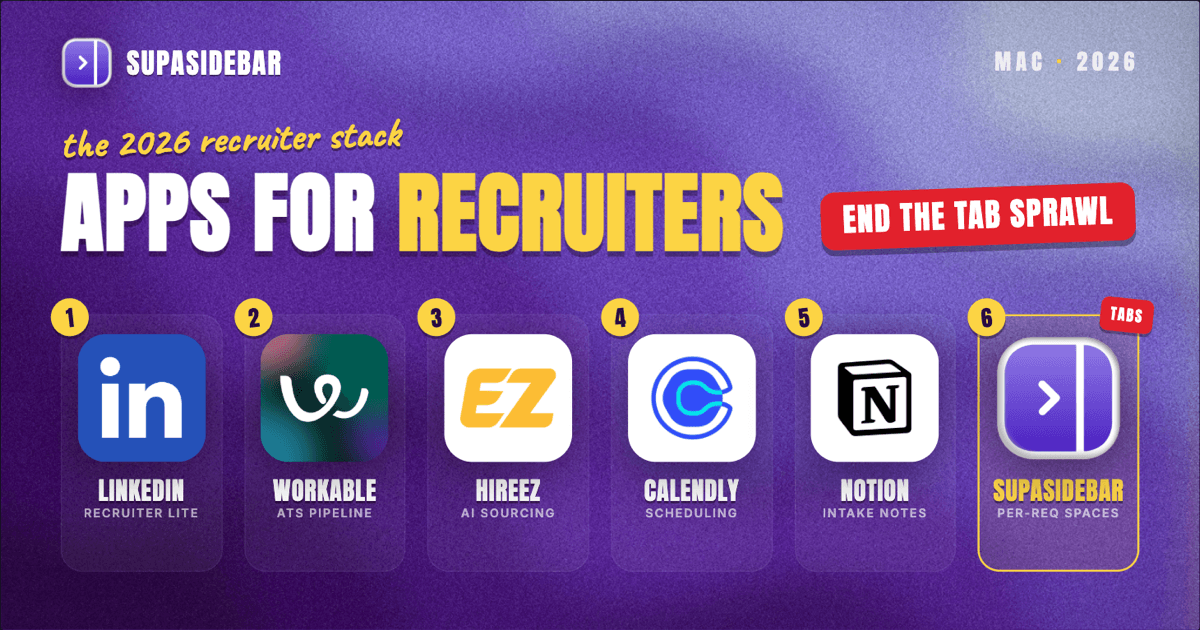
The best Mac apps for recruiters in 2026 are organized by the recruiting job, not by suite: LinkedIn Recruiter Lite for sourcing candidates, SupaSidebar for keeping each open req's pile of LinkedIn, ATS, and candidate tabs separated across every browser, Workable as the ATS that tracks every pipeline, hireEZ for sourcing and outreach beyond LinkedIn, Calendly for interview scheduling, and Notion for intake notes and scorecards. A recruiter's real problem is rarely a missing tool, it is the sprawl: every open role drags in its own LinkedIn search, its own ATS pipeline, a job board or two, and a dozen candidate profiles, and half of them live in a different browser because that is where the work login sits. That sprawl is why the workspace layer earns a spot near the top of this list rather than the bottom. Several of these start free, Calendly has a permanent free plan, Notion's personal plan is free, and SupaSidebar has a free version, while the sourcing and ATS tools are where a recruiting budget actually goes.
Quick navigation:
- Working remotely or across time zones? → Best Mac Apps for Remote Workers 2026
- Building a focused, distraction-free setup? → Mac Workspace Setup for Deep Work 2026
- Drowning in open tabs specifically? → Too Many Tabs Open on Mac
- Hiring and sourcing from a Mac? You are in the right place. Keep reading.
| App | Job in the stack | Pricing model | Best for |
|---|---|---|---|
| LinkedIn Recruiter Lite | Candidate sourcing and InMail | Paid from ~$170/mo | The primary search and outreach surface |
| SupaSidebar | Per-req workspace across browsers | Free version available | Several open reqs whose tabs live across browsers |
| Workable | ATS and pipeline tracking | Paid from ~$149/mo | One pipeline of record for every role |
| hireEZ | AI sourcing and outreach beyond LinkedIn | Paid, sales-gated (~$169-199/recruiter/mo) | Sourcing past LinkedIn's reach |
| Calendly | Interview scheduling | Free plan; Standard ~$10/seat/mo | Killing the scheduling back-and-forth |
| Notion | Intake notes and scorecards | Free personal plan | One home per req's brief and feedback |
Why a recruiter's app stack isn't a generic "best apps" list
A salaried analyst lives inside one company's tools and one set of logins. A recruiter runs several open reqs in parallel, and each one drags in its own sourcing search, its own pipeline, its own hiring-manager thread, and its own deadline. The apps that matter for a recruiter are not the flashiest, they are the ones that keep all those moving roles visible without burying the day in browser tabs: the senior-engineer search on LinkedIn, the ATS pipeline for the sales req, a sourcing tool open for the hard-to-fill role, the scheduling links, and the intake notes that started each one.
So this list is organized by the jobs a recruiter actually does every week - source, track, reach out, schedule, document, and keep it all from collapsing into tab chaos. The tools are picked for in-house or agency recruiting use, a sensible free-to-paid path, and Mac-native polish where it exists. The list leads with the sourcing surface where the day starts and the workspace layer that keeps the reqs from colliding, then works through the ATS, outreach, scheduling, and notes.
The multi-req tab problem (and the workspace layer)
Here is the problem no ATS or sourcing tool solves, and for a recruiter running several reqs at once it is the daily one. A recruiter's browser is several searches deep at once: the senior-engineer role has its LinkedIn Recruiter search, its ATS pipeline, a GitHub profile or two, and a take-home review tab in one pile; the sales req has its own LinkedIn search and pipeline in another; the hard-to-fill role has hireEZ, a job board, and five candidate profiles in a third. Some of it sits in Chrome because the company's LinkedIn and ATS logins live there, some in Safari for personal browsing and quick research, and some in a second profile or browser used only for a client account. Finding "that one candidate's profile from the engineering req" turns into a window-by-window hunt, and closing a window to clean up means losing a curated shortlist built over the week.
Tab groups inside one browser do not fix this, because the tabs span browsers and profiles. Bookmarks do not fix it either, because half the value is the live, logged-in state of an active sourcing session that vanishes the moment the browser restarts.
Keeping each open req's tabs separated across browsers
SupaSidebar is the cross-browser workspace layer for recruiters: one Space per open req that holds that role's LinkedIn search, ATS pipeline, candidate profiles, and sourcing tabs, separated from every other req and from personal browsing. It is a native Mac app that adds one persistent sidebar across every major Mac browser - Safari, Chrome, Firefox, Edge, Arc, Brave, Vivaldi, Comet, Dia, and more (33 browsers counting channel variants). For a recruiter the unit of organization is the requisition, and that maps directly to Spaces. Live Tabs shows the open tabs from every running browser in one list, so the Chrome sourcing pile and the Safari research pile stop being separate hunts, and Command Panel (⌘⌃K) searches saved links and live tabs across all Spaces in one keystroke, which is the fastest way back to a buried candidate profile.
For a recruiter juggling several reqs whose tabs live across browsers and profiles, this is arguably the most differentiated tool in the stack - the only one aimed squarely at the sprawl problem, which is why it sits near the top of this list rather than the end. Two recruiter-specific details earn that placement. Air Traffic Control rules route links by URL pattern, so a rule can send every LinkedIn or ATS link to the work profile automatically, which keeps the company recruiting account from opening logged in as a personal LinkedIn account. And Save All Browser Tabs (⌘⌃T) captures an entire sourcing session into a folder in one shortcut, which turns "all those candidate tabs from this morning's search" into a saved, reopenable shortlist inside that req's Space.
A freelance web developer who runs client projects the same way described the habit plainly: "I really like where you're going with this - I can see this becoming my go-to bookmarking tool. The ability to flick between browsers is so liberating." For a recruiter that maps to one Space per req and one click between the browser where sourcing happens and the browser where the ATS lives. A free version is available, and 3,000+ Mac users have tried SupaSidebar. SupaSidebar is not an ATS and does not track candidate stages or store records - it organizes the tabs and tools around each req, not the pipeline data itself.
Best for: recruiters running two or more open reqs whose LinkedIn searches, ATS pipelines, and candidate tabs live across different browsers and profiles and keep bleeding into each other.
Sourcing candidates where most of them already are
LinkedIn Recruiter Lite is the sourcing surface most recruiters on a Mac start their day in: it adds 20-plus search filters, up to 1,000 results per search, and 30 InMails a month to the standard LinkedIn account, which is enough reach for a single recruiter or a small team. Sourcing is the front of the funnel, and LinkedIn is where the largest professional candidate pool already keeps an up-to-date profile. Recruiter Lite runs about $170/month for one license, climbing to roughly $270 per license per month for teams of two to five, per Kanbox's LinkedIn Recruiter pricing breakdown. The full corporate Recruiter tier jumps to roughly $825 to $900 per seat per month with 150 InMails, unlimited results, and talent pools, which only larger talent teams need.
The honest line on Recruiter Lite: the 30-InMail cap and the 1,000-result ceiling are real limits the moment sourcing volume climbs, which is exactly when a dedicated sourcing tool earns its place alongside it.
Best for: recruiters who source primarily from LinkedIn and want filters and InMail without the corporate-tier price.
Tracking every pipeline in one system of record
Workable is the ATS that gives a recruiter on a Mac one pipeline of record: every candidate, every stage, every role in one system instead of scattered across spreadsheets and inboxes. Sourcing finds people, but tracking them through screen, interview, and offer is where roles are actually won or lost, and an ATS is the system that does it. Workable starts around $149 to $169 per month on the Starter tier (up to 20 employees, billed annually), with Standard at $299/month unlocking unlimited active jobs and Premier at $599/month adding video interviews, texting, and assessments, per Pin's Workable pricing breakdown. Pricing scales by company headcount rather than recruiter seat, which is worth modeling before committing.
One cost note worth knowing: some core features like video interviews and SMS texting are paid add-ons on top of the base tier, so the advertised Standard price is not always the real monthly cost. For a small team running a handful of roles, the Starter tier covers the pipeline-of-record job on its own.
Best for: recruiting teams that need one pipeline of record and are tired of tracking candidates across spreadsheets and email.
Sourcing past the edge of LinkedIn
hireEZ is the AI sourcing and outreach platform for recruiters whose hardest roles run out of LinkedIn results: it aggregates candidate profiles from across the open web, surfaces contact data, and runs outbound sequences, usually alongside an existing ATS. The toughest reqs are the ones LinkedIn alone cannot fill, and a sourcing tool that reaches past it is where those get unstuck. hireEZ runs roughly $169 to $199 per recruiter license per month at the entry level with no public price page and a sales-gated trial, climbing past $250 for enterprise, per Pin's hireEZ pricing breakdown. Costs scale with seats, contact credits, and optional modules.
The trade-off worth naming: hireEZ is a sourcing-and-outreach layer, not a replacement for the ATS or for LinkedIn, and its real value shows up on the hard-to-fill technical or niche roles rather than high-volume hiring where LinkedIn and the ATS already do the job.
Best for: recruiters working hard-to-fill or niche roles that need candidate reach and contact data beyond LinkedIn.
Killing the interview scheduling back-and-forth
Calendly removes the scheduling tax from a recruiter's week on a Mac: a single booking link lets candidates pick an open slot, syncing straight to the calendar without the email ping-pong. Coordinating interview times by hand across candidates, hiring managers, and time zones is pure overhead, and Calendly deletes it. Its free plan covers basic one-on-one scheduling, one connected calendar, and booking links, per Cal.com's Calendly pricing breakdown, which is enough for a recruiter scheduling screens solo. The Standard plan at about $10 per seat per month (annual billing) adds unlimited event types and multiple calendar connections, and the Teams plan at roughly $16 per seat per month adds round-robin scheduling for interview panels.
Round-robin on the Teams tier is the recruiter-specific upgrade: it spreads interviews across a panel automatically so no single interviewer's calendar becomes the bottleneck.
Best for: recruiters who lose hours every week to scheduling screens and interviews by email.
Keeping each req's brief, scorecards, and notes together
Notion is the documentation layer for recruiters on a Mac: one workspace with a page per req holding the intake brief, the must-have criteria, interview scorecards, and the running candidate notes. Reqs are scattered by default - the intake in an email, scorecards in a shared doc, candidate notes in a chat thread - and Notion pulls them into one searchable place. Its free personal plan covers unlimited pages for solo use, per Notion's pricing. A req template turns a new role into a structured page in a minute instead of a blank doc and three lost threads.
Notion does not replace the ATS - candidate stages and records stay in Workable where the pipeline lives. It replaces the recruiter's own scattered intake notes and scorecards with one home, which matters most when a hiring manager asks why a candidate was passed three weeks ago and the reasoning needs to surface fast.
Best for: recruiters who keep intake notes and scorecards across docs, emails, and chat threads and lose the thread between them.
Which recruiter setup should you pick?
- If you are a solo or in-house recruiter: pair LinkedIn Recruiter Lite for sourcing with a free Calendly for scheduling, a free Notion workspace for intake and scorecards, and the free version of SupaSidebar to keep each req's tabs separated.
- If you run many reqs across browsers and profiles: the workspace layer is your biggest win - tab sprawl is otherwise your daily tax, and SupaSidebar groups each req's LinkedIn, ATS, and candidate tabs by Space.
- If you need a real system of record: add Workable so every pipeline lives in one ATS instead of spreadsheets.
- If your hardest roles run out of LinkedIn: add hireEZ for sourcing and outreach past LinkedIn's reach.
- If you run interview panels: step Calendly up to the Teams tier for round-robin scheduling.
- If you also work remotely: pair this with the remote-worker Mac stack.
Conclusion: Picking the recruiter Mac setup
The 2026 verdict: source on LinkedIn Recruiter Lite, track every pipeline in Workable, reach the hard-to-fill roles with hireEZ, schedule through Calendly, document each req in Notion, and keep the whole multi-req browser sprawl from collapsing into tab chaos with SupaSidebar grouping each role's tabs by Space. Spend real budget where the funnel actually moves - the sourcing and ATS tools - and lean on the free tiers for scheduling, notes, and the workspace layer.
Try SupaSidebar (free tier) if candidate tabs are scattered across browsers right now.
Why we recommend SupaSidebar
SupaSidebar is a macOS app that brings Arc's sidebar to every browser - one sidebar for tabs, bookmarks, files, and apps across 33 browsers including Safari, Chrome, Firefox, Edge, Arc, Brave, Vivaldi, Comet, and Dia. For recruiters, it turns each open req into a Space holding that role's LinkedIn searches, ATS pipeline, candidate profiles, and sourcing tabs, searchable in one keystroke with Command Panel (⌘⌃K) no matter which browser they are open in. iCloud sync keeps the setup identical across an office Mac and a laptop, with no account required. macOS 14+ required.
FAQ
What apps do recruiters use on a Mac in 2026?
A common in-house or agency recruiting stack is LinkedIn Recruiter Lite for sourcing, Workable as the ATS, hireEZ for outreach beyond LinkedIn, Calendly for interview scheduling, Notion for intake notes and scorecards, and SupaSidebar for keeping each open req's tabs organized across browsers. Several of these start free, so the stack scales with the number of open reqs and the size of the team rather than a fixed subscription bill.
What is the best sourcing tool for recruiters on a Mac?
LinkedIn Recruiter Lite is where most recruiters start because the largest professional candidate pool already keeps an up-to-date profile there, adding 20-plus filters, up to 1,000 results per search, and 30 InMails a month for around $170/month. For roles that run out of LinkedIn results, a dedicated AI sourcing tool like hireEZ reaches past it by aggregating profiles from across the open web and surfacing contact data, usually alongside an existing ATS.
Is there a free ATS for recruiters on Mac?
Most full-featured applicant tracking systems, including Workable, are paid and scale by company size rather than offering a free tier, with Workable starting around $149 to $169 per month on its Starter plan. Free recruiting setups usually combine a free Calendly plan for scheduling and a free Notion workspace for intake notes and scorecards, then add a paid ATS once pipeline volume justifies a single system of record.
How do recruiters manage dozens of candidate tabs on a Mac?
The reliable method is per-req workspaces plus cross-browser search. SupaSidebar creates one Space per open role that holds its LinkedIn search, ATS pipeline, and candidate tabs, and its Live Tabs view plus Command Panel (⌘⌃K) search every running browser at once, so a candidate profile in Chrome and a take-home review in Safari are found in the same keystroke. Air Traffic Control rules can route each platform's links to the right browser profile automatically, which prevents opening a company recruiting account in a personal session.
Do recruiters need LinkedIn Recruiter or is Recruiter Lite enough?
Recruiter Lite is enough for solo recruiters and small teams sourcing at a modest volume - it gives 20-plus filters, up to 1,000 results per search, and 30 InMails a month for around $170/month. Full corporate Recruiter, at roughly $825 to $900 per seat per month, adds 150 InMails, unlimited results, talent pools, and team collaboration, which only larger talent teams sourcing at high volume tend to need.
What is the best way to schedule interviews on a Mac?
Calendly is the standard pick: a single booking link lets candidates self-select an open slot that syncs to the recruiter's calendar, removing the email back-and-forth, and its free plan covers basic one-on-one scheduling. For interview panels, the Teams tier (around $16 per seat per month) adds round-robin scheduling that spreads interviews across multiple interviewers automatically so no single calendar becomes the bottleneck.
By Kshetez Vinayak, founder of SupaSidebar. Last updated 2026-06-19.