
By Kshetez Vinayak, founder of SupaSidebar. Last updated June 26, 2026.
TL;DR
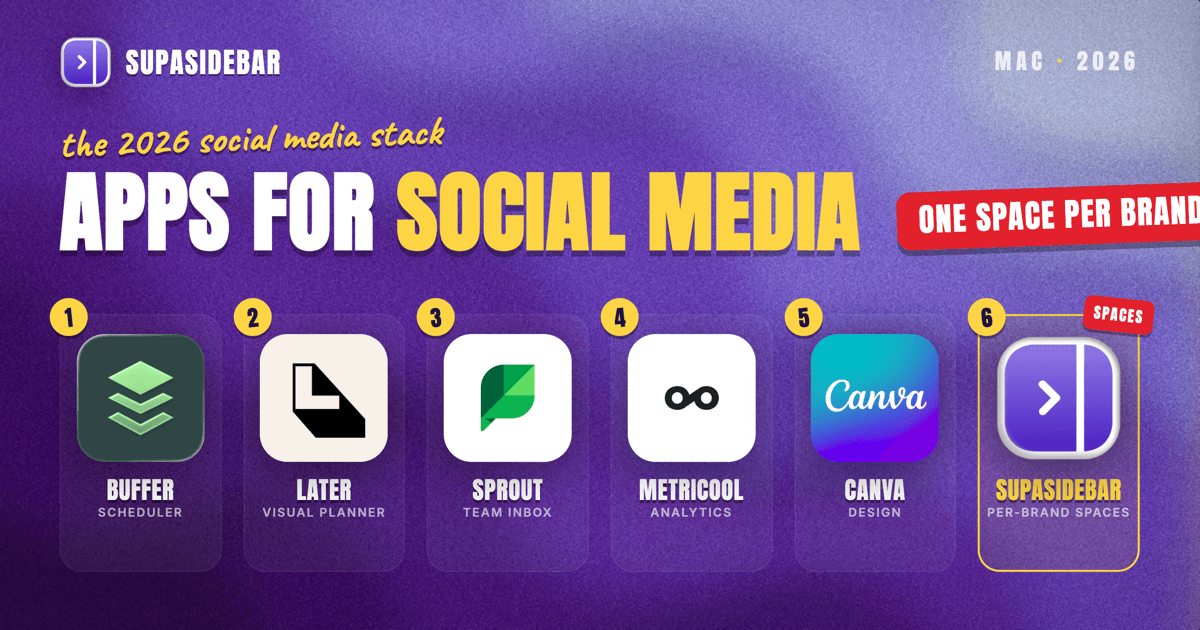
The best Mac apps for social media managers in 2026 are SupaSidebar as the cross-browser workspace layer that keeps each brand's accounts and tabs in its own Space, Buffer for simple multi-channel scheduling, Later for visual Instagram and TikTok planning, Sprout Social for analytics and a unified inbox, Metricool for scheduling plus ads and reporting in one place, and Canva for creating the content itself. A social media manager's real problem is rarely one app. It is running three, five, or a dozen brand accounts at once, each with its own scheduler login, analytics dashboard, ad manager, and inbox, and keeping them from bleeding into one overloaded browser window. The right Mac stack covers four jobs: schedule and publish, design the content, measure what worked, and manage the comments and DMs, plus the layer that keeps each client's accounts separated so you never post to the wrong brand.
Quick navigation:
- Marketing across more than just social? → Best Mac Apps for Marketers 2026
- Want a focused, distraction-free setup? → Mac Workspace Setup for Deep Work 2026
- Drowning in open tabs across brands? → Too Many Tabs Open on Mac
- Managing social accounts from a Mac? You are in the right place. Keep reading.
| App | Category | Native Mac app | Free option | Best for |
|---|---|---|---|---|
| SupaSidebar | Cross-browser workspace layer | Yes (native macOS) | Free version available | Running multiple brand accounts without mixing them up |
| Buffer | Scheduling and publishing | Web app | Yes (up to 3 channels) | Solo managers who want fast, simple scheduling |
| Later | Visual content planning | Web app | Yes | Instagram and TikTok grid planning |
| Sprout Social | Analytics and engagement | Web app | Trial only | Teams that need deep reporting and a shared inbox |
| Metricool | Scheduling, analytics, ads | Web app | Yes (1 brand) | Managers who want publishing and ads in one tool |
| Canva | Content design | Yes (native macOS) | Yes | Designing posts, stories, and reels graphics |
| Hootsuite | All-in-one dashboard | Web app | No (trial only) | Agencies managing many accounts at scale |
Why a social media manager's Mac stack is not generic
A social media manager's stack is shaped by multiplication, not just creation. The same handful of jobs, schedule, design, measure, reply, gets repeated across every brand on the roster, and each brand brings its own logins: a separate scheduler account, a separate Meta Business Suite, a separate TikTok analytics tab, a separate inbox. Most "best Mac apps" lists stop at the scheduler, as if posting were the whole job. In practice, a social media manager spends as much time juggling which brand they are currently in as working inside any single tool, and the real risk is posting client A's content to client B's account. That is why the stack below covers four jobs and ends with the layer that keeps each brand's accounts cleanly apart. It overlaps with the broader marketer's Mac stack, but the multi-account, multi-brand social side is its own discipline.
SupaSidebar: keep each brand's accounts and tabs in one Space
SupaSidebar is the cross-browser workspace layer for social media managers: one Space per client or brand keeps that account's scheduler, analytics, ad manager, and inbox tabs together and separate from every other brand. Managing several brands means several parallel sets of the same tabs, and SupaSidebar stops them from bleeding into one window where it is easy to post to the wrong account.
SupaSidebar is a native macOS app, not a browser or an extension, that adds a persistent sidebar to any browser through a global shortcut. Its Spaces give each brand its own set of saved links and pinned tabs, so switching from one client to another swaps the whole context in a keystroke instead of hunting through forty tabs.
Because many managers keep a separate browser profile per client to stay logged into several accounts at once, SupaSidebar's Air Traffic Control rules can route a brand's links to the right browser or profile automatically. Live Tabs shows every open tab across supported browsers in one list, so the analytics dashboard opened in Chrome and the scheduler in Safari are findable from the same place. Keeping multiple account contexts straight across browsers is the daily friction multi-brand managers describe, and one Reddit user on r/macapps described SupaSidebar as "built for exactly this use case: people who use multiple browsers and need a way to consolidate browser context without paying a constant productivity tax every time they switch."
SupaSidebar earns a high slot here because per-brand, cross-browser separation is the most differentiated thing in this stack, and no scheduler does it. It is a workspace layer, not a social tool: SupaSidebar organizes the tabs and accounts around each brand, it does not schedule posts, pull analytics, or manage an inbox. Search covers link titles and URLs, not the contents inside a post draft. SupaSidebar runs on macOS 14 and later, and a free version is available.
Best for:
managers juggling several brand accounts across browsers who keep posting to the wrong one.
Buffer: fast multi-channel scheduling
Buffer is the cleanest Mac-friendly scheduler for solo managers and small teams, built around a simple per-channel queue rather than a complex calendar. It connects to the major networks, and you set a posting schedule once, then drop content into the queue and let it publish at the set times.
Buffer's free plan covers up to three channels with up to ten posts queued per channel at a time, which is a queue cap rather than a monthly posting limit, enough for a single brand or a side project. The paid tiers add channels, a team workflow, and an AI caption assistant, and pricing is per channel rather than a flat seat fee, so cost scales with how many accounts you actually manage.
Buffer is browser-based rather than a native Mac binary, so it is one of the tabs that lives open all day. Buffer is a scheduler, not an analytics suite, so heavy-reporting teams usually pair it with something deeper.
Best for:
solo managers who want fast, no-fuss scheduling on a free or low-cost plan.
Later: visual planning for Instagram and TikTok
Later is the strongest visual planner for managers whose work lives on Instagram and TikTok, built around a drag-and-drop calendar and a grid preview that shows how a feed will look before anything publishes. Its Linkin.bio tool also turns the bio link into a clickable landing page.
Later's planner is the reason to choose it over a plain scheduler: you can arrange a month of posts to read as a coherent grid, then auto-publish them. Later offers a free plan to start and paid tiers that unlock fuller analytics and higher post volumes.
Later is best for solo creators and influencer-style accounts rather than large agency teams. Like most schedulers it is web-based, and it is deliberately narrow, deepest on visual platforms and lighter on text-first networks like LinkedIn or X.
Best for:
Instagram and TikTok-first creators who plan the look of the feed, not just the schedule.
Sprout Social: analytics and a unified inbox
Sprout Social is the most complete Mac-friendly platform for teams that need deep reporting and one shared place to handle every comment and message, combining a Smart Inbox, publishing, and analytics that go well beyond a scheduler. Its Smart Inbox pulls messages from every connected network into one queue, so a team can divide and assign engagement work instead of logging into each platform separately.
Sprout Social sits at the premium end: it is priced per seat and aimed at brands and agencies where the reporting, competitor analysis, and approval workflows justify the cost. Higher tiers add unlimited profiles, sentiment analysis, and an analytics API, according to Sprout Social's pricing page.
Sprout Social is a web platform, so it joins the day's open tabs. It is overkill for a single brand, and its value shows up when a team manages many accounts and needs the reporting to prove the work.
Best for:
teams and agencies that need a shared inbox and reporting deep enough to justify the cost.
Metricool: scheduling, analytics, and ads together
Metricool is the most all-in-one Mac-friendly pick for managers who want to schedule, measure, and manage paid campaigns in one tool instead of three, covering publishing, analytics, and ad management together. Metricool connects to Facebook, Instagram, X, LinkedIn, Pinterest, TikTok, YouTube, Google Business, and Twitch, which makes it a single home for a multi-platform brand.
Metricool's free plan covers one brand with a monthly post limit and basic analytics, a genuine starting point rather than a teaser, and paid tiers scale to ten and then fifty brands, per Metricool's pricing page. The ad-management piece is what sets Metricool apart from pure schedulers: you can launch and monitor campaigns next to the organic calendar.
Metricool is browser-based, so it is another tab in the rotation. It does many jobs competently, but a team that needs the deepest engagement inbox or reporting may still reach for a specialist like Sprout Social.
Best for:
managers who want publishing, analytics, and ads in one tool across many networks.
Canva: design the posts themselves
Canva is the default Mac choice for creating the graphics, stories, and reel covers a feed runs on, with a genuinely usable free tier and a native Mac app rather than a browser-only experience. Its template library and Brand Kit let one manager produce on-brand content for several clients without a designer.
Canva Free covers most everyday social graphics with hundreds of thousands of templates and free stock assets. The Pro tier adds a Brand Kit, background remover, and Magic Studio AI tools, useful when juggling distinct visual identities per client, and its exact price varies across 2026 listings, so check the live page before quoting it.
Canva is the creation tool in this stack, not a scheduler or an inbox. Many managers design in Canva and then push the finished asset into Buffer, Later, or Metricool to publish.
Best for:
managers who design their own posts and need on-brand templates per client.
Hootsuite: the all-in-one agency dashboard
Hootsuite remains the established all-in-one platform for agencies managing many accounts at scale, with multi-account streams, bulk scheduling, and team workflows in a single view. Its streams let a team watch mentions, comments, and scheduled posts across brands side by side, the pattern large teams built their process around years ago.
Hootsuite removed its permanent free plan, so it is now a paid-only, trial-first tool aimed at teams rather than solo managers, according to Hootsuite pricing coverage from 2026. That makes Hootsuite a heavier commitment than Buffer or Metricool.
Hootsuite's value lands when an agency needs the breadth of streams and established workflows more than a lean budget. Like the other platforms here it is web-based, another always-open tab.
Best for:
agencies that need every brand's streams and workflows in one mature dashboard.
Which social media manager setup should you pick?
Different social media managers need different cores. Use this to choose:
- If you manage one brand or a side project: Buffer's free tier for scheduling plus Canva Free for graphics covers it, with SupaSidebar keeping the brand's tabs in one Space.
- If you run an Instagram or TikTok-first account: Later for the visual grid planner and Linkin.bio, paired with Canva for the assets.
- If you want publishing, analytics, and ads in one tool: Metricool, which folds scheduling, reporting, and campaigns together, with Canva for design.
- If you are an agency or team that needs deep reporting and a shared inbox: Sprout Social or Hootsuite for the platform, plus SupaSidebar so each client's accounts stay in their own Space.
- If you manage several brands across different browsers and logins: SupaSidebar first, because the account separation is the bottleneck and the wrong-brand-post risk before any scheduler is.
Conclusion
The best Mac stack for a social media manager in 2026 is a small set of specialists, not one mega-app: Buffer or Later or Metricool for scheduling, Sprout Social or Hootsuite when a team needs depth, Canva for the content itself, and a workspace layer to keep each brand apart. The piece every list misses is that layer, because a social media manager's real bottleneck is juggling many accounts at once, not posting to any single one. Solo managers should anchor on Buffer plus Canva; Instagram-first creators on Later; multi-platform managers on Metricool; agencies on Sprout Social or Hootsuite. Whatever the core, if you run more than one brand across more than one browser or profile, the account sprawl, and the risk of posting to the wrong one, is the first thing worth fixing. Try SupaSidebar (free tier) to keep each brand in its own Space across every browser you use.
Why we recommend SupaSidebar
SupaSidebar is a macOS app that brings Arc's sidebar to every browser - one sidebar for tabs, bookmarks, files, and apps across 33 browsers including Safari, Chrome, Firefox, Edge, Arc, Brave, Vivaldi, Dia, and Comet. For social media managers, that means one Space per client keeps each brand's scheduler, analytics, ad manager, and inbox tabs together, and switching brands switches the whole context at once, no matter which browsers or profiles the accounts live in.
FAQ
What is the best Mac app for social media managers in 2026?
There is no single best app, because the job spans scheduling, design, analytics, and engagement. Buffer is the best simple scheduler for solo managers, Later is best for visual Instagram and TikTok planning, Sprout Social is best for team analytics and a shared inbox, and Canva is the default for design. Pair whichever you choose with SupaSidebar to keep each brand's accounts in its own Space across browsers.
Is there a native Mac app for social media scheduling, or is everything web-based?
Most scheduling tools, Buffer, Later, Sprout Social, Metricool, and Hootsuite, run primarily in the browser rather than as native Mac binaries, which is part of why a social media manager's tab load grows so fast. Canva is one of the few in this stack with a true native Mac app. SupaSidebar is a native macOS app that organizes those browser tabs regardless of which tools are native or web-based.
How do social media managers keep multiple brand accounts from getting mixed up?
The common approach is a workspace layer that gives each brand its own set of tabs and logins. SupaSidebar does this with Spaces: one Space per client holds that brand's scheduler, analytics, and inbox, and switching Spaces swaps the whole context in a keystroke. Because it can route links to specific browser profiles, it also keeps you logged into different brand accounts at the same time without them colliding.
Do I need to pay for social media management software on Mac?
Not necessarily. Buffer, Later, and Metricool all offer free plans that work for a single brand, and a free version of SupaSidebar is available too. Sprout Social and Hootsuite are paid-only platforms aimed at teams and agencies, with trials rather than permanent free tiers, so the budget question usually comes down to whether you are running one brand or many.
Can SupaSidebar schedule my posts or replace my scheduler?
No, and it is not meant to. SupaSidebar is a workspace layer that organizes the tabs and accounts around each brand, it does not schedule posts, pull analytics, or manage your inbox. It sits alongside Buffer, Later, Metricool, or Sprout Social and keeps the many browser tabs each brand generates from turning into one overloaded window where it is easy to post to the wrong account.
Written by Kshetez Vinayak, founder of SupaSidebar, a Mac app that keeps each brand's accounts in its own Space across every browser.