
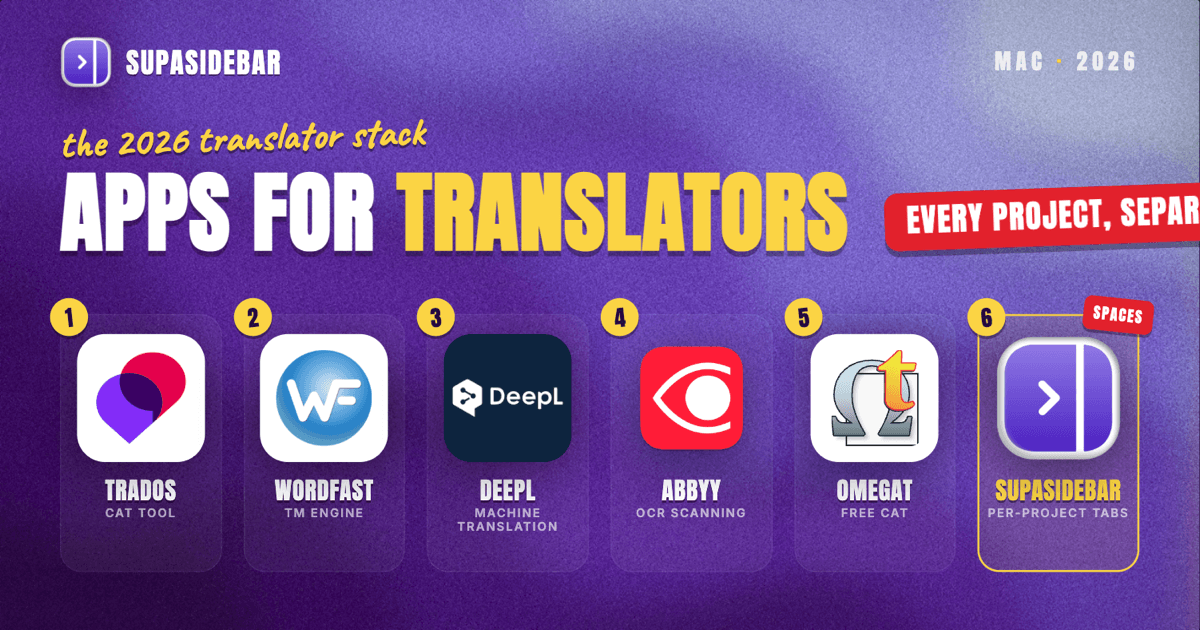
By Kshetez Vinayak, founder of SupaSidebar. Last updated 2026-06-25.
TL;DR
The Mac stack a working translator actually runs in 2026 is built around five jobs: translating with memory and consistency, managing terminology and glossaries, pulling in machine-translation suggestions, turning scanned source files into editable text, and keeping each project's reference material from blurring into the next. The dependable picks are Trados Studio or Wordfast Pro for the CAT tool, DeepL Pro for machine-translation suggestions, a CAT-tool-native termbase or Smartcat's glossaries for terminology, ABBYY FineReader for OCR, and SupaSidebar for the per-project reference-tab problem - one Space per project or language pair keeps that job's dictionaries, client portals, and source-research tabs together across every browser. The single biggest Mac gotcha is the CAT tool itself: memoQ is Windows-only, so Mac translators lean on Trados Studio (Mac and PC), Wordfast Pro (Win/Mac/Linux), CafeTran Espresso (cross-platform), or the browser-based Smartcat (Version Internationale CAT tools 2026).
The rankings, a comparison table, and a per-situation decision guide are below. This is opinionated, names a pick per job, and skips generic apps that do not carry weight for someone moving words across languages all day under a deadline.
Quick navigation:
- Write for a living, not just translate? → Best Mac Apps for Writers and Creators 2026
- Want a focused, distraction-free setup? → Mac Workspace Setup for Deep Work 2026
- Drowning in open tabs across projects? → Too Many Tabs Open on Mac
- Professional or freelance translator? You are in the right place. Keep reading.
| Tool | Job it does | Mac access | Best for |
|---|---|---|---|
| Trados Studio | CAT tool with translation memory | Native Mac and PC | The industry-standard TM and termbase workflow |
| Wordfast Pro | CAT tool, cross-platform | Native Mac (Win/Linux too) | Translators who want a simpler, affordable CAT on Mac |
| Smartcat | Browser CAT, free for freelancers | Web app | Cloud TM, glossaries, and finding work in one place |
| DeepL Pro | Machine-translation suggestions | Web + CAT integrations | High-quality MT drafts inside the CAT tool |
| ABBYY FineReader | OCR for scanned source files | Native Mac | Turning scanned PDFs into editable, translatable text |
| OmegaT | Free open-source CAT tool | Native Mac | Translators who want a no-cost, local, standards-based CAT |
| SupaSidebar | Per-project reference-tab separation | Native Mac | Keeping each project's dictionaries and source tabs together |
| CafeTran Espresso | Cross-platform CAT tool | Native Mac | A lightweight CAT alternative to Trados on Mac |
Why a translator's stack is not generic
A translator's software problem is not "be productive." It is "render meaning accurately from one language to another, fast and consistently, while reusing past work and never letting one client's terminology bleed into another's." That shapes every pick below.
The day splits into five jobs. The CAT tool is the center of gravity: it stores a translation memory of every segment already translated and surfaces matches as new files come in, so the same sentence is never translated twice and a long document stays consistent. Terminology management keeps approved terms, client-specific wording, and forbidden words in a termbase the CAT tool checks against. Machine translation now feeds draft suggestions into that same editor, which the translator post-edits rather than writing from scratch. OCR handles the reality that source files often arrive as scans or locked PDFs. And underneath all of it sits a quieter Mac-side problem: a translator keeps dictionaries, terminology databases, client style guides, and subject-matter research open in the browser, and those reference tabs pile up and cross-contaminate across projects.
The sections below go job by job, lead with the recommended tool, then explain the tradeoffs.
Trados Studio: the industry-standard CAT tool, now on Mac
Trados Studio is the CAT tool most professional translators and agencies build their workflow around, because it pairs a mature translation memory with a strong termbase and the broadest file-format and agency-handoff support, and it now runs on Mac as well as PC (Version Internationale CAT tools 2026). Translation memory is the core mechanic: it stores each translated segment so future matches and repetitions are reused automatically, which is what keeps a 200-page manual consistent and turns a returning client's files into faster work.
For a Mac translator, the headline is that Trados being available on Mac removes the old reason to keep a Windows machine around just for the CAT tool (about localization, best CAT tools 2026). The honest tradeoff: Trados is feature-dense and carries a learning curve and a real cost, which is why translators who do not need its depth often land on a lighter CAT instead. It is the default when agencies require it or when the volume justifies the investment.
Wordfast Pro: the simpler, affordable CAT for Mac
Wordfast Pro is the CAT tool to reach for when Trados is more than the job needs, because it runs natively on Windows, macOS, and Linux and gives a professional translator the essentials - translation memory, terminology, and quality-assurance checks - at a lower price and with an easier learning curve (Version Internationale CAT tools 2026). It is known for being approachable while still cross-platform, which makes it a natural Mac pick.
The reason it ranks right behind Trados is fit rather than power: it covers what most freelance translators actually use day to day without the density that makes Trados slow to learn (Version Internationale CAT tools 2026). CafeTran Espresso is the other strong cross-platform desktop option, available on Windows, Mac, and Linux for translators who want a different lightweight CAT on macOS (about localization, best CAT tools 2026). The limit to know: Wordfast is not as feature-dense as Trados or memoQ, so very large localization projects with complex file pipelines sometimes still push a translator toward the heavier tools.
Smartcat: cloud CAT, glossaries, and work, free for freelancers
Smartcat is the cloud CAT tool worth running when a translator wants the editor, translation memory, and glossaries in the browser rather than a desktop install, because it is free for freelancers and combines a full browser CAT, a marketplace for finding work, and a payment system in one place (about localization, best CAT tools 2026). Being browser-based, it works the same on any Mac with no OS-compatibility question at all.
For a Mac translator who does not want to manage a desktop CAT, Smartcat handles translation memory, glossary support, and quality-assurance checks online, and its marketplace can route jobs directly to the same place the work gets done (about localization, best CAT tools 2026). The honest caveat: some translators report limits with its quality-assurance checks and certain file-format edge cases compared with a heavyweight desktop CAT, so it shines for cloud-first freelancers more than for complex agency pipelines. It is the pick when "no install, free, find-work-here" matters more than maximum depth.
DeepL Pro: machine-translation drafts inside the CAT tool
DeepL Pro is the machine-translation engine most translators reach for in 2026, because its output quality is high enough to post-edit rather than rewrite, and it plugs directly into the major CAT tools so suggestions appear inside the working editor (eesel AI, DeepL pricing 2026). DeepL's CAT integrations cover Trados, memoQ, Phrase, and Wordfast at its paid tiers, so the machine draft lands next to the translation-memory matches in the same segment view rather than in a separate window.
The reason a paid tier matters here is data handling, not just volume: on DeepL's paid plans, submitted text is not used to train its models and is deleted after translation, whereas free-tier content can be retained, which is the difference that governs whether a translator can run a client's confidential document through it at all (eesel AI, DeepL pricing 2026). The scope limit to keep clear: machine translation produces a draft, not a finished translation - the translator's post-editing is still the work, and the CAT tool's memory and termbase are what keep that draft consistent and on-brand.
SupaSidebar: one Space per project, reference tabs kept together
A translator's CAT tool lives on the desktop, but the research around the work lives in the browser: bilingual dictionaries, a terminology database, the client's style guide, parallel texts, and subject-matter sources for whatever domain the document covers. Across several projects in different language pairs, those reference tabs pile into an undifferentiated wall where one project's legal glossary sits one tab away from another's medical sources.
SupaSidebar is the cross-browser workspace layer for translators: one Space per project or language pair that keeps that job's dictionaries, client portals, and source-research tabs grouped together, separated from every other project, across whichever browsers the work spans. It sits mid-stack here because the CAT tool and its termbase do the actual translation work; what SupaSidebar adds is keeping the browser-side reference set organized so the right dictionaries and sources are one click away instead of buried in a hundred-tab window.
SupaSidebar is a native macOS app (macOS 14+) that adds a persistent sidebar to any browser. Each Space holds its own saved links and folders, so a legal-translation project can be one Space with its terminology databases and EUR-Lex tabs, and a software-localization project another with its UI string references and developer docs. Its Command Panel searches saved links, recent items, and live tabs across every Space at once, so the right dictionary or parallel text is one keystroke away instead of a hunt through a hundred-tab window. Its Live Tabs view shows open tabs from supported browsers in one place, and Air Traffic Control can route a given project's links to a specific Space or browser profile automatically. It works across 33 browsers (counting channel variants), with full Live Tabs support on the major ones including Safari, Chrome, Firefox, Edge, Brave, Arc, and Vivaldi.
One Reddit reviewer who runs multiple browsers framed the fit plainly: "It is built for exactly this use case: people who use multiple browsers and need a way to consolidate browser context without paying a constant productivity tax every time they switch." (amerpie, r/macapps). A translator who keeps a CAT tool in one browser profile and source research in another lives in exactly that switch.
There is also a handoff angle for translators who do not work entirely alone. A Space can be published as a single shareable link, so a freelancer can hand a reviewer or agency a curated terminology-and-reference set as one collection to view and import, rather than pasting a list of URLs. It is an option, not a daily habit for most solo translators, but it is there when a project needs a second pair of eyes on the same sources.
Two honest scope limits. SupaSidebar organizes the reference tabs around the work; it is not a CAT tool, a termbase, or a translation memory, and it does not touch the segments inside the translation editor. And its search covers link titles and URLs, not the text inside a dictionary page or a PDF, so it gets a translator back to the right source fast but does not search across those sources' contents. A free version is available, and it requires no account because data stays on-device and syncs through iCloud.
ABBYY FineReader: turning scanned source files into translatable text
ABBYY FineReader is the OCR tool for a translator whose source files arrive as scans or locked PDFs, because it remains the most accurate desktop OCR on macOS in 2026 and preserves fonts, tables, columns, and page structure when it converts a scan into editable text (machow2, best OCR for Mac 2026). That layout preservation matters for translation specifically: a contract or a form that comes back as clean, structured text drops into the CAT tool far more cleanly than a raw text dump would.
The reason OCR earns a place in a translator's stack is that source material is rarely born digital - certificates, older contracts, and printed forms show up as images, and FineReader recognizes a very wide range of languages, which a multilingual translator needs (machow2, best OCR for Mac 2026). Adobe Acrobat Pro is the common alternative when a translator already pays for it and the scans are clean and high-resolution; Readiris is the budget option (machow2, best OCR for Mac 2026). It is a pre-translation step, not a daily-driver app - it gets the source into a shape the CAT tool can use.
OmegaT: the free, open-source CAT tool
OmegaT is the CAT tool for a translator who wants a capable, no-cost option, because it is free and open source, runs on Mac, Windows, and Linux, and handles translation memory, fuzzy matching, glossaries, and keyword search in a local app with no subscription (OmegaT.org). It is the long-standing open-source choice and a sensible starting point for translators not yet locked into an agency's required CAT.
Two things make it more than a beginner tool. It is compatible with the standard TMX translation-memory format that Trados, memoQ, and Wordfast also use, so a translator's memory is portable rather than trapped in one vendor, and it has built-in connectors for Google Translate, DeepL, and IBM Watson, surfacing machine-translation suggestions right in the editor (OmegaT.org). Because everything stays local, it also has a privacy advantage for confidential work. The tradeoff is polish and hand-holding: OmegaT's interface is plainer than Trados or Smartcat, so the savings come with a steeper self-setup.
Which translator setup should you pick?
- If you are a freelance translator just starting out: OmegaT (free, local, TMX-compatible) or Smartcat (free browser CAT with a built-in marketplace) plus DeepL's free tier for non-confidential drafts and SupaSidebar's free version to keep each project's reference tabs in its own Space is a complete, low-cost starting stack.
- If agencies require a specific CAT tool: Trados Studio on Mac is the safe default - it is what most agencies hand off to, and being on Mac removes the need for a Windows machine just for the tool.
- If you want a professional CAT without Trados' weight: Wordfast Pro (native Mac, simpler, cross-platform) or CafeTran Espresso, with a CAT-native termbase for terminology.
- If your sources arrive as scans or locked PDFs: add ABBYY FineReader for OCR before the files reach the CAT tool, so the source comes in as clean, structured text.
- If confidentiality is the priority: a paid DeepL tier (text not used for training, deleted after translation) plus a local CAT like OmegaT keeps sensitive client material off training pipelines and on your own machine.
Conclusion
The 2026 translator stack that holds up is a CAT tool at the center (Trados Studio or Wordfast Pro on Mac, Smartcat or OmegaT for cloud-first and free), DeepL Pro feeding post-editable machine-translation drafts into it, a termbase for terminology consistency, ABBYY FineReader for scanned sources, and an organization layer (SupaSidebar) underneath to keep each project's browser-side references separated. The CAT tool and its translation memory are the foundation; everything else either feeds it or keeps the work around it organized.
New freelancers should start with a free CAT (OmegaT or Smartcat) plus DeepL's free tier and add a paid CAT or MT plan as the volume and confidentiality needs grow. Translators working with agencies should expect Trados Studio, now that it runs on Mac. Every translator, regardless of tool choice, benefits from separating each project's reference tabs the moment the workload spans more than one language pair or domain.
Why we recommend SupaSidebar
SupaSidebar is a macOS app that brings Arc's sidebar to every browser - one sidebar for tabs, bookmarks, files, and apps across 33 browsers including Safari, Chrome, Firefox, Edge, Brave, Arc, Vivaldi, Dia, and Comet. For a translator, the value is one Space per project or language pair, so each job's dictionaries, terminology databases, client portals, and source-research tabs stay grouped and separated from every other project across whichever browsers the work runs. It does not replace the CAT tool, the termbase, or the machine-translation engine; it organizes the browser-side reference material those workflows depend on. A free version is available. Try SupaSidebar (free tier).
FAQ
What CAT tool works on a Mac in 2026?
Trados Studio is available on both Mac and PC, Wordfast Pro runs natively on Windows, macOS, and Linux, and CafeTran Espresso is cross-platform as well. Smartcat and OmegaT also work on Mac, Smartcat through the browser and OmegaT as a free local app. memoQ is the notable exception - it is Windows-only, so Mac translators choose one of the cross-platform tools instead.
What is the best Mac app for freelance translators?
For freelancers, OmegaT (free, open source, local) and Smartcat (free browser CAT with a built-in job marketplace) are the most common low-cost starting points, with Trados Studio or Wordfast Pro as the paid step up when agencies require a specific tool or volume justifies it. DeepL Pro is the usual machine-translation add-on, and a workspace layer keeps each project's reference tabs separated.
Is there a Mac app to keep each translation project's reference tabs separate?
SupaSidebar is a native Mac app that adds a sidebar and lets a translator create one Space per project or language pair, keeping that job's dictionaries, terminology databases, and source-research tabs grouped and separated across browsers. It organizes the saved tabs and reference links, not the segments inside the CAT tool, and its search covers titles and URLs rather than the contents of a dictionary page or PDF.
Can translators use DeepL inside their CAT tool?
Yes. DeepL Pro integrates with the major CAT tools including Trados, memoQ, Phrase, and Wordfast at its paid tiers, so machine-translation suggestions appear inside the translation editor next to the translation-memory matches. On paid plans, submitted text is not used to train DeepL's models and is deleted after translation, which is what makes it usable for confidential client documents.
How do translators handle scanned or PDF source files on Mac?
ABBYY FineReader is the most accurate desktop OCR on macOS for converting scanned documents and locked PDFs into editable text while preserving fonts, tables, and layout, which lets the source drop cleanly into a CAT tool. Adobe Acrobat Pro is a common alternative for clean, high-resolution scans, and Readiris is the budget option. OCR is a pre-translation step that gets image-based source material into a translatable shape.
Can a translator share a project's reference and terminology links with a reviewer?
Yes. SupaSidebar lets a translator publish a Space as a single shareable link, so a freelancer can hand a reviewer or agency a curated set of terminology databases, glossaries, and source references as one collection to view and import, instead of pasting a list of URLs. Most solo translators use Spaces just to keep their own per-project references separated; the share option is there for the projects that need a second person looking at the same sources.
Do translation tools work on Mac without a Windows machine?
Mostly, yes. Trados Studio, Wordfast Pro, CafeTran Espresso, Smartcat, and OmegaT all run on Mac, so a translator no longer needs a Windows machine purely for the CAT tool. The main exception is memoQ, which is Windows-only; Mac translators who need memoQ specifically run it in a virtual machine, but the cross-platform tools cover the same core translation-memory workflow natively.