
By Kshetez Vinayak, founder of SupaSidebar. Last updated 2026-06-24.
TL;DR
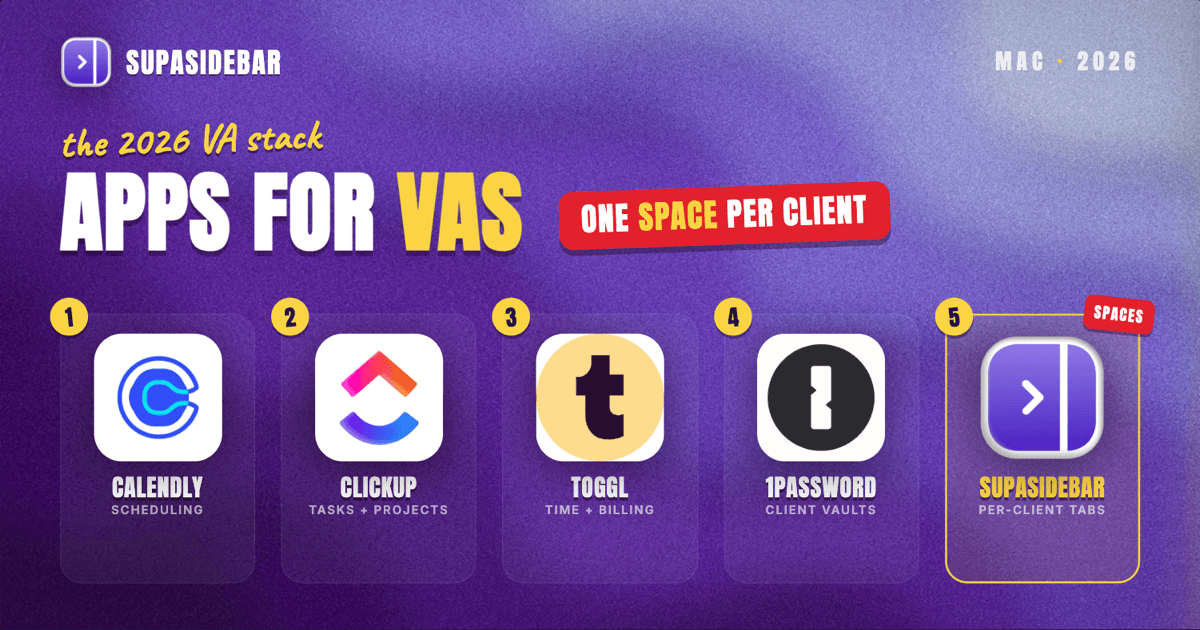
The Mac stack a virtual assistant actually runs in 2026 is built around five jobs: scheduling, inbox and task management, time tracking and billing, securing each client's logins, and keeping every client's web tools from bleeding into the next client's. The dependable picks are Calendly for scheduling, ClickUp for tasks and projects, Toggl Track for time tracking, 1Password for per-client credential security, and SupaSidebar for the per-client browser problem - one Space per client keeps that client's tools, dashboards, and logins in their own context across every browser. A VA holding credentials for several businesses in one practice is the exact scenario that makes a password manager with isolated per-client vaults an operational requirement, not a nicety (SMY Solutions, VA data security 2026). Almost every VA tool is now a web app, which is why tab and account separation, not another desktop app, is the setup problem that bites.
The rankings, a comparison table, and a per-situation decision guide are below. This is opinionated, names a winner per job, and skips the generic apps that do not carry weight for someone juggling multiple clients at once.
Quick navigation:
- Work fully remote across time zones? → Best Mac Apps for Remote Workers 2026
- Want a focused, distraction-free setup? → Mac Workspace Setup for Deep Work 2026
- Drowning in open tabs across clients? → Too Many Tabs Open on Mac
- Virtual assistant or remote support pro? You are in the right place. Keep reading.
| Tool | Job it does | Mac access | Best for |
|---|---|---|---|
| Calendly | Client and meeting scheduling | Web app | Letting clients self-book without back-and-forth |
| ClickUp | Tasks, projects, and docs | Web + native Mac | Running every client's task board in one place |
| SupaSidebar | Per-client tab and Space separation | Native Mac | Juggling several clients' tools across browsers |
| Toggl Track | Time tracking per client | Web + native Mac | Billing hourly across multiple clients |
| 1Password | Per-client credential security | Native Mac | Holding logins for several businesses safely |
| SaneBox | Inbox triage at volume | Web (email add-on) | Managing one or many client inboxes |
| Dubsado | Client onboarding and CRM | Web app | Freelance VAs running their own client pipeline |
| Make | Cross-tool automation | Web app | Connecting intake, CRM, and billing without code |
Why a virtual assistant's stack is not generic
A virtual assistant's software problem is not "be productive." It is "run several clients' businesses in parallel without mixing up their accounts, deadlines, or logins, and bill the time accurately while doing it." That shapes every pick below.
The day splits into five jobs. Scheduling tools let clients and prospects book time without email tag. Task and inbox tools keep each client's work and messages organized and triaged. Time tracking turns hours into invoices, which matters most when the work spans several clients at different rates. A security layer protects the logins a VA is trusted with. And underneath all of it sits the real Mac-side problem: most of these tools are web apps, so a VA ends up with one client's dashboards one tab away from another's, in the same browser window. Keeping those contexts apart is the job no generic productivity app does.
The sections below go job by job, lead with the recommended tool, then explain the tradeoffs.
Calendly: client self-scheduling without the back-and-forth
Calendly is the scheduling tool to start with, because it lets clients and prospects book a slot directly from a VA's available times, removing the email tag that eats a remote workday (Wishup VA tools 2026). It runs in the browser and syncs to Google Calendar or iCloud, so a booked slot lands on the Mac calendar automatically.
For a VA managing several clients, the value is one booking link per purpose - a discovery call link, a client check-in link, each with its own availability rules - so the right kind of meeting lands in the right window without manual coordination. Reclaim.ai is the common alternative when a VA wants AI to auto-arrange focus blocks around meetings rather than just take bookings (VA Automation Lab tools guide 2026). Calendly is a scheduling layer, not a task manager, so it pairs with the project tool below rather than replacing it.
ClickUp: every client's tasks and projects in one place
ClickUp is the task and project tool for a VA who needs every client's work in one system, because it combines tasks, docs, goals, and time tracking in a single platform, though it asks for more setup time than a simpler board (VA Automation Lab tools guide 2026). It offers a native Mac app alongside the web version, and its free tier covers unlimited tasks and projects, which is enough for most solo VAs to start.
The usual structure is one Space or folder per client inside ClickUp, so a VA can see one client's board without the others crowding in. Trello is the lighter alternative when a simple card-based board is all a client needs, and Asana is the pick when a client's projects are complex enough to need detailed subtasks and dependencies (VA Automation Lab tools guide 2026). The honest limit: ClickUp's flexibility is also its learning curve, so a VA onboarding a non-technical client sometimes lands on Trello for that client instead.
SupaSidebar: one Space per client, separated across every browser
A virtual assistant's tools are almost all web apps now, and a single client can mean their email, their ClickUp space, their social scheduler, their analytics dashboard, and two or three logins open at once. Multiply that by a roster of clients and the browser becomes an undifferentiated wall of tabs where one client's dashboard sits one tab away from another's, and the wrong account is one misclick away.
SupaSidebar is the cross-browser workspace layer for virtual assistants: one Space per client that keeps that client's tools, dashboards, and saved logins in their own context, separated from every other client, across whichever browsers the VA uses. It places high in the stack because, for someone juggling several clients in parallel, per-client Spaces are the most differentiated answer to the wall-of-tabs and wrong-account problem - nothing else here organizes the web tools by client the way it does.
SupaSidebar is a native macOS app (macOS 14+) that adds a persistent sidebar to any browser. Each Space holds its own saved links and folders, so "Client A" can be one Space and "Client B" another, each with that client's email, project board, and dashboards grouped together. Its Live Tabs view shows open tabs from supported browsers in one place, the Command Panel searches across every Space at once so the right client tool is one keystroke away no matter how many are saved, and Air Traffic Control can route a given client's links to a specific Space or browser profile automatically. It works across 33 browsers (counting channel variants), with full Live Tabs support on the major ones including Safari, Chrome, Firefox, Edge, Brave, Arc, and Vivaldi. One multi-browser user describes the fit plainly: "It is built for exactly this use case: people who use multiple browsers and need a way to consolidate browser context without paying a constant productivity tax every time they switch." (amerpie, r/macapps).
There is also a handoff angle that fits VA work specifically. With Shared Spaces, a VA can publish any Space as a single link and hand a client a curated set of their own tools and logins-as-links during onboarding, or receive one the same way when a client wants their stack set up a particular way. The recipient opens the link in the browser and imports the whole Space into their own sidebar in one click. This is a capability rather than a common habit - very few users share Spaces today - so it is worth knowing you can do it, not a workflow most VAs will lean on from day one.
Two honest scope limits. SupaSidebar organizes the tabs around the work; it is not a CRM, scheduler, or time tracker and does not touch the data inside those apps. And it does not isolate browser sessions or log-ins the way separate browser profiles do - it separates the saved context and tabs, not the authenticated session, so two logins to the same platform (one per client) still need separate browser profiles, which Air Traffic Control can route to. A free version is available, and it requires no account because data stays on-device and syncs through iCloud.
Toggl Track: per-client time tracking that turns into invoices
Toggl Track is the time tracking tool to reach for, because it is the lightweight, accurate timer most widely used by virtual assistants and it integrates with nearly every project management platform a client might use (Apps365 time tracking for VAs 2026). It has a native Mac app and a free tier that covers solo time tracking, so a VA can start billing accurately without a subscription.
The reason time tracking ranks higher for a VA than for most roles is billing: hours logged per client, per task, become the invoice, and a VA working across several clients at different rates needs that separation to be clean. Toggl tags each entry by client and project, so a week's hours sort themselves into billable buckets. Hubstaff and Everhour are common alternatives when a VA agency needs team-wide tracking and screenshots rather than a solo timer (Everhour time tracking for VAs).
1Password: per-client credential security
1Password is the security tool for a VA holding logins for several businesses, because it stores credentials in encrypted vaults and lets a client grant access to a shared vault without ever revealing the actual password, then revoke it instantly when the engagement ends (SMY Solutions VA data security 2026). For a VA, a separate vault per client is the clean structure: each business's logins isolated, so one compromised password does not cascade across every client.
This matters more for a VA than almost any other role. A VA managing multiple client accounts holds credentials for several businesses in one practice, and one weak shared password creates access across all of them (SMY Solutions VA data security 2026). 1Password is a native Mac app with browser extensions that autofill across browsers; LastPass and Bitwarden are the usual alternatives, with Bitwarden the pick for VAs who want a strong free tier. It secures credentials; it does not separate a client's open browsing context from the next client's - that is a different job, handled by the workspace layer covered earlier.
SaneBox: triaging client inboxes at volume
SaneBox is the inbox tool for a VA managing email at volume, because it sits on top of an existing email account and automatically sorts low-priority mail out of the main inbox, leaving only what needs a human reply. It works with any IMAP account through the web and on the Mac, so it layers onto Gmail or a client's mailbox without switching email apps.
Inbox management is one of the most common VA tasks, and triage is the part that scales badly by hand. SaneBox automates the first pass so a VA spends time on the messages that matter rather than sorting newsletters. For VAs who prefer to stay inside Apple Mail or a single client app, the native Mail rules plus a focused triage routine cover a lighter version of the same job; SaneBox earns its place once the inbox volume across clients gets heavy.
Dubsado: client onboarding and CRM for freelance VAs
Dubsado is the CRM and onboarding tool for a freelance VA running their own client pipeline, because it handles the intake-to-contract-to-invoice flow in one place: lead capture, proposals, contracts, and recurring billing for a book of clients. It is browser-based, so it works the same on any Mac, and it is built for solo service providers rather than sales teams.
A VA who is also a business owner needs the client-facing side of the practice handled, not just the client work itself. Folk and HoneyBook are the common alternatives, with Folk the lighter CRM for relationship tracking and HoneyBook another all-in-one for service businesses (VA Automation Lab client systems 2026). PandaDoc is the focused pick when contracts and e-signatures are the main need rather than a full CRM. Dubsado is for the VA's own business operations, separate from the tools used to do each client's actual work.
Make: connecting the tools without code
Make is the automation tool for a VA who wants the intake, CRM, and billing tools to talk to each other without manual copy-paste, because it connects web apps into automated workflows - a new lead in the CRM triggers an onboarding email, a completed task logs time, and so on. It is browser-based and has a free tier with a monthly credit allowance, enough for a solo VA's core automations (VA Automation Lab tools guide 2026).
Automation is where an experienced VA buys back hours, because the repetitive glue work between tools is exactly what scales badly across clients. Zapier is the better-known alternative with a larger app catalog, while Make is often chosen for more complex multi-step scenarios at a lower cost. It is a connector, not a destination app, so it works behind the rest of the stack rather than being something a VA opens daily.
Which virtual assistant setup should you pick?
- If you are a solo VA just starting out: Calendly (free scheduling) + ClickUp (free tasks) + Toggl Track (free time tracking) + Bitwarden or 1Password for credentials + SupaSidebar's free version to keep each client in its own Space is a complete, low-cost starting stack.
- If you juggle several clients in parallel: SupaSidebar earns a high place in the stack - one Space per client is the difference between a clean workday and opening the wrong client's dashboard - layered on top of whichever task and time tools you already use.
- If you run your own VA business, not just client work: add Dubsado for the intake-to-invoice pipeline and Make to automate the glue between intake, CRM, and billing.
- If inbox management is the bulk of your work: SaneBox for triage at volume, plus a separate Space per client inbox so you never reply from the wrong account.
- If security and trust are the priority: 1Password with a separate vault per client first, then browser profiles (routed via SupaSidebar's Air Traffic Control) to keep client sessions distinct.
Conclusion
The 2026 VA stack that holds up is Calendly for scheduling, ClickUp for tasks, Toggl Track for time and billing, 1Password for per-client credential security, and an organization layer (SupaSidebar) underneath to keep each client's web tools separated. The scheduling-tasks-time core is the foundation; the security and separation layer is what keeps a multi-client practice from turning into a mess of mixed-up accounts.
Solo VAs should start with the free pairing (Calendly plus ClickUp plus Toggl Track) and add a password manager and a per-client workspace layer immediately, because credential security and account separation are not optional once a VA holds logins for more than one business. VAs who also run their own pipeline add Dubsado and Make. Every VA, regardless of size, benefits from separating client browsing contexts the moment the roster grows past a single client.
Why we recommend SupaSidebar
SupaSidebar is a macOS app that brings Arc's sidebar to every browser - one sidebar for tabs, bookmarks, files, and apps across 33 browsers including Safari, Chrome, Firefox, Edge, Brave, Arc, Vivaldi, Dia, and Comet. For a virtual assistant, the value is one Space per client, so each client's tools, dashboards, and logins stay grouped and separated from every other client across whichever browsers the practice runs. It does not replace scheduling, CRM, or time-tracking software; it organizes the web tools those workflows live in. A free version is available. Try SupaSidebar (free tier). See how it compares to other browser sidebar options: Browser Sidebar Comparison.
FAQ
What apps do virtual assistants use on a Mac in 2026?
Most VAs run a scheduler (Calendly), a task and project tool (ClickUp, Trello, or Asana), a time tracker (Toggl Track), a password manager (1Password or Bitwarden), and an inbox triage layer (SaneBox). Almost all of these are browser-based web apps, so they run the same on any Mac, and the practical setup question becomes how to keep each client's tabs and accounts separated.
Is there a Mac app to keep each client's browser tabs separate?
SupaSidebar is a native Mac app that adds a sidebar and lets a VA create one Space per client, keeping that client's tools, dashboards, and saved logins grouped and separated across browsers. It organizes saved tabs and context, not authenticated sessions, so two logins to the same platform (one per client) still need separate browser profiles, which its Air Traffic Control can route to automatically.
What is the best time tracking app for virtual assistants?
Toggl Track is the most widely used time tracker among VAs because it is lightweight, accurate, and integrates with nearly every project management tool. It tags each entry by client and project, which turns logged hours into clean per-client invoices. Hubstaff and Everhour are common alternatives for VA agencies that need team-wide tracking and screenshots.
How do virtual assistants keep client passwords secure?
A password manager such as 1Password stores each client's logins in a separate encrypted vault and lets a client share access without revealing the actual password, then revoke it instantly. This matters because a VA holding credentials for several businesses faces cascading risk if one shared password is weak, so isolated per-client vaults are an operational security baseline.
Do virtual assistant tools work on Mac?
Yes. Calendly, ClickUp, Toggl Track, SaneBox, Dubsado, and Make are browser-based web apps, and several (ClickUp, Toggl Track, 1Password) also ship native Mac apps. They work on any Mac through Safari, Chrome, or another supported browser without a Windows-only client. Because so many run in the browser, managing many open tabs across clients is the main Mac-side workflow challenge.
What free tools can a new virtual assistant start with?
A new VA can build a complete starting stack at no cost: Calendly's free scheduling, ClickUp's free unlimited tasks, Toggl Track's free solo time tracking, Bitwarden's free password manager, and SupaSidebar's free version for keeping each client in its own Space. Make's free tier adds basic automation once the workflow is established.
Can a virtual assistant hand a client a ready-made set of tools and links?
Yes. SupaSidebar's Shared Spaces lets a VA publish any Space as a single link and hand a client a curated collection of their tools and logins-as-links, which the client opens in the browser and imports into their own sidebar in one click. It works in reverse too, with a client sharing a Space to set up the VA's workspace during onboarding. This is a capability rather than a daily habit for most users, so it is useful to know it exists rather than something a new VA needs from the first day.