
By Kshetez Vinayak, founder of SupaSidebar. Last updated 2026-06-15.
Quick navigation:
- Mostly a tab problem, not an app problem? -> Browser sidebar setup for students on Mac
- Research-heavy grad student stack? -> Browser setup for researchers on Mac
- Want the full app stack across notes, study, writing, and browser? -> You're in the right place. Keep reading.
TL;DR
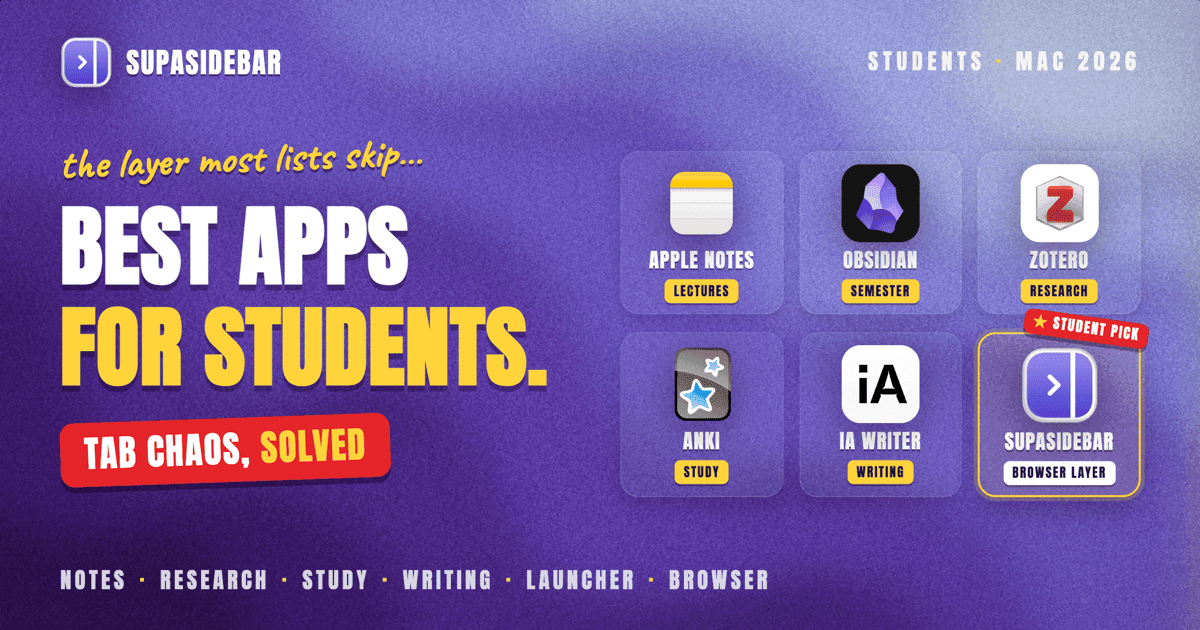
The Mac app stack that actually carries a semester in 2026: Obsidian or Apple Notes for note-taking, Zotero for sources, Anki for memorization, iA Writer or Ulysses for essays, Cold Turkey Blocker for focus, Raycast as a launcher, and a cross-browser tab layer (SupaSidebar) for the 20+ research tabs that pile up across Safari and Chrome. Most student-app lists skip that last layer entirely, which is why the same 5 apps keep getting recommended while the actual bottleneck (tabs and bookmarks fragmented across browsers) stays unsolved. The full per-category picks, free-vs-paid notes, and student discount info are below.
SupaSidebar is a macOS app that brings Arc's sidebar to every browser, one sidebar for tabs, bookmarks, files, and apps across 33 browsers including Safari, Chrome, Firefox, Edge, Arc, Brave, Vivaldi, Comet, and Dia. It is the part of a student stack that handles the research-tab graveyard most app lists ignore.
What this covers (and what it skips)
This list is the apps that actually do work for a Mac student in 2026, organized by the categories a semester actually demands: note-taking, research and sources, focus and time management, writing, study and memorization, file storage, and the browser/tab layer. It skips generic "Mac essentials" lists that exist for every audience (Spotify, Discord, Zoom) because none of those are student-specific. It also skips ChatGPT and the AI-writing app of the month, because the AI-coding stack lives in its own post (Best Mac Apps for AI Coders) and the AI-writing landscape changes monthly. The picks here are stable, proven on Mac, and pickable on a student budget.
How this list is different from the other 12 "Best Mac Apps for Students" posts
Most lists rotate the same six apps: Notion, Notes, Ulysses, Quizlet, Google Drive, plus whatever AI tool is trending that month. The recommendations are correct as far as they go, but they leave out the part of the workflow that actually slows students down: research tabs.
A typical research session spans 20+ tabs across Safari (because the M-series MacBook Air's battery lasts longer there), Chrome (for Google Workspace, course portals, JSTOR auth), and sometimes Firefox (for the one professor's site that needs it). None of the standard student-app picks solve cross-browser tab management. Notion can hold a link, Apple Notes can paste it, but the tabs themselves stay scattered across three browser windows the student forgets to close before the laptop goes to sleep, the battery dies, and the session resets.
This list keeps the proven picks AND adds the cross-browser tab layer that lets the rest of the stack work without re-finding the same sources every day.
The full stack (by category)
| Category | Free pick | Paid pick (worth it) | Notes |
|---|---|---|---|
| Note-taking | Apple Notes | Obsidian (free) or Notion ($5/mo student) | Apple Notes wins on speed, Obsidian wins on long-term ownership |
| Research / sources | Zotero (free) | Zotero + Better BibTeX (free) | Zotero is the default for academic citation - free, open source, used by every grad department |
| Focus / time | Cold Turkey Blocker (free tier) | Cold Turkey Pro $39 lifetime | Lifetime license is the move - no subscription |
| Writing (essays/theses) | iA Writer Markdown export workflow | Ulysses ($6/mo student or iA Writer one-time) | Markdown editors beat Word for friction |
| Study / memorization | Anki (free on desktop) | Anki + AnkiHub | Free Mac client, paid only on iOS - everything else free forever |
| File storage | iCloud 5GB / Google Drive 15GB | Google One 100GB ($2/mo) | Stick free unless storing video |
| Launcher | Spotlight | Raycast (free) or Alfred Powerpack ($29 lifetime) | Raycast is the modern pick, free tier covers most students |
| Cross-browser tabs | (no native option) | SupaSidebar (free tier) | One sidebar across Safari + Chrome + Firefox - the part most lists miss |
Note-taking
Apple Notes (free, built in).
The right default for live lecture notes. Opens in under a second, syncs to iPhone, handwriting works on iPad, and the cost is zero. The reason it loses to Obsidian for long-term work: search across years of notes is sluggish past a few hundred notes, and the export options for moving notes out of Apple's ecosystem are limited.
Obsidian (free).
Markdown files in a folder. The reason every CS, math, and humanities student eventually ends up here: notes outlive the app. Five years from now, when the next note-taking tool launches, the notes stay readable. Wiki-style linking between notes makes it strong for connected courses (history dates link to historiography arguments link to primary-source citations). Free for personal use. Paid tier is sync, which is optional - notes can sync via iCloud or Dropbox.
Notion (free for students with .edu email).
Best for group projects and shared databases. Notion's free education plan removes most paid limits if a student verifies with a .edu email. The trade-off vs Obsidian: notes live on Notion's servers, not on the local disk, so the export-and-own story is worse.
The honest pick: Apple Notes for the lecture, Obsidian for the semester archive, Notion if a group project demands a shared workspace. There is no winner across all three.
Research and citation management
Zotero (free, open source).
The default citation manager across humanities, social sciences, and STEM. Browser extensions for Safari, Chrome, and Firefox capture papers from JSTOR, Google Scholar, and library databases in one click. Generates Chicago, APA, MLA, and 9,000+ other citation styles. Used by graduate programs at Princeton, Harvard, and basically every research university. Free with 300MB cloud storage, paid storage starts at $20/year for 2GB.
Better BibTeX for Zotero (free plugin).
Required if writing in LaTeX. Generates stable citation keys, integrates with Overleaf and any LaTeX workflow. Five-minute setup, saves hours over the semester.
Why Mendeley is not on this list: Elsevier owns it, the desktop client has had a rough recent history, and most graduate departments have moved off it. Zotero is the safer long-term bet for a Mac student in 2026.
Focus and time management
Cold Turkey Blocker (free tier, $39 Pro lifetime).
Blocks distracting sites at the network level. The free tier blocks websites; Pro adds app blocking, scheduled sessions, and the "Frozen Turkey" mode that locks the Mac into focus mode for a set time with no escape hatch. Lifetime license, no subscription. The pick over Freedom because Freedom is subscription-only.
Forest (free, $4 one-time on Mac).
Gamified pomodoro. Plant a virtual tree, do not touch the phone, the tree grows. The Mac version is less polished than iOS, but pairs well with Forest on the phone for a unified focus session.
macOS Focus modes (free, built in).
Set up a "Study" Focus mode that silences Messages, Slack, and Discord notifications. Pairs with Cold Turkey for browser-level blocking plus OS-level notification silencing. Most students underuse this because it's hidden in Control Center.
Writing (essays, theses, papers)
iA Writer ($30 one-time).
Markdown editor designed for focused writing. The font (Nitti) and the line-spacing are calibrated for reading flow. Exports to Word and PDF cleanly, which matters when a professor wants .docx. One-time purchase, no subscription.
Ulysses ($6/mo or $40/year, $20/year for students).
Markdown plus library management. The right pick when writing across many documents at once (chapter-by-chapter thesis, recurring blog posts, journal entries). Student discount applied at sign-up cuts the price roughly in half.
Scrivener ($60 one-time, $40 for students).
Long-form structure tool. The right pick for a thesis or dissertation where chapter reordering, research notes, and outline-mode all need to live in one project. Overkill for term papers.
Apple Pages (free, built in).
The default for collaboration with non-Mac students or professors who use Word. Exports to .docx and .pdf. Most students underestimate Pages because they assume Word is required - it is not, the export round-trip works.
Why not Microsoft Word: students get it free via most universities, so it stays available as the export target. As the primary writing environment, the friction is high (slow launch, formatting fights, opaque file format). Markdown editors are faster for actually writing.
Study and memorization
Anki (free on Mac and Android, $25 one-time on iOS).
Spaced-repetition flashcards. Med school, law school, language learning, every memorization-heavy subject. Free Mac client. The iOS app is paid because the developer uses it to fund the project; the Mac client and the AnkiWeb sync layer stay free.
AnkiHub ($5/mo, optional).
Shared decks maintained by other students. Worth it for med school students who use the AnKing deck, optional for everyone else.
Why Quizlet is not the top pick: Quizlet moved most features behind a $36/year subscription. Anki is free, more powerful, and the spaced-repetition algorithm is actually based on research (SM-2). The trade-off is the UI learning curve, which takes about an hour.
Cloud storage
iCloud Drive (free 5GB, $1/mo for 50GB).
The right default if living in the Apple ecosystem. Pairs with Apple Notes and Pages without setup.
Google Drive (free 15GB).
Required if the school uses Google Workspace for Education. Group projects, shared Docs, and Classroom integrations all run on Drive. Free 15GB usually carries a semester unless storing video.
Dropbox (free 2GB).
Mostly relevant if a course uses it specifically. Otherwise iCloud or Google Drive is better at the free tier.
Launcher and Mac glue
Raycast (free).
The modern Spotlight replacement. Calculator, unit converter, calendar peek, GitHub search, clipboard history, window management, quick links to any file or app, all driven from the keyboard. Free tier covers most student needs. Paid tier ($8/mo) adds AI features that are optional.
Spotlight (free, built in).
The reason Raycast is "optional" rather than "required." Spotlight on macOS Sonoma+ is surprisingly capable for app launching and basic calculations. Worth using before installing anything.
Cross-browser tabs (the part most lists miss)
SupaSidebar is the cross-browser workspace layer for students: one Space per course keeps that class's readings, portal, and source tabs together across every browser, free for a typical course load. A research session is rarely one browser. Safari handles reading because the M-series MacBook Air pulls 15+ hours of battery on Safari per Apple's published specs. Chrome handles Google Workspace, course portals, and any SSO that breaks in Safari. Firefox handles whichever site demands it. The tabs end up in three windows. Closing one browser by accident loses an hour of source-finding.
This is the actual student-research bottleneck and the one the standard app lists skip. A note-taking app holds the URL, but it cannot re-open the live tab with the scroll position, the highlighted passage, and the right browser profile. A bookmark manager holds the link, but it doesn't show what's currently open.
On a Mac, SupaSidebar (a Mac sidebar app) lives on the right side of the screen, showing tabs from every browser the student uses (Safari, Chrome, Firefox, Edge, Arc, Brave, Vivaldi, Comet, and Dia, 33 counting channel variants). Saved links and folders are organized into Spaces (one per course or project), the Command Panel (⌘⌃K) searches across every saved link and every live tab, and a 3-click Arc import migrates from Arc Browser without losing the sidebar setup.
The student-relevant pieces:
- Live Tabs across browsers: see Safari tabs and Chrome tabs in one sidebar without switching apps
- Spaces: one Space per course (Biology, History, Calc) keeps reading lists separate from group-project tabs
- Pinned Items: keep the LMS (Canvas, Blackboard, Moodle) one click away in every Space
- Smart Save (⌘⌃S): capture any page or file into the right Space without leaving the browser
- iCloud sync: Spaces sync across multiple Macs (laptop + library iMac, for example) without an account
"I use different browser for different workflows like Safari for social media, Chrome for web development, and Firefox for research." - Reddit user, r/macapps
That workflow is also what student research looks like (Safari for lectures, Chrome for course portals, Firefox for one professor's database). SupaSidebar is the layer that ties those browsers into one sidebar.
The free tier is enough for most undergraduates: a typical course load is three to four active courses at a time, plus a "general" Space, and the free tier upgrades if a heavier semester needs more.
Free vs paid: the honest student-budget read
A workable Mac student stack can be 100% free:
- Apple Notes (lectures)
- Obsidian (semester archive)
- Zotero (citations)
- Cold Turkey Blocker free tier (focus)
- Apple Pages or iA Writer trial (writing)
- Anki (study)
- iCloud 5GB or Google Drive 15GB (storage)
- Spotlight or Raycast free tier (launcher)
- SupaSidebar free tier with 3 Spaces (cross-browser tabs)
Total cost: zero dollars.
The paid upgrades worth real money on a student budget:
- iA Writer ($30 one-time) - if writing more than 3 papers per semester, the friction reduction pays back fast
- Cold Turkey Pro ($39 lifetime) - if Safari blocks aren't enough and the laptop needs OS-level focus
- Anki on iOS ($25 one-time) - if studying flashcards on the iPhone matters
- Google One 100GB ($2/mo) - if storing lecture recordings or video projects
- SupaSidebar Personal - if 3 Spaces isn't enough and unlimited Spaces are worth a one-time purchase over a 4-year degree
Skip subscription apps for students unless absolutely required. A one-time purchase or free tier is better than a $5/mo subscription that compounds across 8 semesters.
Student discounts that are actually worth taking
- Notion: Free Education plan with
.eduemail - removes most paid limits - Ulysses: $20/year for students vs $40/year regular
- Scrivener: $40 for students vs $60 regular
- GitHub Student Pack: Free Copilot, JetBrains, Namecheap, Bootstrap Studio, lots more - apply at education.github.com
- Microsoft 365 Education: Free Word, Excel, PowerPoint if the university provides it
- Apple Education Pricing: Discount on MacBook Air and iPad, plus free AirPods at certain times of year (verify apple.com/us-edu for current offers)
- Adobe Creative Cloud:
60% off for students ($20/mo vs $55/mo) - worth it only if photo/video/design work is part of coursework
The actual workflow (how the apps fit together)
A representative Tuesday for a junior undergrad:
- 9 AM lecture - Apple Notes for the live note, Apple Pencil on iPad if drawing diagrams
- 11 AM research session - Safari for the assigned readings (battery), Chrome for the course portal and Google Doc collaboration, Zotero browser extension captures every cited paper as the reading happens
- Between classes - SupaSidebar sidebar shows the 12 tabs open across Safari and Chrome without alt-tabbing through browser windows, Spaces keep the History course tabs separate from the Bio course tabs
- 2 PM study block - Cold Turkey blocks social sites for a 90-minute session, Anki for the Bio terms, Obsidian to consolidate the morning notes into the semester archive with [[wikilinks]] back to the source readings
- 6 PM essay work - iA Writer in distraction-free mode, Zotero generates the bibliography, Apple Pages for the final
.docxexport the professor wants
Each app does one job well. SupaSidebar is the thread that keeps the research tabs from scattering across the three browsers the day actually requires.
Conclusion: Picking what to use
For most undergrads, the free stack (Apple Notes + Obsidian + Zotero + Cold Turkey free + Anki + Spotlight + SupaSidebar free tier) carries a semester at zero cost. The first paid upgrade worth real money is iA Writer ($30 one-time) for essay writing, followed by Cold Turkey Pro ($39 lifetime) if focus blocking needs OS-level teeth.
Different student segments get different answers. Humanities and social-science students lean on Zotero and a markdown editor (iA Writer or Ulysses) for thesis-length writing. STEM and CS students need Obsidian or Notion for connected notes, plus the GitHub Student Pack for free Copilot. Med, law, and language students live in Anki. Graduate students benefit most from Scrivener for thesis structure and Zotero with Better BibTeX for LaTeX workflows. The browser/tab layer (SupaSidebar) applies across all of these because every student bounces between Safari for battery, Chrome for school portals, and a third browser for whichever course site demands it.
Try SupaSidebar (free tier) if cross-browser tab fragmentation is the part of the day that actually wastes time. For the sidebar-only deep dive, see Browser sidebar setup for students on Mac. For grad-student research workflows, see Browser setup for researchers on Mac.
Why we recommend SupaSidebar
SupaSidebar is a macOS app that brings Arc's sidebar to every browser, one sidebar for tabs, bookmarks, files, and apps across 33 browsers including Safari, Chrome, Firefox, Edge, Arc, Brave, Vivaldi, Comet, and Dia. For a student stack specifically, it solves the cross-browser research-tab problem that note-taking apps and bookmark managers cannot. Free tier includes 3 Spaces (enough for most undergraduate course loads), iCloud sync across multiple Macs (no account required), and the Command Panel (⌘⌃K) for searching across every saved link and every live tab from a single keyboard shortcut. macOS 14+ (Sonoma and later), Intel and Apple Silicon supported.
Frequently Asked Questions
What are the best free Mac apps for college students in 2026?
The strongest free stack for Mac students in 2026: Apple Notes for lectures, Obsidian for semester notes, Zotero for citations, Cold Turkey Blocker (free tier) for focus, Anki for flashcards, Apple Pages or iA Writer trial for essays, Spotlight or Raycast (free) for launching apps, and SupaSidebar (free tier) for cross-browser tabs. All of these run free forever without a subscription. Total cost: zero dollars.
Is Notion or Obsidian better for student notes on Mac?
Obsidian wins for long-term ownership and personal notes - markdown files in a folder mean the notes outlive the app. Notion wins for group projects and shared databases, especially with the free Notion Education plan for students with a .edu email. Most students end up using both: Obsidian for personal semester notes, Notion for any shared workspace a group project demands.
Do I need to pay for Anki on Mac?
No. Anki is completely free on Mac and Android. The iOS app is the only paid version ($25 one-time), because the developer uses iOS revenue to fund the project. AnkiWeb sync between devices is also free. For Mac-only students, Anki is the best free study app available in 2026.
Which apps qualify for student discounts on Mac?
Ulysses ($20/year for students vs $40 regular), Scrivener ($40 student vs $60), Notion Education plan (free, removes most paid limits with .edu email), GitHub Student Pack (free Copilot, JetBrains IDEs, and 50+ tools at education.github.com), and Adobe Creative Cloud (~60% off). Apple offers education pricing on Macs and iPads with promotional AirPods bundles at back-to-school season.
How do I manage 20+ research tabs across Safari, Chrome, and Firefox on Mac?
Standard note-taking and bookmark apps hold the URL, but they cannot re-open the live tab with the scroll position and browser profile preserved. The Mac-native solution is SupaSidebar, a sidebar app that shows tabs from every browser (Safari, Chrome, Firefox, Edge, Arc, Brave, Vivaldi, Comet, and Dia, 33 in total) in one sidebar on the right side of the screen. Tabs are organized into Spaces (one per course or project), and the Command Panel (⌘⌃K) searches across every saved link and every live tab from a single keyboard shortcut.
Is Microsoft Word required for college essays on Mac?
No. Most professors require .docx as the final format, but the writing itself can happen in iA Writer, Ulysses, or Apple Pages, all of which export to .docx cleanly. Markdown editors are faster for the actual writing because there is no formatting toolbar fighting the cursor. Word is best used as the export target, not the primary writing environment.
What's the best Mac app for blocking distractions while studying?
Cold Turkey Blocker is the strongest pick for Mac in 2026. The free tier blocks websites, the $39 lifetime Pro version adds app blocking, scheduled sessions, and "Frozen Turkey" mode that locks the Mac into focus mode with no escape hatch for a set duration. Lifetime license beats Freedom's subscription-only pricing. Pair it with macOS Focus modes (built in, free) for OS-level notification silencing on top of website blocking.
Do I need iCloud, Google Drive, or both for college on Mac?
Both. iCloud (free 5GB, $1/mo for 50GB) is the right default for Apple Notes, Pages, and any Mac-native workflow. Google Drive (free 15GB) is required for any university running Google Workspace for Education, which most do for shared Docs, course portals, and group projects. Free tiers usually carry a full semester unless storing video.
By Kshetez Vinayak, founder of SupaSidebar.