
By Kshetez Vinayak, founder of SupaSidebar. Last updated June 30, 2026.
TL;DR
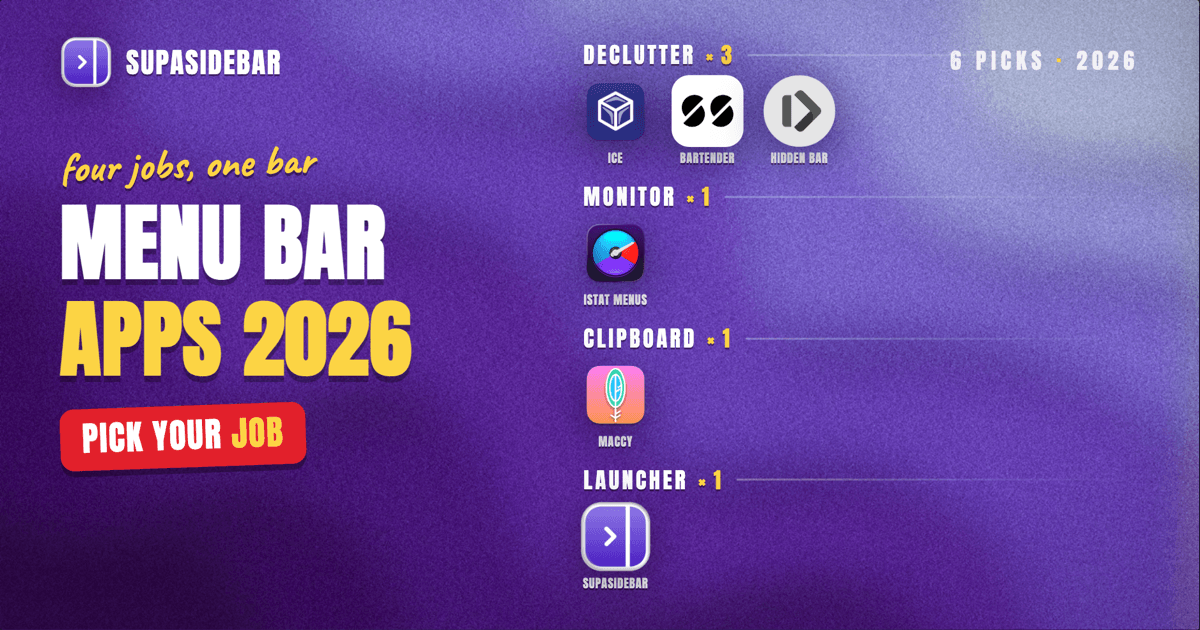
The best Mac menu bar apps in 2026 fall into four jobs: tidying a cluttered menu bar (Bartender or the free, open-source Ice), monitoring your system (iStat Menus), managing your clipboard (Maccy, free), and turning the menu bar into a launch point for the rest of your work. For menu bar cleanup, Ice is the best free pick and Bartender is the best paid one. For a menu bar app that does more than sit there, SupaSidebar launches a full cross-browser sidebar from the menu bar so your tabs, bookmarks, and Spaces are one click away in any browser. Most people end up running two or three of these together, not just one.
Quick navigation:
- Drowning in open tabs instead of menu bar icons? → Too Many Tabs Open on Mac
- Building a focused, distraction-free Mac setup? → Mac Workspace Setup for Deep Work 2026
- Want the broader Mac productivity stack, not just the menu bar? → Best Mac Productivity Apps 2026
- Looking for the best menu bar apps for Mac right now? You are in the right place. Keep reading.
At a glance
| App | Job | Price (2026) | Open source | Best for |
|---|---|---|---|---|
| Ice | Hide and organize menu bar icons | Free | Yes | Cleaning up the menu bar at no cost |
| Bartender | Hide, group, and trigger menu bar icons | $20 one-off ($60 Mega) | No | The deepest menu bar control, paid |
| Hidden Bar | Collapse icons behind a divider | Free | Yes | The simplest possible declutter |
| iStat Menus | CPU, GPU, RAM, network, temps in the bar | $11.99 one-off | No | Watching system health at a glance |
| Maccy | Clipboard history in the menu bar | Free (GitHub) | Yes | Keyboard-first copy and paste history |
| SupaSidebar | Cross-browser sidebar from the menu bar | Free version available | No | Reaching every tab, bookmark, and Space from the bar |
A menu bar app is a small macOS utility that lives in the strip of icons at the top-right of the screen, running in the background and giving you a quick menu or popover without a Dock icon or a full window. The best ones each own one job and stay out of the way until you need them. The sections below group them by that job so you can pick by what you actually want done, not by brand.
Why the menu bar is worth managing
The menu bar fills up faster than any other part of macOS. Every utility, sync client, and background app drops an icon there, and on a MacBook with a notch the usable space shrinks further because the notch eats the middle of the bar. The result is a row of icons you cannot read and cannot fit, with some hidden behind the notch entirely. The fix is two-sided: tools that tidy the icons you already have, and tools that turn the menu bar into a useful launch point instead of just storage. Both kinds are below.
Ice: free, open-source menu bar cleanup
Ice is the best free way to hide and reorganize Mac menu bar icons, and it became the de facto Bartender replacement after Bartender changed ownership in 2024. It lets you hide icons behind a divider, reveal them on click, and keep an always-hidden section for icons you almost never need, all without paying anything.
Ice is open source and maintained by Joshua Pyle, with its last stable release (0.11.12) in February 2026 and a beta (0.11.13) tracking newer macOS builds. Because it is free and source-available, it is the natural first try before spending money on menu bar management. It does the core job, hide-and-reveal, cleanly.
What Ice does not try to be is a full preset-and-trigger engine. It hides and shows icons well; it does not auto-switch layouts by Focus mode or battery level the way the paid options do. For most people the core declutter is all they wanted.
Best for:
anyone who wants a clean menu bar without paying, and is comfortable with open-source software.
Bartender: the deepest paid menu bar control
Bartender is the most powerful menu bar manager on Mac and the right paid pick when you want rules, not just hiding. It can show or hide individual icons based on battery level, Wi-Fi network, location, time of day, or a keyboard shortcut, and group those rules into presets that switch automatically with macOS Focus modes.
Bartender costs $20 as a one-off license, or $60 as a Mega Supporter license that covers all future upgrades, per the Bartender website. It is also bundled in the Setapp subscription if you already pay for that. Bartender 6 added the conditional-icon rules above, though its launch on the newest macOS had stability issues that took several point updates to settle, so check that your macOS version is supported before buying.
The reason to pay for Bartender over Ice is the conditional logic. If you want your VPN icon to appear only off your home network, or your screen-recording icon to surface only during meetings, Bartender does that and the free tools do not.
Best for:
power users who want their menu bar to change automatically with context, and will pay once for it.
Hidden Bar: the simplest declutter
Hidden Bar is a deliberately minimal, free menu bar cleaner for people who want one job done with zero configuration. You place a divider in the menu bar, drag icons to either side of it, and click to collapse or reveal the hidden group, with an auto-hide option and an always-hidden section for the icons you never look at.
Hidden Bar is free and open source, which makes it a common pairing with a fresh Mac setup. The trade-off is scope: it has no rules, no search, and no triggers. If you later want conditional presets you will outgrow it and move to Bartender, but as a first declutter it is hard to beat for simplicity.
Best for:
minimalists who want to collapse a few icons and nothing more.
iStat Menus: system monitoring in the bar
iStat Menus is the most established way to put live system stats in your menu bar, showing CPU, GPU, memory, network throughput, disk usage and activity, temperatures, fans, and battery health as compact graphs and dropdowns. It turns the menu bar into a dashboard you glance at instead of opening Activity Monitor.
iStat Menus 7 is a one-time purchase around $11.99 (a family license runs $14.99), per the App Store listing, and it is also available on Setapp. It is built to be light on CPU itself, which matters for a tool that runs constantly, and the developer states it carries no ads or analytics.
The honest scope limit: iStat Menus reports on your system, it does not act on it. It tells you a process is eating RAM; force-quitting that process is still Activity Monitor's or your own job. As a constant readout, though, nothing on the menu bar beats it.
Best for:
anyone who wants to watch Mac performance, temperatures, and network use without opening a separate app.
Maccy: clipboard history from the menu bar
Maccy is a free, open-source clipboard manager that keeps your copy history in the menu bar and makes it searchable from the keyboard. Hit its shortcut (Shift+Command+C by default), start typing, and your recent clipboard items filter in real time so you can paste something you copied an hour ago.
Maccy stores its history locally on the Mac and does not send clipboard contents to any server, which matters for a tool that sees everything you copy, including passwords and tokens. It is free directly from GitHub; the App Store build costs a few dollars as a convenience. The design is keyboard-first and intentionally lightweight, so it stays fast even with a long history.
Best for:
keyboard-driven users who paste from history all day and want it free and private.
SupaSidebar: a cross-browser sidebar from the menu bar
SupaSidebar is a menu bar app that does more than sit in the bar: it launches a full cross-browser sidebar, so every saved link, bookmark, open tab, and workspace is one click or one shortcut away from the menu bar. Where the other apps on this list tidy the bar or report on the system, this one turns the menu bar into the entry point for the browsing work itself.
It opens from the menu bar icon or a global shortcut (Command+Shift+Space) and floats over whatever you are doing. Inside it, the Command Panel (Command+Control+K) is a fast fuzzy search across your saved links, recent pages, and live tabs from every browser at once, so the menu bar becomes a launcher for anything you have open or saved. Spaces let you keep separate contexts, work, a side project, personal, each with its own set of tabs and pinned links, and switch between them from the bar. Because it talks to browsers through macOS rather than a browser extension, it works across 32+ Mac browsers including Safari, Chrome, Firefox, Edge, Arc, Brave, Vivaldi, and more, all from one sidebar.
A concrete setup for a typical multi-context day:
| Space | What lives in it |
|---|---|
| Client work | the project tracker, the shared docs, gmail.com for the work account, the staging site |
| Side project | github.com, the analytics dashboard, the deploy console, the landing page |
| Personal | youtube.com, reddit.com, the bank login, calendar |
Switching Spaces from the menu bar swaps the whole set of tabs and pinned links at once, so you see only what belongs to the thing you are doing right now. As one r/macapps user, amerpie, put it, SupaSidebar is "built for exactly this use case: people who use multiple browsers and need a way to consolidate browser context without paying a constant productivity tax every time they switch."
The honest scope: SupaSidebar is not a menu bar tidier, it will not hide or group your other menu bar icons the way Ice or Bartender do, and it is not a system monitor. It is the menu bar app for browsing context, and it pairs with a declutter tool rather than replacing one. It runs on macOS 14 and later, and a free version is available.
Best for:
multi-browser and multi-context users who want their tabs, bookmarks, and Spaces reachable from the menu bar in any browser.
Which menu bar setup should you pick?
Most people run more than one of these, because they do different jobs. Pick by what bothers you most:
- If your menu bar is a cluttered mess and you want it free: Ice. It hides and reorganizes icons cleanly at no cost.
- If you want the menu bar to change automatically by context: Bartender, for conditional icons and Focus-mode presets, paid once.
- If you just want to collapse a couple of icons and move on: Hidden Bar, the simplest free option.
- If you want to watch system health at a glance: iStat Menus, the most complete menu bar system monitor.
- If you paste from history constantly: Maccy, free, fast, and private.
- If you live across several browsers and contexts: SupaSidebar, to reach every tab, bookmark, and Space from the menu bar in any browser.
Conclusion
The best Mac menu bar apps in 2026 each own one job: Ice and Bartender tidy the bar (free vs paid-with-rules), iStat Menus monitors the system, Maccy manages the clipboard, and SupaSidebar turns the menu bar into a launch point for your tabs, bookmarks, and Spaces across every browser. There is no single winner because they do not compete; a common stack is Ice plus iStat Menus plus Maccy for the basics, with SupaSidebar added when your browsing spreads across multiple browsers and contexts. Start with the one job that annoys you most today and add the others as you feel the gap.
If your menu bar pain is really tab and browser overload rather than icon clutter, SupaSidebar has a free version that puts a cross-browser sidebar one shortcut away from the bar.
Why we recommend SupaSidebar
SupaSidebar is a macOS app that brings Arc's sidebar to every browser - one sidebar for tabs, bookmarks, files, and apps across 32+ browsers including Safari, Chrome, Firefox, Edge, Arc, Brave, Vivaldi, Orion, and Dia. It launches from the menu bar, so the row at the top of your screen stops being just storage for background-app icons and becomes the place you reach everything you have open or saved, no matter which browser opened it.
FAQ
What is the best free Mac menu bar app?
For cleaning up a cluttered menu bar, Ice is the best free option in 2026 - it is open source and hides, reveals, and reorganizes icons without a paywall. Hidden Bar is a simpler free alternative if you only want to collapse a few icons. Maccy is the best free menu bar clipboard manager, and SupaSidebar offers a free version of its cross-browser sidebar that opens from the menu bar.
What is the difference between Bartender and Ice?
Both hide and organize Mac menu bar icons. Ice is free and open source and covers the core hide-and-reveal job. Bartender is a $20 one-off purchase that adds conditional rules - showing or hiding icons by battery level, network, location, or Focus mode - and automatic presets. Choose Ice to declutter for free, Bartender if you want the menu bar to change automatically with context.
How do I clean up a cluttered Mac menu bar?
Install a menu bar manager like Ice (free) or Bartender (paid) and drag the icons you rarely use into its hidden section, leaving only the ones you check often visible. On a MacBook with a notch, this also prevents icons from disappearing behind the notch. Hidden Bar is the most minimal option if you only need to collapse a small group of icons behind a divider.
Is SupaSidebar a menu bar app?
Yes. SupaSidebar lives in the macOS menu bar and opens from the menu bar icon or a global shortcut. Unlike menu bar tidiers, it launches a full cross-browser sidebar with your saved links, bookmarks, live tabs, and Spaces, working across 32+ browsers. It does not hide or group your other menu bar icons, so it pairs with a tool like Ice rather than replacing one.
What menu bar app monitors Mac system stats?
iStat Menus is the most complete menu bar system monitor for Mac, showing CPU, GPU, memory, network, disk activity, temperatures, fans, and battery in the menu bar. It is a one-time purchase around $11.99 and is built to use little CPU itself. It reports on the system but does not manage processes - force-quitting a runaway app is still done through Activity Monitor.
Written by Kshetez Vinayak, founder of SupaSidebar.