
By Kshetez Vinayak, founder of SupaSidebar. Last updated November 6, 2026.
TL;DR
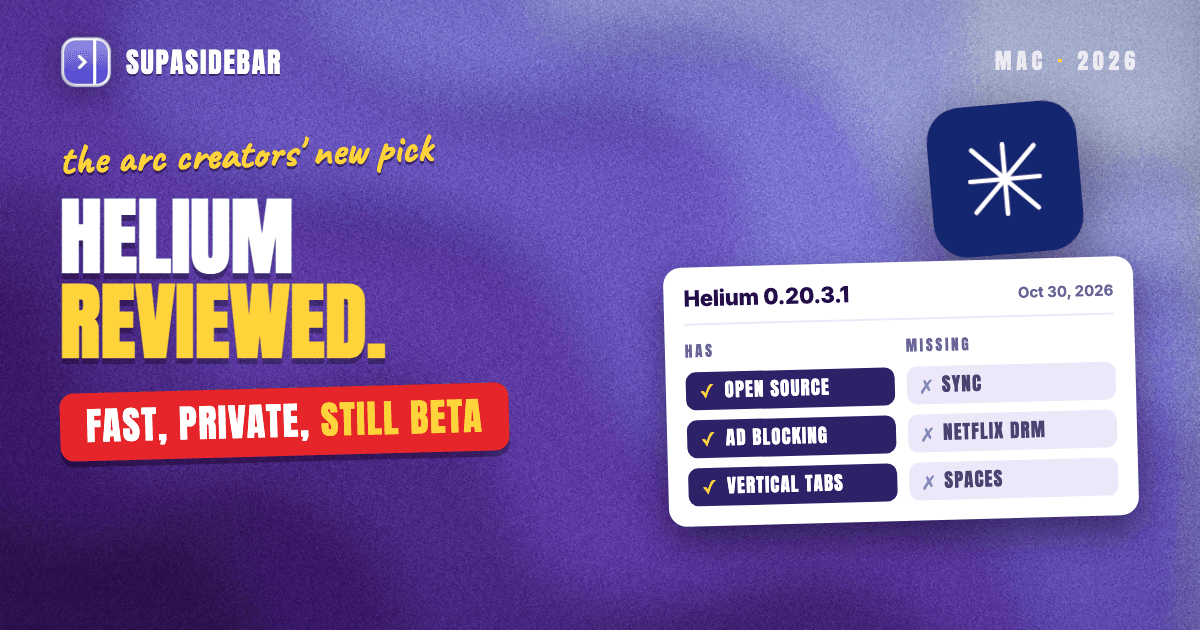
Helium is a free, open-source Chromium browser that blocks ads and trackers by default, and in November 2026 it is the best Chromium browser for Arc users who want privacy and vertical tabs. The current Mac release, 0.20.3.1 from October 30, 2026, still has no sync, no Widevine DRM for Netflix or Spotify, no built-in password manager and no Arc-style Spaces, and Helium still calls itself a beta. With Arc shutting down on December 22, 2026, Helium is the browser several of the biggest Arc creators on YouTube now use every day, and 4 of the 10 top-ranked Arc videos name it. The review below covers speed and privacy, the open-source license, bookmark sync and export, the roadmap Helium does not publish, and how SupaSidebar adds the workspace layer Helium leaves out.
Quick navigation
- Deciding between Helium and Arc itself? → Helium vs Arc Browser (2026)
- Torn between Helium and Zen, which has Spaces built in? → Helium vs Zen Browser for Arc Users
- Already on Helium and want vertical tabs or Spaces? → Helium Browser Vertical Tabs
- Checking which Mac browsers run on Chromium? → Which Mac Browsers Are Chromium-Based?
- Deciding whether Helium is worth installing at all? You are in the right place. Keep reading.
Helium browser at a glance
| Area | Helium 0.20.3.1 (Oct 30, 2026) | Verdict | Who it affects |
|---|---|---|---|
| Engine | Chromium 156 on an ungoogled-chromium base | Strong | Chrome extension users |
| Privacy | Ads, trackers, cookie banners blocked by default | Strong | Anyone leaving Chrome |
| License | GPL-3.0, every repo public | Fully open source | Open-source purists |
| Vertical tabs | Native, one of four layouts | Yes | Arc users |
| Spaces or workspaces | None | Missing | Multi-context workers |
| Sync | "Not yet" | Missing | People with 2+ Macs |
| Netflix, Spotify (Widevine DRM) | Not supported | Missing | Streamers |
| Password manager | None built in | Use an extension | Everyone |
| Mobile app | "Not yet" | Missing | iPhone users |
| Arc import | Pinned tabs and folders, as bookmarks | Partial | Arc users before Dec 22 |
| Release status | Beta, a new build most weeks | Moving fast | Anyone who wants stability |
What is Helium browser in November 2026?
Helium is a free, open-source desktop browser from the imputnet project, built on ungoogled-chromium, a version of Chromium with Google's services and telemetry stripped out. helium.computer describes it as "a Chromium-based browser, with all Google service dependencies removed." It runs on macOS (Apple silicon and Intel), Windows and Linux.
The current Mac release is Helium 0.20.3.1, published October 30, 2026 on Chromium 156.0.8078.79. Helium ships fast. Six macOS builds landed between October 9 and October 30, 2026, most of them Chromium security updates plus interface fixes.
Helium still labels itself a beta. The Helium README on GitHub warns that "unexpected issues may occur," and the project is funded by user sponsorship, with no ads and no paid tier. The main repository has more than 22,000 GitHub stars as of November 2026.
Most of what changed since mid-2026 is the interface. Helium now offers four layouts (Classic, Dynamic, Compact and Vertical), a Frameless mode that hides the toolbar until the pointer reaches the window edge, and its own Layout section in Settings since version 0.20.1 (October 21, 2026). On macOS it also gained a Translate option in the right-click menu in June 2026, which uses Apple's built-in translation for selected text (PiunikaWeb). The vertical-tabs walkthrough lives in Helium Browser Vertical Tabs.
Why Arc users and YouTubers are moving to Helium
Arc stops working on December 22, 2026. The Browser Company announced the date on October 22, closed new Arc accounts the same day, and deactivates accounts at shutdown, per the Arc farewell page and 9to5Mac's report on the sunset date. Arc users who do not want Dia, the company's AI-first browser, are choosing between Zen, Helium and a handful of others.
Helium keeps winning a share of that choice because several of the most-watched Arc creators now use it. FromSergio's "Arc is Dead. So I Tried the Next Best Thing" (more than 260,000 views) works through Brave, Edge, Safari, Zen and others, then names his pick. "The winner for me and how I work is Helium," he says. Rubens Nook's November 2026 video "I Tested the Two Most Hyped Browsers" tests whether Zen could replace Helium as his daily driver.
Of the 10 top-ranked YouTube videos on Arc alternatives, checked by transcript on November 4, 2026, all 10 name Zen, 6 name Dia and 4 name Helium. That is a lot of airtime for a beta browser funded by its users.
Arc users write in with the same story. One of them, David C., emailed SupaSidebar in October 2026. "I didn't know arc was sunsetting until this week. I've installed Helium - will give that a go."
The reasons are consistent across these reviews. Helium keeps Chrome extensions, has real vertical tabs, blocks ads without a crypto wallet or VPN upsell attached, and is paid for by its users. FromSergio also lists what he still misses in Helium, namely sync between his Macs, an Arc-style visual tab switcher and a command palette for searching tabs. Those three gaps matter for anyone moving from Arc.
Helium also imports Arc. Its importer, merged in March 2026, turns each Arc Space's pinned tabs and folders into bookmark folders, because Helium has no Spaces to put them in. The Helium vs Zen comparison covers how that stacks up against Zen's Arc import.
Is Helium browser good? Speed, privacy and daily use
Helium is good for anyone who wants a quiet, private Chromium browser and can live without sync and streaming DRM. Privacy is its strongest area, speed is praised by every reviewer but not benchmarked, and the feature set is deliberately small.
Privacy.
helium.computer lists ads, trackers, cookie banners and third-party cookies as blocked by default, plus noise added to some web APIs to resist fingerprinting. Helium makes no web requests on first launch and has no analytics. Ad blocking runs through Helium's own fork of uBlock Origin, and the services that handle updates, !bangs and filter lists are open source and can be self-hosted.
Speed.
No controlled Mac benchmark of Helium was found as of November 2026, so the speed case rests on reviewers. FromSergio says it "loads almost instantly." XDA's Tanveer Singh, who left Brave over its crypto features, AI add-ons and memory use, called Helium "a breath of fresh air compared to Brave". Both are experience reports, not lab numbers.
Daily features.
Helium supports all Chromium extensions, with Chrome Web Store requests anonymized through its own services. It adds split view, tab groups, tab hibernation, web app installs, most-recently-used tab switching and more than 13,000 built-in !bangs (type !g to search Google from the address bar), all processed on the Mac.
Updates.
Helium updates itself on macOS and Windows when Helium services are on. That is a change from November 2025, when XDA noted that Windows auto-updates were still missing.
What Helium still does not do in version 0.20
Helium's gaps are the price of its privacy-first build, and each one below is confirmed on helium.computer or in Helium's code as of version 0.20.3.1.
- No Netflix or Spotify in the browser. Helium does not support Widevine DRM, which helium.computer puts down to Google's licensing. FromSergio's review spells out the effect. Netflix and Spotify's web player will not play.
- No sync. Bookmarks, settings, tabs and extensions stay on one computer, and the site answers "Not yet."
- No password manager. Helium has none built in and recommends a password manager extension instead.
- No mobile app. Also "Not yet," so an iPhone keeps Safari.
- No Spaces or workspaces. Every tab and pin shares one list per window. Tab groups and separate profiles are the closest native tools.
- Beta software from a small team. Even FromSergio, who picked Helium, names "the risk that development slows down" for a browser run by a very small team.
Is Helium browser open source?
Yes. Helium is fully open source. Its own code is licensed under GPL-3.0, and code it imports from ungoogled-chromium keeps its original BSD 3-Clause license, per the license section of the Helium repository. Every part is public on GitHub, including the macOS, Windows and Linux packaging, the Helium services, the uBlock Origin fork and the first-run setup.
Helium's openness goes past the browser itself. Its update, !bangs and filter-list services can be self-hosted, and the repository includes the exact setup imputnet runs, down to its Ansible playbooks. Anyone can build, fork or audit Helium from source.
Helium is also Chromium-based. It starts from ungoogled-chromium rather than Google's own build, so it renders pages with the same Blink engine as Chrome and runs Chrome Web Store extensions. How it compares with the other Chromium browsers on a Mac is covered in Which Mac Browsers Are Chromium-Based?. Arc users hoping for a true open-source Arc will find the honest answer in Is There an Open-Source Arc Browser?
Does Helium sync bookmarks? How to export and move them
No. Helium does not sync bookmarks, or anything else, between devices as of version 0.20.3.1, and helium.computer answers "Not yet" on data sync. Sync is Helium's most-requested feature. Issue #90, open since September 25, 2025, has 185 upvotes and the maintainers' "approved" label.
Work on sync is visible in the code. Since August 9, 2026, Helium has merged a series of changes for a private sync "vault," starting with pull request #2269, which lets Chromium's sync engine use a custom backend instead of Google's. None of it is switched on in a release, and Helium has given no date.
Until sync ships, Helium bookmarks move by file. Exporting them takes four steps, as a Helium maintainer explains in issue #290.
- Type helium://bookmarks in the address bar and press Return.
- Click the ⋮ menu at the top right of the bookmark manager.
- Choose Export bookmarks and save the HTML file.
- On the other computer, open the same menu in Helium and choose Import bookmarks.
Helium's first-run setup can also import bookmarks and extensions from another browser on the same Mac, including Chrome, Brave and Arc. An HTML export is a snapshot, not sync, so a bookmark edited on one Mac stays stale on the other until the next export.
For links that need to be on every Mac today, a separate layer works. SupaSidebar imports an exported HTML bookmarks file (Preferences → Data → Import from HTML File) and syncs saved links, folders and Spaces across Macs through iCloud, per the SupaSidebar sync docs. It syncs the links saved in SupaSidebar, not Helium's own bookmarks, passwords or extension data.
What is on Helium's roadmap?
Helium has no public roadmap. A request for one, issue #1098, has been open since March 16, 2026, and commenters there point out that even an "approved" label does not mean a feature is in development. The clearest signals are upvotes, the "approved" label, and code that has already merged.
| Requested feature | Upvotes (Nov 4, 2026) | Maintainer signal | Issue |
|---|---|---|---|
| Sync between devices | 185 | Approved, backend code merging since Aug 2026 | #90 |
| Container tabs | 112 | Approved | #199 |
| Arc-like workspaces | 64 | Open, not approved | #1351 |
| Full-page translator | 62 | Approved | #294 |
| Same-window profile switching | 53 | Open, not approved | #993 |
| Link preview | 33 | Approved | #1119 |
| Command palette | 30 | Open, not approved | #317 |
Sync is the request most likely to ship next, because it is the only one with merged code behind it. Workspaces and a command palette, both core to how Arc worked, have neither the label nor code. A Helium user waiting for Arc-style Spaces or tab search has no date to wait for.
That gap does not have to be filled inside the browser. Arc's Spaces, command bar and sidebar were a layer on top of the tabs, and a Mac app can add that layer to Helium today.
SupaSidebar: the workspace layer Helium does not have
SupaSidebar adds Arc-style Spaces, a pinned-link sidebar, cross-browser tab search and an Arc-style tab switcher to Helium as a separate Mac app, so Helium stays the browser and SupaSidebar carries the workflow. Helium is one of SupaSidebar's fully supported browsers, with Live Tabs and per-profile Space linking, per the SupaSidebar browser support table.
SupaSidebar is a native macOS app, not an extension, so Helium's privacy settings stay exactly as they are. It reads Helium's open tabs through AppleScript and docks to either screen edge. Since SupaSidebar 1.3.0, a Space can be linked to one Helium profile, shown as "Helium · Work," so that Space's Live Tabs show only that profile's tabs and its links open there.
SupaSidebar also answers the three gaps FromSergio named.
- A command palette for tabs. The Command Panel (⌘⌃K) searches Helium's open tabs, saved links and recent visits in one query, and SupaSidebar can import the last 30 days of Helium history so older pages show up too.
- An Arc-style tab switcher. Tab Switcher, a Labs feature added in SupaSidebar 1.6.0, takes over ⌃Tab while a browser is in front and shows the 5 most recent tabs as Arc-style cards, across every browser SupaSidebar reads tabs from, Helium included (Tab Switcher docs).
- Links on every Mac. Saved links, folders and Spaces sync through iCloud, so up to 12 pinned sites follow the user even though Helium has no sync.
A worked example makes the Spaces part concrete. A YouTube creator who moved from Arc to Helium might set up three Spaces like these.
| Space (linked to) | Links inside |
|---|---|
| Videos (Helium · Work) | studio.youtube.com, notion.so, frame.io, descript.com |
| Personal (Helium · Personal) | youtube.com, reddit.com, mail.proton.me |
| Research (no link) | wikipedia.org, news.ycombinator.com, chatgpt.com |
Switching Spaces swaps the saved links, per-Space pins and the filtered tab list in one shortcut, so the script for the next video never sits next to Reddit. The Research Space has no link, so it shows open tabs from every browser on the Mac.
A reviewer on r/macapps, amerpie, described the multi-browser part this way. "SupaSidebar recreates much of that [Arc] experience, but does it across multiple browsers instead of inside just one."
Arc users can bring their Spaces straight across before December 22. SupaSidebar's Arc import (Preferences → Data → Arc) previews each Arc Space and imports the chosen ones as Spaces, which Helium's importer cannot do. The step-by-step Helium setup is in Helium Browser Vertical Tabs.
Honest scope.
SupaSidebar Spaces organize links and filter tabs. They do not isolate browser sessions the way Arc's Spaces did, so logins stay separate only when a Space is linked to a separate Helium profile. iCloud syncs SupaSidebar's saved links, not Helium's bookmarks, passwords or extension data. SupaSidebar needs macOS 14 or later and Automation permission for Helium, and Tab Switcher is still a Labs feature.
How to install Helium on a Mac
Installing Helium takes a few minutes and needs no account.
- Open helium.computer, which picks the right build for the Mac, or download the arm64 (Apple silicon) or x86_64 (Intel) disk image from the helium-macos releases page.
- Drag Helium to Applications and open it.
- Follow the first-run setup at helium://setup, which offers to import bookmarks and extensions from another browser, Arc included.
- Leave Helium services on if automatic updates matter. They handle updates, !bangs and filter lists, and they can be turned off.
Helium does not publish a minimum macOS version. Arc users should run the import before December 22, 2026, while Arc still opens.
Which Helium setup should you pick?
- If privacy and speed are the goal and one context is enough, use Helium on its own. Its defaults do the work.
- If Netflix or Spotify runs in the browser, keep a second browser such as Safari for streaming, because Helium has no Widevine DRM.
- If you work on two or more Macs, export bookmarks as HTML for now, or keep the links that matter in SupaSidebar, which syncs through iCloud.
- If Spaces must live inside the browser itself, Zen has them natively, and the Helium vs Zen breakdown covers the trade-off.
- If you want Helium plus Arc-style Spaces, tab search and a tab switcher, keep Helium and add SupaSidebar on top.
Conclusion
Helium 0.20.3.1 is the best Chromium browser for Arc users who want privacy and vertical tabs in 2026, and it is fully open source under GPL-3.0. It is still a beta with no sync, no Widevine DRM, no password manager and no Spaces, and it publishes no roadmap that dates any of them.
Privacy-first users on one Mac can switch today and stop thinking about their browser. People who stream in the browser should keep Safari or Chrome next to it. Anyone with two or more Macs will feel the missing sync within a week, and the approved sync work has no release date. Arc users who flipped between Spaces all day will miss them first, and they have two routes, Zen for Spaces inside the browser or Helium plus a workspace layer on top.
The practical next step is to install Helium from helium.computer and run its Arc import before December 22. If the Spaces, tab search and cross-Mac links are the part of Arc worth keeping, SupaSidebar adds them to Helium without a browser switch. The wider category of sidebar apps is compared in the Mac sidebar app guide.
Why we recommend SupaSidebar
SupaSidebar is a macOS app that brings Arc's sidebar to every browser - one sidebar for tabs, bookmarks, files, and apps across 32+ browsers including Safari, Chrome, Firefox, Edge, Brave, Vivaldi, Dia, Orion, and Helium. For a Helium user, it fills the gaps Helium's roadmap has not dated. Spaces link to a Helium profile, the Command Panel (⌘⌃K) searches Helium's open tabs alongside every other browser's, and saved links follow the user to every Mac through iCloud. More than 3,000 Mac users have tried SupaSidebar, and a free version is available.
By Kshetez Vinayak, founder of SupaSidebar. Last updated November 6, 2026.
FAQ
Is Helium browser good?
Yes, for privacy and speed. Helium 0.20.3.1 is a free, open-source Chromium browser that blocks ads, trackers and third-party cookies by default, runs Chrome extensions and has native vertical tabs. It is still a beta, and it has no sync, no Widevine DRM for Netflix or Spotify, no built-in password manager and no Spaces.
Is Helium browser open source?
Yes. Helium is fully open source on GitHub, with its own code under GPL-3.0 and imported ungoogled-chromium code under BSD 3-Clause. The macOS, Windows and Linux packaging, Helium's self-hostable services, its uBlock Origin fork and its first-run setup are all public repositories.
Does Helium browser sync bookmarks?
No. Helium has no sync for bookmarks, tabs, settings or extensions as of version 0.20.3.1 (October 30, 2026), and helium.computer lists data sync as "Not yet." Sync is the most-upvoted feature request on Helium's GitHub, and code for a custom sync backend has been merging since August 2026, but Helium has given no release date.
How do I export bookmarks from Helium?
Open helium://bookmarks, click the ⋮ menu at the top right and choose Export bookmarks. Helium saves an HTML file that Chrome, Safari, Firefox and SupaSidebar can import. The same menu has Import bookmarks for loading that file into Helium on another computer.
Does Helium browser have a public roadmap?
No. Helium does not publish a roadmap, and a GitHub request for one has been open since March 16, 2026. The best signals are upvotes and the maintainers' "approved" label. Sync (185 upvotes), container tabs (112) and a full-page translator (62) are approved, while Arc-like workspaces (64) and a command palette (30) are not.
Can Helium play Netflix and Spotify?
No. Helium does not support Widevine DRM, which Netflix and Spotify's web player need, and helium.computer attributes this to Google's licensing restrictions. A second browser such as Safari is the simple workaround for streaming sites.
Is Helium browser safe to use?
Helium is open source, ships Chromium security updates quickly, enforces HTTPS and makes no web requests on first launch, per helium.computer. The caveats are that it is beta software from a small team, which its own README says may have unexpected issues, and that it has no built-in password manager.
Does SupaSidebar work with Helium?
Yes. Helium is a fully supported SupaSidebar browser with Live Tabs and per-profile Space linking, so Helium's open tabs appear in the sidebar and a Space can be tied to one Helium profile. SupaSidebar runs alongside Helium as a separate Mac app and does not change Helium's settings or privacy defaults.