
By Kshetez Vinayak, founder of SupaSidebar. Last updated November 1, 2026.
TL;DR
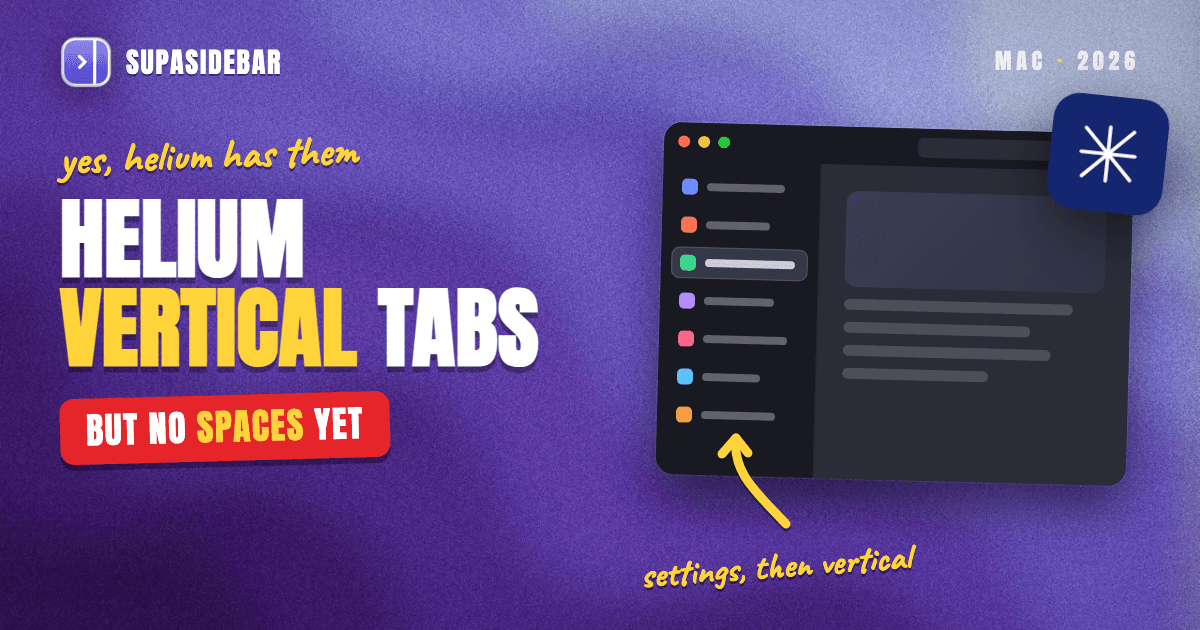
Yes. Helium, the free and open-source Chromium browser built for privacy, has native vertical tabs, one of four layouts (Classic, Dynamic, Compact, Vertical) in its settings since the Vertical layout debuted in Helium 0.9.1.1 in February 2026. What Helium still lacks, as of version 0.20.3.1 (October 30, 2026), is Spaces or workspaces, so every tab and pin shares one list per window, and Helium users have been requesting workspaces on GitHub since October 2025. The steps below cover turning on vertical tabs, the native workarounds (tab groups and profiles), what Chromium extensions can add, and how SupaSidebar puts Arc-style Spaces and a pinned-link sidebar on top of Helium without a browser switch.
Quick navigation
- Deciding between Helium and Arc itself? → Helium vs Arc Browser (2026)
- Choosing between Helium and Zen, which has its own Spaces? → Helium vs Zen Browser for Arc Users
- Using Chrome, not Helium? → Vertical Tabs in Chrome on Mac (2026)
- On Brave and want workspaces there? → Brave Workspaces on Mac (2026)
- On Safari, which still has no vertical tabs? → Safari Vertical Tabs
- Already on Helium and want vertical tabs, Spaces or a sidebar? You are in the right place. Keep reading.
Helium vertical tabs and workspace options at a glance
| Option | Vertical tabs | Spaces / workspaces | Pinned links per context | Best for |
|---|---|---|---|---|
| Helium Vertical layout | Yes, native (left or right) | No | One global pinned set | Tabs on the side, one context |
| Helium tab groups | Groups inside the tab strip | Partial (named groups, same window) | Groups can pin to the bookmarks bar | Light grouping by topic |
| Helium profiles | One strip per profile window | Partial (separate windows and logins) | Separate per profile | Hard work vs personal separation |
| Chromium extensions | Side panel list, opened by hand | Saved tab sets (Workona-style) | Inside the extension only | Restoring named tab sets |
| SupaSidebar alongside Helium | Live Tabs list in a Mac sidebar | Yes, Spaces linked to a Helium profile | Up to 12 pins, per Space | Arc-style Spaces on top of Helium |
Does Helium browser have vertical tabs?
Yes. Helium's vertical tabs are a built-in layout, not an extension or a hidden flag. Helium is the free, open-source Chromium browser from the imputnet project (more than 22,000 GitHub stars), built on ungoogled-chromium with Google services removed and uBlock Origin preinstalled.
The vertical layout first shipped in Helium 0.9.1.1. AlternativeTo reported it on February 17, 2026 as an experimental option next to the Classic and Compact layouts. On February 19, Helium merged an option to show vertical tabs on the right. A Dynamic layout followed in April 2026, which is why helium.computer now advertises a choice of four layouts.
One detail trips up people following Chrome guides. Chrome puts its vertical-tab switch in a right-click menu, but Helium removed Chromium's vertical-tab menu options in April and May 2026, noting that vertical tabs are managed via other means, and cleared the leftover Chromium preferences in August 2026. In Helium, vertical tabs live only in the Layout setting, so "Show Tabs Vertically" instructions written for Chrome do not match what Helium shows.
How to turn on vertical tabs in Helium on Mac
Turning on Helium vertical tabs takes about 30 seconds. These steps match Helium 0.20.x for macOS, the current builds as of the 0.20.3.1 release on October 30, 2026.
- Open the Layout setting. Choose Helium > Settings (⌘,). Since Helium 0.20.1 (October 21, 2026), a Layout section with preview thumbnails sits just above Appearance. Older builds keep a "Browser layout" dropdown inside Appearance.
- Pick Vertical. In the Browser layout picker, choose Vertical. Tabs move into a column on the left of the window right away, no restart needed.
- Or switch from the window frame. Right-click an empty part of the window frame and open the Browser Layout submenu. It lists Classic, Dynamic, Compact and Vertical, plus a "Tabs on Right Side" option.
- Move tabs to the right (optional). Turn on "Show vertical tabs on right side" in the Layout settings, or use the submenu from step 3.
- Collapse the strip with ⌘+S. In the Vertical layout, ⌘+S collapses and expands the tab column. Helium labels the toggle "Use ⌘+S to toggle vertical tabs in Vertical layout", and the pull request that added it notes the shortcut can be turned off in settings and that web pages can still use ⌘+S.
- Hide everything else (optional). Frameless mode is described in Helium's settings as a way to "automatically hide browser UI until you hover the window edge". Pair it with "Always show the sidebar" to keep the vertical tab strip pinned while the toolbar hides.
Helium also remembers the width of the vertical tab column across restarts (a fix merged October 16, 2026), and the Shortcuts settings page has a "Switch to Vertical layout" command that can be bound to a key.
What Helium's vertical tabs do not give you
Helium's vertical tabs move the tab strip to the side, and that is the whole job. They do not add a second layer on top. Every open tab and every pinned tab still lives in one list per window.
That matters most for people coming from Arc. Arc's sidebar was a tab strip plus Spaces, and Spaces were what separated a client's tabs from personal ones. Helium's GitHub issue asking for Arc-like workspaces for normal and pinned tabs puts the problem in one line, "everything piles up in one vertical bar." It is still open with 61 upvotes as of November 1, 2026.
Two more gaps are worth knowing before building a workflow around Helium alone.
- No Edge-style web-app sidebar. A request for an Edge-like sidebar and workspaces has been open since October 2025. Helium keeps Chromium's side panel, which it restyled in April 2026, but there is no strip of pinned web apps.
- No sync yet. helium.computer answers "Not yet" on data sync, so pinned tabs and groups stay on one Mac.
Does Helium have Spaces or workspaces?
No. Helium has no Spaces or workspaces feature in any build up to 0.20.3.1. helium.computer lists none, and the closest native tools are Chromium's tab groups and profiles. Neither one switches a whole tab list and pinned set with one keypress the way Arc or Zen Spaces do.
Tab groups
are the lightest option. Name a group per project, color it, and collapse it when not in use. Helium keeps Chromium's "Automatically pin new tab groups to the bookmarks bar" setting, so a saved group can reopen from the bar later. The limit is that groups share one window and one pinned set.
Profiles
give hard separation. A Helium profile has its own cookies, logins, extensions and window, which suits a work account that must never mix with personal browsing. The cost is weight. One commenter on the workspaces request runs three separate profiles just to keep contexts apart and calls profiles "a heavy way to do it", since every switch means another window.
Separate windows
are the zero-setup fallback. One window per context works for two contexts and falls apart past three.
Helium ships a new build most weeks, so a Spaces feature could land later, but there is no committed date and the oldest workspace requests are now more than a year old.
Can Chromium extensions add Spaces or a sidebar to Helium?
Partly. Helium installs extensions from the Chrome Web Store, with the store requests anonymized through Helium's own services, so most Chromium tab managers run in it. What those extensions can draw is limited by the extension APIs.
An extension can show its own panel in the browser's side panel through the chrome.sidePanel API, available since Chrome 114. That is how vertical-tab and workspace extensions show a list next to the page. Google's documentation also sets the limits. An extension can open its panel only in response to a user action, the browser's built-in panels come first in the panel list, and an extension's panel can only see the tabs of the browser it runs in.
Workspace extensions such as Workona save named sets of tabs and reopen them on demand (how that compares to a sidebar app). That helps for parking a project, but those workspaces exist inside Helium only, and none of it adds a persistent sidebar outside the browser window.
The gap is the same one Arc users hit everywhere in 2026. Arc proved that Spaces are what make vertical tabs work at scale, and Arc for macOS stops working on December 22, 2026, per The Browser Company's farewell page. Helium keeps the vertical look and adds privacy Arc never had, but Spaces, a pinned-link sidebar and one search across everything are still missing. That layer does not have to live inside the browser.
Add Spaces and a pinned sidebar to Helium with SupaSidebar
SupaSidebar adds Arc-style Spaces, pinned links and a live tab list to Helium as a separate Mac sidebar, so Helium stays the browser and SupaSidebar becomes the workspace layer. Helium is one of SupaSidebar's fully supported browsers, with both Live Tabs and per-profile Space linking, per the SupaSidebar browser support table.
SupaSidebar is a native macOS menu bar app, not an extension, so Helium's extension limits do not apply. It docks to either screen edge, reads Helium's open tabs through AppleScript, and can attach beside the Helium window so the two never overlap. Its Spaces hold the same links whether they open in Helium, Safari or Chrome.
- Live Tabs. Helium's open tabs appear in the sidebar, grouped by browser, and clicking one switches to the existing tab instead of opening a duplicate.
- Spaces linked to a Helium profile. Since SupaSidebar 1.3.0, a Space can be linked to Helium or to one Helium profile (shown as "Helium · Work"). Live Tabs in that Space then show only that profile's tabs, and links saved in the Space open there.
- Pinned items. Up to 12 pins sit at the top of the sidebar, either shared by every Space or set per Space, with shortcuts ⌘⌥1 to ⌘⌥9 and ⌘⌥0 by default.
- One search. The Command Panel (⌘⌃K) searches saved links, recent visits and live tabs in one query, and SupaSidebar can import the last 30 days of Helium history so older pages show up too.
A worked example makes the Spaces part concrete. A freelance developer who picked Helium for privacy might set up two Spaces like the ones below.
| Space (linked to) | Links inside |
|---|---|
| Client work (Helium · Work) | github.com, linear.app, figma.com, vercel.com, the client's staging site |
| Personal (Helium · Personal) | mail.proton.me, youtube.com, news.ycombinator.com, reddit.com |
Switching Spaces swaps the saved links, any per-Space pins and the filtered live tab list in one shortcut, so the client's staging tabs never sit next to YouTube.
A reviewer on r/macapps, amerpie, described the multi-browser part this way. "SupaSidebar recreates much of that [Arc] experience, but does it across multiple browsers instead of inside just one."
Honest scope.
SupaSidebar Spaces organize links and filter tabs, but they do not isolate browser sessions the way Arc's Spaces did. Logins stay separated only when the Space is linked to a separate Helium profile. SupaSidebar needs macOS 14 or later, Automation permission for Helium, and Accessibility permission for the attach-beside-the-window mode. Live Tabs show tabs on the local Mac only, while saved links sync through iCloud.
How to set up SupaSidebar with Helium
Setting up SupaSidebar with Helium takes about five minutes and leaves every Helium setting as it is.
- Install SupaSidebar. Download it from supasidebar.com/download or run
brew install --cask supasidebar. It runs on macOS 14 Sonoma and later. - Allow Helium access. When asked, allow SupaSidebar to control Helium (System Settings > Privacy & Security > Automation > SupaSidebar > Helium). Grant Accessibility too if the sidebar should attach beside the Helium window.
- Turn on Live Tabs. Choose Live Tabs during onboarding, or later in Preferences > Live Tabs. Helium's open tabs appear in the bottom section of the sidebar.
- Create a Space and link it. Click + New Space in the sidebar's Space selector. One form sets the name, icon, color and browser connection, so pick Helium or one Helium profile there. Fetch bookmarks pulls that profile's bookmarks in for review if wanted.
- Pin the daily sites. Right-click a saved link and choose Pin to Sidebar. Open pins with ⌘⌥1 through ⌘⌥9.
- Learn three shortcuts. ⌘⇧Space shows and hides the sidebar, ⌘⌃K opens the Command Panel, and ⌘⌃← / ⌘⌃→ move between Spaces once Space shortcuts are turned on in Preferences.
Running Helium's Vertical layout and a sidebar on the same edge stacks two tab columns. A cleaner setup puts Helium on the Compact or Dynamic layout and lets SupaSidebar carry the tab list, or keeps Helium's vertical strip collapsed with ⌘+S.
Leaving Arc before December 22? Helium's Arc importer turns each Space's pinned tabs into bookmark folders, because Helium has no Spaces to put them in. SupaSidebar's Arc import (Preferences > Import and Export > Arc > Import) brings Spaces across as Spaces, and the Helium vs Arc comparison covers the rest of that decision.
Which Helium setup should you pick?
- If side tabs are all that is missing, use Helium's Vertical layout. It is native, free, and takes 30 seconds.
- If two or three topics need loose grouping, add Helium tab groups and let new groups pin to the bookmarks bar.
- If work logins must never touch personal ones, use a separate Helium profile and accept the extra window.
- If the goal is Arc-style Spaces, pinned links per context and one search, keep Helium and add SupaSidebar, with each Space linked to a Helium profile.
- If Spaces must live inside the browser itself, Zen has them natively, and the Helium vs Zen breakdown covers the trade-offs.
Conclusion
Helium browser has native vertical tabs in 2026, set from one Layout picker with four options, and they work well. Switching them on is free, built in, and takes about 30 seconds, with no extension or flag involved. Helium does not have Spaces, workspaces or a persistent pinned-link sidebar, and no workspace work shows up in Helium's code history through the 0.20 builds.
Helium users who only wanted tabs on the side are done after step 2 of the first walkthrough. Users who want light grouping can lean on tab groups, and users who need strict separation can run profiles. Arc refugees and anyone who runs more than one browser will feel the missing Spaces layer within a week, and that is the part SupaSidebar adds without asking anyone to leave Helium.
Try SupaSidebar (free tier) if the Spaces layer is what Helium is missing. For the wider sidebar-app category on Mac, see the Mac sidebar app guide.
Why we recommend SupaSidebar
SupaSidebar is a macOS app that brings Arc's sidebar to every browser - one sidebar for tabs, bookmarks, files, and apps across 32+ browsers including Safari, Chrome, Firefox, Edge, Brave, Vivaldi, Dia, Orion, and Helium. For Helium users specifically, it fills the one gap Helium's vertical tabs leave open. Each Space can be tied to a Helium profile with its own pinned links, and the Command Panel (⌘⌃K) searches saved links, recent visits and live tabs from every browser on the Mac.
FAQ
Does Helium browser have vertical tabs?
Yes. Helium has native vertical tabs as one of four built-in layouts (Classic, Dynamic, Compact, Vertical). The Vertical layout first shipped as an experiment in Helium 0.9.1.1 in February 2026 and can show tabs on the left or right side of the window.
How do I turn on vertical tabs in Helium?
Open Helium > Settings (⌘,), find the Layout section and pick Vertical in the Browser layout picker. Right-clicking an empty part of the window frame also opens a Browser Layout submenu with the same choices, plus an option to put tabs on the right side.
Does Helium have workspaces or Spaces like Arc?
No. Helium has no Spaces or workspaces as of version 0.20.3.1 (October 30, 2026). Its closest native tools are tab groups and separate profiles, and feature requests for Arc-style workspaces on Helium's GitHub have been open since October 2025.
Does Helium have a sidebar?
Helium's Vertical layout puts the tab strip in a sidebar-like column, and Helium keeps Chromium's side panel. It has no Edge-style sidebar of pinned web apps. A persistent sidebar with Spaces and pinned links comes from a separate Mac app such as SupaSidebar, which runs alongside Helium.
How do I hide or collapse vertical tabs in Helium?
In the Vertical layout, press ⌘+S to collapse or expand the tab column. The shortcut can be turned off in Helium's settings. Frameless mode goes further and hides the browser interface until the pointer reaches the window edge.
Can SupaSidebar show Helium tabs?
Yes. Helium is a fully supported SupaSidebar browser with Live Tabs, so Helium's open tabs appear in the sidebar and clicking one switches to it. A SupaSidebar Space can also be linked to a single Helium profile, which filters the tab list to that profile and opens the Space's links there.
Is Helium a good Arc replacement?
Helium matches Arc's vertical-tab look and adds stronger privacy defaults, but it lacks Arc's Spaces, so it replaces Arc's appearance more than its workflow. Arc for macOS stops working on December 22, 2026, and pairing Helium with a sidebar app is one way to keep both the look and the Spaces.
By Kshetez Vinayak, founder of SupaSidebar. Last updated November 1, 2026.