
By Kshetez Vinayak, founder of SupaSidebar. Last updated November 4, 2026.
TL;DR
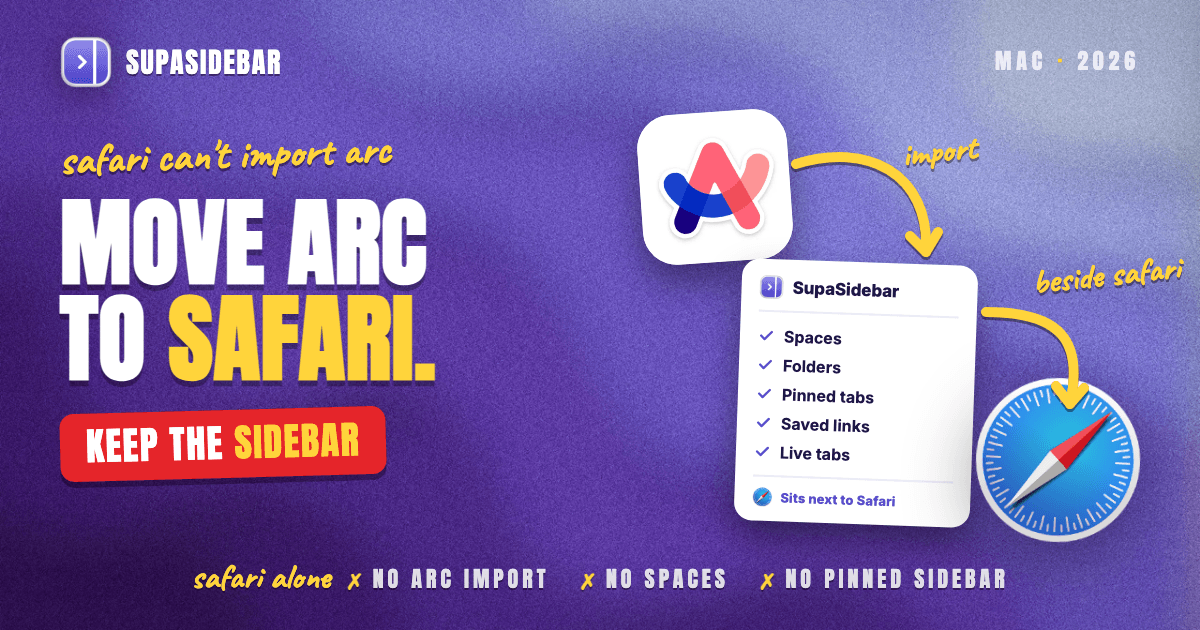
Safari can't import Arc, has no Spaces, and its vertical tabs are still in beta, so moving Arc to Safari on its own means giving up Arc's sidebar. The honest answer takes two moves. Make Safari the default browser, then import Arc's sidebar into SupaSidebar, a Mac app that sits next to the Safari window and keeps Arc's Spaces, folders and pinned tabs as they were. For a Safari-only setup, convert Arc's sidebar file into a bookmarks file and rebuild each Space as a Safari Tab Group by hand. Arc stops working on December 22, 2026, so copy the sidebar file this week.
Quick navigation
- Moving to Chrome, Zen or Dia instead of Safari? → Arc to Chrome, Arc to Zen or Arc to Dia
- Still choosing between Safari and an Arc-style browser? → Safari vs Zen Browser vs Arc
- Want a sidebar in Safari but have no Arc data to move? → How to Add a Sidebar to Safari
- Only need your Arc bookmarks out as a file? → Arc Sidebar Exporter
- Moving your Arc setup into Safari? You are in the right place. Keep reading.
Four ways to move Arc to Safari, compared
| Route | Works today | What lands in Safari | Arc Spaces kept? | Best for |
|---|---|---|---|---|
| Safari's Import From Browser | No, Arc isn't listed | Nothing | No | Leaving Chrome or Firefox, not Arc |
| Arc Sidebar Exporter + Safari's file import | Yes | Spaces as bookmark folders, pinned tabs as bookmarks | As folders | Safari-only users, and a backup |
| Arc's own Export Data | Yes | A Markdown list of links, added by hand | No | A backup that includes Favorites |
| SupaSidebar Arc import | Yes, beside Safari | Arc's sidebar, attached to the Safari window | Yes, as Spaces | Keeping Arc's sidebar with Safari |
Why Safari can't import Arc
Safari's import tool only reads browsers it knows by name. Apple's guide to importing into Safari lists two, Google Chrome and Firefox, under File → Import From Browser. Arc is not one of them, even though it runs on Chromium like Chrome.
Safari can also import bookmarks that another browser exported as an HTML file, and that is where Arc falls short. Arc keeps its Spaces, pinned tabs and folders in one file, StorableSidebar.json, in its Application Support folder, and no browser reads that format. The guide to exporting Arc's sidebar file covers what is inside it.
Arc's own export doesn't close the gap. Per Arc's help article on exporting data, Export Data saves Arc Data Export.md with a section for each Space, and Arc calls it "a list of links rather than a bookmarks file." Safari can't import a Markdown file, so those links go in by hand. Two SupaSidebar tools read StorableSidebar.json directly, the free Arc Sidebar Exporter and the Arc import inside the app, which is why both appear in the table above.
What Safari gives Arc users that Arc didn't
Safari's case after Arc rests on battery life, Apple sync, built-in tracking protection and long-term support. Arc users who picked Safari cite the same reasons, and none of them depend on the sidebar.
- Battery. Apple says Safari gives up to 5 more hours of video streaming than Chrome, from its own August 2026 test on an M5 MacBook Air, per Apple's Safari page. Arc runs on the same Chromium engine as Chrome. Independent results are less dramatic. Matt Birchler's 36-hour test in 2024 found Chrome 128 slightly ahead of Safari 17.6 on an M2 Pro MacBook Pro, about 17.3 hours against 16.1.
- Apple sync. Safari syncs passwords, bookmarks, history and tabs across Mac, iPhone and iPad through iCloud, and Tab Groups switch across devices too, per the same Apple page.
- Privacy. Intelligent Tracking Prevention works by default, and Safari's Privacy Report shows what it stopped. One Arc user who moved back to Safari in October said the report counted 173 websites prevented from tracking them in a single week.
Safari is not the most common pick among Arc users, but it is a steady one. Of 228 readable Arc-related Reddit threads that SupaSidebar read on November 4, 2026, Safari was the top recommendation in 12, level with Vivaldi and well behind Zen at 58. The Arc user who started the October r/ArcBrowser thread "I moved back to Safari" said the shutdown made them want a browser they know will be supported for years.
Work Macs push people the same way. In an October r/ArcBrowser thread, an Arc user said their company's security team had rejected Dia, Arc's own successor, over data-protection concerns. Safari ships with every Mac, which helps when IT has to approve the browser.
What Safari has in place of Arc's sidebar
Safari covers Arc's pinned tabs and Favorites well, covers Spaces only partly through Profiles and Tab Groups, and has no sidebar of saved links at all. Vertical tabs are coming in macOS 27.3, which is in beta now.
| Arc feature | Closest in Safari | How close | With SupaSidebar beside Safari |
|---|---|---|---|
| Vertical sidebar | Vertical Tabs, in the 27.3 beta | Open tabs only | Saved links and Safari's open tabs in one sidebar |
| Spaces | Profiles or Tab Groups | Partial, split two ways | Spaces imported from Arc, each linked to a Safari profile |
| Pinned tabs | Pinned tabs per Tab Group | Close | Saved and pinned links per Space |
| Folders | Bookmark folders | Not next to your tabs | Nested folders, as in Arc |
| Favorites | Favorites bar | Close | Pinned items in the sidebar |
| Command bar (⌘T) | Address bar | Not a command bar | ⌘T opens the Command Panel |
| Little Arc | Nothing | Lost | SupaView mini browser |
| Boosts and Easels | Nothing | Lost, and Boosts can't be exported | Nothing |
Vertical tabs arrive close to the deadline.
Apple added a Vertical Tabs layout to Safari in the first macOS 27.3 beta on November 3, 2026, per MacRumors' report on the 27.3 beta. Tabs move to the left edge as icons, the bar can be widened to show titles, and it works with Tab Groups. MacRumors expects 27.3 in December with no exact date, so it may land just before Arc's December 22 cutoff or after it. Reports so far describe open tabs, pinning and Tab Group switching, not bookmark folders, so Arc's saved structure still has nowhere to live. The Safari vertical tabs guide covers the options available before 27.3 ships.
Profiles and Tab Groups split Arc's Spaces in two.
A Safari profile keeps its own history, website data, extensions and bookmarks folder, and each one opens in its own window, which matches a Work Space and a Personal Space. A Tab Group is lighter, a named set of tabs in Safari's sidebar. Neither holds nested folders of saved links the way an Arc Space did. SupaSidebar can link one of its Spaces to each Safari profile, which comes up below.
Pinned tabs and Favorites carry over best.
Per Apple's guide to pinned sites, pinned sites stay on the left of the tab bar and at the top of Tab Groups, and each Tab Group can have its own pinned websites. That is close to Arc's pinned tabs per Space. Arc's Favorites row maps onto Safari's Favorites bar.
The part Safari can't fix on its own
Every Safari-only route spreads Arc across three places, bookmark folders, Tab Groups and profile windows. Arc kept all of it in one sidebar and switched Spaces with a swipe. macOS 27.3 will help with open tabs, but the saved structure, a Space of nested folders that stays put whether its tabs are open or not, has no home in Safari. Plenty of Arc users also never ran one browser, keeping Chrome for a work login next to Safari, and a Safari profile does not exist in Chrome at all.
Keep Arc's sidebar next to Safari with SupaSidebar
SupaSidebar imports Arc's sidebar file with its Spaces, folders and pinned tabs, then shows them in a native Mac sidebar attached to the Safari window. Safari stays the browser, with its battery life and iCloud sync, while Arc's structure stays in one place instead of being split across bookmarks, Tab Groups and profiles. For Arc users who want Safari, that is the closest match to Arc's sidebar today.
The import runs from Preferences → Data → Arc. Pick Arc's data file from the list, or a saved copy through Choose File…, click Preview, and tick the Spaces to bring across, as the import guide in SupaSidebar's docs shows.
With Smart Attach on, in Preferences → Sidebar → Browser Integration, the SupaSidebar sidebar docks beside the Safari window and moves Safari out from under it. Live Tabs fully supports Safari, so Safari's open tabs sit in the same sidebar as Arc's saved Spaces, and clicking one switches to the existing tab instead of opening a duplicate, per the Live Tabs docs.
Arc's keyboard habits survive too. With browser keys turned on, ⌘T in Safari opens SupaSidebar's Command Panel instead of a blank tab, the way Arc's command bar did, and it searches open tabs, saved links and history at once. ⌘⌃C copies the current Safari tab's URL. A commenter in the same "I moved back to Safari" thread said a universal copy-URL shortcut was what kept them from sticking with Safari.
Each Space can also be linked to a Safari profile. Its Live Tabs then show only that profile's tabs, its links open in that profile, and moving from a Safari Work window to a Safari Personal window can switch Spaces on its own, per the docs on linking Spaces to browser profiles. Here is a typical setup for an Arc user moving to Safari with a work profile and a personal one.
| SupaSidebar Space | Links inside |
|---|---|
| Work (linked to Safari · Work) | mail.google.com, calendar.google.com, notion.so, linear.app |
| Personal (linked to Safari · Personal) | icloud.com, youtube.com, reddit.com/r/ArcBrowser, letterboxd.com |
| Side project | github.com, vercel.com, figma.com |
Switching Spaces swaps the whole sidebar with one shortcut, and each link opens in the right Safari profile without hunting for its window.
Three Arc users tried this exact setup in October r/ArcBrowser threads, and they did not agree.
- "I went to Safari + SupaSidebar and it's amazing." (I moved back to Safari)
- "I'm testing Safari with Supasidebar currently. Not a perfect replacement, but I'm desperate." (Arc is shutting down, and Dia isn't even an option for some of us)
- "I'm trying Safari with supasidebar for now. So far it's meh..." (Life after Arc)
The mixed verdicts are fair. Safari plus a sidebar app is two pieces instead of one browser, and it takes some setup before it feels like Arc. A new SupaSidebar user who emailed in late October described the same trade from the work side, with Zen looking closest to Arc but not allowed at work, so Safari became the browser and SupaSidebar the sidebar.
SupaSidebar is a sidebar app, not a browser, so it does not move passwords, history or extensions into Safari, and its Spaces organize links rather than isolating browser sessions the way Arc's did. It does not bring back Boosts or Easels. It runs on macOS 14 and later.
How to move Arc to Safari, step by step
The move is five steps. Back up Arc's sidebar, make Safari the default, bring the sidebar across, rebuild what Safari needs, then move extensions and passwords. Only the first one has a hard deadline.
Step 1. Save Arc's sidebar file before December 22
Arc stops working on December 22, 2026. Arc deactivates every account that day and deletes account data within 30 days, per the same Arc help article. Nobody has said whether the local sidebar file stays readable after that, so a copy made now settles it.
- In Finder, press ⇧⌘G and paste
~/Library/Application Support/Arc/StorableSidebar.json. - Copy the file to Documents or an external drive.
- In Arc, choose Arc → Settings → Advanced → Export Data and save
Arc Data Export.mdas a second backup.
The Markdown export lists Arc's Favorites, the icon row at the top of the sidebar, which the bookmarks conversion in Step 3 leaves out. Keep Arc installed until the move is finished.
Step 2. Make Safari the default browser
Open System Settings → Desktop & Dock, find Default web browser and choose Safari, per Apple's guide to changing the default browser. Links from Mail, Slack and other apps then open in Safari instead of Arc.
Step 3. Bring Arc's sidebar across
There are two paths here, and they can be combined.
Safari plus SupaSidebar.
Import Arc from Preferences → Data → Arc as described above. Spaces, folders and pinned tabs arrive as SupaSidebar Spaces, and the sidebar attaches to Safari. This path keeps Spaces as Spaces.
Safari only.
Convert StorableSidebar.json with SupaSidebar's free Arc Sidebar Exporter. It reads the file inside the browser tab without uploading it, and it asks for an email address before the download.
- Each Arc Space becomes a top-level bookmark folder named after the Space.
- Folders inside a Space stay nested, in Arc's order.
- Pinned tabs become bookmarks inside their folders.
- Unpinned tabs go into an "Unpinned tabs" folder within each Space.
Then in Safari choose File → Import Browsing Data from File or Folder, click Choose File or Folder, pick the exported file and click Import, per Apple's guide to importing a browser data file. Older Safari versions call it File → Import From → Bookmarks HTML File. The Arc folders appear after any bookmarks Safari already has.
Step 4. Rebuild Spaces and pinned tabs in Safari
This step is for the Safari-only path. On the SupaSidebar path it is optional, since the Spaces arrive whole. For a Work Space and a Personal Space, create matching profiles in Safari → Settings → Profiles. For lighter Spaces, open a Space's bookmark folder, open its links, and make a Tab Group from the tabs in the window.
Re-pin the sites that were pinned in Arc by dragging each tab to the left side of the tab bar, or Control-clicking it and choosing Pin Tab. Each Tab Group keeps its own pinned sites, so a Space's pins can live with its group.
Step 5. Move extensions and passwords
Arc ran Chrome Web Store extensions, and nothing copies them to Safari. Safari gets extensions from the Mac App Store through Safari → Safari Extensions, per Apple's guide to Safari extensions. Note the extensions Arc uses, install the Safari version of each one that has one, and turn them on in Safari → Settings → Extensions. Some Chrome extensions have no Safari version.
Arc's documented exports cover Spaces, tabs and Easels, not saved passwords. If Arc's logins are not already in a password manager, move them before December 22. Apple's Passwords app imports a CSV file through File → Import Passwords from File, per Apple's Passwords guide.
Which Arc to Safari route should you pick?
- If December 22 feels close, copy
StorableSidebar.jsonand run Arc's Export Data today. Both take a minute. - If you want Arc's Spaces and sidebar back with Safari, import Arc into SupaSidebar and turn on Smart Attach.
- If Safari should hold everything on its own, use the Arc Sidebar Exporter, import the file, and rebuild Spaces as profiles or Tab Groups.
- If you are waiting for Safari's vertical tabs, run the backup anyway, since macOS 27.3 has no fixed release date.
- If you need Chrome for work too, link one SupaSidebar Space to Chrome and the rest to Safari profiles, so one sidebar covers both browsers.
- If Safari isn't settled yet, Dia and Zen both import Arc directly now, as the step-by-step Arc migration guide covers.
What Arc users moving to Safari should do
The verdict for Arc to Safari is to make Safari the default and carry Arc's sidebar across separately, because Safari cannot import Arc and has no Spaces. SupaSidebar's Arc import keeps Arc's Spaces, folders and pinned tabs intact beside Safari today. The Arc Sidebar Exporter plus Safari's file import is the Safari-only route, and it lands each Space as a bookmark folder.
Safari-only users with a few small Spaces can rebuild them as Tab Groups with their own pinned sites in one sitting, then try vertical tabs when macOS 27.3 ships. Users who split Arc into Work and Personal Spaces should create matching Safari profiles. Heavy Arc users, with dozens of folders across several Spaces, and anyone keeping Chrome next to Safari, should import Arc into SupaSidebar so the whole structure stays in one sidebar. Arc users on a work Mac where Dia isn't approved get Apple's own browser, with Arc's layout beside it.
Whatever the route, copy StorableSidebar.json and run Arc's Export Data this week. To keep Arc's sidebar beside Safari, try SupaSidebar (free version available).
Why we recommend SupaSidebar
SupaSidebar is a macOS app that brings Arc's sidebar to every browser - one sidebar for tabs, bookmarks, files, and apps across 32+ browsers including Safari, Chrome, Firefox, Edge, Brave, Vivaldi, Dia, Helium and Orion. For Arc users moving to Safari, it imports Arc's sidebar file directly, attaches to the Safari window, shows Safari's open tabs next to Arc's saved Spaces, and opens each Space's links in the matching Safari profile.
FAQ
Can Safari import from Arc?
No. Safari's File → Import From Browser lists only Google Chrome and Firefox, and Safari can't read Arc's StorableSidebar.json or its Markdown export. Convert the sidebar file into a bookmarks file with SupaSidebar's free Arc Sidebar Exporter and import that file in Safari, or import Arc into SupaSidebar to keep the Spaces.
How do I move my Arc Spaces to Safari?
Safari has no Spaces, so each one becomes something else. A bookmarks import brings every Space in as a bookmark folder, which can be rebuilt as a Tab Group or a Safari profile. SupaSidebar's Arc import keeps them as Spaces in a sidebar attached to Safari, each one linkable to a Safari profile.
How do I make Safari look like Arc?
Use Safari profiles for separate Work and Personal setups, pin key sites in each Tab Group, and turn on vertical tabs once macOS 27.3 ships. For Arc's sidebar of saved Spaces and folders, add SupaSidebar beside Safari and turn on its browser keys so ⌘T opens a command bar.
Does Safari have a sidebar like Arc's?
Not today. Safari 27 has no vertical list of tabs, and the Vertical Tabs layout in the macOS 27.3 beta, expected in December 2026, shows open tabs rather than Arc's Spaces of saved folders. SupaSidebar adds an Arc-style sidebar next to Safari and imports it straight from Arc.
Do my Arc extensions work in Safari?
Not directly. Arc used Chrome Web Store extensions, while Safari installs extensions from the Mac App Store through Safari → Safari Extensions. Each one needs its own Safari version, installed again, and not every Chrome extension has one.
Will my Arc pinned tabs and Favorites move to Safari?
As bookmarks, not as pinned tabs. The Arc Sidebar Exporter turns pinned tabs into bookmarks inside each Space's folder and leaves Favorites out, while Arc's Export Data lists Favorites as links. Re-pin sites in Safari by Control-clicking a tab and choosing Pin Tab, and each Tab Group can keep its own pinned sites.
What happens to my Arc data after December 22, 2026?
Arc stops working on December 22, 2026, every Arc account is deactivated that day, and account data is deleted within 30 days, per Arc's help center. Whether the local StorableSidebar.json stays readable afterwards is not documented, so copy it before the deadline.
By Kshetez Vinayak, founder of SupaSidebar. Last updated November 4, 2026.