
TL;DR:
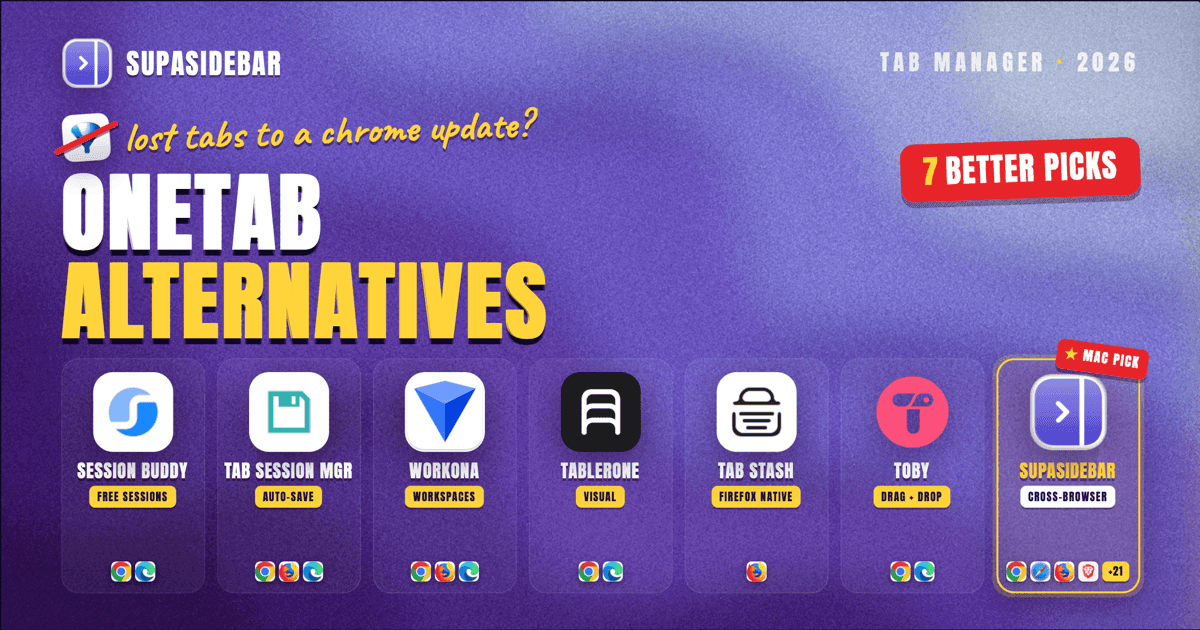
OneTab collapses tabs into a flat URL list, but it has no cloud backup, no cross-browser support, and no tab group awareness. If you have lost tabs to a Chrome update or need something that works outside Chrome, here are 7 alternatives worth switching to - Session Buddy for free session saving, Tab Session Manager for auto-save with tab groups, Workona for full workspace management, Tablerone for visual session snapshots, Tab Stash for Firefox users, Toby for visual organizers, and SupaSidebar for cross-browser tab management at the OS level.
By Kshetez Vinayak, Founder of SupaSidebar
Looking for something specific?
- Want a direct OneTab vs SupaSidebar breakdown? → SupaSidebar vs OneTab
- Weighing Toby too? → Toby vs OneTab vs SupaSidebar
- Already here for the full list? → Keep reading.
Why People Are Looking for OneTab Alternatives
OneTab was one of the first Chrome extensions to tackle tab overload. Click a button, and every open tab collapses into a list of links. Simple, effective, and it genuinely reduces memory usage.
But Chrome has changed since OneTab launched. Native tab groups arrived in 2020. Cross-browser workflows are normal now. Cloud sync is expected, not optional. And OneTab has not kept up.
The breaking point for most people is data loss. OneTab stores everything in local browser storage with no cloud backup. A Chrome update, a profile reset, or an accidental uninstall - and your entire tab library is gone. OneTab's own troubleshooting page warns users not to reinstall the extension because it will wipe saved data. Multiple threads on Google's Chrome support forum and Microsoft Q&A document users losing years of saved tabs overnight.
Here is what specifically pushes people away from OneTab in 2026:
- No tab group support. Chrome added native tab groups in 2020 with color-coding and naming. OneTab ignores all of that and flattens everything into a plain URL list.
- No cloud backup or sync. All data lives in local browser storage. One bad Chrome update and it is all gone. No way to access saved tabs from another device.
- Chrome-only. OneTab does not work in Safari, Firefox (the original Firefox version was discontinued), or any non-Chromium browser. If you use more than one browser, OneTab sees only part of your tab life.
- No organization beyond lists. You can group links into named lists, but there are no tags, no search across saved tabs, no visual previews, and no way to quickly find something you stashed three weeks ago.
- Aging UI. OneTab remains actively maintained through 2026 (version 2.14 shipped in March 2026), but the interface still feels dated compared to modern tab managers.
OneTab still works for its core use case: quickly collapsing tabs to free up memory. But if you need anything beyond that, you need something else. For a deeper feature-by-feature breakdown of OneTab against modern Mac tab managers, see our OneTab comparison.
7 OneTab Alternatives Compared
Before diving into each tool, here is how they stack up on the features that matter most when replacing OneTab.
| Feature | Session Buddy | Tab Session Manager | Workona | Tablerone | Tab Stash | Toby | SupaSidebar |
|---|---|---|---|---|---|---|---|
| Browser | Chrome, Edge | Chrome, Firefox, Edge | Chrome, Firefox, Edge | Chrome, Edge | Firefox only | Chrome, Edge | Works with 32+ browsers |
| Tab Group Support | No | Yes (v7.2+) | Own workspace model | No | No | No | OS-level Spaces |
| Cloud Sync | No | Google Drive, Dropbox | Proprietary cloud | No | Firefox Sync | Proprietary cloud | iCloud |
| Auto-Save | Yes (session log) | Yes (configurable timer) | Yes | Yes (overnight) | No | No | Always-on (Live Tabs) |
| Search Saved Tabs | Yes | Yes | Yes | Yes | Yes | Yes | Yes (fuzzy search) |
| Cross-Browser | No | No | No | No | No | No | Yes |
| Free Tier | Fully free | Fully free | Limited workspaces | Fully free | Fully free | Limited collections | 3 Spaces free |
| Paid Tier | None | None | ~$6/mo | None | None | ~$4.50/mo | Personal option |
Session Buddy {#session-buddy}
Best for:
Free, reliable session saving without frills
Session Buddy is the default recommendation when someone asks for a free OneTab alternative, and for good reason. It automatically logs your browser sessions over time, creating a recoverable history of windows and tabs. You can name sessions, restore them later, and export everything as JSON, CSV, or Markdown.
Where Session Buddy beats OneTab: automatic session logging means you do not have to remember to click a button before closing tabs. If Chrome crashes or you accidentally close a window, Session Buddy probably captured it.
Where Session Buddy falls short: it thinks in windows, not tab groups. When you restore a session, tabs come back in the right windows but any tab group structure (names, colors) is lost. There is no cloud sync either - everything stays in local storage, just like OneTab. If your Chrome profile gets wiped, your Session Buddy data goes with it.
Session Buddy is a solid choice if your main frustration with OneTab is the manual save process and you want something more automatic. It will not solve the cross-browser or cloud sync problems.
Pricing:
Completely free, no paid tier.
Tab Session Manager {#tab-session-manager}
Best for:
Auto-saving with tab group support and cloud backup
Tab Session Manager is the most feature-complete free option in this list. Version 7.2 added direct tab group saving for Chrome, which means your color-coded groups with their names survive the save-and-restore cycle. It also supports cloud sync through Google Drive or Dropbox - a critical gap that both OneTab and Session Buddy leave open.
The auto-save runs on a configurable timer. Set it to save every 5 minutes, and you always have a recent backup of your browser state. When you need to restore, you get the full picture - windows, tabs, and tab groups as they were.
The catch: reliability is inconsistent. Chrome Web Store reviews show a split. Many users praise it as rock-solid for years. Others report data loss after updates, sync failures between devices, and issues with tab group names disappearing during restore. It works across Chrome, Firefox, and Edge, but the experience is not identical on each.
Tab Session Manager is the strongest pick if you want tab group preservation and cloud backup at no cost, and you are willing to accept some rough edges.
Pricing:
Completely free, no paid tier.
Workona {#workona}
Best for:
Heavy workspace users who want a project-based tab system
Workona takes a fundamentally different approach. Instead of saving and restoring browser sessions, it replaces your tab workflow with its own workspace concept. Each workspace holds tabs, documents, links, notes, and tasks. Switch workspaces and your entire browser context changes.
This makes Workona powerful for people who juggle multiple projects. A "Client A" workspace has Client A's tabs, docs, and tasks. Switch to "Client B" and everything changes. It integrates with Google Drive, Slack, and Asana, and it syncs across devices through its own cloud.
The tradeoff is cost and complexity. Workona's free plan limits the number of workspaces. The Pro plan runs roughly $6/month (billed yearly), which adds up to around $144 over two years. You are also locked into Workona's proprietary cloud - your data lives on their servers, not yours.
Workona makes sense if you need a full workspace management platform and you are willing to pay for it. It is overkill if you just want a better way to save and restore tabs.
Pricing:
Free (limited) / Pro ~$6/month billed yearly.
Tablerone {#tablerone}
Best for:
Visual session management with tab screenshots
Tablerone takes a visual approach to tab management. When you save tabs, it generates thumbnail screenshots of each page, giving you a visual grid of your saved sessions instead of a text list. This makes it significantly easier to find something when you cannot remember the exact title or URL but remember what the page looked like.
It supports tags, notes, and multiple export formats (JSON, CSV, Markdown, HTML). The auto-save feature captures your tabs overnight so you have a backup when you start the next morning. The extension is free, requires no account, and stores everything locally.
The limitation: like OneTab, Tablerone does not support Chrome's native tab groups. It also stores data locally with no cloud sync, so you face the same data loss risk as OneTab if your Chrome profile resets. Some user reviews on chrome-stats.com report data loss after browser crashes, though the developer has been actively updating (v1.13.1 as of April 2026).
Tablerone is the right choice if you are a visual thinker who finds text-based tab lists unhelpful and you want thumbnails to jog your memory.
Pricing:
Completely free, no paid tier.
Tab Stash {#tab-stash}
Best for:
Firefox users who want bookmark-based tab organization
Tab Stash is a Firefox-only extension that saves tabs as bookmarks, organized into named groups. Click the toolbar icon and your open tabs get "stashed" into a bookmark folder. You can view your stash in Firefox's sidebar, a popup, or a full-browser tab view.
The bookmark-based approach is clever. Because your stashed tabs are regular Firefox bookmarks, they automatically sync across devices through Firefox Sync - no proprietary cloud, no extra service. You also get drag-and-drop reorganization, a quick-search bar, and import/export capabilities.
Tab Stash is specifically designed for intentional organization. It is not an auto-save tool. You decide what to stash and when. Collapsed groups stay collapsed until you explicitly open them.
The obvious limitation: Firefox only. If you use Chrome, Safari, or any other browser, Tab Stash is not an option. It is also not a session manager - it saves tabs you choose, not your entire browser state automatically.
Pricing:
Completely free and open source.
Toby {#toby}
Best for:
Visual drag-and-drop organizers who want cloud sync
Toby replaces your Chrome new tab page with a visual dashboard of saved tab collections. You drag and drop tabs into labeled columns, creating a kanban-style layout organized by project or topic. It is one of the more visually appealing approaches to tab management.
Toby's free tier is generous, and the cloud sync means your collections are available on any device where you install the extension. The visual layout appeals to people who think spatially and want to see their saved tabs at a glance.
The downsides: Toby takes over your new tab page, which many users find intrusive. It does not work with Chrome's native tab groups - you are using Toby's own organizational system. The Pro plan at ~$4.50/month is required for unlimited collections and some advanced features. And like most extensions, it is Chrome/Edge only.
Toby works well if you like visual, drag-and-drop organization and do not mind giving up your new tab page. If you are weighing Toby specifically against OneTab, see the head-to-head in Toby vs OneTab vs SupaSidebar.
Pricing:
Free (limited collections) / Pro ~$4.50/month.
SupaSidebar {#supasidebar}
Best for:
Cross-browser tab management at the OS level
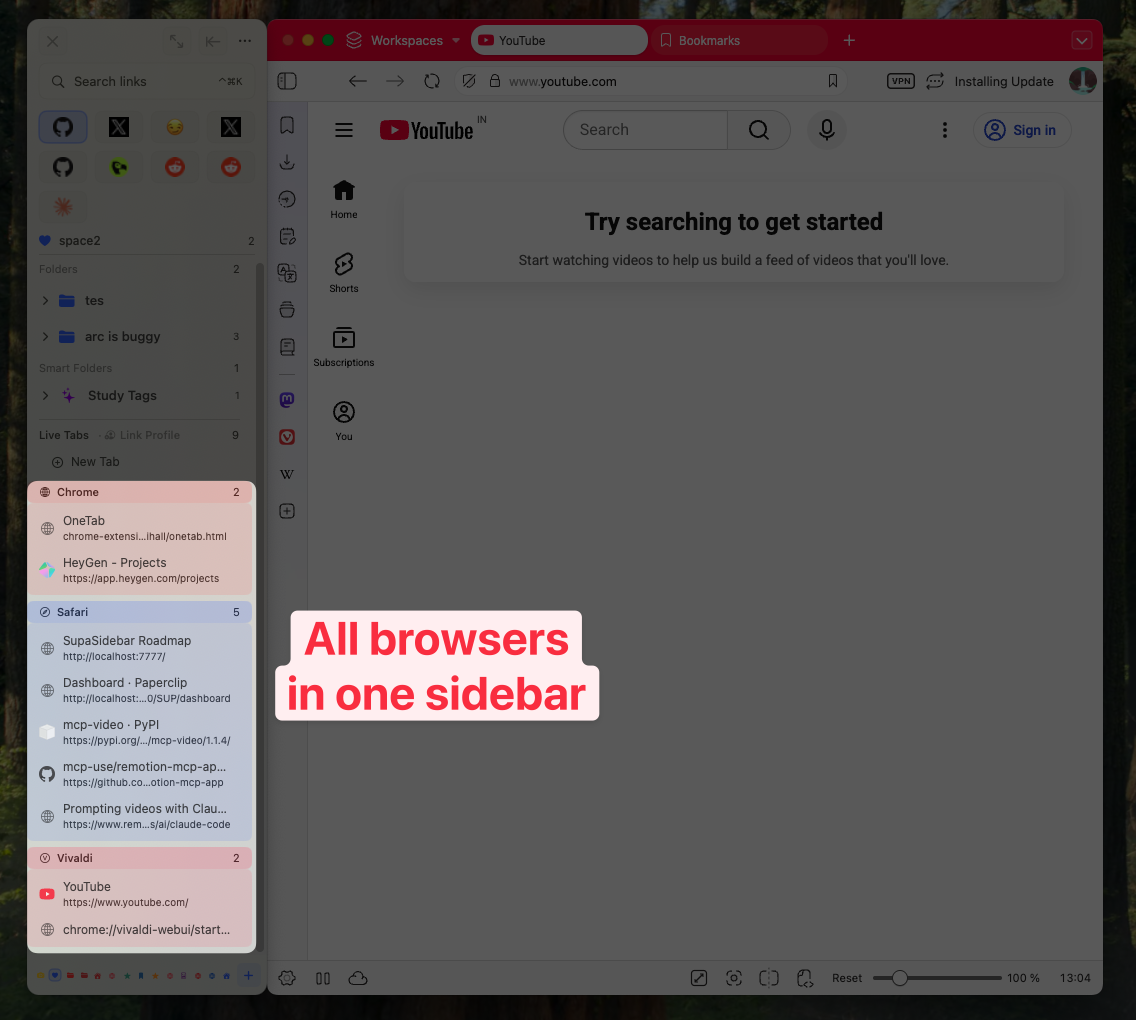
SupaSidebar is a different category from the other tools on this list. It is not a browser extension - it is a native macOS app that sits as a sidebar next to any browser. It sees tabs across Safari, Chrome, Firefox, Brave, Arc, Edge, and 32+ other browsers simultaneously.
The core difference: extensions can only see inside one browser. SupaSidebar operates at the OS level, which means it can pull live tabs, bookmarks, and history from every browser you have installed. If you keep work in Chrome and personal browsing in Safari, SupaSidebar shows both in one sidebar without switching windows.
Key features relevant to OneTab users:
- Live Tabs shows every open tab across all browsers in real time, searchable with fuzzy matching.
- Spaces let you organize saved links, files, and folders into context-based workspaces (similar to Workona's concept, but browser-agnostic). Three Spaces are free.
- Command Panel (⌘⌃K) is a universal fuzzy search across tabs, bookmarks, and history from any browser - accessible from any app, not just the browser.
- iCloud Sync keeps everything consistent across Macs, using Apple's infrastructure rather than a proprietary cloud.
- Air Traffic Control auto-routes links to the right browser based on rules you set (e.g., GitHub always opens in Chrome, YouTube in Safari).
SupaSidebar does not replace OneTab's one-click "collapse all tabs" workflow directly. It takes a fundamentally different approach: instead of collapsing tabs into a list, it gives you a persistent sidebar where you save, organize, and search across everything. The "save without deciding" pattern - dump a tab into the sidebar and deal with it later - solves the same underlying problem (too many tabs, afraid to close them) from a different angle.
The limitation: macOS only. If you are on Windows or Linux, SupaSidebar is not an option. It is also a standalone app, not a browser extension, which means an extra install.
Pricing:
Free (3 Spaces) / Pro with a lifetime purchase option.
Which OneTab Alternative Should You Pick?
The "right" tool depends on what specifically frustrates you about OneTab. Here is a decision framework:
If you just want free, automatic session backup:
Session Buddy. It logs your sessions automatically and costs nothing. The simplest upgrade from OneTab.
If you want tab group support and cloud backup for free:
Tab Session Manager. It is the only free option that preserves Chrome's native tab groups and syncs to Google Drive. Accept some inconsistency in exchange for the feature set.
If you need full workspace management for projects:
Workona. It is the deepest feature set for project-based tab organization, but it costs ~$6/month and locks your data in a proprietary cloud.
If you want visual thumbnails instead of text lists:
Tablerone. The screenshot-based approach makes finding saved tabs much easier when you remember what a page looked like but not its title.
If you are a Firefox user:
Tab Stash. It uses Firefox's native bookmark system and syncs through Firefox Sync. Simple, free, and open source.
If you want visual, drag-and-drop organization with sync:
Toby. The kanban-style dashboard is the most visually polished approach, though it takes over your new tab page.
If you use multiple browsers and want everything in one place:
SupaSidebar. It is the only tool on this list that works across browsers at the OS level, sees tabs from Safari AND Chrome AND Firefox simultaneously, and syncs through iCloud. It is macOS only, but if you are on a Mac with multiple browsers, nothing else on this list solves the cross-browser problem.
How to Migrate Away from OneTab
Switching does not have to be abrupt. Here is the safe migration path:
- Export your OneTab data first. Open OneTab, click "Export URLs," and save the text file somewhere safe. This is your backup - a plain list of every URL OneTab has saved. Our free OneTab exporter turns that list into bookmarks HTML you can import into any browser, with every tab group as a folder. (If you also have a stack of live tabs open right now, our guide to saving all open tabs walks through doing it cleanly before you switch tools.)
- Install your new tool alongside OneTab. Run both for a week. Save new tabs with the new tool while keeping OneTab as a read-only archive.
- Import if possible. Tab Session Manager can import Session Buddy files. Most tools accept URL lists or JSON imports. Check your new tool's import options.
- Test a restore. Before fully committing, save a session with your new tool and try restoring it. Verify everything comes back correctly - windows, tab groups (if supported), and URLs.
- Remove OneTab last. Only uninstall OneTab after you are confident the new tool has captured everything you need. Remember: uninstalling OneTab deletes all its data permanently.
Conclusion
OneTab was a pioneer, but its core architecture - local-only storage, Chrome-only, flat URL lists - has not adapted to how people use browsers in 2026. Tab groups, cross-browser workflows, cloud sync, and visual organization are baseline expectations now.
The alternatives in this list each solve different parts of the problem. Session Buddy and Tab Session Manager cover the basics for free. Workona and Toby add cloud sync and visual organization for a monthly fee. Tab Stash serves Firefox users specifically. And SupaSidebar takes a completely different approach by operating at the OS level across every browser on a Mac.
The common thread: all seven give you something OneTab does not - whether that is cloud backup, cross-browser support, tab group preservation, or visual search. Pick the one that matches the specific gap OneTab leaves in your workflow, test it for a week alongside OneTab, and migrate when you are confident.
Frequently Asked Questions
Is OneTab still safe to use in 2026?
OneTab still functions and does not pose security risks. It remains actively maintained through 2026 (version 2.14 shipped in March 2026), confirming active development. The safety concern is data reliability, not security - OneTab stores everything in local browser storage with no backup, and users have reported losing saved tabs after Chrome updates or profile resets.
Can I use OneTab and another tab manager at the same time?
Yes. Most tab management extensions work independently and do not conflict with each other. Running both during a migration period is the recommended approach - save new tabs with the new tool while keeping OneTab as a read-only archive of your existing data.
What is the best free OneTab alternative?
Session Buddy for basic session saving, or Tab Session Manager if you want tab group support and cloud sync. Both are completely free with no paid tiers or feature limitations.
Does any OneTab alternative work across multiple browsers?
Among browser extensions, no - extensions are inherently limited to the browser they are installed in. SupaSidebar is the only tool on this list that works across browsers, because it operates as a native macOS app at the OS level rather than as a browser extension. It sees tabs, bookmarks, and history from 32+ browsers simultaneously.
How do I export my data from OneTab before switching?
Open the OneTab tab in your browser, click "Export URLs" at the top of the page, and copy or save the resulting text. This gives you a plain text list of every URL OneTab has saved, organized by the groups you created. Save this file before uninstalling OneTab - the data is permanently deleted on uninstall.