
By Kshetez Vinayak, founder of SupaSidebar. Last updated July 9, 2026.
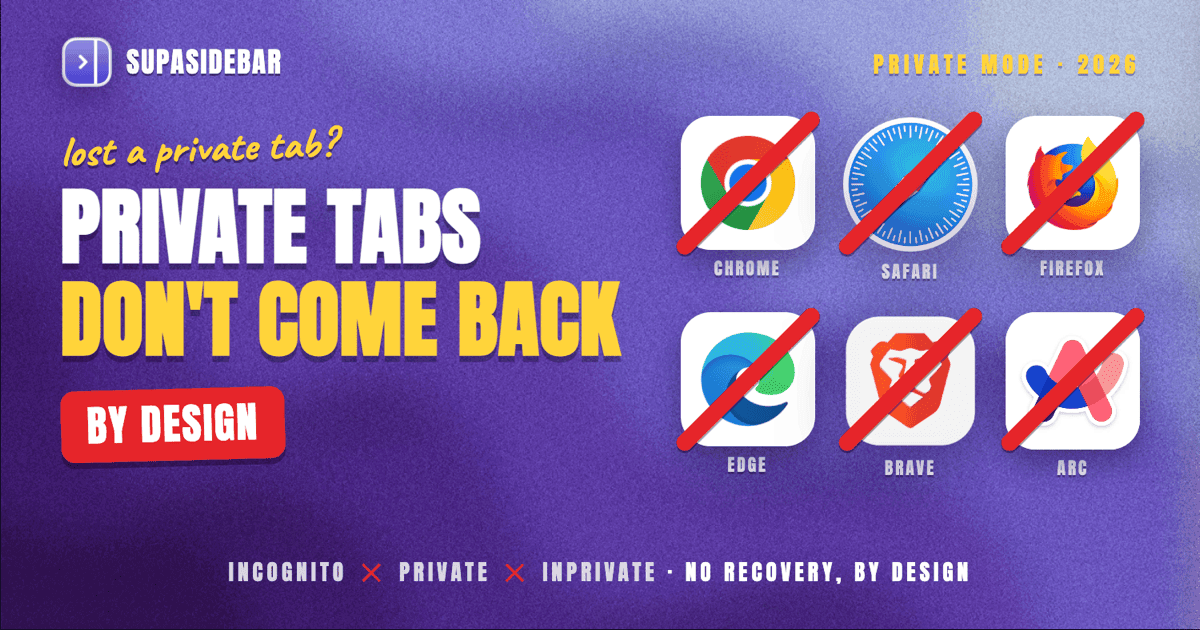
Incognito and private browsing tabs are designed to be unrecoverable. Once an Incognito window in Chrome, a Private Window in Firefox or Safari, an InPrivate window in Edge, or a Private/Tor window in Brave is closed, the tabs are gone from every supported path: keyboard shortcuts, history, session restore, and sync. This is privacy by design - not a bug, not a missing feature. The few "workarounds" that do exist (system DNS cache, router logs, screen recordings) recover URLs from outside the browser, not the browser's own session, and each one trades privacy for recovery in a way that defeats the point of using incognito in the first place. The right mental model: if a tab might need to come back, do not open it in incognito. Use a regular window with a separate browser profile instead.
There is one Mac-specific exception, covered in detail below: SupaSidebar is a local Mac app that keeps a private Recents log of URLs from the active browser tab on the user's own device, and the user can turn that recording off at any time with a single toggle. The log stays on the Mac (synced via iCloud to the user's own Apple devices only, never to SupaSidebar's servers or any third party). By default, the log covers Incognito and Private windows the same way it covers regular ones, which is what makes SupaSidebar the one real recovery path that exists for a closed incognito session on the Mac. Enabling the "Incognito Mode" toggle in Preferences → Live Tabs stops all device-side recording immediately - for regular and private browsing alike - and it stays off until the user turns it back on. The choice is fully the user's, lives entirely on the device, and can be flipped at any time.
Looking for something specific?
- Want to restore a normal closed tab in any browser? -> How to Restore Closed Tabs in Every Browser
- Lost tabs to a browser crash, not a private window? -> How to Restore Tabs After a Browser Crash
- Want to find an already-open tab fast? -> Find an Open Tab Instantly on Mac
Why incognito tabs cannot be restored (the short version)
Every browser implements private/incognito mode the same way at a high level: the session is held only in volatile memory, browsing history is not committed to the on-disk history database, cookies and site data live in a separate ephemeral store, and that store is discarded the moment the last private window closes. Keyboard shortcuts that restore closed tabs (Cmd+Shift+T, Ctrl+Shift+T) read from the recently closed list - a list private mode does not write to. Session restore reads from the saved-session file - a file private mode does not write to. Sync reads from the synced history - a history private mode does not write to. There is nothing to read because nothing was written. The deletion is not a cleanup step at the end; the absence of writes is the design.
Chrome's Incognito explainer states this directly: Incognito does not save browsing history, cookies, site data, or information entered in forms. Firefox's Private Browsing docs say the same: pages visited, form and search bar entries, passwords, download list entries, cookies, and cached web content are not stored. Safari's Private Browsing does not record visited pages, AutoFill information, or browsing-history changes. Edge InPrivate deletes browsing history, cookies, and site data when the InPrivate window closes. Brave Private and Brave Private with Tor go further by also clearing the tab's session memory through the Tor network. Arc inherits Chromium's Incognito behavior.
The unrecoverability is the product. A browser that could restore Incognito tabs would not be private.
What each browser actually does to your private session
The behavior is functionally identical across browsers, but the wording, edge cases, and crash behavior differ. Knowing the exact mechanics for each one is the difference between knowing the right answer and guessing.
Chrome Incognito
Chrome opens an Incognito window with Ctrl+Shift+N (or Cmd+Shift+N on Mac). The window is visually marked with the spy-hat icon at the top. While the window is open, browsing history, downloads list entries, cookies, and form data are kept in memory only. When the last Incognito window closes, that memory is discarded. Extensions are disabled by default in Incognito unless explicitly allowed in chrome://extensions. Cmd+Shift+T in a regular Chrome window does not see Incognito tabs. There is no "Recently Closed" list for Incognito sessions. There is no crash-recovery prompt for an Incognito session - if Chrome crashes with an Incognito window open, the session is not offered for restore. Chrome flushes the Incognito session deliberately during crash recovery to avoid leaving traces. On the Mac, SupaSidebar's Recents log records URLs from Chrome's active tab even in Incognito windows unless its Incognito Mode toggle is enabled (off by default), so a closed Incognito session is recoverable from the sidebar.
Safari Private Browsing
Safari's Private Browsing opens with Cmd+Shift+N. Private windows are tinted darker to distinguish them visually. Safari uses one Private Browsing session per window on macOS - closing one Private window does not affect another Private window in a different Space. When all Private windows close, the session ends. Safari does not write Private tabs to the History menu, the "Recently Closed Tabs" submenu, or the History.db file in ~/Library/Safari/. Safari's macOS-level "Reopen All Windows from Last Session" feature on app launch does not reopen Private windows. iCloud sync does not transmit Private tabs to other Apple devices. On the Mac, SupaSidebar's Recents records URLs from Safari's active tab in Private windows as well, unless its Incognito Mode toggle is enabled - the same recovery exception applies.
Firefox Private Browsing
Firefox's Private Browsing opens with Cmd+Shift+P. The window is themed with a purple mask icon. Firefox is the one browser with a documented edge case worth knowing: if Firefox itself crashes (not the Private window being closed normally), Firefox may offer to restore the Private window as part of its general session restore. Mozilla's developer notes confirm this is by design - Private windows are restored on crash because the crash is treated as a non-volitional close, not a user choice to end the session. This behavior is not guaranteed and should not be relied on. A clean close (Cmd+Q or closing the window manually) discards the Private session immediately. On the Mac, SupaSidebar's Recents records URLs from Firefox's active tab during Private Browsing the same way it does for regular browsing, unless its Incognito Mode toggle is enabled - which means a closed Firefox Private window is recoverable from the sidebar without relying on the crash-restore edge case.
Edge InPrivate
Edge's InPrivate browsing opens with Ctrl+Shift+N (Cmd+Shift+N on Mac). Behavior is essentially identical to Chrome's Incognito - Edge inherits Chromium's private-mode implementation. InPrivate windows are not searchable through edge://history, do not appear in the Recently Closed list, and are not synced via the Microsoft account. Edge's "Continue where you left off" startup setting explicitly excludes InPrivate windows. On the Mac, SupaSidebar's Recents records URLs from Edge's active tab in InPrivate windows as well, unless its Incognito Mode toggle is enabled - the same Mac-side recovery path applies.
Brave Private and Brave Private with Tor
Brave offers two private modes: Private Window (standard incognito behavior) and Private Window with Tor (private window with Tor network routing). Both modes discard session data on close. The Tor variant adds an additional layer: the requests themselves are routed through the Tor network, meaning even Brave's local memory has no record of the original destination IP. Brave Sync does not transmit any private-window activity. On the Mac, SupaSidebar's Recents records URLs from Brave's active tab in standard Private Windows unless its Incognito Mode toggle is enabled; the Tor variant is treated the same way at the active-tab level, since SupaSidebar reads what the browser exposes as the current tab URL.
Arc
Arc's Incognito mode inherits Chromium behavior - Cmd+Shift+N opens an Incognito window with the same protections as Chrome. Arc's signature features (Spaces, Easels, Boosts) do not apply inside Incognito windows. Closed Incognito tabs are not added to Arc's Archive. Note that Arc entered maintenance mode in May 2025, so behavioral updates beyond Chromium upstream are unlikely. On the Mac, SupaSidebar's Recents records URLs from Arc's active tab in Incognito windows as well, unless its Incognito Mode toggle is enabled - which makes the sidebar effectively the only durable record of an Arc Incognito session.
The "workarounds" - and why they are not what they seem
Search results for "recover incognito tabs" surface a few techniques. Each one technically recovers URLs that were visited in incognito, but every one of them recovers data from outside the browser - the browser itself remains private. Worse, every workaround creates a privacy exposure that defeats the purpose of using incognito at all. The real decision is not whether to use a workaround, but whether the privacy compromise it requires is acceptable.
System DNS cache
When any tab loads a website, the operating system caches the DNS resolution (domain name to IP address) for a short period - typically 24 hours or until the cache is flushed. On macOS, running sudo killall -HUP mDNSResponder clears it, but until it is cleared, the cache holds domain names visited by every browser, including incognito. Tools that dump the DNS cache can list domains that were resolved.
What this gives:
Domain names only. No specific URLs, no page contents, no search queries. Visiting https://example.com/secret-page-12345 shows up as example.com in the DNS cache, not the full URL.
Privacy cost:
Any process with admin rights on the machine can read the DNS cache. The same technique that recovers your incognito history recovers every other user's incognito history on a shared machine. If the worry was someone seeing what you browsed, the DNS cache is exactly that record.
Reliability:
Cache TTLs vary by domain. Some entries expire in seconds. Browsers also sometimes use DNS-over-HTTPS, which bypasses the system DNS resolver entirely and leaves no system-level trace.
Router logs
Home routers can log DNS queries or the destination IPs of all outbound connections, depending on the router model and configuration. Enterprise networks almost always log this. Pulling router logs can show which sites a device connected to during a given time window.
What this gives:
Domain names or IP addresses (which then resolve back to domains). Still no specific URLs or page contents. HTTPS traffic encrypts the URL path, so the router only sees the hostname.
Privacy cost:
Router logs are visible to anyone with router admin access - typically the household primary admin or, on enterprise networks, the IT team. If incognito was being used because someone on the network was the privacy concern, router logs are likely already accessible to that someone.
Reliability:
Logs are bounded by storage. Most consumer routers keep at most a few days. Enterprise gear can keep months. DNS-over-HTTPS or VPN connections render router logs uninformative.
Screen recording or browser-history-bridging extensions
The last category of workaround is to record what happens during the incognito session - either via macOS screen recording or via a browser extension specifically enabled for Incognito (Chrome requires explicit per-extension allowance). Some Chrome extensions advertise the ability to log Incognito browsing history to a separate file or remote service.
What this gives:
Full URLs, often with timestamps and page screenshots, depending on the tool.
Privacy cost:
This is the highest-exposure option. Enabling history logging during incognito sessions fundamentally voids the privacy promise - the data exists in plaintext somewhere on disk or on a third-party server. If the device is shared, lost, or compromised, the logged data is the exact thing incognito was supposed to prevent. Any extension with access to Incognito tabs also has access to passwords typed during that session.
Reliability:
Works fully when configured in advance. Cannot retroactively recover sessions that already ended.
The pattern across all three workarounds: incognito's privacy is intact at the browser level, but operating-system traces, network traces, and third-party recordings exist outside the browser. Recovering an incognito URL means accessing one of those external traces, and accessing them is itself a privacy event. The browser does not need to be defeated; it just has to be sidestepped.
What does not work (and why)
A few techniques get suggested in search results that do not work. They are worth listing so readers do not waste time on them.
Cmd+Shift+T in a regular window.
This reopens closed tabs from the regular session only. The recently-closed list does not include Incognito or Private tabs.
Browser history search.
Cmd+Y (Chrome) or Cmd+Shift+H (Firefox) shows the regular history database. Incognito and Private sessions never write to this database.
Profile folder recovery.
Looking through ~/Library/Application Support/Google/Chrome/Default/ or the equivalent Firefox profile folder will not find Incognito session data. The Incognito session is held in memory and is never persisted to a profile folder.
Time Machine restore.
macOS Time Machine backs up the history database. Restoring the database from a backup recovers regular browsing history, not Incognito tabs - those were never in the database to begin with.
Sync from another device.
Sync transmits the regular history. Incognito tabs are explicitly excluded from sync by every browser that supports sync, including Chrome and Firefox.
Third-party "incognito recovery" apps for Mac.
Apps that claim to "recover Chrome Incognito history" without an extension installed at the time of browsing are either reading the DNS cache (which has the privacy implications above), reading router logs (same), or doing nothing useful. There is no hidden file the browser writes that these apps can read - the file does not exist.
The right mental model: prevention, not recovery
The honest summary: if a tab might need to come back, it should not be opened in incognito. The features that make incognito private also make it unrecoverable, and the workarounds for unrecoverability undo the privacy. Trying to have both is the contradiction.
The better setup for users who think they want "private but recoverable" is a regular browser window with a separate profile. Every major browser supports multiple profiles. Each profile has its own history, bookmarks, extensions, and cookies, fully isolated from other profiles - so a "research" profile or a "personal" profile gets the privacy from other profiles, but inside the profile, regular history and session restore work normally. Tabs closed in a separate profile can be restored with Cmd+Shift+T, found in the profile's own history, and restored from session on relaunch.
| Goal | Use incognito? | Better option |
|---|---|---|
| Browse without saving to main history | Yes | - |
| Browse without anyone on this device seeing it later | Yes (with caveats below) | - |
| Sign into a second account without logging out of the first | No | Separate profile |
| Test a website as a logged-out user | Yes | - |
| Research a topic without polluting recommendations | No | Separate profile |
| Browse without the ISP seeing it | No | VPN + regular window |
| Open a tab might need to come back later | No | Regular window |
A pattern that comes up: someone opens an incognito tab to research a sensitive topic, finds something useful, closes the window without saving the URL, and then needs the URL back. The mistake was using incognito for research at all - incognito's privacy comes from not persisting anything, and "a useful URL worth keeping" is exactly the kind of thing that needs persistence. Separate profile + regular window + a bookmark or save action is the workflow that solves this problem cleanly.
Reddit's r/chrome and r/firefox are full of users discovering this in real time. The most upvoted answers always converge on the same point: incognito did exactly what it was designed to do, and the next time, use a separate profile.
Where SupaSidebar fits
SupaSidebar is a macOS app that brings Arc's sidebar to every browser - one sidebar for tabs, bookmarks, files, and apps across 32+ browsers including Safari, Chrome, Firefox, Arc, Vivaldi, Brave, Helium, and Dia. The sidebar attaches to whichever browser is in the foreground and surfaces tabs, saved links, and a Recents log from a single panel.
The relevant fact for this guide: SupaSidebar's Recents log records URLs from the active browser tab continuously while SupaSidebar is running, and that recording does not skip Incognito or Private windows. The opt-out is a single toggle in Preferences → Live Tabs labeled "Incognito Mode," and it is off by default. With the toggle off (the default), every URL the user navigated to during the closed Incognito session is in the sidebar's Recents - open the sidebar, scroll Recents to the time window in question, and the URLs are there. With the toggle on, no new browsing is recorded at all: Recents, command-panel search history, and ranking signals all go quiet, regardless of whether the window is regular or private. Live Tabs keeps working because Live Tabs only reflects currently-open browser tabs and is not a stored log.
This is the one mechanism that gives an incognito session a real recovery path on the Mac. The browser's own privacy guarantees are intact - SupaSidebar reads the active tab through the same AppleScript and accessibility APIs the user has already granted - but the sidebar's storage is outside the browser, so the in-memory-only nature of the incognito session does not erase what SupaSidebar already captured. The session ends when the window closes; the sidebar's record of the URLs does not. This is also why the article's per-browser sections all carry the same Mac-side footnote: the in-browser story is "no recovery," and the SupaSidebar-side story is "recoverable if it was running and the toggle was off."
The honest tradeoff: this is exactly the kind of recording most incognito users assume their machine is not doing. If recoverability is the goal, leave the toggle off and the URLs are there. If privacy strictness is the goal, turn the toggle on once and SupaSidebar stops recording new browsing of any kind - including regular browsing - until the toggle is turned back off. Recents and command-panel history are local to the Mac and synced via iCloud to the user's own devices; they are not transmitted to SupaSidebar's servers or third parties. The choice is a single click in Preferences → Live Tabs; the recommendation is to make it consciously rather than discover it later.
For Mac users who want both privacy and recoverability across multiple browsers, the full workflow is: regular window with a separate profile per context + SupaSidebar Space per workflow + Smart Save (Cmd+Ctrl+S) for the URLs worth keeping deliberately + the Incognito Mode toggle off so the Recents log catches anything the explicit workflow misses. Incognito stays reserved for sessions that genuinely should not exist afterward - at which point the toggle should be on for the duration of that session.
Conclusion: what to do instead
The verdict: there is no built-in way to recover incognito or private browsing tabs in any major browser, and the out-of-browser workarounds (DNS cache, router logs, screen recordings) recover URLs at the cost of the privacy that motivated using incognito in the first place. Incognito did what it was designed to do.
What to do depends on the goal. Anyone who used incognito for a one-off privacy moment and lost a URL by accident: the URL is gone, accept it, and next time bookmark the URL or copy it before closing the window. Anyone who keeps using incognito to keep contexts separated: switch to a separate browser profile with regular history enabled - keep the isolation without losing recoverability. Anyone who used incognito because someone shares the device: the DNS cache and router logs may already record the activity at a coarse level, so incognito is not actually hiding the browsing from that person; a separate user account on the Mac is the correct fix. Anyone who used incognito because they did not want a website to recognize them: incognito does not stop fingerprinting; a privacy-focused browser like Brave or Tor Browser is the right tool.
For Mac users running multiple browsers, SupaSidebar's free tier provides the Spaces and Smart Save workflow that replaces most legitimate uses of incognito with a recoverable, cross-browser alternative, plus a device-local Recents log that records URLs from the active tab even in Incognito and Private windows unless the Incognito Mode toggle is enabled. Everything stays on the user's Mac - the Recents log is synced via iCloud to the user's own Apple devices, never transmitted to SupaSidebar's servers or third parties - and the toggle is the user's full control over device-side recording: on means SupaSidebar stops recording any new browsing of any kind, off (the default) means the safety net is in place. The incognito recovery problem is one of the cleanest examples of how privacy and persistence trade off - the right tool for the job is rarely the same as the tool that was used, and the choice between "recoverable" and "private" lives in a single switch in the user's own Live Tabs preferences.
Frequently Asked Questions
Can you recover Incognito tabs in Chrome?
No. Chrome's Incognito mode does not write to the history database, the recently closed list, or the session restore file. Cmd+Shift+T does not see Incognito tabs from a regular window. Chrome's crash recovery deliberately skips Incognito sessions. The data is held in memory and discarded when the Incognito window closes.
Can you recover Private Browsing tabs in Safari?
No. Safari's Private Browsing does not record visited pages, does not write to History.db, and does not include Private windows in macOS's "Reopen All Windows from Last Session" feature. iCloud sync does not transmit Private tabs.
Can you recover Private Browsing tabs in Firefox?
Not reliably. Firefox's Private Browsing is designed not to save session data, and a clean close discards the Private window's state. The one edge case: if Firefox itself crashes, the browser may offer to restore the Private window as part of general session restore. This is documented but not guaranteed and should not be relied on as a recovery method.
How do I restore an incognito tab in Edge?
You cannot. Edge's InPrivate windows inherit Chromium's behavior - no history database entries, no recently closed list, no synced history. The "Continue where you left off" startup setting explicitly excludes InPrivate sessions.
Are incognito tabs saved anywhere on my computer?
Not by the browser. Incognito sessions are held in volatile memory, not written to disk. The browser leaves no profile-folder file an external tool could read. The operating system's DNS cache and a home router's logs may record domain names visited during the session, but the browser itself stores nothing recoverable.
Can I see my incognito history later through a browser update or by reinstalling the browser?
No. There is no hidden file. Incognito sessions are not persisted - reinstalling the browser does not surface them because they were never saved in the first place. Claims to the contrary from third-party tools are either reading the DNS cache or fabricating the recovery.
What is the best alternative if I want privacy but want to be able to recover tabs?
Use a separate browser profile in regular mode. Every major browser supports multiple profiles, each with isolated history, bookmarks, and extensions. A "research" or "personal" profile gets context isolation while preserving Cmd+Shift+T, session restore, and history search inside that profile.
Does SupaSidebar track or save incognito tabs?
By default, yes - on the user's own Mac. SupaSidebar's Recents log records URLs from the active browser tab regardless of whether the window is Incognito, Private, InPrivate, or regular, and the log is stored locally on the Mac (synced via iCloud to the user's own Apple devices, never transmitted to SupaSidebar's servers or any third party). The opt-out is a single toggle in Preferences → Live Tabs labeled "Incognito Mode." When that toggle is on, SupaSidebar stops recording new browsing entirely - Recents, command-panel search history, and ranking signals all go quiet, regardless of whether the window is regular or private; Live Tabs keeps working because it only reflects currently-open tabs. The toggle is off by default, which is what makes SupaSidebar the one mechanism on the Mac that can recover a closed incognito session, and the toggle is the user's full control: flip it on for strict privacy, leave it off for the safety net.
By Kshetez Vinayak, founder of SupaSidebar.