
By Kshetez Vinayak, founder of SupaSidebar. Last updated June 13, 2026.
TL;DR:
Anybox is the strongest pure bookmark manager for Apple-only users in 2026, with native Mac, iPhone, and iPad apps and a $39.99 lifetime option. Raindrop is the pick when bookmarks need to live on every platform, its free plan has no bookmark limit and works on the web, Windows, and Android. SupaSidebar answers a different question entirely: when links and open tabs are scattered across several Mac browsers, it keeps bookmarks and live tabs together in one sidebar that works with 33 browsers. The full comparison table, current pricing, and a pick-by-workflow framework are below.
Looking for something specific?
- Comparing the whole bookmark manager category, not just these three? → Best Bookmark Manager for Mac and Chrome 2026
- Thinking about leaving Raindrop? → Raindrop.io Alternatives in 2026
- Just want something better than built-in browser bookmarks? → Bookmark Alternatives for Safari and Chrome
- Deciding between Anybox, Raindrop, and SupaSidebar? → You're in the right place. Keep reading.
Anybox vs Raindrop vs SupaSidebar: three tools, three different jobs
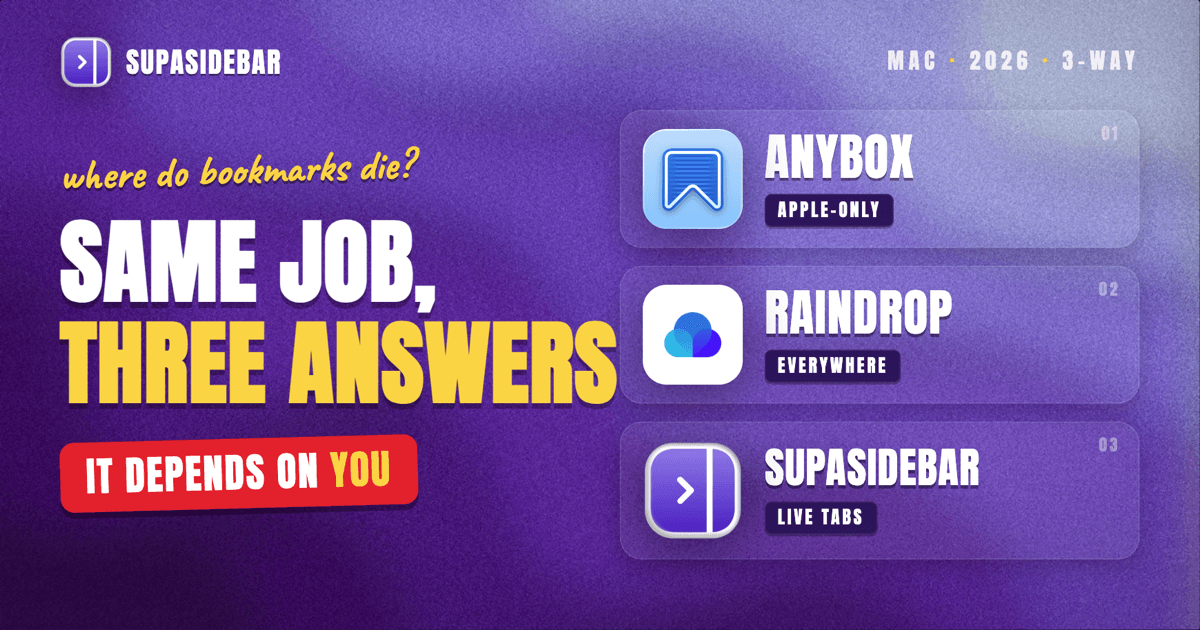
Anybox is a native bookmark manager for Mac, iPhone, and iPad, built with Swift and synced through iCloud. Raindrop is a web-first bookmark service with apps on every major platform and visual collections at its core. SupaSidebar is a macOS sidebar app that holds bookmarks and live browser tabs together, across every major Mac browser at once.
That makes this a comparison of three different philosophies, not three near-identical apps. This post covers what each tool actually does, current pricing, where each one falls short, and which workflow each one fits. It does not re-rank the entire category, the full bookmark manager comparison handles that.
The problem all three are trying to solve
A thread on r/macapps titled "Overwhelmed by my bookmarks... (Anybox vs Raindrop?)" captures the starting point: the poster had about 380 bookmarks in a clean folder system and still could not find anything, so they just googled things again instead of opening their own bookmarks.
That is the disease every tool here treats. Bookmarks decay into a write-only dump: easy to add, painful to retrieve, eventually ignored. Each of these three attacks it from a different angle.
Anybox makes saving and retrieving fast enough that the library stays alive. Raindrop makes the collection visual, searchable, and available on every device. SupaSidebar stops treating bookmarks as a separate destination at all and keeps them pinned next to the tabs already open.
Which angle is right depends on where the bookmarks actually die in a given workflow. The sections below take each tool in turn.
Anybox: the native vault for Apple-only setups
Anybox is what most people searching for an "Anybox review" want confirmed: a serious, deeply native bookmark manager for the Apple ecosystem. Per the official Anybox site, it saves links, notes, images, and files, organizes them with nested tags, folders, and rule-based Smart Lists, and syncs through iCloud with no account and no personal data collected.
The standout features are retrieval-focused. Quick Find is a fast offline search that opens from anywhere. Anydock puts a floating bookmarks bar on the desktop. Archiving can store any bookmark as a PDF, Web Archive, or screenshot so important pages survive link rot. Automation runs through Siri Shortcuts and AppleScript, and browser extensions cover Safari, Chrome, Edge, and Firefox. A Migration Assistant imports existing browser bookmarks in two clicks.
Pricing is friendly for a native app. The free tier includes most features but caps storage at 50 saved links. Anybox Pro removes the cap and costs $1.99 per month, $14.99 per year, or $39.99 lifetime (regular $59.99), as one universal purchase covering Mac, iPhone, and iPad.
Where Anybox falls short:
- Apple-only, no web version. Windows, Android, or a work machine without the app means no bookmarks. Users on MacPowerUsers' Anybox vs Raindrop discussion consistently frame it as the choice for people who live entirely inside the Apple ecosystem.
- The 50-link free cap arrives fast. Anyone evaluating it seriously hits the paywall within days.
- It is still a separate destination. One SupaSidebar user who tried Anybox first put it this way in an email: "Anybox is pretty good, but it does not have the nearness and instantly usable nature of a bookmarks menu. You deliberately have to go into it and do stuff, and you have to remember to add the link or the snip to Anybox instead of the browser." A bookmark manager that requires a deliberate trip is a bookmark manager that gets forgotten, which is the original problem again.
Raindrop: collections that live everywhere
Raindrop is the default answer when bookmarks need to exist outside one ecosystem. It runs on the web, macOS, Windows, iOS, and Android, and the free plan includes unlimited bookmarks, unlimited collections, and unlimited devices. For a visual, magazine-style library of links with covers and highlights, it is the most polished option in this comparison.
Raindrop Pro, at $38 per year at the time of writing, adds full-text search across saved pages, permanent copies of bookmarks (so a dead link still opens the archived version), cloud backups, and duplicate-cleaning tools.
Where Raindrop falls short:
- The Mac app is a wrapper, not a native app. Commenters in a Hacker News thread comparing the two recommend Anybox specifically because it is native and iCloud-synced, while Raindrop's desktop apps are built on Electron. On a Mac, it feels like a website in a window.
- Everything lives in a Raindrop account. Bookmarks sit in Raindrop's cloud, not in iCloud. That is the point for cross-platform users and a dealbreaker for the privacy-minded. The r/macapps poster who proposed building an encrypted Raindrop alternative listed the lack of encryption, weak offline support, and accumulated bloat as their reasons for wanting out.
- The best retrieval features are paid. The free plan saves everything but searches only titles, tags, and descriptions. Full-text search, the feature that actually fixes the saved-it-but-cannot-find-it problem, is Pro.
People hunting for Anybox alternatives usually land on Raindrop, and the reverse is equally common, because each one covers the other's biggest gap: Raindrop has the web and cross-platform story, Anybox has the native Apple one. There is a dedicated Raindrop alternatives breakdown for readers leaning that way.
SupaSidebar: bookmarks next to the tabs that are already open
SupaSidebar is in this comparison because it solves the version of the bookmark problem that pure bookmark managers cannot see: the multi-browser one. As one Reddit user put it, "I hate having bookmarks scattered across 3 different browsers." Anybox and Raindrop store links in one clean library, but neither knows what is open right now, in which browser.
SupaSidebar is a macOS app, not a browser or an extension. It adds a floating sidebar to any screen edge with three layers in one place: pinned favorites, saved links and folders organized into Spaces (one per project or context), and Live Tabs, a real-time list of the tabs currently open across 33 Mac browsers, Safari, Chrome, Firefox, Arc, Brave, Vivaldi, Dia, and the rest. Clicking a live tab switches to the existing tab instead of opening a duplicate.
Retrieval works the way the Anybox user above wanted: nearness. The sidebar toggles with one shortcut, and the Command Panel (⌘⌃K) fuzzy-searches saved links, recent pages, and open tabs in a single query. Saving is one shortcut too, ⌘⌃S captures the current page from whatever browser is active. Sync runs through iCloud with no account, and existing bookmarks import from Chrome, Firefox, Safari, Arc, and other browsers. More than 3,000 Mac users have tried SupaSidebar so far.
Where SupaSidebar falls short:
- Mac only. macOS 14+ specifically. No iPhone, iPad, Windows, or web version, so a cross-device reading library is Raindrop's territory.
- No page archiving or full-text search of page content. Anybox archives pages as PDFs; Raindrop Pro keeps permanent copies and searches inside them. SupaSidebar searches titles, URLs, notes, and folder names, not the body text of saved pages.
- Not a read-it-later app. No reading view, no highlights. It is a working sidebar, not a library for long-form reading.
There is a free version available, and the Raindrop comparison page covers the head-to-head in more detail.
Side-by-side: Anybox vs Raindrop vs SupaSidebar
| Anybox | Raindrop | SupaSidebar | |
|---|---|---|---|
| Category | Native bookmark manager | Web-first bookmark service | Bookmarks + live tabs sidebar |
| Platforms | Mac, iPhone, iPad (no web app) | Web, macOS, Windows, iOS, Android | macOS 14+ |
| Free tier | Most features, 50 saved links total | Unlimited bookmarks, collections, devices | Free version, no account needed |
| Paid pricing | $1.99/mo, $14.99/yr, $39.99 lifetime | $38/yr (at time of writing) | Paid upgrade available |
| Sync | iCloud, no account | Raindrop account cloud | iCloud, no account |
| Search | Quick Find, fast offline search | Title/tag free; full-text in Pro | Command Panel across saved links + open tabs |
| Sees open browser tabs | No | No | Yes, live, across 33 browsers |
| Saves | Links, notes, images, files | Links, files, highlights | Links, files, folders, apps |
| Page archiving | PDF, Web Archive, screenshot | Permanent copies (Pro) | No |
| Best for | Apple-only bookmark library | Cross-platform visual collections | Multi-browser Mac workflows |
Picking by job, not by feature count
The feature lists overlap less than they appear to. The honest sorting question is: where do bookmarks actually break down for you?
The library is fine, retrieval is slow, and everything is Apple.
Anybox. The native speed, Quick Find, and Anydock reward people who genuinely maintain a bookmark library, and $39.99 lifetime is cheap for a daily tool.
The links need to follow the user to Windows, Android, and the web.
Raindrop. Nothing else in this comparison runs everywhere, and the free plan's unlimited bookmarks make it a no-risk default.
The problem is not the library, it is the three browsers.
SupaSidebar. When work is split across Safari, Chrome, and one more browser, the failure point is not how bookmarks are tagged, it is that every browser has its own pile and none of them can see the others' open tabs. A sidebar that holds saved links and live tabs from all browsers in one place removes the pile problem instead of organizing it. The cross-browser bookmark sync breakdown goes deeper on that gap.
These also combine. A research-heavy user can keep Raindrop as the long-term archive and run SupaSidebar as the live working layer, the tools occupy different moments of the same workflow.
Conclusion: which bookmark manager to pick in 2026
For a pure bookmark library on Apple devices, Anybox wins this comparison: native apps, iCloud privacy, page archiving, and a one-time $39.99 lifetime price. For bookmarks across operating systems, Raindrop wins on reach, with unlimited free bookmarks on every platform and full-text search at $38 per year in Pro.
Single-browser users picking between the two: Anybox for an all-Apple setup, Raindrop the moment a non-Apple device enters the picture. Read-it-later collectors lean Raindrop. Privacy-first, account-averse users lean Anybox.
Multi-browser Mac users are the segment the first two were not built for. When bookmarks and open tabs span Safari, Chrome, Firefox, or any of 33 supported browsers, SupaSidebar is the only tool here that unifies both in one sidebar. Try SupaSidebar (free tier) if that describes the actual problem, or see the full comparison of every bookmark manager for the wider field.
Why we recommend SupaSidebar for multi-browser Macs
SupaSidebar is a macOS app that brings Arc's sidebar to every browser - one sidebar for tabs, bookmarks, files, and apps across 33 Mac browsers including Safari, Chrome, Firefox, Arc, Vivaldi, Brave, Helium, and Dia. Unlike Anybox and Raindrop, it shows the tabs currently open in every browser alongside saved bookmarks, so saving, finding, and switching all happen in one place. It syncs through iCloud with no account, and a free version is available.
FAQ
Is Anybox free to use?
Partially. Anybox's free tier includes most features, including Quick Find search and Quick Save, but caps the library at 50 saved links and 12 links on the Anydock bar. Anybox Pro removes the limits for $1.99 per month, $14.99 per year, or $39.99 lifetime as a universal purchase across Mac, iPhone, and iPad.
Does Anybox work on Windows or Android?
No. Anybox is a native Apple app available on macOS, iOS, and iPadOS only, with no web version. Users who need bookmarks on Windows, Android, or arbitrary machines through a browser should look at Raindrop, which runs on all of those platforms.
Is Raindrop.io still free in 2026?
Yes. Raindrop's free plan includes unlimited bookmarks, unlimited collections, and unlimited devices. The Pro plan, $38 per year at the time of writing, adds full-text search, permanent copies of saved pages, cloud backup, and duplicate-cleaning tools.
Which is better for Apple users, Anybox or Raindrop?
For an all-Apple setup, Anybox: it is a native Swift app with iCloud sync, offline search, and no account requirement, while Raindrop's desktop app is an Electron wrapper around its web service. Raindrop becomes the better pick as soon as bookmarks need to be reachable from non-Apple devices or a web browser.
Is SupaSidebar a replacement for Anybox or Raindrop?
For some workflows. SupaSidebar covers bookmark saving, organizing into Spaces, and instant search, and it adds something neither app has: a live view of open tabs across 33 Mac browsers. It does not archive page content or offer a read-it-later view, so heavy archivists may keep Raindrop or Anybox alongside it for long-term storage.
Can I import my existing browser bookmarks into these apps?
Yes, all three. Anybox has a Migration Assistant that imports from browsers in two clicks. Raindrop imports from browser export files. SupaSidebar imports bookmarks directly from Chrome, Firefox, Safari, Arc, and other Chromium-based browsers, and can turn each browser profile into its own Space.
By Kshetez Vinayak, founder of SupaSidebar.