
By Kshetez Vinayak, founder of SupaSidebar. Last updated 2026-06-02.
Quick navigation:
- Comparing every option (the full guide)? → Arc Browser Alternative Guide
- Wondering if Arc is dead or just slow? → Is Arc Browser Dead?
- Already decided to leave, want the migration steps? → Switching from Arc Browser
- Want the head-to-head with Dia specifically? → Arc Browser vs Dia Browser
- Looking for what people are actually switching to? → You're in the right place.
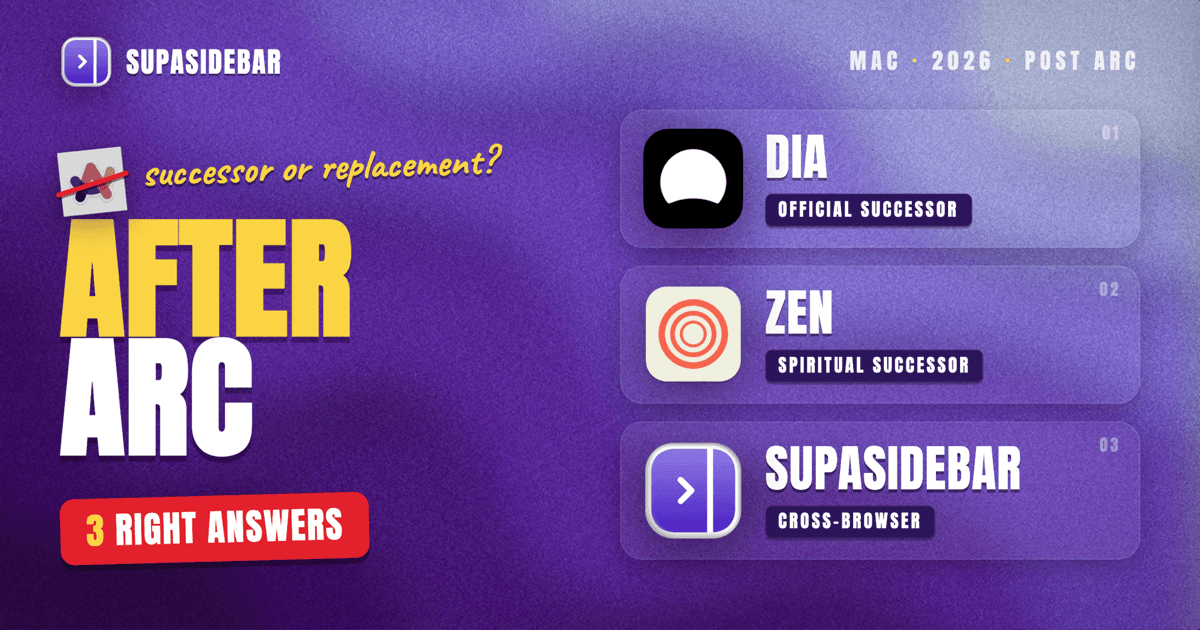
TL;DR: Arc's official successor vs the practical replacement
Arc's official successor is Dia, built by the same team (The Browser Company) after Arc entered maintenance mode on May 27, 2025, per The Browser Company's letter. Dia is now an Atlassian subsidiary after the $610 million acquisition closed October 21, 2025.
The catch: Dia is not a 1-for-1 Arc replacement. It is an AI-first browser that has been steadily adding Arc's UI features (sidebar mode, vertical tabs, pinned tabs) but skips Spaces, Boosts, Easels, and Arc's Cmd+T command bar.
The honest replacement map for 2026:
| You used Arc for... | Practical replacement |
|---|---|
| AI features + browsing | Dia (official successor) |
| Sidebar, vertical tabs, polished UI | Zen Browser (open-source spiritual successor) |
| Just the sidebar across browsers you already use | SupaSidebar (Mac app, not a browser) |
| Power-user customization | Vivaldi |
| "I never used the advanced features anyway" | Safari or Chrome |
The rest of this post unpacks why "successor" and "replacement" are different questions, and which one you actually want. For the head-to-head between SupaSidebar and Arc itself, see SupaSidebar vs Arc.
"Successor" vs "replacement" - they are not the same question
Arc-refugee threads on r/ArcBrowser keep colliding two different intents:
- Successor = built by the same team, in the same lineage, intended as the next chapter. There is exactly one: Dia, by The Browser Company.
- Replacement = a browser (or tool) that fills the same slot in your workflow. That depends entirely on which Arc features you actually used.
A typical Arc user said it best on r/ArcBrowser in mid-2025: "I have been an Arc refugee for a couple of weeks now and I've searched high and low for a new home, but nothing does what Arc does." The post then walks through Zen, Edge, Brave, Vivaldi, and Chrome - and ends with "I'm going to be keeping an eye on Dia." That is the exact shape of this market. Successor is one option. Replacement is a search.
This post handles both, in order: Dia as the successor, then the realistic replacement matrix.
Dia is the official Arc successor
For the side-by-side feature comparison, see SupaSidebar vs Dia. The Browser Company is the same team that built Arc. After putting Arc into maintenance mode in May 2025, they shipped Dia publicly on macOS on October 9, 2025, then sold the company to Atlassian.
CEO Josh Miller has been direct that Dia is not Arc-with-AI-bolted-on. In a Waveform podcast interview summary, Miller said the team tried adding AI to Arc and it did not work because "Arc already had a steep learning curve" and "Arc just had too much. Too much surface area, too many opinions, too much internal debt." Arc is, in his words, finished - maintained, not evolving.
What Dia inherits from Arc
- Sidebar mode and vertical tabs (added November 2025, per TechCrunch)
- Pinned tabs (3x3 grid)
- Tab Groups (added January 2026, v1.16.0)
- Focus mode
- The same team's UI sensibility - opinionated, minimal browser chrome
- Integrations with Slack, Notion, Calendar, Gmail, Amplitude (added March 2026)
What Dia does NOT inherit from Arc
- No Spaces. Dia uses profiles instead - flatter model, no per-Space pinned tabs.
- No Cmd+T command bar. Replaced with an AI chat interface as the central interaction.
- No Boosts. Arc's per-site CSS injection has no Dia equivalent.
- No Easels. Arc's visual whiteboards are gone.
- AI is the center, not a feature. Every tab is treated as context for an evolving personalized model. If that is not the workflow you want, Dia is the wrong tool.
Dia's catch (the part nobody mentions)
Dia is a beta-stage AI browser owned by a public enterprise company (Atlassian) that bought it for $610M. The product direction is set by what works for Atlassian's customers, not Arc's. The Atlassian acquisition is roughly a year old; the eventual paid bundles Josh Miller mentioned are not yet locked in. Switching to Dia means accepting that the roadmap is now an enterprise roadmap.
For Arc users who switch to Dia because it is the official successor, the experience as of May 2026 is closer to "a different Browser Company product" than "Arc 2.0." If that matches what you want, great. If you wanted Arc-with-better-performance, Dia is not that.
The replacement matrix (sorted by what you used Arc for)
The honest answer to "what replaces Arc" depends on which Arc feature actually mattered to your day. Pick the row that sounds like you:
| Arc feature you cared about | Best replacement | Why |
|---|---|---|
| Spaces (per-context tab universes) | Zen (Workspaces) or Vivaldi (Workspaces) | Both ship workspace primitives. Zen is closer in spirit, Vivaldi has more polish. |
| Vertical sidebar with pinned tabs | Zen, Vivaldi, Edge | All three ship native vertical tabs with pinning. Zen's is the closest visually. |
| Command bar (Cmd+T) | Zen (Command Palette) | Closest equivalent. Reddit users routinely complain Zen's is "crap" compared to Arc's; if precision matters, this is the gap. |
| Little Arc (peek windows) | Orion (preview tabs) or Vivaldi (panels) | Partial. Neither matches the speed of Arc's Cmd+Option+N. |
| Boosts (per-site CSS) | Brave + Stylus extension, or Orion + Safari Web Extensions | Not native anywhere. Always an extension. |
| Easels (visual whiteboard) | Heptabase, Apple Freeform, tldraw | Separate apps. No browser has rebuilt this. |
| The polished overall UI | Zen (Firefox-based) or Dia (Chromium-based) | Subjective, but these are the two getting "feels like Arc" comparisons most often. |
| AI inside the browser | Dia (built-in) or Brave (Leo) or Edge (Copilot) | Dia is the most ambitious. Brave is the most private. |
| Just the sidebar across the browsers you already use | SupaSidebar | Different category: a Mac app that adds an Arc-style sidebar to Safari, Chrome, Firefox, Brave, Vivaldi, Zen, Dia, Helium, and Comet (25+ browsers in total). |
For the deep head-to-heads between Arc and any single option, the Arc Browser Alternative Guide is the canonical comparison page. This post stays on the successor vs replacement framing.
Zen Browser - the spiritual successor
For the side-by-side feature comparison, see SupaSidebar vs Zen. Zen is the most common "Arc replacement" recommendation in 2026 r/ArcBrowser threads. It is open-source, Firefox-based (so it survives independently of any acquisition), and built specifically by ex-Arc-curious developers who wanted Arc's UX without the venture timeline.
What Zen does well:
- Vertical sidebar with pinned tabs
- Workspaces (Arc's Spaces, slightly less polished)
- Compact mode that hides the chrome
- Mods (community-built tweaks - Arc's Boosts in spirit)
- Cross-platform (macOS, Windows, Linux - Arc never shipped Windows beta production)
What Zen does poorly:
- Performance lags Arc and Dia on Apple Silicon
- Command palette is widely panned as underdeveloped (the most common complaint in r/ArcBrowser switch threads)
- Smaller team, slower update cadence than venture-backed competitors
- Firefox extension ecosystem is narrower than Chromium
If your top Arc feature was Spaces + vertical sidebar + open source, Zen is the call. If your top Arc feature was the command bar, Zen will frustrate you.
Chrome, Safari, Edge - the pragmatic replacements
For Arc users who used maybe 20% of Arc's feature set, "replacement" is whichever default browser was already on the machine. The full comparison lives in the Arc Browser Alternative Guide, but the short version:
- Safari - best battery life on Mac, weakest tab management. Default for users who only used Arc as a faster Chrome.
- Chrome - vertical tabs available as a flag (chrome://flags), no Spaces equivalent. Default for users who need the Chrome extension ecosystem and never touched Arc's advanced features.
- Edge - the best Chromium vertical-tabs implementation. Has workspaces. Microsoft account integration is the friction point for non-Microsoft users.
- Brave - vertical tabs, Leo AI, strong privacy defaults. The "Arc but more private" pick.
- Vivaldi - the only Chromium browser that genuinely matches Arc's customization depth. Workspaces, panels, tab tiling, command chain. Steepest learning curve. (SupaSidebar vs Vivaldi)
For the migration steps to each of these, the Switching from Arc Browser post is the canonical guide.
The cross-browser angle - the replacement is not always a browser
Most Arc-replacement posts assume the answer is a different browser. There is another framing: the Arc UX that mattered to you was the sidebar itself, and you can keep using whichever browser you actually want underneath.
This is the SupaSidebar approach. SupaSidebar is a macOS app that brings Arc's sidebar to every browser, one sidebar for tabs, bookmarks, files, and apps across 25+ browsers including Safari, Chrome, Firefox, Arc, Zen, Vivaldi, Brave, Helium, and Dia.
Why this matters for Arc refugees:
- The sidebar UX (Spaces, pinned tabs, Live Tabs across browsers, Command Panel) is preserved
- The browser underneath is whichever one wins on the criteria you care about (battery: Safari, AI: Dia, performance: Brave, customization: Vivaldi)
- The Arc StorableSidebar.json file imports in 3 clicks via Preferences → Import and Export → Arc → Import
- iCloud syncs the sidebar across Macs without an account
- Free tier includes 3 Spaces, no credit card
This is a different shape than the browser-replacement question. It is worth naming explicitly because most Arc refugees haven't considered it. If the answer to "what did I love about Arc" was Spaces + a sidebar that knows my tabs, switching browsers is the long way around the problem.
For the full mapping of how each Arc feature translates to SupaSidebar, the Arc Browser Alternative Guide has the feature-by-feature table.
What Arc users on r/ArcBrowser actually picked (May 2025 - May 2026)
A pattern across r/ArcBrowser threads in the year since the maintenance-mode announcement:
- The first wave (May-July 2025) tried Zen first, came back to Arc disappointed within weeks. The "Zen is not a very good replacement" thread captured this energy with 157 upvotes and 96 comments.
- The second wave (August-November 2025) waited for Dia's public launch. Dia shipped publicly on October 9, 2025 and the feature-additions roadmap made it the wait-and-see option. Reddit sentiment was "if they bring the features I call home, I'm going to have to swallow my hatred for what they've done to my beautiful Arc."
- The third wave (December 2025 onward) split. Power users who needed Spaces went to Zen or Vivaldi. AI-curious users went to Dia. Casual Arc users went back to Safari or Chrome. Multi-browser users started using SupaSidebar to keep Arc-style organization across whichever browser they happened to be in.
- A persistent minority never left Arc. The List of features removed from Arc thread tracks what is being silently stripped in maintenance updates (Live Calendars, Tidy Downloads, Boost Gallery shut down) - the holdouts know what they are signing up for.
There is no consensus winner. The Arc replacement question genuinely has multiple right answers depending on which Arc feature you valued.
Conclusion: Picking the right Arc replacement for 2026
The official Arc successor is Dia, built by the same team and now owned by Atlassian after the $610 million acquisition closed October 21, 2025. The practical replacement is whichever tool fills the slot Arc filled in your specific workflow.
Segment recommendations:
- You used Arc primarily for AI assistance and a clean browser: Dia. It is the lineage successor and the only browser where AI is the center, not a side panel.
- You used Arc for Spaces, vertical tabs, and the polished UI: Zen Browser. Open-source, Firefox-based, closest in spirit. Accept the weaker command palette.
- You used Arc for deep power-user customization: Vivaldi. Steepest learning curve, most flexibility, mature.
- You barely used Arc's advanced features: Safari (best Mac battery) or Chrome (Chrome ecosystem). Both work fine.
- You use multiple browsers and Arc was the sidebar across them: SupaSidebar. Different category, but the closest match to the workflow Arc actually enabled.
The mistake to avoid: picking a "successor" because it has the same lineage when you actually wanted a "replacement" that matches your workflow. Dia is not Arc 2.0. Zen is not VC-funded Arc. SupaSidebar is not a browser. Each is the right answer for a different slot. Pick the slot first.
For the per-target migration steps, the Switching from Arc Browser post covers the move to each destination. For the broader alternatives comparison, the Arc Browser Alternative Guide is the canonical hub.
Why we recommend SupaSidebar
SupaSidebar is a macOS app that brings Arc's sidebar to every browser, one sidebar for tabs, bookmarks, files, and apps across 25+ browsers including Safari, Chrome, Firefox, Arc, Zen, Vivaldi, Brave, Helium, and Dia. For Arc refugees who realize the sidebar UX was the part that mattered (not which browser engine rendered the pages), SupaSidebar keeps the Spaces, pinned tabs, Command Panel, and Live Tabs workflow on top of whichever browser wins on the criteria you actually care about. Free tier available. macOS 14+.
FAQ
What is the official successor to Arc Browser?
Dia is the official successor. It is built by The Browser Company, the same team that built Arc, after Arc was placed in maintenance mode on May 27, 2025. Dia launched publicly on macOS on October 9, 2025 and is now owned by Atlassian following the $610 million acquisition that closed October 21, 2025.
Is Dia a direct replacement for Arc?
No. Dia is the lineage successor but not a feature-for-feature replacement. Dia has sidebar mode, vertical tabs, pinned tabs, and Tab Groups, but does not include Arc's Spaces, Cmd+T command bar, Boosts, or Easels. Dia is built around AI as the central interaction, which is a different product direction from Arc.
What are people actually switching to from Arc?
A mix: Dia for users who want the official lineage and AI features, Zen Browser for users who want open-source Arc-style UX, Vivaldi for power users who want customization, Safari or Chrome for users who only used Arc casually, and SupaSidebar for users who want the Arc sidebar workflow on top of whichever browser they already use.
Is Zen Browser a good Arc replacement?
Zen is the closest open-source spiritual successor to Arc, with Workspaces (similar to Spaces), vertical sidebar, pinned tabs, and Compact mode. Common complaints in r/ArcBrowser switch threads: the command palette is underdeveloped, performance lags Chromium browsers on Apple Silicon, and the team is smaller. Zen is a strong fit for users whose top Arc feature was Spaces plus the vertical sidebar.
Can I get Arc's sidebar in Safari or Chrome?
Yes, through a third-party Mac app. SupaSidebar adds an Arc-style sidebar (Spaces, pinned tabs, Live Tabs, Command Panel) on top of Safari, Chrome, Firefox, Brave, Vivaldi, Zen, Dia, and 18+ other browsers. It is a macOS app, not a browser or extension. The Arc StorableSidebar.json file imports in 3 clicks via Preferences then Import and Export then Arc then Import.
Will Dia eventually have all of Arc's features?
Probably not. Josh Miller, CEO of The Browser Company, has stated in interviews that Dia is intentionally a different product, not Arc with AI added. Dia has been adding Arc-adjacent UI features (sidebar mode, vertical tabs, pinned tabs, Tab Groups), but core Arc features like Spaces and Boosts are not on the public roadmap. Arc is, in his words, finished - maintained, not evolving.
Is Arc still safe to keep using in 2026?
Arc still works, but it is in maintenance mode and features are being silently removed in updates. A May 2026 r/ArcBrowser thread confirmed Live Calendars, Tidy Downloads, the Boost Gallery, and (temporarily) the built-in ad blocker were stripped in version 1.109.0. Security patches continue but no new features are coming. For users who do not need the latest features, Arc is still usable.
By Kshetez Vinayak, founder of SupaSidebar. Last updated 2026-06-02.