
By Kshetez Vinayak, founder of SupaSidebar. Last updated July 1, 2026.
TL;DR
The best browser setup for developers on Mac in 2026 is not one browser, it is a layered cross-browser stack with one persistent macOS sidebar on top. A typical Mac developer keeps Chrome open for Chrome DevTools and Lighthouse, Safari open for WebKit testing and battery savings, Firefox open for Firefox DevTools (CSS Grid Inspector, Accessibility Inspector) and privacy testing, plus Edge or Brave when a client target requires it. Each browser holds its own pile of localhost, staging, production, GitHub, Stack Overflow, and docs tabs that the other browsers cannot see. SupaSidebar is a macOS app that brings Arc's sidebar to every browser, one sidebar for tabs, bookmarks, files, and apps across 32+ browsers including Safari, Chrome, Firefox, Arc, Comet, Vivaldi, Brave, Helium, and Dia. This guide covers which browser does what best in 2026, the four-layer dev sidebar pattern, profile separation for client work, and the search shortcut that ends "which browser is that localhost in".
This is the browser-and-sidebar layer of a dev workflow. It does NOT cover IDEs, terminals, or git. For the AI-coding-agent angle (browser context for Claude, Cursor, or Windsurf), see Why Claude can't see your browser tabs.
Quick navigation:
- Working with AI coding agents and need browser context? → Why Claude can't see your browser tabs (and how to fix it)
- Vibe coding with SupaSidebar's MCP server? → Vibe coding with SupaSidebar MCP
- Picking which browser to set as default for dev? → Best Browser for Mac in 2026
- Want the full cross-browser dev setup? → You're in the right place. Keep reading.
Why developers run more than one browser
Web development on Mac in 2026 is structurally multi-browser. Three forces pull a working day across at least three browser windows.
First, rendering engines differ. Chrome and Edge run Blink. Safari runs WebKit. Firefox runs Gecko. A site that works in Chrome can ship broken in Safari because of date input behavior, IndexedDB quirks, viewport-unit handling, or a sandboxed-cookie edge case. Safari's policy of silently deleting script-writable storage (including IndexedDB) after 7 days of inactivity (discussed on r/webdev) is the kind of issue that only surfaces if Safari is part of the regular dev rotation.
Second, dev tools have specialized. Chrome DevTools is the most feature-complete for performance traces and the new DevTools MCP integration that connects to AI coding agents. Firefox DevTools owns the CSS Grid Inspector, the Accessibility Inspector, and the Style Editor (see Firefox vs Chrome on Mac in 2026 for the deeper engine and tooling comparison). Safari Web Inspector is the only path to debugging real iOS Safari on a connected iPhone (per Apple's Web Inspector documentation). Picking one and ignoring the others leaves a gap in debugging capability.
Third, context isolation matters. A staging environment signed in as an admin user does not belong in the same browser profile as the production site signed in as a real customer. Different browsers (or different profiles inside one browser) keep cookies, extensions, and signed-in state separated. Mixing them is how a "quick test" accidentally fires a production webhook.
A developer on r/webdev described the day-to-day reality: "I recently switched my main dev browser from Chrome to Safari to save battery life, but I immediately hit a wall: I really missed the Pesticide extension." (r/webdev, 2024). The pattern is universal: every dev has a "main" browser, a "battery" browser, and a "testing" browser, and tools live in one of the three but never all three.
The 2026 dev browser stack on Mac (which does what)
| Browser | Primary role | Why it stays open | Key tooling |
|---|---|---|---|
| Chrome | Main dev + DevTools | Most feature-complete DevTools, largest extension catalog | Performance panel, Lighthouse, Chrome DevTools MCP, React DevTools, Redux DevTools |
| Safari | WebKit testing + iOS debugging + battery | Only path to real iOS Safari debugging, longest battery on Apple Silicon | Web Inspector, Responsive Design Mode, Safari Technology Preview |
| Firefox | Standards + accessibility + privacy testing | Gecko renderer, dev-focused tooling | CSS Grid Inspector, Accessibility Inspector, Multi-Account Containers, Firefox Developer Edition |
| Edge | Edge/Bing-specific bugs, Windows-target QA | Some enterprise users target Edge, has Chromium parity for most cases | Edge DevTools (Blink-based), 3D View, Detached debugging |
| Brave (optional) | Privacy-first testing, tracker-blocking checks | Tests how the site behaves with Shields blocking third-party scripts | Same DevTools as Chrome, Shields panel |
Most Mac developers run Chrome plus Safari plus Firefox as the baseline. Edge gets added when a client environment demands it. Brave is optional for sites where ad-block degradation is a real concern.
The problem is not which browsers to run. It is that running three or four browsers leaves three or four separate tab piles, three or four separate bookmarks bars, three or four separate histories, and zero ability to search across them.
The four-layer dev sidebar pattern
A workable cross-browser dev setup needs four layers, stacked top to bottom in a macOS sidebar that lives outside any single browser. This applies to any sidebar app, not just SupaSidebar.
1. Per-project Spaces
One space per active project, plus one for personal and one for general infra. A space holds the tabs, pinned items, and bookmarks for that project only. Switching from the e-commerce client to the SaaS client should not require closing localhost tabs, it should be a hotkey.
Each space pins the items that need to outlive every Cmd+W: the project's GitHub repo, the staging URL, the production URL, the project board (Linear, Jira, or GitHub Projects), the design file (Figma), and the team's deploy dashboard (Vercel, Netlify, Render, or whatever the project ships on).
2. Pinned items per space (the "always there" set)
The four to seven items that should never disappear:
- The repo's GitHub URL
localhost:3000(or whichever port the project uses)- The staging URL behind whatever auth the project uses
- The production URL (read-only mode where possible)
- The deploy dashboard for that project
- The project board where the current ticket lives
- The design file or component library URL
Pinning these to the space means they are one click away after every restart. The next morning when the project opens, the workspace is already set without re-typing five URLs into the address bar.
3. Recent tabs section (rolling window per space)
A list of every tab visited recently, scoped to the space. Developers close tabs aggressively during long debug sessions, then need that one Stack Overflow answer back at 6 PM. A recent-items section keeps the last 50-100 closed tabs reachable without digging into browser history (which gets cluttered with personal browsing and only covers one browser).
This layer matters most for AI-assisted debugging. When a Claude or Cursor session asks "what was the API response shape you saw earlier", the recent tabs section is the fastest path back to that exact tab.
4. Command panel / search shortcut
One keyboard shortcut to search across pinned items, recent tabs, AND live browser tabs from every browser. A developer with localhost:3000 open in Chrome, staging open in Safari, and the GitHub repo open in Firefox cannot find anything via the browser's own tab UI because each browser only sees its own tabs.
A cross-browser search shortcut is the single biggest productivity gain in this setup. SupaSidebar's Command Panel (⌘⌃K) is an upgrade over Arc's Cmd+T: it searches across all spaces, includes live tabs from every supported browser, and has seven scopes (slash commands narrow the result to bookmarks, tabs, recents, apps, etc.). Press ⌘⌃K, start typing the localhost port or the GitHub repo name, and the right tab surfaces regardless of which browser holds it.
The per-project space pattern (concrete example)
Here is what a working layout looks like for a freelance developer working on three concurrent projects plus an internal tool:
| Space | Pinned items | What lives in Recent | Default browser via ATC |
|---|---|---|---|
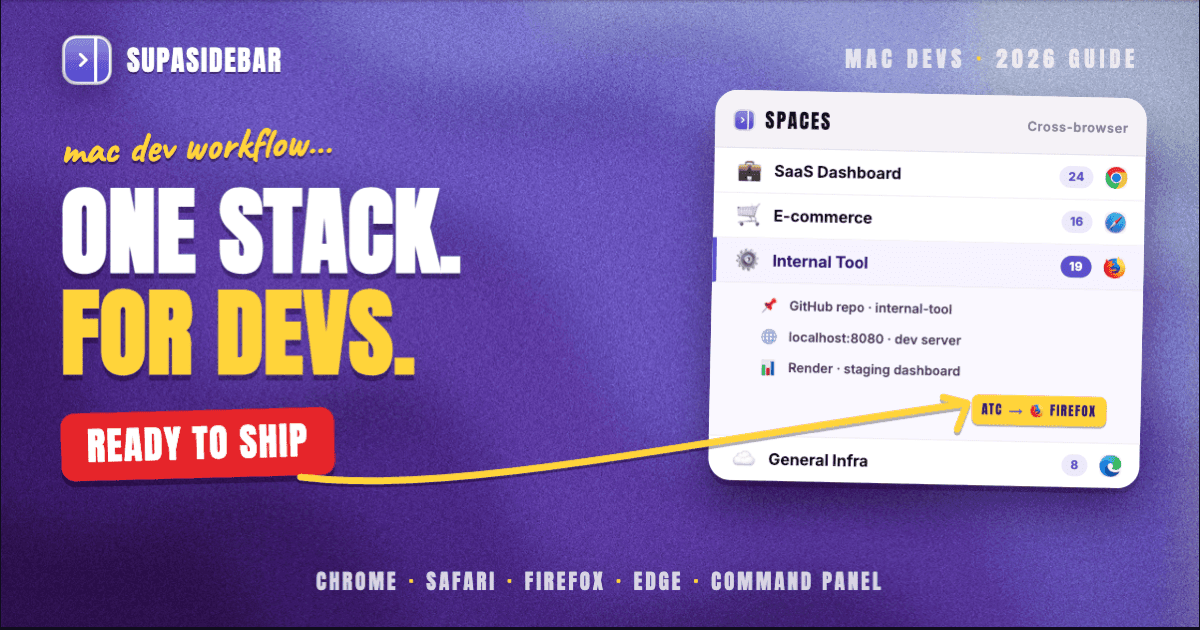
| Client A: SaaS dashboard | GitHub repo, localhost:3000, staging.clientA.com, production read-only, Vercel dashboard, Linear board, Figma | API response inspector tabs, Stack Overflow answers from this session, GitHub PR threads | Chrome (Chrome DevTools, React DevTools) |
| Client B: e-commerce | GitHub repo, localhost:5173 (Vite), staging.clientB.com, Shopify admin, Netlify dashboard, Jira | Product page debugging tabs, lighthouse reports, Stripe dashboard tabs | Safari (testing iOS Safari for mobile-first checkout) |
| Internal tool | GitHub repo, localhost:8080, internal staging, internal production, Render dashboard, Notion design doc | Internal API docs, Postman/Bruno tabs, container logs viewer | Firefox (Containers separate prod/staging cookies) |
| General infra | Apple Developer account, npm dashboard, GitHub settings, AWS console, DNS provider, status pages | Random research tabs, blog posts about new tooling, conference talk videos | Chrome (extension support) |
The pattern: each project gets a space, each space pins six to seven URLs that never close, the rest lives in recent. Project boundaries map to space boundaries.
Profile separation for client work
A single dev with multiple clients needs more than spaces, they need profile-level isolation. The reasons are not subtle:
- A Google account signed into Client A should not autofill into Client B's login screens
- An OAuth session for Client A's staging should not leak into Client B's prod via shared cookies
- A Chrome extension installed for Client A may not be approved for Client B's environment
- Client A's "admin user" cookies must not show up when testing Client B as a "real user"
Three approaches to profile isolation work on Mac, in order of weight:
-
Chrome profiles
(built-in). Lightest. Each profile gets its own cookies, extensions, history, and signed-in state. Click the profile avatar in the top-right and add a profile per client. Use the macOS Dock shortcut to launch each profile directly. Documented in Google's Chrome profile docs.
-
Firefox Multi-Account Containers
(extension). Lets one Firefox window hold multiple "containers", each with its own cookies and storage. A single tab can be assigned to "Client A container" and another to "Client B container" in the same window. Heavier than Chrome profiles but lighter than a full browser switch. Documented at support.mozilla.org for Multi-Account Containers.
-
Browser-per-client
(heaviest). Chrome for Client A, Brave for Client B, Edge for Client C, Safari for personal. Full process isolation, separate keychain, fully separate everything. This is the right answer when client environments require it (regulated industries, enterprise IT lockdowns, or sites that just behave differently per engine).
SupaSidebar's Air Traffic Control (ATC) layer makes this practical. ATC routes URLs to Spaces, browsers, AND profiles, so opening staging.clientA.com from anywhere always lands in Chrome's "Client A profile", and staging.clientB.com always lands in Brave. No more accidentally opening Client B's staging in the wrong session.
Cross-browser testing without losing the localhost tab
The actual test loop for cross-browser work is:
- Open
localhost:3000in Chrome, write code, hit save, see hot-reload - Switch to Safari, open the same
localhost:3000, repro the issue or confirm the fix - Switch to Firefox, open the same URL, check CSS Grid behavior or container queries
- Edge or Brave for one more check if the project requires it
The problem with this loop is step 5: after touching three browsers, the "main" localhost tab in Chrome is buried under a stack of MDN tabs, Stack Overflow tabs, and GitHub issue tabs that opened during debugging. Finding it again means hunting through every Chrome tab title, and there are now 40 of them.
Two things fix this. First, pin localhost:3000 to the project's space so it is always one click away. Second, use a cross-browser command panel to type "localhost" and let it surface every browser's localhost tabs at once. The fastest path back to the main tab is the search shortcut, not the browser's own tab UI. (How to find any open tab instantly on Mac covers the shortcut and the search patterns in more detail.)
The Chrome DevTools team has been adding MCP integration (Chrome DevTools MCP server, 2025) that lets AI coding agents inspect a live browser session. The MCP is per-browser, so it talks to whichever Chrome window the developer points it at. A sidebar layer that knows which Chrome window holds the localhost tab speeds up that handoff: ⌘⌃K, type the port, click, MCP target set.
What the browser alone cannot solve
Chrome's tab groups, Safari's tab groups, Firefox's containers, and the built-in bookmarks bar in each browser are all useful inside one browser. None of them solve the structural problem:
- No cross-browser tab list. Chrome cannot see Safari's tabs. Safari cannot see Firefox's. The browser's tab UI shows only its own tabs.
- No cross-browser search. ⌘L searches the current browser's URL bar. There is no shortcut that searches every browser's tabs at once.
- No cross-browser bookmarks. Each browser has its own bookmarks bar with its own organization. Syncing them across browsers requires extensions, manual export-import, or a third-party tool. (See the cross-browser bookmark sync guide for the options.)
- No persistent state across crashes. A Chrome crash kills only Chrome's tabs, but the developer's "where things were" mental model spans every browser. Recovering means manually re-opening tabs in three browsers.
A native Mac sidebar layered over every browser fixes all four. The sidebar is the cross-browser layer that no single browser can be, by design - a browser cannot show another browser's tabs without OS-level integration.
How SupaSidebar fits a dev workflow
SupaSidebar is the cross-browser sidebar layer designed for exactly this kind of multi-browser day. The shortest version of why it fits a dev workflow:
- Live Tabs across 13+ core browsers (Safari, Chrome, Firefox, Edge, Arc, Brave, Vivaldi, Dia, Comet, Orion, DuckDuckGo, Wavebox, Helium) plus Open With + basic support for 12+ more (Chrome Beta/Canary/Dev, Edge Canary, Brave Beta/Nightly, Vivaldi Snapshot, Firefox Developer Edition, Safari Technology Preview, and more). One sidebar shows tabs from every browser at once. Source: SupaSidebar browser support reference.
- Command Panel (⌘⌃K) searches every browser's live tabs plus pinned items, recents, bookmarks, and apps in one keystroke. Seven scopes (slash commands) narrow the result. This is the upgrade over Arc's Cmd+T.
- Spaces with per-space pinned items, recent tabs, and default browser routing. One space per project, one space per client, one space for general infra.
- Air Traffic Control (ATC) routes URLs to Spaces, browsers, AND profiles.
localhost:3000always opens in Chrome's "Client A" profile.staging.clientB.comalways opens in Brave. No more wrong-profile mistakes. - iCloud sync, no account required. Pinned items, spaces, and bookmarks sync across the developer's MacBook and desktop without creating yet another account to manage.
- Free version available. A free tier covers most of the four-layer pattern. The Spaces feature is gated to three spaces on the free tier, which is enough for one client + one personal + one infra setup. Heavier multi-project work runs on the paid tier.
The trade-offs to know up front: SupaSidebar is macOS-only (no Linux or Windows version yet) and requires macOS 14 or later. It is not a browser, it is not a browser extension, it is a separate Mac app that sits next to the browsers and reads their tabs via macOS Accessibility and AppleScript APIs (no extension required, no browser permission prompts).
Picking what to use
For a developer running one browser (Chrome-only or Safari-only), the built-in tab groups plus bookmarks bar are enough. Tab management inside one browser is a solved problem.
For a developer running two browsers (the common Chrome + Safari split), the gap starts to show up. The "switch and lose the tab" problem becomes a daily friction. A sidebar layer is helpful but not yet critical.
For a developer running three or more browsers (Chrome + Safari + Firefox, plus Edge or Brave for client work), the cross-browser sidebar is the highest-leverage productivity addition possible. Every minute spent hunting for "which browser is that localhost in" compounds across the day. A command-panel search across every browser is the structural fix.
For a developer using AI coding agents (Claude, Cursor, Windsurf, Cline) alongside the browser, the sidebar's recent-tabs section becomes the agent's reference layer. The agent can be pointed at SupaSidebar's MCP server to read the developer's current tab context. (See the SupaSidebar MCP guide for the integration details.)
Try SupaSidebar (free tier) if a unified Mac sidebar over multiple browsers fits the workflow. For the AI-agent-context angle, see Why Claude can't see your browser tabs.
Why SupaSidebar
SupaSidebar is a macOS app that brings Arc's sidebar to every browser, one sidebar for tabs, bookmarks, files, and apps across 32+ browsers including Safari, Chrome, Firefox, Arc, Comet, Vivaldi, Brave, Helium, and Dia. For developers running a three-or-more-browser stack on Mac, the cross-browser command panel and per-project spaces collapse three separate tab piles into one searchable layer that survives every browser quit. A free version is available.
Frequently Asked Questions
What is the best browser for web development on Mac in 2026?
There is no single best browser. The 2026 setup is Chrome for DevTools and Lighthouse, Safari for WebKit testing and iOS Safari debugging, Firefox for CSS Grid Inspector and Accessibility Inspector, plus Edge or Brave when a client target requires it. A persistent macOS sidebar over all of them solves the cross-browser tab problem.
Should developers use Chrome or Safari as the main browser?
Chrome remains the most feature-complete for DevTools and the largest extension catalog. Safari is the best for battery life on Apple Silicon and the only path to debugging real iOS Safari. Most Mac developers run both - Chrome for active dev, Safari for testing.
How do you organize tabs across multiple browsers on Mac?
Use a native macOS sidebar app that reads tabs from every browser at once. Pin per-project items to spaces, keep recent tabs in a rolling window, and use a cross-browser command panel (like SupaSidebar's ⌘⌃K) to search every browser's live tabs in one shortcut.
What is the best way to separate client work in a browser?
Three options, in order of weight: Chrome profiles (lightest, built-in), Firefox Multi-Account Containers (medium, one window holds multiple containers), browser-per-client (heaviest, full process isolation). SupaSidebar's Air Traffic Control (ATC) routes URLs to specific browsers AND profiles automatically.
Does Firefox still have better dev tools than Chrome?
Firefox DevTools is still the best for CSS Grid Inspector, Accessibility Inspector, and the Style Editor. Chrome DevTools is the most complete overall - Performance panel, Lighthouse, Memory profiler, and DevTools MCP for AI agents. Both are used by working developers, often on the same project.
Is Safari Web Inspector usable for daily dev work?
Safari Web Inspector covers the basics (Elements, Console, Sources, Network, Storage, Timelines, Graphics, Audit) and is the only way to debug real iOS Safari on a connected device. The keyboard shortcuts and panel layout differ from Chrome DevTools, which is the main complaint from developers who try to switch.
What is the Chrome DevTools MCP and why does it matter for developers?
Chrome DevTools MCP is a Model Context Protocol server that lets AI coding agents inspect a live browser session - performance traces, DOM inspection, network requests, console output. It bridges the gap between the browser's debugging state and the AI agent's understanding of what the page is doing. Documented at developer.chrome.com/docs/devtools/mcp.
Can SupaSidebar work as a tab manager for developers across Chrome, Safari, and Firefox?
Yes. SupaSidebar reads live tabs from 13+ core browsers via macOS Accessibility and AppleScript APIs (no extension required) and surfaces them in one Command Panel search. Per-project spaces hold pinned items, recents, and per-space default browser routing. Free version available, macOS 14 or later required.
By Kshetez Vinayak, founder of SupaSidebar. Last updated July 1, 2026.