
Safari is the best browser for Mac battery life in 2026, with up to 24 hours of video streaming on M4 MacBooks per Apple's published specs.
But battery alone isn't enough - past 20 tabs Safari turns into chaos, and that's the productivity problem Arc solved with its vertical sidebar before Arc shut down in May 2025. The full rankings and benchmark data are below, but the setup I recommend is Safari for the battery plus SupaSidebar for Arc's vertical sidebar on top - so you get 24-hour battery life and Arc-level tab management in one combination.
Looking for something specific?
- Want the full Mac browser comparison beyond battery? → Complete Mac browser guide for 2026 (the pillar comparison)
- Weighing Safari against Zen and Arc? → Safari vs Zen vs Arc on Mac
- Already here for the battery numbers? → Keep reading.
What "best browser for Mac battery life" actually means in 2026
If you're searching for the most battery-efficient Mac browser, you've probably been told "use Safari." That advice was right in 2020. It's only partially right in 2026.
Here's what changed. Apple still publishes industry-leading battery numbers - up to 24 hours on the M4 14" MacBook Pro running Safari, per Apple's tech specs. Those numbers are real and Safari is still the browser Apple ships and tunes for macOS. But independent benchmark testing has produced genuinely surprising results: in some real-world tests, Chrome actually uses less battery than Safari, and Brave's BrowserBench tests show it using significantly less peak power than Safari.
This post pulls together what real tests have found across Safari, Chrome, Firefox, Arc, Edge, Brave, Zen, and Vivaldi on macOS. Every claim cites a source. Where data is missing or contested, I say so. What this post covers: battery and power consumption on M-series MacBooks, the contested findings, what actually drives browser power use, and how to keep Safari's battery while getting Arc's sidebar UX. What it does NOT cover: Windows or Linux performance, gaming, or browsers below 1% Mac market share. For the full Mac browser comparison beyond battery - speed, extensions, privacy - see the complete Mac browser guide for 2026.
Apple's published Safari battery life on every M-series Mac
Apple is the only browser vendor that publishes battery hours per machine. These come from controlled tests using Safari with display at 8 clicks of brightness from the bottom. From Apple's official MacBook Pro tech specs:
| MacBook | Wireless web (Safari) | Video streaming (Safari) | Battery |
|---|---|---|---|
| MacBook Pro 14" M4 | Up to 16 hours | Up to 24 hours | 72.4 Wh |
| MacBook Pro 14" M4 Pro/Max | Up to 14 hours | Up to 22 hours | 72.4 Wh |
| MacBook Pro 14" M3 | Up to 15 hours | Up to 22 hours | 70 Wh |
| MacBook Pro 16" M4 Pro/Max | Up to 17 hours | Up to 24 hours | 100 Wh |
| MacBook Air 15" M3 | Up to 15 hours | Up to 18 hours | 66.5 Wh |
| MacBook Air 13" M3 | Up to 15 hours | Up to 18 hours | 52.6 Wh |
Apple's video streaming test plays 1080p content via the Apple TV app. The wireless web test cycles through 25 popular websites over Wi-Fi. Both are deliberately gentle workloads. Real-world battery life with Slack, Notion, Figma, and 30 tabs is significantly lower.
The thing Apple doesn't tell you: these are Safari numbers. There are no equivalent published figures for Chrome on the same MacBook. To compare browsers, you need independent tests.
The independent benchmarks that contradict conventional wisdom
This is where the story gets interesting.
Birchtree's 36-hour test (2024, M2 Pro MacBook Pro 14", Chrome 128 vs Safari 17.6):
The author ran 3-hour battery tests, six times each, alternating browsers to control for measurement order. Result: Safari consumed 18.67% of battery on average, Chrome 17.33% - meaning Chrome used about 9% LESS battery than Safari. The author concluded the "Chrome destroys your Mac battery" wisdom is largely outdated.
Mihnea Radulescu's BrowserBench (open-source, ongoing):
A reproducible AppleScript-driven benchmark that simulates realistic browsing across multiple tabs with timed switching and scrolling. Radulescu's published results show Brave averaging 743 mW vs Safari's 1,356 mW across the test (peak: Brave 8.3W vs Safari 10.5W) - a 45% gap in average power draw, in Brave's favor. The methodology and code are on GitHub.
Brave's own published 1.0 performance test:
Brave's blog post on its 1.0 release claims 30-50% bandwidth and battery savings vs Chrome (with Brave Shields blocking ads and trackers). This is vendor-published, so treat with appropriate skepticism, but the methodology is documented.
Conventional wisdom (still defended):
Many Mac users and writers maintain that Safari's tighter macOS integration delivers the longest battery life under typical conditions. The DevDojo 2025 comparison still ranks Safari as the most battery-efficient Mac browser for general use. The Mac Observer's macOS 15 browser test reaches similar conclusions.
What does this mean? The honest answer: the gap between browsers is much smaller than common advice suggests, the winner depends on workload, and "Safari wins" is no longer a safe default. Apple's optimized integration matters most for sustained light loads (the conditions of Apple's published battery numbers). For heavy ad-laden browsing, Brave's Shields produce real savings. For typical mixed use, Chrome and Safari are within a few percent of each other on M-series Macs.
How browser battery drain actually works on macOS
Three things drive battery drain in a Mac browser. Understanding them tells you why the benchmark variance exists.
The first is the rendering engine. Safari uses WebKit, which Apple optimizes for the GPU and Neural Engine on M-series chips. Chromium browsers (Chrome, Edge, Brave, Arc, Vivaldi, Opera) all use Blink. Firefox and Zen use Gecko. Engine choice still matters, but less than it used to - Chromium has shipped many power efficiency improvements since 2020, and Mozilla's native Apple Silicon Firefox arrived in version 84 on December 6, 2020 with a reported 2.5x launch speed improvement.
The second is background activity. Chromium browsers run separate processes per tab plus extension processes. Without intervention, that's a lot of CPU wakeups even on idle tabs. Three browsers have shipped fixes:
- Chrome Memory Saver and Energy Saver: Released February 2023 with Chrome 110. Memory Saver claims up to 40% RAM reduction on demanding sites by suspending inactive tabs. Energy Saver kicks in below 20% battery, slowing animations and frame rates.
- Microsoft Edge Sleeping Tabs and Efficiency Mode: Edge's published numbers state 25 minutes more battery on average with efficiency mode, 26% median memory reduction with sleeping tabs, and 29% lower CPU on a sleeping tab vs an active background tab.
- Brave's Shields: Default-on ad and tracker blocking. The bigger the ad load on the sites you visit, the more battery this saves.
The third is video decoding. Hardware video decoding (H.264, H.265, VP9, AV1) sips battery; software decoding burns it. Safari hardware-decodes everything macOS supports natively. Chrome historically software-decoded VP9 on macOS, which is one reason older Chrome versions burned battery on YouTube. Modern Chrome supports hardware AV1 and VP9 decoding on Apple Silicon, but Safari still has the cleanest hardware path.
If you want the safest bet for long battery life, Safari is still it - but the margins are tight enough that picking the browser whose UX you prefer rarely costs you meaningfully on battery in 2026.
Why battery still matters in 2026
A reasonable question: M4 MacBooks already get up to 24 hours on a charge. Why care about which browser saves an extra hour or two?
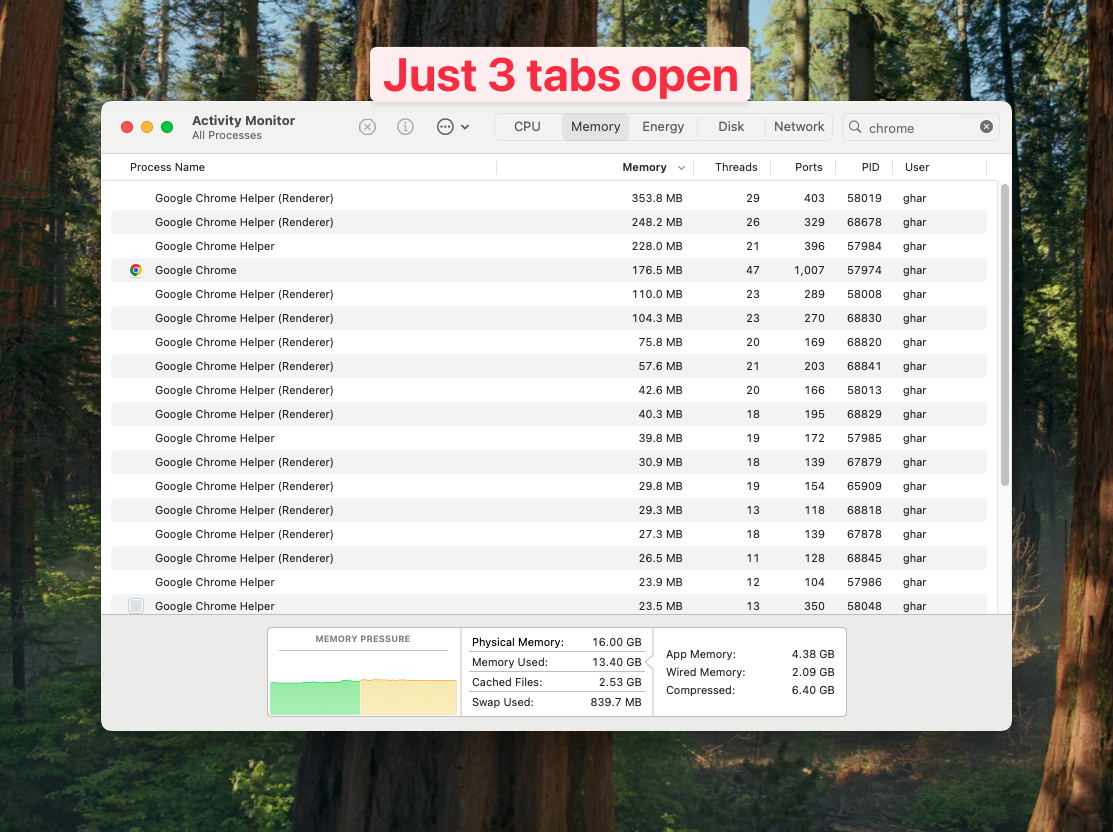
Three reasons. First, the browser is usually the largest power draw on a working Mac. Tom's Guide tested the M4 Pro 14" MacBook Pro and found real-world web-browsing battery life closer to 20 hours, not Apple's 24. Heavy browsing on Slack, Figma, Zoom, and 20 tabs cuts that further. The browser choice changes whether your machine survives a long flight.
Second, battery drain shows up as more than runtime. It shows up as fan noise, lap heat, and CPU throttling. A Chrome session with 30 tabs and 10 extensions on an M2 Air will heat up where Safari with the same tabs stays cool. The 1-2 hour battery delta is the visible part of a larger thermal envelope.
Third, battery efficiency is correlated with general performance. Browsers that draw less power usually use less RAM and CPU too. The same WebKit optimizations that save Safari battery also help Safari beat Chrome on the Speedometer 3.0 JavaScript benchmark on M-series Macs.
The case for picking a Chromium browser anyway is real. Chrome has the deepest extension ecosystem. Edge has Microsoft 365 integration. Brave has built-in ad blocking. Arc had the best sidebar UX in any browser, ever, until The Browser Company shut it down in May 2025. None of those are wrong reasons to pick a browser. They are reasons that come with a small battery cost - smaller than common wisdom suggests.
How we can actually test this on our own Macs
You don't have to take any benchmark on faith. macOS includes powermetrics, a built-in tool that reports real-time CPU and GPU watts. To compare two browsers on the same workload:
- Plug your Mac in, charge to 100%, then unplug
- Open Terminal and run:
sudo powermetrics --samplers cpu_power -i 1000 -n 60 - Use Browser A for 60 seconds with your typical sites
- Note the average package power
- Repeat with Browser B on the same sites
This is the methodology Mihnea Radulescu's BrowserBench automates. Tom Warren and others at MacRumors and 9to5Mac have run similar manual tests. Apple's published numbers are best-case; powermetrics shows you what your real workload actually costs.
Each Mac browser, ranked honestly
Safari (still the safest pick)
Safari is the only browser tuned by the company that builds macOS and Apple Silicon. Apple's published battery numbers - up to 24 hours streaming and 16 hours wireless web on the M4 14" MacBook Pro - are best-case but reproducible across product generations. WebKit hardware-decodes more video formats natively than other engines, and macOS grants Safari power-management privileges third-party apps cannot get.
Where Safari falls short: tab management is stuck in 2015. The sidebar is a flat list, no spaces, no fuzzy search, no command palette. Extensions exist but the catalog is a fraction of Chrome's. Web compatibility is excellent on big sites but breaks on niche enterprise apps that only test against Chrome.
If safe battery life matters more than UX, Safari wins. If you want Arc's sidebar UX too, you need SupaSidebar.
Chrome (much better than its reputation)
Chrome's reputation for "destroying" Mac battery life is genuinely outdated. Birchtree's 2024 test found Chrome 128 used 9% less battery than Safari 17.6 on an M2 Pro 14" MacBook Pro across 36 hours of testing. Memory Saver and Energy Saver (added February 2023) significantly cut RAM and CPU on background tabs.
Where Chrome wins: extensions and enterprise compatibility. The Chrome Web Store has more extensions than any other browser. Many enterprise SaaS tools only test against Chrome. If your workflow requires a specific extension or app, the battery cost is now small.
Firefox
Firefox is consistently competitive on Mac battery. Mozilla shipped native Apple Silicon support in Firefox 84 on December 6, 2020. Strict Tracking Protection cuts third-party CPU work, which compounds with battery savings. The DevDojo and Mac Observer comparisons rank it second behind Safari for typical use.
Where Firefox falls short: web compatibility issues are still real on streaming sites and a few Google properties. UI hasn't kept up with Arc, Zen, or Chrome on visual polish.
Edge
Edge is Microsoft's Chromium browser with battery-focused tweaks. Microsoft publishes specific numbers: efficiency mode adds an average 25 minutes of battery, sleeping tabs cut median memory by 26%, and a sleeping tab uses 29% less CPU than an active background tab. By default, Edge sleeps tabs after 30 minutes of inactivity (5 minutes when battery is low).
Where Edge falls short: it's still Chromium, so the engine ceiling is what it is. Microsoft injects "AI" and "Discover" surface area you have to disable manually.
Brave
Brave's built-in ad blocker (Brave Shields) cuts power by removing third-party trackers and ads before they render. Mihnea Radulescu's BrowserBench shows Brave averaging 743 mW vs Safari's 1,356 mW across the test (peak: 8.3W vs 10.5W) - a 45% gap in average power draw in Brave's favor. Brave's own 1.0 performance writeup claims 30-50% bandwidth and battery savings vs Chrome.
Where Brave falls short: the crypto integration (BAT, wallet) is built into the UI even if you never use it. Some users report battery issues after macOS Tahoe (still being addressed at time of writing).
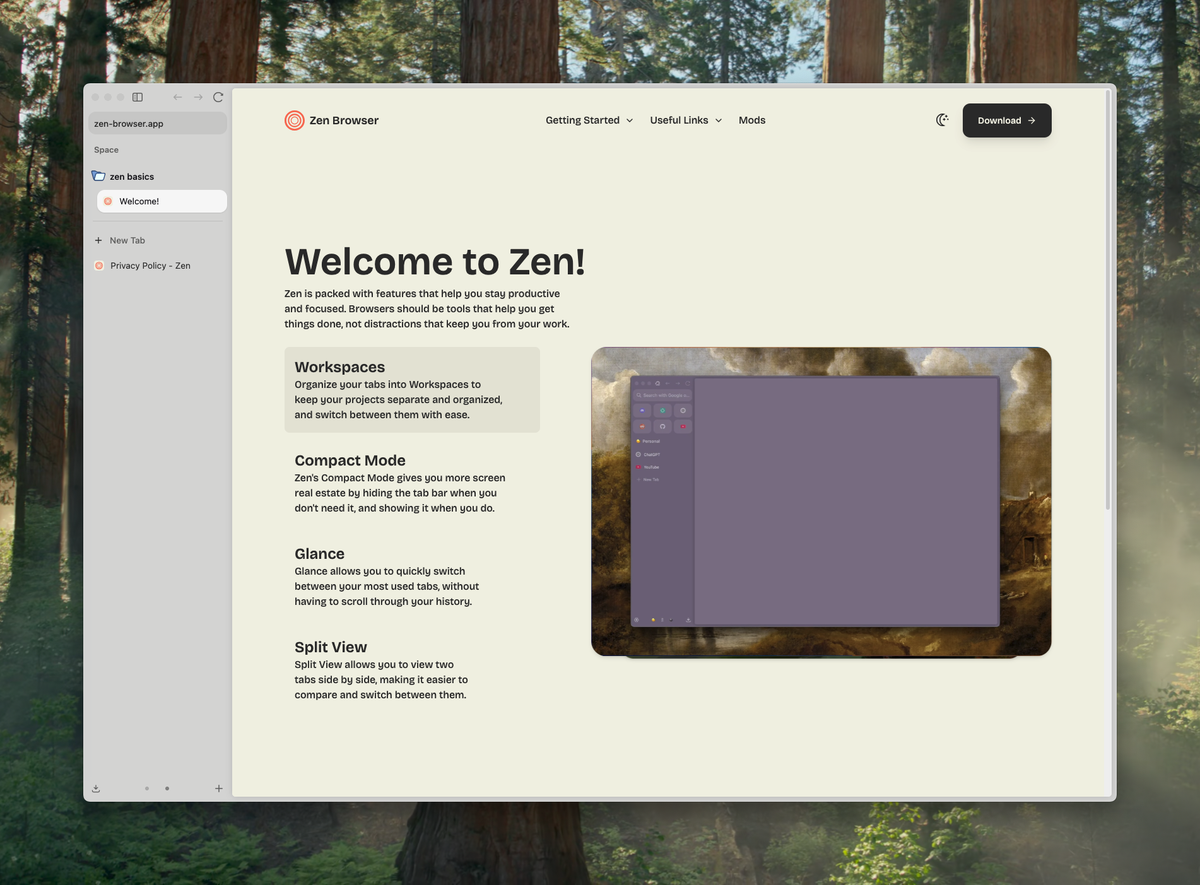
Zen Browser
Zen is a Firefox fork built specifically to replace Arc. The first public release, version 1.0.0-a.1, shipped July 11, 2024, built on Firefox 128. The sidebar, workspaces, and split view feel deliberately Arc-influenced; the engine underneath is Gecko, so battery life tracks closer to Firefox than Chromium.
Where Zen falls short: it's still in active development. Some niche extensions and enterprise SSO setups break in ways stable Firefox doesn't. The roadmap is open-source-driven, so velocity is slower than a funded company's.
I wrote a separate post comparing Safari vs Zen Browser vs Arc for the full three-way breakdown.
Arc Browser (rest in peace)
The Browser Company announced Arc was entering maintenance mode on May 27, 2025, pivoting development to a new AI-focused browser called Dia. Arc still runs on macOS 14, 15, and 16 - it doesn't crash - but it gets only Chromium upstream merges and security patches, no new features.
Battery life on Arc was never the draw. The reason people loved Arc was the sidebar, spaces, and command bar. SupaSidebar exists specifically to bring that UX to browsers that aren't dead.
If you're still on Arc, Is Arc browser dead? explains the timeline and switching from Arc browser walks through migration paths.
Vivaldi
Vivaldi is the most customizable Chromium browser on Mac, with built-in tab tiling, mail, calendar, and feed reading. The trade-off: heavy UI eats CPU. The DevDojo and TechYorker 2025 comparisons place Vivaldi at the bottom of Mac browser battery rankings, slightly behind Chrome.
Where Vivaldi wins: power users who want one app for browser + mail + calendar + RSS, and don't mind the battery hit.
The real problem: Safari has battery, but past 20 tabs it falls apart
Battery is only half of what makes a browser usable for a full workday. The other half is tab management - and this is where Safari quietly costs you everything you saved on power.
Open 20 tabs in Safari and the titles shrink to favicons you can't tell apart. By tab 30, finding the right one takes longer than just opening a new one. Whatever battery Safari saved, you lose to time spent hunting for tabs.
This isn't a Safari-specific failure. Chrome's horizontal tabs hit the same wall around tab 25. Firefox does too. The browser tab UI was designed in 2008 for people who kept 5 to 10 tabs open. It doesn't work for the 30-50 tab reality of modern web work.
Arc solved this. Then Arc died.
Arc was the first browser that actually fixed tab chaos. The vertical sidebar listed tabs full-width with readable titles. Spaces grouped tabs by project. The command bar (Cmd+T) let you fuzzy-search across every tab and bookmark. Past 30 tabs, Arc still felt usable because the sidebar scaled with the workload.
People loved Arc's tab management so much they tolerated Chrome's battery drain to keep it. Then The Browser Company put Arc into maintenance mode on May 27, 2025 and pivoted to a new browser called Dia. Arc still runs but gets no new features. The best tab management ever shipped in a Mac browser is now a discontinued product.
The other browsers tried. None matched Arc.
Since Arc's success and shutdown, every major browser has shipped some version of vertical tabs. None of them feel like Arc.
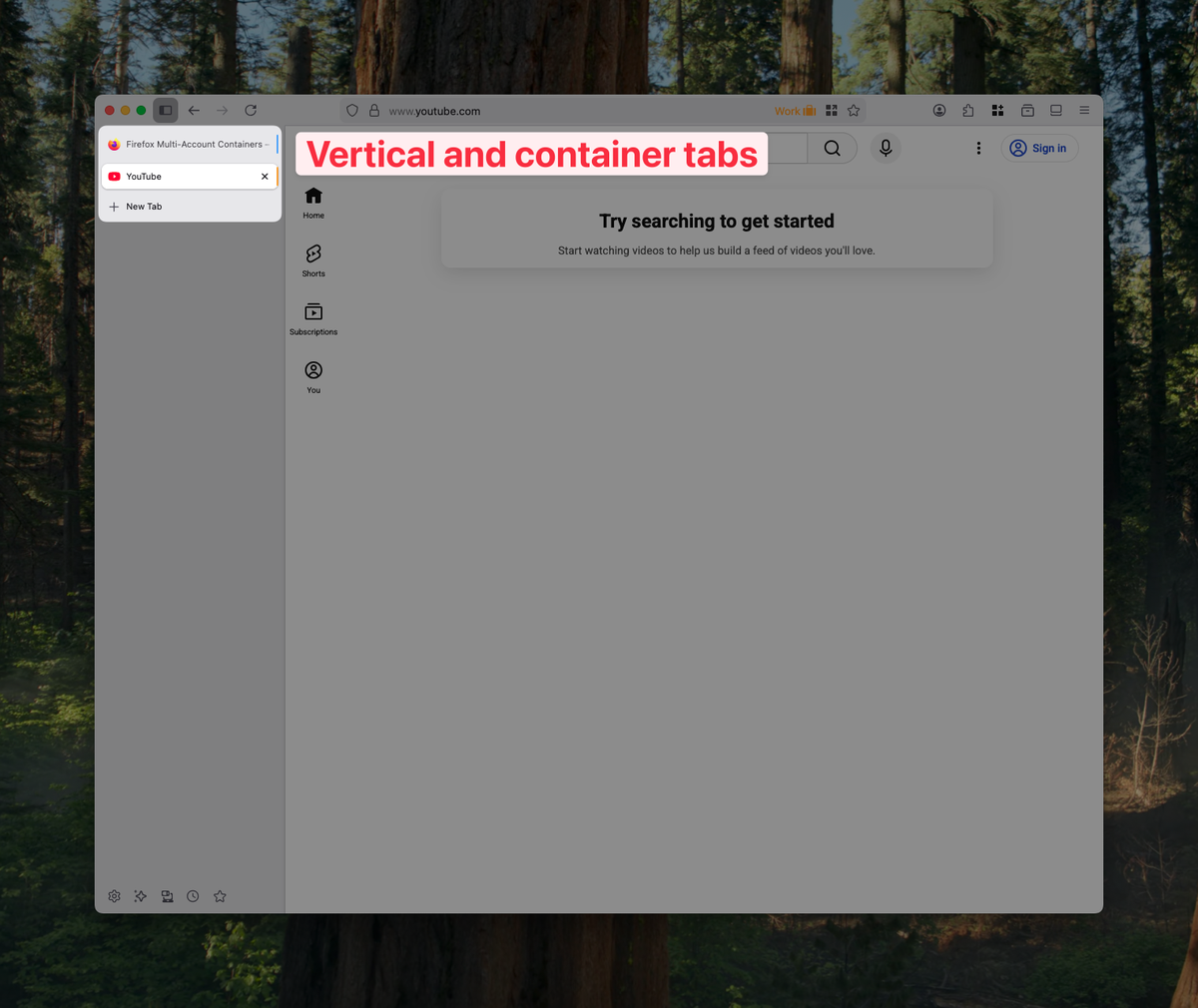
Chrome added vertical tabs as a Chrome flag in 2024 - it's a flat list with no spaces, no command bar, no fuzzy search. Edge has vertical tabs too, with the same limitation. Brave added an Arc-inspired sidebar but kept Chromium's flat tab model underneath. Firefox 136 shipped native vertical tabs on March 4, 2025 - the sidebar finally exists but with no spaces or workspaces. Vivaldi has had vertical tabs for years but the rest of the UI buries them.
Safari, the browser that wins on battery, has done the least of anyone. Its sidebar is still a flat list of tabs and bookmarks with no spaces, no fuzzy search, and no command palette.
The closest thing to Arc that's still actively developed is Zen Browser, a Firefox fork that launched in July 2024 specifically to replace Arc. Zen has the sidebar, workspaces, and split view. The trade-off: Zen is on Firefox's Gecko engine, so battery life tracks closer to Firefox than Safari, and the project is maturing.
What if Safari had Arc's sidebar?
Here's the question worth asking: what if you could keep Safari's 24-hour battery life and add Arc's vertical sidebar on top? You'd get the best browser engine on macOS for battery and the best tab management ever shipped, in one setup.
That's exactly what SupaSidebar is built for.
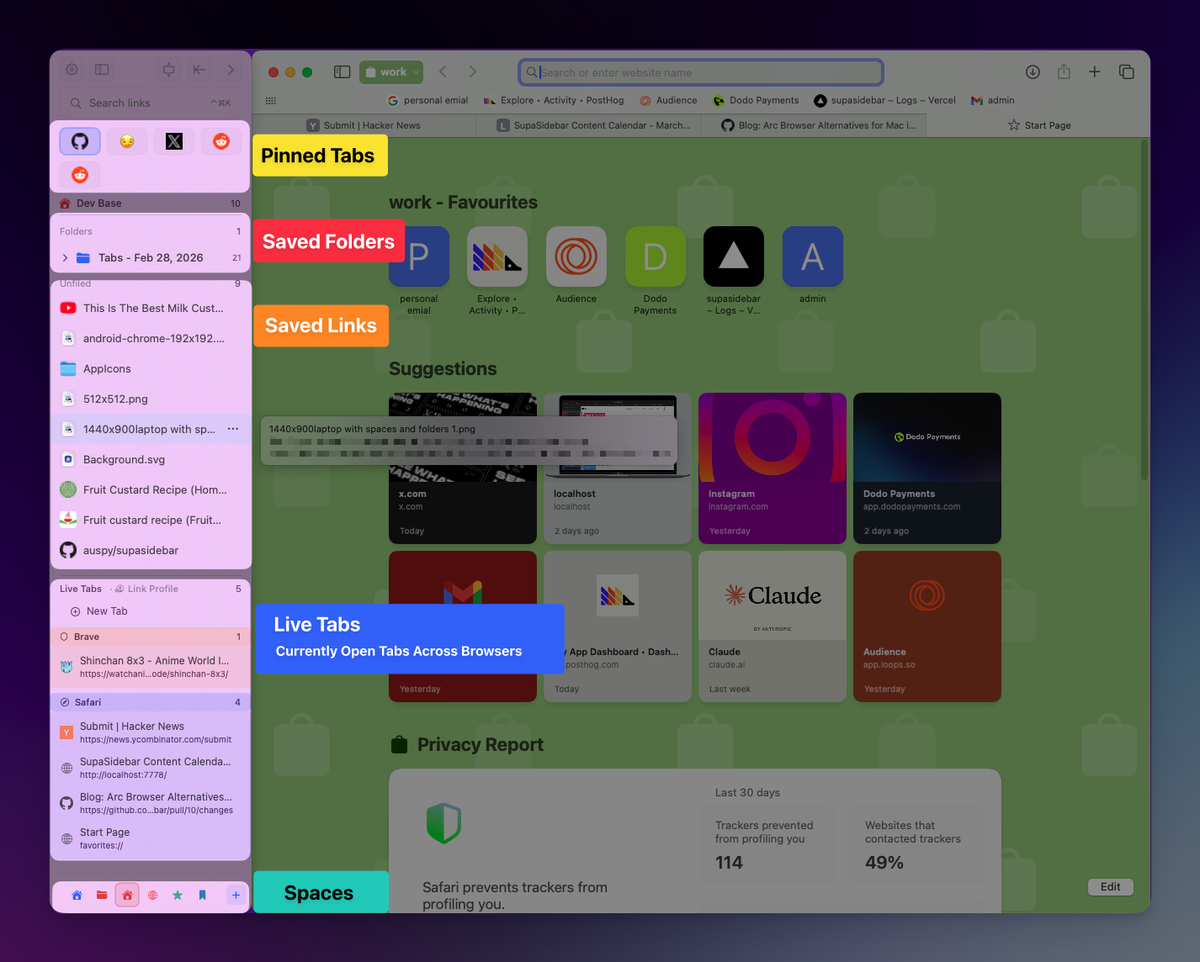
SupaSidebar is a native Mac app that adds a persistent vertical sidebar to any browser - Safari, Chrome, Firefox, Arc, Zen, Vivaldi, Brave, even niche browsers like Helium and Dia. The sidebar gives you Arc-style tab management, spaces, bookmarks, fuzzy search, and a command panel, regardless of which browser is in front. Pick Safari for Apple's published 24-hour battery life. Layer Arc's vertical sidebar on top.
Because SupaSidebar is a Mac app, not a browser extension, it doesn't add to the browser's process count. The sidebar runs as a separate native process with negligible CPU when idle. The battery cost over running Safari alone is small enough to be lost in measurement noise on powermetrics.
This is the only setup that gives you Safari's battery and Arc-style productivity at the same time.
What I'd actually pick in 2026
Pick Safari and add SupaSidebar. You get Apple's published battery numbers (16-24 hours depending on the MacBook) and Arc-style sidebar UX in one setup. Requires macOS 14 or later.
If you must use a Chromium browser for an extension or enterprise app, pick Edge over Chrome - the published efficiency numbers are real. If you do most of your browsing on ad-heavy sites, Brave's Shields produce meaningful savings.
If you want an Arc replacement that's still a browser (not a sidebar app), Zen is the closest match - sidebar, workspaces, split view, on Firefox's Gecko engine. The trade-off is it's still maturing.
Avoid Arc in 2026. It's been in maintenance mode since May 2025 and gets no new features.
FAQ
Which Mac browser uses the least battery?
Safari is the safest answer for sustained light browsing - Apple publishes 16-24 hours of battery life on M-series MacBooks running Safari. But independent benchmarks have produced contested results: Birchtree's 36-hour test found Chrome 9% more efficient than Safari, and BrowserBench found Brave drew 45% less average power than Safari on a simulated browsing workload. The honest answer: gaps between browsers are smaller than common wisdom suggests in 2026.
Is Arc bad for battery on Mac?
Arc was never battery-best, because it's Chromium-based with extra UI rendering. As of May 27, 2025, The Browser Company moved Arc into maintenance mode and shifted development to a new browser called Dia. Arc still runs on current macOS but receives only Chromium upstream merges and security patches. Not the right choice in 2026.
Does Chrome drain MacBook battery faster than Safari?
Not as much as you've heard. Birchtree's 2024 test on an M2 Pro 14" MacBook Pro found Chrome 128 used 9% less battery than Safari 17.6 across 36 hours of testing. Chrome's Memory Saver and Energy Saver (released February 2023 with Chrome 110) significantly improved battery efficiency. The "Chrome destroys Mac battery" advice is largely outdated.
What's the most battery-efficient browser on M1, M2, M3, and M4 Macs?
Apple publishes Safari battery numbers per Mac (up to 24 hours streaming on M4 14" MacBook Pro). For non-Safari browsers, no vendor publishes M-series battery hours, so independent benchmarks are the only data. Those benchmarks disagree - depending on workload, Safari, Chrome, or Brave can win.
Can I get Arc's UX without Arc's battery hit?
Yes. SupaSidebar is a Mac app that adds Arc-style sidebar, spaces, bookmarks, and command panel on top of any browser, including Safari. Pair it with Safari and you get Apple's published battery life along with Arc's sidebar UX. This is the only setup that gives you both.
Does Safari have an Arc-style sidebar?
Safari's built-in sidebar is basic - a flat list of tabs and bookmarks with no spaces, no fuzzy search, and no command palette. To get Arc's sidebar UX in Safari, use SupaSidebar, which adds a persistent native sidebar that works across Safari, Chrome, Firefox, and other browsers.
Is Zen Browser as battery-efficient as Safari?
There's no published head-to-head benchmark yet. Zen is built on Firefox 128's Gecko engine, so battery profile should track close to Firefox - which most comparisons place behind Safari but ahead of Chromium browsers for typical workloads. Zen's appeal is Arc-style UX in a non-Chromium browser, not battery superiority.
How can I test browser battery use on my own Mac?
macOS includes powermetrics, a built-in tool that reports real-time CPU and GPU power draw. Run sudo powermetrics --samplers cpu_power -i 1000 -n 60 in Terminal while using a browser, then repeat with another browser on the same workload. Compare the average package power. Mihnea Radulescu's open-source BrowserBench automates this.
Why I recommend SupaSidebar with Safari
SupaSidebar is a Mac sidebar app that brings Arc's sidebar UX to every browser - Safari, Chrome, Firefox, Arc, Zen, Vivaldi, Brave. If battery life matters and you also miss Arc's sidebar, the Safari + SupaSidebar combination is the highest-leverage setup on macOS in 2026.
Requires macOS 14 or later. Try it at supasidebar.com.