
TL;DR:
Pick Safari for battery life, M-series performance, and Apple ecosystem integration. Pick Zen Browser if you want an open-source, Firefox-based clone of Arc's sidebar UX and you're okay with higher RAM usage. Don't pick Arc - it's been in maintenance mode since May 2025 and gets no new features. If you want Arc's sidebar without leaving Safari, SupaSidebar gives you that on macOS 14+ with a free tier, and imports your Arc Spaces and pinned tabs in 3 clicks.
Looking for something specific?
- Comparing every Arc alternative? → Arc Browser alternative guide (the pillar comparison)
- Leaving Arc and want the full migration playbook? → Switching from Arc Browser
- Already here to compare Safari, Zen, and Arc? → Keep reading.
The 30-Second Verdict on Safari vs Zen vs Arc in 2026
Safari vs Zen Browser vs Arc is the most-asked Mac browser question of 2026, and the answer changed in 2025. Arc Browser was the clear winner from 2022 to 2024, but The Browser Company announced Arc was entering maintenance mode on May 27, 2025 (CEO Josh Miller's open letter, also covered by The Register). Atlassian then acquired The Browser Company for $610 million on September 4, 2025 (Atlassian's official announcement). Arc still ships Chromium security patches, but no new features are coming.
That leaves two real choices on Mac in 2026: Safari, the native Apple browser with the best battery life on M-series hardware, or Zen Browser, a Firefox-based open-source project that has copied most of Arc's sidebar UX. They're targeting different users.
This post covers the practical tradeoffs between Safari, Zen, and Arc on macOS 13+ for daily browsing, productivity workflows, and battery-sensitive use. It does NOT cover Linux or Windows (Safari isn't available there, Zen is, Arc still ships on Windows but is also frozen there). It does not cover developer-specific browsers like Orion or Sidekick.
I'm Kshetez Vinayak, the indie developer behind SupaSidebar. Thousands of Mac users are running SupaSidebar today, and a big chunk of them came from exactly this migration. The patterns are clear. Here's what to pick and why.
Safari vs Zen vs Arc: Side-by-Side Comparison
Here's the head-to-head on the dimensions that actually matter on a Mac in 2026. RAM numbers are from a 2025 Cloudzy benchmark and the Zen vs Chrome/Brave/Firefox/Safari benchmark on Jitbit, with 10 tabs open on macOS.
| Feature | Safari 26 | Zen Browser (1.21.x) | Arc Browser 1.x |
|---|---|---|---|
| Engine | WebKit | Gecko (Firefox fork) | Chromium (Blink) |
| Battery (M-series) | Best in class | Higher drain than Chromium | Higher drain than Safari |
| RAM (10 tabs idle) | ~1.2 GB | 1.5-2 GB | ~1.5 GB |
| Vertical sidebar | No (native) | Yes (Arc-style) | Yes (the original) |
| Spaces / workspaces | Tab Groups (basic) | Yes (Workspaces) | Yes (Spaces) |
| Customization | Limited | High (CSS Mods) | Medium (Boosts) |
| Mac-native | Yes (built on AppKit/SwiftUI) | No (Firefox shell) | No (Chromium shell) |
| iCloud sync | Yes | No (Firefox Sync) | No (account-based) |
| Open source | No | Yes (MPL 2.0) | No |
| Future viability | Active development | Active development | Maintenance mode (no new features) |
| Privacy | Strong (ITP, on-device) | Strong (Firefox-based) | Medium (Chromium telemetry) |
| Extensions | Safari Web Extensions (limited) | Full Firefox addons | Chrome extensions |
| Price | Free | Free | Free |
The pattern is obvious: Safari wins on native integration, Apple ecosystem, and battery life on M-series hardware. Zen wins on UX and customization. Arc loses on viability - the company that made it isn't building it anymore.
The catch nobody talks about: Safari has Apple's battery and ecosystem advantages but no Arc-style sidebar. Zen has Arc's sidebar but uses noticeably more RAM than either Safari or Chromium (reported by multiple Zen GitHub issues). You can't get both in a single browser today. SupaSidebar exists because of that exact gap.
Safari in 2026: Boring, Fast, and the Smart Default
Safari is the browser most Mac users should be using in 2026. It ships with macOS 13+, runs natively on Apple Silicon, and gets the kind of low-level OS integration Chromium browsers physically cannot match.
The honest battery story in 2026: Safari is still the most efficient Mac browser, but Chrome has closed most of the gap. Recent benchmarks (Birchtree's 36-hour test and Michael Tsai's 2024 roundup) show Chrome and Safari draining at similar rates over short sessions, with Safari pulling ahead on long, idle workdays. Memory still favors Safari - the 2025 Cloudzy benchmark shows Safari around 1.2 GB on 10 tabs, while Chrome and Firefox creep higher under load. The practical difference on an M-series MacBook is real but smaller than it was in 2022.
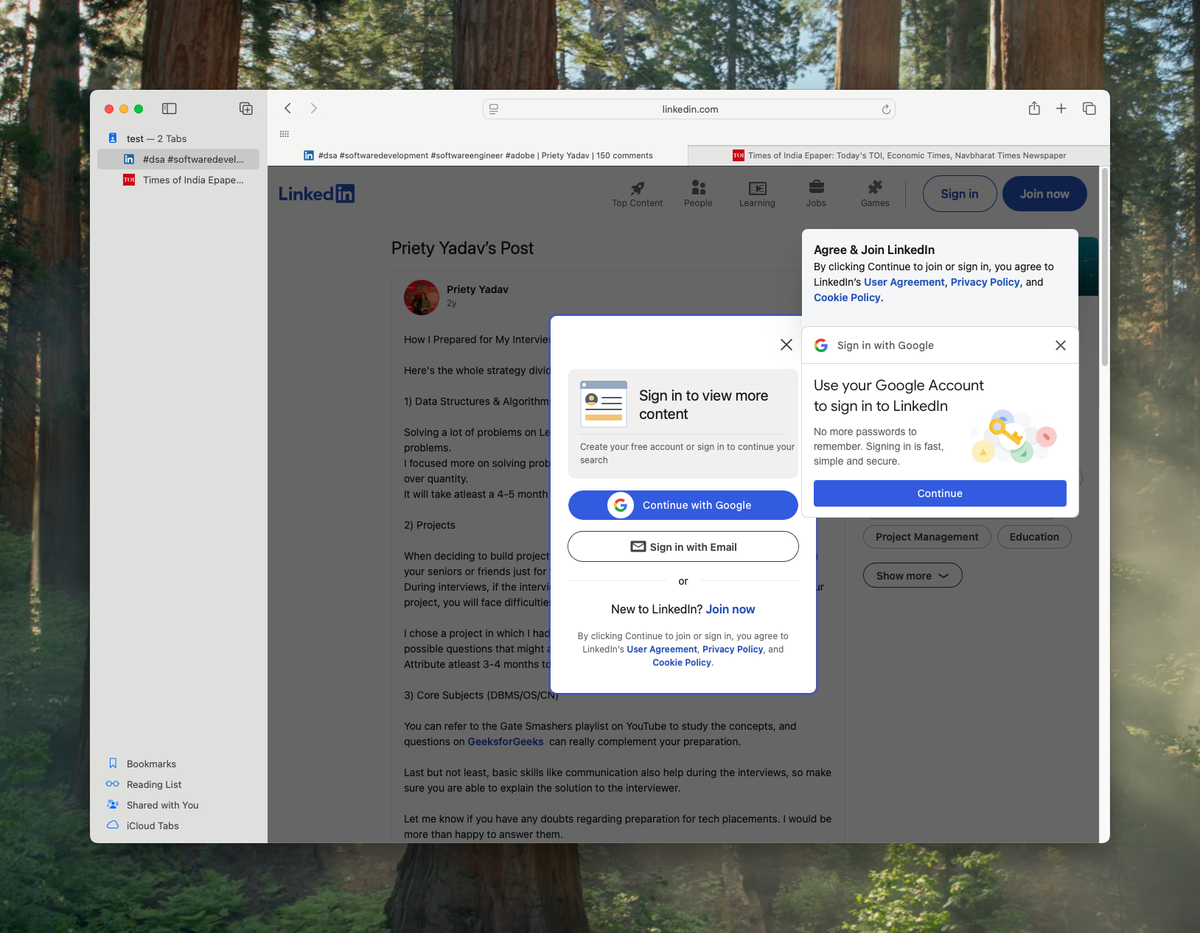
What Safari got right in 2024 and 2025: Tab Groups (Apple's answer to Spaces), Profiles, full iCloud Keychain sync, Hide My Email, Private Relay, Reader Mode, and Highlights. What it still doesn't have: a real sidebar. Safari has a sidebar panel, but it's a left-rail bookmark drawer, not a persistent vertical tab view like Arc.
"Moved from Arc to Safari, only thing I missed was the sidebar. This is it." - Reddit user discussing SupaSidebar
That single missing feature is why Arc users hesitate to switch. Everything else about Safari is better. Battery, speed, integration, privacy, sync. SupaSidebar is the workaround. It's a Mac sidebar app that brings Arc's sidebar UX to Safari (and every other browser) without you having to leave Safari for a worse browser.
Pick Safari if:
You're on a MacBook and battery matters, you want iCloud Keychain and Handoff to just work, you don't need every Chrome extension, and you're okay using SupaSidebar to get Arc's sidebar back. This is the right choice for ~80% of Mac users in 2026.
Zen Browser in 2026: Arc's UX, Firefox's Engine
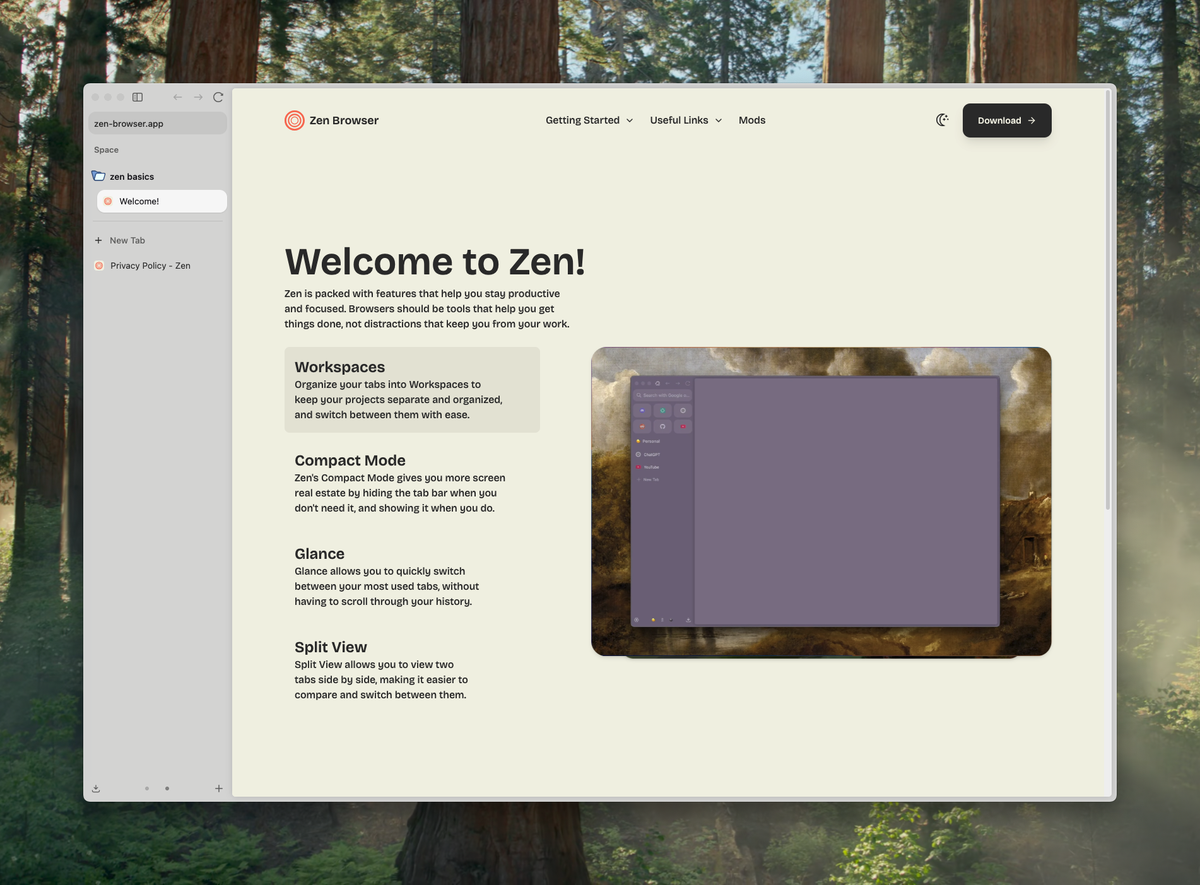
Zen Browser is the open-source Arc replacement. It's a Firefox fork that takes the Arc UX - vertical sidebar, Workspaces, Glance (split view), Mods - and builds it on top of Mozilla's Gecko engine instead of Chromium. Zen shipped its first 1.0 release in December 2024 and has been on a fast cadence since (1.21.1b shipped in June 2026).
I genuinely like what the Zen team is doing. The product is good. The sidebar is the closest thing to Arc on the market, the customization story is better than Arc's ever was (CSS Mods are legitimately powerful), and being open source means it can't get killed by an acquisition the way Arc did.
The honest tradeoffs:
Zen has a real RAM problem. Multiple GitHub issues track high memory usage, with users reporting Zen sitting around 730 MB on a single empty tab and climbing fast - 1.5 to 2 GB with just a few tabs open is common. That's worse than Chrome on the same workload, despite Zen being Firefox-based. Zen also doesn't have iCloud Keychain or Handoff. If you're deep in the Apple ecosystem, that's a real cost. The Firefox extension store is smaller than Chrome's, though most people don't notice.
The pattern I see in user feedback: people try Zen, love the UX, then switch back after a week because of RAM. One quote from a SupaSidebar user puts it bluntly:
"I was using zen before but i abandon it due to high ram usage. But i miss its vertical tab very much" - SupaSidebar user
That's the exact tradeoff Zen forces on you in 2026. You get Arc's sidebar back, but you pay for it in memory pressure on smaller MacBooks.
Pick Zen if:
You want a complete Arc replacement in a single browser, you don't care about battery (desktop or plugged-in MacBook Pro), you want full Firefox extensions, and you value open source. This is a solid choice for power users who lived in Arc and are willing to pay the battery tax.
Arc Browser in 2026: Why It's a Bad Pick Now
Arc Browser was the best Mac browser of 2023. In 2026 it's a bad pick. Here's why, plainly.
The Browser Company announced Arc was entering maintenance mode on May 27, 2025. CEO Josh Miller wrote the public letter explaining Arc had a steep learning curve that prevented mainstream adoption. No new features have shipped to Arc since. Atlassian then acquired The Browser Company on September 4, 2025 for $610 million in cash, with the deal expected to close in Atlassian's fiscal Q2 (December 2025). Arc is now a side project inside an enterprise software company that does not make consumer browsers.
Arc still gets Chromium security patches via the rebased upstream, so it's not unsafe to use. But every productivity feature that made Arc special - Air Traffic Control, Boosts, Spaces, the command bar - is frozen at its May 2025 state. Bugs that exist will stay. Workflows that broke will stay broken. Your sidebar is on a dead-end tool.
The other problem: Arc's RAM usage was always heavy and its battery story on M-series was never great. Those problems aren't getting fixed either.
If you're already on Arc and your workflow works, fine - keep using it until something breaks. But starting fresh on Arc in 2026 means committing to a browser that's actively shrinking its userbase. Don't do that.
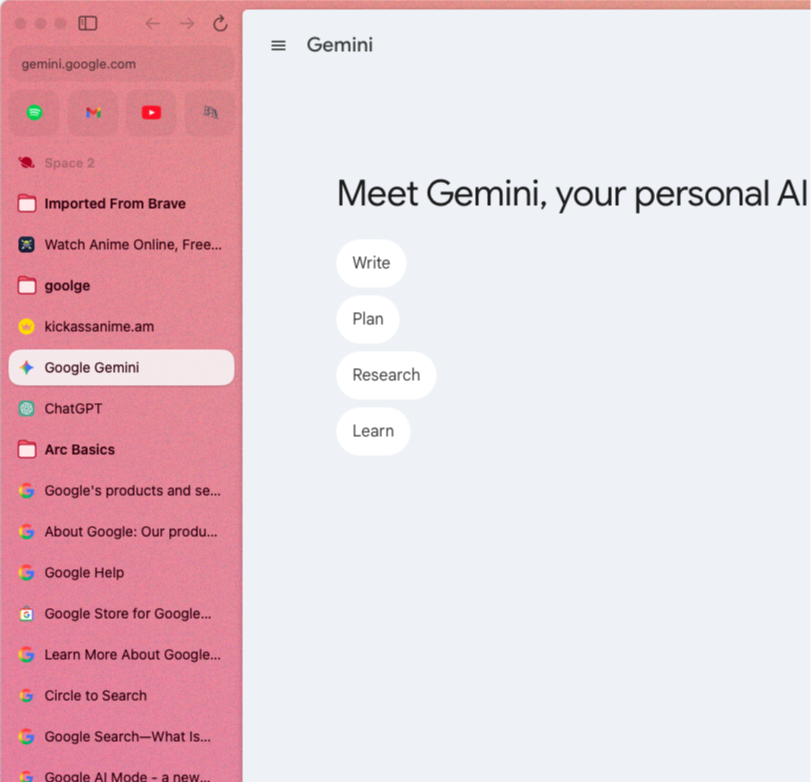
Pick Arc only if:
You're already deep in Arc, your workflow depends on Boosts or Split View, and you understand you're using a frozen product. Otherwise pick Safari or Zen.
What If You Want All Three? Safari + SupaSidebar Gets You 80% There
Here's the move most Arc refugees actually make in 2026: use Safari as the browser, use SupaSidebar to get Arc's sidebar UX back, and skip Zen.
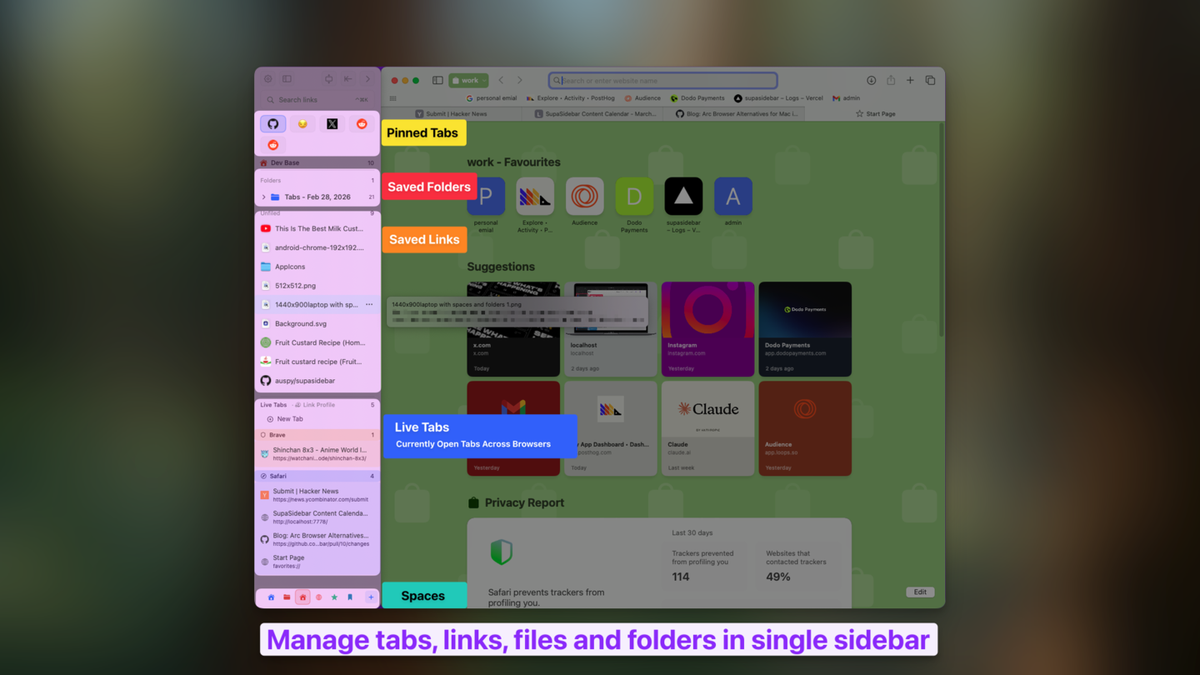
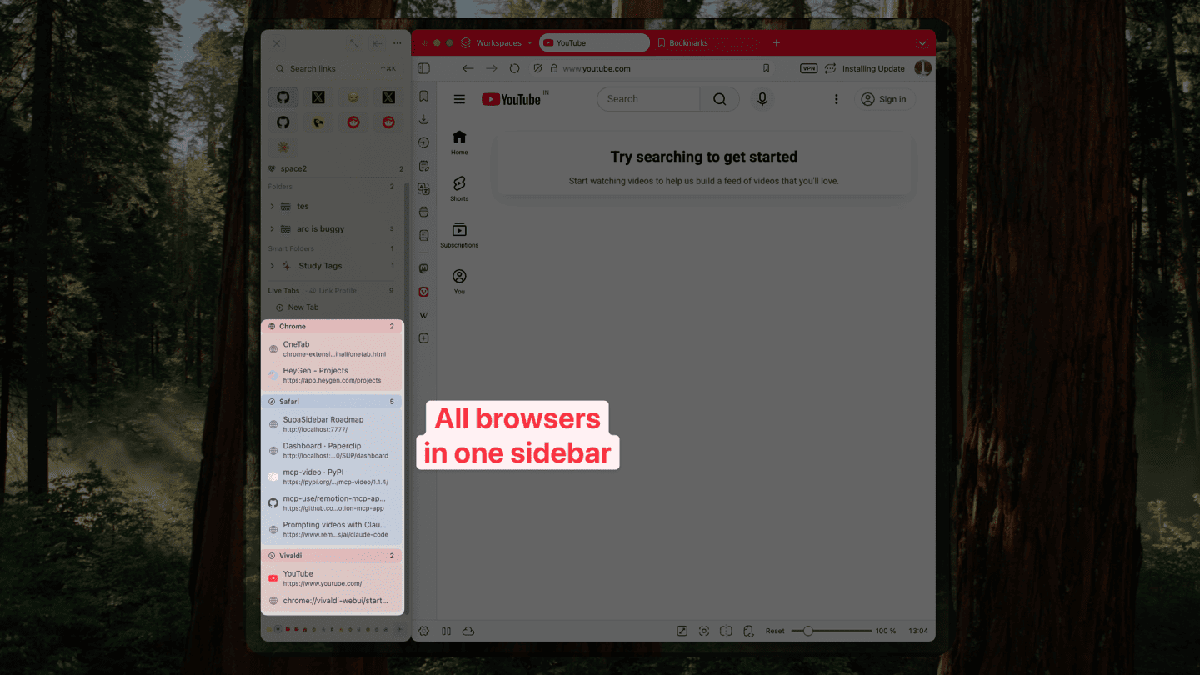
SupaSidebar is a macOS app that brings Arc's sidebar to every browser - one sidebar for tabs, bookmarks, files, and apps across Safari, Chrome, Firefox, Arc, Zen, Vivaldi, and Brave. It's not a browser. It's not a browser extension. It's a native Mac app that adds a persistent sidebar to whatever browser you're using.
What you get from this combo: Safari's battery life and macOS integration, plus Arc-style Spaces, pinned tabs, a fuzzy Command Panel (⌘⌃K) that searches across every browser at once, unified bookmarks across browsers, Air Traffic Control rules that route links to the right Space and browser, and a 3-click Arc import that reads your Arc sidebar directly and recreates Spaces, folders, and pinned tabs in under 2 minutes.
What you don't get: Arc's Boosts (per-site CSS injection - this is a browser-engine feature, no sidebar app can replicate it because SupaSidebar lives outside the browser) and Arc's 4-tab in-window Split View (SupaSidebar's Window Tiling auto-tiles up to 3 browser windows side-by-side, which solves the same workflow but isn't identical). If you need Boosts specifically, Zen shipped a native Boosts feature in v1.20b (May 2026) that customizes any site's look, fonts, colors, and dark mode at the browser level - that's the cleanest full-browser path. On Safari + SupaSidebar, the closest workaround is the Stylus or Cascadea userstyle extension. If Boosts isn't a daily-driver feature for you, Safari + SupaSidebar is still the cleaner setup.
The pricing on SupaSidebar is the part that surprises people. Free Forever for 3 spaces. Paid plans include yearly, a one-time Personal option (2 devices), and a one-time Believer option (5 devices). See supasidebar.com for current pricing - the Personal tier ends up cheaper than half a year of any subscription-only competitor.
A user on Reddit summed up the workflow last month:
"I just found this today and love the fact that I can have the only thing I liked about Arc straight into the comfort of my Safari - AND have it sync'd via iCloud" - SupaSidebar user
The Decision Tree: Which Mac Browser Should You Actually Pick?
I've watched thousands of Mac users go through this decision in the last year. Here's the pattern that holds.
Pick Safari if you're a MacBook user who cares about battery, you live in the Apple ecosystem (Mail, Calendar, Keychain), and you don't need every Chrome extension. Add SupaSidebar if you miss Arc's sidebar.
Pick Zen if you're on a desktop Mac (Mini, Studio, iMac) where battery doesn't matter, you want a complete Arc clone in one app, and you value open-source software.
Pick Arc only if you're already there and your workflow depends on Boosts or Split View. Don't start fresh on Arc.
The hybrid that actually works for most people: Safari as the browser, SupaSidebar as the sidebar layer, Zen kept around for the rare case where you need Boosts. That's what I do. That's what most Arc refugees I've talked to end up doing.
Conclusion: Picking the Right Mac Browser in 2026
The Safari vs Zen vs Arc question on Mac in 2026 has one clean answer for most people and one nuanced answer for power users. Here's the short version.
For most Mac users in 2026, Safari is the right browser. It runs natively on Apple Silicon, sits around 1.2 GB of RAM on 10 tabs (Cloudzy benchmark), and integrates with iCloud Keychain, Handoff, and the rest of macOS in ways no third-party browser can match. Battery life on M-series MacBooks is still best-in-class even though Chrome has narrowed the gap considerably (Birchtree's 2025 testing). The one thing Safari lacks - an Arc-style vertical sidebar with Spaces - is filled by SupaSidebar, a separate Mac app that adds the sidebar layer on top of Safari. The combination gets you most of Arc's workflow without leaving the most efficient browser on macOS.
For power users on plugged-in Macs (Mac Mini, Mac Studio, iMac, MacBook Pro on power) where RAM headroom isn't an issue, Zen Browser is a legitimate single-app alternative. It's open source, Firefox-based, has Workspaces (Arc-style Spaces), full Mods customization, and isn't going anywhere because it's community-built. The price is memory pressure - 1.5 to 2 GB on a few tabs is common (reported in multiple GitHub issues). On a 16 GB MacBook Air with Slack, Notion, and a video call running, that hurts. On a 32 GB Mac Studio, you won't notice.
Arc itself is a bad pick to start fresh on in 2026. The Browser Company put it in maintenance mode in May 2025 and Atlassian acquired the company in September 2025. Security patches still ship via the Chromium upstream, but no new features will. If you're already on Arc and your workflow is stable, fine - keep using it until something breaks. If you're choosing today, choose Safari + SupaSidebar or Zen.
The migration cost matters too. Moving from Arc to Zen means rebuilding your sidebar by hand because no other tool reads Arc's sidebar layout. Moving from Arc to Safari + SupaSidebar takes 3 clicks: open Preferences, select Arc, click Import. Your Spaces, folders, and pinned tabs come over directly. That single fact is why most Arc refugees end up on Safari + SupaSidebar rather than on Zen.
Don't do nothing. Arc still works in 2026, but maintenance mode is a slow leak. Test alternatives now while Arc is still functional, not later when something finally breaks.
Frequently Asked Questions
Is Zen Browser better than Safari on Mac?
Zen is better than Safari at sidebar UX, vertical tabs, and customization. Safari is better than Zen at memory efficiency, battery life, and Apple ecosystem integration. For most MacBook users, Safari wins because Zen's RAM usage is significantly higher - GitHub issues report Zen sitting at 730 MB on a single tab and climbing to 1.5-2 GB with just a few tabs, versus Safari's roughly 1.2 GB on 10 tabs (Cloudzy benchmark). If you want Zen's UX with Safari's footprint, use Safari with SupaSidebar.
Does Safari have an Arc-style sidebar?
No, Safari does not have an Arc-style vertical tab sidebar in 2026. Safari has a left-rail panel for bookmarks, Reading List, and Tab Groups, but not a persistent vertical tab view with Spaces and pinned tabs like Arc. SupaSidebar is a Mac app that adds an Arc-style sidebar to Safari (and Chrome, Firefox, Brave, Edge, Arc, Zen, Vivaldi).
Is Arc Browser still safe to use in 2026?
Yes, Arc is still safe to use because it ships Chromium security patches via the rebased upstream. The Browser Company put Arc into maintenance mode in May 2025 and was acquired by Atlassian for $610 million in September 2025, so no new features will ship, but the browser is not abandoned for security purposes. The risk is feature stagnation and unfixed bugs, not security.
What replaced Arc on Mac after it stopped getting updates?
Three things split the Arc userbase. Heavy Arc users moved to Zen Browser, an open-source Firefox-based clone of Arc's sidebar UX. Battery- and ecosystem-conscious users moved to Safari and added SupaSidebar to get the sidebar UX back. A small group stayed on Arc indefinitely. The Browser Company's own successor, Dia, began adding Arc-style features (sidebar mode, vertical tabs, pinned tabs) in November 2025, so it's becoming a more credible Arc replacement than it was at launch - but its core focus is still AI agents, not the spatial sidebar workflow Arc was built around.
Is Zen Browser production-ready in 2026?
Yes. Zen Browser shipped version 1.0 in December 2024 and is on a fast release cadence (1.21.1b shipped in June 2026). It's stable enough for daily use and has a real community building Mods (custom CSS themes). The two real production tradeoffs are noticeably higher RAM usage than both Safari and Chrome (acknowledged in multiple GitHub issues) and a smaller extension ecosystem than Chrome's. For desktop Macs and plugged-in laptops it's a solid daily driver.
Can I use Safari and Zen together on Mac?
Yes, you can run Safari and Zen side by side on macOS 13+. The hard part is keeping bookmarks, tabs, and pinned items in sync across both. Native browser sync doesn't work across engines (Safari uses iCloud, Zen uses Firefox Sync). SupaSidebar solves this by giving you one shared sidebar that lives outside both browsers - bookmarks and Spaces persist regardless of which browser you're using at the moment.
What's the most battery-efficient browser on M-series Macs in 2026?
Safari is still the most battery-efficient Mac browser because it's built on WebKit and shares the same low-level optimizations Apple uses for the rest of macOS. The gap to Chrome has narrowed significantly though - Birchtree's 36-hour 2025 test found Chrome and Safari draining at similar rates over short sessions, with Safari pulling ahead on long, idle workdays. On memory, the 2025 Cloudzy benchmark shows Safari around 1.2 GB on 10 tabs, with Chrome and Firefox creeping higher under load and Zen reportedly worse than both.
Is Dia the same as Arc?
No, Dia is not the same as Arc, but it's getting closer. Dia is The Browser Company's AI-first Chromium-based browser that entered beta in June 2025 and went public on macOS in October 2025. Its core focus is AI agent workflows - chat with your tabs, Morning Brief summaries, integrations with Slack, Notion, and Gmail. In November 2025, Josh Miller announced Dia would start adding Arc features including sidebar mode, vertical tabs, and pinned tabs. So Dia is becoming a more credible Arc replacement than it was at launch, though it's still primarily an AI browser rather than a spatial-sidebar browser.
Why we recommend SupaSidebar
SupaSidebar is a Mac sidebar app that brings Arc's sidebar UX to every browser - Safari, Chrome, Firefox, Arc, Zen, Vivaldi, Brave. Built by Kshetez Vinayak, indie developer, since July 2025. Thousands of Mac users today. macOS 14+. Free tier with 3 spaces; paid plans on the website.
If you're moving off Arc and want to land on Safari without losing the workflow, this is the cleanest path. Set Safari as default, install SupaSidebar, click "Import from Arc," and your Spaces, folders, and pinned tabs are back in under 2 minutes. You keep Apple's battery life. You keep iCloud sync. You get Arc's sidebar.
If you want to dig deeper, here's what's worth reading next:
- Arc Browser Alternative 2026: The Complete Guide to Leaving Arc - the full ranked alternatives list
- Switching from Arc Browser - the migration playbook
- Is Arc Browser Dead? - the full backstory on the maintenance mode announcement
- Best Browser for Mac in 2026 - the broader Mac browser landscape
- Compare Arc Browser, Compare Zen Browser - feature-by-feature SSB comparisons
If you want to try SupaSidebar, the free tier covers most of what's in this post and is enough to test the Arc-on-Safari workflow before paying anything. supasidebar.com.